ZVC300 - Video conferencing system Yealink - Free user manual and instructions
Find the device manual for free ZVC300 Yealink in PDF.


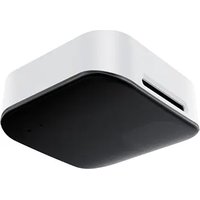
| Product type | Video conferencing system (AVHub) |
| Brand | Yealink |
| Model | ZVC300 |
| Power supply | DC 48 V power adapter |
| Operating temperature | -10 °C to 50 °C (14 °F to 122 °F) |
| Relative humidity | 5% to 90% non-condensing |
| Storage temperature | -30 °C to +70 °C (-27 °F to +160 °F) |
| Ports | 1x USB-A, 1x USB-B, 1x VC/camera hub port, 1x RCA input, 1x 3.5 mm line out, 1x 6.3 mm line in, 1x 6.3 mm line out, DC 48 V |
| LED indicator | Off, steady red, blinking red, steady orange, blinking orange, steady green, blinking green depending on status |
| Mounting | Wall, under table, on desk, in 19-inch rack (IEC 60297) |
| Compatibility | VCS and MVC terminals, VCM34/VCM36/VCM38 microphones, UVC84/UVC86 cameras, MSpeaker II speaker, VCC22 |
| Included accessories | Power adapter, cable ties (x5), screws (x8), mounting brackets (x2), quick start guide |
| Cleaning | Soft, dry, antistatic cloth; disconnect power before cleaning |
| Safety | Do not expose to water, do not disassemble, use within temperature range, follow safety instructions |
| Recycling | Do not dispose of with household waste; follow local regulations |
| General information | Made in China; limited warranty on the device; contact: support@yealink.com |
Frequently Asked Questions - ZVC300 Yealink
User questions about ZVC300 Yealink
0 question about this device. Answer the ones you know or ask your own.
Ask a new question about this device
Download the instructions for your Video conferencing system in PDF format for free! Find your manual ZVC300 - Yealink and take your electronic device back in hand. On this page are published all the documents necessary for the use of your device. ZVC300 by Yealink.
USER MANUAL ZVC300 Yealink
natural_image
Exterior view of a black YeaLink audio device (no visible text or symbols on body)English| 简体中文 |DEUTSCH|FRANÇAIS|ESPAÑOL (V1.1)
CONTENT
English....1
简体中文....11
Deutsh 21
Français....31
Español 41
Declaration of Conformity....53
1 Package Contents
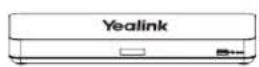
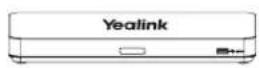
AVHub
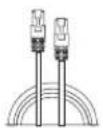
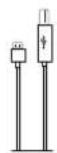
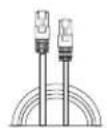
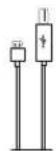
7.5 m Ethernet Cable Bracke2.5 m USB Cable
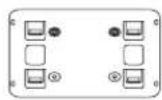
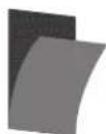
Velcro(x2)
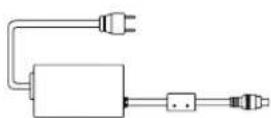
Power Adapter
Cable Ties(x5)
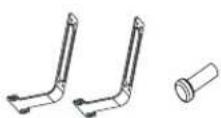
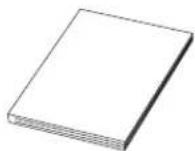
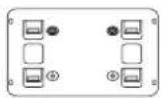
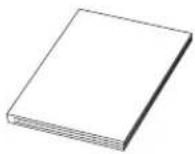
Screw (x8) Mounting ears (x2) Quick Start Guide

We recommend that you use the accessories provided or approved by Yealink. The use of unapproved third-party accessories may result in poor performance.
2 Hardware Interface Instructions
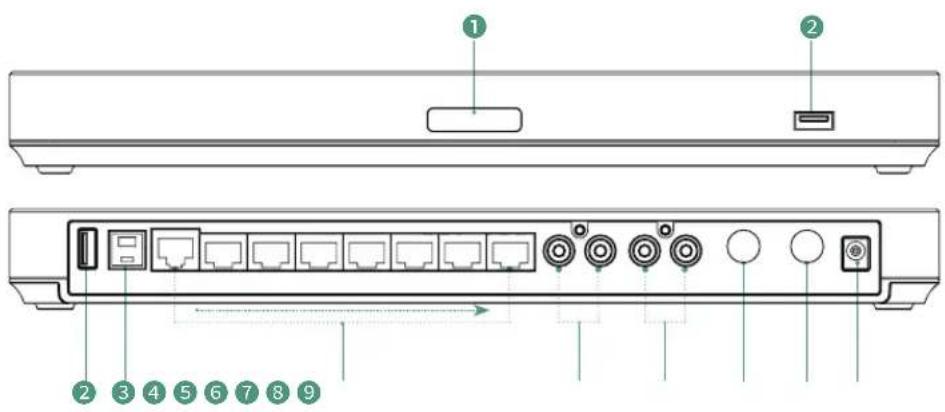
① LED Indicator: different status of the AVHub.
② USB-A Port
③ USB-B Port
④ VC Hub/Camera Port
⑤ RCA In: connect to an audio input device via a RCA cable.
6 RCA Out: connect to an audio output device via a RCA cable.
⑦ 6.3m Line in
8 6.3m Line out
9 DC48V: connect to the power adapter.
3 LED Indicator Instructions
- Connect to the MVC Endpoint
| LED Status | Description |
| LED indicator off | The AVHub is in a power-off. |
| Solid red | The AVHub is in sleep status.The PC is not connected after the AVHub is powered on. |
| Fast flashing red | The AVHub is restored to factory settings. |
| Solid orange | The AVHub is powering on. |
| Fast flashing orange | The firmware of AVHub is under update. |
| Solid green | The AVHub is working. |
- Connect to the VCS Endpoint
| LED Status | Description |
| LED indicator off | The AVHub is in a power-off or shutdown status. |
| Solid red | The AVHub is in a screensaver or sleep status.After the AVHub is powered on, the VCS endpoint or PC is not connected. |
| Fast flashing red | The AVHub is restored to factory settings.The firmware of AVHub is under update. |
| Solid green | The AVHub is working. |
| Fast flashing green | Adjusting the volume or muting the AVHub device |
| Solid orange | The AVHub is powering on. |
4 Applicable Devices
Applicable endpoint: VCS series endpoint/MVC series endpoint
Applicable accessories: VCM34/VCM36/VCM38/UVC84/UVC86/MSpeaker II/VCC22
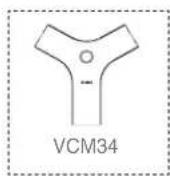
If you want to know more about the VCM34, please refer to the VCM34 Quick Start Guide.
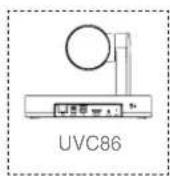
If you want to know more about the UVC86, please refer to the UVC86 Quick Start Guide.
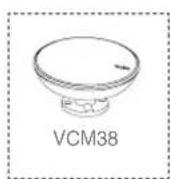
If you want to know more about the VCM38, please refer to the VCM38 Quick Start Guide.
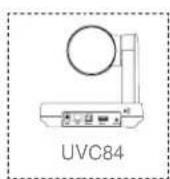
If you want to know more about the UVC84, please refer to the UVC84 Quick Start Guide.
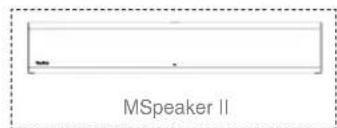
If you want to know more about the MSpeaker II, please refer to the MSpeaker II Quick Start Guide.
5 AVHub Installation
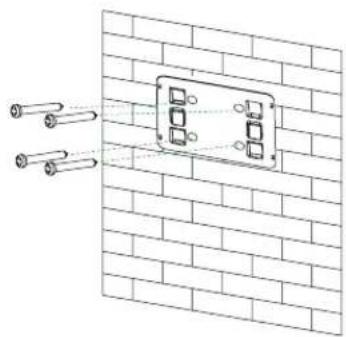
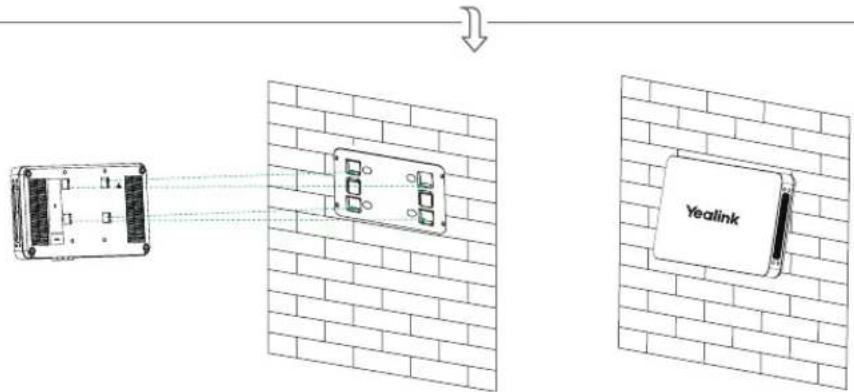
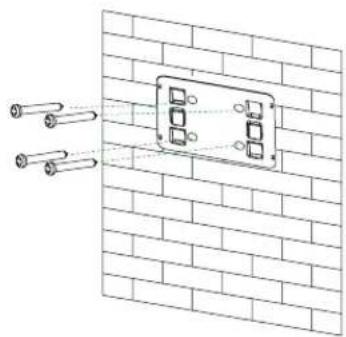
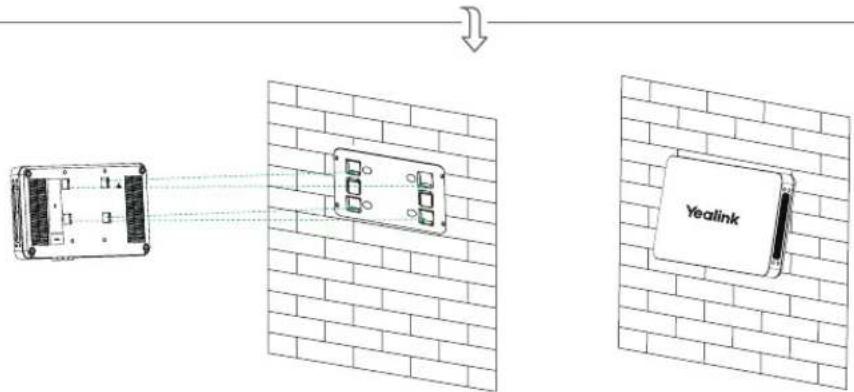
- Mount on the Wall
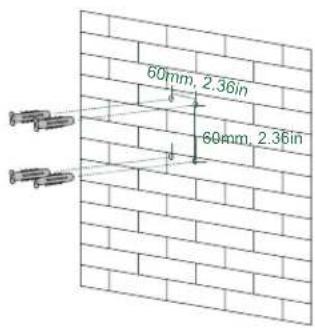
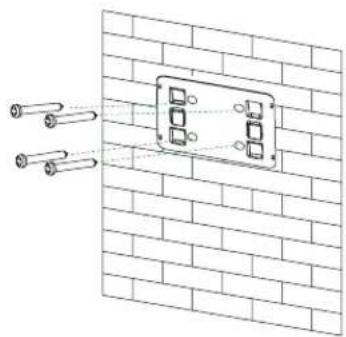
natural_image
Diagram of a wall-mounted electrical enclosure with two cylindrical sensors, no text or symbols present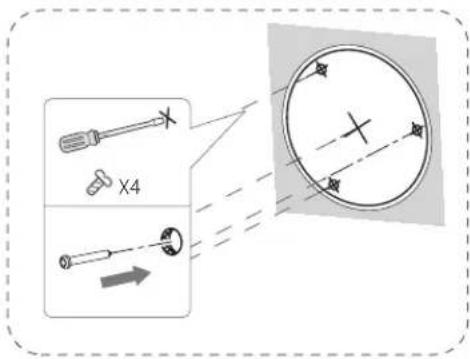
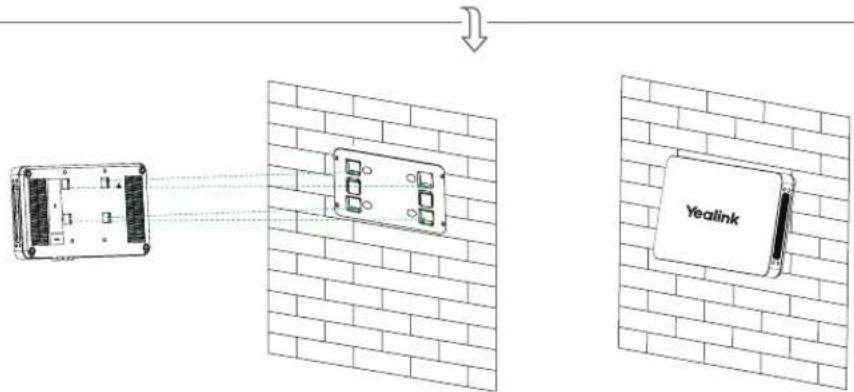
- Stick under the Table
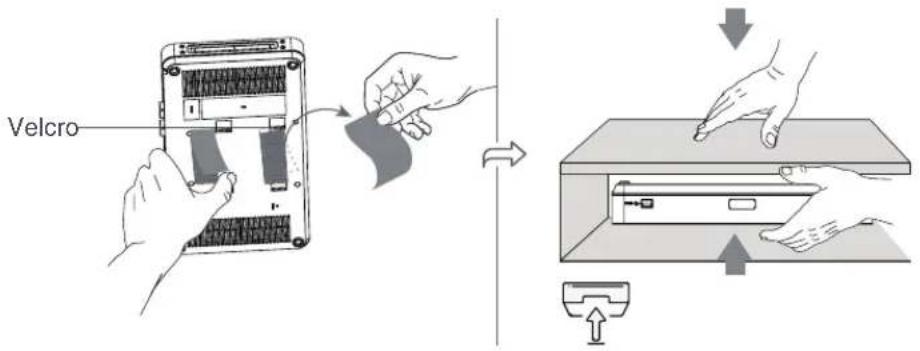
- Put on the Desk
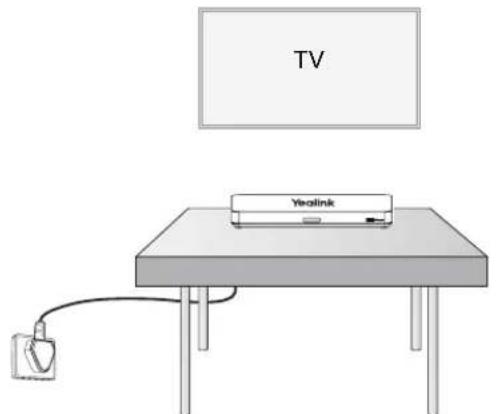
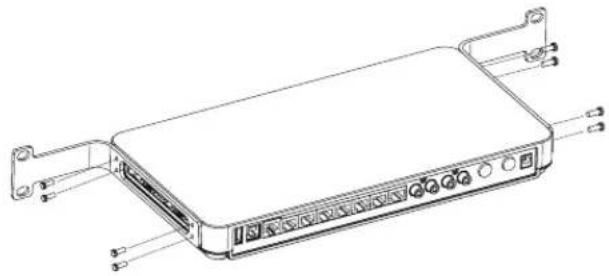
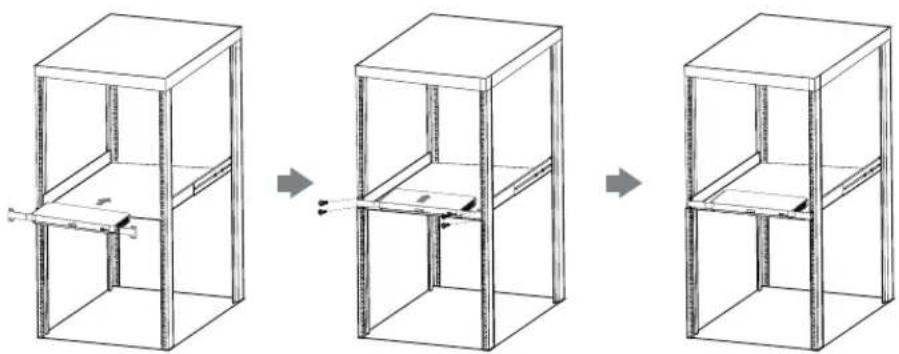
- Mount on the Rack
① Install the mounting ears on both sides of the AVHub.
natural_image
Line drawing of a rectangular electronic device with ports and connectors (no text or symbols)② Push the AVHub into the rack, and then fix it to the rack with screws.
natural_image
Three-step diagram showing a 3D cabinet structure with internal components, no text or symbols present.
The rack in which the AVHub will be placed must be a 19-inch Rack compliant with IEC 60297. The Package Contents do not include screws.
6 Endpoint Connection

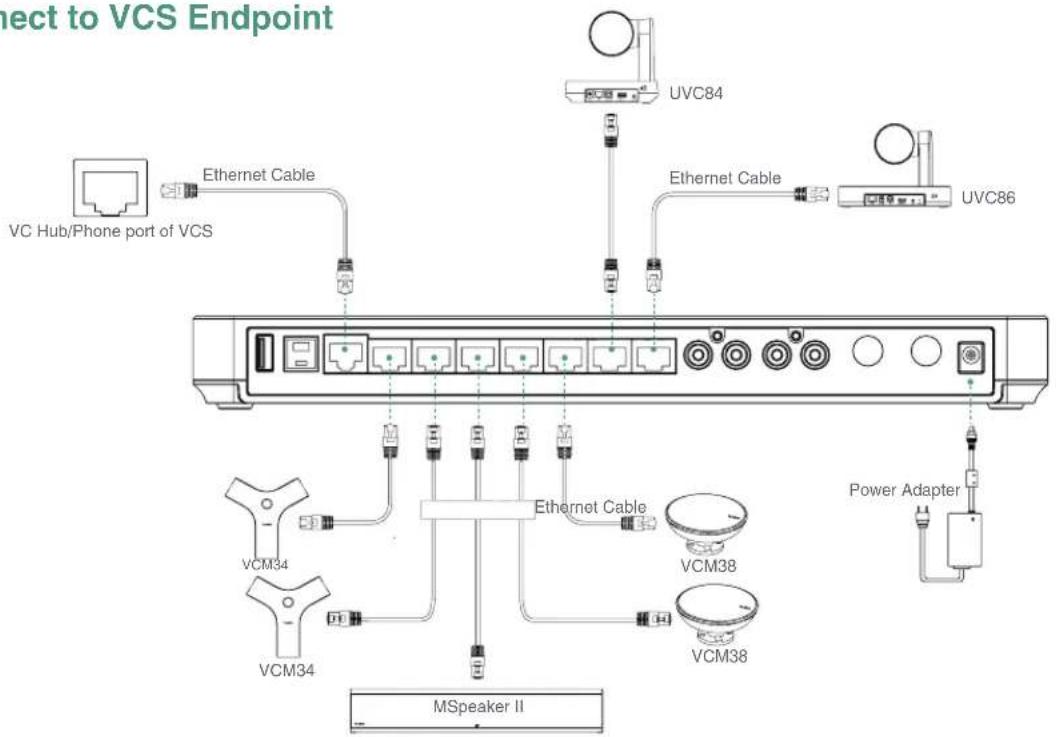
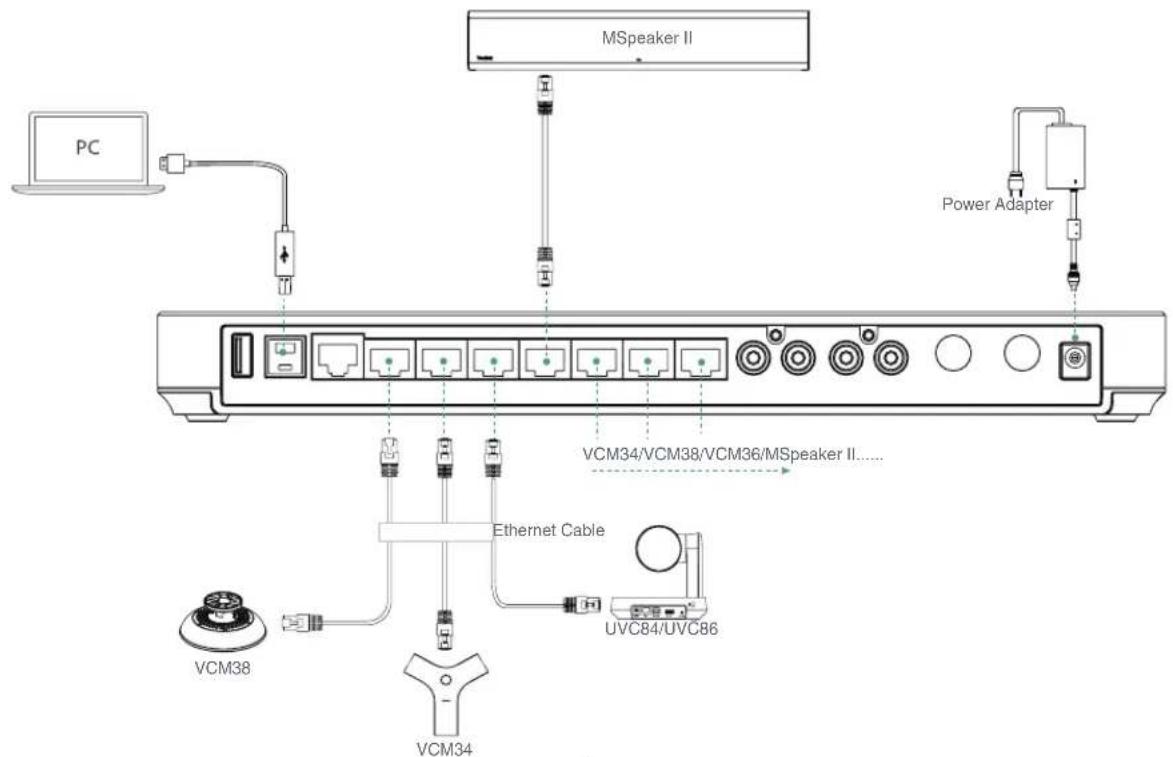
AVHub has two types of connection, you can choose to connect in VCS endpoint or USB endpoint according to your needs.
- Connect to VCS Endpoint
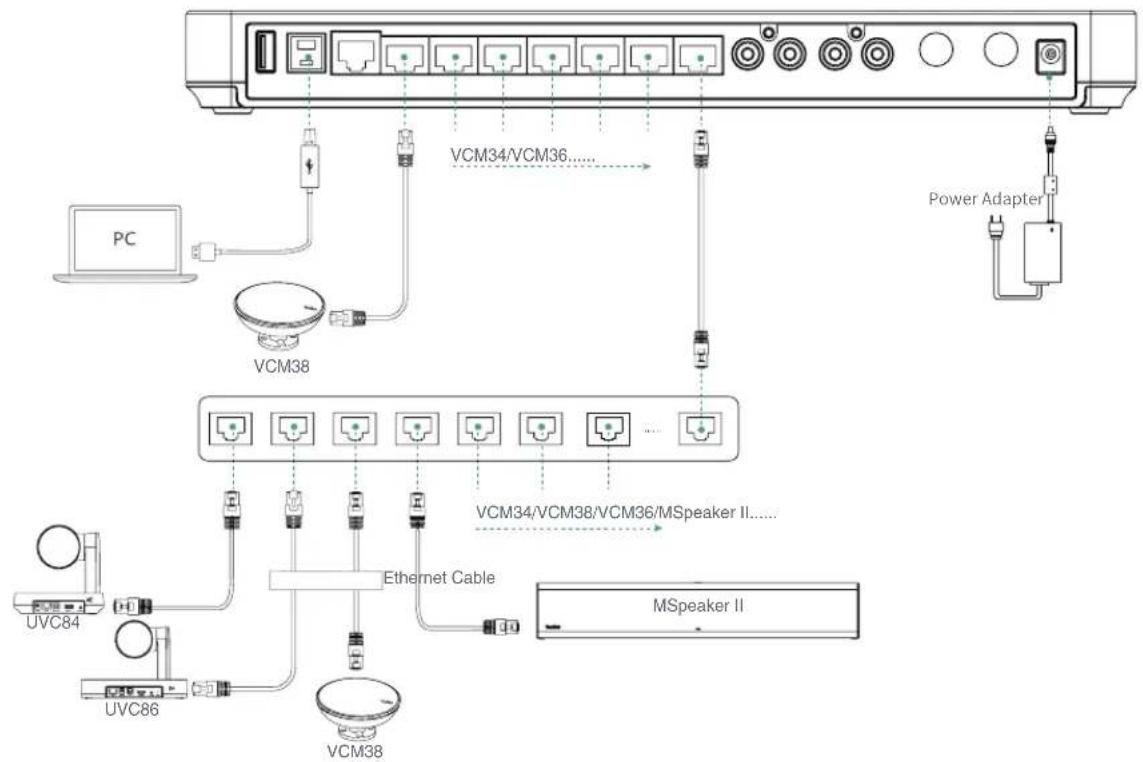
- Connect to MVC Endpoint

When you connect the UVC84/UVC86/MSpeaker II directly to the AVhub, the total number of connections must be no more than 4 devices. If the total number of connections exceeds 4 devices, you need to connect a PoE switch, and other interfaces can be connected to wired microphones.
- Connect to MVC Endpoint
flowchart
graph TD
    PC["PC"] --> VCM38["VCM38"]
    VCM38 --> VCM34["VCM34/VCM36....."]
    VCM34 --> PowerAdapter["Power Adapter"]
    VCM34 --> VCM34VCM38VCM36MSpeakerII["MSpeaker II...."]
    VCM34VCM38VCM36MSpeakerII --> EthernetCable["Ethernet Cable"]
    EthernetCable --> VCM38VCM38
    VCM38VCM38 --> UVC84["UVC84"]
    VCM38VCM38VCM36MSpeakerII --> UVC86["UVC86"]
    UVC86 --> VCM38VCM38
    VCM38VCM38 --> VCM34VCM38VCM36MSpeakerII
    VCM34VCM38VCM36MSpeakerII --> PowerAdapter
    VCM34VCM38VCM36MSpeakerII --> PowerAdapter
    VCM34VCM38VCM36MSpeakerII --> PowerAdapter
    VCM34VCM38VCM36MSpeakerII --> PowerAdapter
    VCM34VCM38VCM36MSpeakerII --> PowerAdapter
    VCM34VCM38VCM36MSpeakerII --> Power Adapter
    VCM34VCM38VCM36MSpeakerII --> Power Adapter

If you need more VCH ports of AVHub, you can connect the AVHub via a PoE switch.
1 包装清单
AVHub
7.5 m 以太网线
2.5 m USB 线
挂架
魔术贴 (x2)
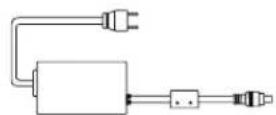
电源适配器
natural_image
Line drawing of a rectangular electronic device with ports and connectors (no text or symbols)natural_image
Three-step diagram showing a mechanical assembly with a frame structure, no text or symbols present.
包装清单中不附送螺丝。
natural_image
Line drawing of a rectangular electronic device with ports and connectors (no text or symbols)natural_image
Three-step diagram showing a vertical shelf structure with internal components, no text or symbols present.
natural_image
Diagram of a wall-mounted electrical enclosure with two cylindrical sensors, no text or symbols present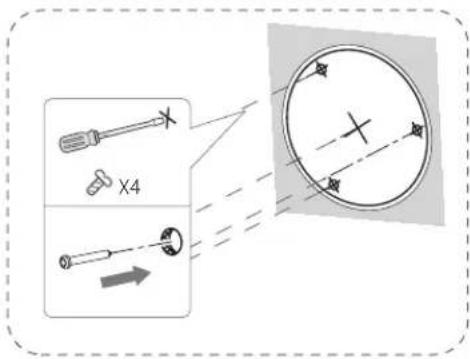
natural_image
Simple line drawing of a table with a paperclip and a printer labeled 'YeoLink' on top (no text or symbols on the diagram itself)natural_image
Line drawing of a rectangular electronic device with ports and connectors (no text or symbols)natural_image
Three-step diagram showing a metal-framed cabinet with internal components, connected by arrows indicating assembly or transformation (no text or symbols present)
natural_image
Diagram of a wall-mounted electrical enclosure with two cylindrical sensors, no text or symbols present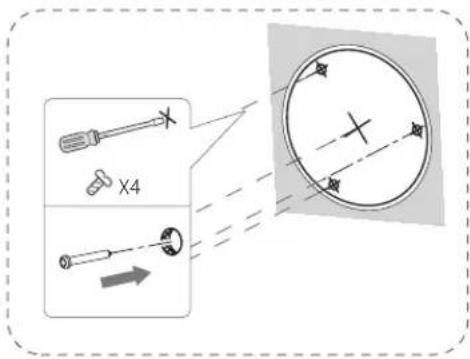
natural_image
Line drawing of a rectangular electronic device with ports and connectors (no text or symbols)natural_image
Three-step diagram showing a 3D cabinet structure with internal components, no text or symbols present.
Declaration of Conformity
We,
YEALINK(XIAMEN) NETWORK TECHNOLOGY CO.,LTD
Address: 309, 3rd Floor, No.16, Yun Ding North Road,
Huli District, Xiamen City, Fujian, P.R. China
Manufacturer: YEALINK(XIAMEN) NETWORK TECHNOLOGY CO.,LTD
Address: 309, 3rd Floor, No.16, Yun Ding North Road, Huli District, Xiamen City, Fujian, P.R. China
DATE: 10th /November/2021
declare that the product
Type: Conferencing Audio & Video Hub
Model: Conferencing Audio & Video Hub
meets the essential requirements and other relevant provisions according to the following EC directive
Directive: 2014/30/EU, 2014/35/EU, RED 2014/53/EU
Conformity
The product complies with the following standards:
Safety : EN 62368-1:2014+A11:2017
EMC : EN 55032:2015
EN 55035:2017
EN61000-3-2: 2014
EN61000-3-3: 2013
Radio : ETSI EN 301 489-1 V2.2.3,
ETSI EN 301 489-3 V2.1.1,
ETSI EN 301 489-17 V3.2.2,
ETSI EN 300 328 V2.2.3
ETSI EN 301 893 V2.1.1
EN 300 440 V2.2.1
Health : EN 62311:2008 EN62479:2010
Directive 2011/65/EU et (EU)2015/863 of the European Parliament and of the Council of 8 June 2011 and 4 June 2015 on the restriction of the use of certain hazardous substances in electrical and electronic equipment(RoHS2.0)
Directive 2012/19/EU of the European Parliament and of the Council of 4.July.2012 on Waste electrical and electronic equipment(WEEE)
Regulation (EC) No.1907/2006 of the European Parliament and of the Council of 18.December.2006 on Registration, Evaluation, Authorization, and Restriction of Chemicals (REACH)
NAME: Huahu Wang
DATE: 10th /November/2021
TITLE: Manager
WangHuahu
Regulatory Notices
Operating Ambient Temperatures
- Operating temperature: +14 to 122°F (-10 to 50°C)
• Relative humidity: 5% to 90%, noncondensing
- Storage temperature: -22 lg +160°F (-30 lg +70°C)
Warranty
Our product warranty is limited only to the unit itself, when used normally in accordance with the operating instructions and the system environment. We are not liable for damage or loss resulting from the use of this product, or for any claim from a third party. We are not liable for problems with Yealink device arising from the use of this product; we are not liable for financial damages, lost profits, claims from third parties, etc., arising from the use of this product.
DC symbol
— is the DC voltage symbol.
Restriction of Hazardous Substances Directive (BoHS)
This device complies with the requirements of the EU RoHS Directive. Statements of compliance can be obtained by contacting support@vpalink.com.
Safety Instructions
Save these instructions. Read these safety instructions before use!
The following basic safety precautions should always be followed to reduce risk of fire, electrical shock, and other personal injury.
General Requirements
- Before you install and use the device, read the safety instructions carefully and observe the situation during operation.
- During the process of storage, transportation, and operation, please always keep the device dry and clean.
- During the process of storage, transportation, and operation, please avoid collision and crash of the device. - Please attempt not to dismantle the device by yourself. In case of any discrepancy, please contact the appointed maintenance center for repair.
- Without prior written consent, no organization or individual is permitted to make any change to the structure or the safety design of the device. Yealink is under no circumstance liable to consequences or legal issues caused by such changes.
- Please refer to the relevant laws and statutes while using the device. Legal rights of others should be respected as well.
Environmental Requirements
- Place the device at a well-ventilated plane. Do not expose the device under direct sunlight
- Kese the device dry and free of duals
- Place the device on a staple and level platform.
- Please place no heavy objects on the device in case of damages and deformation caused by the heavy load.
- Keep at least 10 cm between the device and the closest object for heat dissipation
- Do not place the device on or near any inflammable or fire-wulnerable object, such as rubber-made materials.
- Keep the device away from any heat source or bare fire, such as a candle or an electric heater.
- Keep the device away from any household appliance with strong magnetic field or electromagnetic field, such as a microwave oven or a refrigerator.
Operating Requirements
- Do not let a child operate the doing without guidance.
• Do not let a child play with the device or any accessory in case of accidental swallowing.
- Please use the accessories provided or authorized by the manufacturer only.
- The power supply of the device shall meet the requirements of the input voltage of the device. Please usethe provided surge protection power socket only.
• Before plugging or unplugging any cable, make sure that your hands are completely dry.
- Do not spill liquid of any kind on the product or use the equipment near water, for example, near a bathtub, washbowl, kitchen sink, wet basement or near a swimming pool.
- Do not tread on, pull, or over-bend any cable in case of malfunction of the device.
- During a thunderstorm, stop using the device and disconnect it from the power supply. Unplug the power plus and the
Asymmetric Digital Subscriber Line (ADSL) twisted pair (the radio frequency cable) to avoid lightning strike
- If the device is left unused for a rather long time, disconnect it from the power supply and unplug the power plug.
- When there is smoke emitted from the device, or some abnormal noise or smell, disconnect the device from the cover supply.
and unplug the power plug immediately. Contact the specified maintenance center for repair.
- Do not insert any object into equipment slots that is not part of the product or auxiliary product. - Before connecting a cable, connect the grounding cable of the device first. Do not disconnect the grounding cable until you disconnect all other cables.
Cleaning Requirements
• Before cleaning the device, stop using it and disconnect it from the power supply.
- Use a piece of soft, dry and anti-static cloth to clean the device.
- Keep the power plug clean and dry. Using a dirty or wet power plug may lead to electric shock or other penis
ENVIRONMENTAL RECYCLING

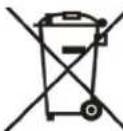
Never dispose of the device with domestic waste
Ask your Town Council about how to dispose of it in an environmentally friendly way. The cardboard box, plastic packaging and player components may be recycled in accordance with prevailing recycling regulations in your country.

Always adhere to prevailing regulations
Those who fail to do so may be fined or prosecuted in accordance with the law. The crossed out garbage can that appears on the device means that when it has reached the end of its useful life, it should be taken to a special waste disposal centre and treated separately to general urban waste.
There is a bad connection with the plug.
-
Clean the plug with a dry cloth.
-
Connect it to another wall outlet
The usage environment is out of operating temperature range.
- Use in the operating temperature range
The cable between the unit and the Yealink device is connected incorrectly.
- Connect the cable correctly.
You cannot connect the cable properly.
-
You may have connected a wrong Yealink device
-
Use the correct power supply
Some dust, etc., may be in the port.
- Clean the pan.
Contact your dealer or authorized service facility for any further questions.
Contact Information
YEALINK NETWORK TECHNOLOGY CO.,LTD.
309, 3rd Floor, No.16, Yun Ding North Road, Huli District, Xiamen City, Fujian, P.R.C
YEALINK (EUROPE) NETWORK TECHNOLOGY B.V
Strawinskylean 3127, Atrum Building, 8th floor, 1077ZX Amsterdam, The Netherlands
YEALINK (USA) NETWORK TECHNOLOGY CO., LTD.
999 Peachtree Street Suite 2300, Fulton, Atlanta, GA, 30309, USA
Made in China
Sicherheitshinweise
309, 3rd Floor, No. 16, Yun Ding North Road, Hull District, Xiamen City, Fujian, VR China
YEALINK (EUROPE) NETWORK TECHNOLOGY B.V.
Strawinskylaan 3127. Alrium Building, 8th floor, 10777X Amsterdam, Niederlande
YEA LINK (USA) NETWORK TECHNOLOGY CO., LTD
999 Peachtree Street Suite 2300, Fulton, Atlanta, CA 30309, USA
- 3rd Floor, No.16. Yun Ding North Road, Hull District, Xiamen City, Fujian, Chine
YEALINK (EUROPE) NETWORK TECHNOLOGY B.V.
Strawinskvaan 3127. Atrium Building, 8th floor, 1077ZX Amsterdam, Pave-Bea
YEALINK (USA) NETWORK TECHNOLOGY CO., LTD.
309, 3rd Floor, No.16, Yun Ding North Road, Hui District, Xiamen City, Fujian, Repubblica Pocolare cinese
YEALINK (EUROPE) NETWORK TECHNOLOGY B.V.
Strawinskylaan 3127, Atrium Building, 8th floor, 1077ZX Amsterdam, Passi Bassi
YEALINK (USA) NETWORK TECHNOLOGY CO., LTD.
999 Peachtree Street Suite 2300, Fulton, Atlanta, GA, 30309, USA
Made in China

430104001928

YEALINK(XIAMEN) NETWORK TECHNOLOGY CO., LTD.
Web: www.yealink.com
Copyright©2021 YEALINK(XIAMEN) NETWORK
TECHNOLOGY CO., LTD. All rights reserved.
ESPAÑOL