EasyManual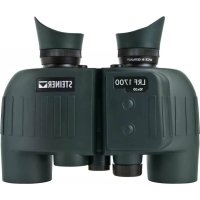
LRF 1700 10x30 - Binoculars Steiner - Free user manual and instructions
Find the device manual for free LRF 1700 10x30 Steiner in PDF.


User questions about LRF 1700 10x30 Steiner
0 question about this device. Answer the ones you know or ask your own.
Ask a new question about this device
Download the instructions for your Binoculars in PDF format for free! Find your manual LRF 1700 10x30 - Steiner and take your electronic device back in hand. On this page are published all the documents necessary for the use of your device. LRF 1700 10x30 by Steiner.
USER MANUAL LRF 1700 10x30 Steiner
Inserting and replacing the battery: The laser range finder is powered by a 3 volt, type CR2 lithium round battery. To insert and replace the battery, the Battery case
is unscrewed by turning it counter-clockwise. Insert the battery with its positive terminal going in first (according to the symbols on the battery case). Then, screw the Battery case back on again by turning it clockwise
Battery charge level: A new battery lasts for more than 3,000 measurements at 20° C. Depending on the condi- tions of use, the service life of a battery may be significantly shorter or longer. Low tem- peratures and frequent use of the scanning mode reduce the service life of the battery. A low battery is indicated by a flashing of the measurement value and target mark display. Attention: Cold reduces the battery performance. In the event of low temperatures, the LRF should therefore be worn as close to the body as possible and be used with a new battery.
8x30 Basic instructions for use Designation of the components:
Eyepiece with rubber eyecup
laser measurement Laser-supported measurements: These measurements are carried out by an eye-safe, invisible laser impulse and are then displayed on the lenses
. The LRF can display the distance measured in meters or yards. When measuring, either “m” for meter or “y” for yard is shown alongside the round target mark. You may change the setting by using the select button
: When you press and hold the button for more than 3 seconds, the display starts to flash and the setting is then changed each time you press the select button. All settings with an “m” in front stand for distance indications in meters, all settings with a “y” in front stand for distance indications in yards. Please select the desired setting at this point. If after 5 seconds no further input is made the existing configuration will automatically be saved. Distance measurement: To measure the distance to an object, it has to be targeted precisely. For this purpose, the tar- get mark is activated by pressing and holding the On/off button
Once the button is released, the distance measurement is made and the measurement value is subsequently displayed. The target mark briefly disappears during the measurement. By pressing the On/off button again, a new measurement can be started at any time. If the object is less than 25 meters/27 yards away or if the range is exceeded and/or the reflection of the object is insufficient, “----” is shown on the display. Once the display goes out, the ranger finder switches off automatically. Note: Depending on the setting of the interocular distance, the display may be slightly sloped. Scanning operation: The device can also make measurements while in continuous operation (scanning operation). The scanning operation is helpful when measuring the distance to small or moving targets. If the On/off button
is pressed and held for more than approximately 4 seconds, the device switches into scanning mode and then makes measurements on a continuous basis. You can see this when looking at the distance display which shows new measurements values approx. every 1.5 seconds. Note: The consumption of electricity is higher in scanning operation than during individual measurements due to constant measurements being made. After 20°seconds, the scanning operation switches off automatically in order to save battery power in case the button was pressed by mistake.
Measurement and setting mode Auto OFF after 5 seconds Individual measurement Start a measurement in m/yds by pressing the B1 button Hold, target the object and release Change from metres to yards by pressing the B2 button. Saving and Auto OFF after 3 seconds Auto OFF after 20 seconds Scanning operation Continuous measurements every 1.5 secondsfor a period of 20 seconds Press and hold for approx. 4 seconds Press and hold for approx. 3 seconds B1 = ON The display shows „----“ if: - the distance is less than 25 meters - the distance is more than 1,700 meters - the reflection characteristics are insufficient A low level of batteryis indicated by a flashing display user interface Measurement range and accuracy: The measurement range of the LRF 1700 is between 25°meters/27°yds and 1,700 meters/1,860 yds. In this respect, the range depends on the weather conditions, the visibility and reflection characteristics of the target: Range: greater smaller Object colour: white black Angle to the object: perpendicular acute Object size: large small Atmospheric conditions: clear, homogeneous misty, inhomogeneous Object structure: e.g. house wall e.g. bush, tree In the event of sunshine and good visibility, the following ranges and accuracies apply: ± 1.0 m/yds up to 300 m/328 yds, ± 2.0 m/yds up to 600 m/656 yds, ± 0.5 % above 600 m/656 yds18 19
important information WARNING! These binoculars comply with the following regulations of the laser class 1 of the valid standards EN 60825-1 and/or IEC 60825-1 and/or FDA21CFR 1040.10 and 1040.11, except for certain deviations according to the Laser Notice No. 50 dated 24 June 2007. Thus, the device is classified as being eye-safe and may be used accordingly. Nevertheless, it is not permitted to directly point it at a person. FCC Declaration of Conformity The binoculars were carefully tested and then found to comply with the rules within the limits of a digital class B device pursuant to Part 15 of the FCC Rules. The limits were established to ensure protection against any harm- ful interference within a residential area. These binoculars generate, use and transmit radio waves and, if not installed and used in accordance with the requirements of these instructions, may cause harmful interference to radio communications. However, no guarantee can be provided that interference will not occur in some install- ations. If the binoculars cause harmful interference to radio or television reception, which cannot be confirmed by switching the device concerned off and on, the user may correct these interferences by making use of the following options:
- Reorient or relocate the receiving aerial
- Enlarge the distance between the device and the receiver
- Consult the dealer or an experienced radio/television technician disposal of electrical and electronic equipment (applies to the EU, and other European countries with separate collection systems) This device contains electric and/or electronic components and hence must not be disposed of with normal domestic waste! Instead, it should be brought to corresponding collection points provided by the municipalities. This is free of charge for you. Should the device itself contain any exchangeable batteries or accumulators, they have to be removed beforehand and possibly be themselves disposed of according to the regulations (see information provided in the instructions of the device). You can receive further information on this topic from your municipal administration, your disposal company, or the shop where you purchased this device. Disposal of batteries
- Batteries must not be disposed of in the household waste!
- When returning used batteries, please make use of any return system which exists in your country.
- Please return fully discharged batteries only.
- Batteries are usually discharged if the device operated switches itself off and displays “empty battery” and/or does no longer work properly following a longer period of use of the battery. In order to avoid short-circuits, the poles of the batteries should be covered with a piece of adhesive tape. Correct disposal of the battery of these binoculars: When disposing of the battery of these binoculars, please take into account the environmental and disposal provisions or guidelines applicable in your country! Help to preserve the natural resources of our planet and to promote responsible and sustainable recycling. Please dispose of the batteries separately from other waste via your local battery return system.20 21