EasyManual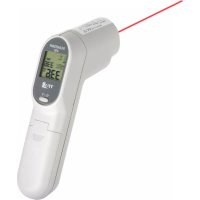
ScanTemp 410 31.1115 - Thermometer TFA - Free user manual and instructions
Find the device manual for free ScanTemp 410 31.1115 TFA in PDF.



User questions about ScanTemp 410 31.1115 TFA
0 question about this device. Answer the ones you know or ask your own.
Ask a new question about this device
Download the instructions for your Thermometer in PDF format for free! Find your manual ScanTemp 410 31.1115 - TFA and take your electronic device back in hand. On this page are published all the documents necessary for the use of your device. ScanTemp 410 31.1115 by TFA.
USER MANUAL ScanTemp 410 31.1115 TFA
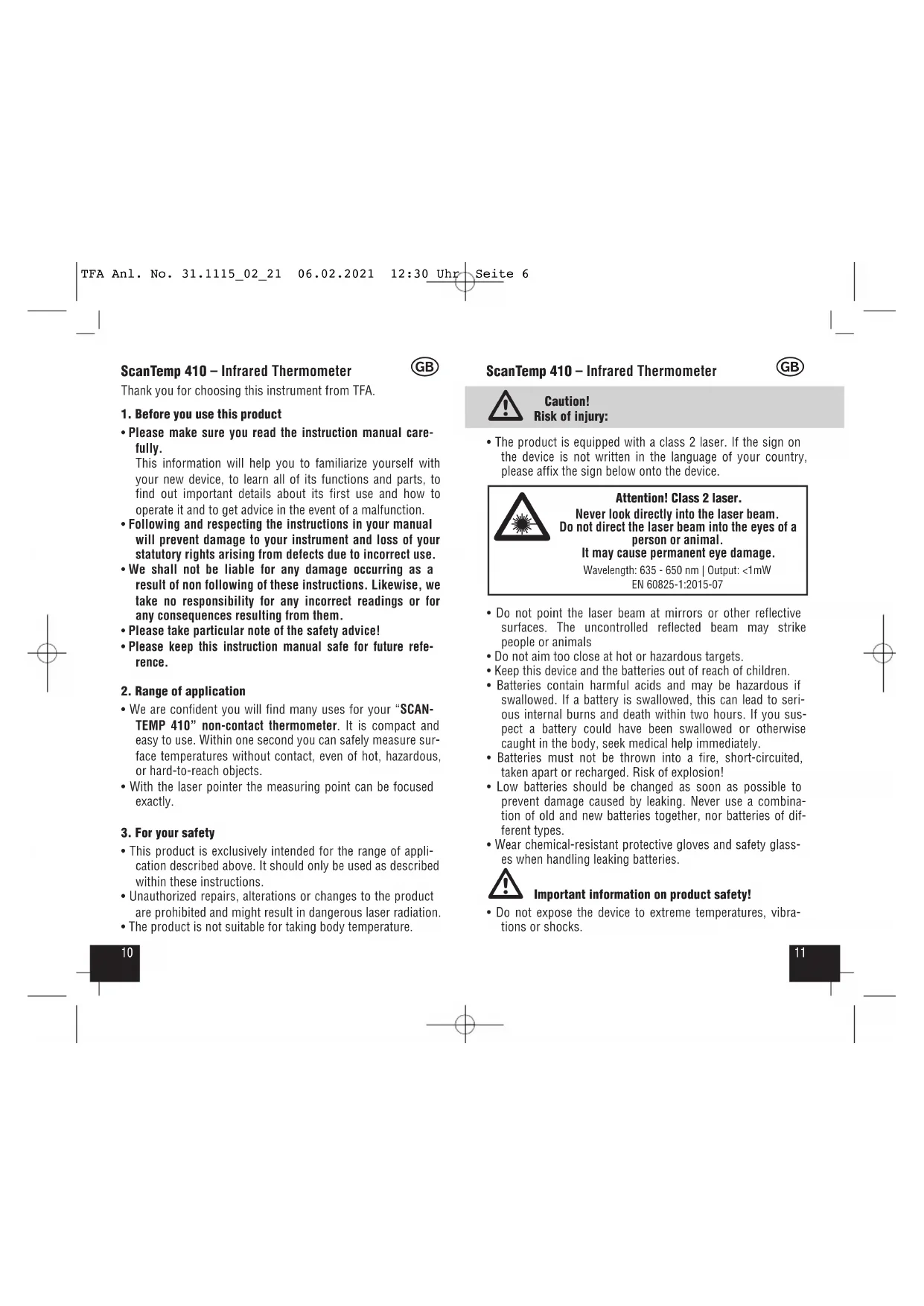
Caution! Risk of injury:
- The product is equipped with a class 2 laser. If the sign on the device is not written in the language of your country, please affix the sign below onto the device.
- Do not point the laser beam at mirrors or other reflective surfaces. The uncontrolled reflected beam may strike people or animals
- Do not aim too close at hot or hazardous targets.
- Keep this device and the batteries out of reach of children.
- Batteries contain harmful acids and may be hazardous if swallowed. If a battery is swallowed, this can lead to seri- ous internal burns and death within two hours. If you sus- pect a battery could have been swallowed or otherwise caught in the body, seek medical help immediately.
- Batteries must not be thrown into a fire, short-circuited, taken apart or recharged. Risk of explosion!
- Low batteries should be changed as soon as possible to prevent damage caused by leaking. Never use a combina- tion of old and new batteries together, nor batteries of dif- ferent types.
- Wear chemical-resistant protective gloves and safety glass- es when handling leaking batteries. Important information on product safety!
- Do not expose the device to extreme temperatures, vibra- tions or shocks. Thank you for choosing this instrument from TFA.
1. Before you use this product
- Please make sure you read the instruction manual care- fully. This information will help you to familiarize yourself with your new device, to learn all of its functions and parts, to find out important details about its first use and how to operate it and to get advice in the event of a malfunction.
- Following and respecting the instructions in your manual will prevent damage to your instrument and loss of your statutory rights arising from defects due to incorrect use.
- We shall not be liable for any damage occurring as a result of non following of these instructions. Likewise, we take no responsibility for any incorrect readings or for any consequences resulting from them.
- Please take particular note of the safety advice!
- Please keep this instruction manual safe for future refe- rence.
2. Range of application
- We are confident you will find many uses for your “SCAN- TEMP 410” non-contact thermometer. It is compact and easy to use. Within one second you can safely measure sur- face temperatures without contact, even of hot, hazardous, or hard-to-reach objects.
- With the laser pointer the measuring point can be focused exactly.
- This product is exclusively intended for the range of appli- cation described above. It should only be used as described within these instructions.
- Unauthorized repairs, alterations or changes to the product are prohibited and might result in dangerous laser radiation.
- The product is not suitable for taking body temperature.
- The measured value and the maximum value (MAX) will be displayed during the measurement.
- Release the measuring button
- On the display appear HOLD and the latest measured tem- perature for about 15 seconds.
and you can change between Celsius (°C) or Fahrenheit (°F) as temperature unit.
- When the instrument is not used, it will automatically switch off after 15 seconds.
6.1 Distance, Spot Size, and Field of View (Fig. 2)
- As the distance (D) from the object increases, the spot size (S) of the area measured by the unit becomes larger a ratio D:S = 12:1 (e.g. 120 cm distance = 10 cm spot size). To get the most accurate temperature reading, aim at the target as near as possible.
- Should the distance be too great, there is a risk that the temperature has also been taken outside the aimed target.
6.2 Shiny and transparent surfaces
- Not recommended for use in measuring shiny or polished metal surfaces (stainless steel, aluminum, etc.). To com- pensate for this, cover the surface to be measured with masking tape or flat-colored paint and measure the surface.
- The unit cannot measure through transparent surfaces such as glass or plastic. It will measure the surface temperature of the glass instead.
7. Care and maintenance
- The sensor lens is the most delicate part of the thermome- ter. Please protect the sensor part from dirt. Gently clean it with a soft cloth moistened with water or medical alcohol.
- Avoid splashes and spills on the unit.
- Store at a temperature of between -20°C to +65°C.
7.1 Battery replacement
- The battery symbol appears permanently on the display.
- Protect the device from high or abrupt temperature changes.
- Do not leave the device near objects of high temperature.
- Do not immerse the device in water. Water can penetrate and cause malfunction. Protect it from moisture.
- Check the housing before using the device. Do not use the device if it seems to be damaged. Check for cracks or miss- ing plastic parts.
- Steam, dust, smoke, etc. can obstruct the unit optics and prevent accurate measurement. EMC/RFI
- Protect the unit from EMI (Electro Magnetic Interference) from induction heaters and microwave ovens and Electro Static Discharge. Readings may be affected if the unit is operated within a radio frequency electromagnetic field strength of approximately 3 volts per meter, but the perfor- mance of the instrument will not be permanently affected.
- Large LCD-display with backlight
- Indication of measured value and maximum value
- Auto power off after 15 seconds
5. How the unit works
- Every body releases infrared energy. The unit’s optics and detector sense infrared energy and translate this informa- tion into a digital reading which is displayed.
- Press and hold the measuring button
to activate the measuring process.
- The backlight is automatically activated.
“Er“ = All other error messages: Switch of the instrument, remove the battery for 1 minute, then repower it. If the error message does not dis- appear, contact the retailer for further service.
This product has been manufactured using high-grade materi- als and components which can be recycled and reused. Never dispose of empty batteries and recharge- able batteries with ordinary household waste. As a consumer, you are required by law to take them to your retail store or to an appropriate col- lection site depending on national or local regu- lations in order to protect the environment. The symbols for the contained heavy metals are: Cd=cadmium, Hg=mercury, Pb=lead This product is labelled in accordance with the EU Waste Electrical and Electronic Equipment Directive (WEEE). Please do not dispose of this product in ordinary household waste. As a consumer, you are required to take end-of-life devices to a designat- ed collection point for the disposal of electrical and electronic equipment, in order to ensure environmentally-compatible disposal.
- Change the batteries when the battery symbol appears on the display.
- Confirm the unit is powered off before changing battery.
- The battery compartment is in the handle. Slide down the battery compartment lid. Insert two new batteries 1,5 V AAA. Ensure that the battery polarity is correct.
- Close the battery compartment again. The cover is properly inserted in the housing, as soon as a click is heard.
Temperature taken is not within the measuring range: “Hi“ = Temperature is higher than 500°C (932°F) “Lo“ = Temperature is lower than -60°C (-76°F) “Er2“= Rapid ambient temperature change “Er3“= Ambient temperature not within the operating range. Please pay attention to the operation temperature of about 0°C to 50°C. Wait at least 30 minutes to adapt the thermometer to working temperature. full half-full empty