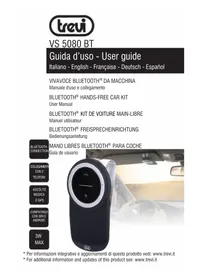
VS 5080 BT - Car radio Trevi - Free user manual and instructions
Find the device manual for free VS 5080 BT Trevi in PDF.


| Brand | Trevi |
| Model | VS 5080 BT |
| Product Type | Bluetooth hands-free kit for car |
| Dimensions | 72 x 26 x 130 mm |
| Weight | 120 g (including metal clip) |
| Power Supply | Rechargeable Li-ion battery, charging via USB (PC or car charger) |
| Charging Time | Approximately 3 hours |
| Battery Life | Not specified |
| Bluetooth | Version 2.1+EDR, range 10 meters |
| Bluetooth Frequency | 2.4 GHz |
| Bluetooth Transmission Power | 0.8 mW |
| Frequency Response | 150 Hz - 18 kHz |
| Signal-to-Noise Ratio | ≥ 70 dB |
| Speaker | 3 W, 4 Ω |
| Microphone | HD omnidirectional |
| Operating Temperature | -20°C to 60°C |
| Main Functions | Hands-free calls, music/GPS streaming, voice commands (Siri, etc.), voice guidance, auto power off, shake to wake |
| Package Contents | VS 5080 BT, USB cable, car charger, metal clip, user manual, quick start guide |
| Care and Cleaning | Soft slightly damp cloth, avoid solvents and abrasives |
| Safety | Do not expose to water, drips or splashes; do not place near heat sources; do not listen at high volume for prolonged periods |
| Batteries and Recycling | Built-in battery, do not dispose of with household waste; follow WEEE recycling instructions |
Frequently Asked Questions - VS 5080 BT Trevi
User questions about VS 5080 BT Trevi
0 question about this device. Answer the ones you know or ask your own.
Ask a new question about this device
Download the instructions for your Car radio in PDF format for free! Find your manual VS 5080 BT - Trevi and take your electronic device back in hand. On this page are published all the documents necessary for the use of your device. VS 5080 BT by Trevi.
USER MANUAL VS 5080 BT Trevi
natural_image
Interior view of a car showing a black and white portable device with a circular dial, no visible text or symbols on the device itself.natural_image
Illustration of a circular device with a central dial and mesh base (no text or symbols)natural_image
Coiled cable with two connectors (no text or symbols visible)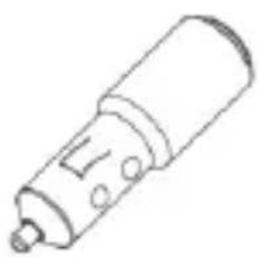
natural_image
Simple line drawing of a cylindrical mechanical component with a protruding shaft and mounting holes (no text or symbols)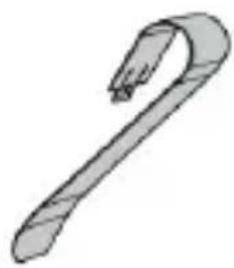
natural_image
Simple line drawing of a hook-shaped object (no text or symbols)natural_image
Diagram of a mechanical component with a curved blade and internal structure, showing no text or symbols.natural_image
Line drawing of a car interior showing steering wheel and dashboard (no text or symbols)DESCRIZIONE COMANDI
natural_image
Illustration of a handheld electronic device with a cable and plug, connected to a battery (no text or symbols)RICARICA DA PC
natural_image
Illustration of a mobile phone connected to a laptop with a battery and plug (no text or symbols)ACCOPPIAMENTO BLUETOOTH
natural_image
Line drawing of hands holding a circular object with a mesh grille, no text or symbols presentDo not use power supply with a voltage higher than 5V, cause damage the device. Avoid placing the player:
- Near magnetic fields.
- Near any heat sources such as heaters and stoves.
- In very damp places like bathrooms, swimming pools, etc...
- In very dusty places.
- In places subject to strong vibrations.
- Place the appliance so that its sides there is always enough room for free air circulation (at least 5 cm).
- Listen at high volume for long periods of time, may damage your hearing.
- If liquids penetrate into the appliance immediately disconnect the plug from the wall socket and set the appliance to your nearest authorised TREVI Service Centre.
- Always check before recharging the appliance, that power and connection cables are properly installed.
- No naked flame source, such as lit candles, should be placed on the appliance.
- The appliance should not be exposed to dripping or splashing, and no objects filled with liquid, such as pots, should be placed on the appliance.
- Keep this manual for future reference.
CARE AND MAINTENANCE
For cleaning it is recommended to use a soft, slightly damp cloth. Avoid solvents or abrasive substances.
IMPORTANT
The construction of this device guarantees long flawless operation. However, if come some problem, you should consult your nearest authorized service center.
TREVI pursues a policy of continuous research and development. Therefore, the products may show different characteristics from those described.
WARNING FOR A CORRECT USE OF RECHARGEABLE BATTERY
- Recharge the battery in an ambient temperature between 5°C and 35°C.
- Don't recharge more than the suitable period to prevent the risk of overheating and burst.
- Don't recharge the battery for more than 4 hours.
- Recharging the battery over the suitable period or an extended period of inactivity may reduce battery duration.
- Rechargeable battery is liable to wear and tear and its performance will reduce gradually.
- To extend the duration of the battery use it when is completely charged up to the complete discharging, then recharge it fully before use it again. Recharge a battery not completely consumed, will result in reduced duration. In this case, repeat the full charging/discharging cycle many times.
To avoid charging the battery for long time.
PACKAGE CONTENTS
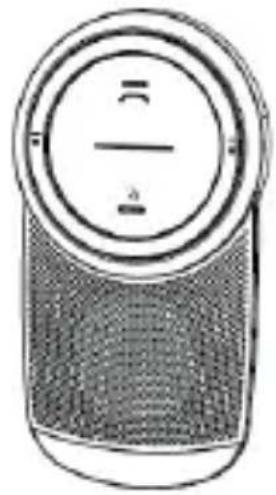
natural_image
Illustration of a circular device with a grid pattern and two labeled segments (no text or symbols)VM 5080 BT
Quick Start Guide
natural_image
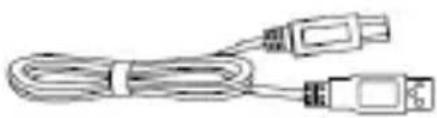
Coiled cable with two connectors (no text or symbols visible)USB cable
natural_image
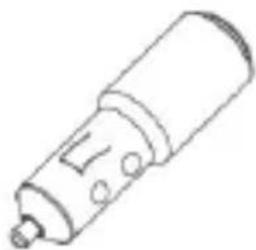
Line drawing of a cylindrical electronic component with a handle and mounting holes (no text or symbols)Car Charger
natural_image
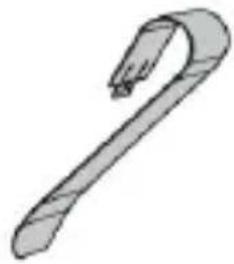
Simple line drawing of a hook or handle (no text or symbols)Metal Clip
POSITIONING YOUR VS 5080 BT
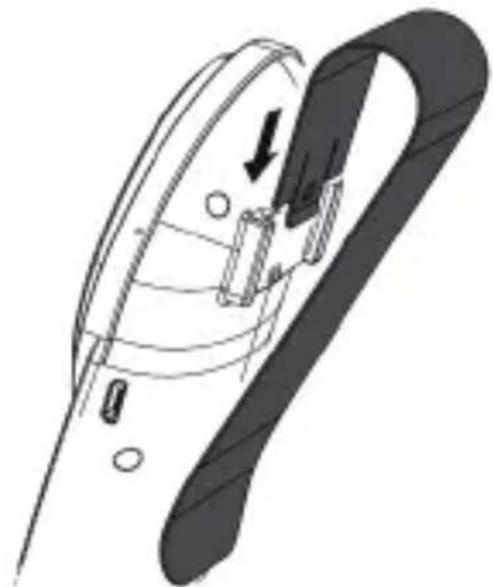
- Insert the metal clip into the back groove of your VS 5080 BT
natural_image
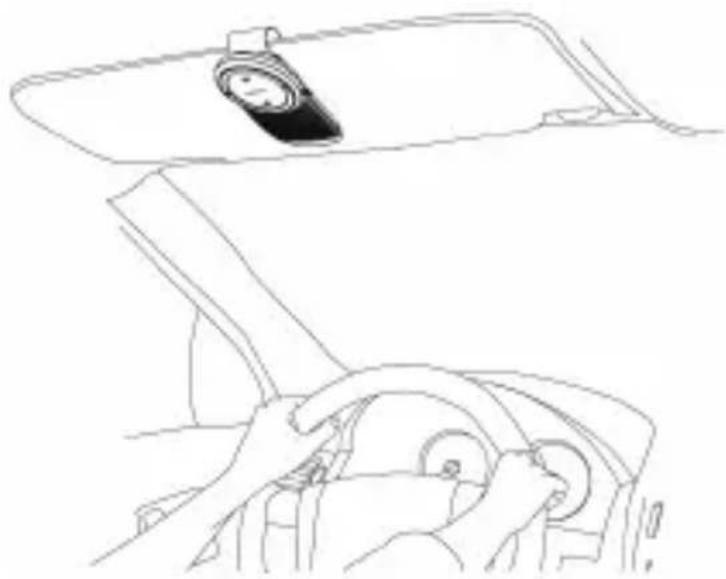
Diagram of a mechanical component with arrows indicating motion or force direction (no text or symbols)- Clip the VS 5080 BT to the sun visor in your vehicle
English
natural_image
Line drawing of a car interior showing steering wheel, dashboard, and rearview mirror (no text or symbols)CONTROLS
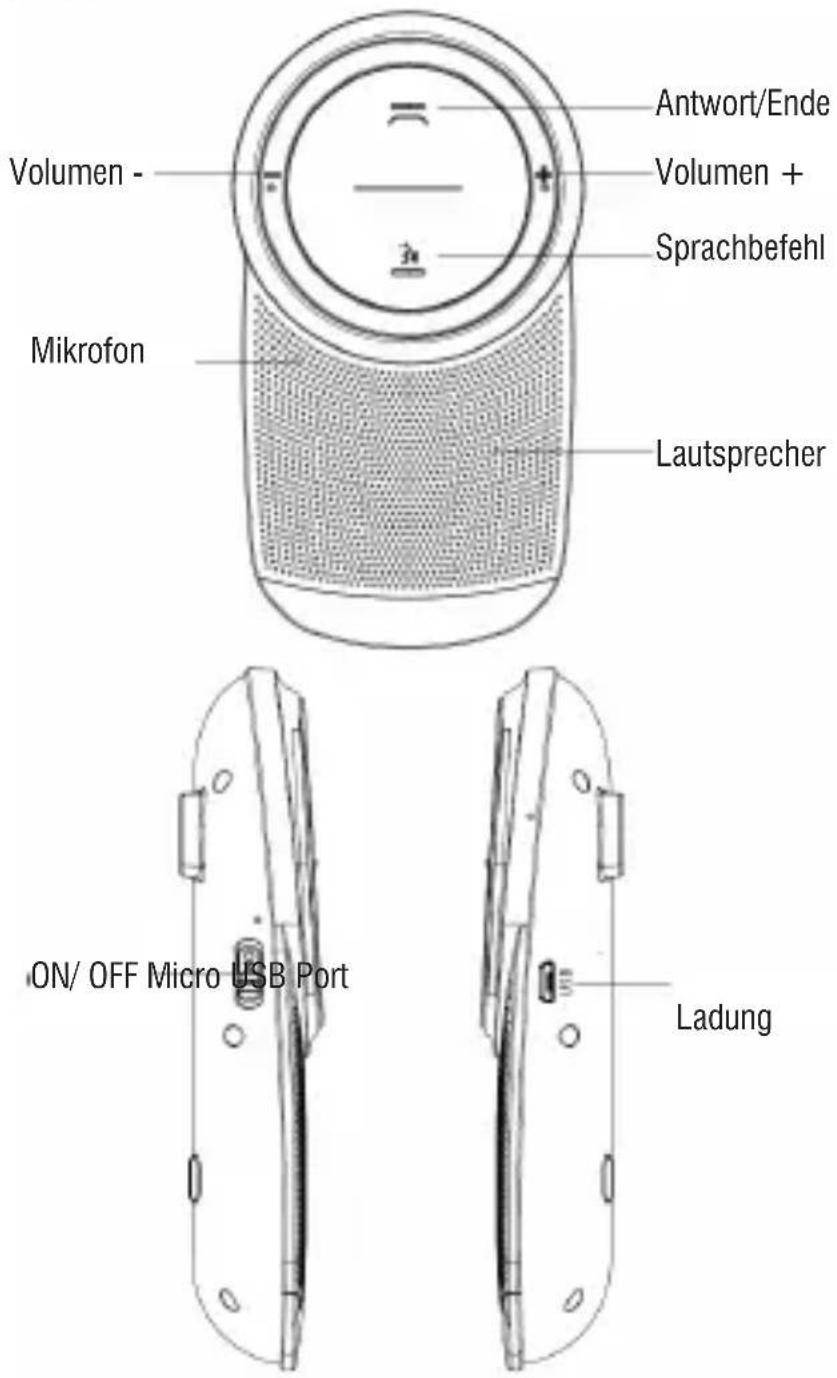
VS 5080 BT

CHARGING YOUR VS 5080 BT
When the internal battery is discharged, the red LED will blink rapidly three times every 3 seconds.
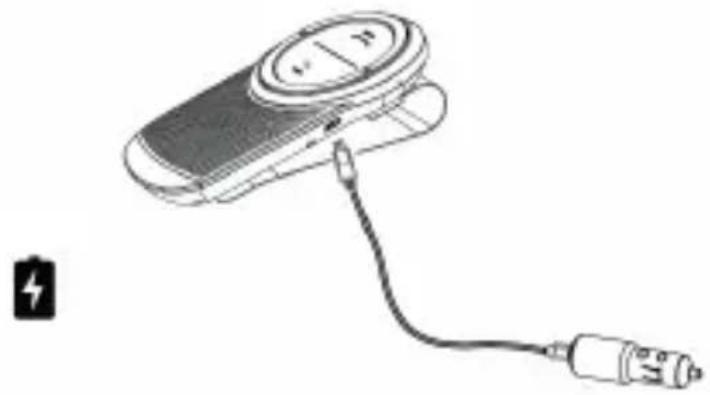
IN-CAR CHARGING
- Connect the unit by USB cable to the car charger supplied, connect the charger to the vehicle's cigar lighter.
- The red LED will turn on to indicate the charging status, when charging is complete, it will go off.
natural_image
Diagram of a handheld device with a battery and plug, no text or symbols presentPC CHARGING
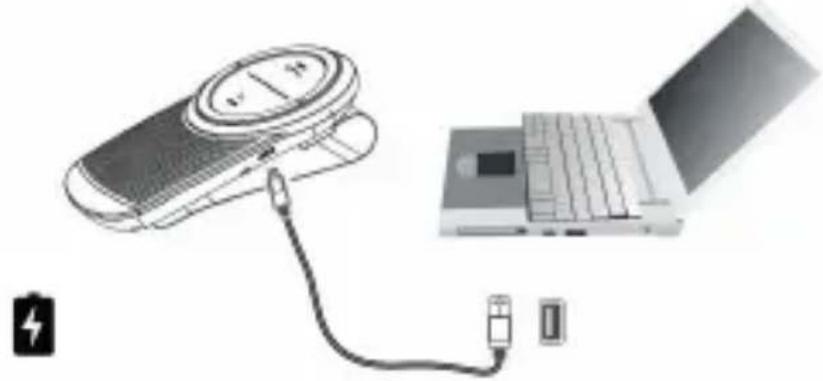
- Using the supplied USB cable, connect the side with the Micro USB jack to the micro USB port on the unit and the other end to the USB port of the PC.
- The red LED will turn on to indicate the charging status, when charging is complete, it will go off.
natural_image
Illustration of a mobile phone connected to a laptop with battery and charging plug (no text or symbols)GETTING STARTED
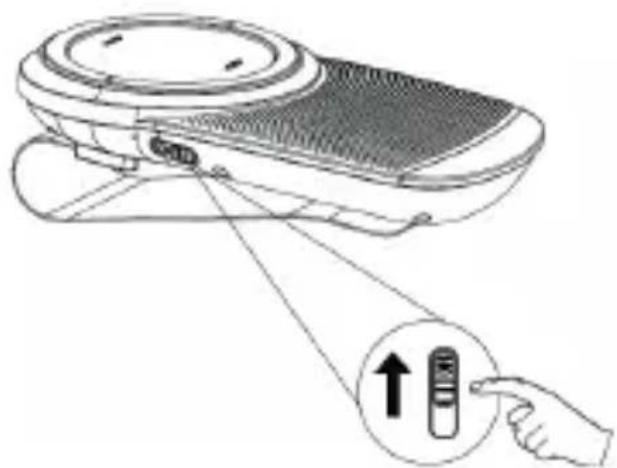
TURNING ON VS 5080 BT
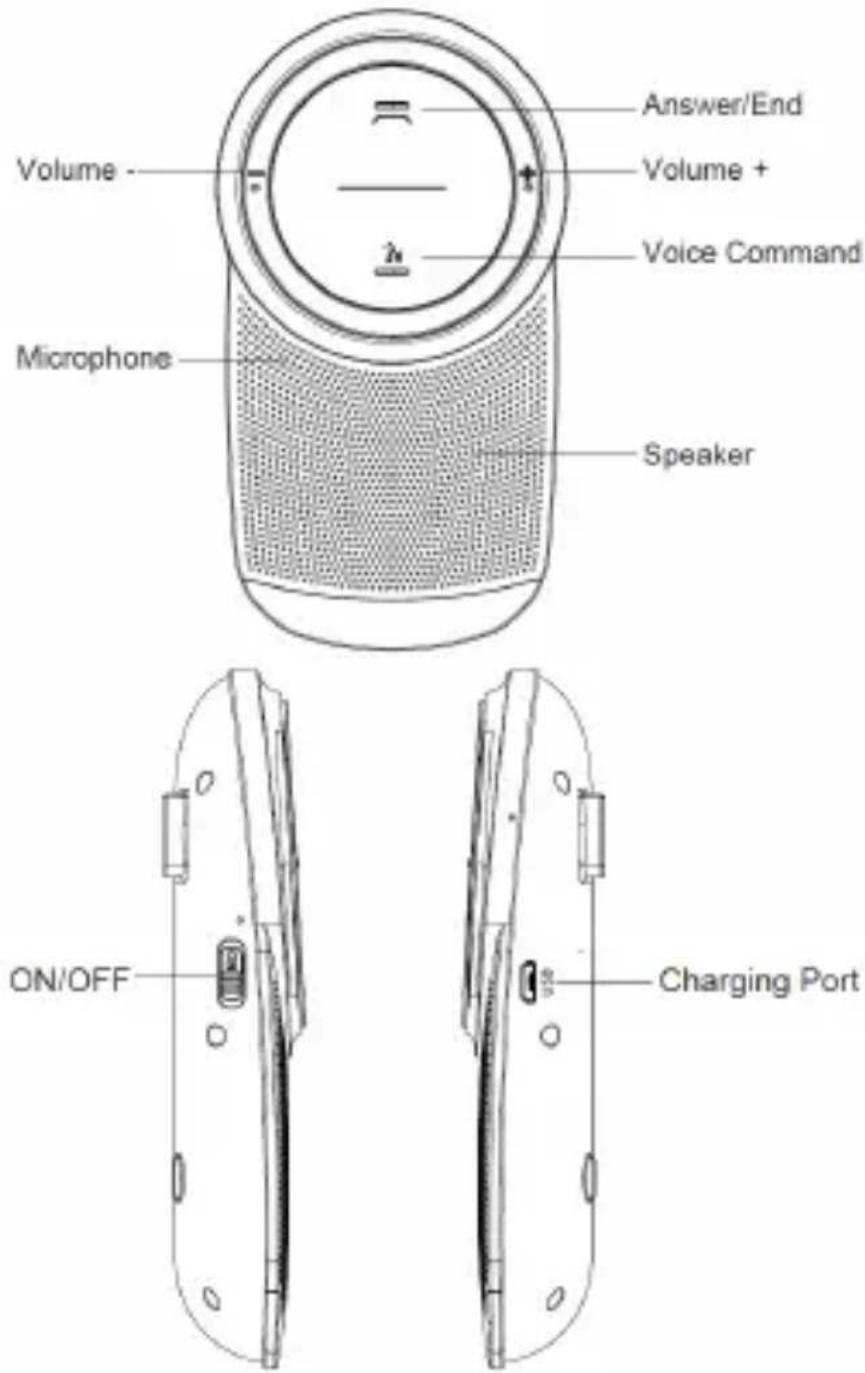
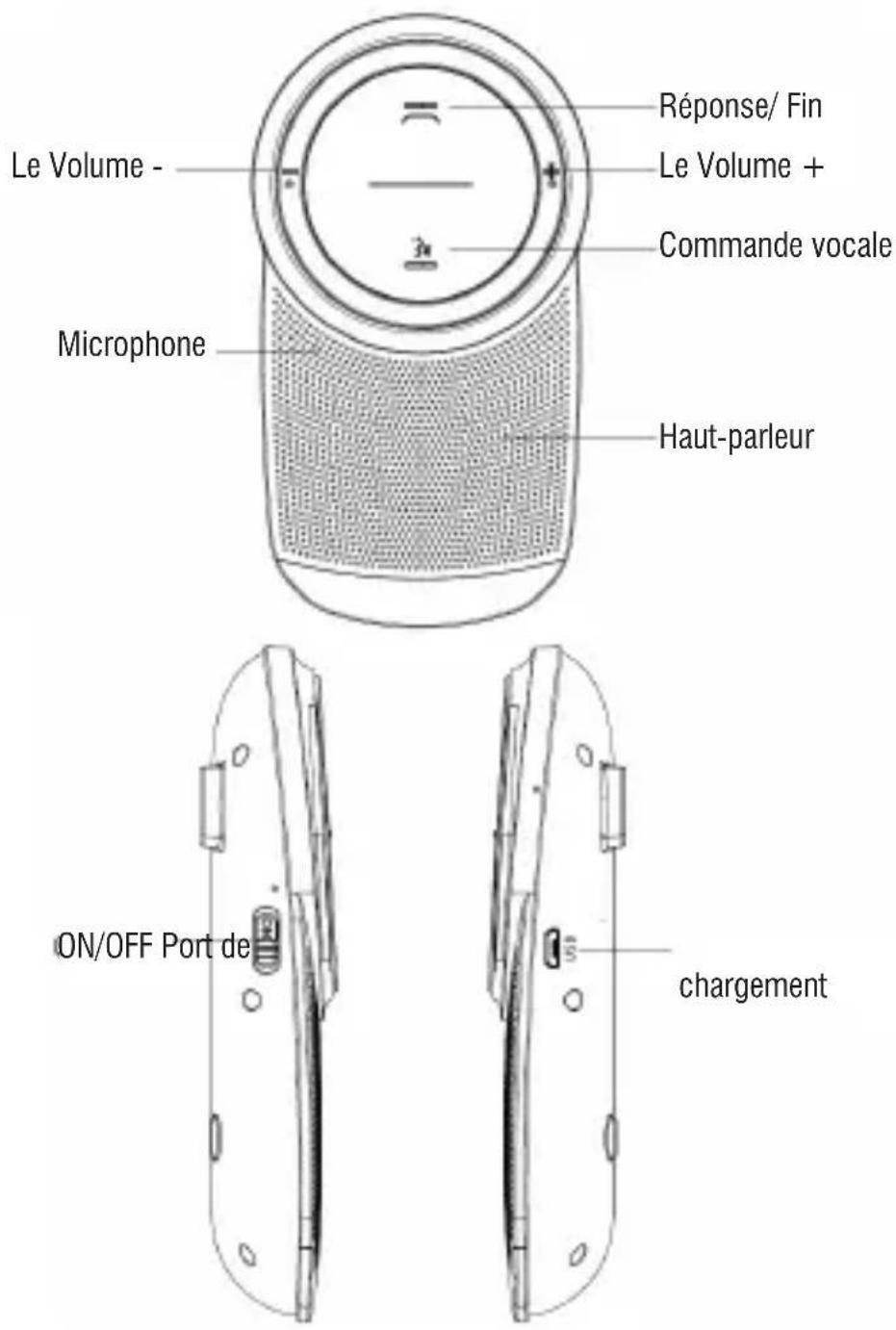
- Slide the ON/OFF button to turn the VS 5080 BT ON or OFF.
natural_image
Line drawing of a portable electronic device with a hand pointing to its right button (no text or symbols present)FIRST TIME PAIRING
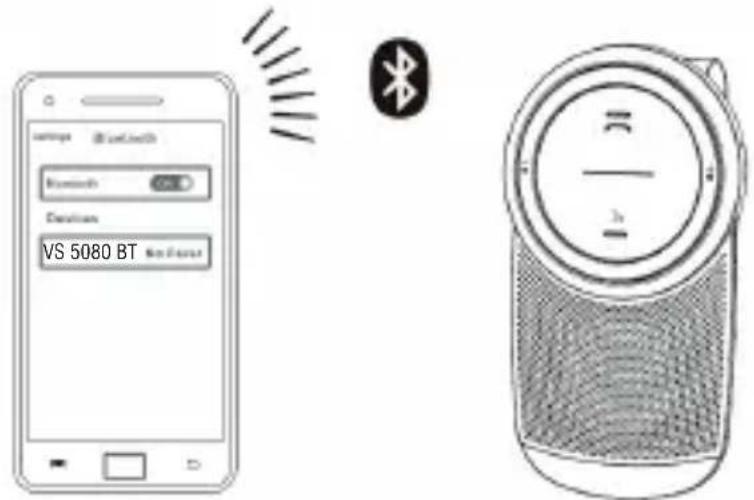
The first time the VS 5080 BT is turned on, voice guidance will guide you through pairing with your mobile phone.
- Turn on the device.
- The answer key flashes red and blue alternatively, you will then hear a voice prompt "Power on, Pairing". Bluetooth will need to be activated on your mobile phone. If asked for a passkey or PIN during pairing, please enter 0000.
NOTE: After the VS 5080 BT and a mobile phone have been paired, they will automatically connect whenever the VS 5080 BT is switched on and the mobile phone has Bluetooth activated within range.
PAIRING WITH ANOTHER MOBILE PHONE
- Turn on the device.
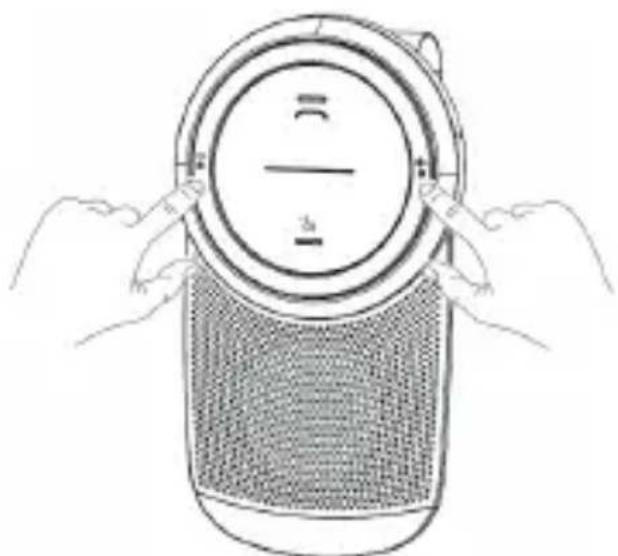
- Long press the Volume + and Volume - button simultaneously for 2.5 seconds to disconnect the Bluetooth link with the first mobile phone and waiting for pairing the second Bluetooth enabled mobile phone.
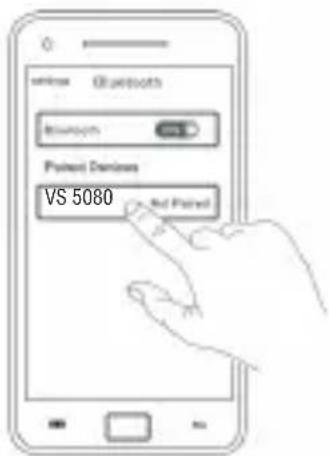
- Activate Bluetooth on your second mobile phone and select VS 5080 BT. If asked for a passkey or PIN during pairing, please enter 0000.
natural_image
Line drawing of hands holding a circular device with a mesh grille (no text or symbols)- Select the VS 5080 BT from the list of My Devices or Paired Devices on the first mobile to connect the VS 5080 BT. again.
HOW TO USE YOUR VS 5080 BT
 | Make call Start a call with your mobile phone. The call will automatically transfer to the VS 5080 BT. |
| Answer call Press the Answer/End button | |
| End call Press the Answer/End button | |
| Decline call Press the Answer/End button for 2.5 seconds | |
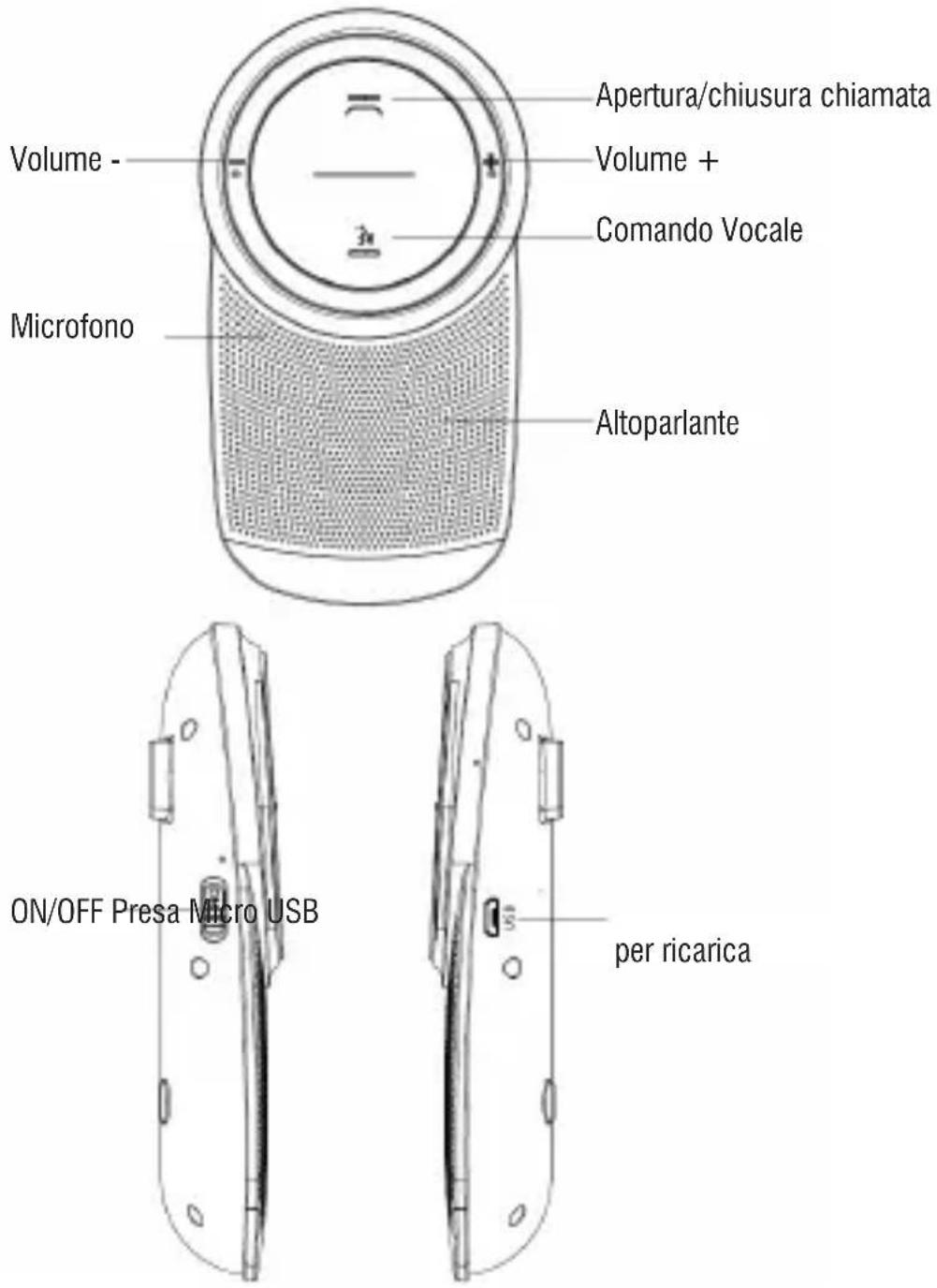
 | Activate the voice commands on phone Press the Voice Command button (Phone dependent) |
 | Redial last number Double-press the Answer/End button |
 | Speaker volume up/down Long press the Volume + or Volume - button |
| Disconnect Bluetooth Press the Volume + and Volume - button simultaneously for 2.5 seconds | |
| Empty the paired list of the VS 5080 BT Press the Volume + and Volume - button simultaneously for 5 seconds |
ANSWER/ENDING A CALL
A. When there is an incoming call, the VS 5080 BT will alert you by a ring tone.
- Short press the Answer/End button to answer the call, long press to decline, short press again to end the call.
B. When putting through, long press the Volume + or Volume - button, there will be a tone alert for reaching the max volume or min volume.

In paring state, if there is no mobile phone connected in 180 seconds, the device will turn off automatically (soft off) and make alert tone, the switch is in the ON position at this
moment. In addition, if the Bluetooth connection of the device disabled and do not connect again in 180 seconds, the VS 5080 BT will power off automatically.
POWER ON FROM STAND-BY MODE
In the standby model (soft off), if you want to restart the device, you just need to shake anything nearby (like closing the car door) that can awake the VS 5080 BT back to active mode.
PLAY MUSIC OR GPS
You can play music or hear GPS through the VS 5080 BT Music or GPS played on your connected mobile phone will automatically transfer to the VS 5080 BT.
VOICE GUIDANCE
Voice guidance guides you through using the VS 5080 BT:
| What you hear What it means | |
| “Power on, Pairing” The VS 5080 BT is powered on and in pairing mode. Follow the instructions to pair your mobile phone with the VS 5080 BT. | |
| “Connected” VS 5080 BT is connected to a phone/ device | |
| “Disconnected” A connected phone/ device is turned off, out of range, or has Bluetooth disabled while in range | |
| “Last number redial” Redial the last number | |
| “Low battery” The VS 5080 BT battery level is low, please charge your unit in time. | |
| “Power off” The system of VS 5080 BT is powered off |
MOBILE PHONE VOICE COMMANDS (E.G. SIRI)
To activate your mobile phone's voice commands (e.g. Siri), press the Voice Command button on the VS 5080 BT. For a full list of voice commands refer to your mobile phone's user manual. (Phone dependent).
CHOOSE YOUR LANGUAGE
- Slide ON/OFF button to turn on the VS 5080 BT and enter the Bluetooth pairing mode.
- Long press the Voice Commander button simultaneously for 5 seconds to switch the language. Your will hear a voice prompt after switching successfully.
The order of switching language is Italian, English, French, followed by recycling.
NOTE:
- Switching language only can operate under the pairing mode. The VS 5080 BT has not connected with any Bluetooth devices.
- After switching languages successfully, please wait for the VS 5080 BT to save the switched language for 5 seconds before power off. The switched language will be default when power on again
LOW BATTERY ALLERT
The red indicator flashes quickly for three time every 3 seconds.
CHARGING INDICATOR
When charging, the red indicator glows solidly, and will be turned off after fully charged. It takes around 3 hours to get fully charged.
EMPTY THE BLETOOTH PAIRED LIST
Long press the Volume + and Volume - button simultaneously for 5 seconds can empty the paired list of the VS 5080 BT.
FAQ
I hear crackling noises
Bluetooth is a radio technology that is sensitive to objects between the VS 5080 BT and the connected device. Ensure the VS 5080 BT and the connected device are within 33 feet (10 meters) of each other, with no major objects in the way (walls, etc.).
I cannot hear anything
- Increase the speaker volume.
- Ensure the VS 5080 BT is paired to a device that is playing.
- Make sure your phone is connected to the VS 5080 BT.
I am having pairing problems
You may have deleted the VS 5080 BT pairing connection in your mobile phone.
Follow the pairing instructions.
Will the VS 5080 BT work with other Bluetooth equipment?
The VS 5080 BT is designed to work with Bluetooth mobile phones. It can also support other Bluetooth devices that are compliant with Bluetooth version 2.1 or higher and support a headset, hands-free and/or.
I cannot activate the phone commands by pressing the Voice Command button?
This feature requires your mobile phone to support voice commands. Refer to your mobile phone user manual for more details.
TECHNICAL SPECIFICATIONS
Rechargeable Battery: .....Li-ion 3.7V, 1000mA
Power: 5V
Bluetooth 4.1
Bluetooth power transmission:.....0,8mW
Bluetooth frequency transmission: 2.4GHz
Frequency Response: 150Hz \~ 18KHz
Microphone: HD Omni-directional
Speaker: 3W, 4Ω
Operating Temperature: ......-20°C \~ 60°C
Dimensions: 72x 26x 130mm
Weight: 120gr including metal clip
INFORMATION ON THE REMOVAL AND DISPOSAL OF BATTERIES
Warning: the operation of removal and disposal is reserved to technical personnel!
Whatever type of battery used up, it should never be placed in household waste, fire or water. Each type of used battery must be recycled or disposed of at an appropriate dedicated collection points.
To remove the battery:
- Remove the rear metal clip.
- Unscrew all screws and remove the back of the cabinet.
- Locate the battery, disassemble it and remove it.


USERS INFORMATION pursuant to Legislative Decree No. 49 of March 14, 2014
"Implementation of Directive 2012/19/EU on Waste Electrical and Electronic Equipment (WEEE)"
This wheeled bin symbol on the product indicates that at the end of its life must be collected separately from other waste. The user must, therefore, take the remote control integrates the essential components that got to its life to the appropriate differentiated collection centers for electronic and electro-technical waste, or return it to the dealer when purchasing a new appliance of equivalent type, in terms of one to one, or one to zero for equipment having longer side of less than 25 cm. Appropriate separate collection for the decommissioned equipment for recycling, processing and environmentally compatible disposal helps prevent negative impact on the environment and human health and promotes recycling of the materials making up the product. Illegal dumping of the product by the user entails the application of administrative sanctions stated in Legislative Decree n. Legislative Decree No. 49 of March 14, 2014.
NOTES D'EMPLOI
natural_image
Illustration of a circular device with a horizontal line and a mesh base, no visible text or symbols.natural_image
Line drawing of a USB cable with two connectors (no text or symbols)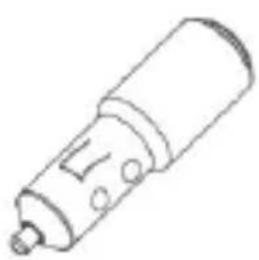
natural_image
Simple line drawing of a cylindrical mechanical component with a handle and mounting base (no text or symbols)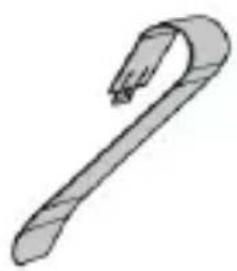
natural_image
Simple line drawing of a hook-shaped object (no text or symbols)natural_image
Diagram of a mechanical component with an arrow indicating direction, showing internal structure and movement (no text or symbols)natural_image
Line drawing of a car interior showing steering wheel, dashboard, and steering wheel (no text or symbols)CONTRÔLES
VS 5080 BT

CHARGEMENT DE VOTRE VS 5080 BT
natural_image
Line drawing of a handheld device with a battery and plug, no text or symbols presentCHARGER PARTIR D'UN PC
natural_image
Illustration of a mobile phone connected to a laptop with battery and plug (no text or symbols)COMMENCER
ALLUMANT VS 5080 BT
ENJEUX DE PREMIÈRE FOIS
natural_image
Line drawing of hands holding a circular device with a mesh grille (no text or symbols)| Ce que tu entends Ce que cela veut dire | |
| “Bonjour”, “Association” The VS 5080 BT is powered on and in pairing mode. Follow the instructions to pair your mobile phone with the VS 5080 BT. | |
| “Connecté” VS 5080 BT is connected to a phone/ device | |
| “Désactivé” A connected phone/ device is turned off, out of range, or has Bluetooth disabled while in range | |
| “Rappel du dernier numéro” Redial the last number | |
| “Batterie faible” The VS 5080 BT battery level is low, please charge your unit in time. | |
| “Au revoir” The system of VS 5080 BT is powered off |
COMMANDES DE VOIX DE TELEPHONE MOBILE (E.G. SIRI)
Batterie rechargeable: .....Li-ion3.7V, 1000mAh
Puissance: 5V ---
Bluetooth 4.1
natural_image
Illustration of a circular device with a horizontal line and a mesh base, no visible text or symbols.
natural_image
Coiled cable with two connectors (no text or symbols visible)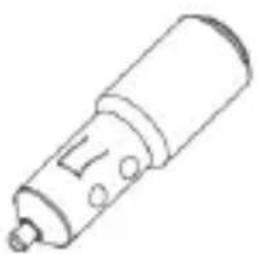
natural_image
Simple line drawing of a cylindrical mechanical component with mounting holes (no text or symbols)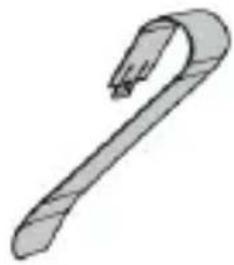
natural_image
Simple line drawing of a curved tool or spring (no text or symbols)natural_image
Diagram of a mechanical component with internal parts and directional arrow (no text or symbols)natural_image
Line drawing of a car interior showing steering wheel and dashboard (no text or symbols)KONTROLLEN
natural_image
Diagram of a handheld electronic device with a battery and plug, no text or symbols presentPC-AUFLADUNG
natural_image
Illustration of a mobile phone connected to a laptop with battery and charging plug (no text or symbols)ANFANGEN
DREHEN AUF VS 5080 BT
natural_image
Line drawing of a portable electronic device with a pointing hand and a close-up of its screen (no text or symbols)ERSTE ZEITPFLEGE
PAARE MIT EINEM ANDEREN HANDY
natural_image
Line drawing of hands holding a circular device with a mesh grille (no text or symbols)natural_image
Illustration of a circular device with a horizontal line and '△' label, resembling a stylized musical instrument or device (no readable text or symbols beyond the label)
natural_image
Coiled cable with two connectors (no text or symbols visible)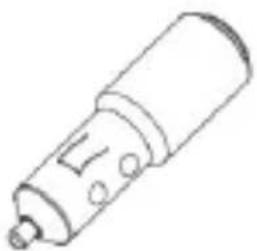
natural_image
Simple line drawing of a cylindrical mechanical component with mounting holes (no text or symbols)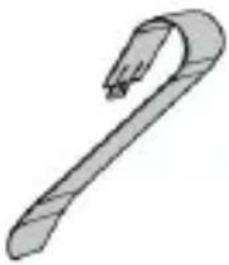
natural_image
Simple line drawing of a hook or clip (no text or symbols)natural_image
Diagram of a mechanical component with a curved blade and internal structure, showing directional arrows (no text or symbols)natural_image
Line drawing of a car interior showing steering wheel and dashboard (no text or symbols)natural_image
Diagram of a handheld device connected to a plug, showing battery and charging cable (no text or symbols)RECARGA DE PC
natural_image
Illustration of a mobile phone connected to a laptop with a battery and charging cable (no text or symbols)EMPEZANDO
ENCENDER VS 5080 BT
natural_image
Line drawing of a device with a pointing hand and a magnified view showing a small object (no text or symbols)natural_image
Line drawing of hands holding a circular device with a mesh grille (no text or symbols)CÓMO USAR SU VS 5080 BT
https://www.trevi.it/dms/zidi/TREVI/DOCVS5080BT.pdf
SIMPLIFIED EU DECLARATION OF CONFORMITY
Hereby TREVI Spa declares that the radio equipment type VS 5080 BT is in compliance with directive 2014/53/EU.
The full text of the EU declaration of conformity is available at the following internet address
https://www.trevi.it/dms/zidi/TREVI/DOCVS5080BT.pdf


- RICARICA DA PC
- ACCOPPIAMENTO BLUETOOTH
- CARE AND MAINTENANCE
- IMPORTANT
- WARNING FOR A CORRECT USE OF RECHARGEABLE BATTERY
- PACKAGE CONTENTS
- POSITIONING YOUR VS 5080 BT
- CHARGING YOUR VS 5080 BT
- IN-CAR CHARGING
- PC CHARGING
- GETTING STARTED
- TURNING ON VS 5080 BT
- FIRST TIME PAIRING
- PAIRING WITH ANOTHER MOBILE PHONE
- ANSWER/ENDING A CALL
- POWER ON FROM STAND-BY MODE
- PLAY MUSIC OR GPS
- VOICE GUIDANCE
- MOBILE PHONE VOICE COMMANDS (E.G. SIRI)
- CHOOSE YOUR LANGUAGE
- NOTE:
- LOW BATTERY ALLERT
- CHARGING INDICATOR
- EMPTY THE BLETOOTH PAIRED LIST
- FAQ
- I hear crackling noises
- I cannot hear anything
- I am having pairing problems
- Will the VS 5080 BT work with other Bluetooth equipment?
- I cannot activate the phone commands by pressing the Voice Command button?
- TECHNICAL SPECIFICATIONS
- INFORMATION ON THE REMOVAL AND DISPOSAL OF BATTERIES
- Warning: the operation of removal and disposal is reserved to technical personnel!
- USERS INFORMATION pursuant to Legislative Decree No. 49 of March 14, 2014
- NOTES D'EMPLOI
- CHARGEMENT DE VOTRE VS 5080 BT
- CHARGER PARTIR D'UN PC
- COMMENCER
- ALLUMANT VS 5080 BT
- ENJEUX DE PREMIÈRE FOIS
- COMMANDES DE VOIX DE TELEPHONE MOBILE (E.G. SIRI)
- PC-AUFLADUNG
- ANFANGEN
- DREHEN AUF VS 5080 BT
- ERSTE ZEITPFLEGE
- PAARE MIT EINEM ANDEREN HANDY
- RECARGA DE PC
- EMPEZANDO
- ENCENDER VS 5080 BT
- SIMPLIFIED EU DECLARATION OF CONFORMITY
Brand : Trevi
Model : VS 5080 BT
Category : Car radio