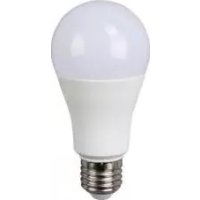
IAN 324580 - LED Bulb Livarno Lux - Free user manual and instructions
Find the device manual for free IAN 324580 Livarno Lux in PDF.


| Product type | Connected LED bulb |
| Brand | Livarno Lux |
| Model | IAN 324580 |
| Article number | 14139610L |
| Operating voltage | 230-240 V ~, 50 Hz |
| Rated power | 10 W (LED) |
| Socket type | E27 |
| Protection class | II |
| Protection rating | IP20 |
| Connection technology | Bluetooth 4.0 |
| Bluetooth range | 9 m |
| Max emission power (bulb) | 6.1 dBm |
| Max emission power (remote control) | -2.0 dBm |
| Remote control battery | 1 x CR 2032 (included) |
| LED lifespan | 25,000 h |
| Color temperature | White and RGB (adjustable) |
| Functions | Control via Briloner Control app, remote control, color dimmer, timer, preset scenes, music mode (Android) |
| Usage | Indoor, dry enclosed rooms |
| Warranty | 36 months |
| Maintenance and cleaning | Clean with a dry, lint-free cloth |
| Safety | Do not look directly at the light source, use only in a dry environment |
| Package contents | 1 LED bulb, 1 remote control with battery, 1 instruction manual |
Frequently Asked Questions - IAN 324580 Livarno Lux
User questions about IAN 324580 Livarno Lux
0 question about this device. Answer the ones you know or ask your own.
Ask a new question about this device
Download the instructions for your LED Bulb in PDF format for free! Find your manual IAN 324580 - Livarno Lux and take your electronic device back in hand. On this page are published all the documents necessary for the use of your device. IAN 324580 by Livarno Lux.
USER MANUAL IAN 324580 Livarno Lux
AMPOULE LED CONNECTEE
SMART LED LIGHT BULB
Operation and safety notes
NL BE
LED-LAMP MET APP-REGELING
Before reading, unfold the page containing the illustrations and familiarise yourself with all functions of the device.
FR BE
GB/IEOperation and safety notesPage 23
Proper use.. Page 26
Included items . Page 27
Parts description.. Page 27
Technical data.. Page 27
Safety advice.. Page 28
Safety instructions for batteries/rechargeable batteries ....... Page 30
Set-up. Page 32
Installing the Briloner Control App... Page 33
Controlling light effects with the remote control
Changing the battery.. Page 36
Disposal.. Page 36
Warranty and service.. Page 38
Warranty declaration . Page 38
Service address.. Page 38
Declaration of conformity.. Page 39
Manufacturer.. Page 39
List of pictograms used
| List of pictograms used | |
| i | Read instruction manual! |
| V~ | Volt (AC) |
| Hz | Hertz (frequency) |
| LIGHT MAX. 10 W>60W | Watts |
| WARNING! | Potential of serious to fatal injuries. |
| Light bulb - only insert in a dry environment. | |
| E27 | Socket E27 |
| MAX800 LUMEN | Lumen |
| This light is only suitable for indoor use in dry and enclosed spaces. | |
| Danger to life and risk of accidents for infants and children! | |
| Protection class II | |
| ONOFF | Switching cycles |
| Observe warning and safety notes! | |
| 4 | Electric shock warning! Danger to life! |
| 5 | Caution! Risk of burns due to hot surfaces! |
| This light is not suitable for dimmer or electronic switches. | |
| LED=25xT(h) 25000 h | LED operating life |
| The RGB LEDs are decorative lights. Do not use the RGB LEDs for room lighting or as a night light. These RGB LEDs are a specialist product, as the chromaticity values lie outside the ranges stated in brackets. Chromaticity values: (x<0.270 or x>0.530); (y<-2.172 x² or y>-2.3172 x² + 2.3653 x -0.1595). | |
| <1s=60% | 60% < 1 sec. start time |
| a | Disposition of packaging and appliance in an environmentally friendly way! |
| The packaging is made from 100% recycled paper. | |
| Keep batteries out of the reach of children! | |
Smart LED Light Bulb
Introduction
We congratulate you on the purchase of your new device. You have chosen a high quality product. These operating instructions form a part of this product. They contain impor
tant information on safety, use and disposal. Make yourself familiar with all the operating instructions and safety advice for the product before use. Use the product only as described and for the indicated purpose. If you pass the product on to anyone else, please ensure that you also pass on all the documentation with it. Check that the correct mains voltage is available and that all the parts have been properly assembled before bringing into use.
Properuse
This lamp is designed for use indoors only, in dry and enclosed rooms. This product is intended for use in a private, domestic environment only. Other uses or modification of
the product shall be considered as improper use and could lead to injury or damage. The manufacturer accepts no liability for loss or damage arising from improper use.
The RGB LEDs are decorative lights. Do not use the RGB LEDs for room lighting or as a night light. These RGB LEDs are a specialist product, as the chromaticity values lie out
side the ranges stated in brackets. Chromaticity values: (x < 0.270 or x > 0.530) ; (y < -2.172 x2 or y > -2.3172 x2 + 2.3653 x - 0.1595) .
IncludedItems
Check that all the items and accessories are present and that the lamp is in perfect condition immediately after unpacking.
1 LED light bulb (E27), model 14139610L
1 Remote control (incl. battery CR 2032)
1 Set of operating instructions
-Partsdescription
1 LED light bulb
2 Remote control
3 Battery drawer
4 Battery
-Technicaldata
Light bulbs:
Item number: 14139610L
Operating voltage: 230-240V , 50 Hz
Max. rated power: LED, 10 W
Socket: E27
Protection class: II/
IP rating: IP20
Bluetooth:
Version: 4.0
Range: 9 m
Frequency range: 2.4 GHz band
Max. transmitting power: 6.1 dBm
Remote control:
Battery: 1 x CR 2032
Frequency: 2.4 GHz band
Max. transmitting power: -2.0 dBm

Safety advice
The right to claim under the guarantee shall be rendered invalid in respect of damage caused by the non-observation of these operating instructions! No liability is accepted for consequent damage! No liability is accepted for damage to property or persons caused by improper handling or non-observation of the safety advice!

RIS ADWATALNQURY AND
ACCIDENT HAZARD FOR TODDLERS AND SMALL CHILDREN!
Never leave children unsupervised with the packaging materials.
The packaging material poses a suffocation hazard. Children frequently underestimate the dangers. Please always keep the product out of the reach of children.
This device may be used by children aged 8 years and up, as well as by persons with reduced physical, sensory or mental capacities, or lacking experience and/or knowledge, so long as they are supervised or instructed in the safe use of the device and understand the associated risks. Do not allow children to play with the device. Cleaning and user maintenance must not be performed by children without supervision.
Exposure to certain strobe lights or lighting effects can cause epileptic seizures or unconsciousness in some people. If you experience symptoms of an epileptic seizure, seek immediate medical attention.
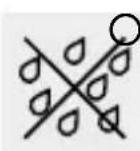
Only insert the light bulb in a dry environment.
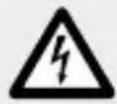
To avoid danger to life from electric shock
Never open any of the components of the electrical equipment (i.e. switch, lamp socket, etc.) or insert any objects into the components. This will pose the risk of fatal injury from electric shock.
Before installation ensure that the available mains voltage agrees with the operating voltage required for the lamp (see "Technical data").
Radio Frequency Interface Requirements - Related to European installation
Note: This equipment has been tested and found to comply with the limits for a EN 300 440 v2.1.1 receiver Category 3.
These limits are designed to provide reasonable protection against harmful interference in a residential installation.
This equipment is sensitive to other equipment that intentionally generates, radio frequency energy in the 2.4GHz that may conduce to the instability to use the Remote Control on it. However there is no guarantee that interference will not occur in a particular installation. If this equipment suffers from the harmful interference from another radio device to radio this can be determined by turning the respective equipment off and on, the user is encouraged to try to correct the interference by one or more of the following measures:
Turn off the disturbance equipment and do not use any WiFi devices in proximity of equipment that operate at such frequency with high transmitting power Increase the separation between the disturbance equipment. Consult the dealer or an experienced radio / TV technician for
help. The relevant declarations and documents are held by the manufacturer: https://www.briloner.com/de/service/informationenzuleuchten/eu-konformitaetserklaerung-fuer-funkanlagentyp.php

To avoid danger of fire and injury
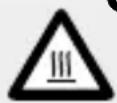
CAUTION! RISK OF BURNS DUE TO HOT SURFACES!
Ensure the lamp has been switched off and allowed to cool before you touch it. In this way you will avoid the danger of burns.
Do not allow any objects to cover the lamp. Fire can result from the development of too much heat.
Position the lamp so that it is protected from moisture and dirt.
Never leave the light unattended whilst in operation. Excessive heat can result in a fire.
Do not look directly into the light source.
Do not look at the LED with an optical instrument (e.g. magnifier).
This light is not suitable as a night light.

Safety instructions for batteries/rechargeable batteries

KEEP BATTERIES OUT OF THE REACH OF CHILDREN!
Swallowing batteries can cause chemical burns, perforation of soft tissue, and death. Severe burns may occur within 2 hours of swallowing batteries. Seek immediate medical attention.
DANGER TO LIFE!
Keep batteries / rechargeable batteries out of reach of children. If accidentally swallowed seek immediate medical attention.
DANGER OF EXPLOSION!
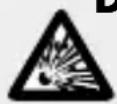
Never recharge non-rechargeable batteries. Do not short-circuit batteries / rechargeable batteries and / or open them. Overheating, fire or bursting can be the result.
Never throw batteries / rechargeable batteries into fire or water.
Do not exert mechanical loads to batteries / rechargeable batteries.
Risk of leakage of batteries / rechargeable batteries
Avoid extreme environmental conditions and temperatures, which could affect batteries / rechargeable batteries, e.g. radiators / direct sunlight.
If batteries / rechargeable batteries have leaked, avoid contact with skin, eyes and mucous membranes with the chemicals! Flush immediately the affected areas with fresh water and seek medical attention!

WEAR PROTECTIVE GLOVES!
Leaked or damaged batteries / rechargeable batteries can cause burns on contact with the skin. Wear suitable protective gloves at all times if such an event occurs.
In the event of a leakage of batteries / rechargeable batteries, immediately remove them from the product to prevent damage.
Only use the same type of batteries / rechargeable batteries. Do not mix used and new batteries / rechargeable batteries.
Remove batteries / rechargeable batteries if the product will not be used for a longer period.
Risk of damage of the product
Only use the specified type of battery / rechargeable battery!
Insert batteries / rechargeable batteries according to polarity marks (+) and (-) on the battery / rechargeable battery and the product.
Clean the contacts on the battery / rechargeable battery and in the battery compartment before inserting!
Remove exhausted batteries / rechargeable batteries from the product immediately.
-Set-up
Note: Please remove all packaging material from the product before setting up.
Note: Use in a ceiling light or table lamp is recommended.

DANGER OF ELECTRIC SHOCK!
Remove the fuse or switch off the circuit breaker (Position 0) inside the fuse box before using the product.
- When using in a desk lamp, switch the lamp off and disconnect the mains plug from the mains socket.
- Verify the available mains voltage matches the voltage required to operate the product before use (see „Technical data”).
Use a clean, lint-free cloth to insert the LED light bulb 1
Screw the LED light bulb 1 clockwise into the bulb socket.
Reinsert the fuse or switch the circuit breaker back on.
If using in a desk lamp, connect the mains plug to the mains socket again.
Your light is now ready to use.
- Installing the Briloner Control App
Ensure that you have sufficient internet connection.
Open the Google Play Store or the Apple Store.
Search for „Briloner Control" in the App Store / Play Store and install the app.
Switch on Bluetooth on your smartphone.
Open the app.
To connect the light with your smartphone, please follow the app instructions.
□ After you have installed the app, you can control the light using the app.
Note:
Make sure that you are always operating the current version of the app on your smartphone.
Update the app if necessary.
You can choose from the following modes:
Devices
- Add devices
- List of connected devices
Group
- Combine multiple lights to make a group.
- A maximum of 16 groups can be created.
Scene
- To save individual settings.
Installing the Briloner Control App
Service
- Information on the version of the app
Modes for adjusting the individual lights:
Light
- Colour of light continuously adjustable using the touch field
- Brightness continuously adjustable
- Switch speaker on / off
- Switch light on / off
Scenarios(pre-programmed)
- 10 pre-programmed lighting arrangements
- 4 user-defined scenarios where you can save individual light settings
□Timer
- Time programming to turn light on / off or to start scenarios.
Music (Android only)
- Setting: music - light reacts to music which is played from the smartphone.
- Setting disco - light reacts to the smartphone's microphone
Disco (Apple only)
- Setting: disco - light reacts to music which is played from the smartphone.
- Controlling light effects with the remote control 2
Note: The transmitter for the remote control 2 is located on the opposite end of the battery compartment. Ensure there are no obstacles between the transmitter and the receiver.
The range of the remote control 2 is approx. 5m
Choose from the following functions:
: increase brightness / increase speed of colour changes
: decrease brightness / decrease speed of colour changes
ON: switch on LED
OFF: switch off LED
: set red light
: set green light
B: set blue light
w: set white light
: colour change (3 colours)
: slow, flowing colour change
Controlling light …/ Changing the battery / Disposal

Memory program - select a colour of your choice; hold the DIY1 button pressed. The light will flicker to confirm your colour selection.

Memory program - select a colour of your choice; hold the DIY2 button pressed. The light will flicker to confirm your colour selection.
The LED light bulb 1 has a memory function. It saves the setting last selected.

Changing the battery
If the range of the remote control 2 reduces, the battery needs to be replaced.
To do so, slide the battery drawer 3 out of the remote control 2.
Remove the old battery 4 and insert a new one.
Attention: Only use batteries specified in the chapter "Technical data".
Note: The correct polarity is indicated on the reverse of the remote control [2].
Slide the battery drawer 3 back into the remote control 2

Disposal
The packaging is made entirely of recyclable materials, which you may dispose of at local recycling facilities.
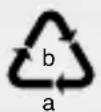
Observe the marking of the packaging materials for waste separation, which are marked with abbreviations (a) and numbers (b) with following meaning: 1-7: plastics / 20-22: paper and fibreboard / 80-98: composite materials.

The product and packaging materials are recyclable, dispose of it separately for better waste treatment. The Triman logo is valid in France only.
To help protect the environment, please dispose of the product properly when it has reached the end of its useful life and not in the household waste. Information on collection points and their opening hours can be obtained from your local authority.
Faulty or used batteries / rechargeable batteries must be recycled in accordance with Directive 2006/66/EC and its amendments. Please return the batteries / rechargeable batteries and / or the product to the available collection points.
Environmental damage through incorrect disposal of the batteries / rechargeable batteries!
Batteries / rechargeable batteries may not be disposed of with the usual domestic waste. They may contain toxic heavy metals and are subject to hazardous waste treatment rules and regulations. The chemical symbols for heavy metals are as follows: Cd = cadmium, Hg = mercury, Pb = lead. That is why you should dispose of used batteries / rechargeable batteries at a local collection point.
Warranty and service
Warrantydeclaration
You receive a 36 month warranty on this product, valid from the date of purchase.
The device has been carefully produced under strict quality control. Within the warranty period we shall rectify without charge all material and manufacturing defects. In the event of a defect arising during the warranty period, please send the device to the listed Service Centre address, making reference to the following article number: 14139610L. Wear parts (such as bulbs) and damage caused by improper handling, non-observation of the operating instructions or unauthorised interference are excluded from the warranty.
The performance of services under the warranty does not extend or renew the warranty period.
-Serviceaddress
Please have your receipt and the product number (e.g. IAN 123456_7890) available for all queries as proof of purchase.
Declaration of conformity (€
This product fulfils the requirements of the applicable European and national directives. Conformity has been demonstrated. The relevant declarations and documents are held by the manufacturer.
Manufacturer
Disco (Apple uniquely)
NOSTE OCHRANNÉ RUKAVICE!
NOSTE OCHRANNÉ RUKAVICE!


- AMPOULE LED CONNECTEE
- SMART LED LIGHT BULB
- LED-LAMP MET APP-REGELING
- FR BE
- SAFETY ADVICE.. PAGE 28
- SET-UP. PAGE 32
- INSTALLING THE BRILONER CONTROL APP... PAGE 33
- CONTROLLING LIGHT EFFECTS WITH THE REMOTE CONTROL
- CHANGING THE BATTERY.. PAGE 36
- DISPOSAL.. PAGE 36
- WARRANTY AND SERVICE.. PAGE 38
- LIST OF PICTOGRAMS USED
- INTRODUCTION
- PROPERUSE
- INCLUDEDITEMS
- PARTSDESCRIPTION
- TECHNICALDATA
- LIGHT BULBS
- BLUETOOTH
- REMOTE CONTROL
- SAFETY ADVICE
- RIS ADWATALNQURY AND
- ACCIDENT HAZARD FOR TODDLERS AND SMALL CHILDREN
- TO AVOID DANGER TO LIFE FROM ELECTRIC SHOCK
- RADIO FREQUENCY INTERFACE REQUIREMENTS - RELATED TO EUROPEAN INSTALLATION
- TO AVOID DANGER OF FIRE AND INJURY
- CAUTION! RISK OF BURNS DUE TO HOT SURFACES
- SAFETY INSTRUCTIONS FOR BATTERIES/RECHARGEABLE BATTERIES
- KEEP BATTERIES OUT OF THE REACH OF CHILDREN
- DANGER TO LIFE
- DANGER OF EXPLOSION
- RISK OF LEAKAGE OF BATTERIES / RECHARGEABLE BATTERIES
- WEAR PROTECTIVE GLOVES
- RISK OF DAMAGE OF THE PRODUCT
- SET-UP
- DANGER OF ELECTRIC SHOCK
- INSTALLING THE BRILONER CONTROL APP
- NOTE
- YOU CAN CHOOSE FROM THE FOLLOWING MODES
- SERVICE
- MODES FOR ADJUSTING THE INDIVIDUAL LIGHTS
- LIGHT
- SCENARIOS(PRE-PROGRAMMED)
- TIMER
- MUSIC (ANDROID ONLY)
- DISCO (APPLE ONLY)
- CONTROLLING LIGHT EFFECTS WITH THE REMOTE CONTROL 2
- CHOOSE FROM THE FOLLOWING FUNCTIONS
- CONTROLLING LIGHT …/ CHANGING THE BATTERY / DISPOSAL
- CHANGING THE BATTERY
- DISPOSAL
- ENVIRONMENTAL DAMAGE THROUGH INCORRECT DISPOSAL OF THE BATTERIES / RECHARGEABLE BATTERIES
- WARRANTY AND SERVICE
- WARRANTYDECLARATION
- SERVICEADDRESS
- DECLARATION OF CONFORMITY (€
- MANUFACTURER
- NOSTE OCHRANNÉ RUKAVICE
Brand : Livarno Lux
Model : IAN 324580
Category : LED Bulb