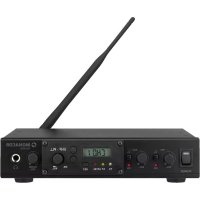
TXA800ST - Audio transmitter Monacor - Free user manual and instructions
Find the device manual for free TXA800ST Monacor in PDF.

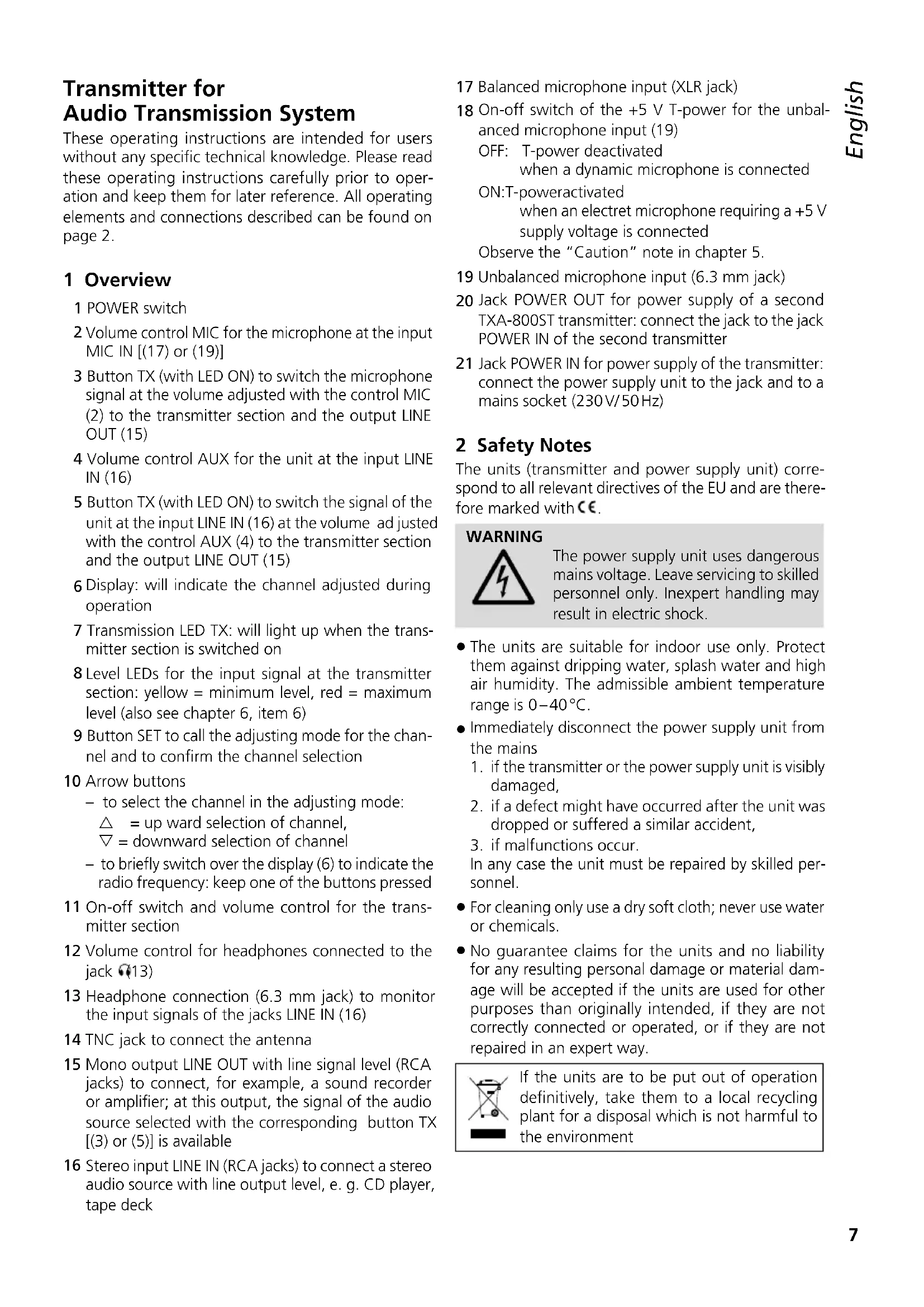


| Product type | Audio transmitter |
| Brand | Monacor |
| Model | TXA800ST |
| Radio frequency range | 863.1 – 864.9 MHz (16 channels) |
| Transmission power | 10 mW (EIRP) |
| Range | approx. 30 m |
| Microphone inputs | Balanced XLR, unbalanced 6.35 mm jack with switchable T +5 V power supply |
| Line input | RCA stereo |
| Line output | RCA mono |
| Headphone output | 6.35 mm jack, min. impedance 32 Ω |
| Power supply | 10 – 15 V/300 mA via mains adapter 230 V/50 Hz, or via POWER OUT of a second transmitter |
| Dimensions (W × H × D) | 215 × 50 × 210 mm |
| Weight | 1.25 kg |
| Operating temperature | 0 – 40 °C |
| Rack mounting | Yes, for two devices in 1U |
| Main functions | Two selectable audio inputs (microphone and line), line output, headphone output, AF level indicators, T power supply for electret microphone, PLL channel selection |
| Safety | Indoor use only, protect from water and moisture, unplug in case of damage |
| Cleaning | Dry soft cloth, no chemicals or water |
| Repairability | Repair by a qualified technician; warranty void in case of mishandling |
Frequently Asked Questions - TXA800ST Monacor
User questions about TXA800ST Monacor
0 question about this device. Answer the ones you know or ask your own.
Ask a new question about this device
Download the instructions for your Audio transmitter in PDF format for free! Find your manual TXA800ST - Monacor and take your electronic device back in hand. On this page are published all the documents necessary for the use of your device. TXA800ST by Monacor.
USER MANUAL TXA800ST Monacor
for Audio Transmission System
863-865MHz
TXA-800ST
Line out, mono: . . . . . Cinch
Transmitter for Audio Transmission System
These operating instructions are intended for users without any specific technical knowledge. Please read these operating instructions carefully prior to operation and keep them for later reference. All operating elements and connections described can be found on page 2.
1 Overview
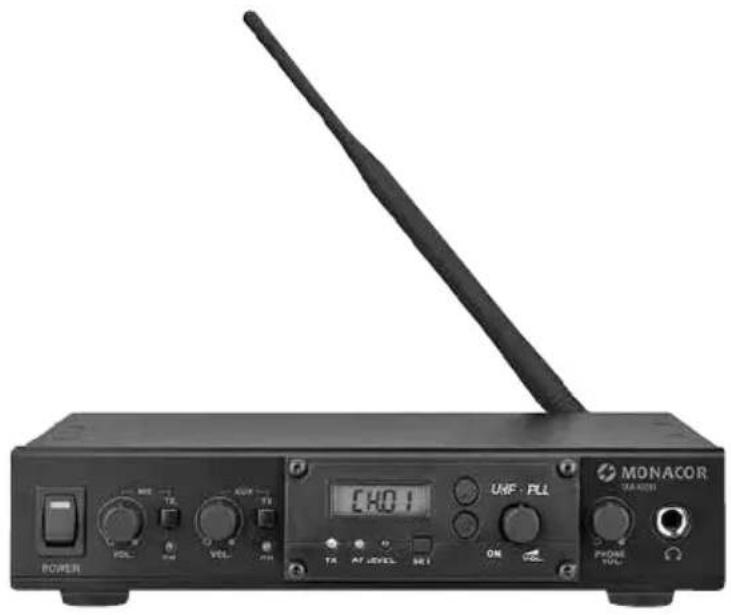
1 POWER switch
2 Volume control MIC for the microphone at the input MIC IN [(17) or (19)]
3 Button TX (with LED ON) to switch the microphone signal at the volume adjusted with the control MIC (2) to the transmitter section and the output LINE OUT (15)
4 Volume control AUX for the unit at the input LINE IN (16)
5 Button TX (with LED ON) to switch the signal of the unit at the input LINE IN (16) at the volume ad justed with the control AUX (4) to the transmitter section and the output LINE OUT (15)
6 Display: will indicate the channel adjusted during operation
7 Transmission LED TX: will light up when the transmitter section is switched on
8 Level LEDs for the input signal at the transmitter section: yellow = minimum level, red = maximum level (also see chapter 6, item 6)
9 Button SET to call the adjusting mode for the channel and to confirm the channel selection
10 Arrow buttons
- to select the channel in the adjusting mode:
= up ward selection of channel,
= downward selection of channel - to briefly switch over the display (6) to indicate the radio frequency: keep one of the buttons pressed
11 On-off switch and volume control for the transmitter section
12 Volume control for headphones connected to the jack (13)
13 Headphone connection (6.3 mm jack) to monitor the input signals of the jacks LINE IN (16)
14 TNC jack to connect the antenna
15 Mono output LINE OUT with line signal level (RCA jacks) to connect, for example, a sound recorder or amplifier; at this output, the signal of the audio source selected with the corresponding button TX [3] or [5] is available
16 Stereo input LINE IN (RCA jacks) to connect a stereo audio source with line output level, e. g. CD player, tape deck
17 Balanced microphone input (XLR jack)
18 On-off switch of the +5V T-power for the unbalanced microphone input (19)
OFF: T-power deactivated when a dynamic microphone is connected
ON:T-poweractivated
when an electret microphone requiring a +5V supply voltage is connected
Observe the "Caution" note in chapter 5.
19 Unbalanced microphone input (6.3 mm jack)
20 Jack POWER OUT for power supply of a second TXA-800ST transmitter: connect the jack to the jack POWER IN of the second transmitter
21 Jack POWER IN for power supply of the transmitter: connect the power supply unit to the jack and to a mains socket (230V/50Hz)
2 Safety Notes
The units (transmitter and power supply unit) correspond to all relevant directives of the EU and are therefore marked with
WARNING

The power supply unit uses dangerous mains voltage. Leave servicing to skilled personnel only. Inexpert handling may result in electric shock.
- The units are suitable for indoor use only. Protect them against dripping water, splash water and high air humidity. The admissible ambient temperature range is 0 - 40^ .
-
Immediately disconnect the power supply unit from the mains
-
if the transmitter or the power supply unit is visibly damaged,
- if a defect might have occurred after the unit was dropped or suffered a similar accident,
- if malfunctions occur.
In any case the unit must be repaired by skilled personnel.
- For cleaning only use a dry soft cloth; never use water or chemicals.
- No guarantee claims for the units and no liability for any resulting personal damage or material damage will be accepted if the units are used for other purposes than originally intended, if they are not correctly connected or operated, or if they are not repaired in an expert way.
If the units are to be put out of operation definitively, take them to a local recycling plant for a disposal which is not harmful to the environment
3 Applications and Accessories
In combination with a receiver tuned to the same radio frequencies, this PLL multifrequency transmitter allows to set up a wireless mono audio transmission system. The signal of the transmitter can be sent to any de sired number of receivers. Thus, the system is ideally suited for applications where the signal of an audio source is fed to several people, e.g. guided tours or multilingual lectures. For radio transmission, 16 channels in the UHF range from 863.1 MHz to 864.9 MHz are available.
The transmitter can be combined with the following MONACOR receivers:
| UnitType | |
| ATS-16R pocket | receiver |
| TXA-800R pocket | receiver |
| TXA-802SR main | s-operated two-channel receiver |
| TXA-820 | battery-operated active speaker system with receiver |
| TXA-820CD | |
| TXA-822CD | battery-operated active speaker system with two-channel receiver |
| TXA-1020 | battery-operated active speaker system with two-channel receiver |
| TXA-1020USB | |
| TXA-1022CD |
The transmitter has two microphone inputs (balanced and unbalanced, with +5V T-power to be activated) and an input for a unit with line output level (e.g. CD player) to be monitored via headphones. A line output allows connection of an amplifier or a sound recorder.
Installation material is provided for installing two TXA-800ST transmitters into a rack. The second transmitter can be supplied with power via the DC voltage output of the first transmitter.
3.1 Conformity and approval
Herewith, MONACOR INTERNATIONAL declare that the transmitter TXA-800ST complies with the directive 2014/53/EU. The EU declaration of conformity is available on the Internet:
www.monacor.com
The transmitter is generally approved for operation in EU and EFTA countries; it is licence-free and requires no registration.
4 Rack Installation
Two TXA-800ST transmitters can be installed into a rack for units of a width of 482mm (19^ ) via the installation material provided. In the rack, 1 RS (rack space = 44.5mm ) is required. Connect the transmitters by means of the two adaptors on the upper and lower sides, then fasten the two brackets with four screws each to the left and right sides of the transmitter pair and use the brackets to install the transmitter pair into the rack (figure 3).
5 Connection
1) Screw the antenna provided onto the TNC jack ANTENNA (14) and put it in a vertical position.
2) The transmitter has two microphone inputs MIC IN for connecting a microphone:
- When the microphone is balanced, use the XLR jack (17).
- When the microphone is unbalanced, use the 6.3mm jack (19); in case of a 3.5mm plug on the microphone, insert a corresponding adapter.
In case of an electret microphone requiring a 5V operating voltage, activate the +5V T-power for the 6.3mm jack: set the switch (18) next to the jack to ON.
Caution
- Do not activate the T-power when a dynamic microphone is connected to the 6.3mm jack; otherwise it may be damaged!
- Only activate/deactivate the T-power when the unit is switched off; otherwise, this will cause loud switching noise.
3) The stereo input LINE IN (16) allows to connect an audio unit with line output (e.g. CD player, tape deck, radio).
To monitor the input signal of the jacks LINE IN [unaffected by the volume control AUX (4) and by the position of the button TX (5)], connect headphones to the 6.3mm jack (13).
4) The output LINE OUT (15) will get the same signal as the transmitter section [i.e. the signal of the audio source selected with the button TX, (3) or (5), or the mixed signal of the audio sources when both buttons TX are pressed]. A mono signal is available at both RCA jacks, e.g. for connecting the line input of an amplifier or sound recorder.
5) For power supply, connect the power supply unit provided to the jack POWER IN (21) and to a mains socket (230V / 50Hz)
If a second transmitter TXA-800ST is used, it can be supplied with power via the first transmitter: connect the jack POWER OUT (20) of the first transmitter via a cable with low voltage plugs (plug dimensions chapter 7) to the jack POWER IN (21) of the second transmitter.
6 Operation
Prior to switching on, turn the volume controls MIC (2) and AUX (4) counter-clockwise to the left stop.
1) To switch on the unit, press the POWER switch (1): The switch will light up.
2) Adjust the transmission channel on the corresponding receiver (operating instructions of the receiver).
3) Turn the control (11) of the transmitter section clockwise until it is switched on: The transmission LED TX
(7) will light up and the display (6) will indicate the channel currently adjusted.
4) Adjust the same channel as on the receiver:
a) Press the button SET (9) until the channel indication starts flashing on the display (6).
b) While the channel indication keeps flashing (for approx. 10 seconds), the arrow buttons (10) allow to select the channel: button for upward selection of channel, button for downward selection of channel.
c) Confirm the channel selection with the button SET (9). If the selection is not confirmed within 10 seconds, the transmitter section will switch back to the previous channel.
Note: In case of receiver ATS-16R, the channels are marked 0 to F: Channel 0 corresponds to channel 01, channel 1 corresponds to channel 02, ..., channel F corresponds to channel 16.
During operation it is possible to briefly indicate the radio frequency for the channel adjusted: As long as the button or (10) is kept pressed, the display will indicate the frequency instead of the channel.
5) To switch an audio source to the transmitter section and at the same time also to the line output (15), press the corresponding button TX: (3) for the microphone, (5) for the unit at the line input. When a button is pressed, the corresponding LED ON will light up.
With the corresponding volume control VOL, adjust the level at which the signal of the audio source is fed to the transmitter section and the line output: (2) for the microphone, (4) for the unit at the line input.
6) The LEDs AF LEVEL (8) will indicate the level of the audio signal fed to the transmitter section:
The yellow LED will light up when the signal has reached a defined minimum level.
The red LED will light up when the signal has reached the maximum level at which it is close to distortion. The LED should not light up at all or only light up briefly with signal peaks; if it lights permanently, the signal is distorted. In this case, reduce the volume of the corresponding audio source / sources accordingly.
7) Use the control (11) of the transmitter section to adjust the volume at which the audio signal is transmitted to the receiver.
8) When headphones are connected, adjust the headphone volume with the control PHONE VOL (12).
Caution! Never adjust the headphones to a very high volume. Permanent high volumes may damage your hearing!
9) For switching off the transmitter section turn its control (11) counter-clockwise until it is switched off.
For switching off the unit completely, press the switch POWER (1). If the unit is not used for a longer
period, disconnect the power supply unit from the mains socket as it will even have a low power consumption when the unit is switched off.
Note concerning multichannel operation:
The number of channels to be used in parallel depends on the conditions at the place of application (e.g. on interference due to other wireless systems or high-frequency sources such as fluorescent lamps). In ideal conditions, up to four channels can be operated at the same time without mutual interference. Two examples of a suitable channel selection for four wireless transmission paths:
Example 1:
channel 01-channel 03-channel 06-channel 12
Example 2:
channel 06-channel 09-channel 15-channel 16
7 Specifications
Radio frequency range: .. 863.1-864.9MHz, divided into 16 channels (table below)
Transmitting power: . . . . . 10 mW (EIRP)
Range: approx. 30m
Connections
Microphone, mono: . . . XLR (bal.), 6.3 mm jack (unbal.) with switchable +5VT-power
Line in, stereo: .RCA jacks
Line out, mono: .RCA jacks
Headphones, mono: 6.3 mm jack,
headphone impedance 32 Ω min.
Power in/out: . low voltage jack for a plug of the dimensions 5,5/2,1mm ( outside/inside),positive pole at the inner contact
Ambient temperature: . . . 0 - 40 °C
Power supply: 10-15V/300mA via power supply unit provided and connected to 230V/50Hz
Dimensions (W× H× D) .. 215× 50× 210mm
Weight: 1.25 kg
7.1 Radio frequencies
| Channel | Frequency | Channel | Frequency |
| 01 | 863.1 MHz | 09 | 863.2 MHz |
| 02 | 864.1 MHz | 10 | 864.2 MHz |
| 03 | 863.6 MHz | 11 | 863.7 MHz |
| 04 | 864.6 MHz | 12 | 864.7 MHz |
| 05 | 863.3 MHz | 13 | 863.4 MHz |
| 06 | 864.3 MHz | 14 | 864.4 MHz |
| 07 | 863.8 MHz | 15 | 863.9 MHz |
| 08 | 864.8 MHz | 16 | 864.9 MHz |
Subject to technical modification.
All rights reserved by MONACOR INTERNATIONAL GmbH & Co. KG. No part of this instruction manual may be reproduced in any form or by any means for any commercial use.
Line out, mono: .RCA
Cuffia, mono: . . . . . . . . . . . . . . . . . . . . . . . . . . . . . . . . . . . . . . . . . . . . . . . . . . . . . . . . . . . . . . . . . . . . . . . . . . . . . . . . . . . impedenza cuffia min. 32 Ω
Line out, mono: . . . . . Cinch
Line out, mono: .RCA
Auriculares, mono: . . . . Jack 6,3 mm, impedancia de auriculares minima 32 Ω