
Beat BYRD - Headphones BEYERDYNAMIC - Free user manual and instructions
Find the device manual for free Beat BYRD BEYERDYNAMIC in PDF.



User questions about Beat BYRD BEYERDYNAMIC
0 question about this device. Answer the ones you know or ask your own.
Ask a new question about this device
Download the instructions for your Headphones in PDF format for free! Find your manual Beat BYRD - BEYERDYNAMIC and take your electronic device back in hand. On this page are published all the documents necessary for the use of your device. Beat BYRD by BEYERDYNAMIC.
USER MANUAL Beat BYRD BEYERDYNAMIC
Thank you for selecting the Beat Byrd in-ear headphones.
For your best possible listening experience, you will find a description on how to use your in-ear headphones.
Safety instructions
- Read these operating instructions carefully and completely before using the product.
- Do not use the product when it is damaged.
- beyerdynamic GmbH & Co. KG will not be liable if any damage, injury or accident occurs due to negligent, incorrect or inappropriate operation of the product.
Avoid damage to your health and accidents
- When you connect the in-ear headphones, please make sure that the volume level is set to minimum. Adjust the volume level only after inserting the eartips. To avoid possible hearing damage, do not use your in-ear headphones for extended periods of time at high volume. The ability to hear your own voice while listening and speaking normally with in-ear headphones can serve as a measure of correct volume adjustment. In-ear headphones can be up to 6-9 dB louder than classic headphones because they are directly in the ear canal, increasing the risk of hearing damage.
- If you suffer from tinnitus, do not use headphones or reduce the volume.
• Always ensure an adequate volume level. It is advisable to keep listening times as short as possible at high volume levels. This also shows an example from working life: According to the Occupational Health and Safety Regulations of German trade associations, noise pollution e.g. in
the workplace must not exceed 85 dB (room volume level) during a maximum permissible listening time of 8 hours. If the volume level is increased by 3 dB respectively, the permissible listening time is cut in half, i.e. at 88 dB, the listening time is 4 hours, at 91 dB 2 hours, etc.
- When using in-ear headphones, it is important to clean the eartips, as they quickly become dirty and increase the risk of ear infection due to an increased number of germs in the ear. Since the in-ear devices isolate the ear canal, a warm and humid “climate” is created in the ear increasing the multiplication of germs.
- Keep small parts such as product, packaging and accessories away from children and pets. Accidental ingestion may cause suffocation.
Danger to life!
- In-ear headphones drastically reduce perception of external sounds. Using headphones in road traffic can be potentially dangerous. The user's hearing must not be impaired to the extent that it causes road safety risks. Please also make sure that you do not use the headphones in traffic, especially within an area of potentially dangerous machines and tools.
• Furthermore, avoid using headphones in situations where hearing must not be affected, especially when crossing a railway crossing or at a construction site.
Risk of injury!
- Avoid sudden movements when using wired in-ear headphones. You might seriously hurt yourself especially if you wear piercings, earrings, glasses, etc., where the wire can get caught.
Changed acoustic perception
- For many people, wearing in-ear headphones needs getting used to, because acoustic perception of their own voice and of the body as well as inner ear sounds which occur while walking differ from the “normal” situation without in-ear headphones. However, this initially strange sensation usually diminishes after wearing them for a while.
Liability / intended use
- Do not use the product for any application which is not describe in this product information. beyerdynamic is not liable for improper use of the product and its accessories.
Supplied accessories
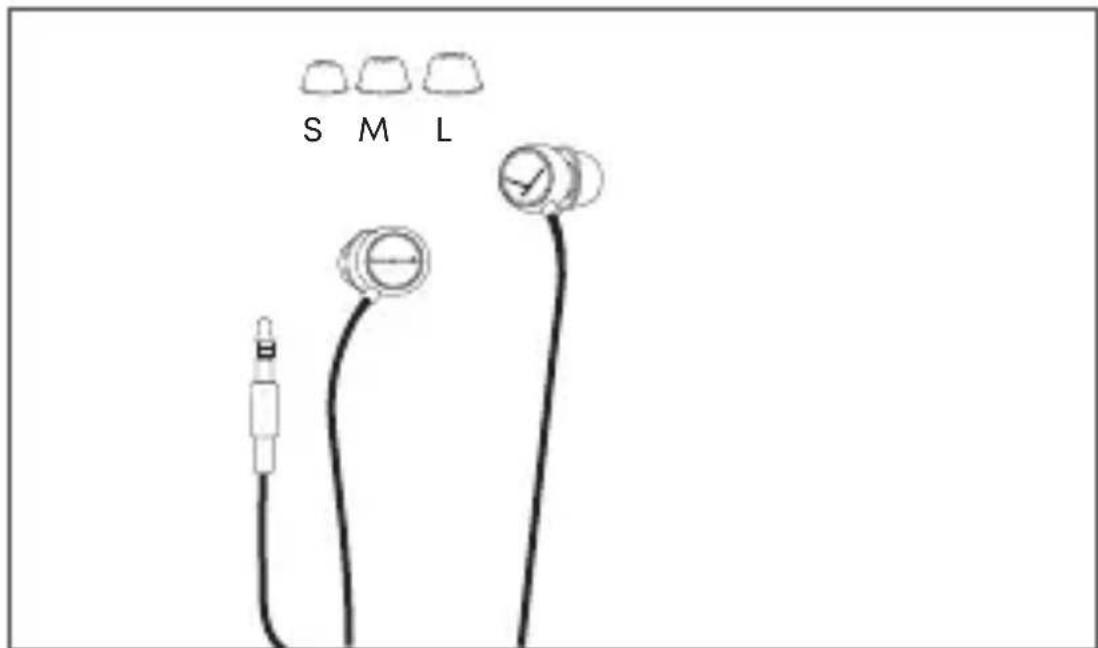
text_image
S M L• In-ear headphones, connecting cable with 3-pole mini jack plug (3.5 mm)
- Three pairs of silicone eartips (S, M, L – on delivery the size M is already mounted on the earphone)
How to select / change eartips
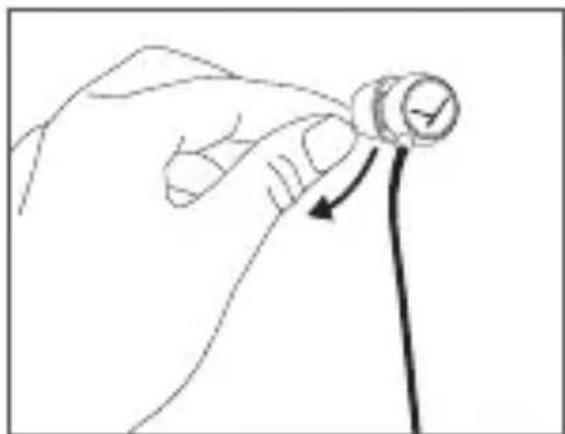
The in-ear headphones are supplied with several ear-tips in different sizes. By default, size M is mounted on delivery. Select the eartips that meet your requirements to ensure a comfortable and secure fit, a good ambient noise attenuation and a sound as best as possible.
- Detach the eartip from the earphone carefully.
- Dirty nozzles can be cleaned by removing the cerumen protection. Make sure that no liquid flows into the nozzle.
natural_image
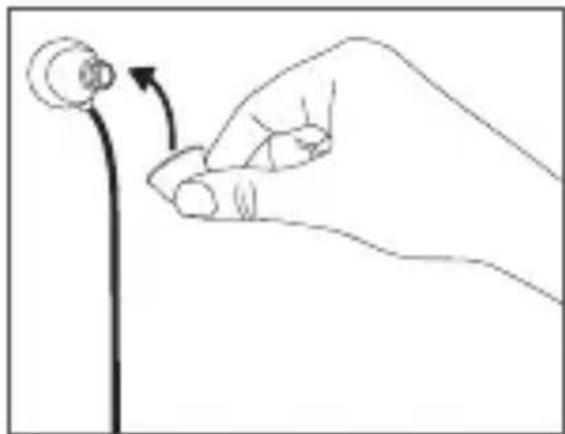
Hand holding a circular object with an arrow indicating direction (no text or symbols)- Attach the new eartip to the ear-phone after inserting the cerumen protection into the nozzle again.
• We recommend changing the eartips every 3 months when used regularly.
- Spare silicone eartips can be ordered via the beyerdynamic spare parts shop.
natural_image
Hand holding a small circular object with an arrow indicating rotation (no text or symbols)How to insert and wear the in-ear headphones
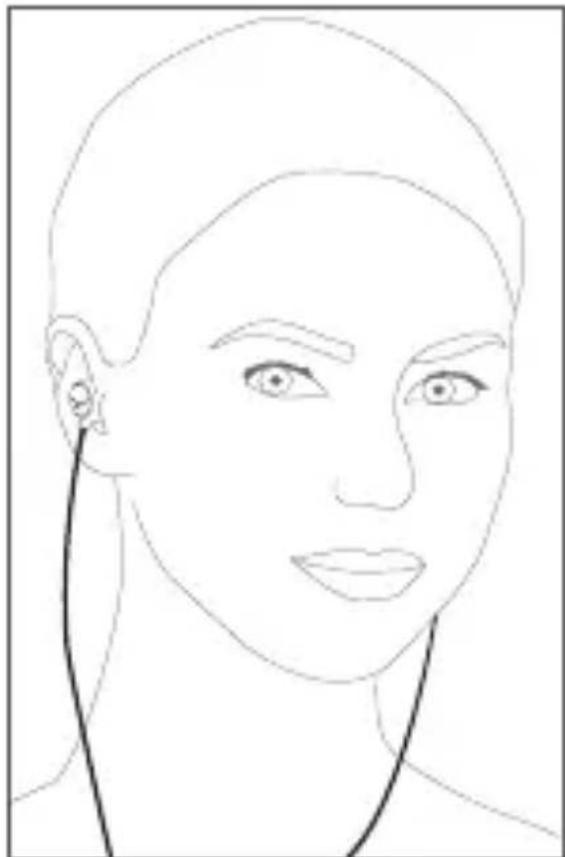
- Insert the two ear- phones into the left and right ear as in- dicated.
• Make sure that the earphones fit, are comfortable and secure.
natural_image
Line drawing of a human head and face with earphones (no text or symbols)Maintenance
• To clean all parts of the in-ear headphones, use a soft cloth moistened with an alcohol cleaner. Make sure that no liquid penetrates the housing or flows into the transducer.
- Do not use cleaners that contain solvents as they may damage the surface.
- Allow the cerumen protection to dry completely before inserting it back into the earphone nozzle.
Spare parts
- Spare parts for the in-ear headphones can be found on the internet at:
www.beyerdynamic.com/service
Disposal
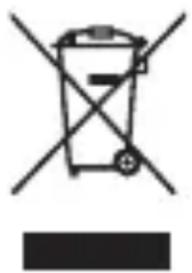
This symbol on the product, in the instructions or on the packaging means that your electrical and electronic equipment should be disposed at the end of its life separately from your household waste. There are separate collection systems for recycling in the EU. For more information, please contact the local authority or your retailer where you purchased the product.
natural_image
Symbol of a trash bin with crossed lines indicating no waste, and a solid black rectangle below (no text or labels)Technical specifications
Detailed technical specifications can be found on the internet at: www.beyerdynamic.com/beat-byrd
Product registration
Using the serial number, you can register your in-ear headphones on the internet at:
www.beyerdynamic.com
natural_image
Hand holding a circular object with an arrow indicating direction (no text or symbols)natural_image
Line drawing of a hand holding a small circular object with an arrow indicating rotation (no text or symbols)natural_image
Line drawing of a human face with ear and earpin (no text or symbols)Pflege
natural_image
Symbol of a trash bin with crossed lines indicating no waste, and a solid black rectangle below (no text or labels)Technische Daten
natural_image
Hand holding a small circular object with an arrow pointing to it, no text or symbols presentnatural_image
Hand holding a small circular object with an arrow indicating rotation (no text or symbols)natural_image
Line drawing of a human face with ear and earpin (no text or symbols)Entretien
natural_image
Symbol of a trash bin with crossed lines indicating no waste, and a solid black rectangle below (no text or labels)natural_image
Hand holding a circular object with an arrow indicating direction (no text or symbols)natural_image
Hand holding a small circular object with an arrow indicating rotation (no text or symbols)natural_image
Line drawing of a human head and neck with earphones (no text or symbols)Mantenimiento
natural_image
Symbol of a trash bin with crossed lines indicating no waste, and a solid black rectangle below (no text or labels)Datos técnicos
natural_image
Hand holding a circular object with an arrow pointing to it, no text or symbols presentnatural_image
Hand holding a small circular object with an arrow indicating rotation (no text or symbols)natural_image
Line drawing of a human face with ear and earpin (no text or symbols)Manutenzione
natural_image
Symbol of a trash bin with crossed lines indicating no waste, and a solid black rectangle below (no text or labels)Specifiche
www.beyerdynamic.com/beat-byrd
natural_image
Hand holding a circular object with an arrow indicating direction (no text or symbols)natural_image
Line drawing of a hand holding a small circular object with an arrow indicating rotation (no text or symbols)natural_image
Line drawing of a human face with ear and earpin (no text or symbols)Skötsel
natural_image
Symbol of a trash bin crossed with no text or numbers, accompanied by a black rectangular block below (no text or symbols present)Tekniska data
natural_image
Hand holding a circular object with an arrow pointing to it, no text or symbols presentnatural_image
Hand holding a small circular object with an arrow indicating rotation (no text or symbols)natural_image
Line drawing of a human face with ear and ear details (no text or symbols)Уход
natural_image
Symbol of a trash bin crossed with no text or numbers, accompanied by a black rectangular block below (no text or symbols present)Технические данные
www.beyerdynamic.com/beat-byrd
Регистрация изделия
natural_image
Hand holding a circular object with an arrow indicating rotation (no text or symbols)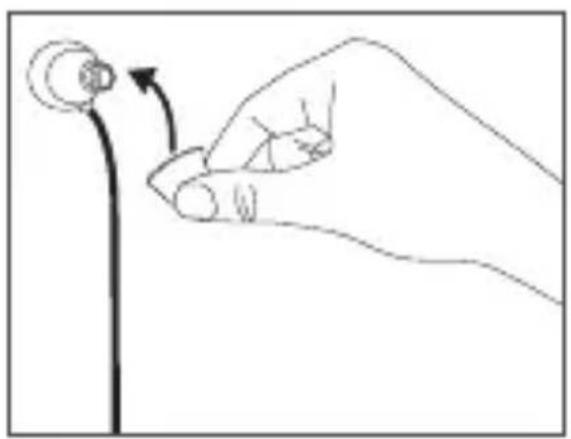
natural_image
Hand holding a small circular object with an arrow indicating rotation (no text or symbols)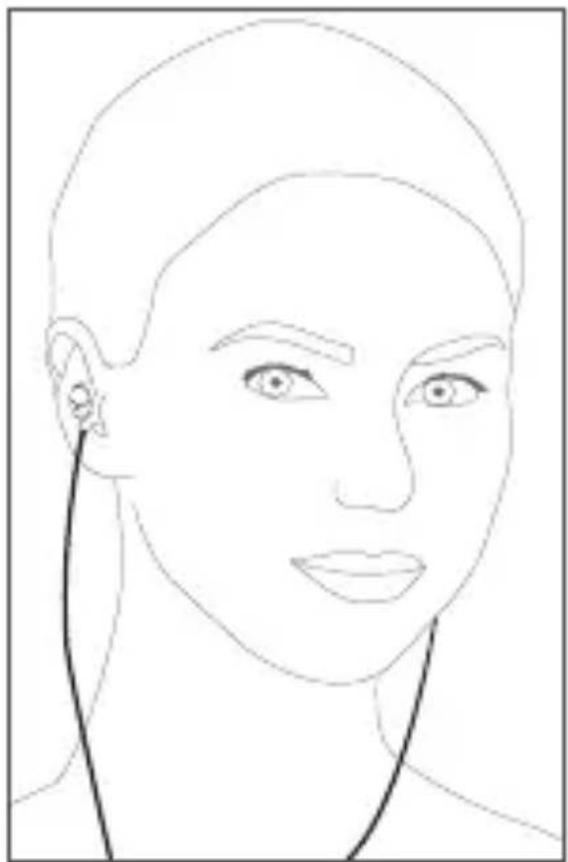
natural_image
Line drawing of a human face with ear and earpin (no text or symbols)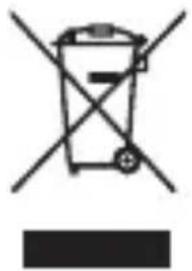
natural_image
Symbol of a trash bin crossed with no text or labels, accompanied by a black rectangular block below (no readable text or symbols)natural_image
Hand holding a circular object with a checkmark arrow, no text or symbols presentnatural_image
Hand holding a small circular object with an arrow indicating rotation or change (no text or symbols)인이어 헤드폰 귀에 끼우기 및 착용
natural_image
Line drawing of a human face with ear and earpin (no text or symbols)관리
natural_image
Symbol of a trash bin with crossed lines indicating no waste, and a solid black rectangle below (no text or labels)기술 자료
natural_image
Hand holding a circular object with an arrow indicating rotation (no text or symbols)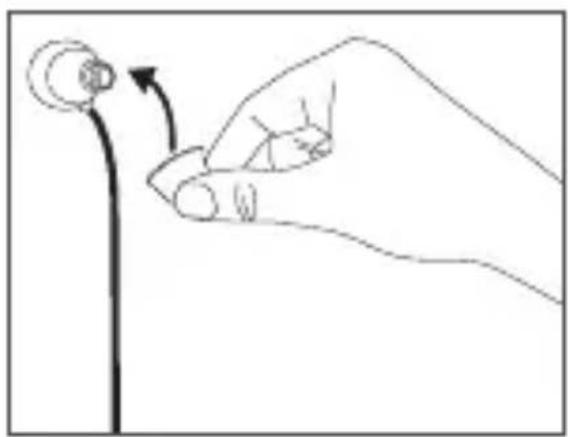
natural_image
Hand holding a small circular object with an arrow indicating rotation (no text or symbols)佩戴入耳式耳机
natural_image
Line drawing of a human face with ear and earpin (no text or symbols)保养
natural_image
Symbol of a trash bin with crossed lines indicating no waste, and a solid black rectangle below (no text or labels)技术指标
www.beyerdynamic.com/beat-byrd
产品注册
For further distributors worldwide, please go to
www.beyerdynamic.com
Non-contractual illustrations.
Subject to change without notice.