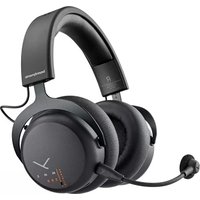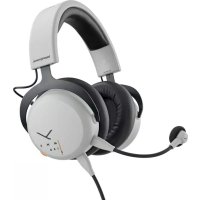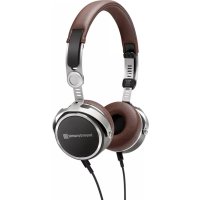
Aventho Wired - Headphones BEYERDYNAMIC - Free user manual and instructions
Find the device manual for free Aventho Wired BEYERDYNAMIC in PDF.

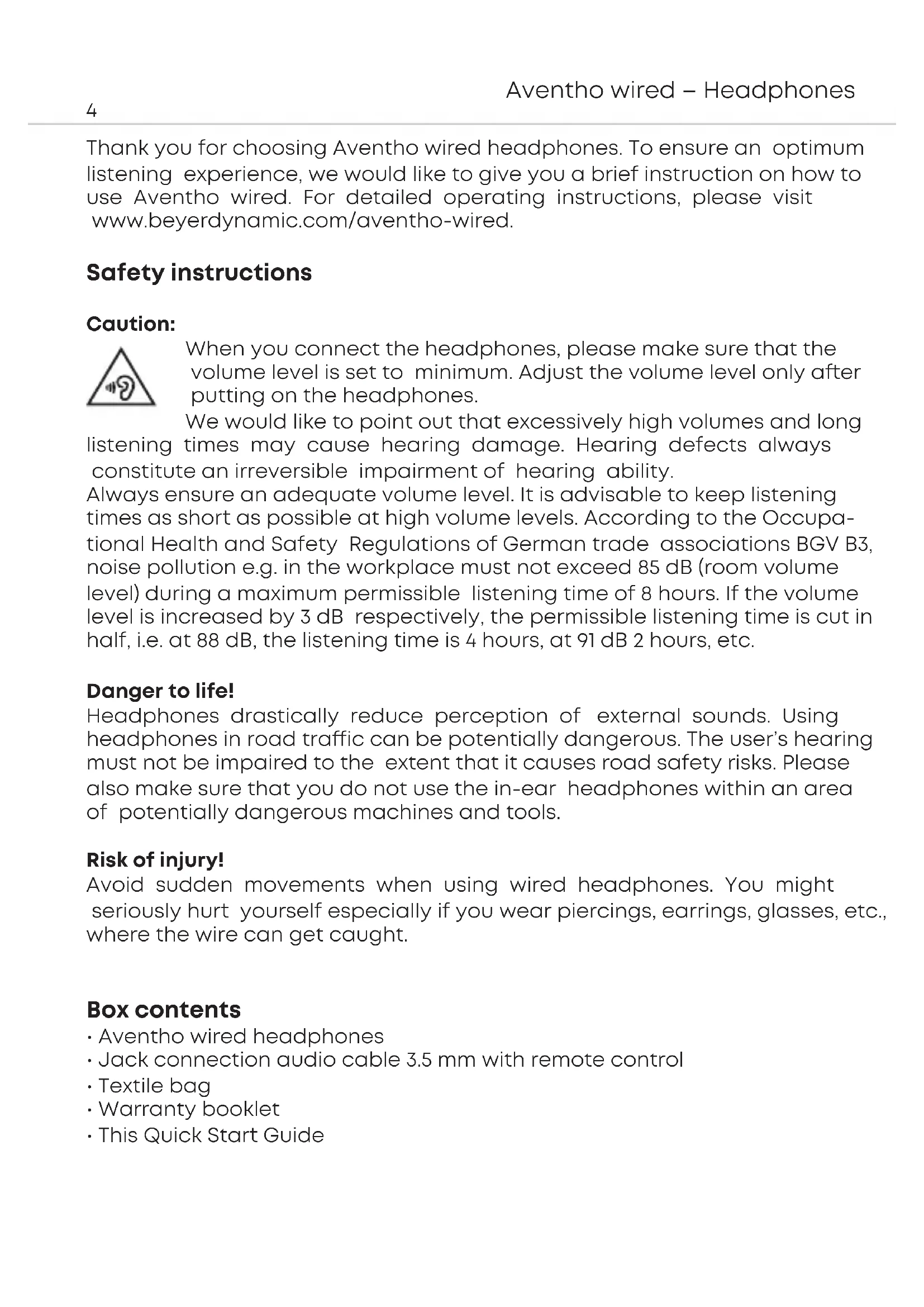


| Product type | Wired circumaural headphone |
| Brand | Beyerdynamic |
| Model | Aventho Wired |
| Connection type | Wired (3.5 mm jack) |
| Microphone | Yes, integrated in remote control |
| Remote control | 3 buttons: volume +/-, on/off |
| Compatibility | Devices with CTIA jack (smartphones, tablets) |
| Supplied accessories | Y audio cable (3.5 mm jack), fabric pouch, warranty booklet, quick start guide |
| Maintenance | Soft, dry or slightly damp cloth; do not use solvents |
| Ear pad cleaning | Replaceable via snap-in |
| Safety | Recommended maximum sound level: 85 dB; limited listening time; do not use on public roads |
| Spare parts | Replaceable ear pads; other parts: contact customer service |
| Warranty | Terms and conditions on the website beyerdynamic.com |
| Product registration | Possible on the website using the serial number |
Frequently Asked Questions - Aventho Wired BEYERDYNAMIC
User questions about Aventho Wired BEYERDYNAMIC
0 question about this device. Answer the ones you know or ask your own.
Ask a new question about this device
Download the instructions for your Headphones in PDF format for free! Find your manual Aventho Wired - BEYERDYNAMIC and take your electronic device back in hand. On this page are published all the documents necessary for the use of your device. Aventho Wired by BEYERDYNAMIC.
USER MANUAL Aventho Wired BEYERDYNAMIC
Thank you for choosing Aventho wired headphones. To ensure an optimum listening experience, we would like to give you a brief instruction on how to use Aventho wired. For detailed operating instructions, please visit www.beyerdynamic.com/aventho-wired.
Safety instructions
Caution:
When you connect the headphones, please make sure that the volume level is set to minimum. Adjust the volume level only after putting on the headphones.
We would like to point out that excessively high volumes and long listening times may cause hearing damage. Hearing defects always constitute an irreversible impairment of hearing ability.
Always ensure an adequate volume level. It is advisable to keep listening times as short as possible at high volume levels. According to the Occupational Health and Safety Regulations of German trade associations BGV B3, noise pollution e.g. in the workplace must not exceed 85 dB (room volume level) during a maximum permissible listening time of 8 hours. If the volume level is increased by 3 dB respectively, the permissible listening time is cut in half, i.e. at 88 dB, the listening time is 4 hours, at 91 dB 2 hours, etc.
Danger to life!
Headphones drastically reduce perception of external sounds. Using headphones in road traffic can be potentially dangerous. The user's hearing must not be impaired to the extent that it causes road safety risks. Please also make sure that you do not use the in-ear headphones within an area of potentially dangerous machines and tools.
Risk of injury!
Avoid sudden movements when using wired headphones. You might seriously hurt yourself especially if you wear piercings, earrings, glasses, etc., where the wire can get caught.
Box contents
- Aventho wired headphones
- Jack connection audio cable 3.5 mm with remote control
Textile bag - Warranty booklet
- This Quick Start Guide
Storage and removal from the packaging
Removal from the packaging
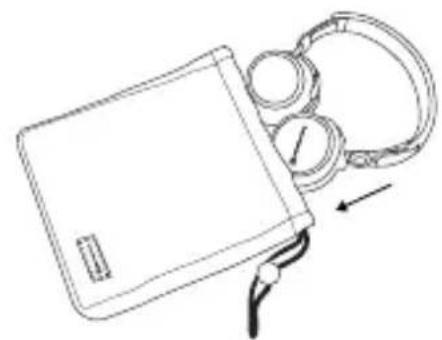
Hold the Aventho wired on the headband and pull it out of the textile bag. Rotate the two ear cups inward so that the ear pads are facing each other. Refer to the illustration.
Storage
Disconnect the cable from the ear cups. Rotate the two ear cups as indicated by the arrows. Hold the Aventho wired and put it into the textile bag with the ear cups first. Refer to the illustration.
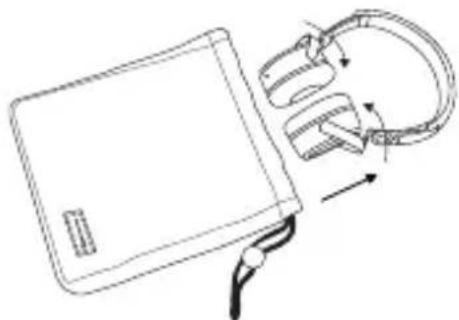
How to adjust the headband
Before wearing the Aventho wired for the first time you should adjust it properly to achieve the best sound and ambient noise attenuation.
Please refer to the following tips:
- Select the appropriate lock-in position on both sides of the headband.
- Adjust the angle of the ear pads.
- Place the Aventho wired centrally on your ears as shown in the middle picture.
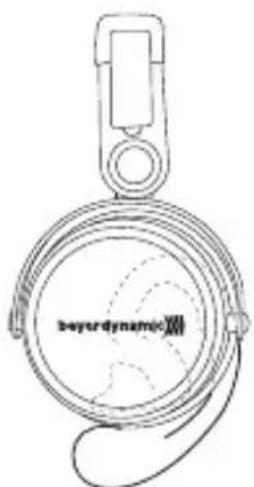
Headphone is too high
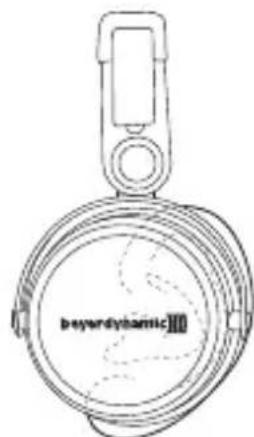
Perfect fit of the headphone
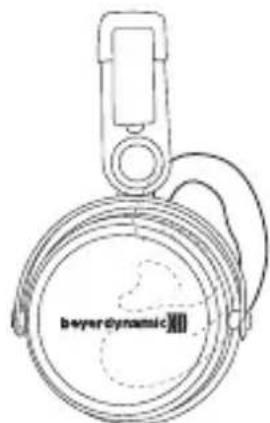
Headphone is too low
Controls of cable remote control
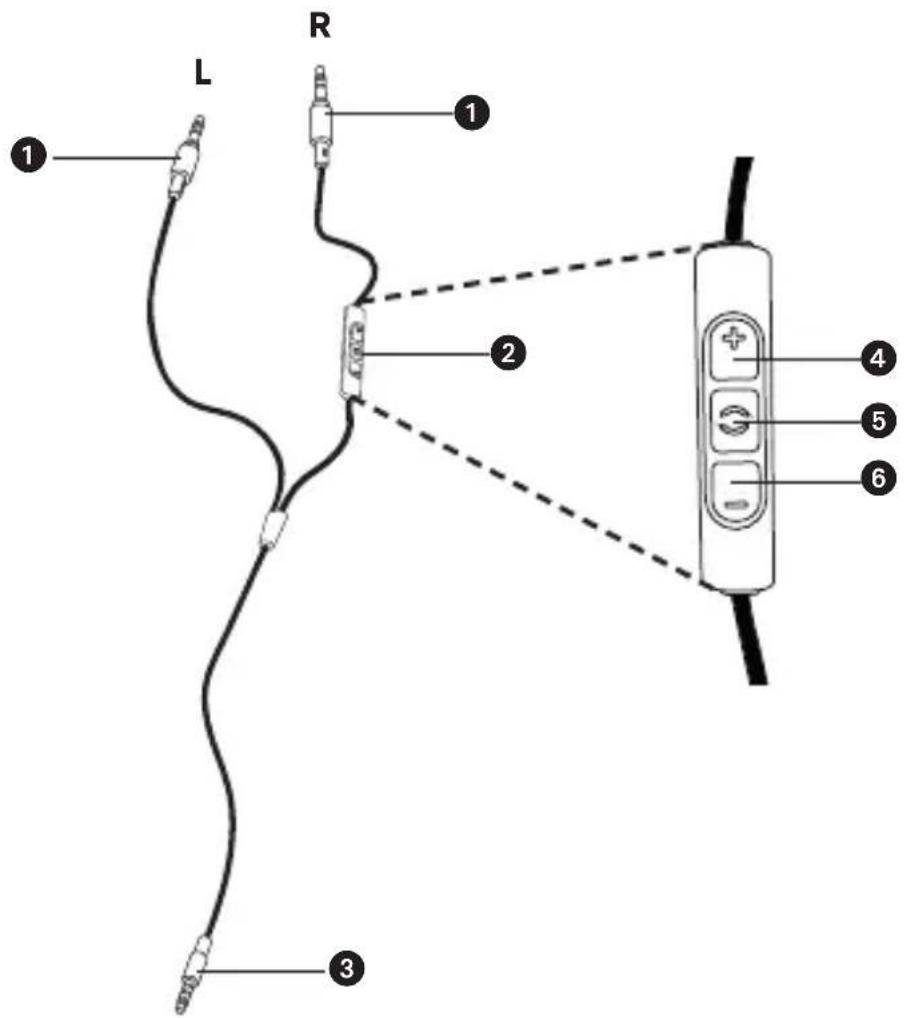
1Jack connector 3.5mm to connect to ear cup
Remote control
3Jack connector 3.5 mm audio device
4 Button to increase volume
Button to control calls and media playback
Button to reduce volume
Compatibility
The enclosed cable includes a microphone and a remote control with three buttons. You can use this remote control to control calls, media playback and volume adjustment on compatible smartphones and tablets.
This requires that the pin assignment of the headphone jack on the playback device meets the CTIA standard. Only in this case are the functions described below possible.
Connect the cable to the appropriate ear cups of the headphone.
Media playback
- Start / pause media control:
Briefly press the centre button 5.
Note:
Depending on the playback device and version of the operating system and/or firmware, there may be further media playback functions which can be controlled by the centre button. For more details, please contact the smartphone or tablet manufacturer.
Control volume
- Increase volume:
Briefly press the + button 4, to increase the volume by one step.
- Reduce volume:
Briefly press the - button 6, to decrease the volume by one step.
Note:
Please note that not every smartphone or tablet features this function. A built-in jack socket is required. On smartphones and tablets with an Android system, it is necessary that the playback device supports the so-called Wired Audio Headset Specification:
https://source.android.com/devices/accessories/headset/specification.html Please contact the smartphone or tablet manufacturer, if necessary.
Call control
- Accept / end a call:
Briefly press the centre button 5.
Note:
Make sure that you do not cover the opening for the microphone which is located on the back of the remote control opposite the buttons.
Depending on the smartphone and version of the operating system and/or firmware, there may be further call control functions which can be controlled by the centre button 5. It may also be possible to call the personal assistant (e.g. Siri or Google Now) with the centre button 5. For more details, please contact the smartphone manufacturer.
Call personal assistant
- To call the personal assistant on your smartphone or tablet such as Siri, Google Assistant etc.:
Press the centre button 5 for approx. 2 seconds.
Note:
Please note that not all smartphones and tablets support this feature.
Maintenance
- To clean the Aventho wired use only a soft cloth - either dry or slightly damp.
- Never use cleaners that contain solvents as they damage the surface.
Since the ear pads are subject to natural wear, they should be replaced from time to time.
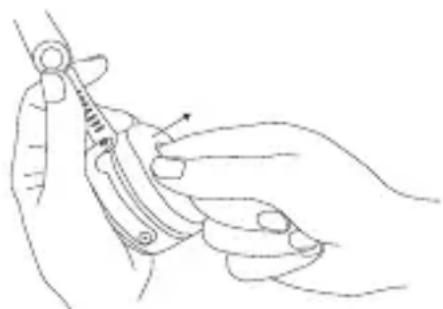
You can do this easily yourself:
- Grasp the ear pad with a finger from the inside to pull it off the headphone shell.
- Fit a new ear pad by pressing it onto the headphone shell until snaps on.
In the event that other components require replacement, please contact your local beyerdynamic representative.
Spare parts
- Spare parts for the Aventho wired can be found on the web at: www.beyerdynamic.com under section "Service".
Disposal
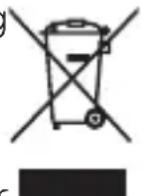
This symbol on the product, in the instructions or on the packaging means that your electrical and electronic equipment should be disposed at the end of its life separately from your household waste. There are separate collection systems for recycling in the EU. For more information, please contact the local authority or your retailer where you purchased the product.
Technical specifications
Detailed technical specifications can be found on the internet at: www.beyerdynamic.com/aventho-wired
Product registration
- Using the serial number, you can register your Aventho wired on the web at: www.beyerdynamic.com
Warranty conditions
- The current warranty conditions can be found at: www.beyerdynamic.com
www.beyerdynamic.com/aventho-wired
TapaHTnHbIe 06aTeJIbCTBa
- DeiCTbYIOUe rapaHTnHbIe 6o3aTeJIbCTBa npedCTaBHeHb I B cETn INHTepHET no aDpecy www.beyerdynamic.com.
(https://source.android.com/devices/accessories/headset/specification.html).
SMAIOTFONM#T#J#T#J#
通話の制御
通話を受ける/終了する
真ん中的の朴たな5を短<押しま�。
注記:
www.beyerdynamic.com/aventho-wired
製品登錄
www.beyerdynamic.com/aventho-wired
諸吾
www.beyerdynamic.com/aventho-wired
产品注册
For further distributors worldwide, please go to www.beyerdynamic.com
Non-contractual illustrations. Subject to change without notice.