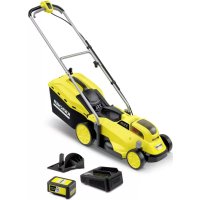
LMO 1833 Battery Set - Lawn mower Kärcher - Free user manual and instructions
Find the device manual for free LMO 1833 Battery Set Kärcher in PDF.

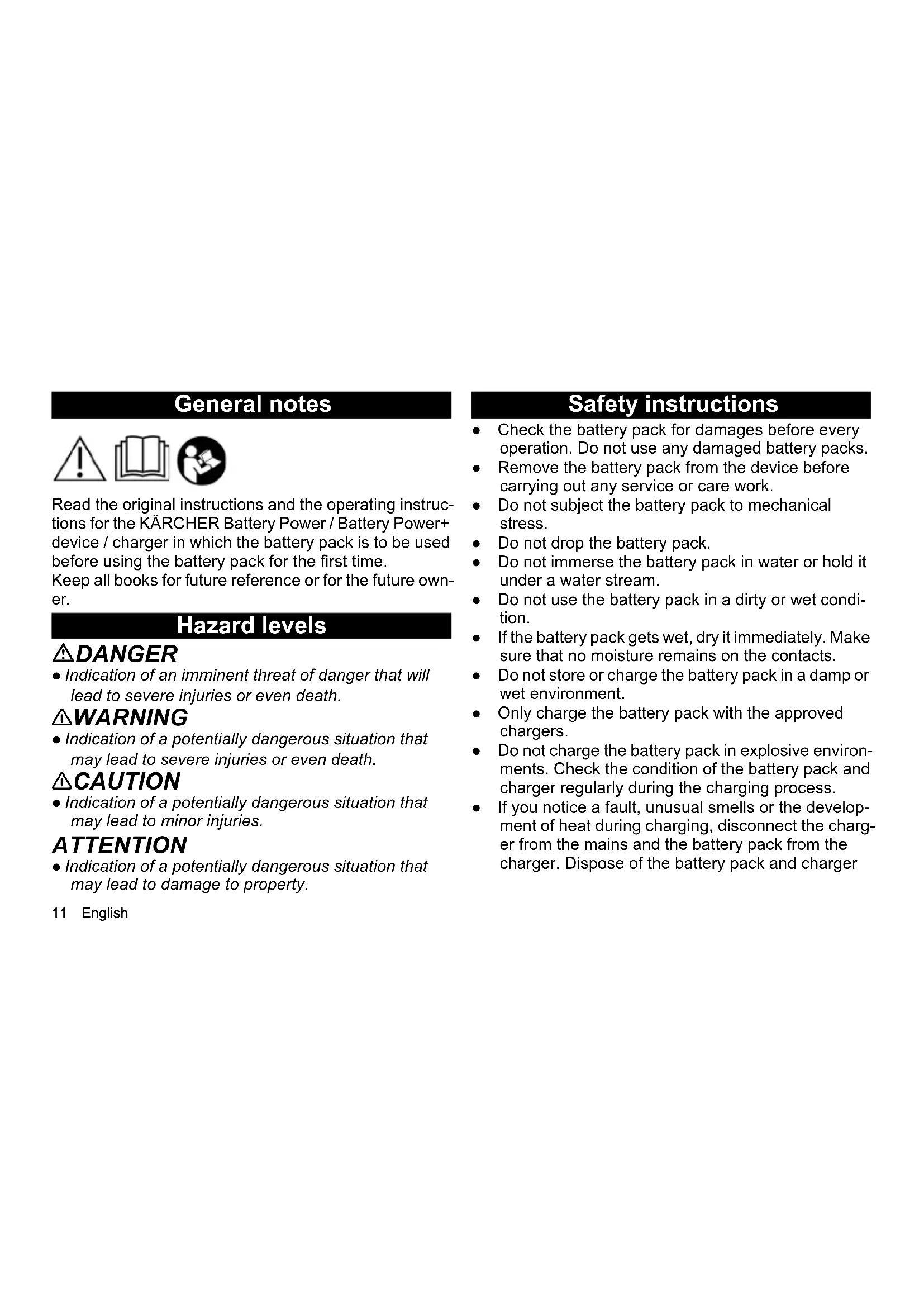


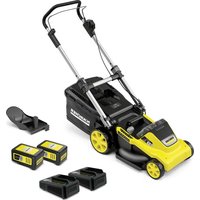
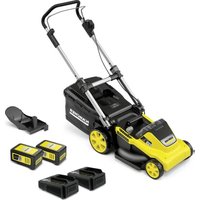
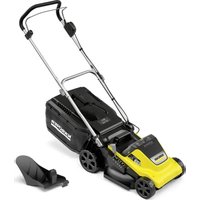
| Product type | Cordless lawn mower |
| Brand | Kärcher |
| Model | LMO 1833 Battery Set |
| Cutting width | 33 cm |
| Battery system | Kärcher Battery Power 18 V / 36 V |
| Battery type | Lithium-ion (Li-ION) |
| Battery capacity | 2.5 Ah or 5.0 Ah depending on version |
| Nominal voltage | 18 V (or 36 V for dual battery version) |
| Nominal power | 45 Wh to 90 Wh depending on battery |
| Operating temperature | -20 °C to 40 °C |
| Charging temperature | 4 °C to 40 °C |
| Storage temperature | -20 °C to 60 °C |
| Battery weight (depending on capacity) | 0.5 kg to 1.5 kg |
| Battery dimensions | 133 x 88 x 50 to 117.5 mm |
| Display | Integrated screen: charge status, remaining time, error messages |
| Automatic storage mode | Discharge to 70% after 21 days of inactivity to protect cells |
| Overload protection | Integrated safety circuit |
| Compatible charger | Authorized Kärcher Battery Power/Battery Power+ chargers |
| Warranty | According to country conditions (see www.kaercher.com) |
| Maintenance | Clean contacts; store in a dry, temperate place |
| Safety | Do not expose to water, fire, or extreme temperatures |
Frequently Asked Questions - LMO 1833 Battery Set Kärcher
User questions about LMO 1833 Battery Set Kärcher
0 question about this device. Answer the ones you know or ask your own.
Ask a new question about this device
Download the instructions for your Lawn mower in PDF format for free! Find your manual LMO 1833 Battery Set - Kärcher and take your electronic device back in hand. On this page are published all the documents necessary for the use of your device. LMO 1833 Battery Set by Kärcher.
USER MANUAL LMO 1833 Battery Set Kärcher

natural_image
Simple line drawing of a rectangular object with internal lines and a battery symbol, no text or labels present.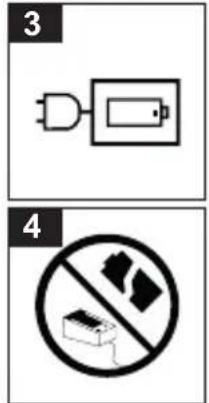
Allgemeine Hinweise


Read the original instructions and the operating instructions for the KÄRCHER Battery Power / Battery Power+ device / charger in which the battery pack is to be used before using the battery pack for the first time. Keep all books for future reference or for the future owner.
Hazard levels
⚠️DANGER
- Indication of an imminent threat of danger that will lead to severe injuries or even death.
⚠ WARNING
- Indication of a potentially dangerous situation that may lead to severe injuries or even death.
⚠CAUTION
- Indication of a potentially dangerous situation that may lead to minor injuries.
ATTENTION
- Indication of a potentially dangerous situation that may lead to damage to property.
Safety instructions
- Check the battery pack for damages before every operation. Do not use any damaged battery packs.
- Remove the battery pack from the device before carrying out any service or care work.
- Do not subject the battery pack to mechanical stress.
- Do not drop the battery pack.
- Do not immerse the battery pack in water or hold it under a water stream.
- Do not use the battery pack in a dirty or wet condition.
- If the battery pack gets wet, dry it immediately. Make sure that no moisture remains on the contacts.
- Do not store or charge the battery pack in a damp or wet environment.
- Only charge the battery pack with the approved chargers.
- Do not charge the battery pack in explosive environments. Check the condition of the battery pack and charger regularly during the charging process.
- If you notice a fault, unusual smells or the development of heat during charging, disconnect the charger from the mains and the battery pack from the charger. Dispose of the battery pack and charger
immediately and follow the applicable regulations on transport and disposal.
- Do not use, charge or store the battery pack in an explosive environment or near flammable objects.
- Do not throw the battery pack into fire.
- Protect the battery pack against heat, sharp edges, oil, solvents, detergents and moving unit parts.
- Short circuit hazard. Protect the contacts of the battery pack from metal parts and do not store it together with metal parts.
- Do not open the battery pack. Repairs are only to be carried out by qualified personnel.
- Avoid contact with fluid leaking from defective batteries. Immediately rinse off the fluid using water if contact is made, and also consult a doctor in the event of contact with the eyes.
- Dispose of the battery pack at the end of its service life in accordance with the applicable regulations.
Safety instructions for transportation
The lithium-ion battery is subject to the requirements of dangerous goods regulations.
The battery pack can be transported by the user in public traffic areas without any further restrictions.
When shipping by third parties (transport companies), special requirements for packaging and labelling must be observed.
Do not use the battery pack if the casing is damaged. Tape off open contacts.
Pack the battery tightly and securely. The battery pack must not be able to move in the packaging.
⚠️DANGER
- A defective or non-functional battery pack must not be mailed and must be disposed of on site in accordance with the applicable regulations.
Observe the national regulations.
Intended use
CAUTION
Risk of explosion!
Risk of injury and damage due to exploding battery pack.
Charge, use and store only undamaged and fully functional battery packs.
Modifications and changes not authorised by the manufacturer are prohibited.
Any other use is prohibited. The user shall be liable for hazards arising as a result of improper use.
Charge and use the battery pack only with devices from the KÄRCHER 18 V / 36 V Battery Power / Battery Power+ system.
ATTENTION
Battery packs can only be used with devices of the same voltage type (18 V or 36 V)! Do not use or charge battery packs with devices with a different voltage type. Before use, check that the voltage type (18 V / 36 V) of the battery pack and the device match.
The voltage information can be found on the device, on the battery pack and its nameplate.
Environmental protection

The packing materials can be recycled. Do not dispose of packaging as household rubbish but place it in recycling.
Old devices contain valuable, recyclable materials that should be recycled. Batteries and battery packs contain substances which should not be released into the environment. Therefore, please
dispose of old devices, batteries and battery packs using suitable collection systems.
Adhere to the recommendations of the legislature regarding the handling of lithium ion batteries. Dispose of used and defective battery packs in accordance with the applicable regulations.
Notes on the content materials (REACH)
Current information on content materials can be found at: www.kaercher.de/REACH
Warranty
The warranty conditions issued by our sales company responsible apply in all countries. We shall remedy possible malfunctions on your device within the warranty period free of cost, provided that a material or manufacturing defect is the cause. In a warranty case, please contact your dealer (with the purchase receipt) or the next authorised customer service site. You can find them at www.kaercher.com
Symbols on the device
For the illustrations, refer to the graphics page
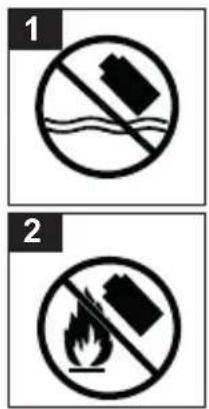
| Figure 1 Do not throw the battery pack into water. |
| Figure 2 Do not throw the battery pack into fire. |
| Figure 3 Only charge the battery pack with the charg-ers approved for charging. |
| Figure 4 Do not charge defective battery packs. |
Operation
Display
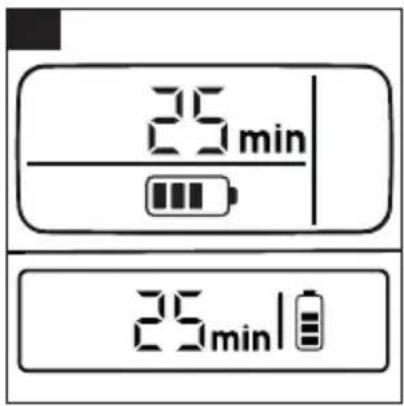
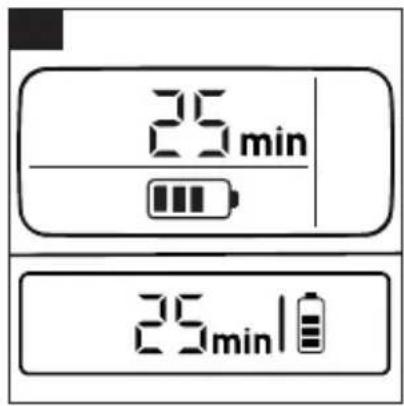
The battery pack is equipped with a display. The following information can be read on the display:
- Charging state
- Remaining run time
• Remaining charging time
- Error messages
Note
The run time adjustment is generated via capacity switching!
| Display Meaning | ||
| Battery pack in storage | Charging state of the battery pack while not in use. | Figure A |
| Battery pack in use | Remaining run time of the battery pack while in use. | Figure B |
| Battery pack charging | Remaining charging time of the battery pack during charging. | Figure C |
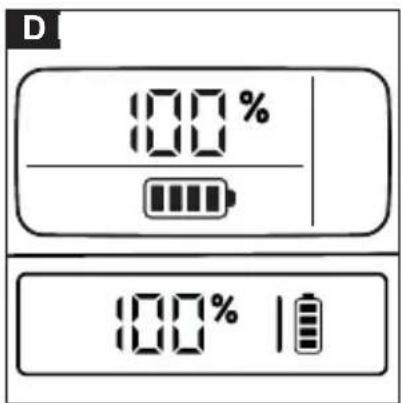
| The battery pack is fully charged. | Figure D | |
| Display Meaning | ||
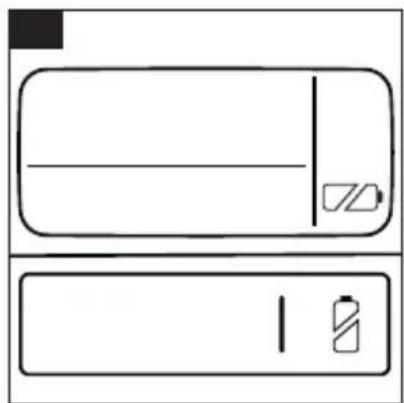
| Error display (see also chapter "Help in the event of faults") | The battery pack temperature lies outside the permissible temperature range or the battery pack is disabled due to a short circuit. | Figure E |
| Battery pack is defective and disabled for safety. Do not use the battery pack and dispose of it properly.ATTENTIONRisk of damage!The symbol disappears over time, but the battery pack is still defective!If nothing is shown in the display 2 minutes after the start of the charging process, the battery is defective and must not be charged any further. | Figure F |
Charging process
Note
New battery packs are only pre-charged and must be fully charged before first use.
The display is activated during the first charging process.
New battery packs reach their full capacity after approx. 5 charging and discharging cycles.
Charge battery packs that have not been used for a long time before use.
The battery pack cannot be charged outside the permissible temperature value range. The battery pack display then shows the temperature symbol.
If the display does not show anything during the charging process, please follow the notes in the "Troubleshooting" chapter.
Note
The charging current and the necessary charging time is temperature-dependent for safety reasons.
Operation
⚠️ CAUTION
Incorrectly inserted battery pack
Risk of injury or damage due to the cleaning robot falling.
When used in the device, the contacts of the battery pack are protected against spray water. Ensure that the battery pack engages correctly. With the battery pack removed, make sure that no water gets on the electrical contacts of the battery pack and the device. If there is water there, dry it immediately (by wiping it off / shaking it out) and place the battery pack with the contacts facing down so that the water can drain off. Do not use any heat sources for drying.
Note
The display shows the remaining run time in minutes while the device is in use.
-
Push the battery pack into the mounting on the device.
-
Remove the battery pack from the device after completing the work.
Charge partly discharged battery packs after use.
Storage
ATTENTION
Moisture and heat
Risk of damage
Store battery packs indoors only, at low humidity and temperatures below 20^ C.
The battery pack display shows the current charging state during storage.
Note
The battery pack has an automatic storage mode; the storage mode is activated and discharges the battery pack to 70% if the battery pack has not been used for more than 21 days. This function protects the battery cells against rapid ageing and increases their service life.
Troubleshooting guide
Malfunctions often have simple causes that you can remedy yourself using the following overview. When in doubt, or in the case of malfunctions not mentioned here, please contact your authorised Customer Service.
General fault
Display shows broken battery symbol
Battery pack is defective and disabled for safety.
- Do not use, charge, or store the battery pack.
- Dispose of the battery pack in the correct manner.
Faults during charging
Battery pack not charging, indicator lamp on quick charger off, display off
The quick charger is defective.
- Replace the quick charger.
Battery pack not charging, display is on
Defective charger.
- Replace the charger.
Battery pack not charging, display is off
Battery pack is completely discharged or defective.
-
Wait and see if the display shows the remaining charging time after 2 minutes.
If the display shows the remaining charging time after the waiting time, the battery pack can be used normally. -
If the display does not appear, the battery pack is defective and may no longer be used. Immediately disconnect the battery pack from the charger and dispose of it according to regulations.
Battery pack not charging, display shows the temperature symbol
The battery pack temperature is too low/high.
- Put the battery pack in a moderate temperature environment and wait until the battery pack temperature returns to the normal range, see the "Technical data" chapter.
The charging process begins automatically.
Faults during operation
Display shows the temperature symbol
The battery pack temperature is too low/high.
- Remove the battery pack, let the battery pack cool down until the temperature symbol disappears again.
Current consumption too high
The safety circuit of the battery pack prevented excessive current consumption.
- To unlock, remove the battery pack from the device until the temperature symbol disappears and insert it again.
If the temperature symbol does not go out after 30 seconds:
- Connect the battery pack to the charger to unlock it.
Display shows remaining run time 0, device switches off
The battery pack is discharged.
- Charge the battery pack.
Storage faults
Display shows no remaining capacity
The battery pack is discharged.
- Charge the battery pack.
Display shows a remaining capacity of 70%, even though the battery pack has been fully charged The battery pack is in automatic storage mode. The storage mode is activated if the battery pack has not been used for more than 21 days. This function protects the battery cells against rapid ageing and increases their service life.
- Fully recharge the battery pack before next use.
Technical data
18/25 18/50 36/25 36/50
| Electrical connection | ||||
| Battery pack nominal voltage V 18 18 36 36 | ||||
| Battery platform Battery Pow-er | Battery Pow-er | Battery Pow-er | Battery Power | |
| Compatible with battery platform Battery Pow-er + | Battery Pow-er + | Battery Pow-er + | Battery Power + | |
| Battery pack type Li-ION Li-ION Li-ION Li-ION | ||||
| Rated capacity (according to IEC/EN 61960) Ah 2,5 5,0 2,5 5,0 | ||||
| 18/25 | 18/50 | 36/25 | 36/50 | |
| Rating Wh 45 90 90 180 | ||||
| Charging power max. A 3,5 7,5 3,5 7,5 | ||||
| Dimensions and weights | ||||
| Weight kg 0,5 0,8 0,9 1,5 | ||||
| Operating temperature °C -20 - 40 -20 - 40 -20 - 40 -20 - 40 | ||||
| Charging temperature | °C 4 - 40 | 4 - 40 | 4 - 40 | 4 - 40 |
| Storage temperature | °C -20 - 60 -20 - 60 -20 - 60 -20 - 60 | |||
| Length x width x height | mm 133 x 88 x 50 | 133 x 88 x 72 | 133 x 88 x 72 | 133 x 88 x 117,5 |
Subject to technical modifications.
Remarques générales

De snellader is defect.
Accupack is volledig ontladen of defect.
Aku plattvorm Battery Power Battery Power Battery Power Battery Power
Ühildub aku platvormiga Battery Power + Battery Power + Battery Power + Battery Power +
Akupaki tüüp Li-ION Li-ION Li-ION Li-ION
Juos rasite www.kaercher.com
natural_image
Symbol of a trash bin crossed with no text or labels

- Allgemeine Hinweise
- Hazard levels
- ⚠️DANGER
- ⚠ WARNING
- ⚠CAUTION
- ATTENTION
- Safety instructions
- Safety instructions for transportation
- Intended use
- CAUTION
- Risk of explosion!
- Environmental protection
- Notes on the content materials (REACH)
- Warranty
- Symbols on the device
- Operation
- Display
- Charging process
- Note
- ⚠️ CAUTION
- Incorrectly inserted battery pack
- Storage
- Moisture and heat
- Troubleshooting guide
- General fault
- Display shows broken battery symbol
- Faults during charging
- Battery pack not charging, indicator lamp on quick charger off, display off
- Battery pack not charging, display is on
- Battery pack not charging, display is off
- Battery pack not charging, display shows the temperature symbol
- Faults during operation
- Display shows the temperature symbol
- Display shows remaining run time 0, device switches off
- Storage faults
- Display shows no remaining capacity
- Technical data
- Remarques générales
Brand : Kärcher
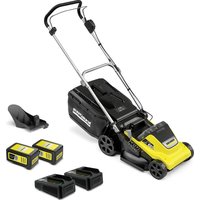
Model : LMO 1833 Battery Set
Category : Lawn mower