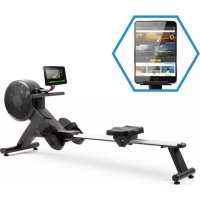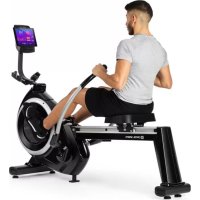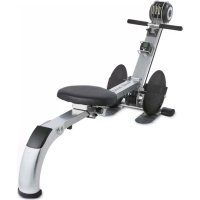
Stringmaster - Rowing Machine Capital Sports - Free user manual and instructions
Find the device manual for free Stringmaster Capital Sports in PDF.



User questions about Stringmaster Capital Sports
0 question about this device. Answer the ones you know or ask your own.
Ask a new question about this device
Download the instructions for your Rowing Machine in PDF format for free! Find your manual Stringmaster - Capital Sports and take your electronic device back in hand. On this page are published all the documents necessary for the use of your device. Stringmaster by Capital Sports.
USER MANUAL Stringmaster Capital Sports
Member of Berlin Brands Group
Handwerkerstr. 11
15366 Dahlwitz-Hoppegarten
Deutschland
Berlin Brands Group UK Ltd
PO Box 1145
Oxford, OX1 9UW
United Kingdom
Dear customer,
Congratulations on the purchase of your device. Please read the following instructions carefully and follow them to prevent potential damage. We accept no liability for damage caused by disregarding the instructions and improper use. Please scan the QR code to access the latest operating instructions and further information about the product.
CONTENTS
Safety Instructions 18
Device Overview 20
Individual parts 21
Assembly 22
Training computer 27
Disposal Considerations 28
Manufacturer & Importer (UK) 28
SAFETY INSTRUCTIONS
Read the operating instructions carefully before using the appliance and keep them for future use. Product features may differ slightly from those shown in the illustrations. Changes can be made by the manufacturer without notification.
- Keep the operating instructions in a safe place so that you can access them at any time.
- Do not assemble the appliance until you have read the operating instructions completely. The safety and efficiency of the appliance can only be guaranteed if the appliance has been correctly assembled and is properly maintained and used. It is your own responsibility to ensure that all users of the appliance are informed of warnings and precautions.
- The appliance must be placed on a stable and straight surface to be used safely. Protect the floor with a mat. Do not use the appliance in humid environments, such as pools, etc. The safety distance around the appliance must be at least 0.6 metres.
- Before using the exercise programmes, it is essential that you consult a doctor to determine whether you have any physical or health problems that could pose a risk to your health and safety by using the machine or prevent you from using the machine properly. Your doctor's advice is vital if you are taking medication that affects your pulse, blood pressure or cholesterol levels.
- Pay attention to your body's signals. Exercising incorrectly or excessively can be detrimental to your health. Stop exercising if any of the following symptoms occur: pain, tightness in the chest, irregular heartbeat, extreme shortness of breath, dizziness or nausea. If you experience any of these conditions, you must consult a doctor before continuing your training.
- Do not exercise directly after meals.
- The appliance may only be assembled by adults. Keep children and pets away from the appliance.
- The appliance may only be used in domestic areas.
- The device is not suitable for therapeutic use. It can only be used for the exercises shown in the instructions.
- Wear adequate exercise clothing and exercise shoes when using the machine. Avoid loose clothing as it may get caught in the appliance or clothing that may restrict your movement.
-
Keep your back straight during exercise.
-
Before each use of the unit, always check that the handles, saddle, nuts and bolts have been properly tightened.
- Observe the maximum position for adjustable parts of the appliance and never go beyond the "Stop" mark as this would pose a risk.
- Only use the appliance as shown. If you notice any defective parts during assembly or inspection, or if you hear strange noises coming from the appliance during use, stop use immediately. Do not use the machine again until the problem has been corrected.
- Take care when lifting or moving the unit so that you do not injure your back. Always use back-friendly lifting techniques and seek help from another person if necessary.
- All moving parts of the device (e.g. pedals, handles, saddle... etc.) must be serviced weekly. Check these before each use. If something is broken or loose, repair or fix the relevant part immediately. Do not continue using the appliance until you have restored it to a good initial condition.
- Keep the power cord away from heat sources.
- Do not insert any objects into the machine openings.
- Switch off and unplug the appliance before moving or cleaning the appliance. To clean, rub the surfaces with a mild detergent and a damp cloth. Do not use solvents under any circumstances.
- Do not use the appliance in places that are not temperature-controlled, such as garages, verandas, bathrooms, carports or outdoors.
- Only use the appliance as described in the operating instructions.
- Incorrect repair and structural modifications (e.g. removal or replacement of original parts) may put the user of the appliance at risk.
- Children from the age of 8, mentally and physically impaired persons may only use the device if they have been familiarised in detail with the functions and safety precautions by a supervisor responsible for them beforehand.
- Make sure that children do not play with the appliance.
- Check the voltage on the product label before use. Ensure that you only connect the appliance to sockets with the appropriate voltage.
Note: Maximum user weight: 100 kg.
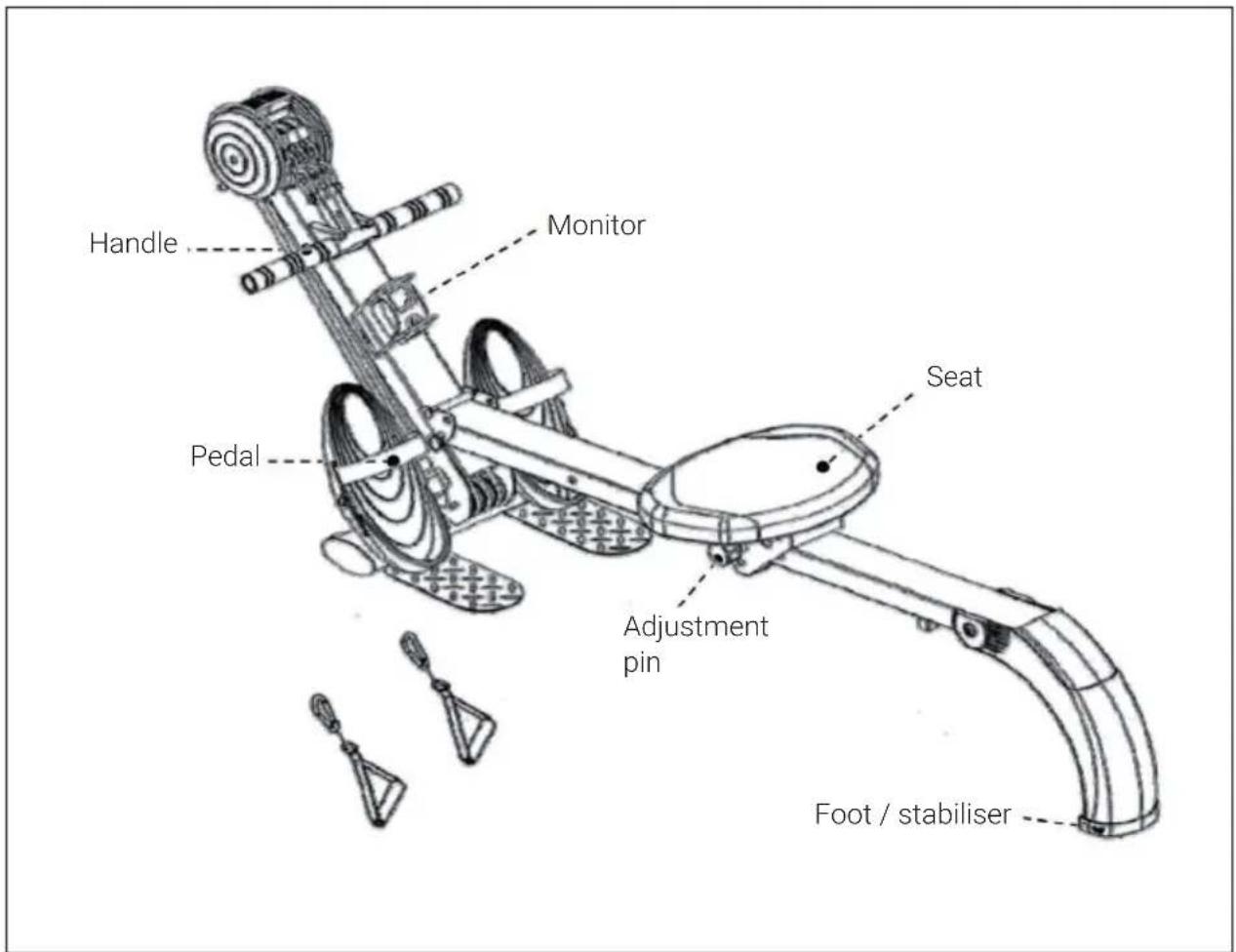
DEVICE OVERVIEW
INDIVIDUAL PARTS
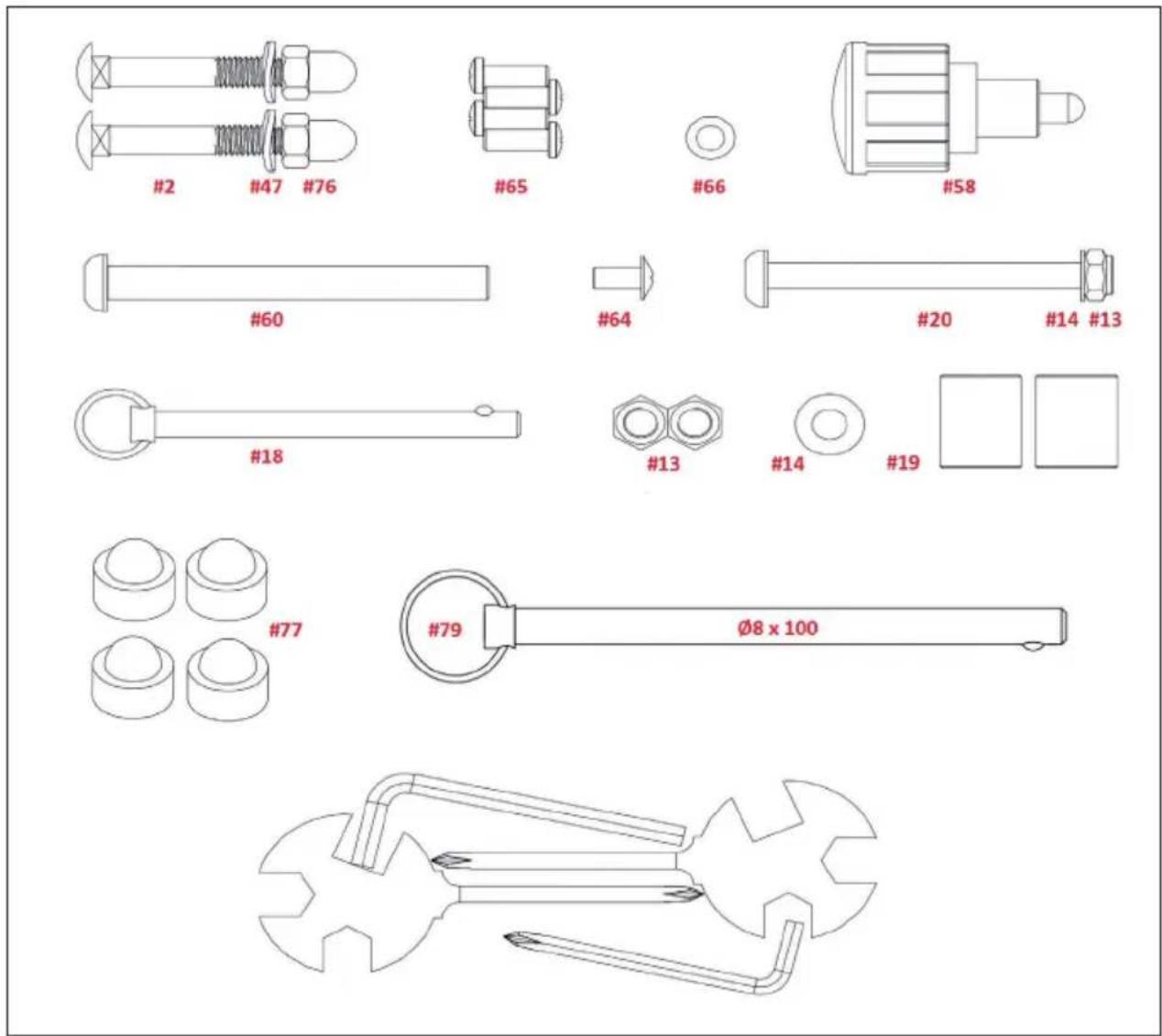
| No. | Designation Pc. No. Designation | Pc. | ||
| 2 M8 x 50mm 2 20 M8 x 95mm 1 | ||||
| 47 Ø8 bow disc 2 14 Ø8 washer 1 | ||||
| 76 M8 cap nut 2 18 Pin 1 | ||||
| 65 M6 x 15mm 4 13 M8 plastic nut 2 | ||||
| 66 Ø6 washer 4 19 Sleeves 2 | ||||
| 58 Adjustment pin 1 77 Protective caps M8 | 4 | |||
| 60 | Ø9.5 x 94.5 + M6 1 | 79 Pin Ø8 x 100 | 1 | |
| 64 | ||||
ASSEMBLY
| 1 |
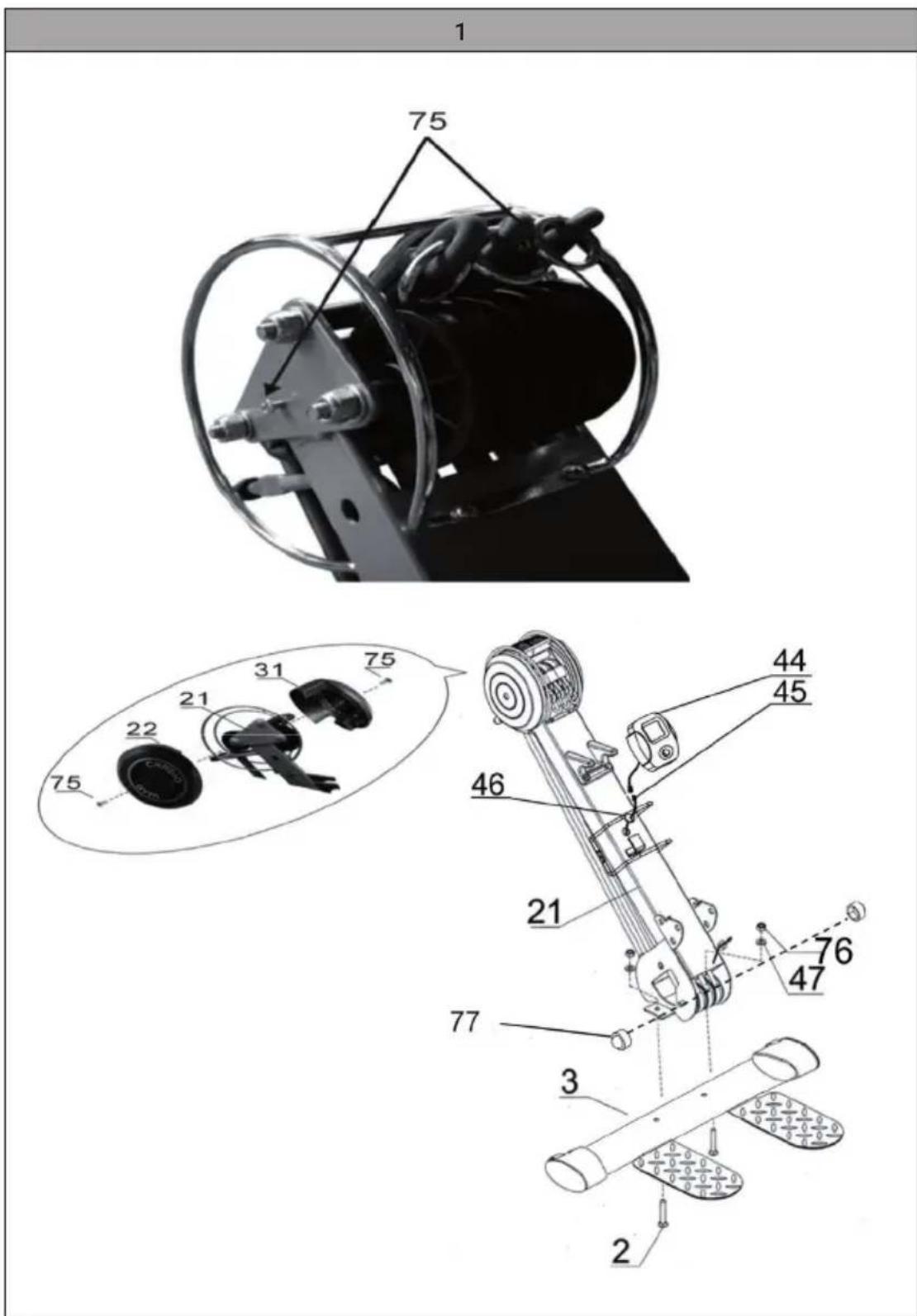
| Mount the foot (#3) on the main part (#21). Screw together with the M8x50mm bolt (#2), the bow washer (#47) and the M8 cap nut (#76). |
| Insert the M8x50mm screw (#2) through the hole in the base (#3) so that the square head remains properly anchored in it. Then secure the other side with the cap nut (#76). |
| Connect the two ends of the monitor cable (#45) together and then mount the monitor (#44) on the monitor clamp on the frame. To do this, remove the screws (#75), add the left and right cover parts (#22 + #31) and fix again (#75). |
| Put safety caps (#77) on the ends of the screws. |
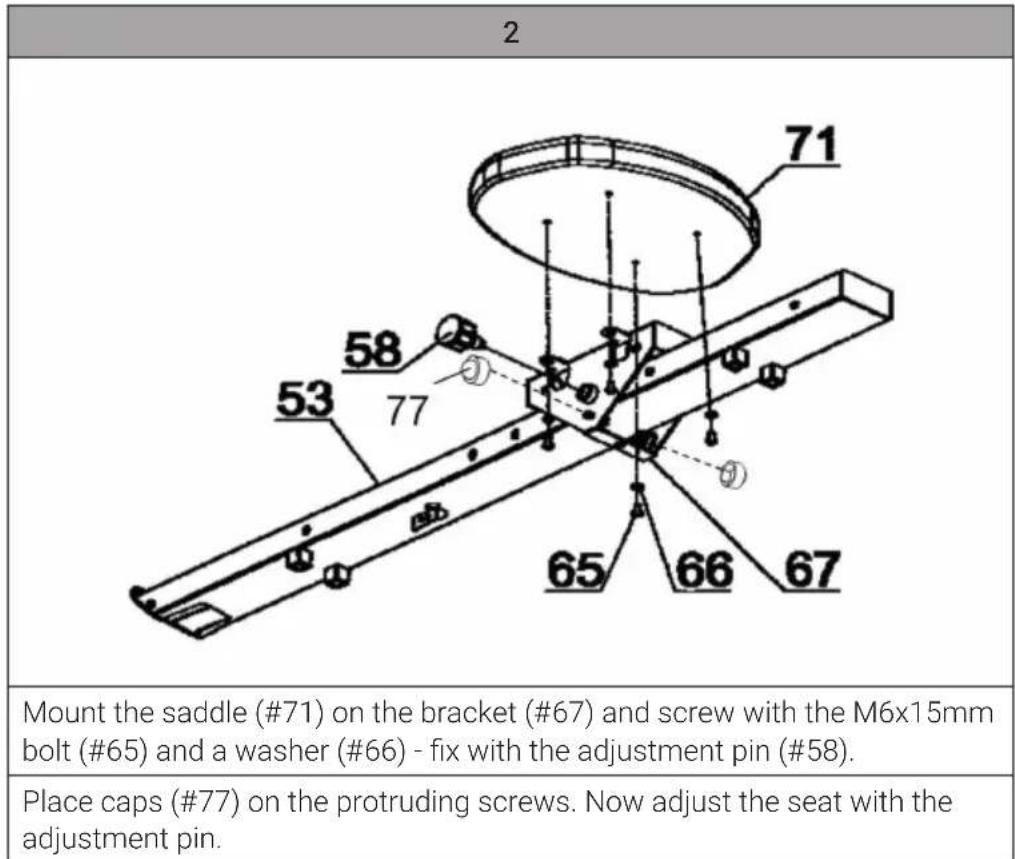
3
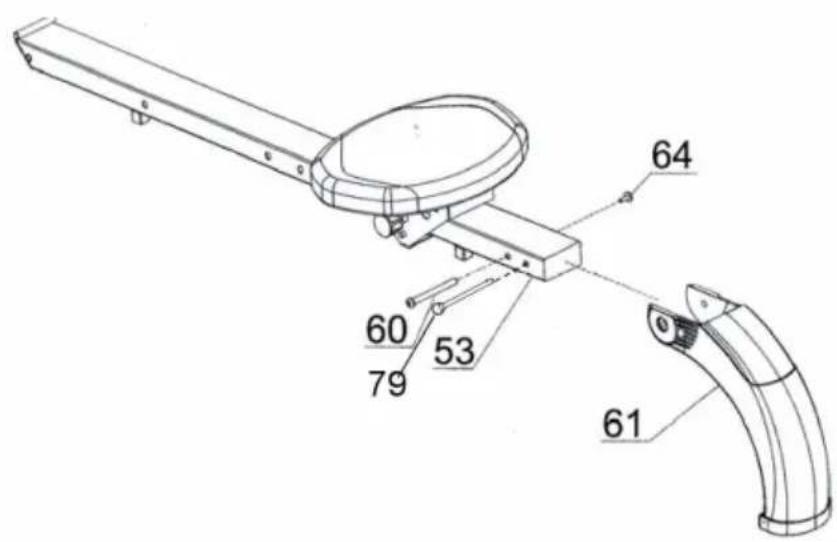
Connect the rear stabiliser (#61) to the slide tube (#53) and screw with the screw (#60), the M6#10mm screw (#64) and insert the Ø8x100mm pin (#79) to secure.
4
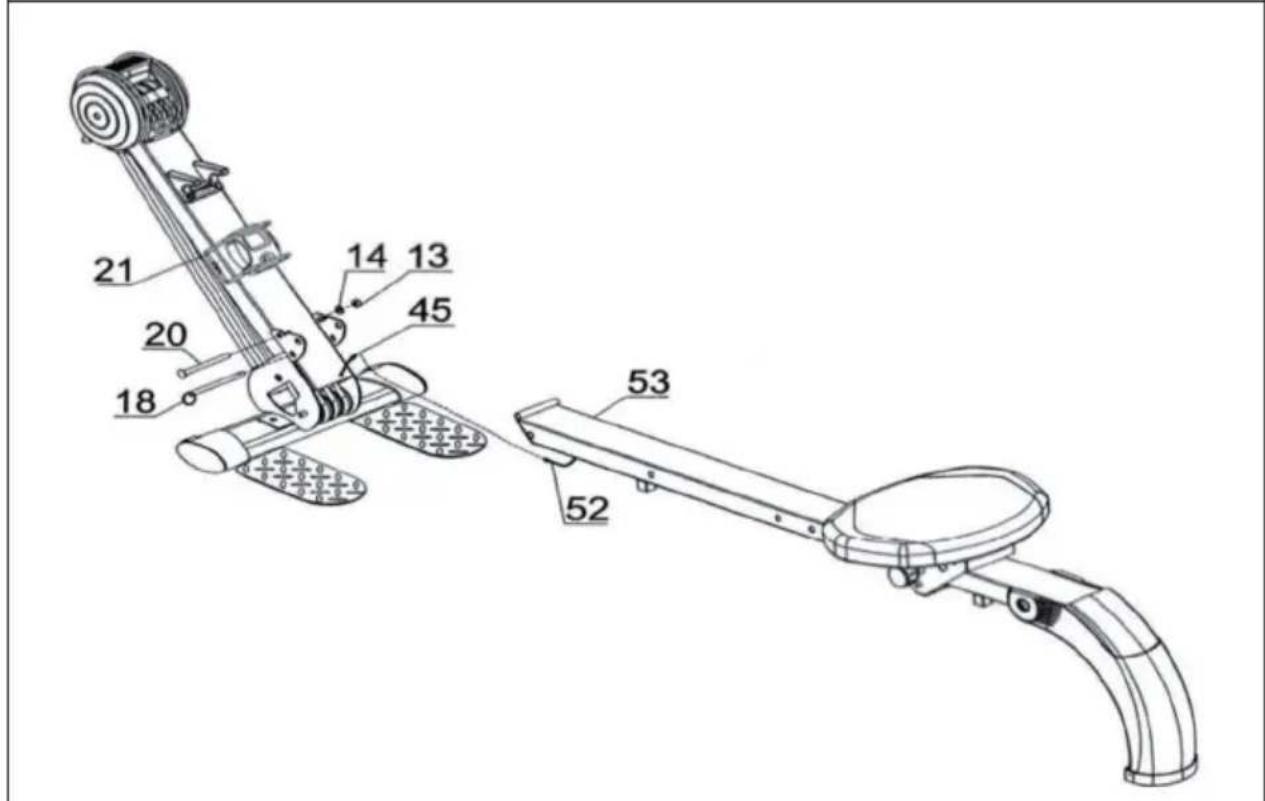
Connect the slide tube (#53) to the main part (#21) and screw together with the M8x95mm screw (#20), a washer (#14) and an M8 plastic nut (#13). DO NOT TIGHTEN FIRMLY!
Connect the ends of the monitor cable (#54 + #52) and make sure the cable is securely IN the guide. Then insert the 08x90mm pin (#18) and THEN tighten the M8x95mm screw (#20).
| 5 |
| 37 41 |
| Hook the handlebar with the hooks (#32) on the pull (#17) and place it on the holder (#37). |
| Attention: Determine the tension by the number of attached pulls: Clamp only one pull for low tension, two for medium tension and accordingly all three pulls for highest tension. |
| 6 |
| Mount the pedals (#15) with the collars (#19) and the pedal axles (#16) to the main part (#21) and screw together with the M8 plastic nuts (#13) and theø8 washers (#35) |
TRAINING COMPUTER
Insert an AAA (1.5V) battery into the battery compartment of the monitor.
Note that all values are reset to zero when the battery is changed.
| Auto On/Off As soon as training is started, the display automatically shows the data received from the sensor. The monitor switches off automatically if there is no exercise for 4 minutes or if no button is pressed. The values generated up to that point remain stored. Press the button for 2 seconds to reset all values. | |
| Auto Scan After the start of the training, the display automatically switches on the COUNT, TOTAL COUNT and TIME screens in 6-second intervals. | |
| Count Display of moves from 0 to 9.999 | |
| Total Count Display of all moves made so far from 0 to 9.999 | |
| Time Display of the previous training time from 00:00 to 99:59. Press the button briefly to jump directly to the time display. | |
| Calories Display of estimated number of calories burned during training from 0.0 to 9.999. Press the button briefly to jump directly to the calorie display. |
DISPOSAL CONSIDERATIONS
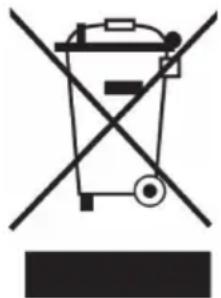
If there is a legal regulation in your country regarding the disposal of electrical and electronic equipment, this symbol on the product or on the packaging indicates that this product must not be disposed of with household waste. Instead, it must be taken to a collection point for the recycling of electrical and electronic equipment. By disposing of this product in accordance with the regulations, you protect the environment and the health of those around you from negative consequences. For information on recycling and disposal of this product, contact your local government or household waste disposal service.
This product contains batteries. If there is a legal regulation in your country regarding the disposal of batteries, the batteries must not be disposed of in household waste. Consult your local regulations for the disposal of batteries. By disposing of this product in accordance with the regulations, you are protecting the environment and the health of those around you from negative consequences.
MANUFACTURER & IMPORTER (UK)
Manufacturer:
Chal-Tec GmbH, Wallstraße 16, 10179 Berlin, Germany.
Importer for Great Britain:
Berlin Brands Group UK Ltd
PO Box 1145
Oxford, OX1 9UW
United Kingdom
Estimado cliente:
Berlin Brands Group UK Ltd
PO Box 1145
Oxford, OX1 9UW
United Kingdom
Cher client, chere clientele,
Berlin Brands Group UK Ltd
PO Box 1145
Oxford, OX1 9UW
United Kingdom
Gentile clientele,
PRODUTTORE E IMPORTATORE (UK)
Produtlore:
Chal-Tec GmbH, Wallstraße 16, 10179 Berlin, Germania.
Berlin Brands Group UK Ltd
PO Box 1145
Oxford, OX1 9UW
United Kingdom