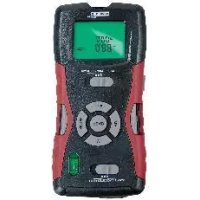
HG02404 - Multi-material detector POWERFIX - Free user manual and instructions
Find the device manual for free HG02404 POWERFIX in PDF.



| Product type | Multi-material detector and ultrasonic rangefinder |
| Brand | Powerfix |
| Model | HG02404 |
| Power supply | 9V square battery (included) |
| Main functions | Ultrasonic distance measurement (0.6–16 m), detection of wood (STUD), live electrical cables (AC WIRE), and metals (METAL), laser marking |
| Laser | Class 2, wavelength 635–660 nm, max power < 1 mW |
| Units of measurement | Meters or feet (switchable) |
| Display | LCD screen with battery level indicator and intensity bars |
| Maintenance and cleaning | Clean the exterior with a soft, slightly damp cloth; do not use harsh liquids |
| Safety | Class 2 laser: do not look into the beam; do not open the housing; keep out of reach of children |
| Warranty | 3 years from date of purchase |
| Spare parts and repairability | 9V battery replaceable; no user repair; contact an electrician |
| Package contents | 1 detector/rangefinder, 1 9V battery, 1 instruction manual |
| Dimensions | Approximately 20 x 7 x 5 cm (estimated) |
| Weight | Approximately 250 g (estimated) |
Frequently Asked Questions - HG02404 POWERFIX
User questions about HG02404 POWERFIX
0 question about this device. Answer the ones you know or ask your own.
Ask a new question about this device
Download the instructions for your Multi-material detector in PDF format for free! Find your manual HG02404 - POWERFIX and take your electronic device back in hand. On this page are published all the documents necessary for the use of your device. HG02404 by POWERFIX.
USER MANUAL HG02404 POWERFIX
text_image
www.lidl-service.com LABE SECTOR CHECKING M READ +/- www.licl-service.comMULTIFUNKTIONSDETEKTOR / MULTI- PURPOSE DETECTOR / TÉLÉMÈTRE ET DÉTECTEUR MULTI-MATÉRIAUX
DE AT CH
MULTIFUNKTIONSDETEKTOR
Operation and Safety Notes
FR BE
TÉLÉMÈTRE ET DÉTECTEUR MULTI-MATÉRIAUX
Intended use ......Page 30
Description of parts ......Page 30
Technical data ......Page 31
Scope of delivery......Page 31
Safety instructions......Page 32
General safety information ......Page 32
Information regarding inaccurate
measurement results ......Page 34
Safety instructions for
batteries/rechargeable batteries...Page 35
Preparing for use......Page 37
Inserting / replacing the battery.....Page 37
Use......Page 37
Tip for distance measurement......Page 37
Steps to do distance measurement...Page 39
Addition of distances......Page 40
Measuring surface areas......Page 41
Addition of surface areas......Page 41
Measuring volumes ......Page 42
Addition of volumes......Page 42
Locating concealed objects ......Page 43
Tips on measurement......Page 43
Locating wooden objects......Page 46
Laser marking......Page 47
Troubleshooting......Page 48
Cleaning and care......Page 49
We congratulate you on the purchase of your new product. You have chosen a high quality product. The instructions for use are part of the product. They contain important information concerning safety, use and disposal. Before using the product, please familiarise yourself with all of the safety information and instructions for use. Only use the product as described and for the specified applications. If you pass the product on to anyone else, please ensure that you also pass on all the documentation with it.
Intendeduse
This product is intended for the detection of metal, wood and live wires. The product is not intended for commercial use.
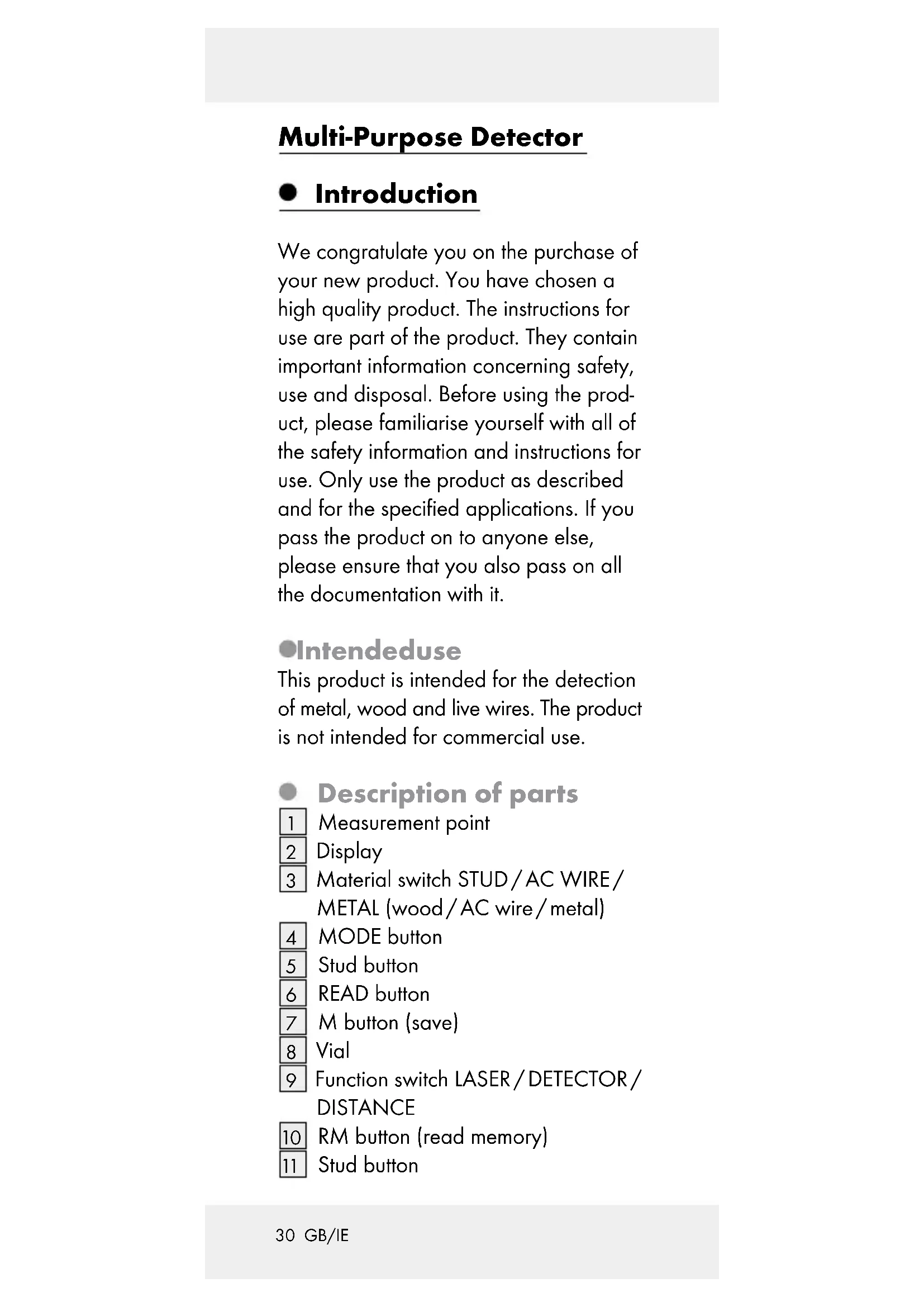
Description of parts
1 Measurement point
2 Display
3 Material switch STUD/AC WIRE/
METAL (wood/AC wire/metal)
4 MODE button
5 Stud button
6 READ button
7 M button (save)
8 | Vial
9 Function switch LASER/DETECTOR/
DISTANCE
10 RM button (read memory)
11 Stud button
12 + / = -button
13 Battery compartment
14 PUSH button
15 Laser beam opening
16 Ultrasonic sender/receiver
17 Folding slot
●Technicaldata
Ultrasonic distance
measurement Detects: Wood, AC
wires, metal
Laser class: 2
Max. power output ( P_max ): < 1 mW
Wave length: 635–660 nm
Power supply: 9 V block
battery
text_image
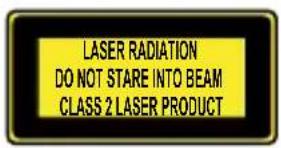
LASER RADIATION DO NOT STARE INTO BEAM CLASS 2 LASER PRODUCT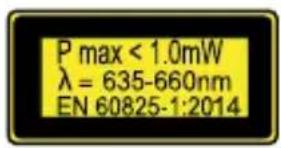
text_image
P max < 1.0mW λ = 635-660nm EN 60825-1:2014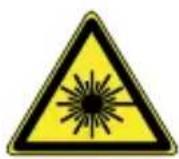
- Scope of delivery
1 Multi-purpose detector
1 9 V block battery
1 Operating instructions
●Safetyinstructions

General safety information
This product can be used by children aged from 8 years and above and persons with reduced physical, sensory or mental capabilities or lack of experience and knowledge if they have been given supervision or instruction concerning use of the product in a safe way and understand the hazards involved. Children shall not play with the product. Cleaning and user maintenance shall not be made by children without supervision.
■ Do not expose the product to
- extreme temperatures,
- strong vibrations,
- strong mechanical stresses,
- direct sunlight,
- magnetic fields,
- moisture.
These can cause damage to the product.
■ Never immerse the product in water. Never hold the product under running water. This may lead to the product becoming damaged.
- Do not use the product in hospitals or other medical facilities. The product may affect the function of life support systems.
- Check the product for damage before use. Never use a damaged product.

CAUTION! Never open the product
casing. This can result in injury and damage to the product. Repairs must only be carried out by a qualified electrician.

The product contains a
class 2 laser. Never point the product at yourself,
other persons or animals. Never look into the laser beam. Even a weak laser beam can cause eye damage.
■ Never direct the laser beam onto reflective surfaces or materials. Reflected lasers beams are dangerous and can get into the eyes. This could result in serious eye injuries.
The product is not a toy and should be kept out of the reach of children. One misapplication can lead to irreparable eye damage.
■ Only use the product in areas of application for which it was designed!
The product may neither be manipulated nor modified as they can influence the safety of the product.
No responsibility is assumed for accidents that may result from improper use and non-compliance with these Safety Instructions.
- Do not open the product housing. The guarantee lapses in cases of unauthorised tampering. Your product does not require any specific maintenance.
- Do not use the product to detect alternating current in exposed or uninsulated wires.
- Do not use the product as a replacement voltmeter.
Exercise caution with studs. These are sharp and can cause injury.

WARNING! Be careful when pressing the stud buttons
5.11 The sharp needles can cause injury (see Fig. E).

Information regarding inaccurate measurement results
■ Please note that inaccurate measurement results can be obtained under certain conditions. The following conditions can cause inaccurate measurement results:
- very thick walls
- weak battery
- deep-lying wires or pipes
- shielded AC wires
- thick walls with thin pipes or wires
- metal-clad walls
- very damp conditions
■ Using this product you cannot detect wires in an electric circuit
- that are insulated from the mains power supply.
- that have a direct current flowing through them.
- that are used for computer or telecommunication systems.
This product is only suitable for detecting metal pipes. You cannot detect
pipes made of plastic or other non-metallic materials with this product.

Safetyinstructions for batteries/rechargeable batteries
■ DANGER TO LIFE! Keep batteries/rechargeable batteries out of reach of children. If accidentally swallowed seek immediate medical attention.
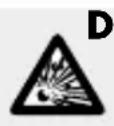
DANGER OF EXPLO-
SION! Never recharge non-rechargeable batteries.
Do not short-circuit batteries / rechargeable batteries and / or open them. Overheating, fire or bursting can be the result.
■ Never throw batteries/rechargeable batteries into fire or water.
Do not exert mechanical loads to batteries/rechargeable batteries.
Risk of leakage of batteries / rechargeable batteries
- Avoid extreme environmental conditions and temperatures, which could affect batteries/rechargeable batteries, e.g. radiators / direct sunlight.
If batteries/rechargeable batteries have leaked, avoid contact with skin, eyes and mucous membranes with the chemicals! Flush immediately the affected areas with fresh water and seek medical attention!

WEAR PROTECTIVE
GLOVES! Leaked or
damaged batteries /
rechargeable batteries can cause burns on contact with the skin. Wear suitable protective gloves at all times if such an event occurs.
In the event of a leakage of batteries / rechargeable batteries, immediately remove them from the product to prevent damage.
Only use the same type of batteries / rechargeable batteries. Do not mix used and new batteries / rechargeable batteries.
■ Remove batteries/rechargeable batteries if the product will not be used for a longer period.
Risk of damage of the product
■ Only use the specified type of battery / rechargeable battery!
- Insert batteries / rechargeable batteries according to polarity marks (+) and (-) on the battery / rechargeable battery and the product.
■ Clean the contacts on the battery / rechargeable battery and in the battery compartment before inserting!
■ Remove exhausted batteries/rechargeable batteries from the product immediately.
● Preparing for use
- Inserting / replacing the battery
Note: Remove the foil from battery before inserting into battery compartment 13.
☐ Open the battery compartment 13 on the back of the product.
☐ Remove the spent battery, if necessary.
☐ Insert a new 9 V block battery into the battery compartment. Check the polarity of the battery during insertion!
☐ Ensure that the band for easy removal of the battery lies under the 9 V block battery. Press the battery firmly into battery compartment.
☐ Close the battery compartment again. The battery compartment lid locks noticeably and audibly into place.
Note: When the battery symbol 📄 appears in the display 2, replace the battery. With a weak battery you may receive an inaccurate or false measurement result.
Use
Tip for distance measurement
In order to avoid measuring errors, please note the following information:
The measurement is performed by ultrasound, which travels from the ultrasonic sender/receiver 16 in a conical manner. The ultrasound is reflected from the target area and received by the ultrasonic receiver.
The product calculates the measured length (see Fig. F) from the travel time of the ultrasonic signal.
In order to guarantee an exact measurement, the following conditions should be maintained (see Fig. F):
- Make sure that the product is always directed at a right angle towards a flat surfaced wall (see Fig. F).
- The further you are from the wall, the wider is the area (a) that the product requires to do the measurement (see Fig. G).
- The measuring distance range should not exceed 0.6 m to 16 m.
-E nsure that there are no objects positioned within the measurement area, which could reflect the ultrasound prematurely (see Fig. H). The conical path of the ultrasound has to be width of 6 m at a length of 16 m (see Fig. F). - The target area must have a smooth surface, so that the ultrasound can be well reflected.
- Transparent surfaces, such as glass, generally reflect the ultrasound.
- The battery must not be empty. An empty battery is shown in the display 2 by the battery symbol □.
- If a definitive measurement is not possible, the display shows the "Err" information. The measurement must then be repeated.
Steps to do distance measurement
- Slide the function switch 9 to "DISTANCE". The display 2 switches itself on. You can switch between meter and feet. To switch between meter and feet, press and hold the MODE button 4. Then press the READ button 6 and release both buttons simultaneously. When you release the buttons, the measurement units change.
Note: The measuring unit can also be changed after any measurement by following above mentioned step 1.
- Measurements start from the measurement point 1.
- Should the measurement lie outside the measurement range, "Err" or an illogical number appear in the display. The measurement range lies between 0,6 m and 16 m (see Fig. F).
- Make sure that there is no "Err" message shown on the display before any measurement. "Err" message can always be cleared by pressing the "MODE" key briefly. If "Err" message still exists, press the "MODE" key repeatedly until the "Err" message is cleared from the display.
- Hold the product upright towards the wall to which you wish to measure the distance. The ultrasound sender / receiver 16 must be at a right-angle to the wall. For this, use the spirit level: The bubble in the glass 8 must
stand between the marked lines. (see Fig. F).
- Press the READ button 6 The measured distance will be appeared on the display 2
When you hold the READ button 6 pressed down and slowly move the product over the surface to be measured, the product will continuously measure the distances. Measured values will be shown on the display 2
• Addition of distances
With the product you can add the measured distances together:
- Measure the first distance as described in the section "Steps to do distance measurement".
- Press the + / = button 12. The message "+" appears in the display 2 and the measured distance in the row below.
- Measure the next distance. The new distance measured is shown in the upper row of the display.
- Press the + / = button again. The new measurement is added to the old in the lower row.
- Repeat steps 3 to 4 to add further measurements.
- Press the MODE button 4 to leave the addition mode. All the measurements will be deleted.
• Measuring surface areas
- Slide the function switch 9 to the position "DISTANCE". The display 2 is turned on.
- Press the MODE button 4 once. The message "L" (length) appears in the display.
- Press the READ button 6 to measure the length. The measured length appears in the upper row of the display and the message "W" (width) starts to blink.
- Press the READ button to measure the width. The measured width appears in the upper row of the display. The results of the surface area calculation appear in the lower row.
• Addition of surface areas
- Measure an area as described in the section "Measuring surface areas".
- Press the M button 7 The message "M+" appears in the display 2 The measured surface area is saved.
- Press the MODE button 4. The product is now ready for the second measurement.
- Measure the next surface area.
- Press the + / = button 12. The message „+“ appears in the display.
- Press the RM button 10. The result of the first measurement is shown in the lower row of the display.
-
Press the + / = button again. Both measurements are added and the result is shown in the lower row of the display.
-
Repeat steps 2 to 7 to add further measurements.
- Press the MODE button 4 to leave the addition mode. All the measurements will be deleted.
Measuring volumes
- Slide the function switch 9 to the position "DISTANCE". The display 2 is turned on.
- Press the MODE button 4 twice. The message "L" (length) appears in the display.
- Press the READ button 6 to measure the length. The measured length appears in the upper row of the display and the message "W" (width) starts to blink.
- Press the READ button to measure the width. The measured width appears in the upper row of the display and the message "H" (height) begins to blink.
- Press the READ button to measure the height. The measured height appears in the upper row of the display. The results of the volume calculation appear in the lower row.
• Addition of volumes
- Measure a volume as described in the section "Measuring volumes".
-
Press the M button 7 The message "M+" appears in the display 2. The measured volume is saved.
-
Press the MODE button 4. The product is now ready for the second measurement.
- Measure the next volume.
- Press the + / = button 12. The message "+" appears in the display.
- Press the RM button 10. The result of the first measurement is shown in the lower row of the display.
- Press the + / = button again. Both measurements are added and the result is shown in the lower row of the display.
- Repeat steps 2 to 7 to add further measurements.
- Press the MODE button to leave the addition mode. All the measurements will be deleted.
- Locatingconcealed objects
Hints: Before using the product for this task, first test it by locating a metal pipeline or electrical power cable at a known position. In cases of doubt, always ask a qualified building contractor.
Attention!
Should the product find a live wire carrying alternating current, (A) appears in the display. Under no circumstances should you drill at this location! Danger of electric shock!
- Tips on measurement
- The calibration button must remain pressed during the entire search process (calibration and search).
- If you calibrate too closely to the object or directly on the object, the calibration can fail. If the calibration fails, the LC display shows the full intensity and a long beeping tone sounds or can't search any object in the wall.
- Move and hold the device several centimeters further to the right or left of the previous surface and recalibrate. Start the search process.
- Repeat several times to ensure the detection accuracy.
- Incorrect measurements can occur depending on the nature of the examined wall. Check therefore before every measurement the position of a known wooden or metal beam, of a known void or a known power line. If these are not detected by the device, the substrate is not suitable for a search with this device.
- Avoid touching the LC display during measurements as it may affect the accuracy of the device.
- Please note that power lines can also be located as metal or as beams. Always use the additional voltage search, so that you can exclude any incorrect interpretations.
- Please note that metal beams are also detected in the Beam search "STUD" function. If you find a beam and you want to be sure that it is not a metal beam (or for example a water pipe), use the additional Metal search "METAL".
- Depending on the wall thickness and material, it is possible that the detector
may signal a finding, before it is over the material. In this case mark the start and end of the signalled area at the indentation of the measuring head. The middle of the sought object lies in the middle between the two markings.
- Please note that metal objects are located more readily the easier they can be magnetized.
- This means that iron is detected at a significantly greater distance than copper for example.
- Please note that power lines can only be detected as such, if they are carrying voltage.
- Light switches must always therefore be switched on, so that the conductor is carrying voltage. All the fuses must similarly be inserted or switched on.
- Please note that only voltages of 230 V\~50 Hz are detected.
The locating of concealed objects is the same in all three modes (STUD = wood, AC WIRE = live electric power cables, METAL = metal).
- Slide the function switch 9 to "DETECTOR".
- Slide the material switch 3 to STUD, AC WIRE or METAL.
- First of all, the appliance must be calibrated. Place it flat against the wall where you wish to search for concealed objects.
- Press and hold the PUSH button 14 until the signal tone hums. The appliance has now adjusted itself to the
wall thickness. Continue to keep the PUSH button 14 pressed down.
-
Move slowly along the wall with the appliance. As the arrows in the display move closer to the center of the display, you are getting closer to the concealed object. When the arrows touch and a constant signal tone is heard, mark this position (see Fig. D + I).
-
Now repeat the procedure, but this time approach the object from the other side. As soon as the signal tone sounds, mark this position (see Fig. I). The concealed object runs between these two positions.
-
In the case of a search for a power line, the voltage sign ( ) also appears in addition to the intensity display.
Locating wooden objects
- Proceed with the search for wood objects as described in the section "Locating concealed objects".
- When the product has found an object, mark it. To be sure that the object is wood, slide the material switch 3 to METAL.
- Now search in the same position for metal. Should the product not find anything, then the object is wood. Should it find something, then the object is metal. In this case, search again at a different position in the mode "STUD" and repeat steps 1 to 3.
Lasermarking

The product contains a
Class 2 laser. NEVER direct the laser beam at people
or animals. NEVER look directly into the laser. The laser can cause serious eye damage.
☐ Use the laser marking function to align pictures, cupboards, and other things, vertically or horizontally. Depending up on room environment light, up to 10 m maximum laser line can be projected.
☐ Slide the function switch 9 to the position "LASER". A laser line is projected.
Horizontal laser line
- Hold the product horizontally to a soft surfaced wall (example: Wooden wall). To do this, direct the product so that the air bubble in the vial 8 lies between the two marked lines.
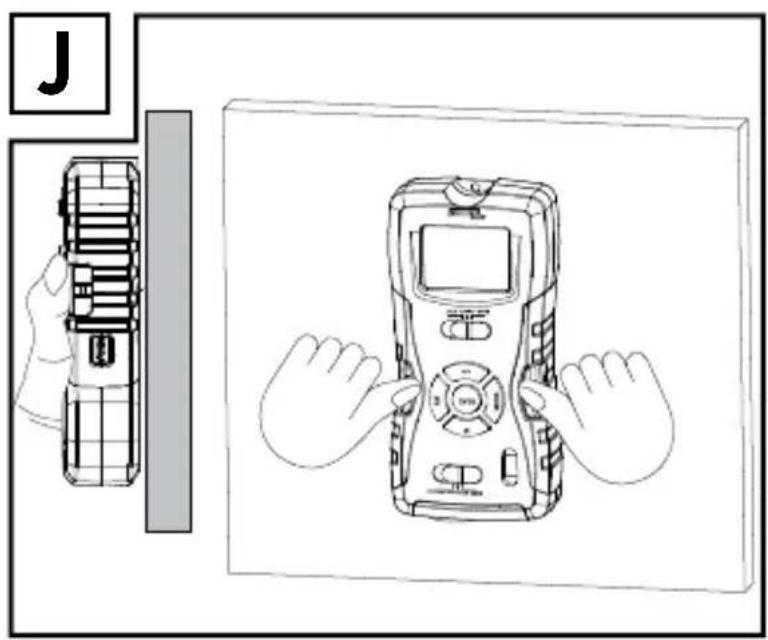
- Slide both the stud buttons 5, 11 firmly downwards. The nails lightly penetrate on the soft surfaced wall to prevent the multi-detector from falling (see Fig. J)
Attention: Exercise care with the studs. These are sharp and can cause injury (see Fig. E). Do not use the stud button on stone or metal wall, but only on walls with a soft surface (example: wooden wall).
Note: In case, a slight angle adjustment is necessary on the projected horizontal laser line, the folding slot 17
can be unfolded (see Fig K). It is to be noted that both stud nails cannot be used while folding slot is unfolded. Ensure to fold back the folding slot after usage.
Vertical laser line
- Attach a thread to the eye at the measuring point 1.
- Hang the product to a point (example: on a nail on the wall), where you would like to project the vertical line. The product hangs vertically downwards like a plumb bob. The laser projects a vertical line on the wall.
●Troubleshooting
This product has delicate electronic components. This means that if it is placed near an object that transmits radio signals, it could cause interference. If false readings occur, remove such equipment from the vicinity of the product.
- Electromagnetic interference/high-frequency emissions can lead to the product failing. In cases of the product failing to work, remove the batteries for a short while and then replace them. Do this as described in the section "Inserting / changing the batteries".
- Cleaning and care
■ Under no circumstances should you use liquids or detergents, as these will damage the product.
☐ Only clean the outside of the product with a soft, slightly damp cloth.
- Disposal
The packaging is made entirely of recyclable materials, which you may dispose of at local recycling facilities.

Observe the marking of the packaging materials for waste separation, which are marked
with abbreviations (a) and numbers (b) with following meaning: 1-7: plastics / 20-22: paper and fibreboard / 80-98: composite materials.

The product and packaging materials are recyclable, dispose of it separately for better
waste treatment. The Triman logo is valid in France only.

Contact your local refuse disposal authority for more details of how to dispose of
your worn-out product.
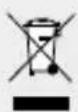
To help protect the environ- ment, please dispose of the product properly when it has
reached the end of its useful life and not in
the household waste. Information on collection points and their opening hours can be obtained from your local authority.
Faulty or used batteries / rechargeable batteries must be recycled in accordance with Directive 2006/66/EC and its amendments. Please return the batteries / rechargeable batteries and / or the product to the available collection points.
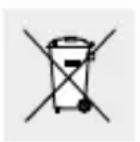
Environmental damage through incorrect disposal of the batteries /
rechargeable batteries!
Remove the batteries / battery pack from the product before disposal.
Batteries / rechargeable batteries may not be disposed of with the usual domestic waste. They may contain toxic heavy metals and are subject to hazardous waste treatment rules and regulations. The chemical symbols for heavy metals are as follows: Cd = cadmium, Hg = mercury, Pb = lead. That is why you should dispose of used batteries / rechargeable batteries at a local collection point.
- Warranty
The product has been manufactured to strict quality guidelines and meticulously examined before delivery. In the event of product defects you have legal rights against the retailer of this product. Your
legal rights are not limited in any way by our warranty detailed below.
The warranty for this product is 3 years from the date of purchase. Should this product show any fault in materials or manufacture within 3 years from the date of purchase, we will repair or replace it - at our choice - free of charge to you.
The warranty period begins on the date of purchase. Please keep the original sales receipt in a safe location. This document is required as your proof of purchase. This warranty becomes void if the product has been damaged, or used or maintained improperly.
The warranty applies to defects in material or manufacture. This warranty does not cover product parts subject to normal wear, thus possibly considered consumables (e.g. batteries) or for damage to fragile parts, e.g. switches, rechargeable batteries or glass parts.
CE
Introduction......Page 53
Utilisation conforme......Page 53
piles/piles rechargeables
piles rechargeables!
text_image
G 5 m a = ca. 1 m 12 m a = ca. 2.3 m 8 m a = ca. 1.5 m 15 m a = ca. 3 m a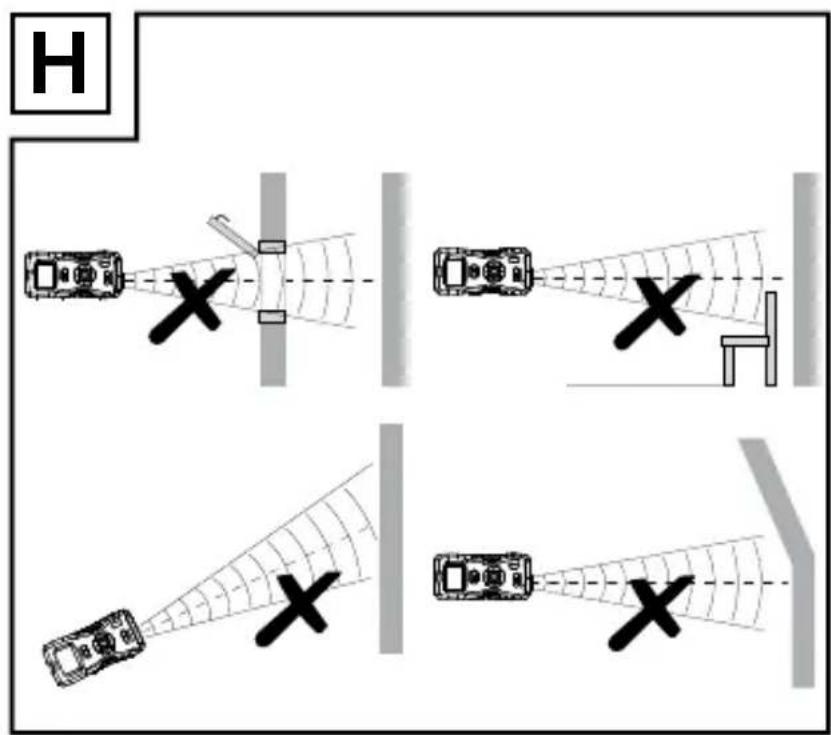
text_image
H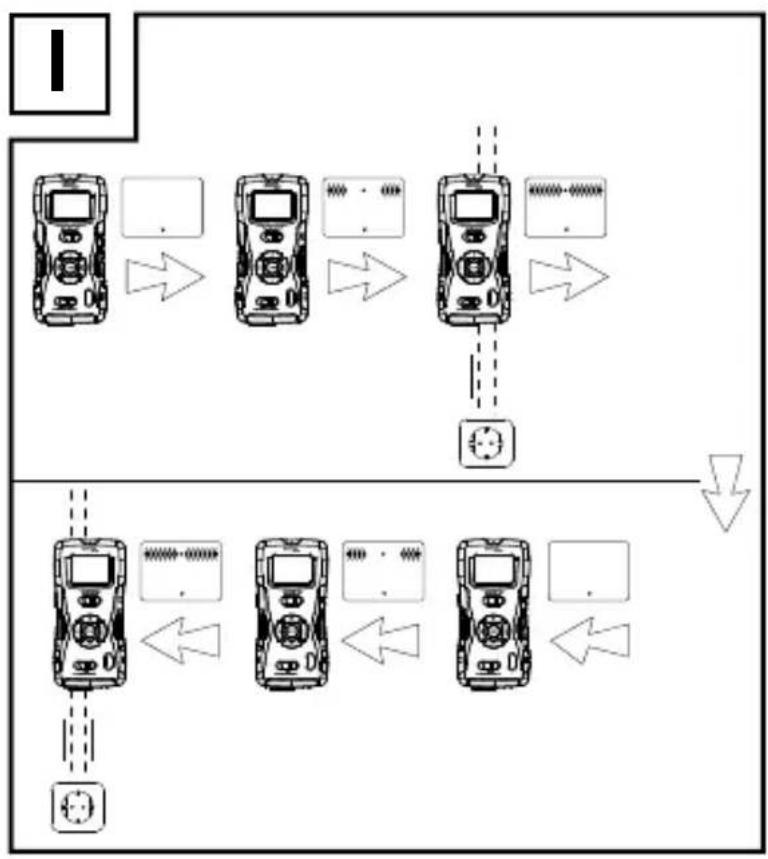
flowchart
graph TD
    A["Top Device"] --> B["Device 1"]
    B --> C["Device 2"]
    C --> D["Device 3"]
    D --> E["Device 4"]
    E --> F["Device 5"]
    F --> G["Device 6"]
    G --> H["Device 7"]
    H --> I["Device 8"]
    I --> J["Device 9"]
    J --> K["Device 10"]
    K --> L["Device 11"]
    L --> M["Device 12"]
    M --> N["Device 13"]
    N --> O["Device 14"]
    O --> P["Device 15"]
    P --> Q["Device 16"]
    Q --> R["Device 17"]
    R --> S["Device 18"]
    S --> T["Device 19"]
    T --> U["Device 20"]
text_image
J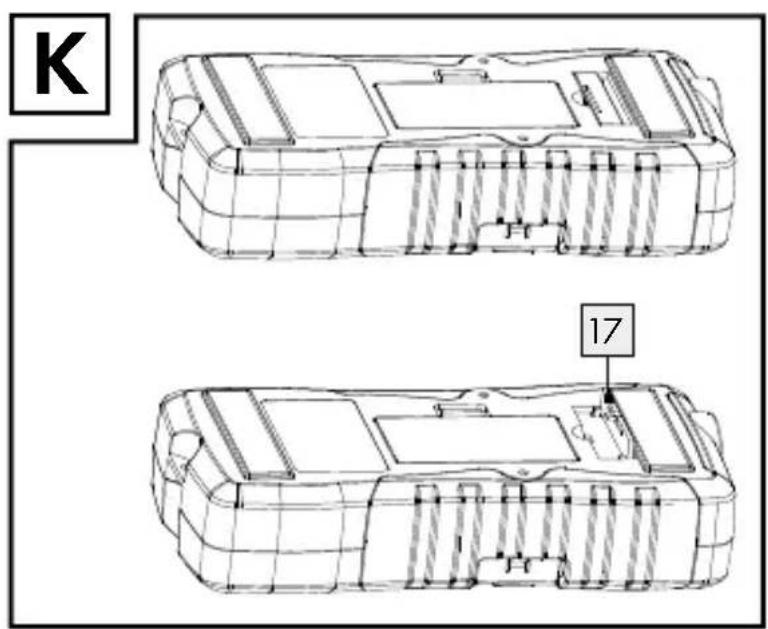
text_image
K 17OWIM GmbH & Co. KG
Stiftsbergstraße 1
DE-74167 Neckarsulm
GERMANY
Model-No.: HG02404
Version: 03/2018