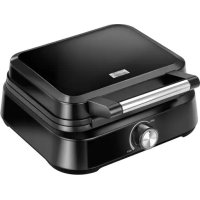
MGO40 - Waffle Maker MPM - Free user manual and instructions
Find the device manual for free MGO40 MPM in PDF.



| Brand | MPM |
| Model | MGO40 |
| Product type | Waffle maker |
| Power supply | 220-240 V ~ 50/60 Hz |
| Power | 1500 W |
| Standby power consumption | 0.12 W |
| Power cord length | 0.8 m |
| Plate coating | Non-stick |
| Adjustable thermostat | Yes, from MIN to MAX |
| Indicator light | Yes, heating and temperature maintenance indicator |
| Non-slip feet | Yes |
| Approximate cooking time | 5 to 10 minutes depending on recipe |
| Capacity | 1 waffle at a time |
| Use | Household use only |
| Cleaning | Plates cleanable with a damp cloth; do not immerse |
| Safety | Do not use metal utensils; hot surfaces; do not leave unattended |
| Repairability | Repair by authorized center only |
| Certification | CE |
Frequently Asked Questions - MGO40 MPM
User questions about MGO40 MPM
0 question about this device. Answer the ones you know or ask your own.
Ask a new question about this device
Download the instructions for your Waffle Maker in PDF format for free! Find your manual MGO40 - MPM and take your electronic device back in hand. On this page are published all the documents necessary for the use of your device. MGO40 by MPM.
USER MANUAL MGO40 MPM
EN We wish you satisfaction from using the product and invite you to check a wide range of other MPMs
VAFF U CI L O F K I S
WELLIZER
COFROWN CA
FILDEVAL
无法识别
VALLOVAC
H4F1H4H4PACKA
natural_image
Black square griddle with a metallic handle and control knob (no visible text or symbols)cz NÁVOD K OBSLUZE 3
Unique deep plates covered with non-stick coating
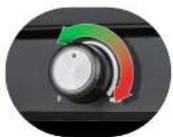
Thermostat with temperature control
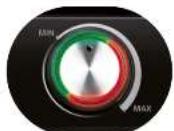
Indicator light for operating status and power supply connection
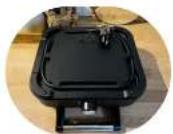
Cord storage
natural_image
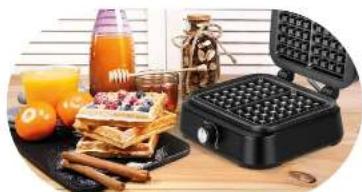
Assorted food items including wafers, oranges, and a glass on a wooden surface (no text or symbols visible)For simultaneous preparation of 2 waffles
BEZPEČNOSTNÍ POKYNY PŘI POUŽÍVÁNÍ
Read carefully this manual before using the appliance.
- Close supervision is necessary when using the appliance near children!
Do not use the appliance for the purposes different than it was designed for.
Do not immerse the appliance, its cord and plug in water or any other liquids!
Do not leave the appliance switched on when unattended.
Always unplug the appliance when it is not in use or before cleaning.
Do not use the appliance if it is damaged, also if the power cord or plug is damaged – return the appliance for repair to an authorized service centre.
To avoid the risk of damage, fire or injury, always use the attachments recommended by the manufacturer.
Do not use the device outdoors.
Do not hang the power cord over sharp edges and do not allow the power cord to touch hot surfaces.
Do not place the appliance in vicinity of electric and gas cookers, burners, ovens, etc.
Do not touch any hot surfaces in course of roasting. Open the appliance by means of holder designed for this purpose only.
Before cleaning, pull out the plug from the outlet and allow the appliance to cool down completely.
When opening the appliance in course of roasting, proceed carefully owing to hot vapours escaping from the sides of the heating panels!
The appliance shall be placed on a surface which is resistant to high temperatures. Do not place on plastic, vinyl surfaces, varnished wood or other surfaces made of flammable materials.
The appliance shall be plugged to an outlet with a protective earth pin.
The appliance is not intended for use with external timers or separate remote control systems.
This appliance is not intended for use by children under 8 years of age and individuals with reduced physical, sensory or mental capabilities, or lack of experience and knowledge, unless they have been given supervision or instruction concerning use of the appliance in a safe way and if they understand the hazards involved. Cleaning and user maintenance shall not be carried out by children without supervision.
Store the appliance and its cord out of reach of children under 8 years of age.
Children are not allowed to play with the device.
The temperature of surfaces may be higher when the appliance is in use.
The device is intended for domestic use only.
To avoid the risk of fire, do not place the appliance near flammable objects, such as curtains, tablecloths, etc.
Do not pull the plug by holding the power cord.
Do not connect the power plug with wet hands.
Note! When placing the dough on the bottom heating plate make sure the baking mould is completely filled.
During baking process the excess dough may flow out of the appliance.
When waffles are ready, remove them carefully using wooden or plastic utensils.
Warning! Hot surface! The symbol on the appliance indicates that its components may become hot during operation.
WARNING! Never let children play with plastic film or bags. Choking/ asphyxiation hazard!
Keep your children safe: do not leave any parts of the packaging readily accessible (i.e. plastic bags, cardboard boxes, polystyrene inserts, etc.).
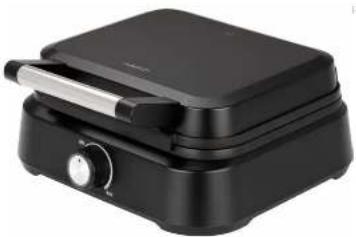
DESCRIPTION OF THE APPLIANCE
- Heating plates (top and bottom)
- Upper lid
- Base of the appliance
Plates covered with non-stick coating.
- Thermostat knob for temperature control and with an LED indicator.
- Non-slip feet
BEFORE FIRST USE
ATTENTION! Before cleaning the heating plates make sure the appliance is unplugged!
- Prior to the first use of the roaster, thoroughly wash the heating panels of the wafflemaker with the cloth moistened with warm water and thoroughly wipe with dry cloth thereafter.
- Stand the appliance on a flat, stable and dry surface which is resistant to high temperatures.
- Before using for the first time, the hot plates must be properly conditioned by running them hot. Place the appliance on a firm, dry, level and smooth surface, plug the power cord to the mains and set maximum temperature. Leave it running for 10 minutes. Next, unplug the appliance from the mains and wait until it cools down completely. The hot plates may smoke slightly during this process. This is natural and will no recur during further use. Wipe the hot plates with a damp cloth and wipe them dry.
NOTE! The working surfaces of the wafflemaker are heated up to extremely high temperatures! Touch the holders only!
USING WAFFLE-MAKER
- Oil the heating plates (1) with butter, margarine or other fat.
- Connect the device to the mains – the LED indicator in the knob (4) will light up in green to signal successful connection to the mains. Turn the thermostat knob (4) to "MAX" – the process of heating up the cooking plates will begin and will be signalled by the LED indicator changing the colour to red. Close the upper cover and prepare the batter for wafers.
- Once the wafer maker heats up sufficiently, the LED indicator will turn green. Depending on the type of batter and baking goal, use the knob (4) to set the temperature of the cooking plates. The "MIN" setting corresponds to the lowest available temperature, while the "MAX" setting corresponds to the highest one. It is also possible to set any intermediate temperature between "MIN" and "MAX". While the wafers are being made, the LED indicator in the knob (4) will change its colour multiple times to indicate that cooking plates' temperature is maintained.
- Open the top lid (2), place the dough onto the bottom heating plate (1) and gently close the lid.
- When closing and opening the lid, proceed carefully owing to hot vapours escaping from the sides of the waffle-maker.
- Baking the waffles may take from 5 to 10 minutes, depending on the batter and set temperature.
- Open the top lid (2), take out the waffles using wooden or plastic spatula only.
NOTE! Do not use and metal and sharp knives or forks, otherwise the damages of heating surfaces may occur!
- After baking turn the thermostat knob to "O", pull out the plug from the outlet and allow the appliance to cool down completely.
CLEANING AND MAINTENANCE
- Before cleaning (and after baking), pull out the plug from the outlet and allow the appliance to cool down completely.
- Thoroughly wash the heating plates (1) using damp cloth or towel.
- Wipe the external surface of the waffle-maker using wet cloth.
NOTE! Do not immerse the appliance in water or any other liquids! Do not wipe the inside of the appliance with acute, abrasive cloths or sponges, as this can damage the heating surfaces!
TECHNICAL DATA
| Model | MGO-40 |
| Power supply 220-240V 50/60HZ | |
| Power 1500W | |
| Off and standby modes available availability | |
| Standby power consumption - | |
| Power consumption in off-mode 012W | |
| Power consumption in network standby mode | - |
| Automatically enters standby mode after | - |
| Automatically enters shutdown mode after | - |
| Network standby mode if the device has an app connection function | - |
| Length of mains cable | 0,8M |
CE
CAUTION! MPM agd S.A. reserves the right to technical changes.
Proper disposal of the product (waste electrical and electronic equipment)
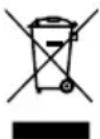
Marking on the product indicates that after the service-life of the product expires, it should not be disposed with other type of municipal waste. Used equipment may have a negative impact on the environment and health of people due to potentially containing hazardous substances, mixtures and components. Mixing electric waste with other types of waste or disassembling those in an unprofessional manner may cause a release of substances that are hazardous to the environment and health.
Used equipment should be handed-over to a point for collection of electric waste. In order to obtain detailed information regarding the electric waste collection points, the user should contact the municipal point of electric waste collection or used equipment processing department.
BESCHRIJVING VAN HET APPARAAT
natural_image
Line drawing of a vacuum cleaner with a handle and spout (no text or symbols)


- BEZPEČNOSTNÍ POKYNY PŘI POUŽÍVÁNÍ
- DESCRIPTION OF THE APPLIANCE
- BEFORE FIRST USE
- ATTENTION! Before cleaning the heating plates make sure the appliance is unplugged!
- USING WAFFLE-MAKER
- CLEANING AND MAINTENANCE
- Proper disposal of the product (waste electrical and electronic equipment)
- BESCHRIJVING VAN HET APPARAAT
Brand : MPM
Model : MGO40
Category : Waffle Maker