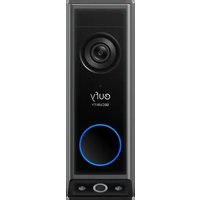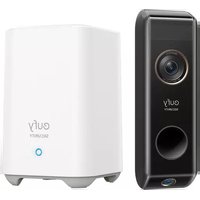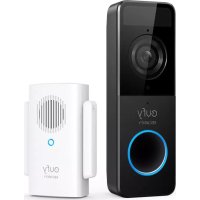
eufy Video Doorbell 1080p - Doorbells

Video Doorbell 1080p - Doorbells eufy - Free user manual and instructions

Find the device manual for free Video Doorbell 1080p eufy in PDF.

English EN Download 💬 AI Question 10 questions ⚙️ Specs
📄

Document temporarily unavailable

The manual is currently being transferred to our new server. It will be accessible again in a few hours. Thank you for your patience.

Pick your language and provide your email: we'll send you a specifically translated version.
Product TypeWireless Video Doorbell 1080p
BrandEufy
ModelVideo Doorbell 1080p (T8213 / T8010X HomeBase)
Video Resolution1080p HD
Viewing Angle160° (diagonal, estimated)
Night VisionYes, infrared
Power SupplyRechargeable battery or doorbell wiring 8-24 V AC
Battery LifeUp to 6 months (depending on usage)
Charging Time6 hours (0 to 100%)
Charging PortMicro-USB
ConnectivityWi-Fi 2.4 GHz and 5 GHz
Voice AssistantCompatible with Amazon Alexa and Google Assistant
Local StorageHomeBase 2 with built-in storage (no monthly fees)
Two-Way AudioYes, with microphone and speaker
Motion DetectionPIR sensor
Customizable Motion ZonesYes, via eufy Security app
Operating Temperature-20 °C to 45 °C
Protection RatingIP65 (rain and dust resistant)
Dimensions (doorbell)Approximately 12 x 6 x 5 cm
Weight (doorbell)Approximately 200 g
MaterialABS plastic
InstallationWall mounting (with or without drilling); 15° wedge included
Appeufy Security (iOS and Android)
Subscription RequiredNo, free local storage
Warranty1 year (see manufacturer's conditions)

Frequently Asked Questions - Video Doorbell 1080p eufy

How to install the Eufy Video Doorbell 1080p?
Installation is done in two steps: first, connect the HomeBase 2 to your router via Ethernet and to power. Then, mount the doorbell using the provided bracket, either on a wooden surface (screw directly) or on a hard surface (drill 6 mm holes, insert wall plugs). Use the 15° mounting wedge if needed. Follow the instructions in the eufy Security app to complete the setup.
What is the battery life?
The built-in battery provides up to 6 months of battery life under typical usage conditions (about 10 events per day, each recording 20 seconds). Battery life varies depending on the number of activations and recording duration.
Can I use my existing doorbell wiring?
Yes, if you have functional doorbell wiring of 8 to 24 V AC, you can power the doorbell continuously without recharging the battery. Follow the steps in appendix 3 of the manual: turn off power, remove the old doorbell, connect the wires to the rear terminals, and reassemble. Extension wires and wire nuts are provided if needed.
How to connect the doorbell to my phone?
Download the eufy Security app from the App Store (iOS) or Google Play (Android). Create an account, then follow the on-screen instructions to add the doorbell. Make sure the HomeBase 2 is powered on and connected to the Internet before adding the doorbell by pressing and holding the SYNC button until you hear a beep.
Does the doorbell work without a subscription?
Yes, the Eufy Video Doorbell 1080p requires no subscription. Video recordings are stored locally on the HomeBase 2 (built-in storage). You can access videos and live view for free via the eufy Security app.
What to do if the doorbell does not connect to Wi-Fi?
Check that your HomeBase 2 is properly connected to the router via Ethernet cable. Make sure your Wi-Fi network is 2.4 GHz (the doorbell does not support 5 GHz for initial connection). Restart the HomeBase and the router. If the problem persists, reset the doorbell by pressing and holding the SYNC button for 10 seconds.
How to charge the battery?
Use the provided detachment pin to remove the doorbell from the mount by inserting the pin into the hole on the top. Connect a micro-USB cable (not provided) to the doorbell and to a power adapter (5V/2A recommended). The LED blinks green during charging and stays green when fully charged. 6 hours are needed for a full charge.
How to adjust motion detection zones?
In the eufy Security app, select your doorbell, then go to motion detection settings. You can customize zones by drawing rectangles on the live feed to exclude certain areas (e.g., the street) and avoid false alerts.
Is the doorbell weather-resistant?
Yes, the doorbell is designed for outdoor use. It has an IP65 rating, meaning it is dust-tight and resistant to water jets. The operating temperature ranges from -20°C to 45°C.
How to reset the doorbell?
To reset the doorbell, press and hold the SYNC/RESET button on the back for 10 seconds. You will hear a beep confirming the reset. This will erase all settings and you will need to set it up again via the app.

User questions about Video Doorbell 1080p eufy

0 question about this device. Answer the ones you know or ask your own.

Ask a new question about this device

The email remains private: it is only used to notify you if someone responds to your question.

No questions yet. Be the first to ask one.

Download the instructions for your Doorbells in PDF format for free! Find your manual Video Doorbell 1080p - eufy and take your electronic device back in hand. On this page are published all the documents necessary for the use of your device. Video Doorbell 1080p by eufy.
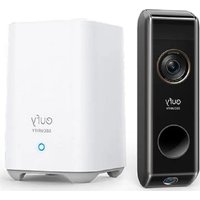
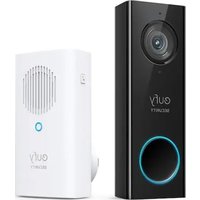
USER MANUAL Video Doorbell 1080p eufy

Manual assistant
Powered by Anthropic
Waiting for your message
Product information

Brand : eufy

Model : Video Doorbell 1080p

Category : Doorbells