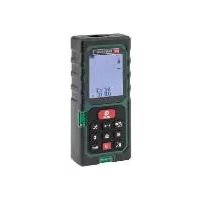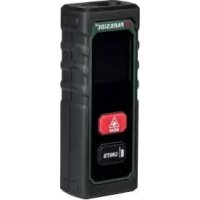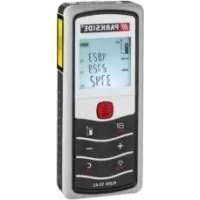
PLEM 50 B2 - Rangefinder PARKSIDE - Free user manual and instructions
Find the device manual for free PLEM 50 B2 PARKSIDE in PDF.


| Product type | Laser distance meter |
| Brand | Parkside |
| Model | PLEM 50 B2 |
| Dimensions (L × W × H) | 114.4 × 50 × 26.8 mm |
| Weight (without batteries) | 108 g |
| Power supply | 2 batteries 1.5 V LR03 (AAA) |
| Maximum range | 0.05 - 50 m (top edge measurement), 0.17 - 50 m (bottom edge measurement) |
| Measurement accuracy | ± 1.5 mm |
| Measurement units | m, in, ft, ft+in |
| Laser class | Class 2, 630-670 nm, < 1 mW |
| Historical memory | 100 data sets |
| Operating temperature | 0 °C to 40 °C |
| Storage temperature | -10 °C |
| Max. relative humidity | 90 % |
| Main functions | Distance, area, volume measurement, simple and double Pythagoras, continuous measurement, addition/subtraction |
| Spirit level | Integrated (horizontal and vertical) |
| Folding end piece | Yes, for measurements from a corner |
| Belt pouch included | Yes |
| Warranty | 3 years |
| Care and cleaning | Clean with a dry cloth; do not immerse; clean the lens with a slightly damp cotton swab |
| Safety | Laser class 2 – do not look into the beam; use by children from 8 years old under supervision |
| Spare parts and repairability | Contact customer service (0800 919270 in France); repair by specialist only |
Frequently Asked Questions - PLEM 50 B2 PARKSIDE
User questions about PLEM 50 B2 PARKSIDE
0 question about this device. Answer the ones you know or ask your own.
Ask a new question about this device
Download the instructions for your Rangefinder in PDF format for free! Find your manual PLEM 50 B2 - PARKSIDE and take your electronic device back in hand. On this page are published all the documents necessary for the use of your device. PLEM 50 B2 by PARKSIDE.
USER MANUAL PLEM 50 B2 PARKSIDE
LASER-ENTFERNUNGSMESSER PLEM 50 B2 / LASER DISTANCE MEASURE PLEM 50 B2 / TÉLÉMÈTURE LASER PLEM 50 B2
DE AT CH
LASER-ENTFERNUNGSMESSER PLEM 50 B2
Operation and safety notes
NL BE
LASER-AFSTANDSMETER PLEM 50 B2
GB/IEOperation and safety notesPage 34
Addition (Plus) . 24
Subtraction (Minus) 25
Historienspeicher. 25
List of pictograms used.
Introduction
Intended use.. Page 37
Parts description.. Page 37
Scope of delivery.. Page 39
Technical data.. Page 39
General safety instructions.. Page 40
Safety instructions for batteries /
rechargeable batteries.. Page 42
Before using.. Page 43
Inserting / replacing the batteries.. Page 43
Start-up Page 44
Power on/off.. Page 44
Handling and Operation.. Page 45
Selecting the unit of length.. Page 45
Return / Clear Page 45
Selection of the reference point . Page 46
End piece reference point.. Page 46
Measuring lengths.. Page 47
Single Measurement mode.. Page 47
Continuous Measurement mode.. Page 48
Measurement value functions.. Page 49
Area . Page 49
Volumes . 50
Simple Pythagoras. Page 50
Double Pythagoras. Page 51
Addition (Plus) Page 52
Subtraction (Minus) Page 53
Historical memory . Page 53
Calling up a stored memory.. Page 53
Clearing / deleting memory record and single memory record.. Page 54
Clearing/deleting all memory records.. Page 54
Leaving memory mode . Page 54
Belt pouch.. Page 55
Error, faults & troubleshooting........... Page 55
Maintenance and cleaning.. Page 56
Storage
Disposal
Warranty.. Page 58
Warranty claim procedure.. Page 59
Service . Page 59
| List of pictograms used | |
| Read the instruction manual. | |
| Danger of explosion! | |
| Wear protective gloves! | |
| Attention! | |
| Protect yourself from laser radiation! | |
| Do not stare into the laser beam! | |
| Batteries included. | |
| Direct current | |
Laser distance measure PLEM 50 B2
Introduction
We congratulate you on the purchase of your new product. You have chosen a high quality product. The instructions for use are
part of the product. They contain important information concerning safety, use and disposal. Before using the product, please familiarise yourself with all of the safety information and instructions for use. Only use the product as described and for the specified applications. If you pass the product on to anyone else, please ensure that you also pass on all the documentation with it.
Intendeduse
This laser distance measurer (hereinafter product) is suitable for measuring distances, lengths, heights, gaps and for calculating areas and volumes in indoor spaces. Any other use or product modification shall be considered improper use and hold considerable safety hazards. The manufacturer assumes no liability for damages due to improper use. Not intended for commercial use.
-Partsdescription
1 Keypad
2 Display
3 Receiver lens
4 Laser beam output opening
5a Battery compartment
5b Battery compartment cover
Spirit level
Keypad
7 Add/Subtract button
8 Return / Clear button
9 Memory button
10 Unit button
11 | Power button
12 Reference button
13 Beep button
14 Continuous Measurement button
15 Function selection button
16 MEAS button
Display
17 Battery status icon
18 Measuring units
19a Value-1 row
19b Memory location number row
20 Value-2 row
21 Max/Min values
22 Value-3 row
23 Bottom row
24 Add/Subtract
25 Measuring mode indication symbol
26 Distance measurement mode icon
27 Memory icon
28 Reference point (end piece)
29 Reference point (rear)
30 Reference point (front)
31 Laser on icon
Battery compartment

Battery compartment cover latch
Trailing edge

End piece at the reference point (foldable)

Scope of delivery
1 Laser Distance Measurer
2 1.5 V batteries LRO3 (AAA)
1 Belt pouch
1 Instruction manual

Technicaldata
Maximum measuring range: 0.05-50 meter*
(measure from top side);
0.17-50 meter*
(measure from bottom side)
Measuring accuracy: ±1.5 mm**
Measuring units: m/in/ft/ft+in
Laser class: Class 2
Laser type: 630-670 nm, 1 mW
Historical memory: 100 sets
Operating temperature: 0^ - 40^
Storage temperature: -10°-60°C
Relative humidity: 90% max
Batteries: 2 × 1.5 ~V LRO3 (AAA)
Weight: 108 g (without batteries)
Dimensions: 114.4 × 50 × 26.8 ~mm
) During daylight or if the target has poor reflection properties, please use target plate.
^* ) In favourable conditions, a deviation influence of + / - 0.05 mm/m must be taken in to account. In unfavorable conditions, such as intense sunshine, poorly reflecting target surface (black surface) or high temperature variations, a higher deviation is expected.

General safety instructions
- Choking hazard! Packaging material (e. g. foils or polystyrol) are not to be toyed with. Keep children away from packaging material. The packaging material is not a toy.
- Do not use the product in locations where there is a risk of fire or explosion, e.g. in the vicinity of inflammable liquids or gases.
This product can be used by children aged from 8 years and above and persons with reduced physical, sensory or mental capabilities or lack of experience and knowledge if they have been given supervision or instruction concerning use of the product in a safe way and understand the hazards involved. Children shall not play with the product. Cleaning and user maintenance shall not be made by children without supervision. -
Do not leave the product unattended when switched on, and switch off the product directly after use. Other people could be blinded by the laser beam.
-
Protect the product from wetness or direct sunlight.
- Do not expose the product to any extremes of temperature or temperature fluctuations. For example, do not leave it in a car for extended periods. After exposure to large temperature fluctuations, allow the product to acclimatise before using it again. The precision of the product can be adversely affected by extreme temperatures or temperature fluctuations.
Avoid hefty knocks or dropping the measuring tool.

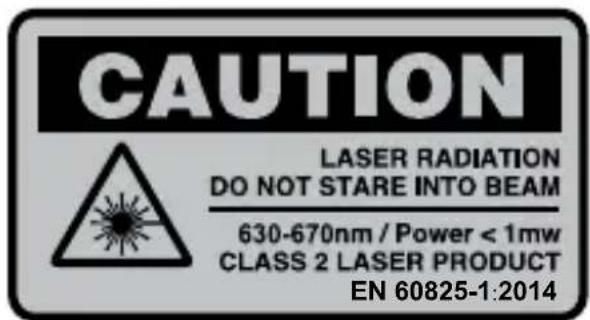
CAUTION LASER RADIATION! DO NOT STARE INTO BEAM! CLASS 2 LASER PRODUCT!
- Never look directly into the laser beam or into the opening from which it emerges.
WARNING! Looking at a laser beam through optical instruments (e.g. magnifying glasses etc.) can cause eye injuries.
■ ATTENTION! If operating and adjustment equipment is used or procedures other than those specified here are carried out, this may result in hazardous radiation exposure. - Never aim the laser beam at reflective surfaces, people or animals. Even brief visual contact with a laser beam can result in eye injuries.

Safety instructions for batteries / rechargeable batteries
DANGER TO LIFE! Keep batteries / rechargeable batteries out of reach of children. If accidentally swallowed seek immediate medical attention.
ANGER OF EXPLOSION! Never recharge
non-rechargeable batteries. Do not short-circuit batteries / rechargeable batteries and/or open
them. Overheating, fire or bursting can be the result.
Never throw batteries / rechargeable batteries into fire or water.
Do not exert mechanical loads to batteries / rechargeable batteries.
Risk of leakage of batteries / rechargeable batteries
Avoid extreme environmental conditions and temperatures, which could affect batteries / rechargeable batteries, e.g. radiators / direct sunlight.
If batteries / rechargeable batteries have leaked, avoid contact with skin, eyes and mucous membranes with the chemicals! Flush immediately the affected areas with fresh water and seek medical attention!

YEAR PROTECTIVE GLOVES! Leaked or dam-
aged batteries / rechargeable batteries can cause burns on contact with the skin. Wear suitable pro
tective gloves at all times if such an event occurs.
In the event of a leakage of batteries / rechargeable batteries, immediately remove them from the product to prevent damage.
Only use the same type of batteries / rechargeable batteries. Do not mix used and new batteries / rechargeable batteries.
Remove batteries / rechargeable batteries if the product will not be used for a longer period.
Risk of damage of the product
Only use the specified type of battery / rechargeable battery!
Insert batteries / rechargeable batteries according to polarity marks (+) and (-) on the battery / rechargeable battery and the product.
Clean the contacts on the battery / rechargeable battery and in the battery compartment before inserting!
Remove exhausted batteries / rechargeable batteries from the product immediately.
Before using
Check the consignment for completeness and for signs of visible damage.
Remove all packaging material from the product.
- Inserting / replacing the batteries
When the low battery icon appears in the display 2 you can still make measurements. As soon as the battery icon turns empty, however, you must replace the batteries. Measurements are no longer possible.
Open the battery compartment cover 5b by gently pushing down the battery compartment cover latch 32.
Remove the used batteries from the battery compartment 5a if necessary.
Insert the (new) batteries. Ensure the correct polarity as shown on the diagram inside the battery compartment 5a.
Replace the battery compartment cover 5b as shown (fig. A).
- Start-up
Power ON/OFF
Press power button 11 to power on the product.
Press and hold the power button until the LC display turns off to power off the product.
Note: If no button is pressed for 3 minutes, the product will automatically power off itself.
Acoustic signal:
- Each press of a button and every error-free function that is carried out is confirmed by a short beep.
- A double beep will be heard in the event of any fault.
- Under continuous measurement mode, fast pace of short beeps will be continuously heard and in the event of error, the fast pace double beep will slow down.
- Briefly press the beep button13 to activate or deactivate the beep sound at any mode.
Home-screen mode:
- Briefly press power button 11 at any mode to clear all data shown on the display and to go to Home-screen mode. At Home-screen mode, there won't be any data on the display and user can press any particular button at this home-screen mode to go to any specific mode.
- Handling and Operation
- Selecting the unit of length
Right after power on the product, the last-used length unit will be shown on the display. Press Unit button 10 to select another unit. You can set the following length units in this order:
| Length Area Volumes | ||
| 0.000 m 0.000 m | 2 | 0.000 m³ |
| 0.000 ft 0.000 ft | 2 | 0.00 ft³ |
| 0'0" 1/16 in 0.0 | 2 | 0.00 ft³ |
| 0'0" 1/16 0.00 ft | 2 | 0.00 ft³ |
- Return / Clear
Press "Return/Clear" button at any mode to clear latest measured value and go back to previous value (or) go back to previous mode.
Press "Return / Clear" button multiple times to go back to Home-screen (see chapter "Start-up", section "Home-screen mode").
Note: Pressing "Return / Clear" button 8 under continuous measurement mode will stop the measurement.
Selection of the reference point
The rear reference point 29 (base) or the end piece 28 reference point or the front reference 30 point of the product can be used as the contact surface for any measurement. The reference point is to be set before measurement. Otherwise, the measured result differs from actual value. The default reference point setting is from the reference point (rear) 29 of the product. The reference point can be changed by pressing the reference button 12 repeatedly until the desired reference point shown on the top left side corner of the display.
End piece reference point
The end piece 33 will be useful while a distance is measured from a corner (diagonal room) or from the place, where it is difficult to reach. The end piece 33 is located on the rear side of the product. The end piece 33 can be unfolded as shown in the fig D using a sharp tool or finger nail. Once finished using, the end piece 33 has to be folded-back for future use.
- Measuring lengths
- Single Measurement mode
- Place or hold the reference plane of the product on or against the desired base surface from which you want to determine a distance.
- Check the flatness of the product by use of both the bubble levels 6 . One of the bubble level is for checking horizontal flatness and the other air bubble is for checking vertical flatness. To, check the flatness of certain angle, make sure that bubble is positioned at the middle of respective angle bubble level.
- Briefly press the MEAS button 16 to activate the laser. Once the laser is switched on, it is indicated by the laser icon 31 on the display.
Note: Step 3 can be skipped if the laser beam is already activated.
- Now aim the laser at the target point and press the MEAS button 16 briefly again to take a measurement. If the measurement is successful, the measured result will be shown on the bottom row 23 of the display. The previous readings are pushed upwards.
Note:
- Repeat the step 1 to 4 if needed to measure another distance.
- Distance Measurement mode icon 26 will stay on (not flashing) under single measurement mode.
-
Maximum up to 4 measured values can be shown on the display at a same time.
-
If no button is pressed for 30 seconds, the laser and display back-light will turn off. If no button is pressed for 3 minutes, the product will power off itself.
Continuous Measurement mode
Continuous measurement involves taking series of measurements from which the maximum (MAX) and minimum (MIN) values are displayed. To do this, move the product along a base surface or an edge from which you wish to the measure a distances. You can, for example, measure how parallel two opposite walls are or measure the maximum values while using a function.
- Start the continuous measurement by briefly pressing the continuous measurement button 14. A very short delay could be observed to get first measured value on the display. This is common. Now, each measured value will be shown on the display.
- Stop the measurement by pressing the continuous measurement button 14 or MEAS button 16 or return / Clear button 8. The display now shows the maximum (MAX) and minimum (MIN) values 21 of that particular measurement series and the last measured value.
Note:
- Repeat the step 1 to 2 if needed to do another measurement.
- Distance measurement mode icon26 will be flashing under continuous measurement mode while measurement is on process.
- Addition, subtraction, area measurement and volume measurement cannot be done on this mode. So, function selection
button 15 and add / subtract button 7 will be inactive at this mode.
- If no button is pressed for 3 minutes, the product will power off itself.
- Measurement value functions
To make it easier to process measurement results, the product offers a number of integrated functions. By pressing the Function button 15 repeatedly, you can activate the following functions one after the other: Area, Volume, Simple Pythagoras, Double Pythagoras.
Note: The desired function must be selected before the measurement.
Area
-
Press the Function selection button 15 once. The area icon of measuring mode indication symbol 25 appears on the display.
-
Now measure the length and width of the area to be measured by pressing the MEAS button 16 The corresponding line of the area icon flashes on the display for the individual measurement values. Right after the second measurement, the calculated area is shown on the bottom row 23 of the display and the corresponding line of the area icon stop flashing. Length, width and perimeter will be shown on the top three rows of the display orderly.
Volumes
- Press the Function button 15 twice. The volume icon of measuring mode indication symbol 25 appears on the display.
- Now measure the length, width and height of the volume to be measured by pressing the MEAS button 16. The corresponding line of the volume icon flashes on the display for the individual measurement values. Right after the third measurement, the calculated volume will be shown on the bottom row 23 of the display and the corresponding line of the volume icon stops flashing on the display. Length, width and height will be shown on the top three rows of the display orderly.
- Simple Pythagoras
Pythagoras Theorem describes the dependence of the lengths of the sides in a right-angled triangle as follows: a^2 + b^2 = c^2 , where a and b are the legs and c the hypotenuse of the triangle. Using the "Simple Pythagoras" function, it is possible to calculate the length of one of the legs. This feature is particularly useful for poorly accessible measurement points.
- Press the Function selection button 15 three times. The "Simple Pythagoras" triangle icon of measuring mode indication symbol 25 appears on the display.
- Now measure the hypotenuse (largest distance) and one of the legs (shortest distance to the measurement surface) by pressing the MEAS button 16. The corresponding line of the "Simple Pythagoras" icon flashes for the individual measurement values.
Right after the second measurement, the calculated length is shown on the bottom row 23 of the display and the corresponding line of the "Simple Pythagoras" icon stop flashing. The individual measured values will be shown on the top two rows of the display.
Note: Please note that angular error (no right angles) will lead to incorrect results. Ensure that the measured distances lie on a plane (alignment).
Double Pythagoras
In this function, Pythagoras Theorem is applied to two right triangles that have a common leg. This makes it possible to calculate the length of the base side of any triangle. This function calculates the distance between two arbitrary points and is especially useful for inaccessible measurement points.
-
Press the Function selection button 15 four times. The "Double Pythagoras" triangle icon of measuring mode indication symbol 25 appears on the display.
-
Now measure the left hypotenuse (largest distance to the left) and then one leg (shortest distance to the measurement surface) and finally the right hypotenuse (largest distance to the right) by pressing the MAES button 16. The corresponding line of the "Double Pythagoras" triangle icon flashes for the individual measurement values. Right after the third measurement, the calculated length will be shown on the bottom row 23 of the display and the corresponding line of the "Double Pythagoras"
triangle icon stop flashing. The individual measured values will be shown on the top 3 rows of the display.
Note: Please note that angular error (no right angles) will lead to incorrect results. Ensure that the measured distances lie on a plane (alignment).
- Addition (Plus)
-
To add two individual values, take a measurement (length or area or volume) so that the display is showing a value.
-
Then press the add / subtract button 7 to start the Addition (Plus) function. Now, the plus symbol will be flashing on the "value-3" row 22 of the display.
-
Now take a second measurement (length or area or volume). The second measured / calculated value will be shown on the "value-3" row 22 of the display. Right after the second measurement, the added result will be shown on the bottom row 23 of the display. The first measured/calculated value will be shown on the "value-2" row 20 of the display.
Note:
- The addition can be carried out with all units (length, area, volume). You can also include the measurement results of functions such as area and volume in the addition.
- Only values of the same units can be added. The first measured / calculated value sets the unit to be used.
-
Addition cannot be used with Pythagoras theorem.
-
Result of an addition and the individual values of the addition are automatically stored in the memory.
- Subtraction (Minus)
The subtraction of measurements is carried out in the same way as the addition. The only difference is that the add / subtract button has to be pressed again while the plus symbol is flashing on the display to get minus symbol on the display. Rest are same.
Historical memory
All measured and calculated values will be automatically stored in the memory. The values are saved with their unit (length, area or volume). Calculated values are stored together with the respective individual values. There are a total of 100 memory locations available. As soon as all 100 memory locations are occupied, the oldest memory record will be over-written by newest record.
- Calling up a stored memory
- Briefly press the memory button 9 to display the latest stored memory. Memory icon 27 will be displayed on the display and the respective memory location number will be shown on the "memory location number row" 19b to indicate that the product has entered the historical memory mode.
Press the memory button again to go to next memory.
Press and hold the memory button for more than 1.5 seconds will scroll down the memory record fast by jumping the record from 10 to 20 to 30...100.
Clearing / deleting memory record and single memory record
□ Under memory mode, press and hold memory button 9 and Clear/return button 8 together for less than 1.5 seconds to Clear currently viewing memory. "CLEAR" will be shown on the display for a second and a short beep will be heard as a confirmation.
Clearing / deleting all memory records
Under memory mode, press and hold memory button 9 and Clear/return button 8 together for more than 5 seconds to Clear all the recorded memories. "CLEAR ALL" will be shown on the display for a second and a long beep will be heard as a confirmation.
Leaving memory mode
- Briefly press Clear / return button to leave the historical memory mode and to enter Home-screen mode. Now, the memory icon will be disappeared from the display. The memory location
number will also be disappeared from the "memory location number row" 19b.
- Belt pouch
Use the supplied belt pouch to protect the product when not in use.
- Error, faults & troubleshooting
| Faults | Cause Solution | |
| 204 Calculation error Refer to user manual, repeat the procedures. | ||
| 220 Low battery Replace batteries or charge the batteries. | ||
| 255 Received signal too weak or measurement time too long | Improve the reflective surface. (Use target plate, white paper) | |
| 256 Received signal too strong | Improve the reflective surface. (Use target plate, or don't aim at strong light) | |
| 261 Out of measuring range | Measuring the distance within measurement range. | |
| 500 Hardware error Switch on | / off the product, if the symbol still appears after several times, please contact with your dealer. | |
- Maintenance and cleaning
The product is maintenance-free.
CAUTION! Never submerse the product in water or other liquids. Do not allow any moisture to penetrate into the product during cleaning.
Clean the laser beam output opening and the receiver lens with a gentle air stream. In the case of more serious contamination, remove the dirt with a damp cotton swab. Do not exert any strong pressure!
Never use petrol, solvents or cleaning agents that attack plastic.
A WHAT should only be opened by a qualified person for repairs.
To clean the casing, use a soft dry cloth.
- Keep the product clean to ensure fault-free operation.
Storage
If you decide not to use the product for a long period, remove the batteries and store it in a clean, dry place away from direct sunlight.
Disposal
The packaging is made entirely of recyclable materials, which you may dispose of at local recycling facilities.
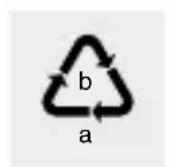
Observe the marking of the packaging materials for waste separation, which are marked with abbreviations (a) and numbers (b) with following meaning: 1-7: plastics / 20-22: paper and fibreboard / 80-98: composite materials.

The product and packaging materials are recyclable, dispose of it separately for better waste treatment. The Triman logo is valid in France only.

Contact your local refuse disposal authority for more details of how to dispose of your worn-out product.

To help protect the environment, please dispose of the product properly when it has reached the end of its useful life and not in the household waste. Information on collection points and their opening hours can be obtained from your local authority.
Faulty or used batteries / rechargeable batteries must be recycled in accordance with Directive 2006/66/EC and its amendments. Please return the batteries / rechargeable batteries and / or the product to the available collection points.
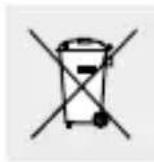
Environmental damage through incorrect disposal of the batteries / rechargeable batteries!
Batteries / rechargeable batteries may not be disposed of with the usual domestic waste. They may contain toxic heavy metals and are subject to hazardous waste treatment rules and regulations. The chemical symbols for heavy metals are as follows: Cd = cadmium, Hg = mercury, Pb = lead. That is why you should dispose of used batteries / rechargeable batteries at a local collection point.
Warranty
The product has been manufactured to strict quality guidelines and meticulously examined before delivery. In the event of product defects you have legal rights against the retailer of this product. Your legal rights are not limited in any way by our warranty detailed below.
The warranty for this product is 3 years from the date of purchase. Should this product show any fault in materials or manufacture within 3 years from the date of purchase, we will repair or replace it - at our choice - free of charge to you.
The warranty period begins on the date of purchase. Please keep the original sales receipt in a safe location. This document is required as your proof of purchase. This warranty becomes void if the product has been damaged, or used or maintained improperly.
The warranty applies to defects in material or manufacture. This warranty does not cover product parts subject to normal wear, thus possibly considered consumables (e.g. batteries) or for damage to fragile parts, e.g. switches, rechargeable batteries or glass parts.
Warranty claim procedure
To ensure quick processing of your case, please observe the following instructions:
Please have the till receipt and the item number (e.g.
IAN 123456_7890) available as proof of purchase.
You will find the item number on the type plate, an engraving on the front page of the instructions (bottom left), or as a sticker on the rear or bottom of the appliance.
If functional or other defects occur, please contact the service department listed either by telephone or by e-mail.
You can return a defective product to us free of charge to the service address that will be provided to you. Ensure that you enclose the proof of purchase (till receipt) and information about what the defect is and when it occurred.
Service
GB Service Great Britain
Tel.: 0800 404 7657
E-Mail: owim@lidl.co.uk
IE Service Ireland
Tel.: 1890 930 034 (0,08 EUR / Min., (peak))
(0,06 EUR / Min., (off peak))
E-Mail: owim@lidl.ie

Pythagore double.. Page 80
Addition (Plus) Page 81
Soustraction (Moins) Page 82
Memoire historique
Wskazówka: Krok 3romatics, please! Lasera is just a good way to enjoy your summer.
NOSTE OCHRANNÉ RUKAVICE! Vyteklé i