ManualGo.com
CompactLineLaser G360 - Laser pointer Laserliner - Free user manual and instructions
Find the device manual for free CompactLineLaser G360 Laserliner in PDF.



Download the instructions for your Laser pointer in PDF format for free! Find your manual CompactLineLaser G360 - Laserliner and take your electronic device back in hand. On this page are published all the documents necessary for the use of your device. CompactLineLaser G360 by Laserliner.
USER MANUAL CompactLineLaser G360 Laserliner
- bei max. 300 Lux12 Completely read through the operating instructions, the „Warranty and Additional Information“ booklet as well as the latest information under the internet link at the end of these instructions. Follow the instructions they contain. This document must be kept in a safe place and if the laser device is passed on, this document must be passed on with it.
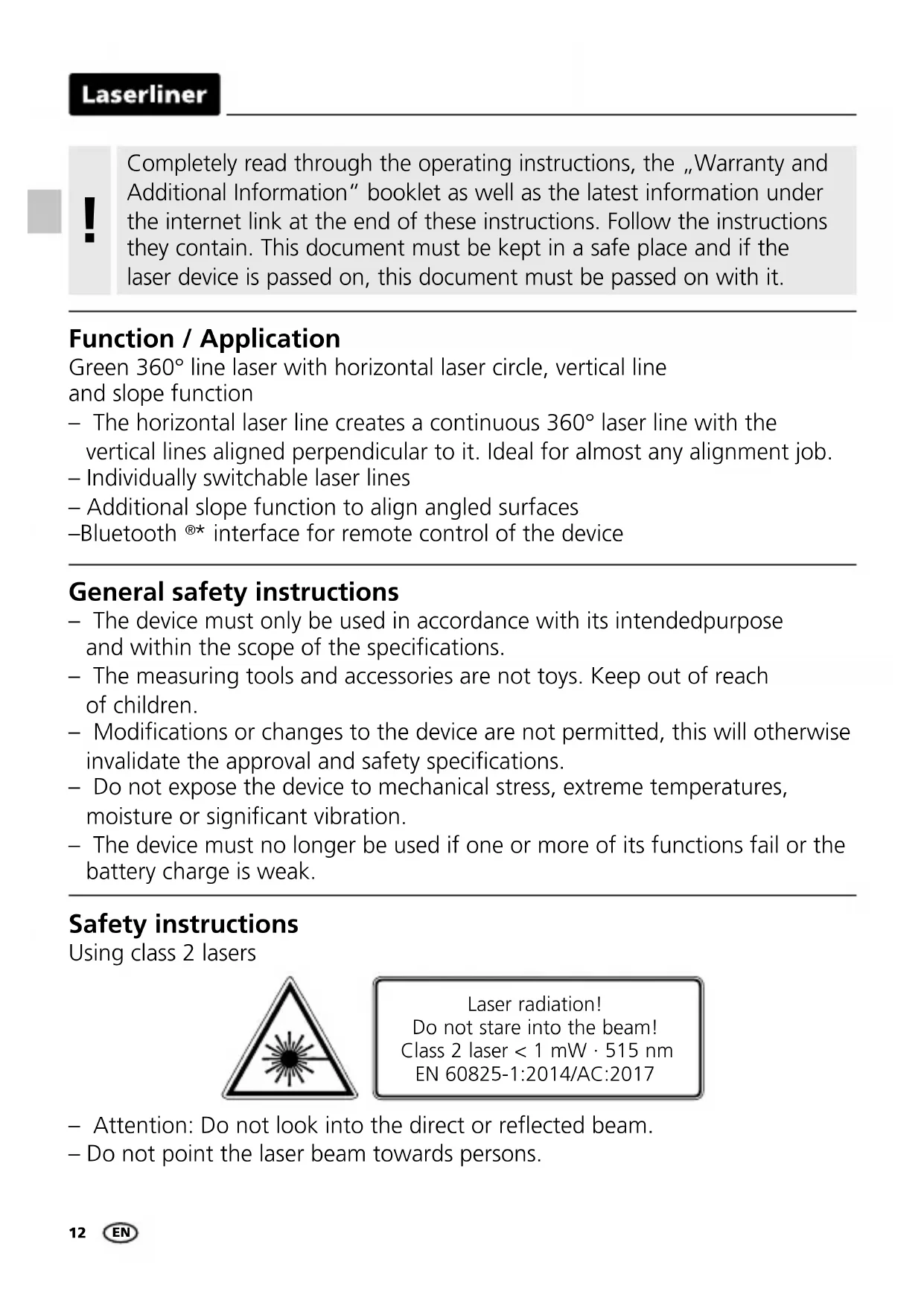
Function / Application Green 360° line laser with horizontal laser circle, vertical line and slope function – The horizontal laser line creates a continuous 360° laser line with the vertical lines aligned perpendicular to it. Ideal for almost any alignment job. – Individually switchable laser lines – Additional slope function to align angled surfaces – Bluetooth
- interface for remote control of the device General safety instructions – The device must only be used in accordance with its intendedpurpose and within the scope of the specications. – The measuring tools and accessories are not toys. Keep out of reach of children. – Modications or changes to the device are not permitted, this will otherwise invalidate the approval and safety specications. – Do not expose the device to mechanical stress, extreme temperatures, moisture or signicant vibration. – The device must no longer be used if one or more of its functions fail or the battery charge is weak. Laser radiation! Do not stare into the beam! Class 2 laser < 1 mW · 515 nm EN 60825-1:2014/AC:2017 Safety instructions Using class 2 lasers – Attention: Do not look into the direct or reected beam. – Do not point the laser beam towards persons. ENCompactLine-Laser G360
Safety instructions Dealing with electromagnetic radiation Safety instructions Dealing with RF radiation – The measuring device is equipped with a wireless interface. – The measuring device complies with electromagnetic compatibility and wireless radiation regulations and limits in accordance with the RED 2014/53/EU. – Umarex GmbH & Co. KG hereby declares that the CompactLine-Laser G360 radio equipment complies with the essential requirements and other provisions of the European Radio Equipment Directive 2014/53/EU (RED). The EU Declaration of Conformity can be found in its entirety at the following address: http://laserliner.com/info?an=AIU – The measuring device complies with electromagnetic compatibility regulations and limits in accordance with the EMC Directive 2014/30/EU which is covered by the Radio Equipment Directive 2014/53/EU. – Local operating restrictions – for example, in hospitals, aircraft, petrol stations or in the vicinity of people with pacemakers – may apply. Electronic devices can potentially cause hazards or interference or be subject to hazards or interference. – The measuring accuracy may be affected when working close to high voltages or high electromagnetic alternating elds. – If a person‘s eyes are exposed to class 2 laser radiation, they should shut their eyes and immediately move away from the beam. – Under no circumstances should optical instruments (magnifying glass, microscope, binoculars) be used to look at the laser beam or reections. – Do not use the laser at eye level (1.40 … 1.90 m) – Reective, specular or shiny surfaces must be covered whilst laser devices are in operation. – In public areas shield off the laser beam with barriers and partitions wherever possible and identify the laser area with warning signs. EN14 When transporting, always switch off all lasers, secure pendulum and push the slide switch (3) to the right.
Special product features Automatic alignment of the device with a magnetically dampened pendulum system. The device is brought into initial position and aligns itself autonomously. Transport LOCK: The device is protected with a pendelum lock during transport. GRX-READY technology enables line lasers to be used even in unfavourable light conditions.The laser lines pulsate at a high frequency and this can be picked up by special laser receiversover long distances. Information on maintenance and care Clean all components with a damp cloth and do not use cleaning agents, scouring agents and solvents. Remove the battery(ies) before storing for longer periods. Store the device in a clean and dry place.
The tilt function is not active following switch-on. Once the device has been set up, press the tilt button to activate the tilt function, enabling you to protect the laser from changes in position caused by the device being disturbed by external factors. The tilt LED flashes to indicate that the tilt function is active. If the position of the laser was shifted through external factors, a signal sounds, the laser flashes and the tilt LED lights up continuously. Press the tilt button twice to continue. Erroneous and inaccurate measurements are thus prevented simply and reliably. The tilt function does not activate monitoring until 20 seconds after the laser has been fully levelled (set-up phase). The tilt LED flashes every second during the set-up phase, and flashes rapidly when tilt is active. !CompactLine-Laser G360
External influence Automatic level set-up phase Enabling the tilt function: press the tilt button; the tilt LED flashes every second. The laser flashes, the tilt LED lights up continuously and a signal sounds. How the tilt function works Green laser technology Laser modules in DLD design stand for high line quality as well as a clean and clear and therefore easily visible line image. Unlike previous generations they are more temperature-stable and energy efficient. Furthermore, the human eye has a higher sensitivity to the wave range of the green laser than the red laser, for example. This makes the green laser diode appear much brighter than the red one. Green lasers, especially in the DLD design, thus offer advantages with regards to how visible the laser line is under unfavourable conditions. Approx. 6 times brighter than a typical red laser with 630 - 660 nm Number and direction of the lasers H = horizontal laser V = vertical laser S = slope function
Tilt active after 20 seconds, rapid flashing of the tilt LED.16
Inserting batteries Open the battery compartment and insert batteries (4 x type AA) according to the symbols. Be sure to pay attention to polarity.
LED levelling red: levelling off green: levelling on Laser line selection button; Hand receiver mode on / off LED hand receiver mode / LED tilt function Tilt function Laser output windows Battery compartment (bottom) Slide switch a ON b OFF / Transport lock / Slope mode 1/4” tripod threads (bottom) Battery status
Horizontal and vertical levelling Release the transport restraint, push the slide switch (3) to the left. The laser cross will appear. The laser lines can be switched individually with the selection button. The transport restraint must be released for horizontal and vertical levelling. The laser lines flash and the LED lights red as soon as the device is outside the automatic levelling range of 3°. Position the device such that it is within the levelling range. The LED switches back to green and the laser lines stop flashing (steady light).
Slope mode Do not release transport restraint, push slide switch (3) to the right. Select the laser with the selector button (7). Sloping planes and tilts can now be measured. In this mode, the laser lines no longer align automatically. The LED (6) lights constantly red.
Hand receiver mode Optional: Working with the laser receiver GRX Use an GRX laser receiver (optional) to carry out levelling at great distances or when the laser lines are no longer visible. To work with a laser receiver, switch the line laser to hand- held receiver mode by keeping button 7 (handheld receiver mode on / off) pressed. The laser lines will now pulsate with high frequency, making the laser lines darker. The laser receiver can detect these pulsating laser lines. Observe the laser receiver‘s operating instructions for line lasers.
Due to the special optics required to generate a continuous 360° laser line, the underlying technology may cause differences in brightness in different areas of the line. This may lead to different ranges in hand receiver mode.
Preparing the calibration check It is possible for you to check the calibration of the laser. To do this, position the device midway between 2 walls, which must be at least 5 m apart. Switch the device on (Laser cross ON). The best calibration results are achieved if the device is mounted on a tripod.
1. Mark point A1 on the wall.
2. Turn the device through 180° and mark point A2.
You now have a horizontal reference between points A1 and A2. ENCompactLine-Laser G360
Checking the horizontal line Position the device about 5 m from a wall and switch on the cross laser. Mark point B on the wall. Turn the laser cross approx. 2.5 m to the right and mark point C. Check whether the horizontal line from point C is level with point B to within ± 2 mm. Repeat the process by turning the laser to the left.
< 0,4 mm / m = OK Performing the calibration check When A2 and A3 are more than 0.4 mm / m apart, an adjustment is necessary. Contact your authorised dealer or else the UMAREX-LASERLINER Service Department.
3. Position the device as near as possible to the wall at the height
4. Turn the device through 180° and mark point A3.
The difference between points A2 and A3 is the tolerance.
2,5 m< 2 mm = OK Checking the vertical line Position the device about 5 m from a wall. Fix a plumb bob with a line of 2.5 m length on the wall, making sure that the bob can swing freely. Switch on the device and align the vertical laser to the plumb line. The precision is within the specified tolerance if the deviation between the laser line and the plumb line is not greater than ± 2 mm. Regularly check the calibration before use, after transport and after extended periods of storage.
EN20 Data transfer The device features a Bluetooth
- function that enables wireless data transfer to mobile devices with a Bluetooth
- interface (such as a smartphone or tablet). The system prerequisites for a Bluetooth
- connection are specied at http://laserliner.com/info?an=ble The device can set up a Bluetooth
- connection with Bluetooth 4.0 compatible devices. The range is set to a maximum distance of 10 m from the terminal device and greatly depends on the ambient conditions such as the thickness and composition of walls, sources of interference as well as the transmit / receive properties of the terminal device. Once it has been activated, Bluetooth
- remains switched on indenitely as the radio system is designed with exceptionally low power consumption. A mobile device can link up to the active measuring device via an app. Application (app) An app is required to use the Bluetooth
- function. You can download the app from the corresponding stores for the specific type of terminal device: After starting the app and activating the Bluetooth
- function, a connection can be set up between a mobile device and the measuring device. If the app detects several active measuring devices, select the matching device. This measuring device can be connected automatically the next time it is switched on.
word mark and the logo are registered trademarks of Bluetooth SIG Inc. Make sure that the Bluetooth
- interface of the mobile device is activated.
Additional functions via the app The app offers a range of additional functions. If it is not possible to control your device via the app for technical reasons, reset the device to the factory ENCompactLine-Laser G360
Calibration The meter needs to be calibrated and tested on a regular basis to ensureit produces accurate measurement results. We recommend carrying out calibration once a year. Technical data (Subject to technical changes without notice. 20W02) Self-levelling range ± 3° Accuracy ± 0,4 mm / m Levelling automatic Visibility (typical)* 30 m Working range with hand receiver 30 m (depends on how the technology affects the difference in brightness) Laser wavelength 515 nm Laser class 2 / < 1 mW (EN 60825-1:2014/AC:2017) Power supply 4 x 1,5V LR6 (AA) Operating time approx. 6 hours Operating conditions 0°C … 50°C, max. humidity 80% rH, no condensation, max. working altitude 4000 m above sea level Storage conditions -10°C … 70°C, max. humidity 80% rH Radio module operating data Bluetooth LE 4.x interface; Frequency band: ISM band 2400–2483.5 MHz, 40 channels; Transmission power: max. 10 mW; Bandwidth: 2 MHz; Bit rate: 1 Mbit/s; Modulation: GFSK/FHSS Dimensions (W x H x D) 87 x 96 x 56 mm Weight 350 g (incl. batteries) EU directives and disposal This device complies with all necessary standards for the free movement of goods within the EU. This product is an electric device and must be collec- ted separately for disposal according to the European Directive on waste electrical and electronic equipment. Further safety and supplementary notices at: http://laserliner.com/info?an=AIU settings by switching it off and back on again so that you can continue to use the regular functions without problems.