ManualGo.com
CompactCrossLaser - Laser pointer Laserliner - Free user manual and instructions
Find the device manual for free CompactCrossLaser Laserliner in PDF.

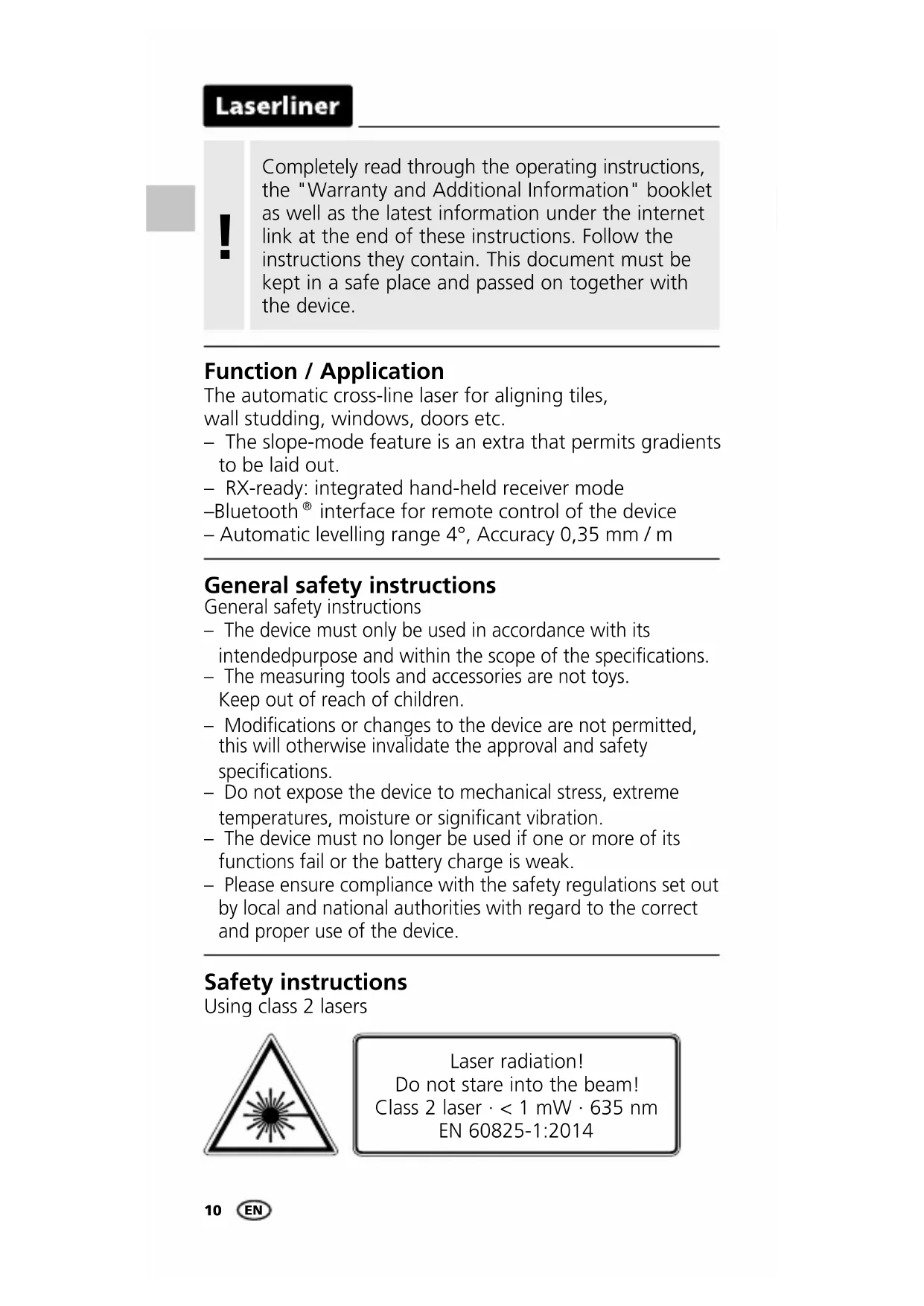


Download the instructions for your Laser pointer in PDF format for free! Find your manual CompactCrossLaser - Laserliner and take your electronic device back in hand. On this page are published all the documents necessary for the use of your device. CompactCrossLaser by Laserliner.
USER MANUAL CompactCrossLaser Laserliner
interface for remote control of the device – Automatic levelling range 4°, Accuracy 0,35 mm / m General safety instructions General safety instructions – The device must only be used in accordance with its intendedpurpose and within the scope of the specications. – The measuring tools and accessories are not toys. Keep out of reach of children. – Modications or changes to the device are not permitted, this will otherwise invalidate the approval and safety specications. – Do not expose the device to mechanical stress, extreme temperatures, moisture or signicant vibration. – The device must no longer be used if one or more of its functions fail or the battery charge is weak. – Please ensure compliance with the safety regulations set out by local and national authorities with regard to the correct and proper use of the device. Safety instructions Using class 2 lasers Completely read through the operating instructions, the "Warranty and Additional Information" booklet as well as the latest information under the internet link at the end of these instructions. Follow the instructions they contain. This document must be kept in a safe place and passed on together with the device.
– Attention: Do not look into the direct or reected beam. – Do not point the laser beam towards persons. – If a person‘s eyes are exposed to class 2 laser radiation, they should shut their eyes and immediately move away from the beam. – Tampering with (making changes to) the laser device is not permitted. – Under no circumstances should optical instruments (magnifying glass, microscope, binoculars) Safety instructions Dealing with electromagnetic radiation Safety instructions Dealing with RF radiation – The measuring device complies with electromagnetic compatibility regulations and limits in accordance with the EMC Directive 2014/30/EU which is covered by the Radio Equipment Directive 2014/53/EU. – Local operating restrictions – for example, in hospitals, aircraft, petrol stations or in the vicinity of people with pacemakers – may apply. Electronic devices can potentially cause hazards or interference or be subject to hazards or interference. – The measuring accuracy may be affected when working close to high voltages or high electromagnetic alternating elds. – The measuring device is equipped with a wireless interface. – The measuring device complies with electromagnetic compatibility and wireless radiation regulations and limits in accordance with the RED 2014/53/EU. – Umarex GmbH & Co. KG hereby declares that the CompactCross-Laser radio equipment complies with the essential requirements and other provisions of the European Radio Equipment Directive 2014/53/EU (RED). The EU Declaration of Conformity can be found in its entirety at the following address: http://laserliner.com/info?an=AGO Always turn off all lasers and latch the pendulum in place before transporting, ON/OFF switch (4) in its „OFF“ position!
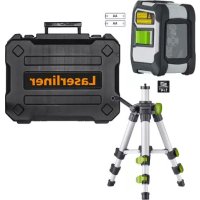
Inserting batteries Open the battery compartment and insert batteries (2 x type AA) according to the symbols. Be sure to pay attention to polarity.
LASER LASER LASER LASER
Horizontal and vertical levelling Release the transport restraint, set the ON/OFF switch (4) to „ON“. The laser cross will appear. The laser lines can be switched individually with the selection button. 1 Laser line selection button / Hand receiver mode
LED levelling red: levelling off green: levelling on 3 Battery compartment (backside) 4 ON / OFF switch, transport retainer 5 Laser output windows 6 1/4“ tripod threads (bottom) 7 LED hand receiver mode ENCompactCross-Laser
The transport restraint must be released for horizontal and vertical levelling. The LED (2) shows a permanent green light. The laser lines flash and the LED (2) lights red as soon as the device is outside the automatic levelling range of 4°. Position the device such that it is within the levelling range. The LED (2) switches back to green and the laser lines stop flashing (steady light).
Hand receiver mode Optional: Working with the laser receiver RX Use an RX laser receiver (optional) to carry out levelling at great distances or when the laser lines are no longer visible. To work with a laser receiver, switch the line laser to hand-held receiver mode by keeping button 1 (handheld receiver mode on / off) pressed. The laser lines will now pulsate with high frequency, making the laser lines darker. The laser receiver can detect these pulsating laser lines.
Slope mode Do not release the transport restraint, set the ON/OFF switch (4) to „OFF“. Select and switch on the laser with the selection button. Sloping planes can now be measured. This mode cannot be used to perform horizontal or vertical levelling as the laser lines are no longer aligned automatically. The LED lights constantly red. Observe the laser receiver‘s operating instructions for line lasers.
3. Position the device as near as possible to the wall at the
4. Turn the device through 180° and mark point A3. The
difference between points A2 and A3 is the tolerance. Preparing the calibration check It is possible for you to check the calibration of the laser. To do this, position the device midway between 2 walls, which must be at least 5 metres apart. Switch the device on (LASER CROSS ON). The best calibration results are achieved if the device is mounted on a tripod.
1. Mark point A1 on the wall.
2. Turn the device through 180° and mark point A2. You now
have a horizontal reference between points A1 and A2. When A2 and A3 are more than 0.35 mm / m apart, an adjustment is necessary. Contact your authoriseddealer or else the UMAREX-LASERLINER Service Department.
2,5 m< 1.75 mm = OK Checking the horizontal line Position the device about 5 m from a wall and switch on the cross laser. Mark point B on the wall. Turn the laser cross approx. 2.5 m to the right and mark point C. Check whether the horizontal line from point C is level with point B to within ± 1.75 mm. Repeat the process by turning the laser to the left. Checking the vertical line Position the device about 5 m from a wall. Fix a plumb bob with a line of 2.5 m length on the wall, making sure that the bob can swing freely. Switch on the device and align the vertical laser to the plumb line. The precision is within the specified tolerance if the deviation between the laser line and the plumb line is not greater than ± 1.75 mm. Data transfer The device features a Bluetooth
- function that enables wireless data transfer to mobile devices with a Bluetooth
interface (such as a smartphone or tablet). The system prerequisites for a Bluetooth
- connection are specied at http://laserliner.com/info?an=ble The device can set up a Bluetooth
- connection with Bluetooth 4.0 compatible devices. The range is set to a maximum distance of 10 m from the terminal device and greatly depends on the ambient conditions such as the thickness and composition of walls, sources of interference as well as the transmit / receive properties of the terminal device. Once it has been activated, Bluetooth
- remains switched on indenitely as the radio system is designed with exceptionally low power consumption. A mobile device can link up to the active measuring device via an app. Regularly check the calibration before use, after transport and after extended periods of storage.
EN16 Application (app) An app is required to use the Bluetooth
- function. You can download the app from the corresponding stores for the specific type of terminal device: After starting the app and activating the Bluetooth
function, a connection can be set up between a mobile device and the measuring device. If the app detects several active measuring devices, select the matching device. This measuring device can be connected automatically the next time it is switched on.
word mark and the logo are registered trademarks of Bluetooth SIG Inc. Make sure that the Bluetooth
- interface of the mobile device is activated.
Additional functions via the app The app offers a range of additional functions. If it is not possible to control your device via the app for technical reasons, reset the device to the factory settings by switching it off and back on again so that you can continue to use the regular functions without problems. Information on maintenance and care Clean all components with a damp cloth and do not use cleaning agents, scouring agents and solvents. Remove the battery(ies) before storing for longer periods. Store the device in a clean and dry place. ENCompactCross-Laser