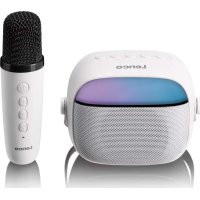
BTC020 - Speaker LENCO - Free user manual and instructions
Find the device manual for free BTC020 LENCO in PDF.

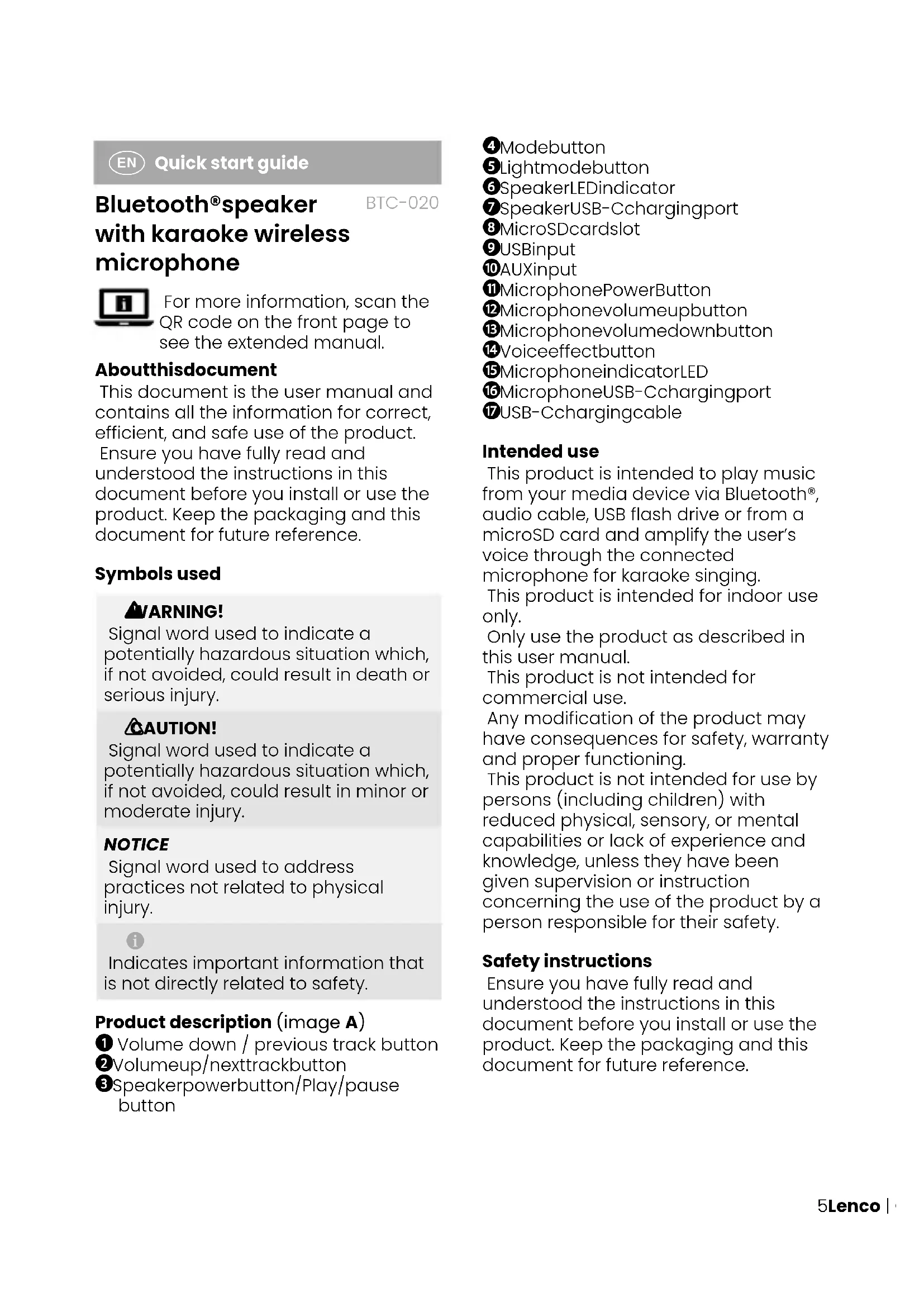


| Product Type | Portable Bluetooth speaker with wireless microphone for karaoke |
| Brand | Lenco |
| Model | BTC020 |
| Connections | Bluetooth 5.0, 3.5 mm AUX input, USB-A port, microSD card reader |
| Supported audio formats | MP3 (via USB/microSD) |
| Bluetooth range | 10 meters |
| Power | Built-in rechargeable battery, charging via USB-C |
| Battery life | Approximately 5 to 8 hours (depending on volume and lighting) |
| Charging time | Approximately 3 hours |
| Microphone | Wireless, rechargeable via USB-C, with volume control and voice effect |
| Controls | Volume, play/pause, track skip, source mode, LED lighting |
| LED lighting | Yes, multiple effects, switchable |
| Usage | Indoor only |
| Operating temperature | 0 °C to 35 °C |
| Maintenance | Clean the exterior with a soft, damp cloth once a month |
| Safety | Do not expose to water, do not open, keep away from children and heat sources |
| Spare parts | Not available separately; contact Lenco after-sales service |
| Warranty | Manufacturer standard (see conditions on lenco.com) |
Frequently Asked Questions - BTC020 LENCO
User questions about BTC020 LENCO
0 question about this device. Answer the ones you know or ask your own.
Ask a new question about this device
Download the instructions for your Speaker in PDF format for free! Find your manual BTC020 - LENCO and take your electronic device back in hand. On this page are published all the documents necessary for the use of your device. BTC020 by LENCO.
USER MANUAL BTC020 LENCO
Bluetooth® speaker with karaoke wireless microphone
QUICK START GUIDE
EN Quick start guide 5
DE Kurzanleitung 8
FR Guide d'utilisation rapide 13
NL Snelstartgids 17
IT Guida rapida all'avvio 21
ES Guia de inicio=rápido 25
PT Guia de iniciação rápida 29
SV Snabbstartsguide 33
Pika-aloitusopas 36
NO Hurtigguide 40
DA Vejledning til hurtig start 44
HU Gyors beüzemelési utmutató 47
PL Przewodnik Szybki start 51
EL O8nyoc yrhoynopnc EKKivnogcn 56
SK Rychly námod 60
cs Rychly námod 63
RO Ghid rapid de initiere 67
Specifications
| Product Bluetooth® speaker with karaoke | wireless microphone |
| TypeBTC-020 | |
| Bluetooth®version5.3 | |
| Bluetooth® frequency range 2402 - 2480 MHz | |
| Transmissiondistance10m | |
| Max. transmission power < 6 dBm | |
| Inputpower DC 5 V - 1 A | |
| Poweroutput5W | |
| Speaker dimensions (l×w×h) 110 × 91 × 91 mm | |
| Microphone dimensions (l×w×h) 37.5 × 37.5 × 136 mm | |
| Weight397g | |
| Battery capacity speaker 1200mAh | |
| Battery capacity microphone 500mAh | |
| Chargingtime±3hours | |
| Playingtime | ±11 hours (70% volume with light on) |
| Audio format SD/USB | MP3 |
| Maximum USB drive capacity 32 GB | |
| Packinglist | Bluetooth® speaker, wireless microphone, USB-C charging cable, user manual |
A
B

Quick start guide
Bluetooth®speaker with karaoke wireless microphone
BTC-020
For more information, scan the QR code on the front page to see the extended manual.
Aboutthisdocument
This document is the user manual and contains all the information for correct, efficient, and safe use of the product. Ensure you have fully read and understood the instructions in this document before you install or use the product. Keep the packaging and this document for future reference.
Symbols used
WARNING!
Signal word used to indicate a potentially hazardous situation which, if not avoided, could result in death or serious injury.
CAUTION!
Signal word used to indicate a potentially hazardous situation which, if not avoided, could result in minor or moderate injury.
NOTICE
Signal word used to address practices not related to physical injury.

Indicates important information that is not directly related to safety.
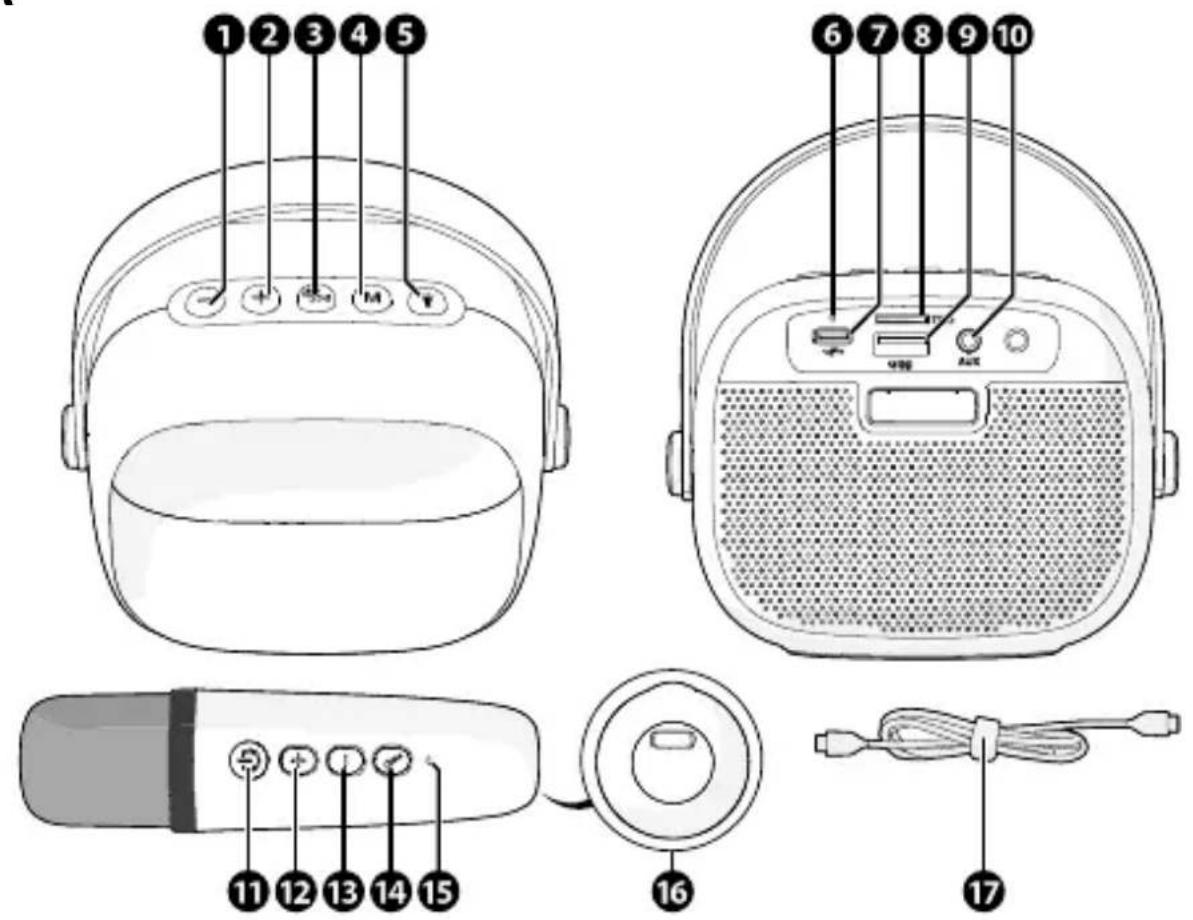
Product description (image A)
Volume down / previous track button
volumeup/nexttrackbutton
Speakerpowerbutton/Play/pause button
4MODEbutton
Lightmodebutton
SpeakerLEDindicator
SpeakerUSB-Cchargingport
MicroSDcardslot
9USBinput
10AUXinput
1 MicrophonePowerButton
Microphonevolumeupbutton
Microphonevolumedownbutton
14voiceeffectbutton
15 MicrophoneindicatorLED
MicrophoneUSB-Cchargingport
USB-Cchargingcable
Intended use
This product is intended to play music from your media device via Bluetooth® audio cable, USB flash drive or from a microSD card and amplify the user's voice through the connected microphone for karaoke singing.
This product is intended for indoor use only.
Only use the product as described in this user manual.
This product is not intended for commercial use.
Any modification of the product may have consequences for safety, warranty and proper functioning.
This product is not intended for use by persons (including children) with reduced physical, sensory, or mental capabilities or lack of experience and knowledge, unless they have been given supervision or instruction concerning the use of the product by a person responsible for their safety.
Safety instructions
Ensure you have fully read and understood the instructions in this document before you install or use the product. Keep the packaging and this document for future reference.
WARNING!
Chokinghazard:
- Do not let children play with packaging material. Packaging materials can lead to choking and suffocation. Always keep the packaging material out of reach of children.
Electrical hazard:
- Do not expose the product to water, rain, moisture, or high humidity.
- Do not use the product in damp environments, such as a bathroom or kitchen or near swimming pools.
- Do not place objects filled with liquids, such as vases, near the product.
- Never insert any object into the ventilation opening of the product. The product contains electrical components.
- Only use the provided USB charging cable.
- Keep the product away from pets and other animals. Animals can bite through the power cable and suffer electrical shock.
- Do not open the product, there are no user serviceable parts inside.
- This product may only be serviced by a qualified technician for maintenance.
Firehazard:
- Do not use the product if a part is damaged or defective. Always replace a damaged or defective product immediately.
- Unplug the product from the power source and other equipment if problems occur.
- Do not cover the ventilation openings. Always leave at least 5 cm of space around the product.
- Do not place the product on top of other electrical equipment.
- Never use the product with a damaged power cable or adapter.
CAUTION!
Risk of hearing loss:
- Extended exposure to high volumes can cause hearing loss.
NOTICE
Risk of product damage:
- Keep the product away from heat sources, such as radiators, heaters, stoves, and naked flames.
- Keep the product away from strong magnetic objects.
Always keep the power cable and the product away from usual walkways. - Place the product on a stable surface.
- Do not disconnect the product by pulling on the cable. Always grasp the connector and pull.
- Avoid electrostatic discharge when handling the product. Electrostatic discharge can disturb the normal functioning of the product.
- Use the product only in moderate climates. Avoid extremely cold or hot environments. The recommended operating temperature is between 0^ and 35^ .
- Only use accessories provided by the manufacturer.
- Disconnect the product from the power outlet during lightning storms or before prolonged periods of disuse.
- Only use the product as described in this document.
- Do not drop the product and avoid bumping.
- Clean the outside of the product every month with a soft, damp cloth. Avoid abrasives that can damage the surface.
Check that all parts are present and that no damage is visible on the parts. If parts are missing or damaged, contact the Lenco B.V. service desk via the website: www.lenco.com.
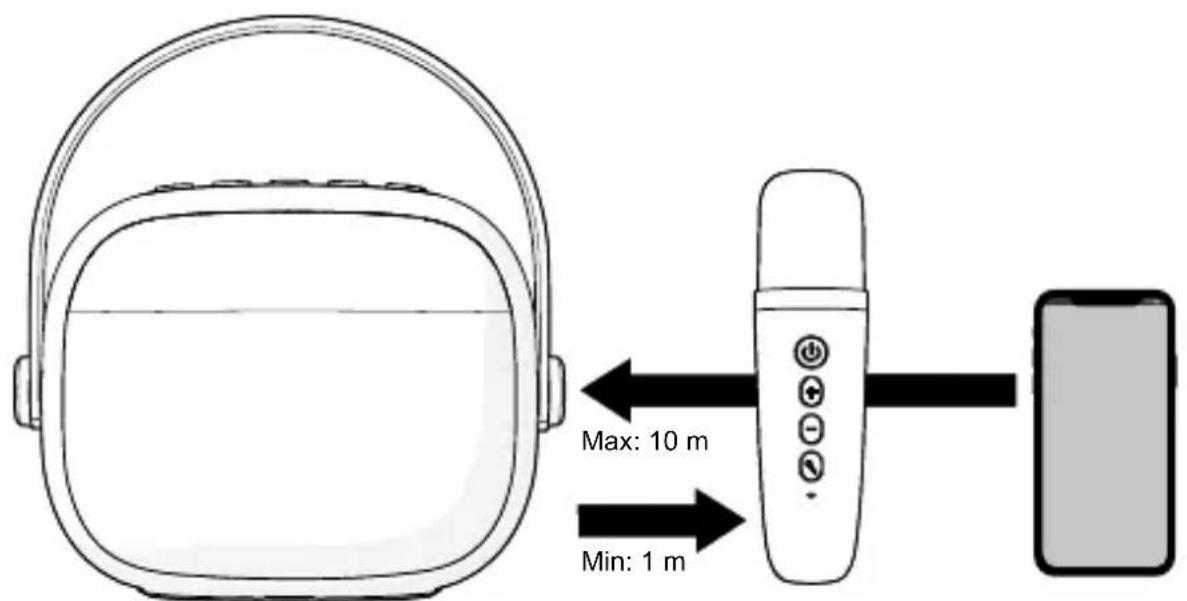
During use (image B)
Always keep the Bluetooth® audio source within 10 meters of the speaker. Always keep the microphone at least 1 meter away from the speaker.
Charging the product
The product is delivered with a partially charged battery. For optimal battery life, fully charge the battery of the Bluetooth® speaker and the wireless microphone before first use.
- Plug the USB-C charging cable into a suitable power adapter (not included).
- Plug the power adapter into a power outlet.
- Plug the USB-C charging cable into the charging port of the Bluetooth speaker or the charging port of the wireless microphone.
The charging indicator LED lights up red during charging.
The charging indicator LED switches off when the product is fully charged.
Switching the product on/off
- Press and hold the speaker power button to switch on the Bluetooth® speaker.
- Press and hold the microphone power button to switch on the wireless microphone.
- The wireless microphone will automatically connect to the Bluetooth® speaker.
- Press and hold the speaker power button to turn off the Bluetooth® speaker.
- Press and hold the microphone power button to turn off the wireless microphone.
- The Bluetooth® speaker automatically switches off after 5 minutes of inactivity.
- The wireless microphone automatically switches off after 5 minutes of inactivity.
Changing the audio source
Press the Mode button to cycle through
the available audio sources.
Only available with an AUX, MicroSD card, or USB source connected.
Playing music from a Bluetooth® audio source
- Press and hold the power button to switch on the Bluetooth® speaker.
- Open the Bluetooth® settings on your mobile device and connect to "Lenco BTC-020".
If a password is required, enter "0000" - When connected, use the media control buttons to control the music.
Keep the audio source and product within 10 meters of each other
Playing music via a USB drive or microSD card
USB drive / MicroSD card playback only supports MP3 file formats and a maximum capacity of 32GB.
- Insert a USB drive into the USB input or a microSD card into the microSD card slot.
The product automatically starts playing music from the USB drive or microSD card.
- Use the media control buttons to control the music.
Do not remove the USB drive or microSD when the device is formatting or transferring files. This leads to corrupted data.
Never use a USB extension cable, always plug a USB drive directly into the product.
Playing music via the AUX cable
- Plug the AUX cable into the AUX input of the product.
- Plug the other end of the AUX cable into an AUX output of your audio source.
- Press the Mode button to select AUX mode.
The media control buttons are disabled in AUX mode. Only the play/ pause button mutes the speaker. Use
the media control buttons on your audio source to control the music.
Controlling the LED light
- Press and hold the light mode button to switch the LED lights on or off.
- Press the light button to cycle between the 6 different light effects that cycle independently from the music.
Disclaimer
Updates to firmware and/or hardware components are made regularly. Therefore some of the instruction, specifications, and pictures in this documentation may differ slightly from your particular situation. All items described in this guide are for illustration purposes only and may not apply to your particular situation. No legal right or entitlements may be obtained from the description made in this manual.
Disposal
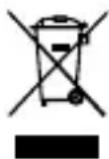
This symbol indicates that the relevant electrical product or battery should not be disposed of as general household waste in Europe. To ensure the correct waste treatment of the product and battery, please dispose them in accordance to any applicable local laws of requirement for disposal of electrical equipment or batteries. In doing so, you will help to conserve natural resources and improve standards of environmental protection in treatment and disposal of electrical waste (Waste Electrical and Electronic Equipment Directive).
Declaration of Conformity
We, Commaxx B.V. declare as manufacturer that the product BTC-020 from our brand Lenco®, produced in China, has been tested according to all relevant CE standards and regulations and that all tests have been passed successfully. This includes, but is not limited to the RED 2014/53/EU regulation.
The complete Declaration of Conformity (and the safety datasheet if applicable) can be found and downloaded via: doc.nedis.com/en-us/BTC020WH
Service
For more information and helpdesk support, please visit www.lenco.com Commaxx B.V. Wiebachstraat 37, 6466 NG, Kerkrade, The Netherlands.

Kurzanleitung
Avanapaywyn mouoiknc mcos Tou kaawdiou AUX
- to kaawio AUX oTny AUX eoo do tou npoiovtoc.
-
o k a i o u AUX ornv e0do AUX tnc oukeunc nyou
-
NaTnOte To Koumni λειToupyiaç γia va επιλεξετe Tn λειToupyia AUX. Ta Koumniα Ελέγχου πολμεσων εivai anενεργοποιημενα στη λειToupyia AUX. Móvo To Koumni avanapaywync/naʊɔnc kávei σίγaon tou nxeiou. Xpnoiμoŋoɪnte Ta Koumniα Ελέγχου πολμεσων στην πηγή nχou γia va ελέγξετe Tn μούοικn.
doc.nedis.com/ro-ro/BTC020WH
Service

- Bluetooth® speaker with karaoke wireless microphone
- Specifications
- Quick start guide
- Bluetooth®speaker with karaoke wireless microphone
- Aboutthisdocument
- Symbols used
- WARNING!
- CAUTION!
- NOTICE
- Product description (image A)
- Intended use
- Safety instructions
- During use (image B)
- Charging the product
- Switching the product on/off
- Changing the audio source
- Playing music from a Bluetooth® audio source
- Playing music via a USB drive or microSD card
- Playing music via the AUX cable
- Controlling the LED light
- Disclaimer
- Disposal
- Declaration of Conformity
- Service
- Kurzanleitung
- Avanapaywyn mouoiknc mcos Tou kaawdiou AUX
Brand : LENCO
Model : BTC020
Category : Speaker