EasyManual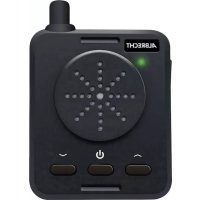
PR446 - Radio ALBRECHT - Free user manual and instructions
Find the device manual for free PR446 ALBRECHT in PDF.



User questions about PR446 ALBRECHT
0 question about this device. Answer the ones you know or ask your own.
Ask a new question about this device
Download the instructions for your Radio in PDF format for free! Find your manual PR446 - ALBRECHT and take your electronic device back in hand. On this page are published all the documents necessary for the use of your device. PR446 by ALBRECHT.
USER MANUAL PR446 ALBRECHT
- Micro-USB charging cable
- Velcro strap for mounting
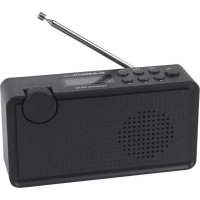
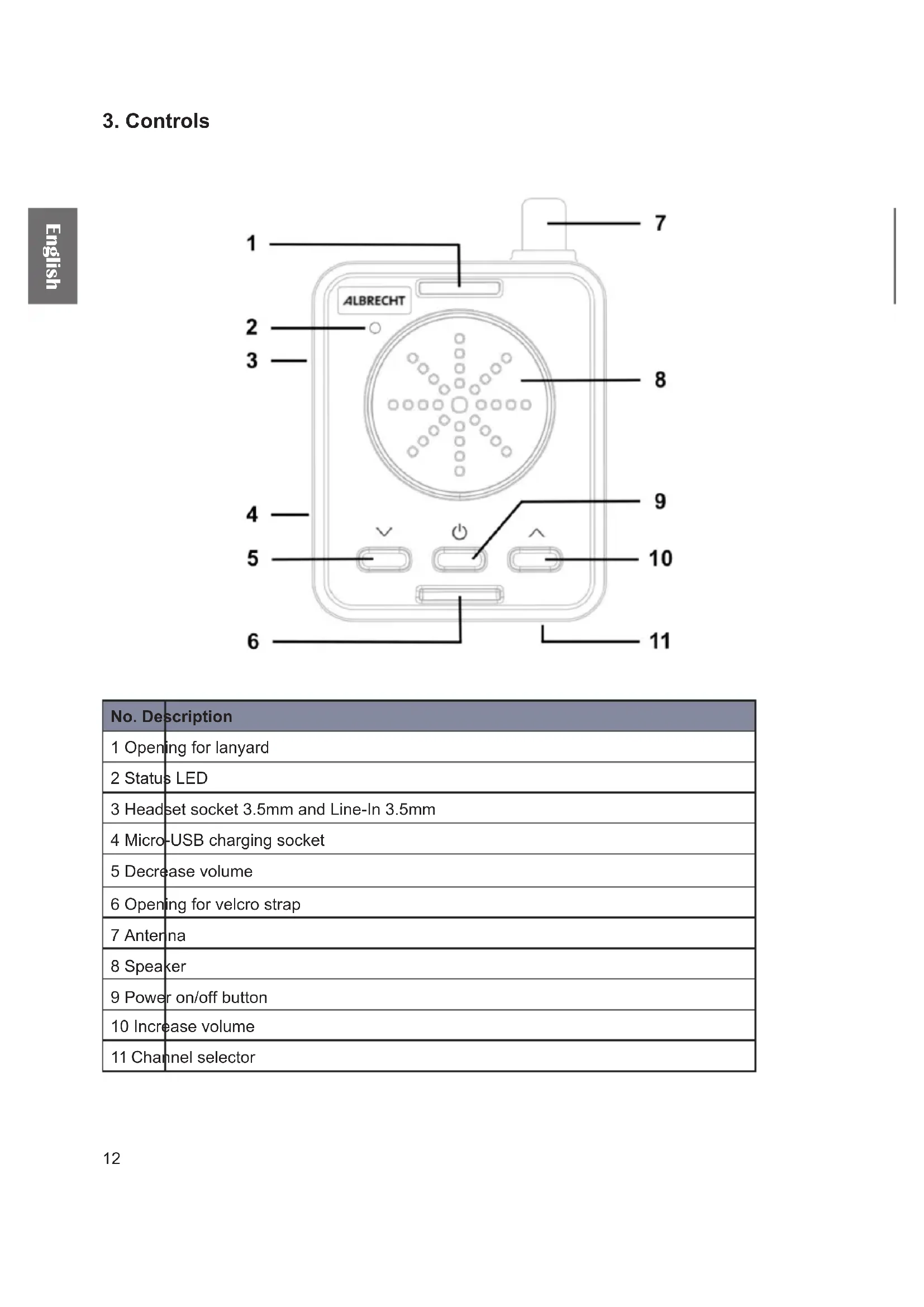
No. Description 1 Opening for lanyard 2 Status LED 3 Headset socket 3.5mm and Line-In 3.5mm 4 Micro-USB charging socket 5 Decrease volume 6 Opening for velcro strap 7 Antenna 8 Speaker 9 Power on/off button 10 Increase volume 11 Channel selector13 English
The PR-446 is a PMR446 radio receiver and is compatible to all PMR-446 radios with CTCSS. 4.1. Power On/Off To turn the receiver on or off, press and hold the button for 2 seconds until you hear a conrmation beep tone. 4.2. Volume adjustment Use the ▼/▲ buttons to change the volume of the receiver. You can select between 8 different volume steps. 4.3. Channel selection You can choose between 4 different channels. To select a channel (CH) 1-4, change the position of the pins on the bottom of the receiver according to the graphic on the right side. Note: please use the same channels and CTCSS on receiver and transceiver. In order to program the PR-446 to other channels/frequencies, use the optional USB-programming cable Art.-No 29983. Memory Channel / Frequency CTCSS 1 1 / 446,00625 MHz 1 2 2 / 446,01875 MHz 1 3 3 / 446.03125 MHz 1 4 4 / 446.04375 MHz 1 4.4. Charging the battery Connect the Micro-USB charging cable to socket on the left side of the receiver. Plug the other end into a suitable power supply e.g. USB wall adapter. Alternatively you can use an optionally available desktop charger. During the charging process the status LED is red. Once the battery is fully charged it will switch to green. It takes about 4 hours to charge the batteries completely. 4.5. Status LED Description. LED Receiving mode blinking green every 5 seconds During incoming transmissions constant green Low battery capacity blinking red Battery charging in process constant red Battery completely charged constant green 4.6. Line-In With the Line-In the PR-446 can be used as an external speaker. Simply connect an audio source e.g. smartphone with an audio cable to the PR-446 and adjust the volume accordingly.14 English
5. Installing the receiver inside a helmet
If you would like to use the PR-446 receiver inside a helmet, install it this way:
1. Put the velcro strap through the opening at the bottom of the unit (1) and x it at this end like
shown in graphic (2) below.
2. Wrap the velcro around the helmet straps (3). The speaker should show upwards towards the
3. Alternatively put the receiver inside the transparent protection bag (4) and install it at the straps
of the helmet (5).. 1.) 5.) 2.) 4.)3.)15 English Of course you can also use the included lanyard and carry the receiver around the neck..
6. Technical Specications
Number of channels 4 Frequency range PMR 446MHz Battery type Lithium-Ion Output power 700mW Battery capacity 700mA Operation time 15 hours Standby time 48 hours Noise tail elimination / Sidetone 56 Hz Operation temperature -10C ~ +50C Dimensions (W x H x D) 50x65x15mm Weight incl. battery 20g
7. Safety instructions
- Service should only be done by qualied technicians.
- Do not disassemble or modify the receiver for any reason.
- Do not expose the receiver under direct sunlight for long time or to extremely hot condition.
- Do not place the receiver on any unstable surface.
- Keep the receiver out of dust, moisture, and water.
- Do not operate the receiver or charge the battery pack under explosive conditions.16 English
8. Warranty and Recycling Information
We are legally obliged to include disposal and warranty information as well as EU declaration of conformity with the use instructions in different countries for every unit. Please nd this information on the following pages. 2-Year Warranty from Date of Purchase The manufacturer/retailer guarantees this product for two years from date of purchase. This warranty includes all malfunctions caused by defective components or incorrect functions within the warranty period excluding wear and tear, such as exhausted batteries, scratches on the display, defective casing, broken antenna and defects due to external effects such as corrosion, over voltage through improper external power supply or the use of unsuitable accessories. Defects due to unintended use are also excluded from the warranty. Please contact your local dealer for warranty claims. The dealer will repair or exchange the product or forward it to an authorized service center.You can also contact our service partner directly. Please include your proof of purchase with the product and describe the malfunction as clearly as possible.
9. WEEE and Recycling
The European laws do not allow any more the disposal of old or defective electric or electronic devices with the household waste. Return your product to a municipal collection point for recycling to dispose of it. This system is nanced by the industry and ensures environmentally responsible disposal and the recycling of valuable raw materials.