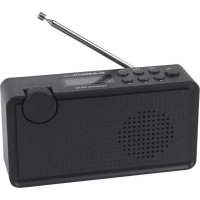
DR 62 - Radio ALBRECHT - Free user manual and instructions
Find the device manual for free DR 62 ALBRECHT in PDF.


| Product type | Portable digital radio |
| Brand | Albrecht |
| Model | DR 62 |
| Category | Radio |
| DAB frequency range | 174.928 MHz (5A) - 239.200 MHz (13F), DAB and DAB+ compatible |
| FM frequency range | 87.5 - 108 MHz |
| Input power | 5V 1A |
| Battery type | Built-in lithium-ion |
| Battery capacity | 1200 mAh |
| Battery life | Up to 6 hours |
| Audio jack | 3.5 mm headphone jack |
| Dimensions | 163 x 88 x 44 mm (L x H x D) |
| Power supply | Rechargeable battery or USB power adapter 5V 1A |
| Main features | DAB/DAB+ and FM reception, 10 presets, sleep timer, automatic and manual search, station information display |
| Care and cleaning | Clean with a dry cloth; avoid moisture, dust and high temperatures |
| Safety | Use only specified voltage; do not open or repair yourself; keep away from liquids |
| Spare parts and repairability | Contact after-sales service: service@alan-electronics.de |
| General information | 2-year warranty; WEEE compliant recycling; EU declaration of conformity available online |
Frequently Asked Questions - DR 62 ALBRECHT
User questions about DR 62 ALBRECHT
0 question about this device. Answer the ones you know or ask your own.
Ask a new question about this device
Download the instructions for your Radio in PDF format for free! Find your manual DR 62 - ALBRECHT and take your electronic device back in hand. On this page are published all the documents necessary for the use of your device. DR 62 by ALBRECHT.
USER MANUAL DR 62 ALBRECHT
5.Sleep timer 14
6. Factory reset 14
7. Battery charging 14
8. Technical specification 15
9. Safety instructions 15
10. Trouble shooting 15
11. Warranty and Recycling Information 16
1. Delivery Content
Please make sure that the box contains the following accessories:
- DR 62 Digital Radio unit
- USB charging cable + USB power supply
- Manual
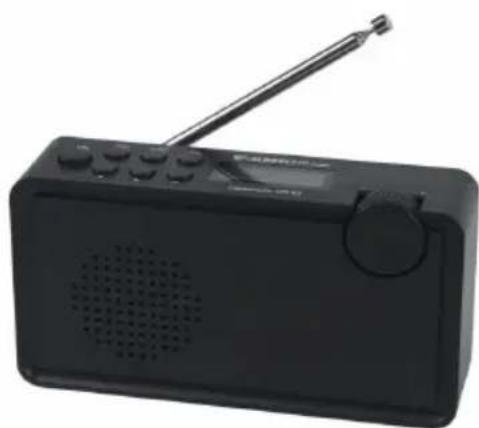
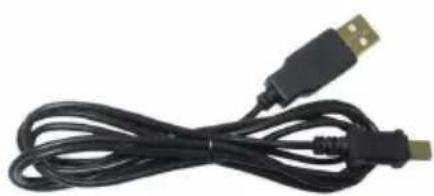
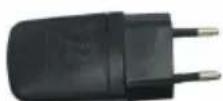
2. Overview Radio
Please take some time to study the manual and read about all functions of your new DR 62.
2.1. Controls
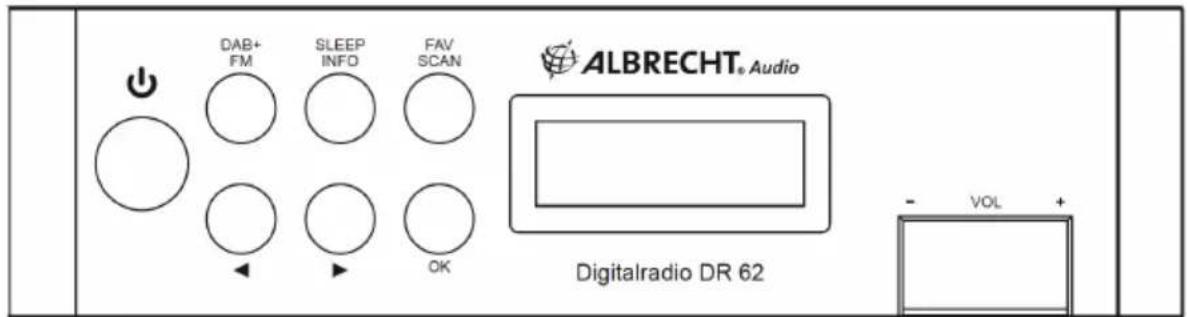
| Description Function | ||
| ◎ | On/Off Turn your radio on or off | |
| DAB FM | Mode Switch between digital (DAB) or analog (FM) radio | |
| SLEEP INFO | Sleep Timer Long press to activate the Sleep Timer | |
| Information | Short press to display information about the currently played station | |
| FAV SCAN | Favorites Short press to recall one of your favorites | |
| Stationscan Long press to start a scan for stations | ||
| ▲ | Navigation left Select previous station / manual frequency change | |
| ▶ | Navigation right Select next station / manual frequency change | |
| OK Confirmed | Confirmed Confirm your selection in menus | |
| VOL +/- Volume Turn the wheel to increase/decrease the volume | ||
2.2.Backside
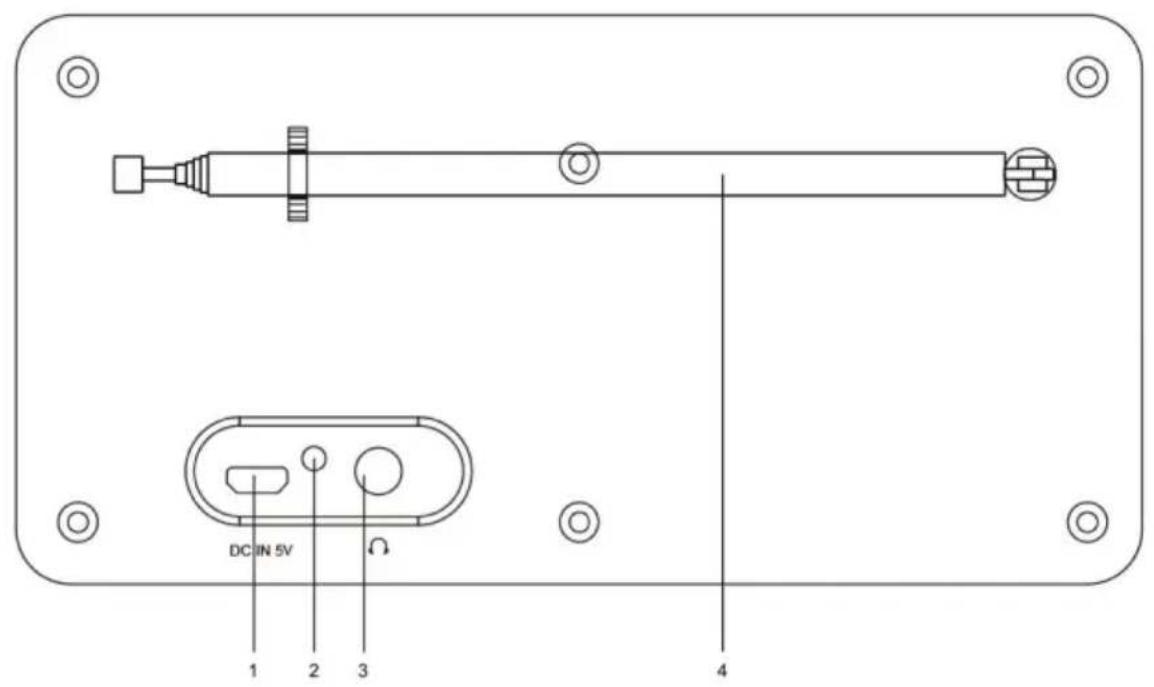
| Description Function | ||
| 1 | Micro USB charging socket | Connect the supplied USB charging cable to charge the internal battery of the radio |
| 2 LED | battery indicator LED ind | cator turns red while charging is active |
| 3 Headphone | 3.5mm socket to connect headphones | |
| 4 Antenna | Change the position of the antenna to improve the reception |
3. DAB+ Radio Mode
Fully extend the antenna then switch on the DR 62 with When the unit is turned on, press the DAB button to switch between DAB and FM.
3.1. DAB Station Scan
The first time you power on the radio, it will scan for DAB radio stations automatically. It will display and play the first station after the scan is done.
If no stations can be found and the display shows "No DAB Service", change the position of the antenna or the complete radio and perform a Scan again by long pressing the SCAN button.
3.2.Tune DAB Station
Press the arrow keys / to select another radio station from the channel list.
3.3. Station Information
Press the INFO button to switch between the displayed information. The following options are available:
- DLS (Dynamic Label Segmenting): Radio text broadcasted from the DAB station.
- PTY (Programme Type): Popmusic, Talk, News etc.
- Channel/Frequency - The frequency of DAB is displayed such as "11C 220.352MHz".
- Audio info: The display shows the digital audio bit rate of the current reception.
- Signal error: The signal strength is displayed graphically.
- The signal strength and the battery level are displayed graphically.
- Time/Date - The time and date are set automatically.
- Ensemble name
- Software version
3.4. Presets / Favorites
There are 10 presets each available for DAB and FM
If you would like to save a station to your favorite list, short press the FAV button. Use the arrow keys / to select a desired preset slot 1-10. Confirm your selection by holding OK until the display shows "saved".
To recall the preset station, simply press the FAV button briefly, use the arrow keys / to navigate and press OK to confirm.
4. FM Radio Mode
Press the FM button to select FM mode.
4.1. FM Manual Scan
Press the arrow buttons / to change the frequency manually in 0.05MHz steps, long to quickly search through the FM band. With a long press of the SCAN button, you can search for the next available FM station.
4.2. Presets / Favorites
See chapter 3.4. on page 13
4.3. Radio Text
Press the INFO button to switch between the displayed information. The following options are available:
- RT (Radio text): Text broadcasted from the FM station
-
The signal strength and the battery level are displayed graphically.
-
Time/Date - The time and date are set automatically.
- Software version
- Frequency - the FM frequency for the current radio station.
- Auto / Stereo: Automatic switching between mono and stereo reception.
- PTY (Programme Type): Popmusic, Talk, News etc.
Note: The time and date accuracy depends on the info broadcasted from the radio station.
5. Sleep timer
The sleep timer switches the radio off automatically after an adjustable time.
Long press the SLEEP button to enter the Sleep timer settings. You can choose between these options: 15/30/45/60/90 Minutes/OFF. Press the to choose the desired time and confirm with OK. The remaining time until the radio switches off automatically will be displayed in the top right corner (e.g., "S15" if you selected 15 Minutes).
To cancel the sleep timer, select OFF from the timer option and press OK to confirm.
6. Factory reset
- Turn off the radio first.
- Afterwards press and hold and FAV/SCAN simultaneously until the display is lit and shows "RESET System".
- The radio will restart automatically.
Attention: once you do this operation, all your personal settings like preset stations will be deleted!
7. Battery charging
The Albrecht DR 62 comes with an integrated Lithium Ion battery pack which allows the radio operation for up to 6 hours without recharging.
You can check the current level of battery power through the INFO button.
When the radio is playing, press the INFO button repeatedly until you see the battery indicator on the bottom right of the display.
When battery power is low, it will prompt the message "Battery Low" to remind for battery charging. To charge the battery, connect the Micro-USB plug to the „DC In 5V“ port at the rear side of the radio, connect the other end to a power source supplied with 5V OUT. The LED will light up in red indicating that the battery is charging.
If the radio is in OFF mode while charging, the LED will turn to green when charging is done. If the radio is ON while charging, the LED remains red even when charging is completed.
8. Technical specification
Model: Albrecht DR 62
DAB frequency range: 174.928MHz (5A) - 239.200MHz (13F), support DAB and DAB+
FM frequency range: 87.5-108MHz
Power input: 5V 1A
Battery power: Lithium battery 1200mAh
Audio socket: 3.5mm earphone jack
Unit Dimension: 163 × 88 × 44 mm( L × H × D)
9. Safety instructions
- The radio should not be used in a high temperature or high humidity environment over prolonged periods of time as this may damage the unit.
- Keep the radio away from liquids as it may get damaged. Please switch off the radio immediately if water or liquids is spilled into the radio. Consult with the shop you bought this radio for any question.
- Avoid using or storing the unit in dusty or sandy environment.
- Do not open and repair the radio by yourself.
- Use only the specified power input voltage to charge the battery. Connecting a power supply with a different rating will cause permanent damage to the radio and may be hazardous.
Clean only with dry cloth
10. Trouble shooting
No DAB reception:
- If the radio displays "no DAB service", change the position of the antenna or the complete radio and perform a Full Scan again by long pressing the SCAN button.
- Move the radio closer to a window.
- Perform a factory reset
Radio reception is poor:
- Please check that the antenna is fully extended. Move the antenna around with different directions to get the best signal.
- Check that you do not have other electrical equipment too close to your radio or close to any sources of interference such as microwaves, fluorescent lights, etc which may cause interferences.
No sound:
- Check if the volume is mute. Adjust the volume level.
- Check that the radio is powered on.
Try changing to another radio station.
The radio does not turn on:
- The battery is flat. Please charge the battery and make sure the cable is well connected and the red LED turns on while charging.
11. Warranty and Recycling Information
We are legally obliged to include disposal and warranty information as well as EU declaration of conformity with the use instructions in different countries for every unit. Please find this information on the following pages.
2-Year Warranty from Date of Purchase
The manufacturer/retailer guarantees this product for two years from date of purchase. This warranty includes all malfunctions caused by defective components or incorrect functions within the warranty period excluding wear and tear, such as exhausted batteries, scratches on the display, defective casing, broken antenna and defects due to external effects such as corrosion, over voltage through improper external power supply or the use of unsuitable accessories. Defects due to unintended use are also excluded from the warranty.
Please contact your local dealer for warranty claims. The dealer will repair or exchange the product or forward it to an authorized service center. You can also contact our service partner directly. Please include your proof of purchase with the product and describe the malfunction as clearly as possible.
WEEE and Recycling
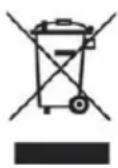
The European laws do not allow any more the disposal of old or defective electric or electronic devices with the household waste. Return your product to a municipal collection point for recycling to dispose of it. This system is financed by the industry and ensures environmentally responsible disposal and the recycling of valuable raw materials.
Service Address And Technical Hotline (for units sold in Germany)
Contact our service hotline by phone +49 (0) 6103 9481 66 (regular costs for German fixed network) or e-mail at service@alan-electronics.de
Declaration of Conformity
Hereby, Alan Electronics GmbH declares that the radio equipment type DR 62 is in compliance with Directive 2014/53/EU. The full text of the EU declaration of conformity is available at the following internet address:

http://service.alan-electronics.de/CE-Papiere/
Printing errors reserved.
Information in this user manual are subject to change without prior notice.

ALBRECHT® Audio
ALBRECHT DR 62
o via e-mail a service@alan-electronics.de