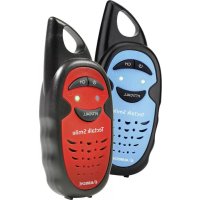
Tectalk Smile - Radio ALBRECHT - Free user manual and instructions
Find the device manual for free Tectalk Smile ALBRECHT in PDF.

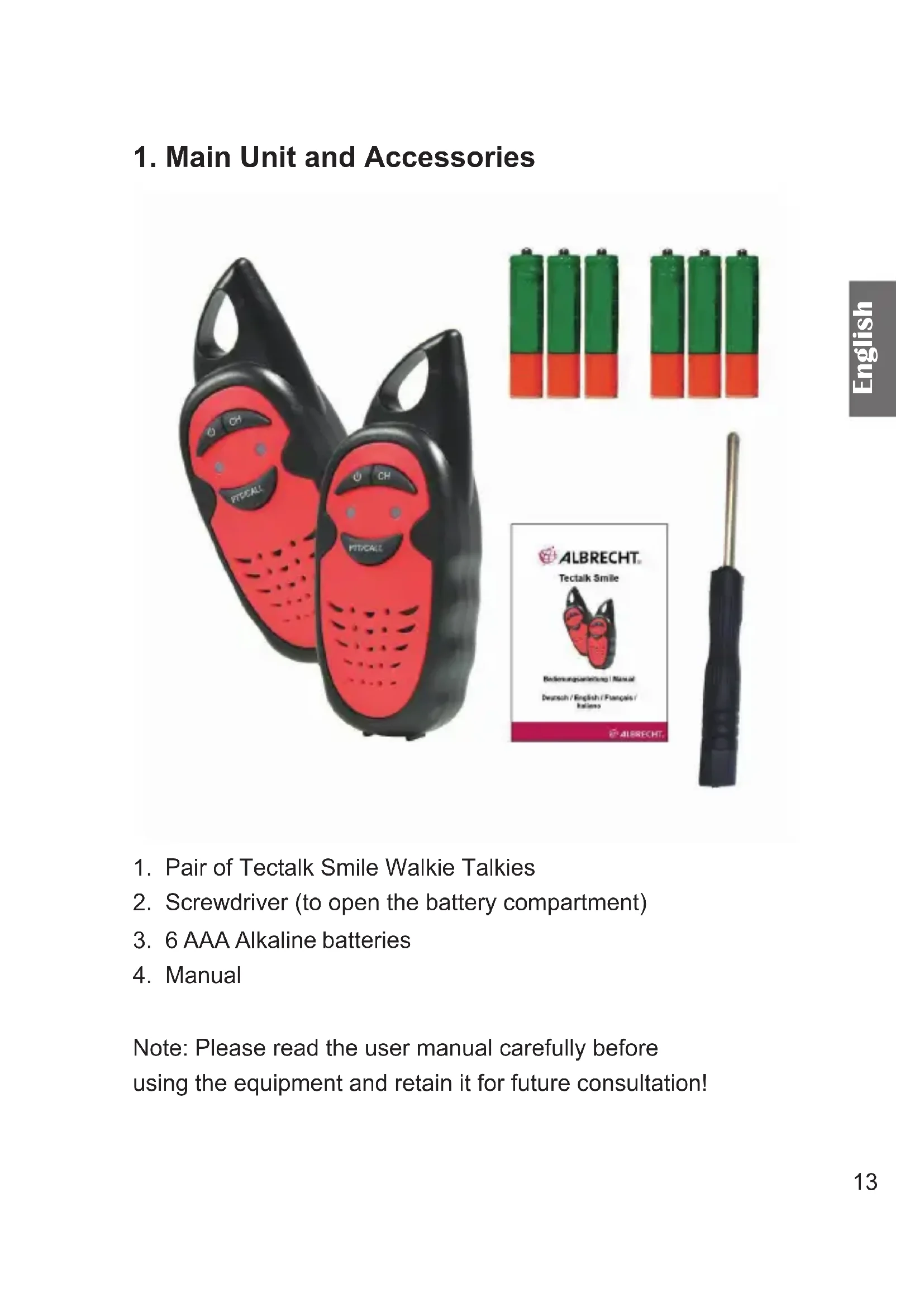


| Product Type | PMR446 Walkie-Talkie |
| Brand | Albrecht |
| Model | Tectalk Smile |
| Frequency | 446.00625 MHz / 446.01875 MHz / 446.03125 MHz (3 channels) |
| Transmission Power | ≤ 0.5 Watt |
| Range in open field | Up to 3 km |
| Power supply | 6 AAA alkaline batteries (included) |
| Dimensions (estimated) | Approximately 120 x 55 x 30 mm |
| Weight (with batteries, estimated) | Approximately 150 g |
| Main functions | Reception/transmission, channel change, call tone |
| Number of channels | 3 |
| Included accessories | A pair of walkie-talkies, screwdriver, 6 AAA batteries, user manual |
| Cleaning and maintenance | Clean with a dry cloth only |
| Safety | Not suitable for children under 3 years. Use under adult supervision. Do not expose to rain, humidity or excessive heat. Maintain a distance of at least 1.5 m between two devices. |
| Recommended age | 6 years and up |
| Warranty | 2 years from date of purchase |
| Compliance | Directive 2014/53/EU (CE) |
| Recycling | Do not dispose of with household waste. Return to a municipal collection point. |
Frequently Asked Questions - Tectalk Smile ALBRECHT
User questions about Tectalk Smile ALBRECHT
0 question about this device. Answer the ones you know or ask your own.
Ask a new question about this device
Download the instructions for your Radio in PDF format for free! Find your manual Tectalk Smile - ALBRECHT and take your electronic device back in hand. On this page are published all the documents necessary for the use of your device. Tectalk Smile by ALBRECHT.
USER MANUAL Tectalk Smile ALBRECHT
ALBRECHT®
Tectalk Smile

service@alan-electronics.de
ALBRECHT®
Tectalk Smile

Instruction Manual
English
Content
- Main Unit and Accessories ...... 13
- Controls and connections....14
- Before first use ....15
- Using the device....15
4.1. Turning the device on/off....15
4.2. Receiving/transmitting communications:....15
4.3. Changing Channels....16
4.4. Sending a call tone....16
- Safety instructions ....16
- Warranty and information on recycling 17
- Technical specifications....17
- CE declaration of conformity 18
8.1. EEAG and Recycling....18
- Service address....19
1. Main Unit and Accessories

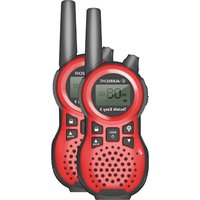
- Pair of Tectalk Smile Walkie Talkies
- Screwdriver (to open the battery compartment)
- 6 AAA Alkaline batteries
- Manual
Note: Please read the user manual carefully before using the equipment and retain it for future consultation!
2. Controls and connections

| Description Function | ||
| 1 Antenna | ||
| 2 Power On/Off | Press to switch the Walkie Talkie ON or OFF | |
| 3 Channel Switch Press | ss to switch to next channel | |
| 4 LED1 | left LED on = channel 1right LED on = channel 2both LED's on = channel 3 | |
| 5 LED2 | ||
| 6 PTT/CALL Press to switch to next channel | ||
| 7 MIC Microphone | ||
| 8 Speaker | ||
3. Before first use
- Remove the belt clip and open the battery compartment with the supplied screwdriver
- Insert the supplied batteries. Position the batteries according to the polarity marking inside the battery compartment
- Close the battery cover again and attach the screw tightly
4. Using the device
4.1. Turning the device on/off
Switch on the device: Press and hold the Power on/off button for 3 seconds. You will hear a beep sound.
To switch off the device press the button again for 3 seconds until you hear a beep sound as confirmation.
4.2. Receiving/transmitting communications:
The devices are automatically in “Reception” mode when the devices are turned ON.
When you press the PTT (push to talk) button, the device switches to "Transmission" mode.
Hold the device in a vertical position with the MIC (microphone) 3 to 5cm away from your mouth. While holding the PTT button, speak into the microphone in a normal tone of voice. Release the PTT button when you have finished transmitting.
For others to receive your transmission, they must be on the same channel as you.
Note: The talking range will depend on your surroundings and environment. It will be affected by obstructions such as hills or buildings.
4.3. Changing Channels
Press the Channel Switch button to switch between the 3 available channels. Make sure that both units are set to the same channel otherwise you will not be able to communicate with your partner.
| Channel LED Indicator | |
| 1 Left | |
| 2 Right | |
| 3 Left and right | |
Note: if no button is pressed within 6 seconds during setting, the device will return to stand-by mode.
4.4. Sending a call tone
Use the CALL Tone function to send a short melody to all other receivers to signalize an upcoming transmission.
To send a call tone, short press the PTT button.
5. Safety instructions
• Age recommendation: children 6 years and older
- Attention: Not suitable for children under three years
- Contains small parts that can be swallowed (danger of suffocation)
- Use only under the supervision of adults
- Clean the devices only with a dry cloth.
- Do not expose this radio to rain or moisture.
- Do not expose the radio to excessive heat.
- Do not try to use two devices which are less than 1.5m apart. Otherwise you may experience interference.
6. Warranty and information on recycling
We are legally obligated to enclose for each device information on disposal and warranty, as well as an EU declaration of conformity with the instructions for use in different countries. You will find this information on the following pages.
2-year warranty from the date of purchase
The manufacturer/dealer provides a two-year warranty from the date of purchase for this product. This warranty covers all failures due to defective components or faulty functions within the warranty period, except for wear and tear such as empty batteries, scratches on the display, defective housing, defective antenna and defects due to external influences such as corrosion, overvoltage due to improper external power supply or the use of unsuitable accessories. Defects caused by improper use are also excluded from the warranty.
In the event of a warranty claim, please contact your dealer. The dealer will repair or replace the device or pass it on to an authorised service centre.
You can also contact our service partner directly. Please enclose your proof of purchase with the device and describe the malfunction as accurately as possible.
7. Technical specifications
| Frequency 446,00625 MHz | 446,01875 MHz |
| 446,03125 MHz | |
| Channel number 3 channels | |
| Transmission Power ≤0.5Watts | |
| Range Up to 3 Km in open field |
8. CE declaration of conformity
Standards and directives

Alan Electronics GmbH hereby declares that the radio device model Tectalk Smile is in accordance with Regulation 2014/53/EU. The full text of the EU declaration of conformity can be found at the
following Internet address:
http://service.alan-electronics.de/CE-Papiere/
8.1. EEAG and Recycling
European laws prohibit the disposal of old or defective electrical or electronic equipment via household waste. To dispose of the device, return it to a collection point in your municipality for recycling. This system is financed by the industry and ensures environmentally friendly disposal and recycling of valuable raw materials.
9. Service address
Technical hotline (for devices sold in Germany)
Call our service hotline +49 (0) 6103/9481 - 66 (normal rates on the German landline network) or send us an e-mail:
service@alan-electronics.de
Printing errors may occur.
© 2018 Alan Electronics GmbH
ALBRECHT®
Tectalk Smile

service@alan-electronics.de
© 2018 Alan Electronics GmbH
ALBRECHT®
Tectalk Smile

service@alan-electronics.de
© 2018 Alan Electronics GmbH
ALBRECHT®
Tectalk Smile
service@alan-electronics.de
© 2018 - Alan Electronics GmbH
Daimlerstraße 1K - 63303 Dreieich - Alemania


- ALBRECHT®
- TECTALK SMILE
- CONTENT
- MAIN UNIT AND ACCESSORIES
- CONTROLS AND CONNECTIONS
- BEFORE FIRST USE
- USING THE DEVICE
- TURNING THE DEVICE ON/OFF
- RECEIVING/TRANSMITTING COMMUNICATIONS
- CHANGING CHANNELS
- SENDING A CALL TONE
- SAFETY INSTRUCTIONS
- WARRANTY AND INFORMATION ON RECYCLING
- 2-YEAR WARRANTY FROM THE DATE OF PURCHASE
- TECHNICAL SPECIFICATIONS
- CE DECLARATION OF CONFORMITY
- STANDARDS AND DIRECTIVES
- EEAG AND RECYCLING
- SERVICE ADDRESS
Brand : ALBRECHT
Model : Tectalk Smile
Category : Radio