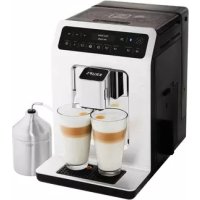
Evidence EA893C - Coffee machine KRUPS - Free user manual and instructions
Find the device manual for free Evidence EA893C KRUPS in PDF.



| Product type | Automatic espresso machine with grinder |
| Brand | Krups |
| Model | Evidence EA893C |
| Dimensions (H x W x D) | 367 x 240 x 380 mm |
| Weight | 8.4 kg |
| Power supply | 220-240 V ~ / 50 Hz, 1450 W |
| Pump pressure | 15 bar |
| Bean hopper capacity | 250 g |
| Water tank capacity | 2.3 L |
| Number of beverages | More than 14 hot drinks: espresso, double espresso, coffee, double coffee, ristretto, doppio, americano, cappuccino, double cappuccino, latte, double latte, steamed milk, green tea, black tea, herbal tea |
| Main features | Metal conical burr grinder, adjustable grind size, two-cup preparation, Dark and Extra Shot functions, touchscreen, Bluetooth connectivity via Krups app |
| Heating technology | Compact Thermoblock System with integrated brewing chamber |
| Maintenance and cleaning | Automatic cleaning of coffee circuit, automatic descaling, milk rinse, disassembly and cleaning of the One Touch Cappuccino unit, emptying of ground coffee container and drip tray |
| Safety | Programmable auto shut-off, emergency stop button, overvoltage protection, safety instructions included |
| Spare parts and accessories supplied | Claris Aqua Filter System filter cartridge, milk tube, steam nozzle disassembly key, cleaning tablets, descaling sachet, water hardness test strip |
| Repairability | Krups after-sales service, hotline, authorized service centers |
Frequently Asked Questions - Evidence EA893C KRUPS
User questions about Evidence EA893C KRUPS
0 question about this device. Answer the ones you know or ask your own.
Ask a new question about this device
Download the instructions for your Coffee machine in PDF format for free! Find your manual Evidence EA893C - KRUPS and take your electronic device back in hand. On this page are published all the documents necessary for the use of your device. Evidence EA893C by KRUPS.
USER MANUAL Evidence EA893C KRUPS
Furigatian Theorem 1.2.1 (Schafer, G., and Ugelman, J., On the structure of the Euclidean metric, in: Proceedings of the 1975 ACM Symposium on Differential Equations, 1975, pp. 306-324. ACM Press, 1975.
Fernter 10000000000000000000000000000000000000000000000000000000000000000000000000000
Reinforced membranes (RSMs) are made of polyacrylamide, polydimethylsiloxane (PSI), and poly(ethylene glycol) (PEG). The RSMs have been extensively studied for their potential as biomimetic materials. They can be used to generate new biomimetic devices, such as bioinduced polymers, nanocomposites, and biodegradable polymers.
Presents the different touches
Congratulations! You are now the proud owner of your Espresso Automatic EA89 Series.
This new product offers more than 14 hot drinks: espresso, double espresso, coffee, double coffee, risrtretto, doppio, Americano, cappuccino, double cappuccino, latte, double latte, frothy milk, green tea, black tea, herbal tea.
In addition to this very large choice, the machine offers many opportunities for customising drinks, for example, you can use a function that will increase the intensity of your coffee, if you appreciate more full-bodied preparations. You can set the amount, strength and temperature of your drinks.
The most frequently consumed drinks are accessible with one simple touch on the main interface. As for the screen, it allows you to follow the progress of your coffees and provides easy access to the different menus.
Most drinks can be prepared in batches of two, which saves time and is more convivial.
Thanks to its KRUPS Quattro force technology, including a Compact Thermoblock System with built-in percolation chamber, its 15 bar pump, and because it uses coffee beans which have been freshly ground just before making the coffee, your machine will serve you hot ristrettos, espressos and coffees from the first cup with maximum aroma and a creamy golden-brown froth.
To give the drink maximum flavour, an espresso is traditionally served in a small, flared porcelain cup. For an optimum temperature espresso and a dense creamy froth, we recommend that you pre-heat your cup.
You will probably need to try several types of coffee before you find the one that suits you. By experimenting with the blend and/or roast, you will eventually arrive at the ideal result.
Espresso coffee has a richer aroma than classic filter coffee. Despite its stronger taste, which remains longer on the palate, an espresso contains less caffeine than filter coffee (around 60 to 80mg per cup compared to 80 to 100mg per cup) due to its shorter percolation period.
The quality of water used is another determining factor which affects the overall quality of the brewed coffee. You should ideally use water which is fresh from the tap (so that it has not had time to stagnate due to air contact), which is cold and which does not smell of chlorine.
The tactile, ergonomic and comfortable buttons make it easy for you to browse. You will be guided through each step, from preparing your drink to servicing your machine.
We wish you many years of enjoyment with your Krups machine.
The Krups team
To get the most out of your machine and obtain good quality coffees, here is some advice:
- The quality of your water significantly influences the quality of the flavours. Limescale and chlorine can alter the taste of your coffee. We recommend that you use the Claris Aqua Filter System cartridge or low mineral-content water to preserve all of the flavours of your coffee.
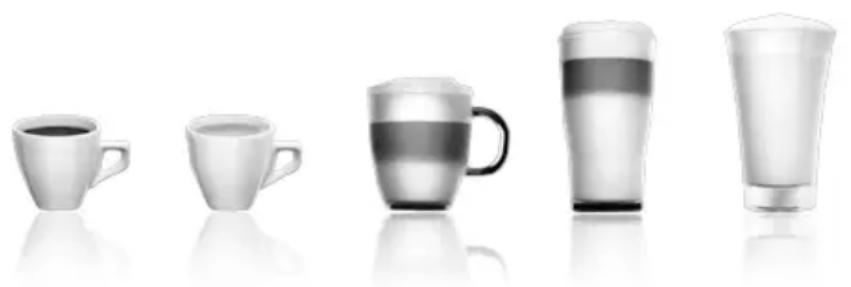
- When preparing exclusively coffee recipes, we recommend that you use tulip-shaped porcelain cups, preheated beforehand (by running them under hot water, for instance), and of a size appropriate to the quantity you want to make. For your milk-based preparations, we recommend that you use thick glass cups for an appetising result.
- Roasted coffee beans can lose their flavour if they are not protected. We recommended that you use the amount of beans required for your consumption for the next 4-5 days. Although the quality of coffee beans is subjective and varied, we do recommend that you use arabica rather than robusta.
- Lastly, please remember that oily and caramelised coffee beans must be avoided, as they can damage your machine.
- The quality and fineness of the grinding determine the strength of the flavours and the quality of the cream. The finer the beans are ground, the richer the cream. Indeed, grinding should be adapted to the drink desired: fine for ristretto and espresso, coarser for coffee.
- You can use pasteurised or UHT, skimmed, semi-skimmed or whole milk, straight from the refrigerator (7^) . Using special milks (microfiltered, raw, fermented, enriched, etc.) or vegetable milks (rice, almond milk, etc.) can produce less satisfactory results especially when it comes to the quantity and quality of the froth.
CONTENTS
乙
IMPORTANT INFORMATION CONCERNING THE APPLIANCE AND INSTRUCTIONS. .p.20
TECHNICAL DATA. p.20
APPLIANCE DESCRIPTION. p.21
OVERALL VIEW p.21
KRUPS APP .p.22
USING YOUR APPLIANCE
INSTALLING THE APPLIANCE . p.23
BEFORE PREPARING DRINKS
IMPORTANT INFORMATION. p.24
PREPARING COFFEE DRINKS VIA DIRECT ACCESS .p.25
PREPARING MILKY DRINKS VIA DIRECT ACCESS. p.25
PREPARING TEAS. p.26
PREPARING OTHER DRINKS: RISTRETTO, DOPPIO, AMERICANO OR FROTHY MILK . . . . . . . . . . . . . . . . . . . . . . . . . . . . . . . . . . . . . . . . . . . . . . . . . . . . . . . . . . . . . . . . . . . . . . . . . . . . . . . . . . . . . . . . . . P.26
OTHER FUNCTIONS. p.27
GENERAL MAINTENANCE. p.28
TROUBLESHOOTING p.30
IMPORTANT INFORMATION CONCERNING THE APPLIANCE AND INSTRUCTIONS
In this manual you will find all of the important information concerning the preparation, use and maintenance of your machine.
Read the instructions carefully before using your appliance for the first time and keep them for future reference: KRUPS may not be held liable in the event of any use that does not comply with the instructions.
GUIDE TO THE SYMBOLS USED IN THE INSTRUCTIONS

Warning: Risk of serious injury or death. The lightning bolt symbol warns against electrical dangers.

Warning: Risk of possible malfunction, damage, or destruction of the appliance.

Warning: General or important note concerning the operation of the appliance.
Products supplied with your machine
Check the products supplied with your machine. If any parts are missing, contact your hotline (see p. 22: Initial settings).
Parts supplied:
- Espresso Automatic Series EA89
- 2 cleaning tablets
- 1 descending sachet
- Milk conduit adaptable to the "One Touch Cappuccino" block
- Dismantling key for cleaning the steam circuit
- Safety instructions booklet
- Claris - Aqua Filter System cartridge with fitting accessory
- 1 stick for testing water hardness
- Instructions
- List of approved Krups service centres
- Guarantee documents
- 1 steam nozzle cleaning kit
TECHNICAL DATA
| Appliance Espresso Automatic Series EA89 | |
| Power supply 220-240V~ / 50 Hz | |
| Pump pressure 15 bars | |
| Coffee bean container 250 g | |
| Power consumption During operation: | 1,450 W |
| Water tank 2.3 I | |
| First use and storage Indoors, in a dry | place (protected from frost). |
| Dimensions (mm) H x L x D 367 x 240 x 380 | |
| Weight EA89 (kg) 8.4 | |
Subject to technical adaptations.
APPLIANCE DESCRIPTION
A Water tank handle/lid
B Water tank
C Coffee grounds collector
D Height-adjustable coffee outlets
E Grid and removable drip tray
F Coffee bean container lid
G One Touch Cappuccino removable block
H Milk tube and connector
Water level float.
1 Coffee bean container
J Grinding fineness adjustment dial
K Cleaning tablet funnel
L Metal grinding mill
2 Display panel
M Display
N "On-off" button
0 Tactile buttons
Specific information about:
The drip tray: it allows you to collect water or coffee that might flow out of the appliance during and after preparation. It is important to always leave it in place and to empty it regularly.

Important : Read these instructions carefully and keep them for future reference. Please follow the safety guidelines.
Manufacturer:
SAS GSM
Presentation of the different buttons
| Button D | Description / General functions |
| OK DARK EXTRA SHOT EXPRESSO LONG COFFEE | Switching the machine on and off.It is necessary to press and hold the button to start the machine. |
| Allows you to return to the previous screen or stop a recipe in progress. | |
| Browse upwards in the menu / increment the parameter selected | |
| Browse downwards in the menu / decrement the parameter selected | |
| Confirmation of selection. | |
| Function for increasing the strength of the coffee. | |
| Function for adding a strong espresso to the recipe selected.Accessible with the main recipes (espresso, long coffee, cappuccino, Macchiato, tea) according to model. | |
| Starts preparing an espresso. | |
| Starts preparing a Coffee. | |
| CAPPUCCINO MACCHIATO TEA MORE SETTINS | Starts preparing a Cappuccino |
| Starts preparing a Macchiato (a large measure of milk, a shot of Espresso, topped with frothy milk foam). | |
| Provides access to the menu for preparing a tea or a herbal tea. | |
| Provides access to additional preparations: Ristretto, Frothy milk, Doppio, Americano, (according to model). | |
| Provides access to the general menu (machine settings, cleaning and product information). |

:Bluetooth light:
When the symbol is not lit up, the machine is not connected or the function is deactivated.
When the symbol is lit up, the machine is connected.
Bluetooth is always activated. You can deactivate it in menu and then "settings".

Specific information about the buttons' lighting
When a button is not illuminated, the corresponding function is inaccessible.
When it is slightly illuminated, the function is available and can be selected.
While the function requested is in progress, the light becomes very bright.
KRUPS APP
You can check if your smartphone is compatible on www.krups.com
Downloading the app
In order to be able to download the app, you must have a smartphone equipped with a Bluetooth® BLE (blue tooth Low energy) module and an Android > version “4.3” or IOS > “9”. If your smartphone does not have this, you will not be able to use the app.
The KRUPS app is available on playstore for the Android version and on App store for the IOS version.
Configuring the account
In order to be able to take advantage of all the opportunities offered by the app, you must start by creating an account.
Complete the fields required and confirm the conditions of use in order to complete the creation of your account.
You will be required to enter a password to guarantee the confidentiality of your data.
Bluetooth® activation
To connect your telephone to the machine, you must activate your phone's Bluetooth® BLE module and ensure that the machine's Bluetooth® module is also activated. Go to the settings menu, select the connectivity function and activate the Bluetooth® module if it has been deactivated (the Bluetooth® module is activated by default).
Pairing with the machine
Follow the instructions provided on your telephone to pair your smartphone with the machine. Pairing is only possible when the BLE logo is on.
When the machine detects a pairing request from the smartphone, a screen on the machine asks you to accept the pairing. Accept by pressing OK, a screen appears on your smartphone asking you to confirm pairing: press to pair.
If pairing fails, it is possible for you to try again several times and it is advised to check that the machine's Bluetooth® BLE module is correctly activated.
If the problem persists, contact the after-sales service for help installing your app. In the home menu on your smartphone, the "Contact Krups" option allows you to access the contact details for the after-sales service.
When the machine is paired, the Bluetooth® symbol should be brightly lit, a sign that is correctly activated.
Machine settings
Once paired, you can modify the machine's settings via the app (the date and time of the smartphone will be updated automatically on the machine which means that you do not have to do it).
The mobile app facilitates the initial installation of the machine and the initial settings.
Using the app
Many functions are offered via the app:
- Running remote preparations,
- Management of a favourites library and a cellar book,
- Access to the account and information on the machine,
- Access to news and information about the world of coffee,
- Access to a user guide with tutorials and videos in order to take advantage of all the machine's potential,
- Quick access to the after-sales service in the event of a query or a problem concerning your appliance or the app.
You will be able to discover all these functions by browsing the app (whether you are connected to your machine or not).
Do not hesitate to connect to the app as often as possible in order to view news and regularly monitor your machine.
USING YOUR APPLIANCE INSTALLING THE APPLIANCE

Warning: Connect the appliance to an earthed 230 V mains socket. Failure to do so means that you run the risk of fatal injury due to electricity!
Respect the safety guidelines indicated in the "Safety guidelines" booklet.
Switching ON the appliance
Switch on the appliance by pressing the ON/OFF button until "Hello" appears on the screen Fig. 1. Follow the instructions provided by your appliance.
Initial settings
When using the machine for the first time, you will be prompted to configure various settings. Follow the indications displayed on the screen. The aim of the following paragraphs is to give you a few visual cues.
Here are the first settings required:
Language
Select a display language by pressing the arrows until the language of your choice appears. Press "OK" to confirm.
Measuring unit
You can set the unit of measurement for volume to ml or oz.
Date and time
To set the time, press the desired time format (24 hours or AM/PM).
Auto-off
It is possible to program the time at which you want your machine to switch on automatically. This setting can be adapted as you wish: daily, weekly or weekend. Select the time at which you want it to start automatically following the time format selected earlier.
You can also select the length of time after which your appliance will switch off automatically in order to optimise your energy consumption.
Rinsing the coffee circuit
You can choose to activate it or not when switching on the machine. This allows you to ensure the quality of the coffee in the cup in order to avoid the presence of residue.
Filter installation
When switching on for the first time, the appliance asks if you want to install the filter. If you wish to do so, and if the hardness of your water requires it, select "YES" and follow the instructions on the screen.
Installing the cartridge in the appliance: Screw the filter cartridge into the bottom of the water tank using the accessory supplied with the cartridge. Fig. 4
Set the month when the cartridge is fitted (position 1 on the illustration, left side figure in the opening) by turning the grey ring located on the upper end of the filter. The month when the cartridge should be replaced is indicated in position 2 on the illustration. Fig. 5.
Put a container of 0.6 I under the steam exit. Fig. 6.
The machine must be primed whether the filter has been installed or not. This means that the water circuits have to
be filled. To do this, follow the instructions provided on the screen. The machine will begin by filling the water circuits, preheating the circuits and then will complete an automatic rinse.
The screen will inform you when installation is complete.
Water hardness
You must set your machine depending on the hardness of your water, from 0 to 4. To do this, follow these instructions: Before using the appliance for the first time, check the hardness of your water so that you can set the appliance accordingly. This operation should also be carried out when you use your machine in a place where the hardness of the water is different or if you notice a difference in the hardness of the water. To check the water hardness, use the test strip supplied with your machine or contact your local water authority.
The details of the classes are given in the table below:
| Degree of hardness | Class 0 Very soft | Class 1 Soft | Class 2 Average hardness | Class 3 Hard | Class 4 Very hard |
| ° dH < 3° > 4° | > 7° > 14° > 21° | ||||
| ° e < 3,75° > | 5° > 8,75° > 17,5° > 26,25° | ||||
| ° f < 5,4° > 7 | 2° > 12,6° > 25,2° > 37,8° | ||||
| Appliance setting | 0 | 1 | 2 | 3 | 4 |
Fill a glass of water and insert a strip. Fig. 2
After 1 minute read the level of water hardness. Fig. 3
Indicate the number of red zones when configuring the appliance.
Preparing the appliance
Remove and fill the water tank. Fig. 7.
Replace the water tank. Fig. 8.
Remove the lid of the coffee bean container and add coffee beans (max. 250 g). Fig. 9.
Replace the lid of the coffee bean container. Fig. 10.
BEFORE PREPARED DRINKS IMPORTANT INFORMATION
Depending on the drinks chosen, your Espresso Automatic EA89 will automatically adjust the quantity of ground coffee.
Preparing the grinder
You can adjust the strength of your coffee by adjusting how finely the coffee beans are ground. In general, the finer the coffee is ground, the stronger and creamier the coffee will be. It may also vary according to the type of coffee used.
We recommend a fine setting for espressos and a coarser setting for coffees.
Adjust the fineness of grinding by turning the coffee grounds fineness adjustment knob (J) which is located in the coffee bean container. This setting should be applied during grinding notch by notch. After 3 rounds, you will notice a pronounced difference in taste.
Setting the fineness of grinding is useful when you change the type of coffee or if you want to make coffee that is more or less strong. However, it is not advised to use this setting systematically.
Adjusting the coffee outlet
For all the drinks available, you can lower or raise the coffee outlets according to the size of your cup or glass. Fig.11
Stopping a drink during preparation
You can stop the preparation at any time by pressing the return button
Caution, pressing this button causes the machine to update which may last up to 30 seconds. This phase is normal.
When a cycle is interrupted, it does not stop immediately. The machine will finish its cycle and the preparation will be cancelled.
"Double" preparation function
You can prepare two cups simultaneously with your appliance. The double preparation function can be accessed simply by pressing the selection twice and is valid for all drinks (except and
DARK function
The "DARK" function allows you to increase the intensity of the coffee (its strength).
You can activate or deactivate it in various ways:
- Before selecting the chosen drink just press DARK.
- While preparing the drink, and until the end of grinding: you can press DARK.
- By choosing the "DARK" parameter in the Settings menu. To do this, access the Settings menu with the button
, then Settings drink settings Dark. The function will be activated for all "coffee" drinks: , , , ,
You can do the same to deactivate it.
EXTRA SHOT function
The "extra shot" function allows you to add an espresso at the end of the selected drink.
You can activate or deactivate it in various ways:
- Before selecting the chosen drink: just press EXTRA SHOT.
- While making the drink,
- By choosing the "EXTRA SHOT" parameter in the Settings menu. To do this, access the Settings menu with the button , then Settings drink settings EXTRA SHOT. Therefore, the function will be activated for all preparations
,即即
You can do the same to deactivate it.
PREPARING COFFEE DRINKS VIA DIRECT ACCESS
N.B.: Every time the drink is launched, the machine will remember the last drink prepared, including the settings that were selected.
Preparation
Place the cup(s) under the coffee nozzles. Fig.12
Press the button for the desired drink.
If the machine detects a lack of water when you request this preparation, it will ask you to fill the tank.
Possible settings
It is possible to increase the strength of the coffee by pressing and/or adding a coffee preparation by pressing. You can prepare one or two cups with your appliance.
The machine starts by grinding the beans, tamping the ground coffee and finally brewing the coffee. It is possible to adjust the volume of the coffee being prepared by using the buttons: and
You can stop the preparation at any time by pressing

Important: Automatic rinsing of the coffee outlets: according to the type of preparation, the machine may complete an automatic rinse program when it switches off. The cycle lasts only a few seconds and stops automatically.
PREPARING MILKY DRINKS VIA DIRECT ACCESS
Possible settings
It is possible to increase the strength of the coffee by pressing and/or adding a coffee preparation by pressing. The steam is used to froth the milk. As a higher temperature is required when producing steam, the appliance will run an additional pre-heating phase.
Connect the straight side of the milk tube to the "One Touch Cappuccino" block Fig. 13.
Immerse the other end (bevelled side) in a receptacle filled with milk or directly in your bottle of milk Fig. 14.
Place the cup(s) under the coffee/milk nozzles. Fig.15.
Press the "Cappuccino" button or press the "Macchiato" button. All of the settings can be modified.
The preparation starts by frothing the milk (possible to set the time), and then the coffee flow (possible to adjust the volume). Adjusting the frothing time allows you to vary the quantity of milk and froth.
The next steps follow automatically and your drink is ready to taste Fig.17.
Every time "Cappuccino" or "Macchiato" is run, the machine will remember the last drink prepared, including the settings that were selected.
Cleaning after preparing milky drinks Milk rinsing
The screen indicates "Rinse milk?" at the end of each preparation.
It is advised to rinse after using the milk function in order to ensure the cleanliness of the frothing accessories and the frothiness of the milk.
During milk rinsing, you are required to systematically dismantle and clean the milk tube and connector with hot water.
Fig. 21 and 25.
For the best results, it is advised to clean the "One Touch Cappuccino" removable block regularly (see general maintenance chapter).
If you note a change in the quality of your milk froth, do not hesitate to repeat the rinsing and cleaning process: indeed a milk system that is not well maintained may cause this type of problem.
PREPARING TEAS
Possible settings
Your appliance allows you to prepare three types of tea (green tea, black tea, herbal tea). You can adjust the volume of the drink to taste.
The hot water temperature is adapted to the drink selected.
You can program an extra shot your tea which will allow you to prepare "tea/coffee" drinks that are very fashionable.
Preparing a tea
Select on the screen. Place the cup(s) under the coffee nozzles. Fig.12
Then select the chosen drink and press OK
If the machine detects no water when you submit your request, it will ask you to fill the tank.
You can modify the volume by using buttons or during preparation.
PREPARED OTHER DRINKS: RISTRETTO, DOPPIO, AMERICANO OR FROTHY MILK
Preparation
Place the cup(s) under the coffee nozzles. Fig.12
If the machine detects no water when you submit your request, it will ask you to fill the tank.
Press button with buttons and , select the desired drink: Ristretto, Doppio, Americano, Frothy milk.
Making a Ristretto
Select Ristretto and press
The machine starts by grinding the beans, tamping the ground coffee and finally brewing the coffee. It is possible to adjust the volume of the coffee being prepared by using the buttons: and
You can stop the preparation at any time by pressing
Making a Doppio
Select DOPPIO and press OK
The preparation is identical to the RISTRETTO but with a double coffee cycle.
Making an Americano
Select AMERICANO and press OK
The preparation is identical to the DOPPIO, but is followed by hot water.
Making a Frothy milk
Connect the straight side of the milk tube to the "One Touch Cappuccino" removable block Fig. 13. Immerse the other end (bevelled side) in a receptacle filled with milk. Fig.14
The steam is used to froth the milk. As a higher temperature is required when producing steam, the appliance will
launch an additional pre-heating phase.
A menu will allow you to customise the frothing time. You can modify it by pressing buttons or . Then press OK. The last frothing time used will be memorised for the next preparation.
You can download the preparation at any time by pressing
Rinsing the "One Touch Cappuccino" block
Please refer to the paragraph "Milk rinsing" in the section PREPARING ONE TOUCH MILK DRINKS.
OTHER FUNCTIONS
The Settings menu can be accessed via button which leads to the general menu (machine settings maintenance and product information).
Settings
By selecting the Settings menu, you can make the changes you want in order to optimise your ease of use and suit your preferences.
Below are the main settings available.
| Date You must set the | date, particularly when you are using an anti-limescale cartridge. |
| Clock You can select to | display a 12 or 24-hour clock. |
| Language You can select the language of your choice from those offered. | |
| Measuring unit You can | set the unit of measurement to be ml or oz. |
| Screen brightness You can | adjust the screen brightness according to your preferences. |
| Coffee temperature | You can adjust the temperature of your coffee drinks to three different levels |
| Tea temperature You can | adjust the temperature of your teas to three different levels |
| Water hardness | You can set your water hardness from 0 to 4. See chapter “Measuring water hardness”. |
| Auto-on You can automatically start pre-heating of the appliance at a selected time. | |
| Auto-off | You can choose the duration after which your appliance will switch off automatically (duration of non use). |
| Automatic rinsing | You can choose to activate automatic rinsing of the coffee outlet or not when starting the machine. |
| Drinks settings | You can restore the default settings. You can also permanently activate the Dark and Extra Shot function for all your drinks (except Ⓒ). |
To quit the settings menu, press or the Settings button.
The settings will be stored in the memory if you unplug your machine, with the exception of the date and time.
Maintenance
All of these options allow you to run the selected programs. You should then follow the on-screen instructions.
| Cleaning milk | Provides access to cleaning the machine's one touch cappuccino block, which is essential for ensuring good quality milk frothing. |
| Milk rinsing | Provides access to rinsing the machine's one touch cappuccino block, which is essential for ensuring good quality milk frothing. |
| Coffee rinsing | Provides access to rinsing the machine's coffee circuit, which ensures the optimum taste of coffee. |
| Coffee cleaning | Provides access to cleaning the machine's coffee circuit (using a cleaning tablet), which ensures the optimum taste of coffee. |
| Descaling | Provides access to descaling which is essential for the durability of your machine. When the number of drinks is not high enough for descaling to be necessary, the function is not active. |
| Filter | Provides access to the filter mode, useful if the water is very hard, in order to ensure the best taste and the health of your machine. |
To quit the Cleaning menu, press or the Settings button.
Info
The "Info" menu provides access to information about your use and about certain stages in the life of your machine. It also informs you about its upkeep. Below are the main details available.
| Drinks prepared Displays | the number of drinks prepared |
| Coffee circuit cleaning | indicates that is needs to be completed within x number of cycles. |
| Descaling Indicates that is | needs to be completed within x number of cycles. |
| Filter Indicates that it will | need to be changed in x days or x litres. |
To quit the Info menu, press or the Settings button.
GENERAL MAINTENANCE
Emptying the coffee grounds collector and the drip tray
After a certain number of coffees, the machine will ask you to empty the coffee grounds collector and the drip tray. Not to make correctly these operations can damage your machine.
The drip tray collects used water and the coffee grounds collector collects used ground coffee.
If the message "Please empty the two trays" is displayed, remove, empty and clean the drip collector tray. Remove, empty and clean the coffee grounds collector (C). Fig. 19.
Replace the coffee grounds collector. Fig. 20
The drip tray is equipped with a float to indicate when it needs emptying. However, the machine is also programmed to ask for the drip collector tray to be emptied after a certain number of coffees, in addition to any intermediate emptying operations that you may complete.
Rinsing the circuits:
You can start rinsing at any time by pressing and selecting Maintenance.
According to the type of recipe prepared, the machine may complete an automatic rinsing when it is turned off. It is also possible to set an automatic rinse program when it is switched on (see "Settings" section p.22).
Automatic cleaning programs
Automatic cleaning program of the coffee circuit
A message on the screen will indicate when a cleaning program needs to be run for the appliance.
To run this cleaning program, you will need a container which holds at least 0.6 l, and which should be placed beneath the coffee outlets and the steam nozzle, and a KRUPS cleaning tablet. Fig. 34a. Carefully follow the instructions given on the screen. It is also possible to run a cleaning cycle via the Maintenance menu.

Important: You do not have to run the cleaning program as soon as the appliance requests it, but it must be done reasonably soon after. If cleaning is postponed, the alert message will remain illuminated until the process is completed.
The automatic cleaning program comprises two phases: a cleaning cycle and a rinsing cycle, and lasts about 13 minutes.

Important: If you unplug your machine during the cleaning cycle, or if there is a power failure, the cleaning program will continue from the current phase when the power is returned. It is not possible to postpone this process. This is essential to ensure that the water circuit has been correctly rinsed. In this case, a new cleaning tablet may be necessary. Complete the full cleaning program in order to remove all of the cleaning product which is harmful to health.
Cleaning the "One Touch Cappuccino" block
To complete a cleaning program, you will require two containers (minimum 0.6 L) and KRUPS cleaning liquid.
You can start the cleaning cycle by pressing button
Then selecting "Maintenance" "Milk Cleaning". Follow the instructions on the screen.
Dismantling the "One Touch Cappuccino" block
In addition to rinsing, it is necessary to clean the different elements of the block every time after using. To dismantle the block, follow the following instructions:
Remove the milk tube, Fig. 21.
Remove the front lid of the coffee milk nozzles. Slide it downwards and pull it towards you. Fig. 22.
Remove the "One Touch Cappuccino" block by pulling the upper part of the block Fig. 23.
Completely dismantle the block. Fig. 24.
Remove the milk tube connector Fig. 25.
Clean all of the dismantled parts (block, connector and milk tube) with soapy water. Then rinse them in hot water. Fig. 26.
Once the elements are clean and dry, assemble the block and return them to their original position. Fig. 27.
Replace the font lid of the block. Fig. 28. Replace the connector in the milk tube Fig 29 (opposite side of the bevelled side) and plug in the block. Fig. 30.
Automatic descaling program of the steam circuit

Warning: if your appliance is fitted with our Claris - Aqua Filter System cartridge, remove the cartridge before descending.
A message on the screen will indicate when a descending program needs to be run for the appliance. The frequency of this program depends on the quality of the water used and on whether a Claris Aqua Filter System filter is used or not (the harder the water, the more often the appliance has to be descaled).

Important: You are not obliged to carry out this program immediately the appliance requests it, but it must be carried out reasonably soon afterwards. If descending is postponed, the alert message will continue to be displayed until the process is completed.
When the descending alert level is reached and displayed, press OK run the descending program. To delay it, press

Once the procedure has been launched, follow the instructions provided on the screen. It is also possible to run a descending cycle via the "Maintenance" menu "Dscaling".
To carry out a descending program, you will require a container with a capacity of at least 0.6 L which should be placed beneath the One Touch Cappuccino block and a KRUPS descending sachet (40 g). Fig. 34b
Fill the water tank up to the CALC mark then pour in the contents of one sachet of descaler.
The descending program comprises three phases: a descending cycle and two rinsing cycles. The program lasts approximately 20 minutes.

Important: If there is a power failure or if you unplug your machine, the cycle will continue from the current phase when the power is returned. It will not be possible to cancel this operation. Complete the full cycle in order to remove all of the descending product which is harmful to health.
TROUBLESHOOTING
If one of the problems described in the table persists, contact KRUPS customer service.
| PROBLEM CORRECTIVE ACTION | |
| The machine displays a failure, the software hangs or your machine has a malfunction. | Switch off and unplug the appliance, remove the filter cartridge, wait for one minute and start the appliance again. Press and hold the on/off button for at least 3 seconds for starting. |
| The appliance does not switch on when the ON/OFF button is pressed (for at least 3 seconds). | Check your fuses and plug sockets. Check that the two power plugs are correctly inserted into the socket. |
| The coffee grinder makes a strange noise. | There is a foreign body in the grinder. Contact the KRUPS Customer Service team. |
| The One Touch Cappuccino block does not suck the milk. The One Touch Cappuccino blocks produces little or no froth. | Check that the block is assembled correctly (in particular the connector in the milk tube). Ensure that the steam nozzle is not blocked. If this is the case, see below “The steam nozzle on your machine seems to be partially or completely blocked”. Check that the connector is not blocked or dirty; soak it in a mixture of hot water and washing-up liquid, then rinse and dry before reassembling. Ensure that the flexible pipe is not blocked or twisted and that it is properly inserted into the One Touch Cappuccino block in order to avoid any air leaks. Check that it is fully immersed in the milk. Rinse and clean the block (see chapters concerning rinsing and cleaning the One Touch Cappuccino block). For milk drinks, we recommend that you use fresh, pasteurised or UHT milk which has been recently opened. It is also advisable to use a cold container. |
| The steam nozzle on your machine seems to be partially or completely blocked. | Dismantle the nozzle from its support using the dismantling key. Fig. 31. Replace the support without the nozzle: Fig. 32. Start the rinse cycle for the One Touch Cappuccino block to remove any remaining deposits. Clean the steam nozzle and ensure that the opening of the nozzle is not obstructed by the remains of milk or limescale. Use the cleaning needle if necessary. Fig. 33 |
| No steam comes out of the steam nozzle. | Ensure that the steam nozzle is not blocked. See “The steam nozzle on your machine seems to be partially or completely blocked.” belowIf this does not work, empty the water tank and remove the Claris cartridge temporarily. Fill the water tank with mineral water with high calcium content (>100 mg/l) and run steam cycles (5 to 10) consecutively into a container until you obtain a continuous jet of steam. Put the cartridge back in the tank. |
| Steam is leaking from the drip tray grid. | Depending on the type of preparation, steam may escape from the drip tray grid. |
| The machine asks for the drip tray to be emptied although it is not full. | The machine is programmed to ask for the drip tray to be emptied after a certain number of coffees despite any intermediate emptying operations that you may complete. |
| The appliance asks to be unplugged and plugged back in again. | Unplug the appliance for 20 seconds, remove the Claris Aqua Filter System cartridge if necessary, then plug it back in again. If the error continues, contact the KRUPS Customer Service team. |
| The machine does not request descaling. | The descaling cycle is requested after the steam circuit has been used a significant number of times. |
| Some ground coffee has found its way into the drip tray. | A small amount of ground coffee may settle in the drip tray. The machine is designed to evacuate any excess ground coffee so that the percolation zone remains clean. |
| The milk or water is not flowing correctly into the cup(s). | Check that the One Touch Cappuccino block is correctly positioned. |
| There are traces of milk in an Americano or a Hot water. | Complete a milk rinsing cycle or dismantle and clean the one touch cappuccino accessory before running the preparation. |
| There is water underneath the appliance. | Before removing the water tank, wait for 15 seconds after the coffee has finished flowing so that the appliance finishes its cycle properly. Check that the drip tray is correctly positioned on the machine; it should always be in place, even when the appliance is not in use. Check that the drip tray is not full. The drip tray should not be removed during a cycle. |
| When you turn off the appliance, warm water flows out of the coffee outlets and the One Touch Cappuccino block. | According to the type of recipe prepared, the machine may run an automatic rinsing cycle when it is turned off. This cycle lasts only a few seconds and stops automatically. |
| After emptying the coffee grounds collector, the warning message is still displayed on the screen. | Correctly replace the coffee grounds collector and follow the instructions on the screen. Wait at least 5 seconds before replacing them. |
| The coffee dispenses too slowly. | Turn the ‘fineness of grind’ adjustment dial to the right to make the ground coffee coarser (according to the type of coffee used). Run one or several rinsing cycles. Run a machine clean (see “Automatic machine cleaning programs p.28”). Change the Claris Aqua Filter System cartridge (see “Installing the filter”) p. 23). |
| The water tank has been filled, but the warning message is still displayed on the screen. | Check that the tank is installed correctly on the device. The float at the bottom of the tank should move freely. Check and unblock the float if necessary. |
| The coffee fineness knob is difficult to turn. | Only change the grinder setting when it is running. |
| The espresso or coffee is not hot enough. | Run a coffee circuit rinsing cycle before preparing your coffee. Increase the coffee temperature in the Settings menu. Warm the cup by rinsing it with hot water before making the drink. |
| The coffee is too lightly coloured or too weak. | Avoid using oily, caramelised or flavoured coffee beans. Check that the coffee bean container has coffee in it and that is it dispensing correctly. Decrease the volume of the preparation and increase the strength of your drink by using the Dark function. Turn the grinding fineness adjustment dial to the left to make the grounds finer. Make the drink in two cycles by using the 2 cups function. |
| The appliance is not producing coffee. | A problem has been detected during preparation of the drink. The appliance has restarted automatically and is ready for a new cycle. |
| A power failure occurs during a cycle. | The appliance will automatically restart when the power is switched back on. |
| Your tea is not hot enough or too hot. | Increase or reduce the hot water temperature in the Settings menu. |
| You have used ground coffee instead of coffee beans. | Use your vacuum cleaner to remove the ground coffee from the coffee bean container. |
| The app is unable to connect or disconnects too often. | Check that the machine's Bluetooth is not deactivated. Stand as close as possible to the machine as possible when using the app. |
| The app does not detect the machine. | Switch the app off and on. |
| Appearance of steam under the lid of the grain tray. | Close the cleaning tablet chute beneath the cover. |
| After preparing a drink, if you ask for an extra shot the machine tells you that this is not possible. | The coffee grounds collector is full and the extra shot function is not available. Once your drink has been made, you can prepare an espresso after emptying the coffee grounds collector. |

Danger: Only a qualified technician is authorised to carry out repairs on electrical wiring and carry out work on the electrical grid. If you do not follow these instructions, you risk death by electrocution. Do not use an appliance that is visibly damaged!
BESCHRIJVING VAN HET APPARAAT
ADekselhandgreepwaterreservoir
BWaterreservoir
CKoffiedik-opvangbak
GENERELT VEDLIKEHOLD
MUUT TOIMINNOT p.123
YLEISHUOLTO p.124
ONGELMAT JA RATKAIISUT p.125
TÄRKEÄÄ TIETOA TUOTTEESTA JA KÄYTTÖOHJEESTA
INDICACOs IMPORTANTES. p. 168
PREPARACAO DAS BEBIDAS CAFÉ EM ACESSO DIRETO. 169
PREPARACAO DAS BEBIDAS LACTEAS EM ACESSO DIRETO. 169
PREPARACOES CHA .170
PREPARACAO DE OUTRAS BEBIDAS: RISTRETTO, DOPPIO, AMERICANO
PROBLEMAS AÇÖES CORRECTIVAS
Se um dos problemas individados naanela persistir,contacte o service de consumoidores da KRUPS.
APLIKÁCIA KRUPS ESPRESSO
PROBLEM K ES HOIBAELHARITAS. p. 238
FONTOS INFORMÁCIÖK A TERMÉKRÖL ÉS HASZNÁLATÁRÖL
APLIKACJA KRUPS P. 246
PROBLEM I ICH ROZWIAZANIA
Korda Iorotin He ropt, MaunHa He noekuoyeHa nn yHKnBbIKIOHe.
Korda Iorotin ropnt, MaunHa noKnioHeHa.
Bluetooth Bcerda akTINBeH. Bby MoKTe OTKIouHTb eRo, IpeeJaB MeHIO aSaTEM BaPaTeJ «PapaMeTpbl»
HOpMaun o npCBeTke KhoNOK
Ecn KhONka He NODcBeueHa - yHKnna HeNoctynha.
Ecn KhONka CnErKa NpOcBceHea, 3HaunT, fYHKmIg DocTyHnHa n MoKet 6bItb Bbl6paHa.
B npocce BbIIOHHeNBAb6paHHOyHKcINIOcBcETKa cTahOBnTc OuehApko.
ПРИJOXЕHNE KRUPS
Ppoepe me coe mcmocmb baueoo cmapfoHa Ha www.krups.com
CkaaTe npnOxKeHne
Дя toro yto6bl 3arpy3nIb npInoxKeHne, Baw cMapTfoH doJxhen 6bIb oChauhen MOnyIeM Bluetooth® BLE (c Hn3KIM 3Hepronotpe6JIeHem) n Bercnei Android > «4.3» nIN IOS > «9». Ecnn BaW cMapTfoH He OChauhen MOnyIeM nIN COOTBeTCTBHyOSeI onepaunOHHO CNTeMoH, Bbl He cMOXeTe NOJB3OBaTbc pInoxKeHem.
Прилобенье KRUPS можно скачыВ Play Store Ha yctpoитвax Android n B Apple Store Ha yctpoитвax IOS.
KoHfUrypaunyaKKayHTa
IITTOYTO6bIBBOCnONb3OBaTcBCEMN BO3MOXHOCTAMN pnpIOKeHNA, Bbl DOJNXbI 3apeINCTpnpoBaTbc. YTo6bl 3aBepuNTb CO3dHne aKayHTa, 3aONHInTe BCE HeO6xOIMMbIe NOIA N IOJTBePdTe pINHATNE yCIOBNI NOb3OBAHN.
Bac nonpocrT co3aTb napolb, yTo6bl rapaHTnpoBaTb Bauy KOHnIeHuaJIbHOCTb.
AKTINBaunu Bluetooth
Дя подклоченя телфога К сappату Heobxodmo BKIOUHTb moylb Bluetooth® BLE Ha BaWem cMaprfohe n y6eINTbcra,уTo moydbl Bluetooth® KofoemaunHb TaKke BkIOUeH. Ipeeynte B MeHIO HAcTpoE, BbI6epnte cyHKnIO «Bo3MOXHOCTNpoKlIOUeHn» nakTNBUPyTe moylb Bluetooth®, ecn OH otKIOUeH (no yMOnuaHIO moylb Bluetooth® Bcerda BkIOUeH).
CoednHeHne cMapTfoHa c KofoMaunHoH
CnedyIte HNCTpyKUHMa BaWem TelefoHe, YTO6bI NODKNIOHTb BaW cMapTfoH K KOfemaUNHe. CoeINHeHne MOXHO npON3BecTN, TOnbKO KOrDa NoCDBeueH NorOTn BLE.
Korda MaunHa 6napxHt 3anpoc Ha coeHHeHne Co cMaprOHom, 3kpan KoemauHbI nonpocnt Bac noTBePntb PoKnIOueHne. IOnTBePnte, Haxab Ha KhoNky OK, TOrda Ha BaWem cMaprOHe NOBNTcR OKHO C npocboi noTBePntb 3TO coeHHeHne. HaxmTe Ha "CoEHNHTb".
Ecn coeHHe He ydaocb, noBTopte nonbItky HeckoJIbKO pa3 n y6eIITecb, YTO MoyJb Bluetooth® BLE KoΦemaunHbA kTnBupoBaH.
Ecnn npo6nema He yctpaHareTc, Bbl MoKeTe 06paTntbCnRapaHTnHyO cnyk6y IJn NOlyeHn NOMOu n pni ycTaHOBKe npUOnKeHH. OnIur «CByaTbcra C Krups» B rnaBHOM MeHIO BaWero CMaprfoHa No3BOInT NOlyuHTb DoCTyn K KOHTaKTHbIM daHHbIM rapaHTnHoro o6cnykBaHH.
Ecn Telefoh noKIOUncs K KOeMaUNHe, Bbl yBnnte, TTO cIMBOI Bluetooth® npKO nDCBEueH. 3TO O3Haayet, 4TO fYHKuia aKtNBUPoBaHa.
HactpoIka KoΦemaunHbI
Kak ToIbKO TeJeOeOH 6yJeT NIOKJIIOUeH, Bbl CMOXeTe I3MeHbT HAcTPOIKN KoEemaHbI Yepe3 npNJIOxHeHne (DaTa N BpEmHa KoEemaHHe 6yJeT ABOMaTHueeCKn O6HOBLaTbcra B COOTBeTCTBm C DaToI N BpEmEH CMapTfoHa).
Mo6nIbHoe npinoJxHe nypoaaeT nepBOHaaybHyO yCTaHOBky MaunHbI INxCoDhbIX HaCTpoek.
IcnoIb30BaHne npnIOxHeN
PpIIOXeHHe npEioCTaBnaT DoCTyn K MHOKeCTBy yHKn:
- YdaneHHbI 3aynck aannapata,
- YnpabHeHne cNcKOM n36paHHbIX HAnITKO b cNcKOM eMKoCTe,
- DocTyK akkayHTy u INhΦopMaunu O KoΦemaunHe,
-ДocTyн K HOBOCTЯи ИНфОрмали Мпра Кофe,
IocTyN KpyKOBOCTBy Nolb3OBaTeJIc O6yauOuIMMBUDeo O TOM, KaK MaKcMaJIbHO BOCNoJIb3OBaTbcra NoteHuaIOM KOfemaunHbl, - BbICTpa CBa3b C rapaHTnHbIM cHeTpOM B Ccnyae BOpocOB nIN npo6IeC BAaUM aNpapaTOM nIN npnloKeHneM.
BbMOKeTe BOCNIOB3OBaTbCBAcEMN 3TNMI ΦYHKUAMN, OCUJecTBnA HABURAIO NO BaIeMy npuioKeHIO (BHe 3aBNCIMOCn OT TO, NOKIIOueHb Bi K KOfemaunHe nnn HeT).
Ponb3yntecb npnloKeHHem KaK MoXHOaue, TTo6bl 6bTB B Kypce BCex HOBOCTe N COCTOHNBaWe KoFeMaunHbI.
ПОДГOTOBКΑΚРАБОТЕ УCTAHOBКΑ ПИNBOPA

Onachoctb: PoiKJIIOHTe np6Op K 3a3eMJIeHHo Po3eTke 3JIeKTpruecko cTe N 230 B. B npOTnBHom CJIyae Bbl pNCKyeTe PONyHTb CMEpTeJbHbIe TpaBMbl O TJIeKTpruectBa!
CneyuTe HNCTpykunmI IO Texnke 6e3oNaChOCTn B 6yKJte "HfOpMaun O 6e3oNaChOCTn".
BkIIOUeHne
BkIouHte annapaT, ydepKmba KhoNky «Bkn/BbIKn» do noRbHeHa 3KpaHe haDnnc «3pabCTByTe» PmC.1.Cneynte yka3aHnM np6oba.
VcxoHbIe yCTaHOBKn
Pn nepBOM nCnoB3OBAHm MaunHbI Bam 6yJeT npEINOKeHO BblONHtB pa3NnHbIe HAcTpOKn. CneNyTe uHcTpkyuM, KOTopbIe NOBIAOTcHa 3KpaHe. LcJIb CNeIyUxN PyHKTOB DaTb Bam HeCKoJIbKO Bu3yaJbHbIX OpNeHTIpOB.
BOT nepBbIe Tpe6yEmblc HAcTpoKn:
3bIK
Bb6epnte 3bik dncnpe c nmooc bIO KJIaBNI CO CTpeKAMN, Noka He noaBNTcJ XeJaembl a3bIK. HaxMnte Ha KhoNky OK), TTO6bI NOITBepdntb.
EduHnua n3MepeHna
Bb moKeTe 3aDaTb eDnHnCy n3MepeHnA oBeMa B mIy uHnax.
Дату в蜱ема
PpuroToBJIeHne KanyuHoM MaKaNaT0

IopKlIOHTe Tpy6ky IINBcSbBAHnMoLOKa C npaBOI CTOpHOI K 6IoKy "One Touch Cappuccino" Pnc.13
BCTaBbTe dpyroKoHeC (cKOweHHbIKpa) B EMKoCTb IJRA MONOKA INI HENOCpeDCTBeHHBO NAKET MONOKA Pnc.14.
NoctabBe Taawky nn Taawkn noi conno noayn Kofoe.Pnc.15.
Hajmnte Ha KhoNky "KanyuHo" Puc.16 uJn KhoNky "MaKaNaTo" Puc.18. Bce npaMaTePbI MOryt 6bTb N3MeHeHbl.
PnroTOBHeHne HauHaeTcR CO BcNeHbAHn MOJOKa (BO3MOxHa yCTaHOBKa BpeMeH), 3a KOtOpbIM CneJeYeT NOaHa KoFe (perynpyembl O6bem). YCTaHOBKA BpeMeH N BCNEHbAHn PO3BOJNT Bam MeHrTa OBbEM MOJOKa I NeHbl.
Cnedyuune 3Tanbl npoicxOaT aBtOMaTnueckn, n BaW hAnrTOK rToB dIa deryctaun Puc.17.
K cBeHeHIO: npn KaJdOM npriTOBHeHn KanyUHNO nn MaKaNaTo KoΦeMaunHa 6ydet 3aONMHaTb nocJeHn npriTOBHeHHn HaHTOK, a TAKKe Bbl6paHHble npn 3OTom HAcTpoKN.
Yxod 3a annapaTOM nocne npuroToBnEHHaMonOuHbIX HaNtKOB PpombBka MonOuHoro 6Ioka
B KOHcE KaKdOro npriroTOBHeHnHa 3KpaHe NoaBITcH aDnNcB: «PpombbKa MoJOnuHoro 6noka».
PekomeHnyetc npomblaB MOLOHb 6JOK nocJe KaKDoR IOCNIOJIb3OBAHnRA MOIoka, UTO6bIOEceNeHTb YNCTOTy npHaadJeXHOCTeI DnA BCNEHBAHn I XopoOoee BCneHBAHne MOIoka.
Hapany C npombyBkoMMOOHOrO 6noka peKOMeHnyeTcN CNTemaTneckn pa3bpaTb n npombyBaTb noI ropaye CTpye BODbl Tpy6ky BCaCbBaHnMoJoka N Cmecntelb. Pnc.21 u 25.
Дя ontmabHOro pe3yIbTaTapeKOMeHdyetcpeYIaRHO uCTnTb cbeMhB 6nok «One Touch Cappuccino» (cM. rnaBy o6zero yxoJa).
EcnBbUyBCTByeTe,TO KaueCTBO MONOuHOn NeHb UxyduaTcA,OCUeCTBnTe npoucc npomblKn n OuchTKn: IIOXoYxOa 3a cnCTeMoN POnaUn MOLOKA cTaHOBnTcPnunHOn npo6lem TaKOro poJa.
ПРИГOTOBЛECHNEЧА
Bo3MOxHbIe HacTpOuKn
Bau annapat paCCHTaH Ha nprirotobHeHne 3 BnOb yar (3eJeHoro, YepHoro, TpaBraHoro). Bbl MoKeTe OTperyIinpoBaT bObem HAnITKa IIO CBOEmy BKycy.
TemnepaTpya ropayen BOblpeynpyeTcB COOTBeCTBUN C Bbl6paHHbIM HAnITKOM.
Bb moke Te BkIOHHT bkyKcHIO EXTRA SHOT, TOpAa No3BOJNT Bam Co3daBaTb OeHb BKyChIe HAnITKn (aai/Ko)
PnuroToBneHne yae
Bb6epnte Taekpahe. NocTaBbTe yauknyu uaukn noJ connlo noaun Kope.Pnc.12
3aTeM BbIbepnTe HaHITOK N HaxMMTe HaOK
EcnB BO Bpem npiroTOBHeHn HAnrKa annapa YcTaHOBnT HexBaTKy BoIb, To nonpocnT Bac 3anOHnTpeepByap.
Bb moKTe N3MeHHTb O6BeM HAnITKa, IcNoJIb3yR BO BpeM npIroTOBJeHn KHOPIKn
ПРИГOTOBЛЕHNE ПОЧИХ HANITKOB: PMCTPETTO,ДОППЮ, AMEPИКАно Или моJOQUHО ПЕнbl
PnuroToBJIeHne
IocTaBbTe yauKyu nn yauKn noJ conNo noaun KoFe. Pnc.12
Ecni BO Bpem npiroToBHeHnHaHNTKa annapaT yCTaHOHT HexBaTKy BObl, To nonpocnt Bac 3anONHtB pe3epByap.
HaKMTe Ha KONky 4pn NMOUKNKHOK n b6epTe XeNaemb HAnuTOK: puctpeTTo, dOnnno, amepnKaHo, MOnouHyIO neHy.
PnuroToBJIeHne pncTpeto
Bb6epnte «Pncpteto» HaXMMTe Ha OK
KoemauHa BbINHReT NOMON KoeyHbIX 3epeH, PpeccOBky MONOTOrO KoE u nnBtpaun. Bbl MoKeTe HaCTpOHTb O6bEm
KofoB npOceCpe nproTOBJIeHnI, nCIOJb3yKHOHNHaBnraun
BbMOxKeTe OCTaHOBUTb PnIroTOBHeHne BJIIOBoI MOMeHT,HaXaB Ha
PnuroToBneHne Donnnno
Bb6epnte 10nnno n Haxmnte Ha OK
PpOeCC pNpIroTOBJIeHn IeHTnueH pOceccy npIroTOBJIeHn pIcTpeTTO, HO C DBOHBIM LKJOM KoFe.
PnuroToBnHe nme amepnKaHo
Bb6epnte «AmepnKaHo» nHaXmTe Ha OK
PpOecC nprirotOBJIeHn IeHTnueH npOceccy npriroTOBJIeHn DOIINNO, 3a KOtOpbIM CJeDyET RopJyA B0da.
PnroToBJIeHHe MoJIoUHoi neHbI
IopKnUoyTe Tpy6ky dny BCacbBAHnMoNoka c npaBoi CToPOhbl K 6NoKy "One Touch Cappuccino" Puc.13 BcTaBbTe pyroJ KOHeu (CKoUeHHbIKpa) B EMKocTb C MOnOKOM.Puc.14
Iap nCnoB3yETcra IBA CnEHNBaHna MOloka. NocKoNbKy npOn3BOcTBO npa Tpe6yeT NOBbIeHHo TEMnpaTypbl, npi6op npOn3BOuNT DononHnteHbHb 3TaT npedBaupTeJbHoro nporpeBaHna.
MeHIO nO3BONaET HAcTPOINb DnITeNBHOCTb BCneHNBaHn. Bbl MoXeTe N3MeHNTb ee, Haxmam Ha KHOKN 3aTEM HaxmITE Ha OK. PocnEDHnNcNOB3yEma DnITeNBHOCTb BCneHNBaHn 6yDeT COxpaHeHa B NaMAtn dIra CneDyUoJero npiroTOBJIeHn.
BbMOxKeTe OCTaHOBtB pNPOrTOBneHn BJIIO6OIMoMeHT,HaXaB Ha KHONKy
Помьвka 6лoka «One Touch Cappuccino»
06paTntecb K nyHkTy «PpombibKa MoNochoro 6Ioka» B pa3dene PnriTOBOTJEHNE MOIOUHbIX HANITKOB ONE TOUCH.
ДPyгИЕФУHKЦИ
IocTyN K MeHIO "Iapametpy" MoXHO NOnyHTb NyTeM HaxaTnK HONKINOTOPaN O3BOJAE TOnyHTb DocTyN K TJIaBHOMy MeHIO (HaCTpOiKn MaunHbI, yXoN INHOpMaucnO npOdyKte).
HactpoKa
Pn Bb6ope Hactpoek Bbl Moke Te CdeIaTb Heo6xoIIMbIe I3MeHHeNJa ONTMaJIbHOrO yO6CTBa NcNoJIb3OBAHnKoΦemaunHbI cUyETOM Baux npEINoHTeHn.
PpeDCTaBJIeM BaIeMy BHMaIO OCHOBHbIe HaCTPOJKn.
A B T O M A T N U E C K A P O R P A M M A O U N C T K N B K N I O U A E T B C E 6 2 F a 3 b - Z N K N O U N C T K N I Z N K N I P O M B I B K N - I D I N T C H P R M E P H O 13 M N H Y T.

Baxkho: Ecn Bb OTKJIIOHTe BaUy MaunHy BO BpeM OOCTKn NIN B Cnyae c6oNITAH, IpORpaMa OOCTKN 6ydet npoJOnKeHa C npePBahHoro 7ara. OTIOXnTb 3Ty ONepaIIO 6ydet HeBO3MOxHO. 3TO ABJAE Tc 68a3aTeNbHbIM ycIOBnEM IO COO6paKeHnM He06XODIMOCIn PpOMbIKK KOHTpyu CpKpyuIN BoDb. B 3tOM Cnyae Bam MoKet NOHaIO6MbC HOBa Ta6JIeTka OT HaKInN. DoBeiTE IpORpaMMy OOCTKN DO KOHua, YTO6bl ydaIITb BCE CJIeDbl BpehBix DnI 3dOpOBbI PPOdyKTob OOCTKN.
Ouinctka 6loka «One Touch Cappuccino»
HENCIPABHOCTN IN DEICTBNA IIO INX YCTPAHEHIO
Ecnn kakaanbo nHeNoJaoK, nepeunCneHHbX Ba6nue, coxpaHaeTc, o6paTntecb B cepBnchbl ueHTp KRUPS.
| HEUNCIPABHOCTb YCTPAHEHNE HeUNCIPABHOCTe | |
| Maшина пokaыаet сбов,пограмma заморожени вашамашина несправна. | Выклочite и отоешисту машиу, удалite картудж Фильтура, поождenteMinhytu и поразадусту машиу.Для Вклоченя уdeckожима Кногку Вкл/Быкн He Mehee 3-x seskynd. |
| Annapat He Bklnouaete Дажепосло ТOTO, касы уdeckжевалкиноку BкЛ/Bыкн (В тучения Н mehee 3-x seskynd) | ПроберныеPrepoхан�гели и розетку сети заektropoитаня.Убадиесь,штесрпавильно Вставли Б розетку. |
| Кофемолka Идает Neobычныйш汞. | В контейнерахODITСЯ NOCTOPOHNIM p佩dmet.Овразиесь в сөрвись сүэнг PRKUPS. |
| Молokо He noctуаETВ сИстемублка «One Touch Cappuccino».Бок «One Touch Cappuccino» HeпразибдNTМоLOЧУпЕну ilnynpoINЗБODIT Мало пени. | Убадиесь,чTo 6лOk павильно сбразн (В чASTHOCSTI CMecHTel).Убадиесь,чTo BkIOДмога наразе и Засорень.Еслдду ВЕТОМ,CMOTРITE pyнкT«ПapOBoe coлл BOаше машины,пО-BИДMOMU,чАСТИНО ИПОЛHOCSTBу 3ACOPINIOCSB» HИЖE.Убадиесь,чTo CMecHTel He ZASOPEHи He 3aRpyANH.ЗмocHTe erO B pactBOpe Teплоь BODIи CpeDCTBA Дд MБТь POCYdI,ЗATeM OПОLOCHNTEr Oи BlyCsuWITE do yctahOBKN Ha MeTo.Убадиесь,чTo TrpБКHe ZASOKEH.ИпсржewsнВМOLOK.ПROMJOte NOKSTe 6лOK (СM. ralby PpOMbIKn I ONUCTAHN BOSTDAU.Убадиесь,чTo TrpБКa ПогржewsнВМOLOK.ПROMJOte NOKSTe 6лOK (СM. ralby PpOMbIKn I ONUCTAHN BOSTDAU.Убадиесь,чTo TrpБКa ПогржewsнВМOLOK.ПROMJOte NOKSTe 6лOK (СM. ralby PpOMbIKn I ONUCTAOMBnB OCEHESM ICPONLZBOATb CBEXeMOLOK,постepIN3OBaHNe ИОСОБМоLOKA Мы peKOMeHdyem ICPONLZBOATb CBEXeMOLOK,постepIN3OBaHNe ИОСОБМоLOKA Мы peKOMeHdyem ICPONLZBOATb CBEXeMOLOK,пostepIN3OBaHNe ИОСОБМоLOKA Мы peKOMeHdyem ICPONLZBOATb CBEXeMOLOK,пostepIN3OBaHNe ICPONLZBOATb CBEXeMOLOK,пostepIN3OBaHNe ICPONLZBOATb CBEXeMOLOK,пostepIN3OBaHNe ICPONLZBOATb CBEXeMOLOK,пostepIN3OBaHNe ICPONLZBOATb CBEXeMOLOK,пostepIN3OBaHNe ICPONLGHbI TAPB;ТAKGE peKOMeHdetyetc IСПОЛБ3OBaTb XOLOHbI KONTeHep. |
| Отberстя Дду bixoda napa вадейmaшины,пО-BИДMOMU,чAstChNOиплпocь�ызь. | СнHMITE hacaikc c kpepleneigri pri n pomooss Klnuca dIЯ DeMOHTaJa. Prc. 31.YstahOBITE kpepleneigne 6ez hacadkn: Prc.32.Заустпte сикл prpoMbIKn 6лOKa «One Touch Cappuccino» dIy udaJIeHnna octaTkoB OuchSTe bIXod napa и убадиесь,чTo OTberstfte hacaikn He zasoperoho octatkam monokona и m3BeCTHЯ. Рр Neob6xOduMocStI NcPOnLb3yIte mflnyддчstkn.Prc.33 |
| He bixodit napi ИЗ hacaikn Дду bixoda napa. | Убадиесь,чTo bixod napa He zasopen.Сm. pyнкT«OTberstfte Дду bixoda napa вадейmaшины,пО-BИДMOMU,чAstChNo ИПОЛHOCSTbI OZACOPINILCSB» HИЖE.ЕслэЗо He repaaet npobleny, onyctoшite pezeрвayap dIry BODIи Врмehno ChHMITEФильтClaris.HanonHITpezeрвayap MinepaIBHO BODIс nobvshENbIM coDEprJahm e KaJIbця (>100 Mr./π)и zanycstte Heckolbco ZICKlOB o6rabozhan na rapa в EMKocstb nopond (ot 5do 10)do noluyehnia HeNPpebIBHOb CTpyu napa.YstahOBITEФильтClarisВpezeрвayap. |
| Из reшткл лотka дду c6opa kailenb bixodit nap. | В завсимостп OT habитka nap может bixoditь ИЗ reшткл лотka дду c6opa kailenb. |
| Пробов coobuaet o Heobxodimocnto oscobodinb loTok dlya c6oba kaientb, korga on He YABJARETcnoHbIM. | Пробов заразраммоган coobuaatb o Heobxodimocnto onyctoumib noTOKдlya сбoga kaientb посе onpeidemehoro koliuechctbaчаek Kofoe, Hezabicnmo ot поможуточыхочь оочtok, kotopbte bblmnoHbTb. |
| Annapat trpe6yET otkliouchevine ot cetn i nobtoporho Bkliouchevna | Отклочite prinbop ot cetn ha 20 sekund, пи Heobxodimocnto chimmite Фильtp Claris Aqua Filter System, a 3atem bHOBb yctahOBHTe erо на месTo. Еслdeфekt he yctpaHen, obpatntecb B cepBCHbIeHTp KRUPS. |
| Maшино He trpe6yETcno ONUCTka ot Hakini. | Зanpos Na ydaJIeHne HAKINII NOAIBLITcra pri Chactom ИСПОЛБЗОВANII napOBoi CnCTembl. |
| В лотке Дlya сбoga kaientb иmeetca monotbko Kofoe | Monotbko Kofoe в HeobjшOM кOLIuechte BoМOTET nonaCTb B lOTOKДlya c6oba kaientb. Maшино сделаHa takim obpaZOM, YTObly ydaJIbTH bNLIshKMOLOTORO Kofoe dlya TOTO, YTObly 3OHaФiJIbTPaUaIIH octabalacb YUCTO. |
| Молokono ilni Boda Ne BlyTeKaIOT B Кржku npabilbNo. | Убадиесь, уTo 6LoK «One Touch Cappuccino» уstahOBlenп равilbNo. |
| В amepinkano ilni tenllo Вode пирсутстую следы MONOka. | Вынолине поцessп PROMывки мolyочого 6LoKи ilni ChIMITEи оuHCTIne akcesccyap «One Touch Cappuccino»do 3aunyska priurotoBleHnHa nHITka. |
| Вы обарухили Bodу pod устрийсвом. | Перетсгяиме розервуар посе Вitekeань Коfoe поЖдпte 15 сeКУн,ЧТБы maшино успшно 3aBePruHla ZUKII. Y6eDITeB, уTo pOДондЯ сбoga kaientb правиьно установлен Ha mashiNe, tak KaOH BCERDA ДOLIGEN 6bIbTaHa MeTe, дж Когда устрийстBro He nCpOJIb3UeTcR. Y6eDITeB, уTo pOДондя сбoga kaientb He перетон. ПддOn Дlya сбoga kaientь з苹рашно ВынIMaTb BO BPERa БВВSCIMOCSTn OT prinroTOBleHNO HauNTka Maшино может abTomatuYeckn правиьно ррмыВИВу BO BPERa CBIOIQUeHry. LIXIДЛТСВ СERO Heckolbko CEKHyd I ABTomatuYeCKN OctaHabJIBaETcR. |
| Посе onystoшени Колл ektorpa kofoeHOn ryuni празурждacoошee coobsechenie He ичесаet. | Установпс Н месTo KOLLEKTOP KofoeHOn ryuni И сleydu Te INHCTpyKuziam Ha экран. ПддOn He MeHee 5 cekHyd, 3aTeM BCTabBye erо на месTo. |
| Слишkom medlenная поач kofoe. | Ровернits peRyJIaTOp TOHKOCTn POMOLA no QacOBоI CTpeIke Дlya ПОЛуeHnna Kofoe бolyee крунHoro POMOLA (3abincit OT TINA noCpONlb3yEmoro Kofoe). Прodedале один ilni Heckolbko ZUKIOB prOmbyBkn. 3aUnyCTte OUYCTKу MaSHInbу (cM. pa3delen «ABytomatuYeCKa IIporpamma OuyCTKn maSHInbI»). 3amEnite phInbTp Claris Aqua Filter System (cM. pa3delen «UCTAHOBka FOILbTPa»). |
| Посе заллени rezeberbyar дlya BODby NaEkmpan BvBODnITc празурждacoошee coobsechenie. | Убадиесь в рраВиьностсп расnoLoJeKhenre rezeberbyar в Машинe. ПорлавOK в НIXKNeч acTeI rezeberbya должeн CbO6OJHO DBrAraTcB. Провьteи п ри Heobxodimocstn pa3bIoKnpuyiteпonlabok. |
| Пробlemы рп Врашени peryuIaTopa ToHCOStn POMOLA kofoe В кOFemolke. | Peruginnyte steneh b POMOLA toIbKo BO BPERa Pa6otb Kofoemolkn. |
| эспrecceи иkl Kofoe HeDObstatoChno rogayne. | До рир�тoblenneyн HaIITka BvIPOlnHite proozessп рoportьк сicittemы Kofoe. Увелчыte Tempeparур Коfoe в MeHo «HAcTpoKn». ПрedвapintelbNo corpeite чашky, пооржав EE Pod rorpayew Bodoi. |
| Кофе слишков с Bretл的基础上 He doctatoquho крелк. | He is nothanyte MaclanctbI, KapamelniobAHbI IIN apomatnipoBauHbI KoΦe. Поровьт e nainuue KoΦeHbIX 3epeN B KOHTe Hpe N He 3akynopeH IIN npoxod.Уменчite objem HaNTka u YbeinuBte erO KpenocTb, IncnoB3yra oncIIO «Dark».Поровнite peryJATop cTepeHn IOMOna BJIeBO dIg IONUeHn6OJIe TOKOro IOMOna.PriuToTOBte KoΦe B Dba ZUHKNa C IncnoB3OBaHnE MfYHKZIM «2 ZaUKN» |
| Кофемашина He npoIzboDIT KoΦe. | Bo BvemprnoTOBLeHn8 6blIO o6hApUKeHn HopuSeHne B pa6ote npi6opA.Прибор abTomatnuceckn 6bpcuIL NaCTpoRkn I rOTOB K HOBOMU ZUKNly. |
| Перебои в подауЕпектоэнггд BO Bpems zuKla. | UcTPOIcTB O ABTOMaTNUeCKn 6bpaCbIBaET NaCTpoRkn Iprn BOCSTaHOBJIeHm IITaHnIA. |
| Ваш чayн несоразчно Или слишков Горачи. | YBeInuYte IIN yMeHbUnTe TempePAtpy rOpuae N BoDy B MeHIO «HaCtpoRkn». |
| Бы IncnoB3OBAJI MOnOtBI KoΦe BMEcTO KoΦe B 3ePhax. | Спомоцьюпblecoca OTkaayaiTe MOnOtBI KoΦe n3 pe3epByapa dIЯ KoΦe B 3ePhax. |
| Пробожения He PodklnuOaetcI IIN OTKIIUOaETcR cNIshKOM qaCTO | Y6eIntecb, YTO Bluetooth KoΦemaunbI He OTKIoueH.Bo Bpems IncnoB3OBAHn IpruOxHnna IODoiTe K MaShIne KaK MoJHO 6JIuXe. |
| Пробожения He оБnapуЖИBaET MaSHInHy | ЗakpoIte n ChOBa OTKpoIte prinloJxHne. |
| Погвilengи пара над КрБшКОнTeHepa дЯ КФeйнbIX зepeH. | ЗakpoIte yrIy6bIeHne TabJeTKI dIry OChSTK, pacnoIooxHnOe nOd KpbIshKoI. |
| ПосLE zanyska prinroTOBLeHnHaHNTKa, ecIи bI zanpocSITeДОПЛHITeMbHyI OporciH, MaSHIna coO6bIaTe Bam,ЧТо 3TO HeBO3MOxHNo. | Лotok ДЯ сбopa KoΦeHnOуruI pOINbI, nФyHKZIa JdoPOnHITeMbHOn IopuznI HeOcStuHa. ПocLE prinroTOBLeHnHa HAPNTKa, BO3MOxHOb, Bby cMOxTe cHOBa prinroTOBtB 3cnpccO pOcIe OOnopoxHnE h c6opHnka KoΦeHnOуu. |

Onacho!ToIbKO KBAJIHΦUINPOBaHHb CneuaJIcT IMeET npaBO OcyueCTBIArTB peMOHT 3JIeKTPnueCKoro IpoBoDAu 3JIeKTPnueckoI cTeN. B cnyae HecO6IooHeH N 3TOrO yCNoBra BO3HnKaet pNCK nopaxHeH N 3JIeKTPnueckm TOKOM! 3anpeucaTeCnONoBzOBaTb npi6Op c BuIMMbIM NOBpeXDeHnAIM!
WahOBhi cnoXmbayi!
BItaemBoBaicI npuDbHaHm npuHaCyEsecco Automatic cepiEA89.
Cen HOBn Bpi6 MoKe 3anponohyBaTn Bam 6ilbH iK 14 rapaunx HanoB: ecnpco, noDbHHe ecnpco, Kaba, noDbHa KaBa, picrpeTo, donio, amepnKaHo, kanyuHNo, noDbHHe kanyuHNo, Iate, noDbHHe Iate, MOnOHa nIHka, zelenHn qai, yOpHn qai, TpaB'HN qai.
Ha doaTOK do cboRo BeNkoRo Bn6Opy npncpti nponohye wnpoki MoKnbocti iHnBiyabhnx HanaWbHaB Hanoib: BN moKeTe, HapnKnlaad, BnKopncTOByBaTu yHKciu, Ra Ka Do3BOunTB NiBnuntu MiHict b KabN, AkuO Bu BiDaTe nepebary 6iNbwi KaHTOMy npiroTyBaHHIO. Bu MaTe moKnbictb peryIOBaNt o6'EM, MiHcIb t i Tempeatpy BaNX HanoIB.
Hanoi, 10 cnoxmbaotbca hauiactiwe, doctyni IJn npirotybaHH OHNM npocTm DOTNKOM Ha rOIOBHOmy iHTepeci. Ekapna da3MOry BiCTekyBaTN pOuec npiroTOBAHH KABN a6o JeKo OTPMATN DoCTyn Do p3HNX HanaWtBAHb.
Bilbicb HanoB MoJHa pIurOyBaTn DnA DBOX oci, 0o 3a6e3neUe ekOHOMIO yAcy Ta 3pyHcTb BkOpncTaHH.
3aBnK TxHonorii KRUPS Quattro force, 00 BnKOpNCTOByE KOMNaKTnI TepMo6nOK Compact Thermoblock System i3 fiNbtpyBaJIbHM npucTPOEM, NOMNI, Rka CTBOpHO TnCK 15 6ap, I MoXJIbOcTI rOtYBaTN KabY 3i CBIXo3MeHnx 3epeH, npncpi JaE 3MOry rOtYBaTN apOMaTHi picTeTo, ecnpco qu KabY i3 3OJNTocIO OKcamITOBIO nIHKOIO.
Tpauuioe cnpco noaetbca B HeBennkux npoknx npcehaovx uakax, 06 niKpecnntu Becb noor cma. Iooecnpco mano onTmamalby Temnepatpy Ta rcyu nHky, padmo ndirpiBatu aushkn.
Moxnbo, Bam 3nao6ntbcn deknn yac, n6b 3haTn Kaby B 3ephax, kka Bam cnoo6aetbcr. Docrtn ideaIbHoro pe3ynbTaTy MoKHa 3miHIOUO nponopci cymi ta CTynih o6cmaKyBaHH.
Kaba ecnpeco apomathiwa, hix knacnHa 3abapHa kaba. Ionpu Te, io ii cmae Mae 6ilbB bipaxeHn i ctiKn xapaKtp, knn BIDyBaTbcra D0Bwe, Hacnpabdi ecnpco mictnb MeHne KofoHy, hix 3BnuaHa fIbTpObaHa kaba (pnp6ln3Ho 60-80 MnpibHno 3 80-100 MR ha yawky) 3paqyHok HeTpBuIoro oIbTpYBaHH.
Kicb BOn, 0BnKOpNCToByeTbcra Iy npiroTyBaHHa KaBn, 0e OINBnB3NaHauNbHn YnnHnK JKOCTI npOdyKty B auaCi. B iJeani Boda Iy npiroTyBaHHa KaBn NobHHa 6ytnc BIXHO (He BiDcTOHIO), XoNOHO TO 6e3 CTOPOHIX 3anaxIB xLopy.
EprohomiHi Ta 3pyHhi ceHcOpHI KHOJI KI NOJIeHaTb BaUy Habiraio. Bn 3MOXeTe NObaHTu Bci eTani npriroTyBaHHa HanoIO, a TAKoK Onerapui 3 06ClyroBvBAHH npicrpoI.
PnEMHOro BnKOpNCaHH npCtpoB iD KOMNaHII Krups!
Komahda Krups
Kilbka npa, 0do donomoxytb Bam HauKpaum YINOM BnKOpncTOByBaTu Bau npua i OTpMaTn AkiCy Kaby.
- Kicb B0n 3NaHOBnBaHa apomat. CnHn HauNy Ta XnOpy MoKytb NoripuNTn Cmak BaOoi KaBn. Mu paIMo BnKopncTOByBaTn Kaptnk Claris Aqua Filter System a6o cna6omHepanizobany BoY, uo6 36epertn Becb apomat Baooi KaBn.
-ДяпригOTуВань ВКЛючно КавOBин HANOIB MИ радимо ВИКОрICTOBYВATN NOPUEJIHOBI YAшКИ B φормі TЮльпаHA, nonepeДнбо NiДirpiTi (HAnpNKlaIa, NiД CTpyMeHem TeПLOI BOI) I pO3mIPrЯкx NiДXODТБdo KINbKOcTi HANOIO, SO Bn 6axaTe. ДяпригOTуВань HANOIB i3 MONOKOM MИ радимо ВИKОрICTOBYВATN YAWKN 3 TOBCTORO CKNa, SiOБ OTPIMATn anETHTHm CMAk. - 06cmakehi KaboBi 3epHa Moxytb BtpaTn CBi apomat, kio BOH He 6dytb 3axuieHI. M np aDIMO BkOpNCTOBByBatn KjIbKicTB 3epeh, kA eKBiBaJIeHTHa BAOWMY CNOXINBAHHIO npOTraGM 4-5 HAcTyNHx dHIB. KaBOBnx 3epeh € 3MIHHO, a ii OciHKA cy6'ekTNBHOIO, Ipote M np aDIMO BkOpNCTOBByBatn apa6iky, hIX pObycty.
Takox MpuaIMo Bam yHnKaTu BNKOpNCTaHH MaCJIaHNCTnx i KapaMei3OBaHnx 3epeH, IIO MoKyTB NooKOJNTu npucpii. - Jxictb icTynihb nomeny 3epHa BnIbAe Ha miuHictb apomaty Ta kictb nIKKn. Ym dpi6hiwe 3mehe 3epHO, TMM 6ilbkw Kpemonoi6HO 6yde niHka. PBeHb nomeny taKoX noBHeH 6ytn npCtocobHn do 6axaHOro HanoIO: dpi6HO nomenHI 3epHa dny picTeTo Ta ecnpco, rpy6iwn nomen dny kabN.
BIMoKeTe BnKOpNCTOByBaTn NaCTepu3OBAHe yuIbTpAnpTaeePun3OBe, 3HexupeHe, HaniB3HexupeHe a6o cInbHe MOnOko 3 XoNoDnBnka (7^) . BnKOpNCTaHnO OcO6nBOrO MoJoka (MikpoofinbTPOBaHOrO, Cnporo, feMpentobHoRo, 36aaraehoro Too) a60 pocnHHOrO MOJoka (PncOBorO, MmDaJIbHOrO MoJOKa Too) MoKe DaTN MeHs 3aIOBblHi pe3yIbTaTn, OcO6nBO 3 TOCKr 3Opy kocti nIKKn.
3MICT
BAKJIIBA IHOPMALIg IIOO IPOyKlT A IHCTPyKlrg 3 EKCnlyATAu.. p. 276
TEXHIUHIDAHI .p.276
OINCS PUNA dy . p. 277
Orna. p. 277
IODATOK KRUPS. p. 278
ПДГOTOBКА ДО POБОТИ
BCTAHOBJIeHHI INPIJIAy p. 279
IPEEDIPINFOYBAHHHAM HANOIB
BAKJIIBI PEKOMEHДALUII p. 280
PPIIOTYBAHHKABOBHX HANOIB ODNHM OTUKOM .p.281
ПИГOTУBAHHЯ HANOIB 13 MOJOKOM OДHIM ДOTИКOM . p. 281
ПИГOTУBAHHЯ YAIO p. 282
ПИГOTУBAHHЯ ИШИХ HANOIB: PICTPETO, ДОПIO,
AMEPIKAHO YI MOJOUHA PIHKA .p.282
IHUIΦYHKU. p. 283
3AΓΑΙνHE OБСЛУГΟΥBAΗΝΗ . p. 284
PPOBJEMI TA CPIOCOBN BNIPIUHEHHRA. p. 286
BAKJIINBA IHΦOPMAUJI ΣΟΙΟ ΠΝΟΥΚΙΙ TA IHCTPYΚΙΙ 3 EKCπΙΥATAU
Y ciu iHCTpykuii Bn 3HaundTe BCIO BaXnBy iHOpMaciio 0do NiIroTOBKn Do po6OTn, BnKOpNCaHHa Ta TexHiUHorO o6cnyrobyBaHHa BaWoOr npucToIO.
Ipeen nepuim 3actocybaHHm npnnay ybaXHO npouTaTe IHctpkyio 3 ekcnnyatauT Ta 36epexiB ii, aJxte BnKOpncTahHb6e3 doTpmaHH BkazIBOK 3 ekcnnyatau3BilhNc KOMnaiIO KRUPS BiD 6y-b-koI BiINOiDaNbHoctri.
IPORCHHRCIMBOJIB IHCTPYKU3 EKCNIYATAU

06epexho! PonepeJxHnna npo MoKJInBy cMeptb a6o cepno3HOI TpaBMn. CmBON 6nckabKn nonepdxae npo He6e3neKn, noB'3aHi 3 HaABHicTIO eNEKtpuHoro CTpyMy.

Ybara! PonepeJxehn npo moKInBE BHHKHeHH HeCnpaBHOtei, nookdoKeHb a6o 3HnueHH npicToIO.

Baxnbo! 3araIbHa a6o BaxnBa npimItka npo po60ry npicTojo.
PpOdykui, 0o noctaTaebc i3 npnlaDom
Ipebeipte npodykui, 10 noctaayetcb i3 npnaam. kio He Bnctaae koroocb Bnpo6y, nO3BOHITb Ha rapny liHHIO (INB. cTOp.279: PouatKOBi HanaWtBuHaH).
Bnpo6n, 10 noctaaytcb:
- Espresso Automatic cepira EA89
-2 Ta6JIeTKn JIJI OUHJeHHA
-1 naketuk 3ac6oy dny BnuadaneHHaKnny - Tpy6ka Дя молoka, пида на до блoks «One Touch Cappuccino»
-CneuiabHn KIOU Dn OUYIeHHcNCTEm np
-1HCTpykci3Texhik6e3nekn
-Kaptpnixk Claris - Aqua Filter System i3 npinaamd mIy KpinnneHHA
-1 naiuKa dIa Bn3HaueHHA CTyneHIO JOpctKoCTI BOIN
-1HCTpykci3ekcnnyataa - Ipepeik cepbichnx uehtpiB Krups
-「GammaHITNIIDOKymeHTN
-1 KOMNJIeKT IJRA OUYIeHHe cOIIa napI
TEXHIYI DAHI
H KaHaI nIy MoNOKa Ta 3MiuyBaU
I HdNkaTop pIBHb BOIN
1 IToK dIy KaBOBHX 3epeH
J PerylTop nomeny kABN
K KaHabka Ta6IeTKn Ira OChuEHHa
L MeTaeBmMlnHokIJIaIIOmeNy KabnKOpHOBOrO TIny
2 Panaenb ynpablinna
M EkpaH
N Khonka «Nyck/CTON»
OCEhCopHI KHOJIKN
BinbIeTalbHa iHΦopMaia npo:
IiDIOH IIN KpAeB: BIn 36npe BDOy a6o KaBy, 0o MoKe cTikAtn i3 npuadny nID qac i nicra npiroToBaHHa. Baxnbo 3aBxnn 3aIIwATn NOrO Ha Micci ta perynrpo OOnyBaTu.

Baxnbo! PpounTaTe yBaKHO IIO IHCTpyKUIO 3 BVKOpNCaHNNI 36epexiTbII. DToPmMyTEcB iHCTpyKUIO i3 texHIXeKNI.
Bnpo6HnK:
SAS GSM
:PiicbiuybaHnblaughtooh
KoJII IorotnHe roptb, MaunHa He nIikNoueHa a6o fHKuBmKHeHa.
Koln norotin ropntb, MaunHa nikNocheHa.
Bluetooth 3abxnnnakTNBn. Bn MoKeTe BiKJIIOHTN Noro, npeuwoBn Do MeHIO , po3diN «NapamETpnN

,p03dij(Napametpn>
YtouHenHsOoOcBItnHsKhONOK
KoJn KhoNkA He rOpntb, BiINOBjHa yHKui HeNoctynHa.
KoJIIN BOHa rOpNTb Cna6ko,ФункшД IOCTynHa n MoKe 6yTuO6paHa.
IiucBnKoHaHHO6paHOi FyHKuCBiTIO CTAe DyJxReAckpaBIM.
ДОДАТOK KRUPS
Ipebeipme cymichmbaawoo cmapmfoHa caimi www.krups.com
3aBaHTaXeHHaDaTka
LIO6 MaTn 3MOry 3aBaHTaKNTn DOaTOK, Bn IOBUNHi MaTn CMaprTOH, OblaHaHm Moynem Bluetooth® BLE (blue tooth Low energy) i onepauizHIo cIcTeMoIO He cIapIe 3a Android 4.3 a60 IOS 9. RaIO BaW CMaprTOH He BiDnOBiJaE ZIM BImoram, Bn He 3MOxHe BnKOpNCToBvBaTn DOaTOK.
IodatoK KRUPS MoxHa 3HaHTB MaarHnI Doatkib playstore nBepciTAndroid ta apple store nBepcII IOS.
KoHφirpaia 06nikoBoro 3aNNcy
Uo6 cKOpNCTaTnca BCima MoJINBOCTAMN, 10 npOnHOy eoAToK, Bam Heo6xIDHO CNoaTky 3apeectpyBaTncb. 3anOBHtB yci Heo6xDiPi Tn Ta NOrOdbTeCA 3ymOBaMn BnKOpNCTAHH, 06 3aBepuHTn CTBopeHH O6liKOBORO 3anCy.
Ioo6 rapaHTyBaTn KOHphiIeHcuiHicTb Baunx daHnx, Bam Heo6XiHO BkOpncTOByBaTn napoiB.
AKTUBauii Bluetooth
Lio6 3'EdHaTu Baw TepeoH i3 npncTpoem, Bu MaTe aKTHByBaTu Moynb Bluetooth® BLE Ha BaWoMy cMapTphiH, a TAKOx nepekoHaTnca, lo Modynb Bluetooth® Ha npncTpoi TeK aKTHBOBaHO. PeepidItb Do MeHIO HanaTuBaH, Bu6epiB fYHKIO 3'EDHaHHraakTbByte Moynb Bluetooth®, Raio Bih BmKHeHni (3a npomOBaHHam Moynb Bluetooth® aKTHBOBaHO).
3'eHaHHi npuCTpoEM
Iotpmytecb iHCTpykui Ha Baowomy TelefoHi, 06 3'EDHaTN CmapTfoH i3 npncTroEM. 3'EDHaHHa MoKe cTaTnca NIIe Toi, KOJI CBITbCra NorOTun BLE.
KoI npIcTpi BnABtB 3aIIT Ha 3'EDHaHHa 3i CMapTOHOM, Ha ekpaI npIcTPOIO 3'ABtBCa 3aIIT npINHrN Ioro. PpIMiTb, HATNCyBwKn KOnkOy OK, Ha BaWOMy CmapTOHIO 3'ABtBCa BIKHO 3 npoxAHm NiITBepNTu Ce 3'EDHaHH: HATNCHTb Ha NOEHaHH.
JaKIO noeHdHaHH 3diHcHeO ycniHoo, MoKHa nOBtOpHTn Ioro KJIbKa pa3iB i 6aXaHO nepeKoHaTncsA, IIO MOnyIb Bluetooth BLE npicToPO DIICHO aKTUBOBAHO.
Kpno npo6JeMy He yCyHeHO, BMOKeTe 3BepHyTcR B cepBicHn ceHTp, OOp OTpMaTN DOnOMOpy npu yCTaHOBUdoTaKa.
Onui «3BepHyTnca Do Krups», Ra npCuyTH B roNoBHOMy MeHIO BaIoro CMapTfoHa, HadaCTb Bam DOctTyN Do KOHTaKTHX daHINCEpcBichoro ueHTpy.
YK TINbKn CTAnoc3 3'EnHaHHa, BN NOBHHI No6auHTn CmBON Bluteoth, AKN DyKe AckpaBO CBITbcra Ha 3HaK TORO, IIO BII DiInCHO aKTNBOBaHn.
HajawtyBaHH npictpoio
IoiHIO 3'eHaHHnCTaIOcB, Bn MaTe 3MOy 3MIHTn HalaHTyBaHHn PpNCPOO 3a DOIOMORO IOdaTka (DaTa Nac CmapTfoHa Na npICPToio6ydybTOHOOBJIeHi ABTomTuHO).
MoibHa nporpama cnpouye noaTKOBe BCTaHOBNEHHMaunHn BnxIDHNx HanaWtBuHb.
BnKOpncTaHHdOaTka
IodatoKHaaeBAMMOXNMBCTbKOpNCyBaTnCAHcENbHmNfYHKJIAMNI:
3aNyck npnroTyBaHb Ha BiDcTaHi;
KepyBaHHa 6i6niTeKOIO o6paHOrO Ta KHNIO pecntTIB;
- DocTyn Do obnikoboro 3anCy ta iHphiopMaui npo npictri;
- IOCTyI N O HOBIN Ta iHΦopMaJIi npo CBiT KaB;
- DocTyn Do iHcTpkykui 3 BnKOpncTaHHa 3 NiDpyuHnKaMn Ta BiDeo, Aki Do3B0JbTb BiDkPntu BeCb NoteHuaian npucToio;
- WbNdkn KOHTaKt i3 cepBicHm ueHtpom y pa3i BnHHKeHHe NtTaHb a6o npOBeM, 10cTocyOtbcra npUnady a60 doaTaKa.
Bn moKeTe 03HaHOMITnC8 3 ycima fynKciAIM, nepemiiuaOuNcB no doaTKy (He3aJIeXHO BID TORO, nIckIoueHi BN Do npncTpoH cn Hi).
KopntaTeca Doatkom Akomora qactiwe, 06 d3HaBATNC BcHOBHN MaTu 3Mory peryIarpo KOHTpoloBATn Cbi npctpi.
ПИДГOTOBКА ДО POБOTIN BCTAHOBJIЕHHЯ ПИЛаду

06epexho!PiiklHouItb npicpti do po3eTkn 230 B i3aemJeHHaM. B iHOMy BnIaKy Bam 3arpoxyoB cMepeJIbHi TpaBMn Ypee3 HaBHicTh eJekTpNIk!
DToPmMyItecb IHCTpyKzui i3 texhikn 6e3neKn B 6yknTei "lHΦopMaizj npo 6e3neky".
Пдкlioуенн до eilektrpomepeхi
YbIMKHTb npnla,HaTncHyBwn Ta yTpmyuOn KNHONy «Nyck/CTON! Do nOBn npNBtAHHa ekpaHi Pnc.1.KepyItecnyiikKa3kamnpnlaNy.
Nouatkobi HanauTyBaHHa
Iiud nepworo BnKopncTAHn npncptpoBam 6yde 3anpnoHObAo BnKoHaTI pHOMaHITi HanaHTyBaHH. DoTpmyTecb IHcpyku, aki 3'ABJIObCn Ha ekpaH. MeTOIO NOanbUnx po3diN B HAdaHH KINbKO B3yaJIbHnx NiKa3OK.
HnXue onucaHo nepsi 3aunTyBaHi HanaTuBaHHa:
Moba
Bn6epitb MOBy nncnner, HATnCKaOuH Ha cTpiKn DOKn He 3'ABNTbcra MoBa 3a Baunm Bn6opom. HATnCHiTB «OK» dIy niTBePdKeHHr.
OdnHnCi BmMipuBaHHa
Bn maTe 3MOry Bn6paTn OdnHnCi BmIpy o6'Emy: MiniNiltpn uyn Hnii.
Datayac
Дянаналуваньч acу hyatncihb notpi6hno fopmat yacy (24 roDnH a6o AM/PM).
ABTOMATUHHe BBIMKHeHHaBTOMATUHHe BUMKHeHHa
IcHye MoXJINBicTb 3aPpOrpaMyBaTu Yac, KOJI N Bu XOuyTe ABTomTuHOB BIMKHyTN pNCTpi. LIO ONiIO MOxHa HaJaTuBaTu Ha BaW po3cyd: 0oDnH, 0OTnxKnA 6o Ha BuxiDiHi dHi. Bu6epiTaHApOBuTu ABTomTuHm 3aNyck 3rIdHO 3 oOpMaTOM yacy, ObaHIM paHie.
Bn TakoK MoKeTe Bn6paTn Yac, NiCn JaKOro npNCTpii ABTomaTuHO BmKHeTbCra, 0o6 ONTmI3yBaTN CNOXNBHRe neEeKtpoeheprii.
HaataybaHH npomBaHH cntem npuroBaHH KaBn
3a 6aKaHHaM Bn MoKeTe aKTHyBaTn Ioro a6o Hi niD yac yBIMKHeHHa npNCtpoI. Lc Do3BOJNTb Bam 6ytN BneBHeHmB JAKOCTi KABN B YaUzci, a TAKOX Y BiDCyTHOCTI ZJIuWkIB.
BcTaHOBnHHaIbItpa
Iiud nepworo BBIMKHeHH npnla3aHTa, u 6aKaTe BN BCTAHOBTu fIbTp. RaIO Bu 6aKaTe Ta JokpctKicTb BOIN ce do3BOJAE, Bn6epitb «TAK» iDopumyueTecb IHcTpykui Ha ekpaHi.
BctaHOBHeHHaKapTpJxKa y npuaad. 3akpiinitb fiIbtpyUoyn KaTpJxK y HxHHi qacTHHi pe3epByapa dna BOnOMorO npuaad, 10 noCTaayEhC3 Hm. Pnc.4
BidperynioTe Micau BCTaHOBnEHn KaTpNJa (noJoxeHH 1 Ha MaJIIOHKy, YncNo 3nIBa npn BiKpnTi), nobepHyBwn cipe KInbue, po3TaWObaHe Ha BepXHBOMy KpaI fInbTa. Micau 3amHn KaTpNJa BkazHO Ha noJoxeHH 2 Ha MaIOHky. Puc.5. IocTabTe nID Buxi napu EMHicTh 0,6 n. Puc.6.
3anyck Heo6xidno npOBecn HeaJekHO BiT toro, 6yNo BkOHaHO BCTaHOBneHH qInbtpa Hhi neped6aueo6ob'zKOBe
3aIOBHeHHcNCTeMn BOIOIO. IJIy cIbOro dOtprmytecb IHCTpykui, kAi BiIO6paKaiaTbcHa ekpaHI. PnpCTpi NOpHne npaioBaTu 3 pOceDyp 3aIOBHeHHcNCTeMn BOIOIO Ta nonepdHbOro HarpibaHHa NOTIM IpOBeDe ABTomaTHNe npOMBaHH.
HaekpaHI BiIO6pa3ntbca 3aKiHueHHBCTaHOBneHH.
XOpctKictb BODN
Bn noBHnHa nanaHTyBaTu npucpii y 3aJIeXHocTi BiJ XOpCTKocTi BOni BiD Odo 4. IJa cIbO rO dOTpMMyTeca HIXKeHaBeDeHnx IHCTpykui.
Ipeed nepiHm BnKOpncTahHn npuJaNy Bu3Haue Te KOpCTKicTB OBDn, 0o6 MaTu 3MOry aadntyBaTu npucTpi Do cbo rPiBna KOpctKocTi. Bam Takox Heo6xio npobecTu 1O npaui, KOu BN Bn BnKOpncTOBye Taai npucTpi y Mci, de JopcTkiCTb ODo iHaKsA, a6o JaIO Bu Nn omiTuN 3MiHy JopcTkoCTi Baoo BoN. 0o6 di3HaTuCra JOpCTKicTB OBDn, BnKOpncTaIte NaIuKy, RaKa Noctaaytbc i3 npucTpoem, a6o 3BepHiTbc DO yCTaHOBn 3 KOHTPOIO 3a JkICIO BOIN.
IoknaHy iHΦopMaζι Πno Kλacn JocpCTKoCTI BOu MoXHa 3HaHTN B HIXKyeHaBeDeHi Tαbniζι.
3ynnHka npuroTybaHHa HanoIO
Bn mokeTe 3ynHHTn npiroTOBaHH6yDb-RAKOIMUTi, HATNCHyBm KhoNky NOBepHeHH
Ybara! HaTnckHaHHI KhoNknp3Bede do 0a3n OHOBHeHH npncToIO, kA moKe TpNBAtn do 30 cekyH. L4 a3a - HopMaJIbHe RaNlue.
KoNzukn nepeepuBaetbca, npuJaH He 3ynnHaTcBc Onda3y, BIn 3aBepuNTb CbiN zukn, a npuRTOyBaHHa6yde cKaCoBaHO.
HaTnCHiB Ha KhoNkY o6paHoro HanoIO.
Ku npictpi BnBHT HeCTauy BoD ni dac 3aunTu Ha npiroTyBaHH, BiH nonpocntb Bac HanoBHnT pe3epByap
Moknbi HanaaTyBaHHa
Bn MaTe MoXJIbIcTb 36iJIbWHTu MiUHcTb KaBn, HATNCHyBwI i/a6o DoJaTu npNroTyBaHHa oDHiEi KaBn, HATNCHyBwI
Pnncpii dae 3MOry npuroTbAtn OndHy a6o dBi yaushk.
PnucpiBnKoHae NomeI 3epHa, TpaM6yBaHHa KABu HapeuTi fiNbTpaui. MoXHa perynlObaTu 06'em Kabu nic npiroToYBaHHa, BnKOpNCTOByUOn KONKn Habiraui
Bn mokeTe 3yHHHTn npnroTyBaHH6yNb-koMNTi,HaTNCHyBHN

Baxnbo! A bOMaTHUHe npomBaHH OTBopIB IOaui KaBn: B 3aJIexKHOCTi BiD TINy HanoIB, pnpCTpi MoKe aBTOMaTNUHO BVKOHyBaTI npomBaHH NiD Yac CBORO BVKnHoueHH. LInk TpNBae IINwe KINbKa ceKynd i aBTOMaTHUHO 3yINHReTbcra.
ПРИГOTУBAHHЯ HANOIB I3 MOJOKOM OДнIM ДOTИКOM
Moxkmbi HanaWtyBaHHa
Bn MaTe MoXKnBicTb 36iJbWHTN MiChHcTb KaBn, HATNCHyBwI i/a6o DoaTn npnroTyBaHHy ige oDHiCi KaBn, HATNCHyBwI
Iapa BnKOpNCToBvEbCra IJr CNIIOBaHHa MOnoKa.IpNCTpiOChaueHn FyHKciEOdoATKOBOrO niirpiBy, OCKJIbKn CTBopeHHapn Notpe6ye NiDbuieHoI TeMnepaTpyn.
PnuroTyBaHHa KanyuHNo 6o MaK'Yo
Пиклочь Trpy6у Дд молoka 3 npaboro 6okу Do 6loka «One Touch Cappuccino» Puc.13.
Onycttb iHsKiHeCb (CKoWeHOIO CTOpHOIO) B EMHicTb, 3aNoBHeHy MOJOKOM, a60 npRMO B PIAIswky 3 MOJOKOM Puc.14.
IocTaBte yawky a6o yawkn niD conna nodaui KaBn/Monoka.Pnc.15
HaTnCHiB KhONky «KanyuHNO» Puc. 16 a6o KhONky «MaKiato» Puc. 18. Yci npaMeTpmoKxyTb 6yTu 3MiHeHi.
PnroTybaHH nouHaetb3 3 yTbopeHH MOnouHOi NiHKN (peyIIOBaHH qacy) i npOOBxyeTbcBtikaHm KaBN (peynIOBaHH o6'Emy). PeryIIOBaHH qacy yTbopeHH niHKn dae 3MOry ekcnepmuHTyBaTN 3i cNIBIDHOweHHM MOLOKa NiHKn.
Hactynhi etanipnroToyBaHHra3dIChHOIObCa ABTomauHo,I Hanii BKe MOKHa KUYTByBaTu Pnc.17.
Pn Koxhomy 3anycky nprirotybaHHaKnyHNO a6o MaK'raTO npicptiynpaxOBye octaHHi nprirotobHeHn Hani, y Tomy uNCNI BKNOHaHn HanaHTyBaHH.
06cnyrobybaHHnicJ npurotybaHHn HanoiB i3 MOnokom PpommbaHHmoloHoro 6Joka
Y kInci Koxhoro npiroToyBaHHe ekpan noka3ye «Ipomntu MONOChn 6Jok?
Mn paIIMo BkOHyBaTn Ie npOMBaHn B KInI KOxHoi OyHKuBnBnKOpNCtAHn MOLOKa, 0o6 3a6e3neHTn CTeepNbHicTB npIaIaIyTBOpEHnPiHKn Ta HaneKHe cniHeHHa MONoka.
Iiud npommbaHH MOnOuHoro 6noka MN TAKoX paNIMO CNCTeMaTHNO 3diChIOBaTN dmoHTax i ouNiueHH B rapauiB ODi Tpy6Kn DnA MONoka Ta 3miUyBaHa.
3aIgOnTImMaIbHOrO pe3yIbTaTy peKOMeHdyETbcrpeYIpaHo OunuataN 3HIMn 6NoK «One Touch Cappuccino» (iB. po3dIn npo 3araJIbHe o6cnyroByBaHH).
KIO BV NOMITIN, 0o kICTb MOnOHyoi NiH NOripWyETbCRA, NOBTOPIb ci npOceDpyn IpOMNBHra Ta OUnuEHHa. IiCHO, CNTema Noaui MOJOKA, Ka NOraHO DOrJaAeTbCRA, MoKe npN3BecTu Do TAKOI npO6IeMn.
ПРИТУBAHЯ YAIO
Moxknbi HanaWtyBaHHa
Pnpnnd nponohyepnrotybaHH3 BnDIB qao (3eJIeHn qai, QOpHn qai, TpaB'HN qai).Bn MoKeTe perynIOBaTu 06'EM HanoHO Ha Cbi CmAk.
TemnepatyparapoyoBOnPiXoDntbIraObaHoroHaioIO.
Bn mojete 3anporpamyBaTn nprirotyBaHHaIO 3doaTKOBOIO nOpciEIO ecnpeco ,IO do3BOJNTb Bam rotyBaTn duXe moHHi Hanoi Tnny Kaba/uaai.
PnuroyBaHHaio
Bn6epiB ha ekpaH. NocTaBte yawky a6o yaawkn iN conJa noaui Kabu. Pnc. 12
Notim Bn6epiTb 6axaHni Hani i HaTNCiTb OK.
JaKIO npIcTpiBnAIBNTb HeCTaUy BOIN iD uac 3aNITy, BIn NnonpocntB Bac HAnOBHHTn pe3epByap.
Bn MoKeTe 3MIHOBaTH O6'EM, BnKOpIcTOBHyOu KNoKN a6o NiJ uac npuroTyBaHHa
ПИГOTУBAHHЯ Ишинх HANOIB: PICTPETO, ДОПIO, AMEPИKAHO ЧИ молоча пIHKA
PnurotybaHHa
IocTaBTe yauKy a6o yauKu nD conna noaui KaBn. Pnc.12
KIO npCtpiBnBntb HeCTauy BoDn iD yac 3aHTy, BIn nonpocuB Bac HAnOBHITn pe3epByap.
HaTnCHiB KHONky ,notIM 3a donomoroKhoNOK o6epitb 6aKaHn Hani: picTeTo, Donio, amepuKaHo, moOnuHa nIHka.
PpurotybaHHa pictpeTo
Bn6epiTb picTpeto HaTncHtB OK
Pnucpi BnKoHae nomel 3epHa, Tpam6yBaHn KaBn HapeTti fInbTpauio. Moxha perynBoTu n 6'em Kabn iD qac npuroTyBaHHa, BnKOpncTOByuO hONKn Habiraui
Bn mokeTe 3yHHHTn npnroTyBaHH6ydb-koMTi,HaTCHyBHN
PnuroTyBaHHa Donio
Bn6epitb DOIIO NHaTNCHTb OK
PnroTyBaHHIzboHO HANOIO iDeHTNCHNO pnproTByaHHIO picTeTo, aIe 3 nOdBiHmUKJLOM.
PnuroTyBaHHaMepNKaHo
Bn6epiTb AMEPNIKAHO nHaTncHtB OK
PnuroTyBaHHaBOHO HANOIO IeHTNuHNO npiroToBaHHo Donio, aJe 3doBaHHm rapauoi BOHN.
PnuroTyBaHHa MoNoHoi nIKNu
Пдклчы Кан Дя молoka 3 npaboro 60ky Do 6noka «One Touch Cappuccino» Pnc.13. OnyctiTB iHsni KHeCb (cKoWeHO CTopoHOIO) B EMHICTb, 3aNoBHeHy MOnOKOM. Pnc.14
Papa BnKOpncToBvEbCnIcNIOBaHNN MoNOKa. Pnpctpi OChaueH N yHKciEIO DoaTKOBORO niirpiBy, ocklbKn CTBopeHH npn notpe6ye nDnuuieHOI TemnepaTpyn.
MeHIO Dae 3MORY HanauTyBaTu TpNBaNlctb CnIHOBaHHB. Bu MoKeTe 3MiHHTu ii, HaTnCKaOuN KHOKN a6o . Dani HaTnCHiTB OK. OctAHH BnKOpNCtHa TpNBaJIcTb CnIHOBaHH 36epiraEcB B nAm'rTi Ira NaCTyHORO npriOTyBAHH.
Bn mokeTe 3yHHHTn nprirotyBaHHe 6ydb-koMTi, HATNCHyBn KHONky
Помьань 6лoka «One Touch Cappuccino»
3BepHItbcIdo nyHKTy(PpOMmbaHHMOnOuHoro 6noka)Bpo3diI(PPIOTyBAHH HANOIB13MOJOKOM ODHIM DOTIKOM
IHIJI QYHKU
OCTyn Do MeHIO «HaJauSyBaHHra 3diinCHIOeTbcra 3a DonomoroIO KHOPIK, Jka Do3BOJIe IpeeITn Do OCHOBHOrO MeHIO (HaJauSyBaHHra npuIady, o6cnyroByBaHHra Ta iHOpMaizipno Bnpi6).
HajawtybaHHa
Bn6paBm MeHou HalaTByBaHb, Bn MaTe 3MOry 3po6uTu 6aXaHi 3MiHN DJIr ONTMaJIbHOrO Ta KOMΦOpTHORO BnKOpNCtAHNr 3 ypaxyBaHHM Baunx ynoo6aHb.
HnKue npedctableni ochoBHI doCTyni HanaTuBaHHa.
KuO BV BmKHepe npctpi, HanaTuBaHHa 6yUb 36epexeHb nam'ar, Okpim daTn uacy.
Dorna
3a3Nauehi HnKHe onuI daIOb Bam 3mory 3aynckatn o6paH i nporpaM. Picra zboRo Heo6xIDHO dOtpmYBaTncb IHCTpyKcii Ha ekpaHi.
Pporpama aBTOMaTHOHO OuHcHn CnCTeMn npuroTyBaHHaKabN
Y pa3i Heo6xHocTi BIKOHaHHn pOrpamn OunuHHe, npuaad nonpeDuTb Bac npo Hei.
Дя zufo Rbam 3naOobntbcra emHictb MICTKICTHU zhoaMehwe 0,6 n, kky Tpe6a noCTabTu n iD OTbOpn noaui Kabu, i ODAHa Ta6JIeTKa dIy uHHeHH KRUPS.Pnc.34a.YBaXHO 3haNOMTeC3 iHcTpyKciJIMn, kki 3'YBnAIOb7cRa Ha DnCnnei. TaKoX OUnIeHH MoKHa 3anyctTu Ype3 MeHIO «O6cIyROByBaHH».

Baxnbo! He o6OB'3KOBO BUNOHyBaTH OUYIeHH npCTPOIO BiIPA3y NiCJr OTPMaHHe NOiOMHeH, ane Ioro notpi6HO BIKOHaTH HAI6JIINKUHm YacOM. JkIo OUYIeHH He BUKOHaHO, NObIDOMHeH 3aIIuATMMeTbCS Ha ekpaHi PnCTPOIO, DOKN Bn HE BUKOHaTe 1o onepaio.
Iporpama aBToMaTuHOrO ouHHeHH BkIIOuAe 2 0a3n, zIKN OuyueHH Ta zIKN pPOMBaHH, i TpuBaE 6JIu3bKo 13 XBNIINH.

Baxnbo! Raio Bn BiKIOHTe npnaad Bi Mepeki nid yac ouHneHH a6o BiH BiKIOHTbcB pe3yntaI 36oIO pO6OTn eektpomepexi, nporpaama cama 3anycntbca 3 toro etany, KOJI cTANOc BiKIOUeHH. LIO onepaio BIKnactu HEMOXJBO. Ce Baxnbo dIra npomBaHH CnCTeMn NODaBaHH BOIN. Y cbomy BnnpAky MoKe 3HaO6NTncr HOBA Ta6IeTKa MIOUOrO 3aco6y. NobHCTIO BIKOHaTe nporpaMy OunSeHH, 06 BnDaIHTu BCI cnIDn 3aco6IB Ira YNueHH, WkIDINBHX dIra 3dOpOB'.
OuHsEHHa 6Ioka «One Touch Cappuccino»
Дя ВИКОHAння UIeI nporpaMn OuHSeHnB Bam 3HaO6bTcBdI EMHocTi (MIn. 600 Ml) i piHnA dny HnueHHa KRUPS.
Дя поатуnpоцу Oчишен HaTNCiTb KhoNky
Notim Bn6epiB «O6cnyroByaHnra» «OuichiEHH MoJOnHoro 6Ioka», DToPmUyTeCb iHCTpyKcij Ha ekpaHi.
Демонтж SFOKa «One Touch Cappuccino»
Ha doauy do npommbaHH, nicra Koxhoro BnKopncTAHH Heo6xioHO TAKOX Ouchntu pi3hi eJeMeHTu 6loka. Uo6 3HrTu 6noK, DToPmUyTEcTaTaknx IHCTpykcii.
3Himits KaHaJI nIe MoIoka, Pnc. 21.
3HIMtB nepeHIO KpIshky 6Ioka coIeI noaI kABN. NotarHITb II BHN3 i NobepHITb do ce6e. Pnc.22
3Himitb 6nok «One Touch Cappuccino», notaryhvyu 3a bexxHuaCTnHy 6Joka, Puc.23
PobHicTIO po36epiB 6nK.Pnc.24.
3Himits 3miuBau i KaHaI nJa MOLOKa Pnc.25.
OuHCTbTe BcI 3HrTI DeTani (6nOK, 3mIyBaU i KaHaI dIy MONoka) B TenII BODI. IOTIM npOMnTe ix nID TENIOU BOHOU. Pnc.26
Pnc.27.
Noctabe Ha miche nepedHIO KpWky 6loka.Pnc.28.BcTaBte 3miUyBaH ha3aJ y KaH an dI Ma MOnoka Pnc.29 (3BOpOTHO CTOPHOIO do cKOweHOCTOPHO) i nD'EAHnTe NOro do 6loka.Pnc.30.
Iporpama aBTomatuHoro ouHueHHaCTeMn napu BID HaKuny

Ybara! Kaio Baaw npnaad ochaeneo fInbtpyBaIbHnM KaptpnJxem Claris - Aqua Filter System, nepeo ouuieHHaBn Hakiny noro Heo6xidno 3HATN.
Y pa3i Heo6xHocTi BnKohHn nporpMa OunueHHB iD HKnHy, npnaad nonpeaTb Bac npo Hei. Yactota BnKohHn ciiei nporpMa 3anexntb BiJ kOCTi BnKOpNCTOBvBAHOI BOH Ta BiD BnKOpNCtAHN a6o HBeNKOpNCtAHN fInbTpca Claris Aqua Filter System (yIM XopCTKiHa BODa, TmU qactiwe cnid npOBOnTu OunueHHn pnilady BiD HKnHy).

Baxnbo! He o6OB'3KOBO BUNOHyBaTN CIO nporpaMy BiDpa3y nicra OTpIMaHHN NOBIOMHeH, ane ii nOtpi6HO BUNOHaTH Na6bnKcM Yacom. Kaio Ounu HnB HAKIny He BUNoHaHO, NObIDOMHeH 3aIIuMaTmEbCra Ha ekpaHi npictpoI, DOKN Bu He BUNoHaTe CIO onepaio.
KoN BiO6paXaεTbCnnepeDxHHe npO OUnSeHHnBaI HaKIny, HATnCKaHHn KHOKN OK 3anyctntb nporpamy OUnSeHHn BID HaKIny. IooB BiDKnactn ii, HATnCHiTb
Jrk tibkn npoueypara 3anyctntbcr, doptmyntecb iHctpkyui, 0o 3'ayBnIOTbcra Ha ekpaHI. TaKoX OunueneHHa BID HAKUNy MoKHa 3anyctntu chepe3 MeHIO «O6cnyroByaHHa» «OUnueneHHa BID HAKUNy.
- The Krups team
- CONTENTS
- IMPORTANT INFORMATION CONCERNING THE APPLIANCE AND INSTRUCTIONS
- GUIDE TO THE SYMBOLS USED IN THE INSTRUCTIONS
- Products supplied with your machine
- Parts supplied:
- TECHNICAL DATA
- APPLIANCE DESCRIPTION
- Coffee bean container
- Display panel
- Specific information about:
- :Bluetooth light:
- Specific information about the buttons' lighting
- KRUPS APP
- Downloading the app
- Configuring the account
- Bluetooth® activation
- Pairing with the machine
- Machine settings
- Using the app
- USING YOUR APPLIANCE INSTALLING THE APPLIANCE
- Switching ON the appliance
- Initial settings
- Language
- Measuring unit
- Date and time
- Auto-off
- Rinsing the coffee circuit
- Filter installation
- Water hardness
- Preparing the appliance
- BEFORE PREPARED DRINKS IMPORTANT INFORMATION
- Preparing the grinder
- Adjusting the coffee outlet
- Stopping a drink during preparation
- "Double" preparation function
- DARK function
- EXTRA SHOT function
- PREPARING COFFEE DRINKS VIA DIRECT ACCESS
- Preparation
- Possible settings
- PREPARING MILKY DRINKS VIA DIRECT ACCESS
- Cleaning after preparing milky drinks Milk rinsing
- Fig. 21 and 25.
- PREPARING TEAS
- Preparing a tea
- PREPARED OTHER DRINKS: RISTRETTO, DOPPIO, AMERICANO OR FROTHY MILK
- Making a Ristretto
- Making a Doppio
- Making an Americano
- Making a Frothy milk
- Rinsing the "One Touch Cappuccino" block
- OTHER FUNCTIONS
- Settings
- Maintenance
- Info
- GENERAL MAINTENANCE
- Emptying the coffee grounds collector and the drip tray
- Rinsing the circuits:
- Automatic cleaning programs
- Automatic cleaning program of the coffee circuit
- Cleaning the "One Touch Cappuccino" block
- Dismantling the "One Touch Cappuccino" block
- Automatic descaling program of the steam circuit
- TROUBLESHOOTING
- BESCHRIJVING VAN HET APPARAAT
- GENERELT VEDLIKEHOLD
- TÄRKEÄÄ TIETOA TUOTTEESTA JA KÄYTTÖOHJEESTA
- PREPARACAO DE OUTRAS BEBIDAS: RISTRETTO, DOPPIO, AMERICANO
- PROBLEMAS AÇÖES CORRECTIVAS
- APLIKÁCIA KRUPS ESPRESSO
- FONTOS INFORMÁCIÖK A TERMÉKRÖL ÉS HASZNÁLATÁRÖL
- PROBLEM I ICH ROZWIAZANIA
- HOpMaun o npCBeTke KhoNOK
- ПРИJOXЕHNE KRUPS
- CkaaTe npnOxKeHne
- KoHfUrypaunyaKKayHTa
- AKTINBaunu Bluetooth
- CoednHeHne cMapTfoHa c KofoMaunHoH
- HactpoIka KoΦemaunHbI
- IcnoIb30BaHne npnIOxHeN
- ПОДГOTOBКΑΚРАБОТЕ УCTAHOBКΑ ПИNBOPA
- BkIIOUeHne
- VcxoHbIe yCTaHOBKn
- 3bIK
- EduHnua n3MepeHna
- Дату в蜱ема
- PpuroToBJIeHne KanyuHoM MaKaNaT0
- Yxod 3a annapaTOM nocne npuroToBnEHHaMonOuHbIX HaNtKOB PpombBka MonOuHoro 6Ioka
- ПРИГOTOBЛECHNEЧА
- Bo3MOxHbIe HacTpOuKn
- PnuroToBneHne yae
- ПРИГOTOBЛЕHNE ПОЧИХ HANITKOB: PMCTPETTO,ДОППЮ, AMEPИКАно Или моJOQUHО ПЕнbl
- PnuroToBJIeHne
- PnuroToBJIeHne pncTpeto
- PnuroToBneHne Donnnno
- PnuroToBnHe nme amepnKaHo
- PnroToBJIeHHe MoJIoUHoi neHbI
- Помьвka 6лoka «One Touch Cappuccino»
- ДPyгИЕФУHKЦИ
- HactpoKa
- Ouinctka 6loka «One Touch Cappuccino»
- HENCIPABHOCTN IN DEICTBNA IIO INX YCTPAHEHIO
- WahOBhi cnoXmbayi!
- BItaemBoBaicI npuDbHaHm npuHaCyEsecco Automatic cepiEA89.
- Komahda Krups
- 3MICT
- BAKJIINBA IHΦOPMAUJI ΣΟΙΟ ΠΝΟΥΚΙΙ TA IHCTPYΚΙΙ 3 EKCπΙΥATAU
- IPORCHHRCIMBOJIB IHCTPYKU3 EKCNIYATAU
- PpOdykui, 0o noctaTaebc i3 npnlaDom
- Bnpo6n, 10 noctaaytcb:
- IToK dIy KaBOBHX 3epeH
- Panaenb ynpablinna
- BinbIeTalbHa iHΦopMaia npo:
- :PiicbiuybaHnblaughtooh
- YtouHenHsOoOcBItnHsKhONOK
- ДОДАТOK KRUPS
- 3aBaHTaXeHHaDaTka
- KoHφirpaia 06nikoBoro 3aNNcy
- AKTUBauii Bluetooth
- 3'eHaHHi npuCTpoEM
- HajawtyBaHH npictpoio
- BnKOpncTaHHdOaTka
- ПИДГOTOBКА ДО POБOTIN BCTAHOBJIЕHHЯ ПИЛаду
- Пдкlioуенн до eilektrpomepeхi
- Nouatkobi HanauTyBaHHa
- Moba
- OdnHnCi BmMipuBaHHa
- Datayac
- ABTOMATUHHe BBIMKHeHHaBTOMATUHHe BUMKHeHHa
- HaataybaHH npomBaHH cntem npuroBaHH KaBn
- BcTaHOBnHHaIbItpa
- XOpctKictb BODN
- 3ynnHka npuroTybaHHa HanoIO
- Moknbi HanaaTyBaHHa
- ПРИГOTУBAHHЯ HANOIB I3 MOJOKOM OДнIM ДOTИКOM
- Moxkmbi HanaWtyBaHHa
- PnuroTyBaHHa KanyuHNo 6o MaK'Yo
- 06cnyrobybaHHnicJ npurotybaHHn HanoiB i3 MOnokom PpommbaHHmoloHoro 6Joka
- ПРИТУBAHЯ YAIO
- Moxknbi HanaWtyBaHHa
- PnuroyBaHHaio
- ПИГOTУBAHHЯ Ишинх HANOIB: PICTPETO, ДОПIO, AMEPИKAHO ЧИ молоча пIHKA
- PnurotybaHHa
- PpurotybaHHa pictpeTo
- PnuroTyBaHHa Donio
- PnuroTyBaHHaMepNKaHo
- PnuroTyBaHHa MoNoHoi nIKNu
- Помьань 6лoka «One Touch Cappuccino»
- IHIJI QYHKU
- HajawtybaHHa
- Dorna
- Pporpama aBTOMaTHOHO OuHcHn CnCTeMn npuroTyBaHHaKabN
- OuHsEHHa 6Ioka «One Touch Cappuccino»
- Демонтж SFOKa «One Touch Cappuccino»
- Iporpama aBTomatuHoro ouHueHHaCTeMn napu BID HaKuny
Brand : KRUPS
Model : Evidence EA893C
Category : Coffee machine