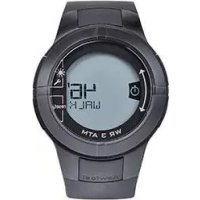
ONstep 600 - Pedometer DOMYOS - Free user manual and instructions
Find the device manual for free ONstep 600 DOMYOS in PDF.



| Product type | Wrist pedometer |
| Brand | Domyos |
| Model | ONstep 600 |
| Recommended use | Walking on flat ground (running and hiking on uneven terrain not recommended) |
| Wearing position | Left wrist for optimal measurement |
| Main functions | Time, distance, active walking time, total walking time, calories, 7-day memory, alarm |
| Power supply | Battery (type not specified, replace at store to preserve waterproofing) |
| Battery life | Varies with use and storage; low battery indicator present |
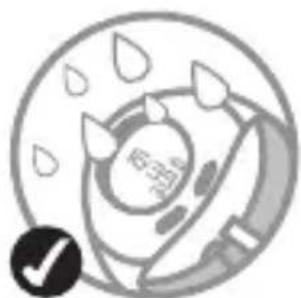
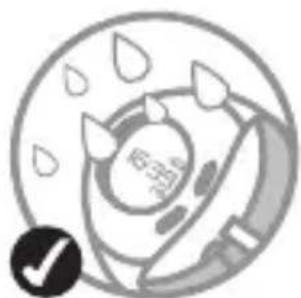
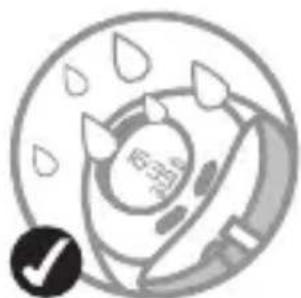
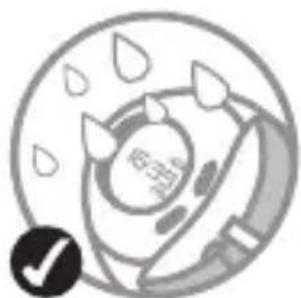
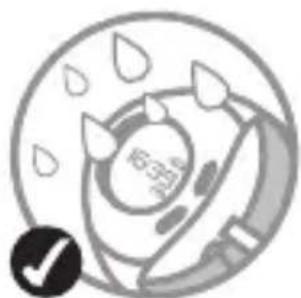
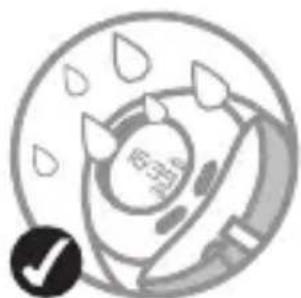
| Water resistance | WR 3 ATM (resists splashes, not diving) |
| Display | Digital with backlight |
| User settings | Weight, height, units (km/mi), time format 12/24 h, date (day/month or month/day) |
| Active walking threshold | Automatically defined by algorithm based on weight and height |
| History | Memory of last 7 days with distance, active time, total time, calories |
| Reset | Automatic at midnight, manual via D button, or factory reset (4 buttons simultaneously 3 s) |
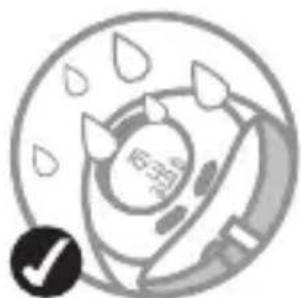
| Maintenance | Clean with a soft cloth; do not immerse; change battery at an approved point of sale |
| Warranty | 2 years against defects in materials and workmanship (excluding batteries, shocks, non-compliant use) |
| Compliance | EMC Directive 2004/108/EC |
| Manual available in | FR, BG, CS, DE, EN, ES, HU, IT, NL, PL, PT, RO, RU, SV, TR + other languages on request |
Frequently Asked Questions - ONstep 600 DOMYOS
User questions about ONstep 600 DOMYOS
0 question about this device. Answer the ones you know or ask your own.
Ask a new question about this device
Download the instructions for your Pedometer in PDF format for free! Find your manual ONstep 600 - DOMYOS and take your electronic device back in hand. On this page are published all the documents necessary for the use of your device. ONstep 600 by DOMYOS.
USER MANUAL ONstep 600 DOMYOS
natural_image
Generic document icon with no text or symbols###
This product measures the distance covered, walking time and active walking time as well as the calories burnt. A 7-day history allows you to check your progress and give yourself objectives for improving.
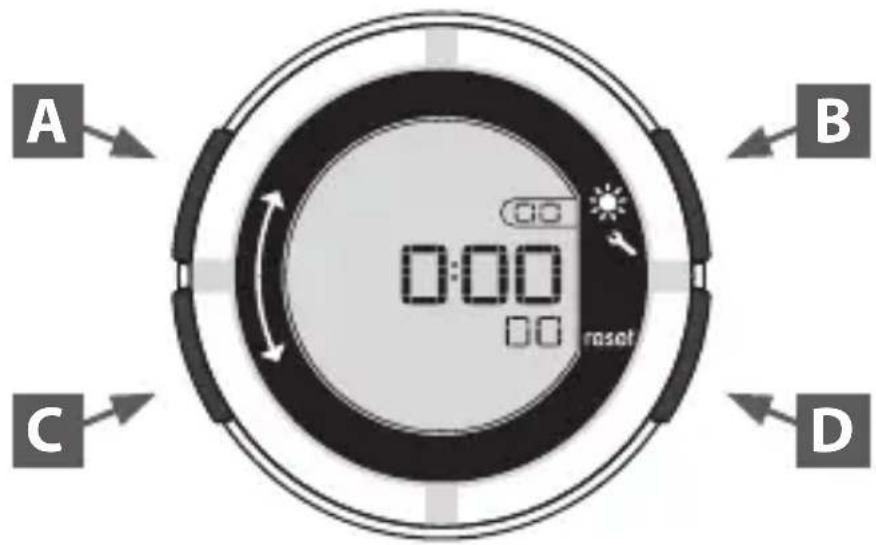
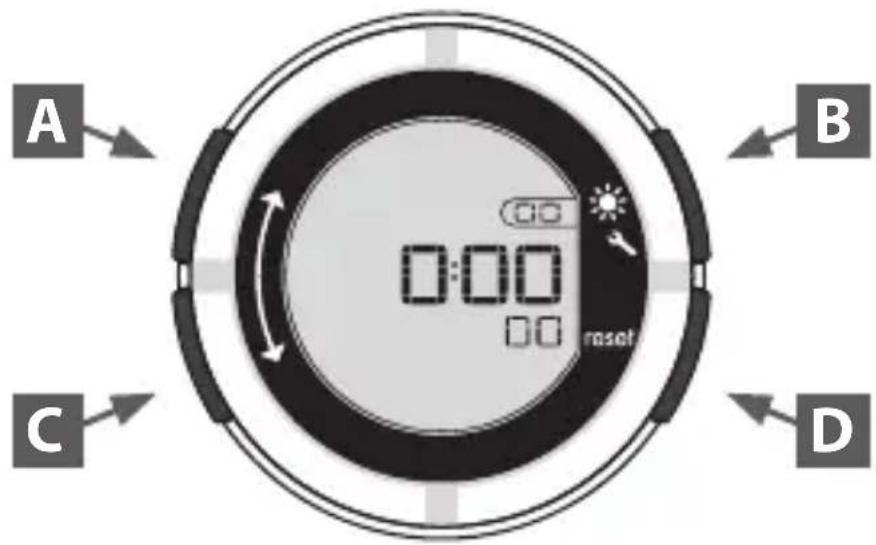
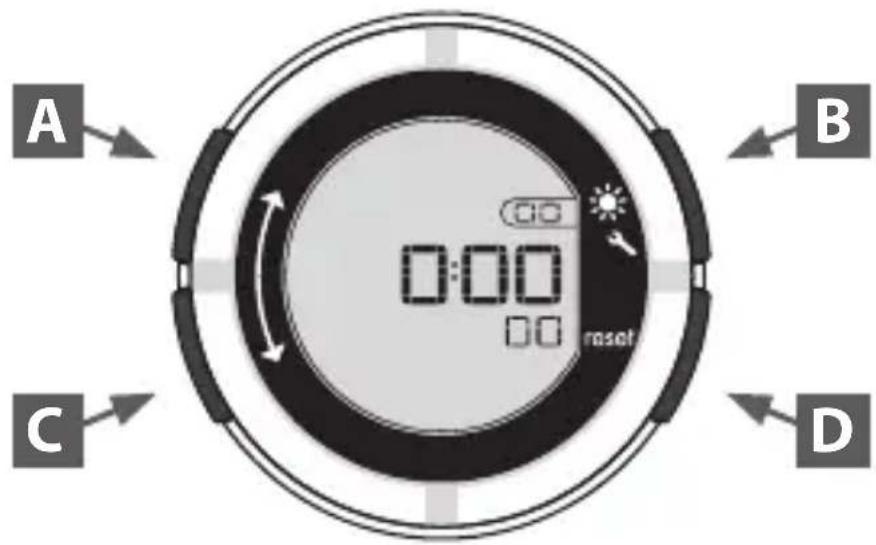
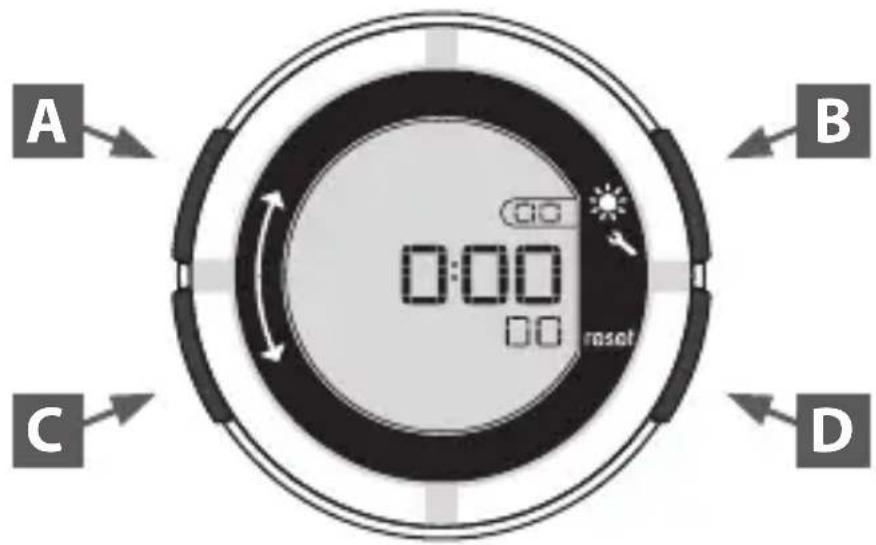
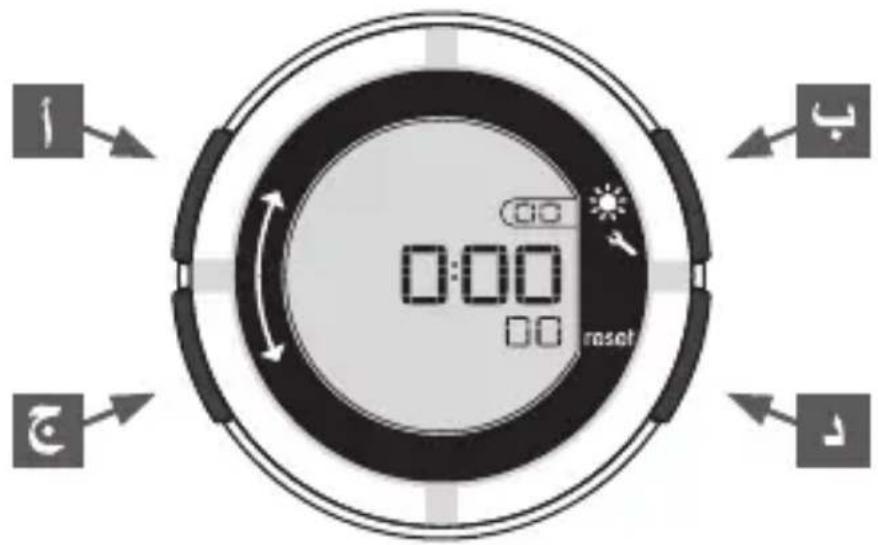
Device navigation screen:

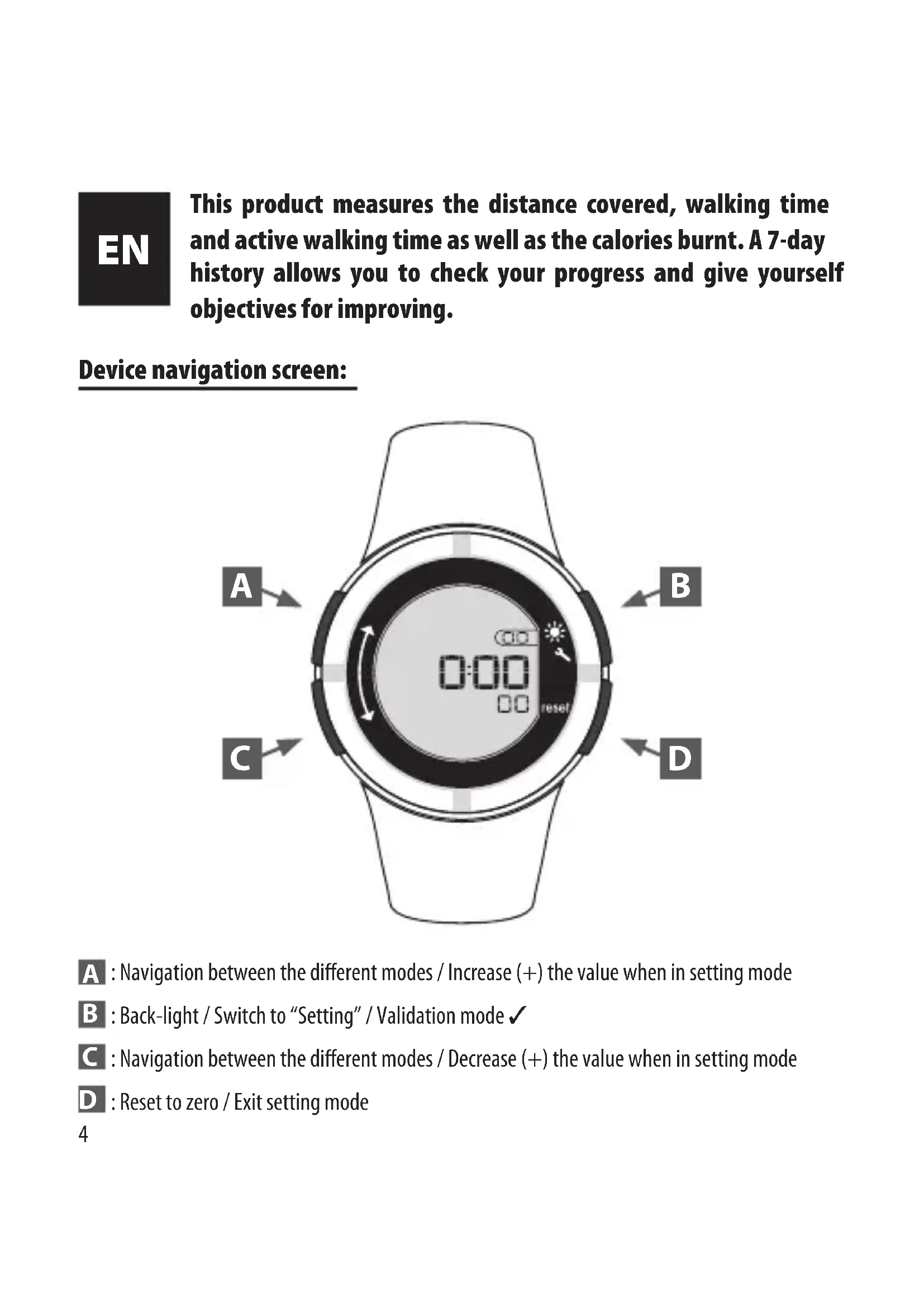
A : Navigation between the different modes / Increase (+) the value when in setting mode
B : Back-light / Switch to "Setting" / Validation mode √
C : Navigation between the different modes / Decrease (+) the value when in setting mode
D : Reset to zero / Exit setting mode
USE
This pedometer watch has been designed to measure the different parameters of your walk on flat terrain.
Technically, these measurements are carried out by registering the shockwaves created as your foot makes contact with the ground.
For the most precise measurement possible it is recommended to attach this pedometer watch to your left wrist.
This product has not been designed for running, nor for walking on hilly or uneven ground because the measurement will be very inaccurate (unable to take into account differences in level).
Also walking on soft or muddy ground causes an imprecision of around 5%.
ACTIVE MINUTE
Your pedometer measures and differentiates walking from active walking in order to help motivate you to walk more and at a faster pace every day.
What is Active Walking?
This notion is linked to the recommendation from the World Health Organisation (WHO) to walk for 30 minutes every day at a fast pace. Active walking is walking at a fast pace, which, according to the WHO, is more beneficial to your health (helps to counter obesity, heart disease, stress).
Technically, how does it work?
A patented algorithm has been designed by Oxylane's Research & Development service based on your weight and height in order to determine the threshold at which active walking begins.
Above this threshold (step frequency) you are in active walking, the most beneficial kind of walking for your health.
INITIAL SETTING OF THE PEDOMETER
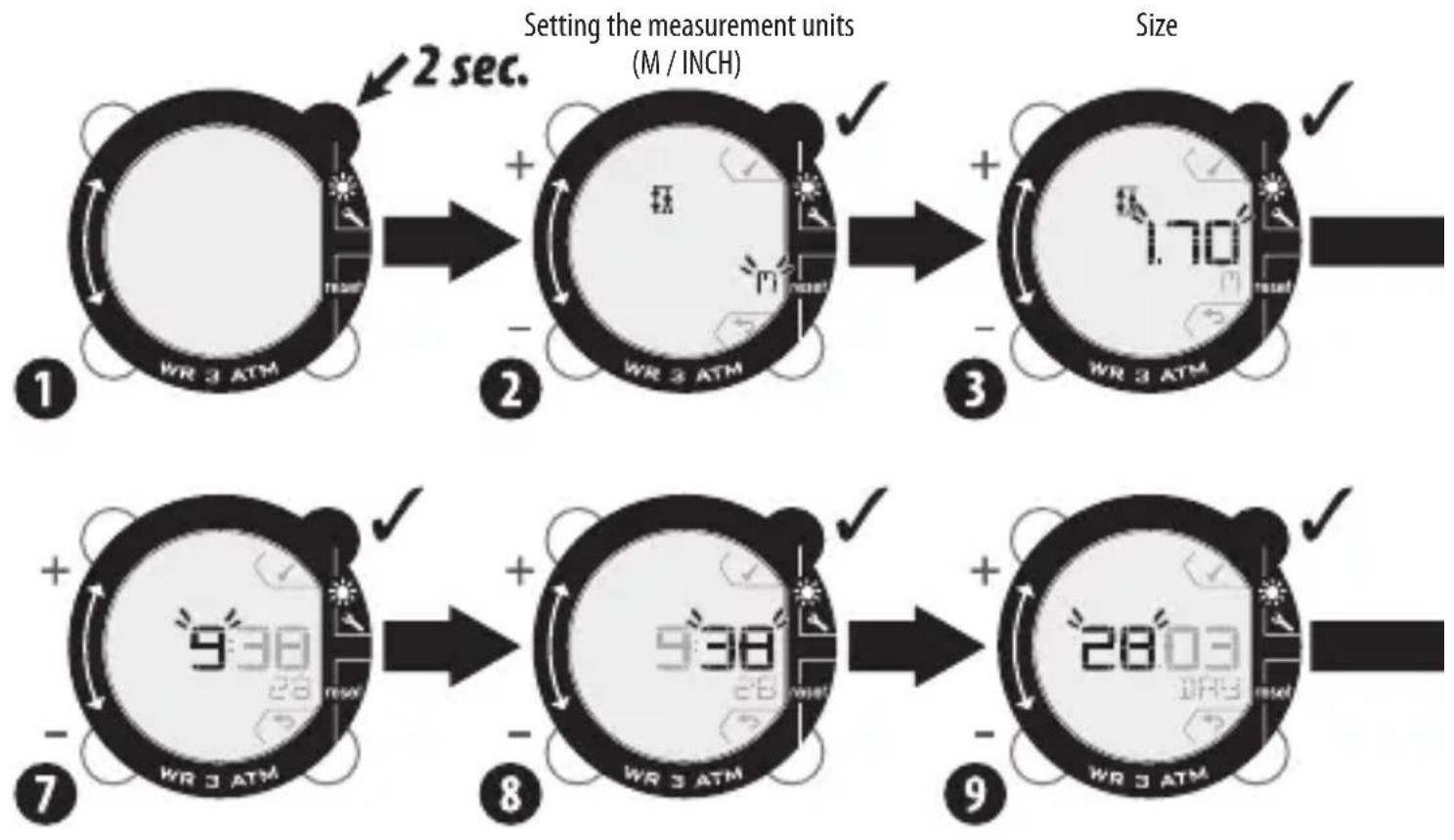
To start up the product, press the button at the top right.
You will automatically be taken to the device's set-up menu.
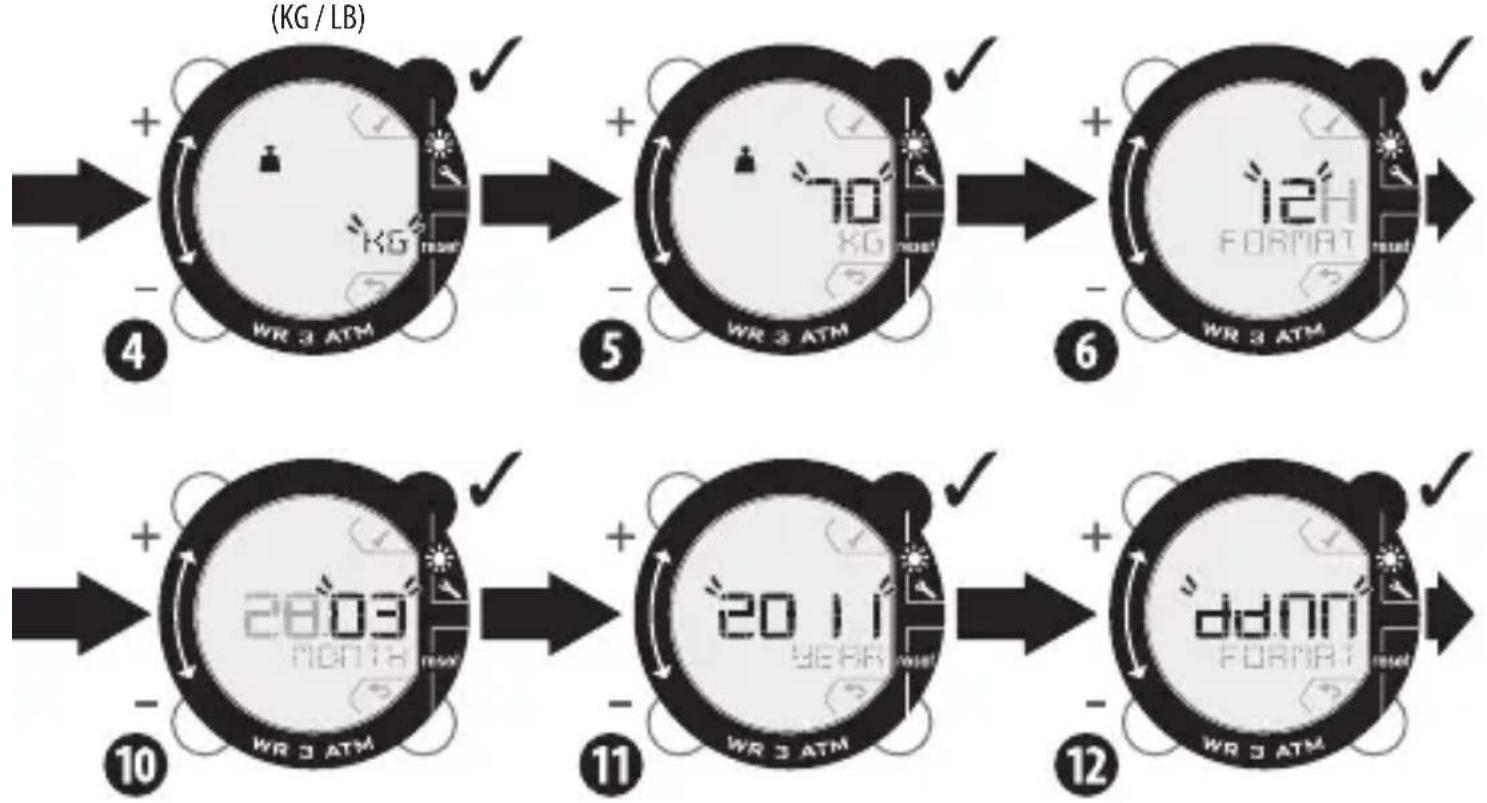
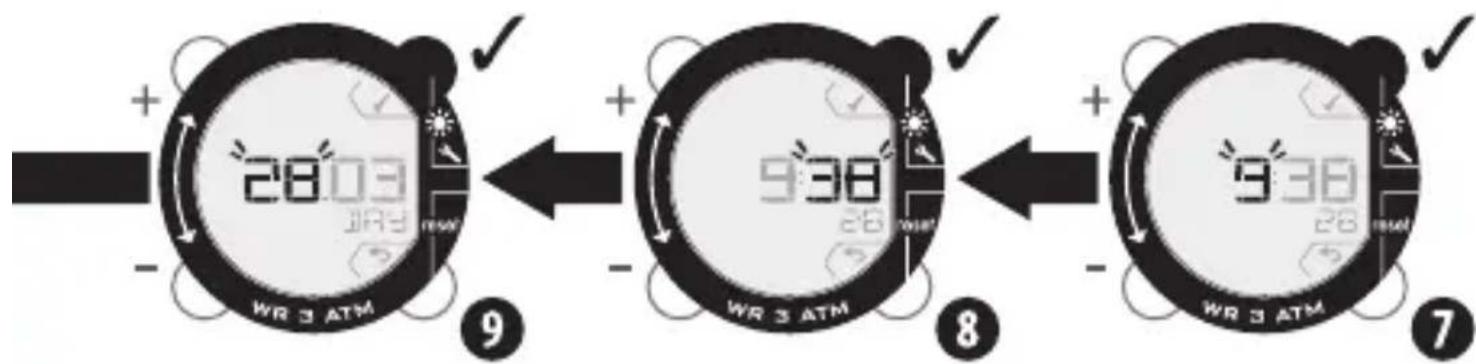
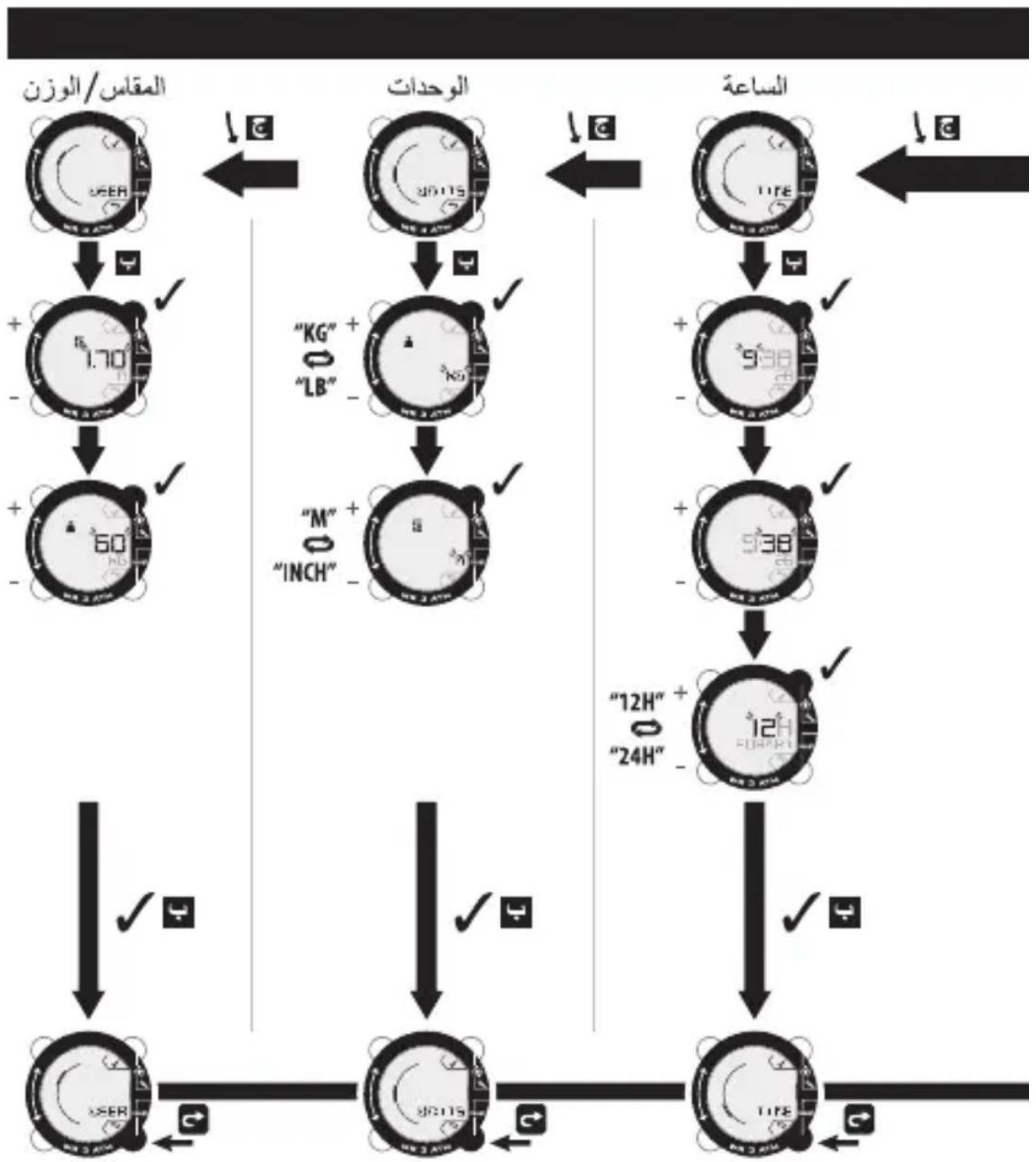
Changing the values is carried out using buttons A (+) and C (-).
flowchart
graph TD
    A["1: WR 3 ATM"] -->|2 sec.| B["2: WR 3 ATM"]
    B --> C["3: WR 3 ATM"]
    C --> D["4: WR 3 ATM"]
    D --> E["5: WR 3 ATM"]
    E --> F["6: WR 3 ATM"]
    F --> G["7: WR 3 ATM"]
    G --> H["8: WR 3 ATM"]
    H --> I["9: WR 3 ATM"]
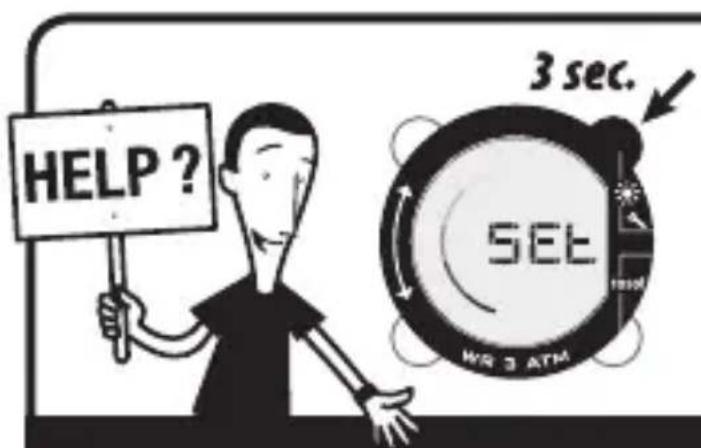
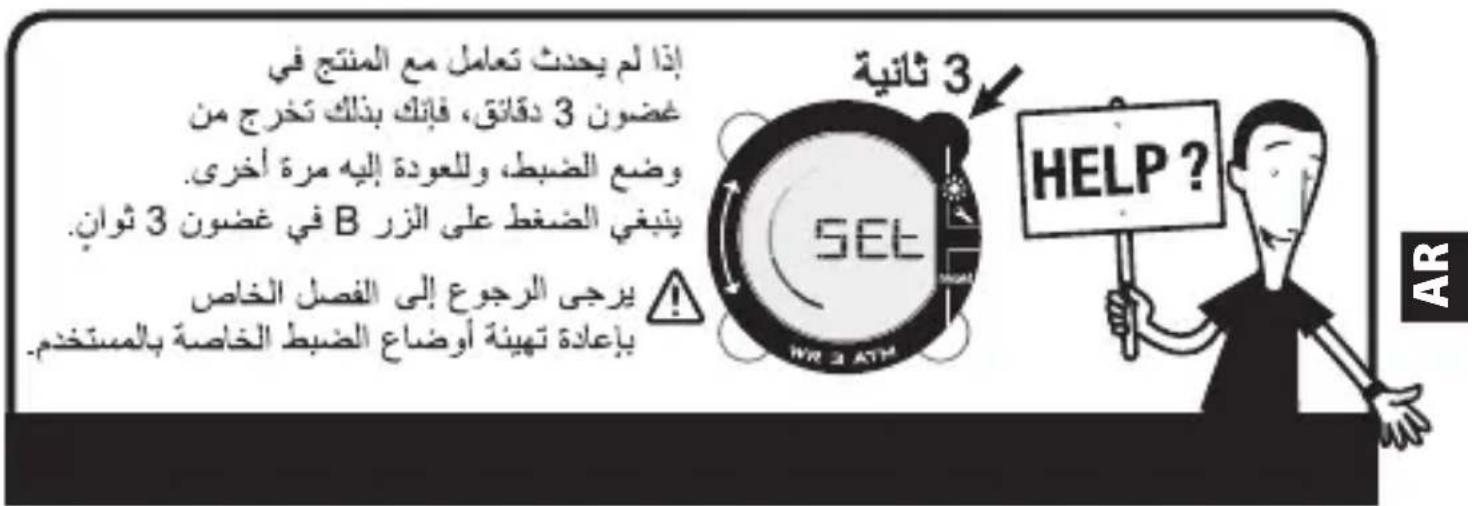
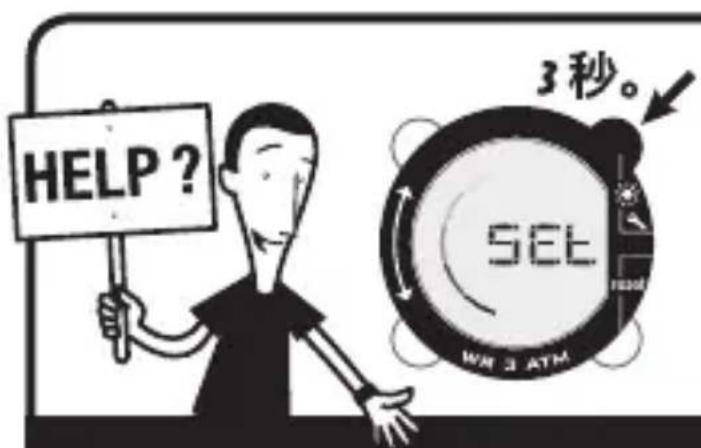
If the product is not used for 3 minutes, you exit settings mode.
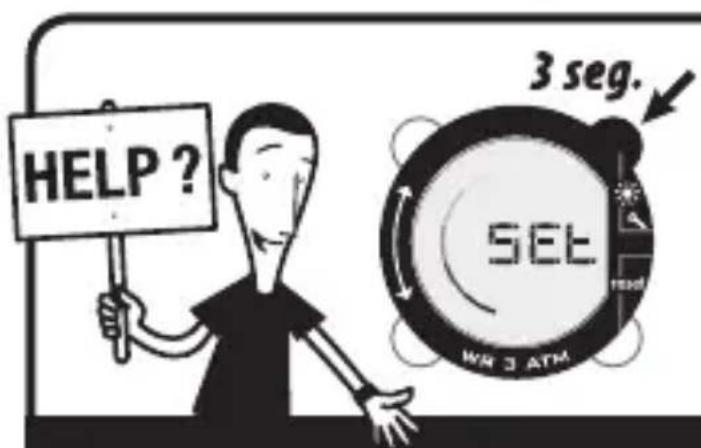
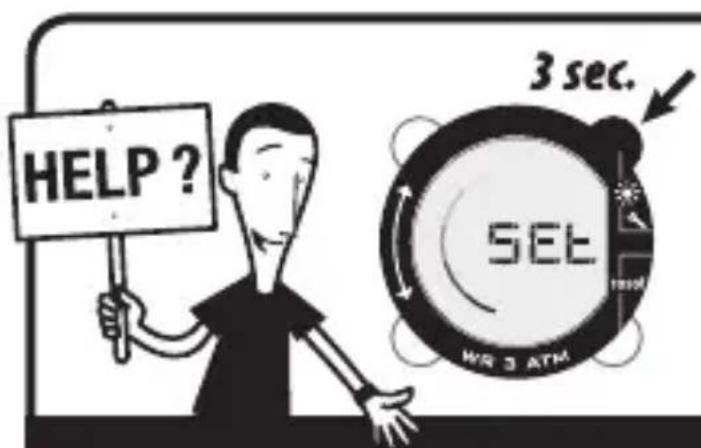
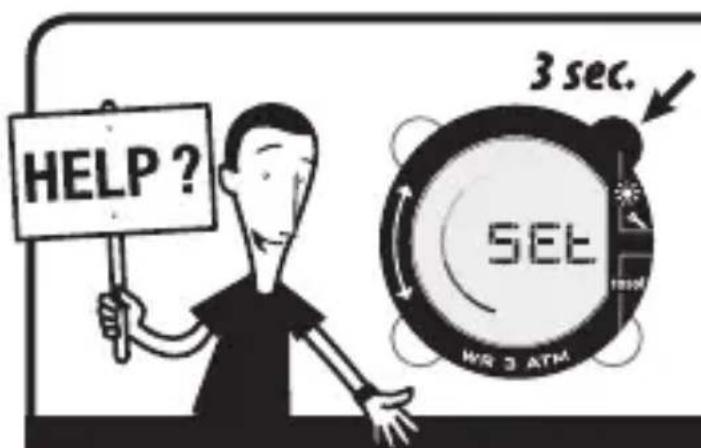
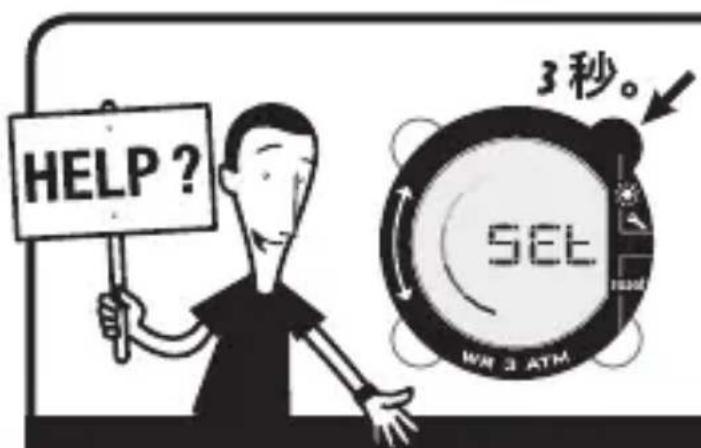
To return to settings, press and hold the B button for 3 seconds.
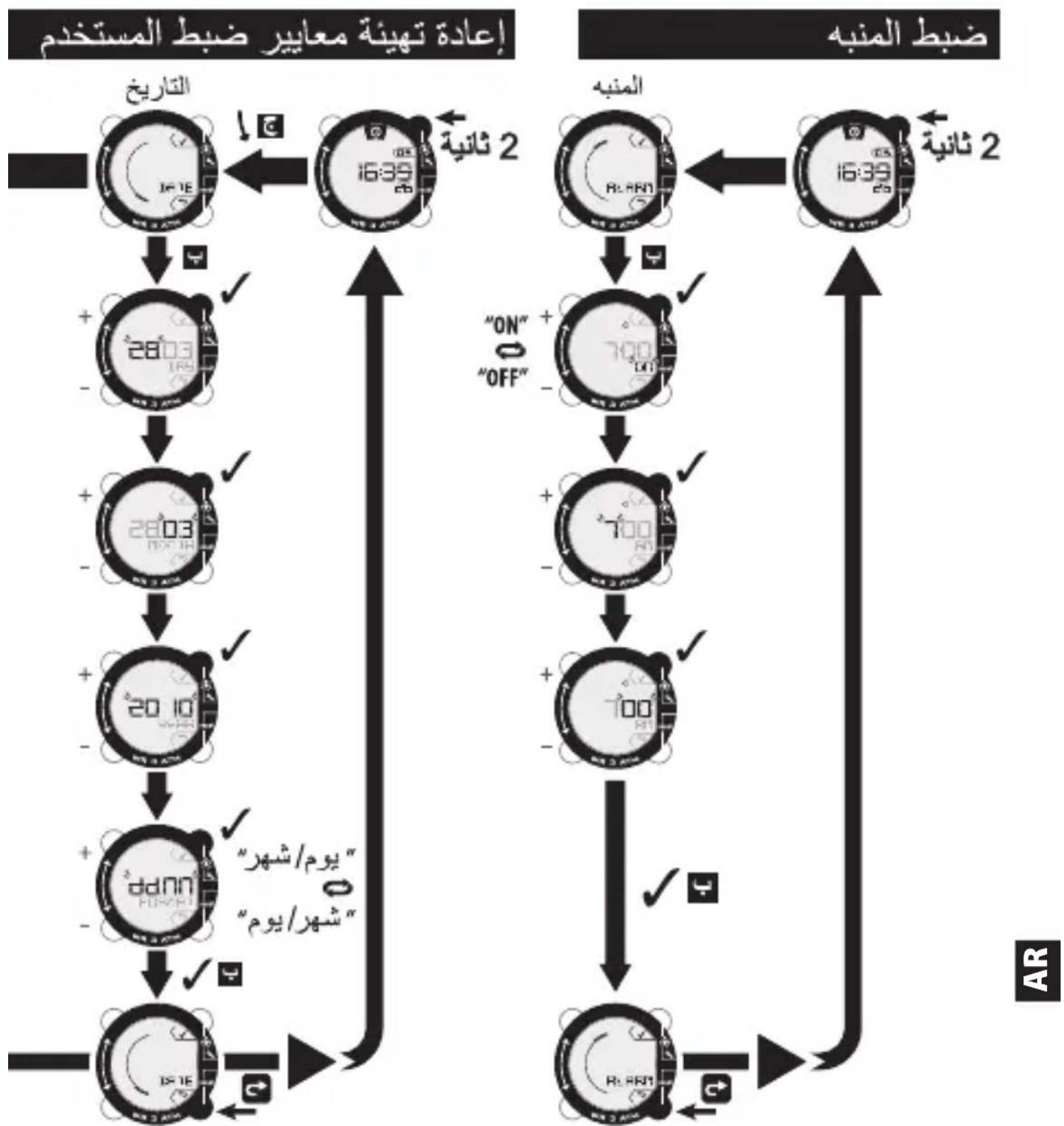
And refer to the chapter on reprogramming user settings.
Weight 12hr/24hr clock displaySetting the measurement units
flowchart
graph TD
    A["4"] --> B["+"]
    B --> C["(KG / LB)"]
    C --> D["5"]
    D --> E["+"]
    E --> F["6"]
    F --> G["+"]
    G --> H["10"]
    H --> I["+"]
    I --> J["11"]
    J --> K["+"]
    K --> L["12"]
    L --> M["+"]
    M --> N["12"]
    N --> O["12"]
    O --> P["12"]
    P --> Q["12"]
    Q --> R["12"]
    R --> S["12"]
    S --> T["12"]
    T --> U["12"]
    U --> V["12"]
    V --> W["12"]
    W --> X["12"]
    X --> Y["12"]
Day/month month/day date display
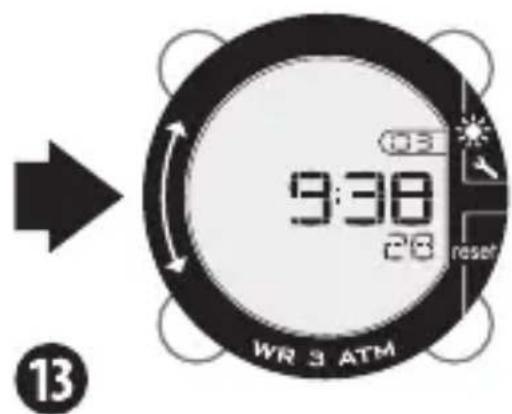
Your pedometer is ready to be used.
The product begins its automatic measuring.
GENERAL USE
flowchart
graph TD
    A["16:39/26/WR 3 ATM"] --> B["24:00/WR 3 ATM"]
    B --> C["39:00/WR 3 ATM"]
    C --> D["48:00/WR 3 ATM"]
flowchart
graph TD
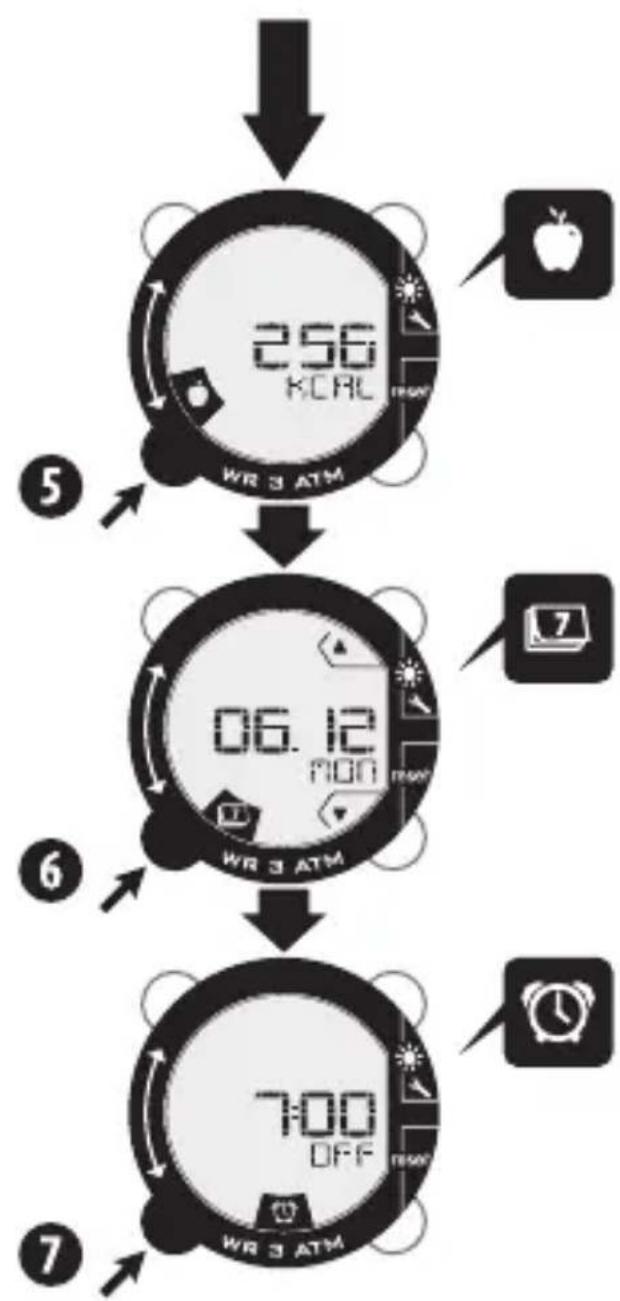
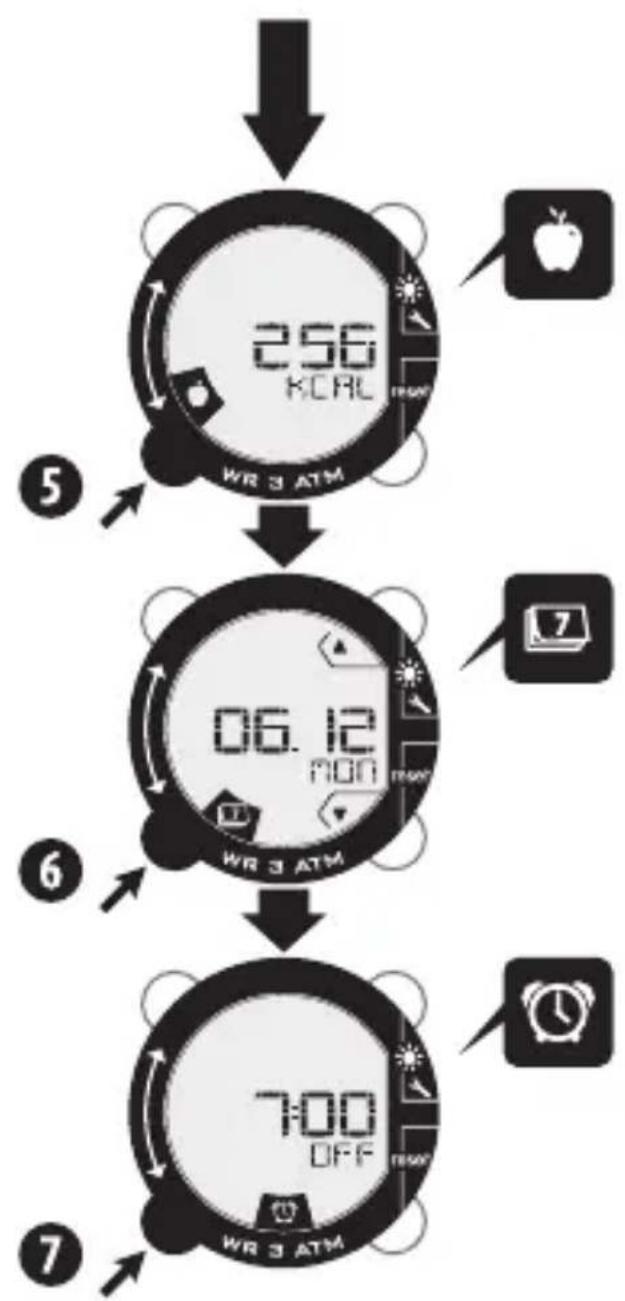
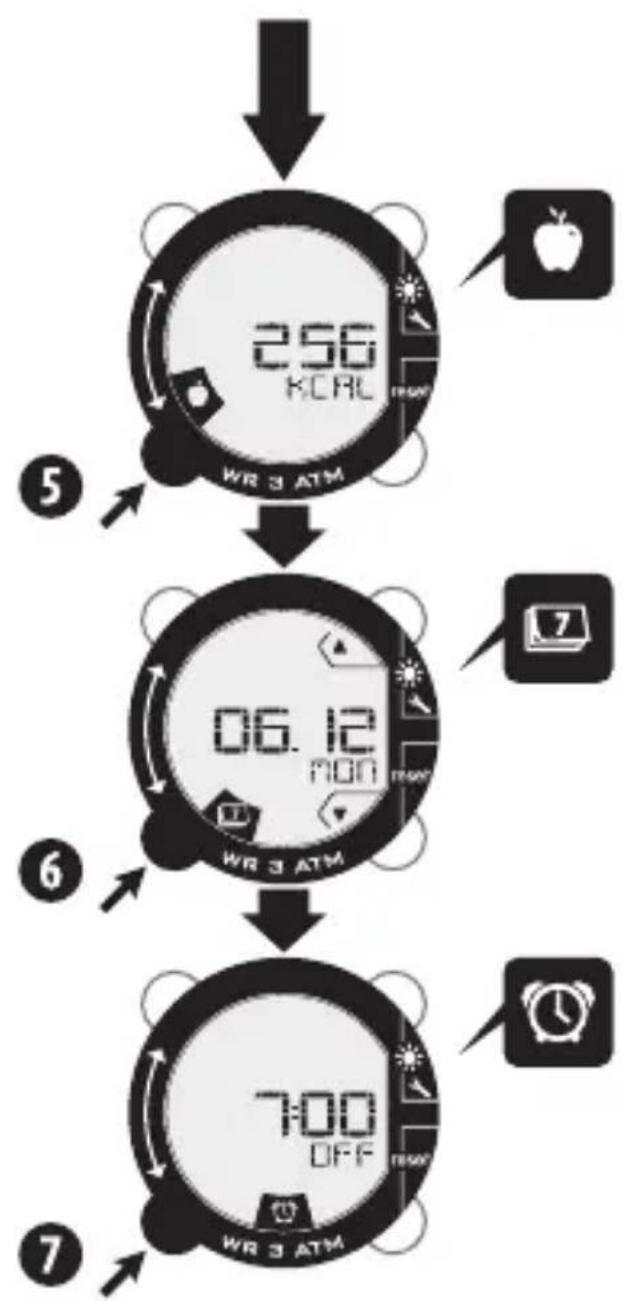
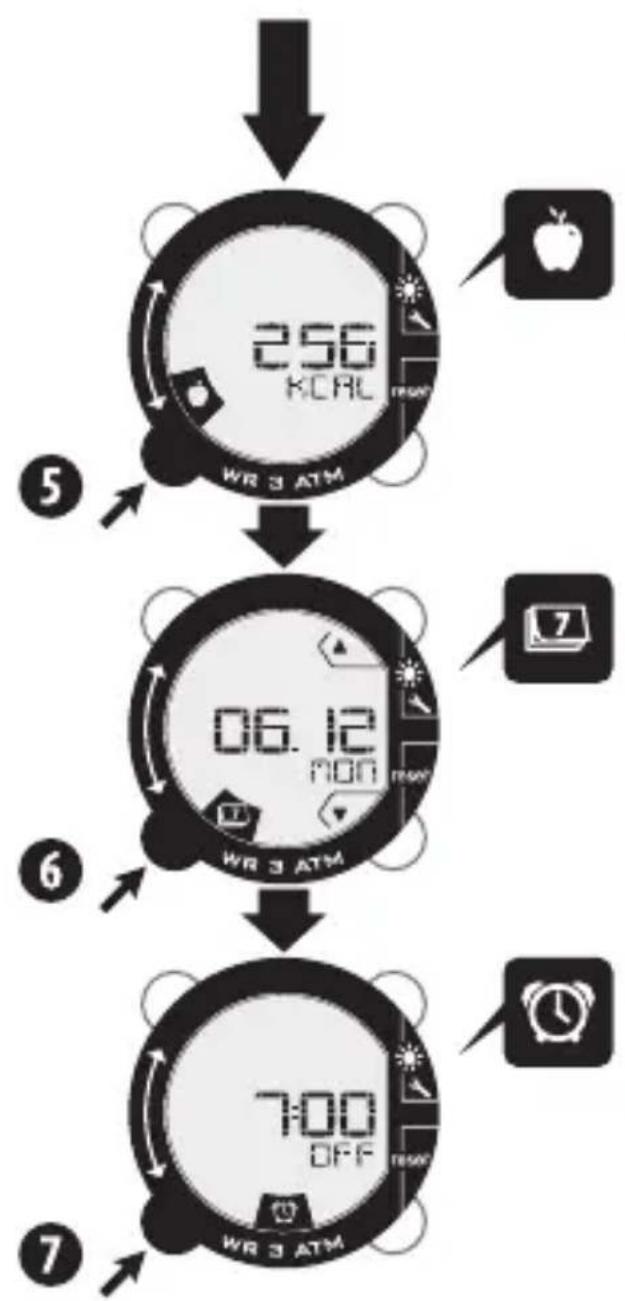
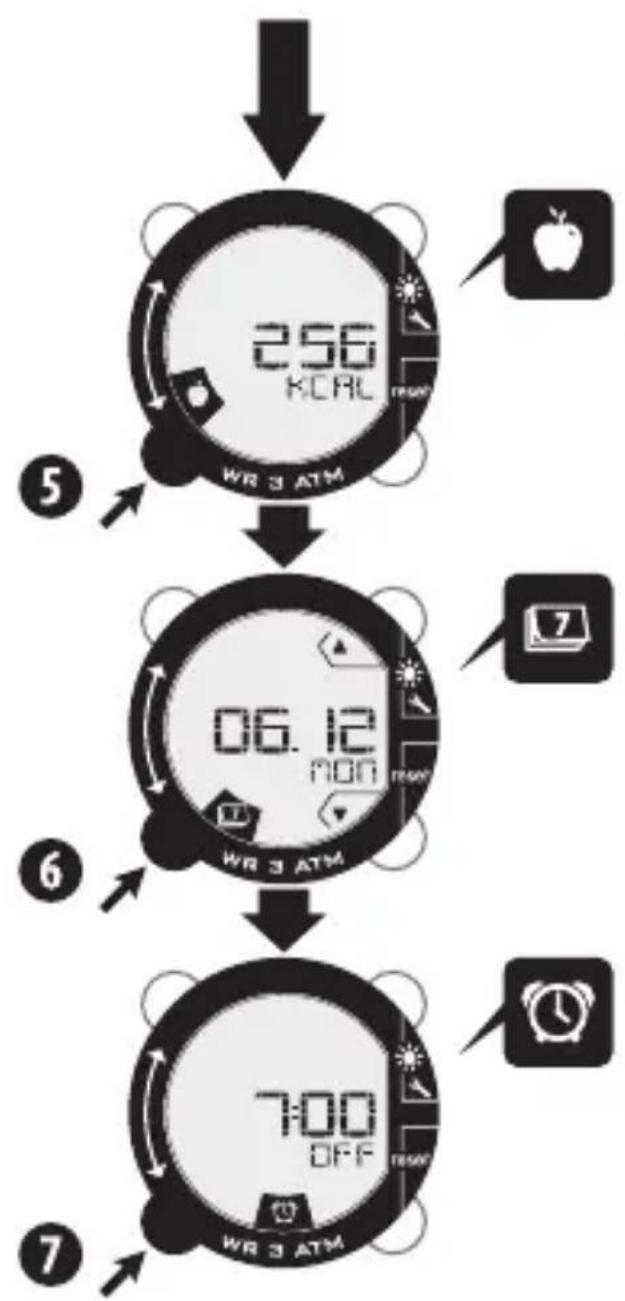
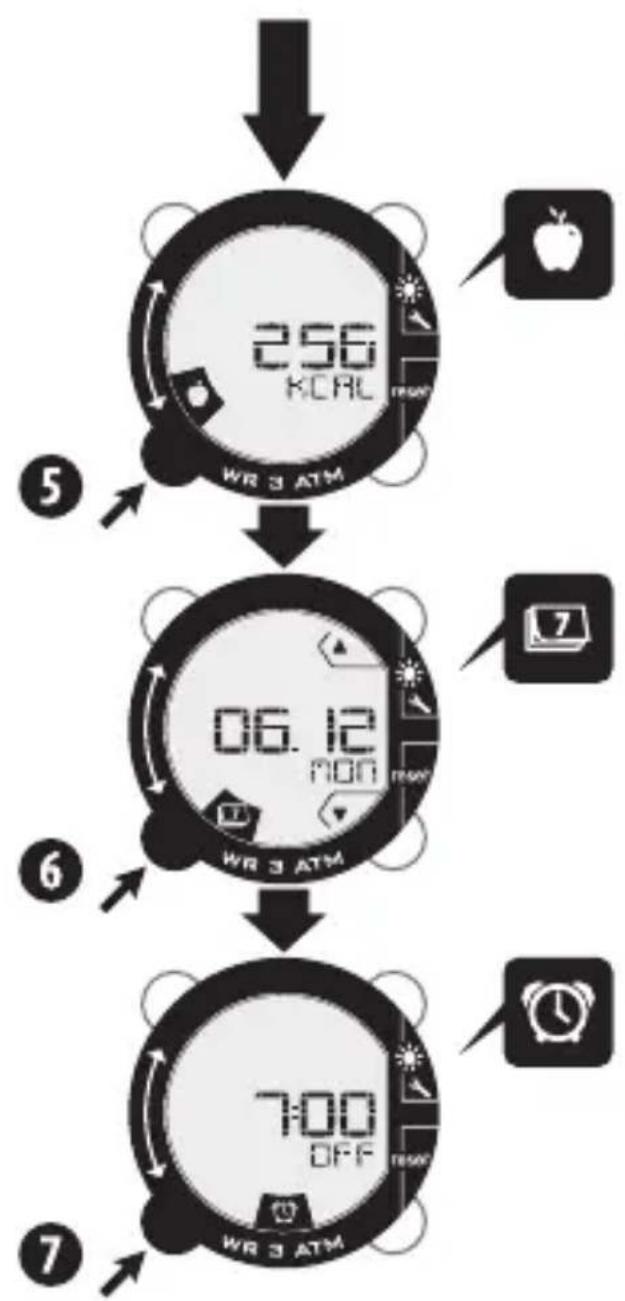
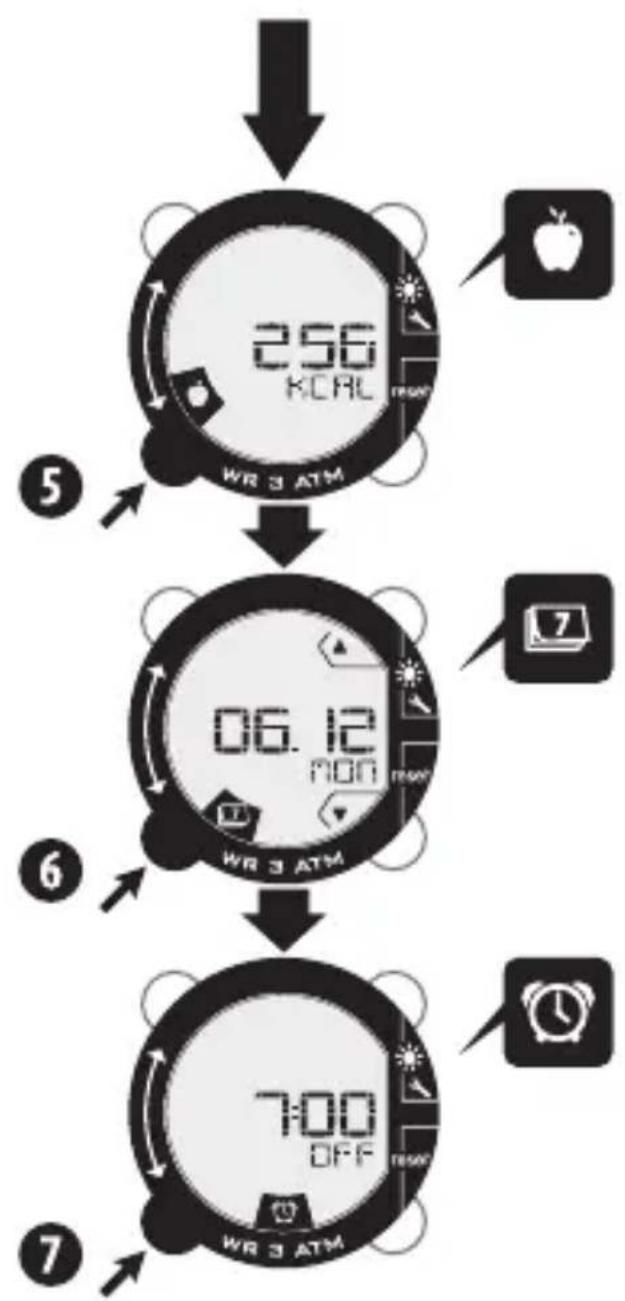
    A["256 KORL WR 3 ATM"] --> B["06.12 RON WR 3 ATM"]
    B --> C["7:00 OFF WR 3 ATM"]
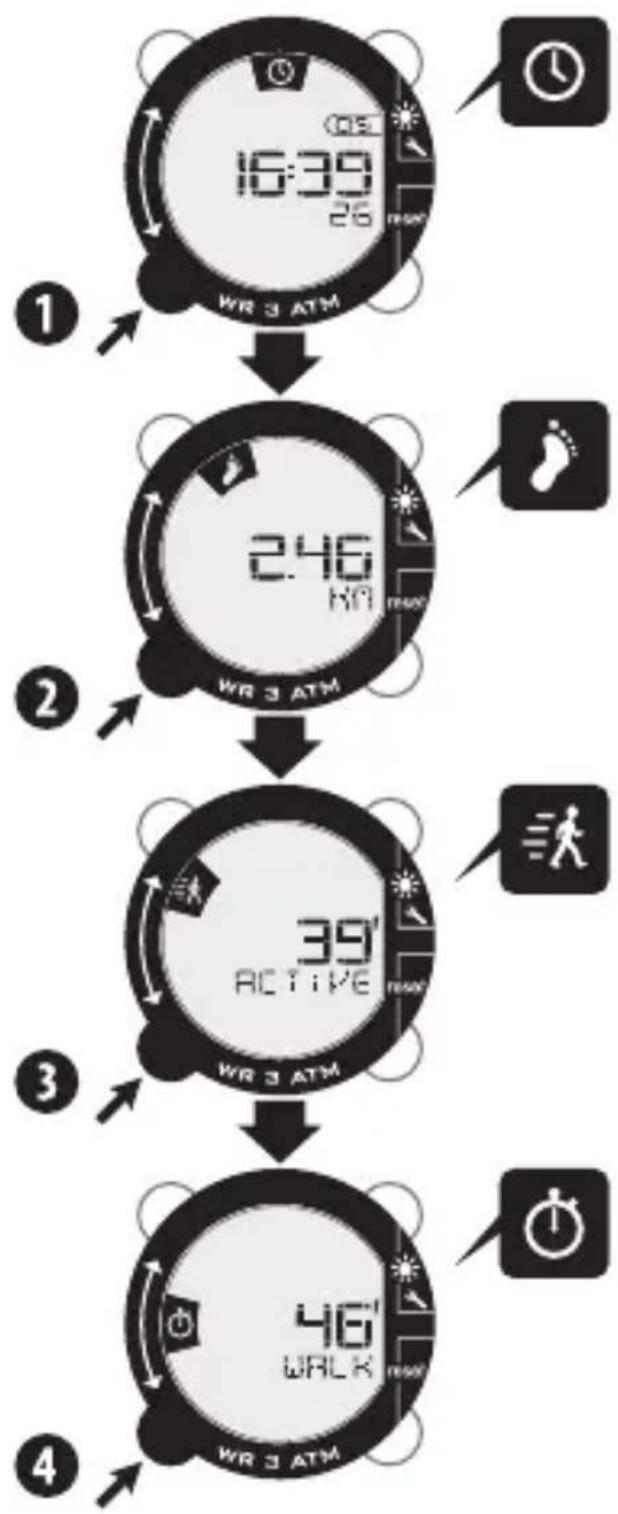
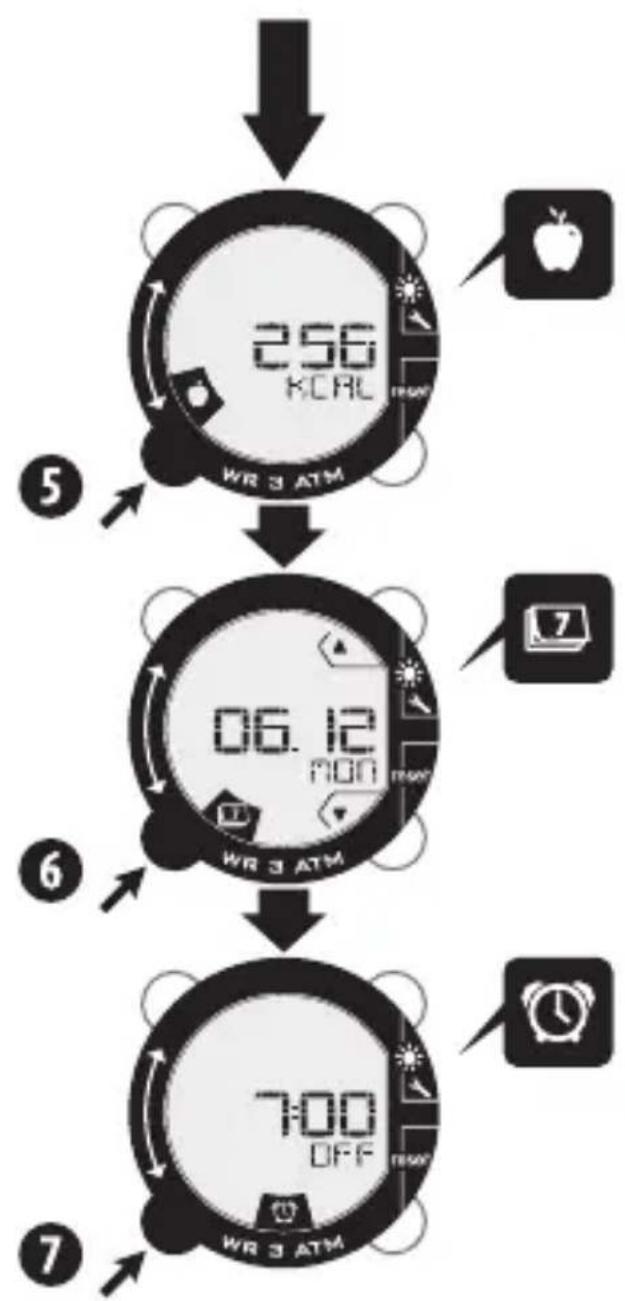
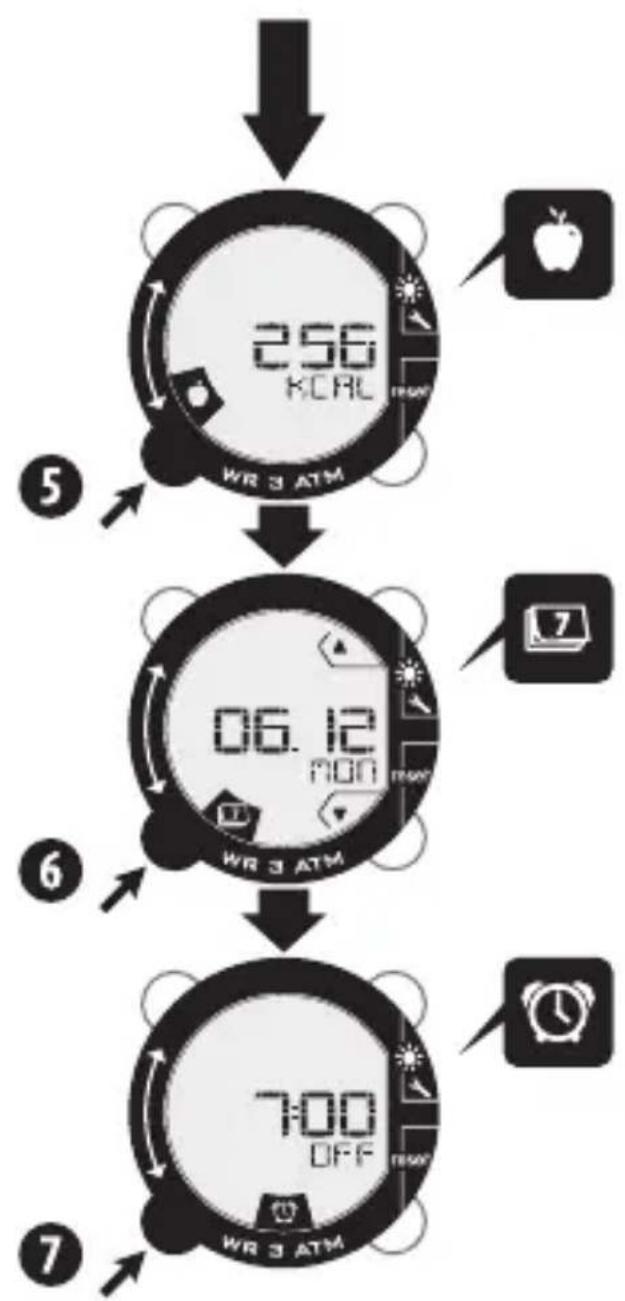
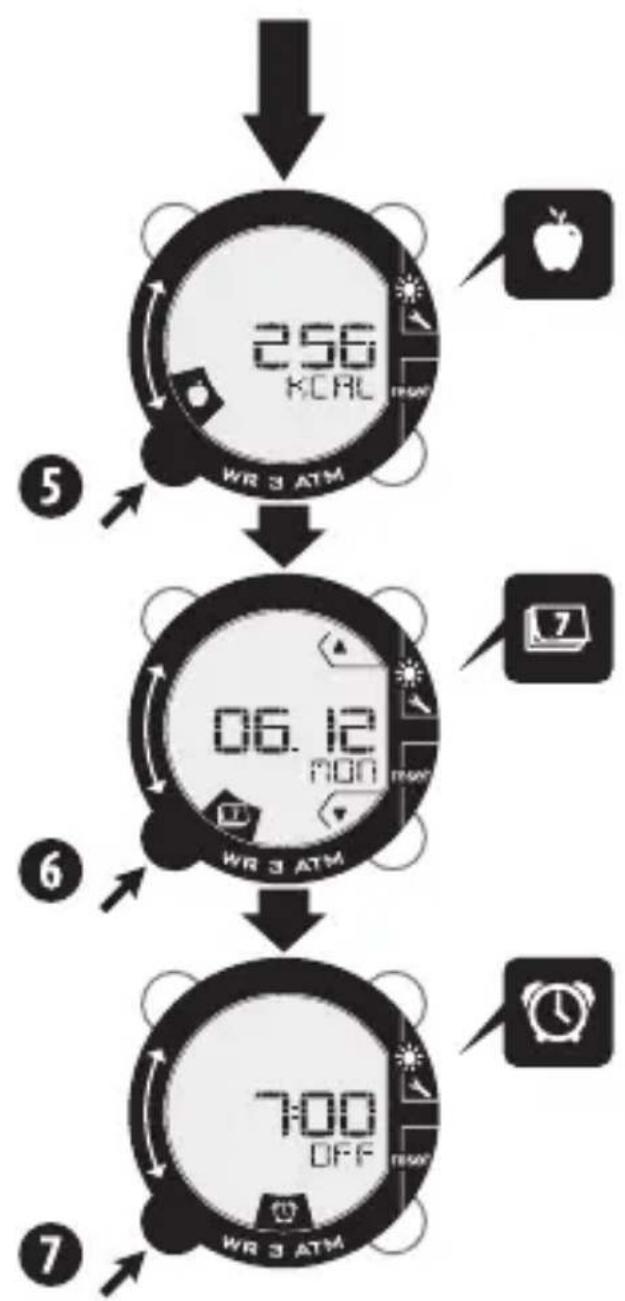
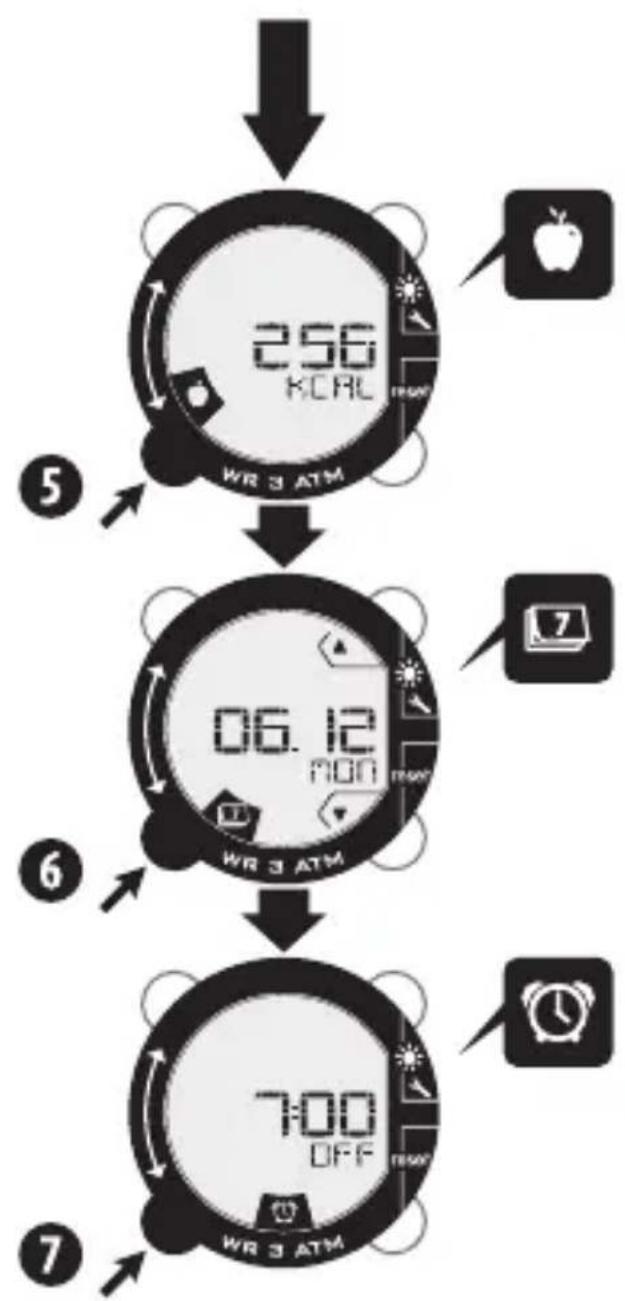
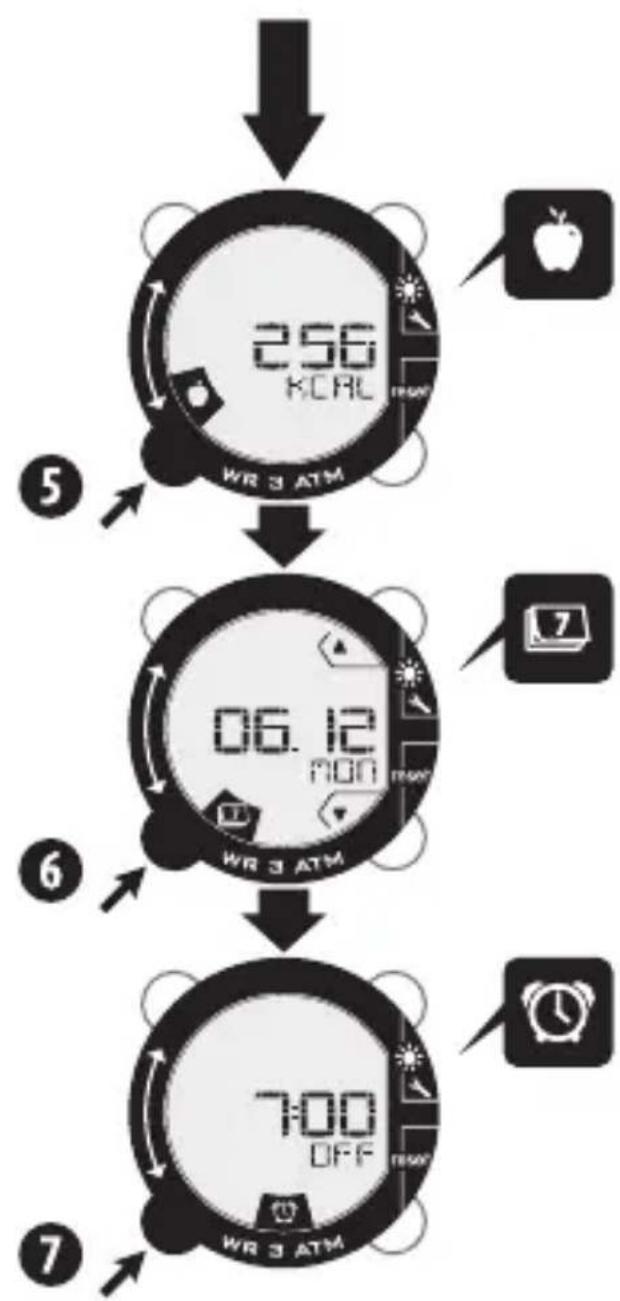
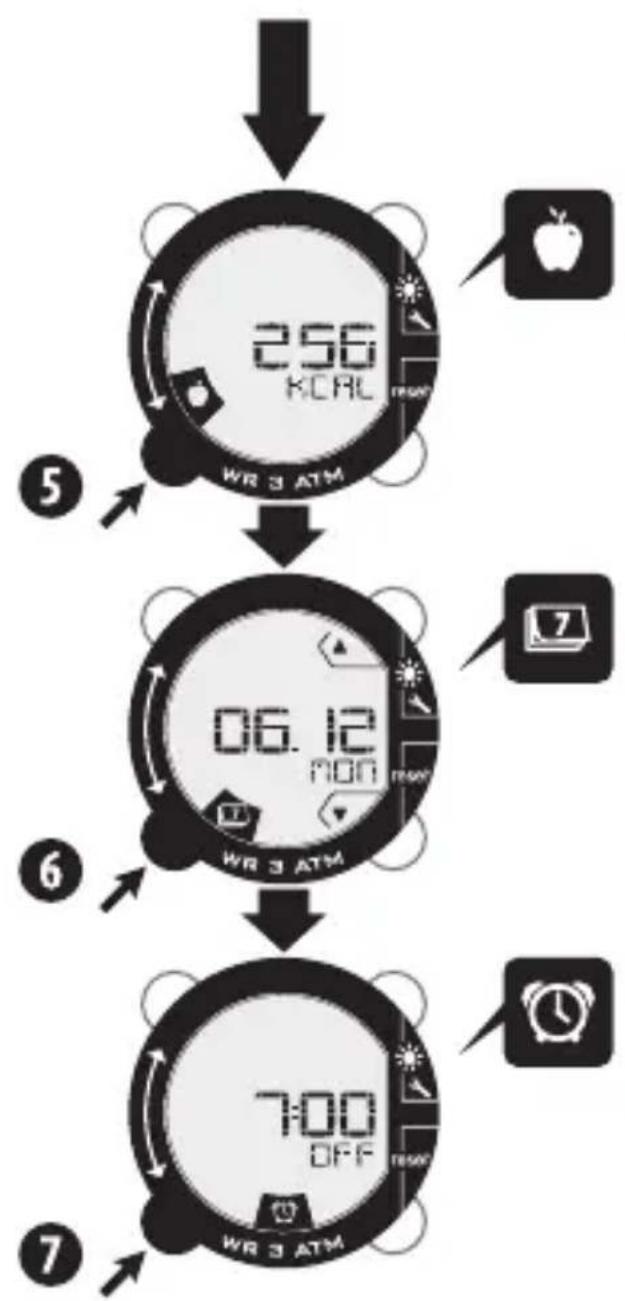
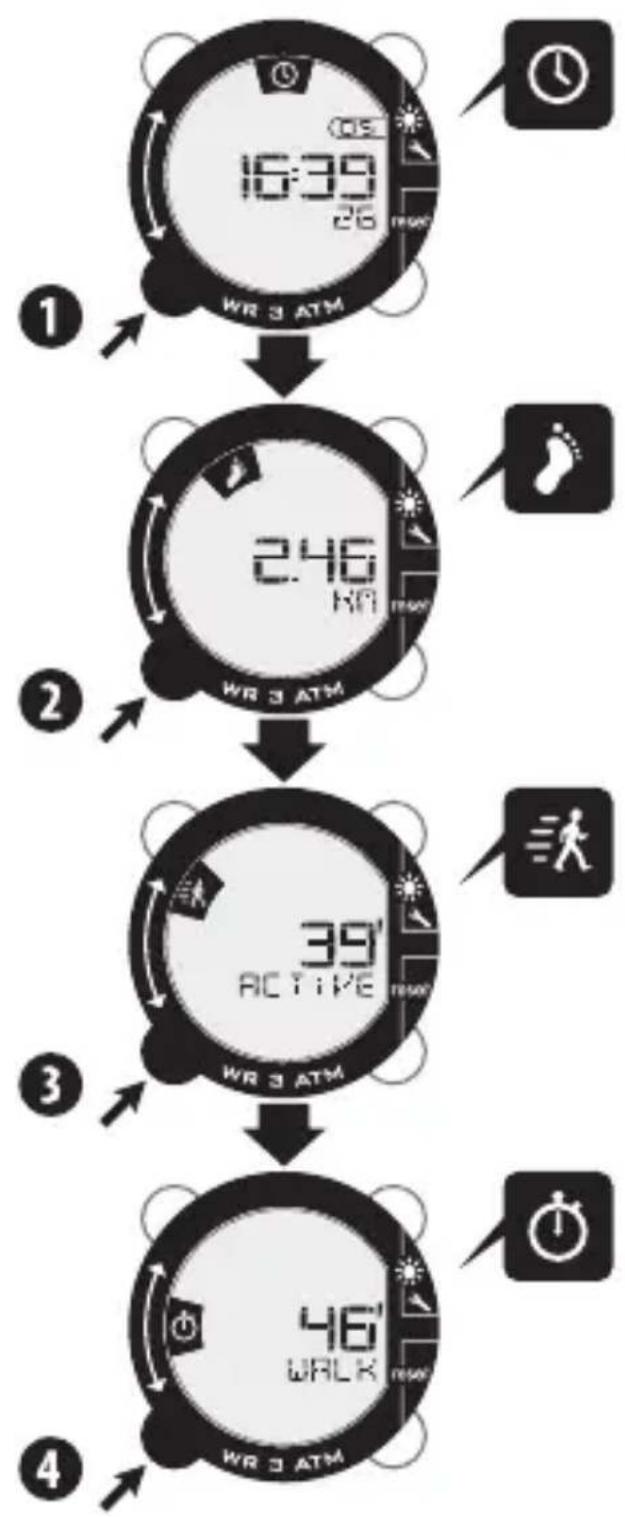
THIS DEVICE HAS 7 DIFFERENT MODES
EN
① : Time

2 : Distance : Calculation of the distance walked during the session

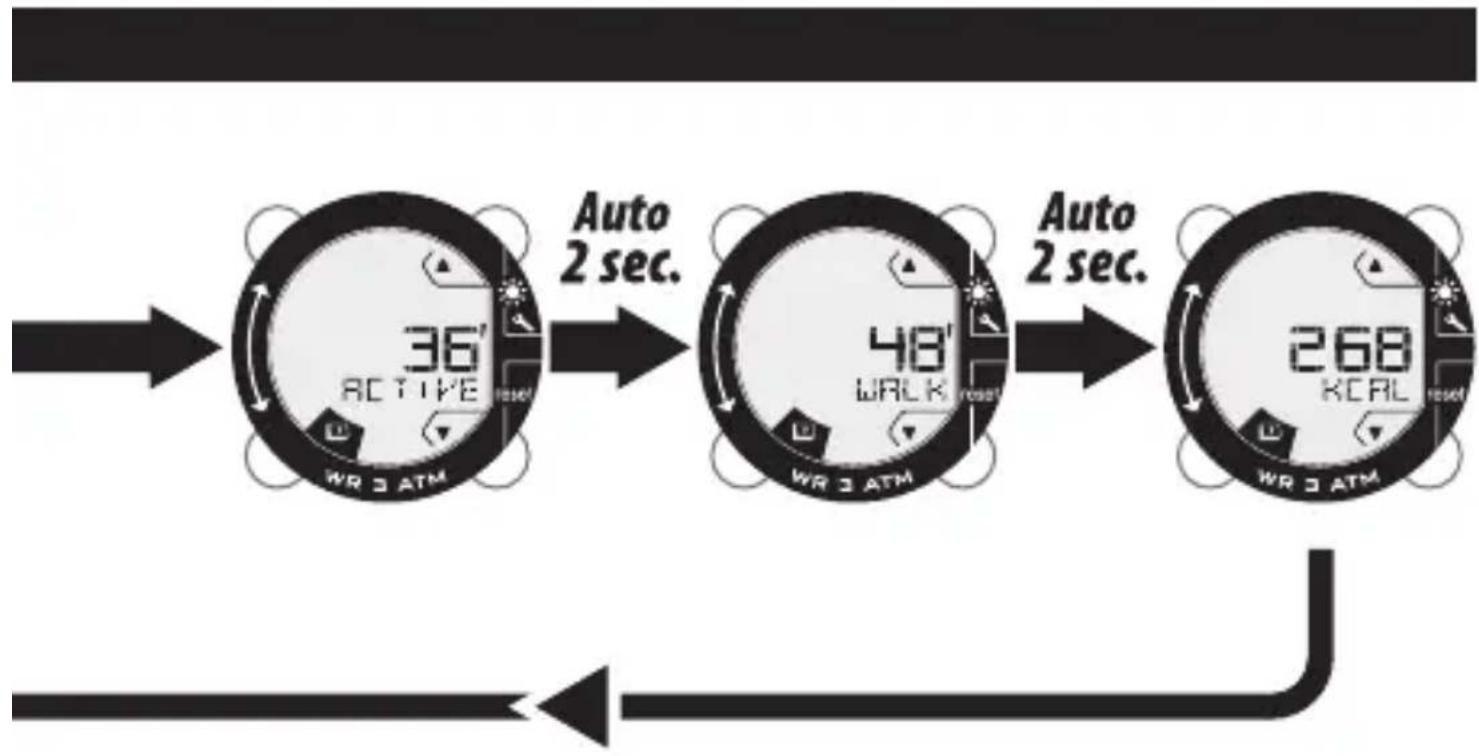
3 : Active walking time
4 : Total walking time of the session

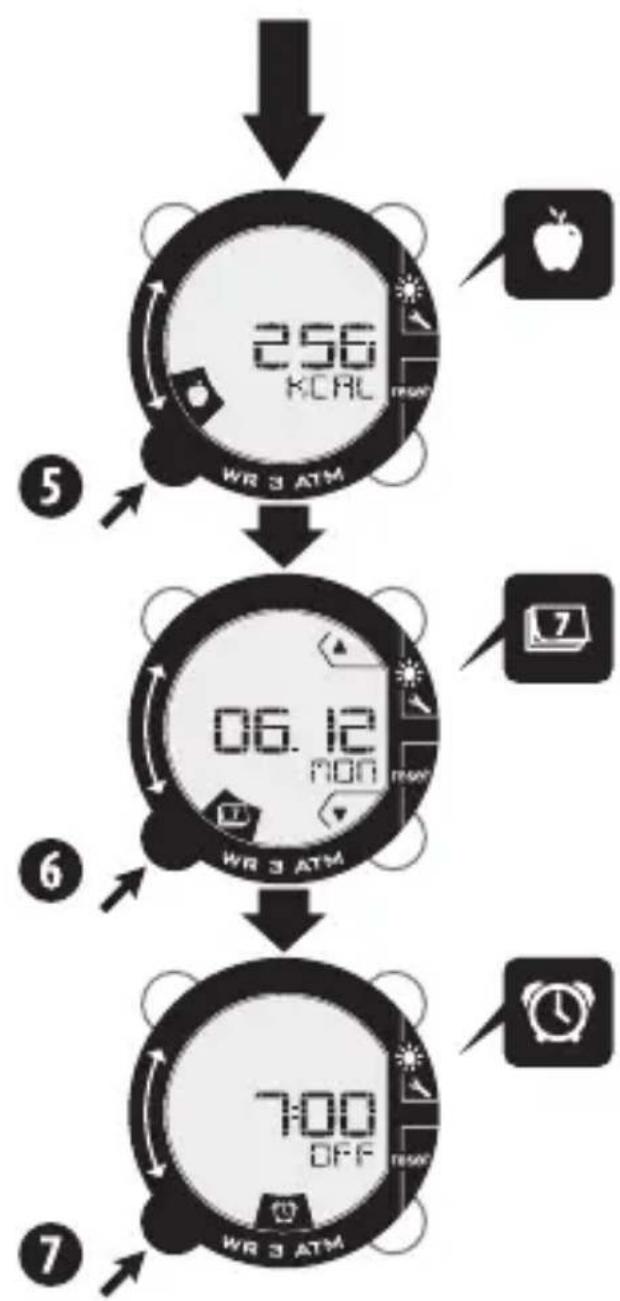
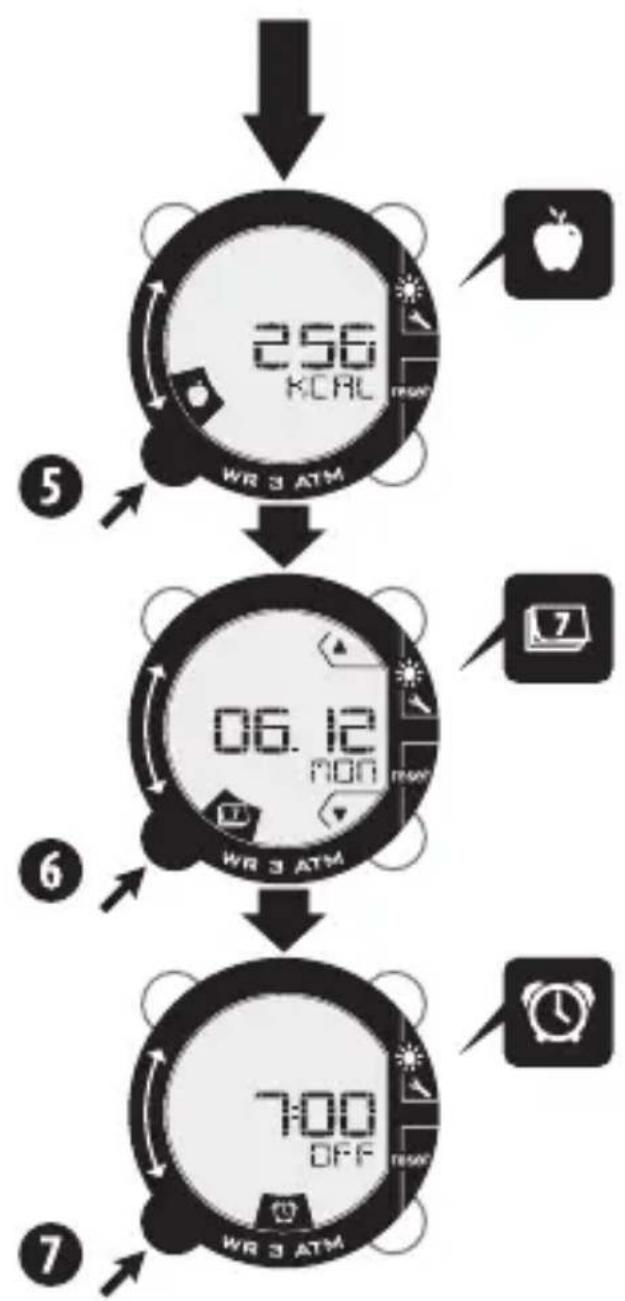
5 : Calories burnt during the session
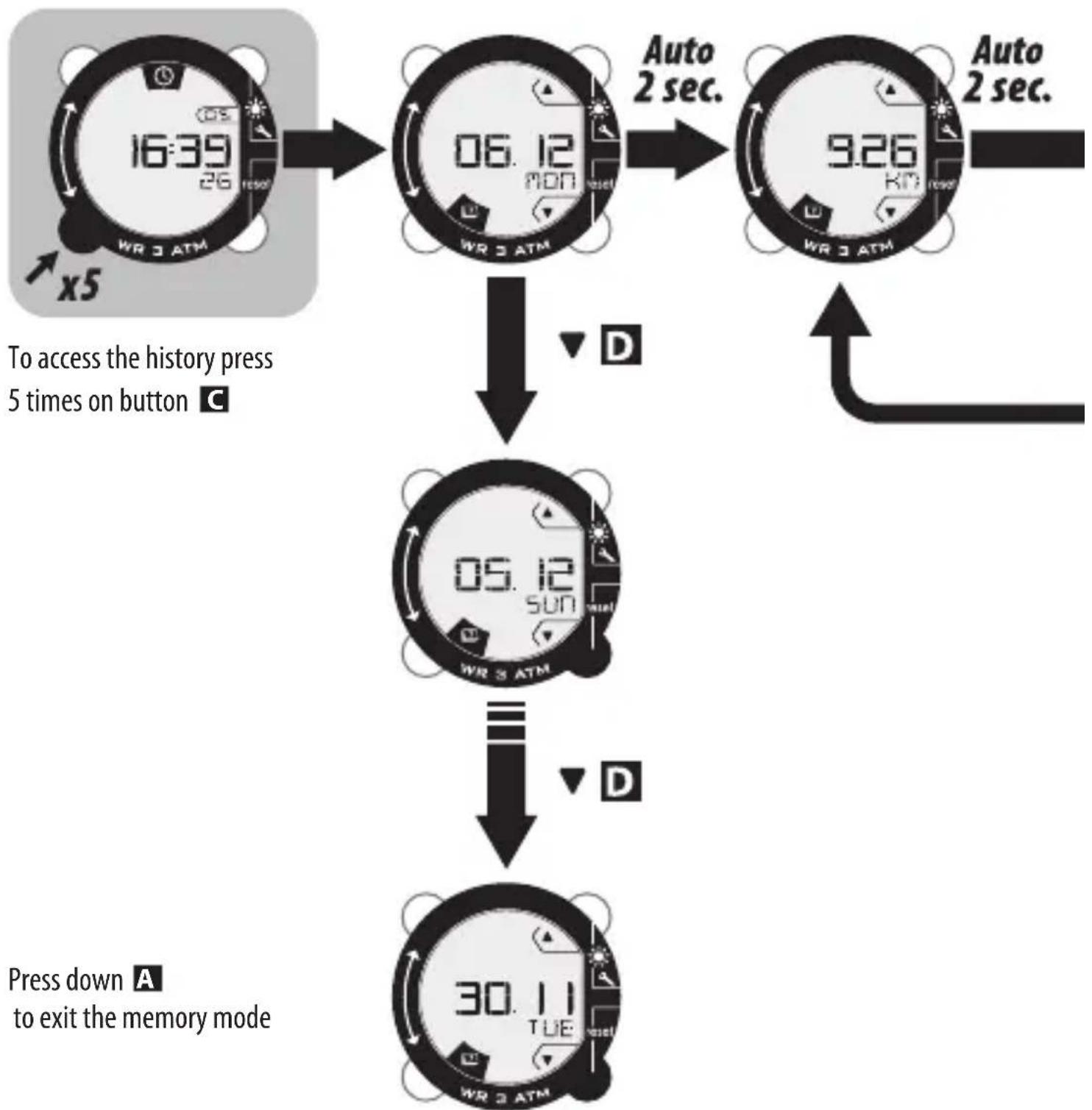
6 : Memory : Memory for the last 7 days
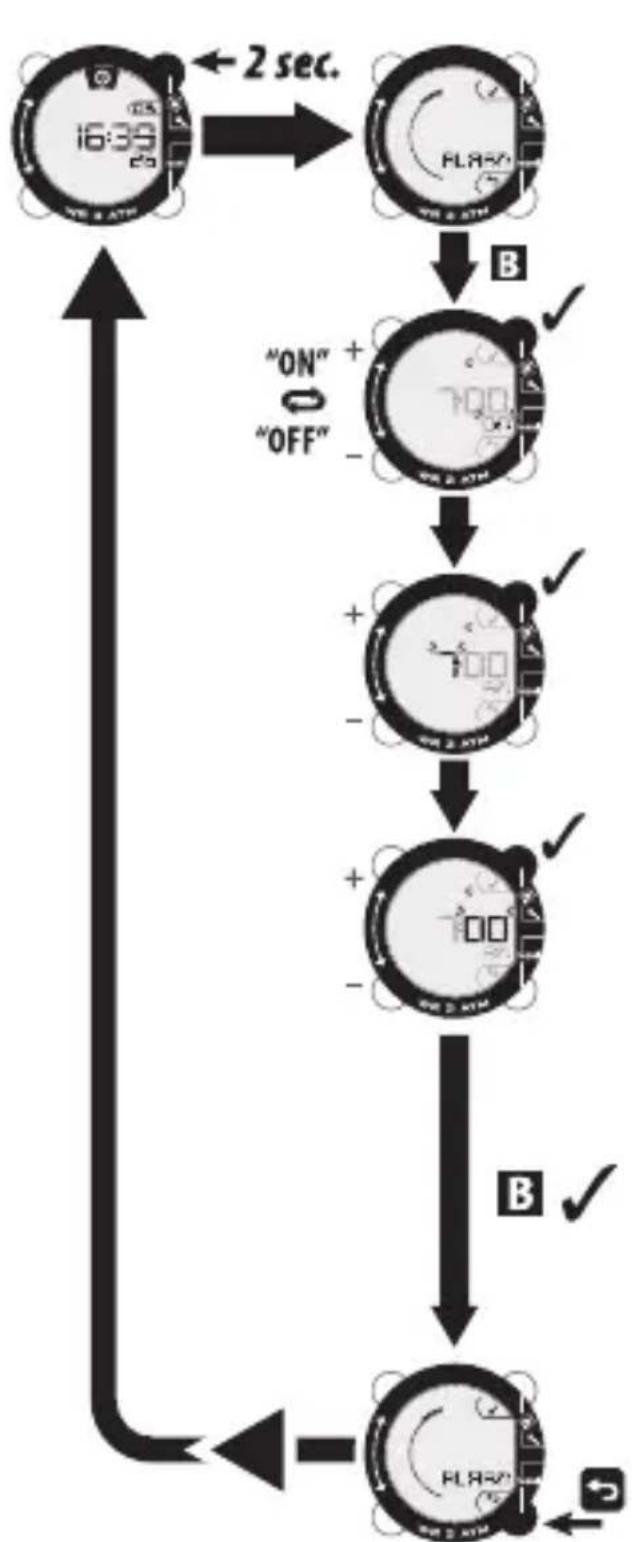
7 : Alarm
Specific points
The product begins its automatic measuring.
The stopwatches (for total walk and active walk) only start when you are walking.
MEMORY MODE
flowchart
graph TD
    A["16:39 WR 3 ATM"] --> B["06.12 MON"]
    B --> C["9.26 KM"]
    C --> D["30.11 TUE WR 3 ATM"]
    D --> E["Press down A to exit the memory mode"]
    style A fill:#f9f,stroke:#333
    style B fill:#ccf,stroke:#333
    style C fill:#ccf,stroke:#333
    style D fill:#cfc,stroke:#333
    style E fill:#fcc,stroke:#333
flowchart
graph LR
    A["36° ACTIVE"] -->|Auto 2 sec.| B["48° WALK"]
    B -->|Auto 2 sec.| C["268 KCAL"]
Z
SETTING THE ALARM
flowchart
graph TD
    A["16:39 AM"] -->|2 sec.| B["FL850"]
    B -->|B| C["ON" + "OFF"]
    C --> D["700 MHz"]
    D --> E["+"]
    E --> F["-"]
    F --> G["700 MHz"]
    G --> H["+"]
    H --> I["-"]
    I --> J["B"]
    J --> K["FL850"]
    K --> L["+"]
    L --> M["-"]
    M --> N["FL850"]
Time Units Size-weight

flowchart
graph TD
    A["Stage 1: Battery Symbol"] -->|B ✓| B["Stage 2: Battery Symbol"]
    B -->|+938 -| C["Stage 3: Battery Symbol"]
    C -->|+938 -| D["Stage 4: Battery Symbol"]
    D -->|+12H - "12H" "24H" ✓| E["Output: Battery Symbol"]
    E -->|B ✓| F["Stage 5: Battery Symbol"]
    F -->|B ✓| G["Stage 6: Battery Symbol"]
    G -->|B ✓| H["Output: Battery Symbol"]
    H -->|✓| I["Output: Battery Symbol"]

    style A fill:#f9f,stroke:#333
    style B fill:#f9f,stroke:#333
    style C fill:#f9f,stroke:#333
    style D fill:#f9f,stroke:#333
    style E fill:#f9f,stroke:#333
    style F fill:#f9f,stroke:#333
    style G fill:#f9f,stroke:#333
    style H fill:#f9f,stroke:#333
    style I fill:#f9f,stroke:#333
RESETTING TO ZERO

3 resets to zero options:
- Automatic reset to zero of measurements each day at midnight.
- Manual reset to zero of measurements: hold down button D
N.B. This function is not available in the memory mode.
The set-ups that have been saved are not reset to zero using this method.
- Restart with the factory settings:
Press all 4 buttons at the same time and hold them down for 3 seconds.
BATTERIES
EN
natural_image
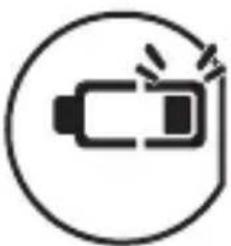
Simple line icon of a battery inside a circle (no text or symbols)Change the device batteries when the warning light is displayed.
natural_image
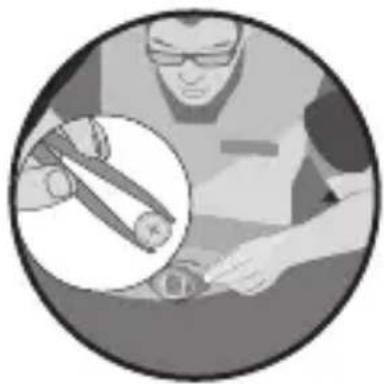
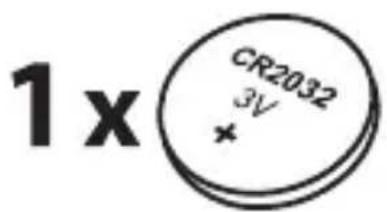
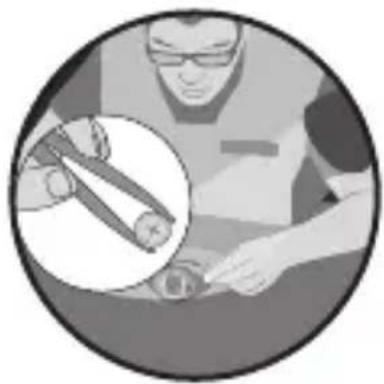
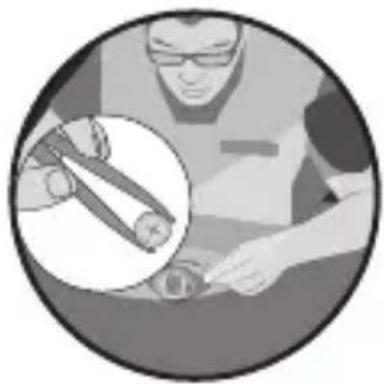
Illustration of a person using a tool on a surface, with an inset showing a magnified view of the tool (no text or symbols present)To change the battery: contact the retail outlet where you bought your product. If you change it yourself, you risk damaging the seal and impairing the waterproof design as well as voiding your warranty. Battery life is influenced by the length of time it is stored in the shop and the way in which you use the product.
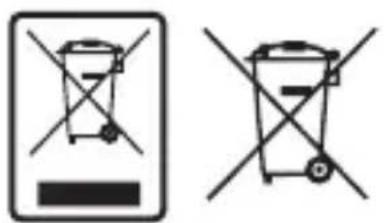
Dispose of the batteries as well as the electronic product when it reaches the end of its life at an authorised collection point so that they can be recycled.
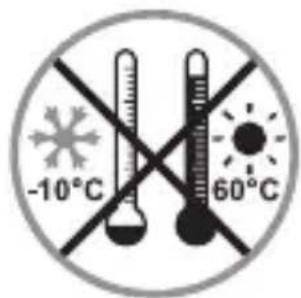
chemical
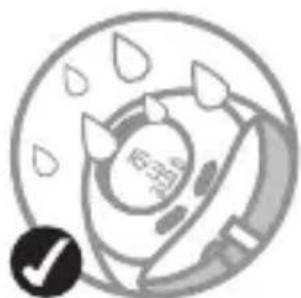
Chemical notation showing a 1x charge with CR2032 and 3V charge, marked with an asteriskUSER RESTRICTIONS
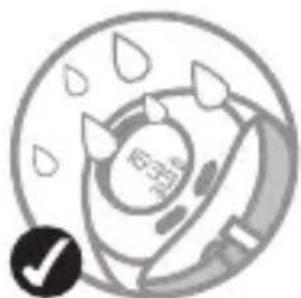
natural_image
Circular diagram with raindrops and a paintbrush, no readable text or symbols
natural_image
Crosshair symbol with a stylized animal face inside a circular frame (no text or labels)
natural_image
Symbol of a crossed-out circle with a central explosion or explosion (no text or numbers present)
natural_image
Simple circular diagram with two intersecting lines and a central shaded area (no text or symbols)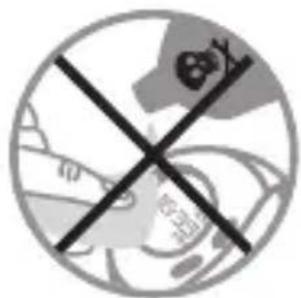

SCREEN RESOLUTION

Distance: 10 m.

Active walking time: 1 minute.
Total walking time of the session : 1 minute.

Calories burnt during the session : 1 kcal.
LIMITED WARRANTY
EN
OXYLANE guarantees the initial purchaser of this product that it is free from defects of materials or workmanship. This product is guaranteed for two years from the purchase date. Please keep your receipt as proof of purchase.
The warranty does not cover:
- damage resulting from misuse, from a failure to respect the precautions for use, from accidents, from improper maintenance or from commercial use of the product.
- damage resulting from repairs carried out by persons not authorised by OXYLANE.
- batteries, casings that are cracked or broken or with traces of knocks.
- During the warranty period, the item will either be repaired free of charge by an authorised repair service or replaced free of charge (depending on the distributor).
OXYLANE hereby declares that the On step 600/600S device complies with all compulsory requirements and to other relevant provisions set out in directive 2004/108/CE (CEM).
CONTACT US
We would like to hear your views on the quality,
functionality or usage of our products: www.geonaute.com
We will reply as soon as possible.

natural_image
Simple line icon of a battery inside a circle, no text or symbols present
natural_image
Illustration of a person in safety gear handling a cylindrical object, with an inset showing a magnified view of the object (no text or symbols present)chemical
Chemical symbol for a 1x reaction with CR2032 voltage and 3V chargeRESTRICTIONS D'USAGE
natural_image
Circular diagram with raindrops and a paintbrush, no readable text or symbols
natural_image
Cross symbol of a medical device with no visible text or labels
natural_image
Symbol of a crossed-out circle with a globe and flame, representing environmental protection (no text)
natural_image
Simple circular diagram with two intersecting lines and a central shaded area (no text or symbols)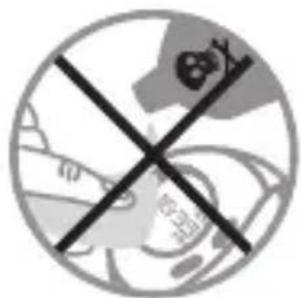

RÉSOLUTION D'AFFICHAGE

Distance : 10 m.

flowchart
graph TD
    A["1: WR 3 ATM"] -->|2 seg.| B["2: WR 3 ATM"]
    B --> C["3: WR 3 ATM"]
    C --> D["4: WR 3 ATM"]
    D --> E["5: WR 3 ATM"]
    E --> F["6: WR 3 ATM"]
    F --> G["7: WR 3 ATM"]
    G --> H["8: WR 3 ATM"]
    H --> I["9: WR 3 ATM"]
natural_image
Solid dark gray image with no visible content, text, or symbols.
flowchart
graph TD
    A["1: WR 3 ATM"] --> B["2: 246° Active"]
    B --> C["3: WR 3 ATM"]
    C --> D["4: 46° Walk"]
flowchart
graph TD
    A["256 KORL WR 3 ATM"] --> B["06.12 NOO WR 3 ATM"]
    B --> C["7:00 OFF WR 3 ATM"]
ESTE APARATO CUENTA CON 7 MODOS DIFERENTES
① : Hora


natural_image
Simple line icon of a battery inside a circle (no text or symbols)natural_image
Illustration of a person using a tool on a surface, with an inset showing a magnified view of the tool (no text or symbols present)chemical
Chemical symbol for 1x reaction with CR2032 voltage and marked 3V chargeRESTRICCIONES DE USO
natural_image
Circular diagram with raindrops and a paintbrush, no readable text or symbols
natural_image
Cross symbol of a medical device with no visible text or labels
natural_image
Symbol of a crossed-out circle with a globe and flame, representing environmental protection (no text)
natural_image
Simple circular diagram with two intersecting lines and a central shaded area (no text or symbols)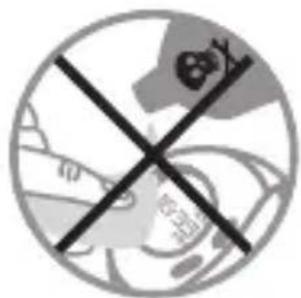

flowchart
graph TD
    A["1: 16:39 WR 3 ATM"] --> B["2: 246° Active"]
    B --> C["3: 39° WRLK"]
    C --> D["4: 46° WR 3 ATM"]
flowchart
graph TD
    A["256 KORL WR 3 ATM"] --> B["06.12 NOO WR 3 ATM"]
    B --> C["7:00 OFF WR 3 ATM"]
DIESES GERÄT VERFÜGT ÜBER 7 VERSCHIEDENE MODI
① : Uhrzeit

natural_image
Simple line icon of a battery inside a circle (no text or symbols)natural_image
Illustration of a person in safety gear handling a cylindrical object, with an inset showing a rolled document (no text or symbols visible)chemical
Chemical symbol for a 1x reaction with CR2032 voltage and 3V chargenatural_image
Circular diagram with raindrops and a paintbrush, no readable text or symbols
natural_image
Crosshair symbol of a medical device with no visible text or labels
natural_image
Symbol of a crossed-out circle with a central explosion or explosion (no text or numbers present)
natural_image
Simple circular diagram with two intersecting lines and a central shaded area (no text or symbols)

DISPLAYAUFLÖSUNG

Distanz: 10 m.

BESCHRÄNKTE GARANTIE
flowchart
graph TD
    A["1: 16:39 WR 3 ATM"] --> B["2: 246° Active"]
    B --> C["3: 39° WRLK"]
    C --> D["4: 46° WR 3 ATM"]
flowchart
graph TD
    A["256 KORL WR 3 ATM"] --> B["06.12 NOO WR 3 ATM"]
    B --> C["7:00 OFF WR 3 ATM"]
QUESTO APPARECCHIO DISPONE DI 7 MODALITÀ DIVERSE
① :Ora

flowchart
graph LR
    A["36°<br>WR 3 ATM"] -->|Auto 2 sec.| B["48°<br>WR 3 ATM"]
    B -->|Auto 2 sec.| C["268°<br>WR 3 ATM"]
flowchart
graph TD
    A["Stage 1: Battery Symbol"] --> B["Stage 2: Battery Symbol"]
    B --> C["Stage 3: Battery Symbol"]
    C --> D["Output: Battery Symbol"]

    subgraph Stage 1
        E["+938 Battery Symbol"] --> F["+938 Battery Symbol"]
        F --> G["+12H Battery Symbol"]
        G --> H["Output: +12H Battery Symbol"]
    end

    subgraph Stage 2
        I["+12H Battery Symbol"] --> J["+12H Battery Symbol"]
        J --> K["Output: +12H Battery Symbol"]
    end

    subgraph Stage 3
        L["+170 Battery Symbol"] --> M["+170 Battery Symbol"]
        M --> N["Output: +170 Battery Symbol"]
    end

    E -->|B ✓| G
    F -->|✓| G
    G -->|✓| H
    H -->|✓| I
    I -->|✓| J
    J -->|B ✓| K
    K -->|B ✓| L
    L -->|B ✓| M
    M -->|✓| N
    N -->|✓| O
AZZERAMENTO
natural_image
Simple line icon of a battery inside a circle, no text or symbols presentnatural_image
Illustration of a person working on equipment with a magnified inset showing a rolled document (no text or symbols present)chemical
Chemical symbol for a 1x reaction with CR2032 voltage and 3V chargeRESTRIZIONI D'USO
natural_image
Circular diagram with raindrops and a paintbrush, no readable text or symbols
natural_image
Cross symbol of a medical device with no visible text or labels
natural_image
Symbol of a crossed-out circle with a globe and flame, representing environmental protection (no text)
natural_image
Simple circular diagram with two intersecting lines and a central shaded area (no text or symbols)

flowchart
graph TD
    A["1: WR 3 ATM"] -->|2 sec.| B["2: WR 3 ATM"]
    B --> C["3: WR 3 ATM"]
    C --> D["4: WR 3 ATM"]
    D --> E["5: WR 3 ATM"]
    E --> F["6: WR 3 ATM"]
    F --> G["7: WR 3 ATM"]
    G --> H["8: WR 3 ATM"]
    H --> I["9: WR 3 ATM"]
    I --> J["End"]
flowchart
graph TD
    A["1: WR 3 ATM"] --> B["2: 246° Active"]
    B --> C["3: WR 3 ATM"]
    C --> D["4: 46° Walk"]
flowchart
graph TD
    A["256 KORL WR 3 ATM"] --> B["06.12 NOO WR 3 ATM"]
    B --> C["7:00 OFF WR 3 ATM"]
DIT APPARAAT BESCHIKT OVER 7 VERSCHILLENDE MODI
1 : Tijd

2 : Afstand : Berekent de loopafstand per sessie

natural_image
Simple line icon of a battery inside a circle (no text or symbols)natural_image
Illustration of a person in safety gear handling a device, with an inset showing a magnified view of the device (no text or symbols present)chemical
Chemical symbol for a 1x reaction with CR2032 voltage and 3V charge
GEBRUIKSBEPERKINGEN
natural_image
Circular diagram with raindrops and a paintbrush, no readable text or symbols
natural_image
Crosshair symbol of a medical device with no visible text or labels
natural_image
Symbol of a crossed-out circle with a central explosion or explosion (no text or numbers present)
natural_image
Simple circular diagram with two intersecting lines and a central shaded area (no text or symbols)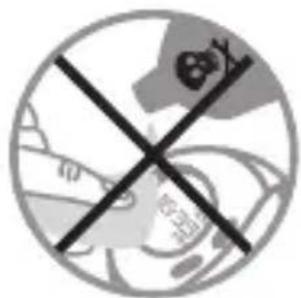

WEERGAVERESOLUTIE

Afstand: 10 M.

flowchart
graph TD
    A["1: WR 3 ATM"] --> B["2: 246° Active"]
    B --> C["3: WR 3 ATM"]
    C --> D["4: 46° Walk"]
flowchart
graph TD
    A["256 KORL WR 3 ATM"] --> B["06.12 NOO WR 3 ATM"]
    B --> C["7:00 OFF WR 3 ATM"]
ESTE APARELHO DISPÕE DE 7 MODOS DIFERENTES
① : Hora

natural_image
Simple line icon of a battery inside a circle, no text or symbols presentnatural_image
Illustration of a person in safety gear handling a device, with an inset showing a magnified view of the device (no text or symbols present)chemical
Chemical symbol for 1x reaction with CR2032 voltage and 3V chargenatural_image
Circular diagram with raindrops and a paintbrush, no readable text or symbols
natural_image
Crosshair symbol with a stylized animal face inside a circular frame (no text or labels)
natural_image
Symbol of a crossed-out circle with a central explosion or explosion (no text or numbers present)
natural_image
Simple circular diagram with two intersecting lines and a central shaded area (no text or symbols)

flowchart
graph TD
    A["16:39/26/WR 3 ATM"] --> B["246/RR/WR 3 ATM"]
    B --> C["39/ACTIVE/WR 3 ATM"]
    C --> D["46/WRLK/WR 3 ATM"]
flowchart
graph TD
    A["256 KORL WR 3 ATM"] --> B["06.12 NOO WR 3 ATM"]
    B --> C["7:00 OFF WR 3 ATM"]
NINIEJSZE URZĄDZENIE POSIADA 7 RÓŻNYCH TRYBÓW
1 : Czas

flowchart
graph TD
    A["Start"] --> B["Step 1: Two circular gauges with +938 charge, labeled 'B'"]
    B --> C["Step 2: Three circular gauges with +938 charge, labeled 'B'"]
    C --> D["Step 3: Four circular gauges with +12H charge, labeled 'B'"]
    D --> E["End"]

    F["Start"] --> G["Step 1: Three circular gauges with +1.70 charge, labeled 'B'"]
    G --> H["Step 2: Four circular gauges with +60 charge, labeled 'B'"]
    H --> I["End"]

    J["Step 2: Three circular gauges with "KG" and "LB" labels"] --> K["Step 3: Four circular gauges with +M and "INCH" labels"]
    K --> L["Step 4: Four circular gauges with +12H and "24H" labels"]
    L --> M["End"]

    N["Step 5: Four circular gauges with UITS and USSR labels"] --> O["End"]

    P["Step 6: Three circular gauges with B and B̈ symbols"] --> Q["End"]

    R["Step 7: Three circular gauges with B̈ and B̈ symbols"] --> S["End"]

    T["Step 8: Four circular gauges with B̈ and B̈ symbols"] --> U["End"]

    V["Step 9: Four circular gauges with B̈ and B̈ symbols"] --> W["End"]

    X["Step 10: Four circular gauges with B̈ and B̈ symbols"] --> Y["End"]

    Z["Step 11: Four circular gauges with B̈ and B̈ symbols"] --> AA["End"]

    AB["Step 12: Four circular gauges with B̈ and B̈ symbols"] --> AC["End"]

    AD["Step 13: Four circular gauges with B̈ and B̈ symbols"] --> AE["End"]

    AF["Step 14: Four circular gauges with B̈ and B̈ symbols"] --> AG["End"]

    AH["Step 15: Four circular gauges with B̈ and B̈ symbols"] --> AI["End"]

    AJ["Step 16: Four circular gauges with B̈ and B̈ symbols"] --> AK["End"]

    AL["Step 17: Four circular gauges with B̈ and B̈ symbols"] --> AM["End"]

    AN["Step 18: Four circular gauges with B̈ and B̈ symbols"] --> AO["End"]

    AP["Step 19: Four circular gauges with B̈ and B̈ symbols"] --> AQ["End"]

    AR["Step 20: Four circular gauges with B̈ and B̈ symbols"] --> AS["End"]

    AT["Step 21: Four circular gauges with B̈ and B̈ symbols"] --> AU["End"]

    AV["Step 22: Four circular gauges with B̈ and B̈ symbols"] --> AW["End"]

    AX["Step 23: Four circular gauges with B̈ and B̈ symbols"] --> AY["End"]

    AZ["Step 24: Four circular gauges with B̈ and B̈ symbols"] --> BA["End"]

    BB["Step 25: Four circular gauges with B̈ and B̈ symbols"] --> BC["End"]

    BD["Step 26: Four circular gauges with B̈ and B̈ symbols"] --> BE["End"]

    BF["Step 27: Four circular gauges with B̈ and B̈ symbols"] --> BG["End"]

    BH["Step 28: Four circular gauges with B̈ and B̈ symbols"] --> BI["End"]

    BJ["Step 29: Four circular gauges with B̈ and B̈ symbols"] --> BK["End"]

    BL["Step 30: Four circular gauges with B̈ and B̈ symbols"] --> BLA["End"]

    BM["Step 31: Four circular gauges with B̈ and B̈ symbols"] --> BN["End"]

    BO["Step 32: Four circular gauges with B̈ and B̈ symbols"] --> BP["End"]

    BOA["Step 33: Four circular gauges with B̈ and B̈ symbols"] --> BPA["End"]

    BR["Step 34: Four circular gauges with B̈ and B̈ symbols"] --> BS["End"]

    BT["Step 35: Four circular gauges with B̈ and B̈ symbols"] --> BTA["End"]

    BU["Step 36: Four circular gauges with B̈ and B̈ symbols"] --> BV["End"]

    BW["Step 37: Four circular gauges with B̈ and B̈ symbols"] --> BWA["End"]

    BX["Step 38: Four circular gauges with B̈ and B̈ symbols"] --> BYA["End"]

    BXA["B̈ at top of Step 8"] --> AZA["B̈ at bottom of Step 8"]
ZEROWANIE
natural_image
Simple line icon of a battery inside a circle (no text or symbols)natural_image
Illustration of a person in safety gear handling a tool, with an inset showing a magnified view of the tool (no text or symbols present)chemical
Chemical symbol for a 1x reaction with CR2032 voltage and 3V chargeOGRANICZENIA DOT. UŻYTKOWANIA
natural_image
Circular diagram with raindrops and a paintbrush, no readable text or symbols
natural_image
Cross-shaped symbol with a central circular design and surrounding geometric elements (no text or symbols)
natural_image
Symbol of a crossed-out circle with a central explosion or explosion (no text or numbers present)
natural_image
Simple circular diagram with two intersecting lines and a central shaded area (no text or symbols)

DOKŁADNOŚĆ WYŚWIETLANIA

Odległość: 10 m.

flowchart
graph TD
    A["16:39/26/WR 3 ATM"] --> B["24:0/WR 3 ATM"]
    B --> C["39/WR 3 ATM"]
    C --> D["46/WR 3 ATM"]
flowchart
graph TD
    A["256 KORL WR 3 ATM"] --> B["06.12 NOO WR 3 ATM"]
    B --> C["7:00 OFF WR 3 ATM"]
A KÉSZÜLÉK 7 KÜLÖNBÖZŐ MÓDDAL RENDELKEZIK
1 :Idő

flowchart
graph TD
    A["Production Stage 1"] --> B["Product Specification"]
    B --> C["Output: Battery symbol "KG" or "LB""]
    C --> D["Product Specification"]
    D --> E["Output: Battery symbol "M" or "INCH""]
    E --> F["Product Specification"]
    F --> G["Output: Battery symbol "60""]

    subgraph Production Stage 1
        H["938"] --> I["938"]
        I --> J["938"]
        J --> K["12H / 24H"]
        K --> L["Output: Battery symbol "12H""]
        M["12H"] --> N["Output: Battery symbol "24H""]
    end

    subgraph Production Stage 2
        O["8115"] --> P["Output: Battery symbol "8115""]
        P --> Q["Output: Battery symbol "8115""]
        Q --> R["Output: Battery symbol "8115""]
    end

    subgraph Production Stage 3
        S["8115"] --> T["Output: Battery symbol "8115""]
        T --> U["Output: Battery symbol "8115""]
        U --> V["Output: Battery symbol "8115""]
    end

    style Production Stage 1 fill:#f9f,stroke:#333
    style Production Stage 2 fill:#f9f,stroke:#333
    style Production Stage 3 fill:#f9f,stroke:#333
NULLÁZÁS
natural_image
Simple line icon of a battery inside a circle (no text or symbols)natural_image
Illustration of a person in safety gear handling a tool, with an inset showing a magnified view of the tool (no text or symbols present)chemical
Chemical symbol for a 1x reaction with CR2032 voltage and 3V chargeHASZNÁLATI KORLÁTOZÁSOK
natural_image
Circular diagram with raindrops and a paintbrush, no readable text or symbols
natural_image
Cross symbol of a medical device with no visible text or labels
natural_image
Symbol of a crossed-out circle with a globe and flame, representing environmental protection (no text)
natural_image
Simple circular diagram with two intersecting lines and a central shaded area (no text or symbols)

flowchart
graph TD
    A["16:39/26/WR 3 ATM"] --> B["246/WR 3 ATM"]
    B --> C["39/WR 3 ATM"]
    C --> D["46/WR 3 ATM"]
flowchart
graph TD
    A["256 KOHL WR 3 ATM"] --> B["06.12 NOO WR 3 ATM"]
    B --> C["7:00 OFF WR 3 ATM"]
natural_image
Simple line icon of a battery inside a circle, no text or symbols presentnatural_image
Illustration of a person in safety gear handling a device, with an inset magnified view of the device (no text or symbols present)chemical
Chemical symbol for a 1x reaction with CR2032 voltage and 3V chargenatural_image
Circular diagram with raindrops and a stylized object, no readable text or symbols
natural_image
Crosshair symbol of a mechanical component with no text or labels
natural_image
Symbol of a crossed-out circle with a flame and explosion, representing no protection or hazard (no text present)
natural_image
Simple circular diagram with two intersecting lines and a central shaded area (no text or symbols)
flowchart
graph TD
    A["1: WR 3 ATM"] -->|2 sec.| B["2: WR 3 ATM"]
    B --> C["3: WR 3 ATM"]
    C --> D["4: WR 3 ATM"]
    D --> E["5: WR 3 ATM"]
    E --> F["6: WR 3 ATM"]
    F --> G["7: WR 3 ATM"]
    G --> H["8: WR 3 ATM"]
    H --> I["9: WR 3 ATM"]
    I --> J["Inălțime"]
flowchart
graph TD
    A["16:39/26/WR 3 ATM"] --> B["246/WR 3 ATM"]
    B --> C["39/WR 3 ATM"]
    C --> D["46/WR 3 ATM"]
flowchart
graph TD
    A["256 KOHL WR 3 ATM"] --> B["06.12 NOO WR 3 ATM"]
    B --> C["7:00 OFF WR 3 ATM"]
ACEST APARAT DISPUNE DE 7 MODURI DIFERITE
1 : Oră

natural_image
Simple line icon of a battery inside a circle, no text or symbols presentnatural_image
Illustration of a person in safety gear handling a device, with an inset magnified view of the device (no text or symbols present)chemical
Circular diagram with text 'CR2032' and '3V' inside, marked with a plus sign
RESTRICTII DE UTILIZARE
natural_image
Circular diagram with raindrops and a paintbrush, no readable text or symbols
natural_image
Crosshair symbol with a stylized animal inside a circular frame (no text or numbers)
natural_image
Symbol of a crossed-out circle with a explosion or flame, no text present
natural_image
Simple circular diagram with two intersecting lines and a central shaded area (no text or symbols)

REZOLUȚIA AFIȘAJULUI

Distanța: 10 m.

Timp de mers activ: 1 minut.
flowchart
graph TD
    A["16:39/26/WR 3 ATM"] --> B["246/WR 3 ATM"]
    B --> C["39/WR 3 ATM"]
    C --> D["46/WR 3 ATM"]
flowchart
graph TD
    A["256 KOHL WR 3 ATM"] --> B["06.12 NOO WR 3 ATM"]
    B --> C["7:00 OFF WR 3 ATM"]
TENTO PŘÍSTROJ JE VYBAVEN 7 RŮZNÝMI REŽIMY
1 : Čas

flowchart
graph TD
    A["i6:39"] -->|2 sec.| B["i6:2 ATM"]
    B -->|C| C["+ 2003 ATM"]
    C -->|B| D["+ 2003 ATM"]
    D -->|✓| E["+ 2010 ATM"]
    E -->|✓| F["+ 2010 ATM"]
    F -->|✓| G["+ 2010 ATM"]
    G -->|✓| H["+ 2010 ATM"]
    H -->|✓| I["+ 2010 ATM"]
    I -->|✓| J["+ 2010 ATM"]
    J -->|✓| K["+ 2010 ATM"]
    K --> L["+ 2010 ATM"]
    L -->|✓| M["+ 2010 ATM"]
    M --> N["+ 2010 ATM"]
    N --> O["+ 2010 ATM"]
    O --> P["+ 2010 ATM"]
    P --> Q["+ 2010 ATM"]
    Q --> R["+ 2010 ATM"]
    R --> S["+ 2010 ATM"]
    S --> T["+ 2010 ATM"]
    T --> U["+ 2010 ATM"]
    U --> V["+ 2010 ATM"]
    V --> W["+ 2010 ATM"]
    W --> X["+ 2010 ATM"]
    X --> Y["+ 2010 ATM"]
    Y --> Z["+ 2010 ATM"]
    Z --> AA["+ 2010 ATM"]
    AA --> AB["+ 2010 ATM"]
    AB --> AC["+ 2010 ATM"]
    AC --> AD["+ 2010 ATM"]
    AD --> AE["+ 2010 ATM"]
    AE --> AF["+ 2010 ATM"]
    AF --> AG["+ 2010 ATM"]
    AG --> AH["+ 2010 ATM"]
    AH --> AI["+ 2010 ATM"]
    AI --> AJ["+ 2010 ATM"]
    AJ --> AK["+ 2010 ATM"]
    AK --> AL["+ 2010 ATM"]
    AL --> AM["+ 2010 ATM"]
    AM --> AN["+ 2010 ATM"]
    AN --> AO["+ 2010 ATM"]
    AO --> AP["+ 2010 ATM"]
    AP --> AQ["+ 2010 ATM"]
    AQ --> AR["+ 2010 ATM"]
    AR --> AS["+ 2010 ATM"]
    AS --> AT["+ 2010 ATM"]
    AT --> AU["+ 2010 ATM"]
    AU --> AV["+ 2010 ATM"]
    AV --> AW["+ 2010 ATM"]
    AW --> AX["+ 2010 ATM"]
    AX --> AY["+ 2010 ATM"]
10 NASTAVENÍ
natural_image
Simple line icon of a battery inside a circle, no text or symbols presentnatural_image
Illustration of a person in safety gear handling a device, with an inset magnified view of the device (no text or symbols present)chemical
Chemical symbol for 1x reaction with CR2032 voltage and 3V chargeOMEZENÍ V POUŽÍVÁNÍ
natural_image
Circular diagram with raindrops and a stylized object, no readable text or symbols
natural_image
Crosshair symbol of a mechanical component with no text or labels
natural_image
Symbol of a crossed-out circle with a explosion or flame, no text present
natural_image
Simple circular diagram with two intersecting lines and a central shaded area (no text or symbols)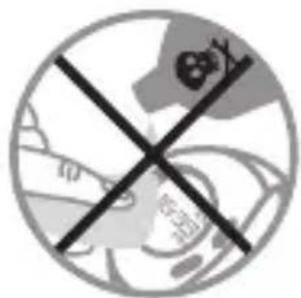
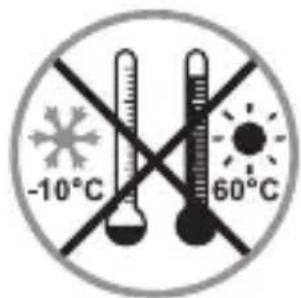
ROZLIŠENÍ ZOBRAZENÍ

Vzdálenost: 10 m.

flowchart
graph TD
    A["16:39/26/WR 3 ATM"] --> B["24:00/WR 3 ATM"]
    B --> C["39:00/WR 3 ATM"]
    C --> D["48:00/WR 3 ATM"]
flowchart
graph TD
    A["256 KORL WR 3 ATM"] --> B["06.12 NOO WR 3 ATM"]
    B --> C["7:00 OFF WR 3 ATM"]
DENNA APPARAT HAR 7 OLIKA LÄGEN
① : Timmar

natural_image
Simple line icon of a battery inside a circle, no text or symbols presentnatural_image
Illustration of a person in safety gear handling a tool, with an inset showing a cylindrical object (no text or symbols)chemical
Chemical symbol for 1x reaction with CR2032 voltage and 3V charge
RESTRIKTIONER FÖR ANVÄNDNING
natural_image
Circular diagram with raindrops and a stylized object, no readable text or symbols
natural_image
Crosshair symbol of a mechanical component with no text or labels
natural_image
Symbol of a crossed-out circle with a explosion or flame, no text present
natural_image
Simple circular diagram with two intersecting lines and a central shaded area (no text or symbols)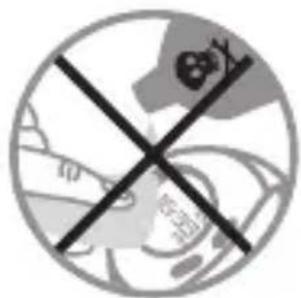
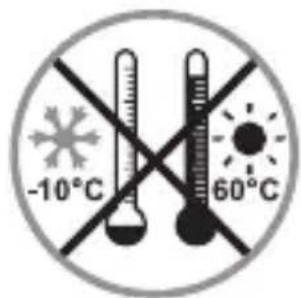
flowchart
graph TD
    A["1: WR 3 ATM"] -->|2 сек.| B["2: WR 3 ATM"]
    B --> C["3: WR 3 ATM"]
    C --> D["4: WR 3 ATM"]
    D --> E["5: WR 3 ATM"]
    E --> F["6: WR 3 ATM"]
    F --> G["7: WR 3 ATM"]
    G --> H["8: WR 3 ATM"]
    H --> I["9: WR 3 ATM"]
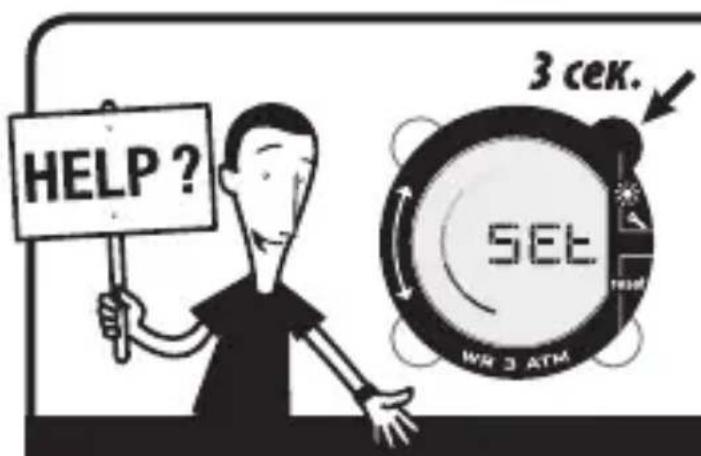
flowchart
graph TD
    A["16:39/26/WR 3 ATM"] --> B["246/WR 3 ATM"]
    B --> C["39/WR 3 ATM"]
    C --> D["46/WR 3 ATM"]
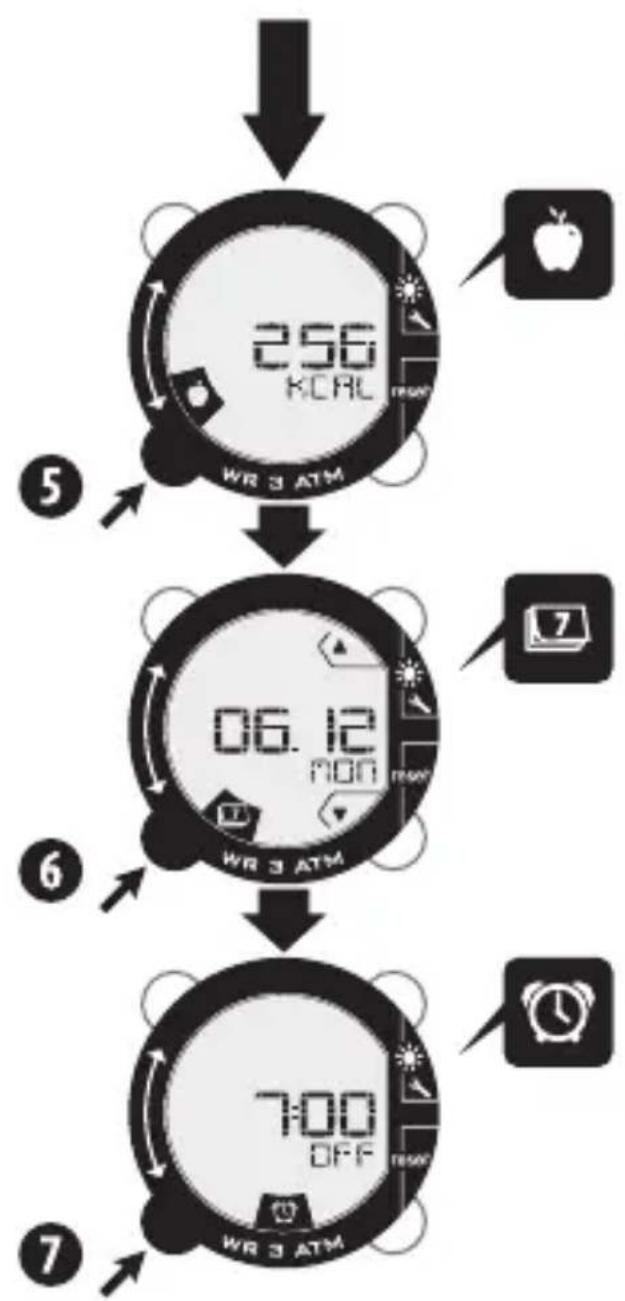
flowchart
graph TD
    A["256 KOHL WR 3 ATM"] --> B["06.12 NOO WR 3 ATM"]
    B --> C["7:00 OFF WR 3 ATM"]
natural_image
Simple line icon of a battery inside a circle, no text or symbols presentnatural_image
Illustration of a person in safety gear handling a device, with an inset showing a cylindrical object (no text or symbols)chemical
Chemical symbol for 1x reaction with CR2032 voltage and 3V charge
natural_image
Circular diagram with raindrops and a stylized object, no readable text or symbols
natural_image
Crosshair symbol with a stylized animal face inside a circular frame (no text or labels)
natural_image
Symbol of a crossed-out circle with a explosion or flame, no text present
natural_image
Simple circular diagram with two intersecting lines and a central shaded area (no text or symbols)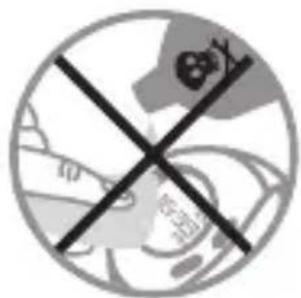
РЕЗОЛЮЦЯ НА ЕКРАНА

Разстояние: 10 м.

Време на активно ходене : 1 минута.

flowchart
graph TD
    A["16:39/26/30/31/34/35/36/37/38/39/40/41/42/43"] --> B["24:00/26:00"]
    B --> C["39:00/26:00"]
    C --> D["46:00/26:00"]
flowchart
graph TD
    A["256 KOHL WR 3 ATM"] --> B["06.12 NOO WR 3 ATM"]
    B --> C["7:00 OFF WR 3 ATM"]
BU CIHAZIN 7 FARKLI MODU BULUNUR
1 :Saat

flowchart
graph TD
    A["16:39"] -->|2 saniye.| B["FL850"]
    B -->|B| C["ON" + "OFF"]
    C -->|✓| D["FL850"]
    D -->|+| E["FL850"]
    E -->|✓| F["FL850"]
    F -->|+| G["FL850"]
    G -->|✓| H["FL850"]
    H --> I["FL850"]
    I --> J["FL850"]
    J --> K["FL850"]
    K --> L["FL850"]
    L --> M["FL850"]
    M --> N["FL850"]
    N --> O["FL850"]
    O --> P["FL850"]
    P --> Q["FL850"]
    Q --> R["FL850"]
    R --> S["FL850"]
    S --> T["FL850"]
    T --> U["FL850"]
    U --> V["FL850"]
    V --> W["FL850"]
    W --> X["FL850"]
    X --> Y["FL850"]
    Y --> Z["FL850"]
    Z --> AA["FL850"]
    AA --> AB["FL850"]
    AB --> AC["FL850"]
    AC --> AD["FL850"]
    AD --> AE["FL850"]
    AE --> AF["FL850"]
    AF --> AG["FL850"]
    AG --> AH["FL850"]
    AH --> AI["FL850"]
    AI --> AJ["FL850"]
    AJ --> AK["FL850"]
    AK --> AL["FL850"]
    AL --> AM["FL850"]
    AM --> AN["FL850"]
    AN --> AO["FL850"]
    AO --> AP["FL850"]
    AP --> AQ["FL850"]
    AQ --> AR["FL850"]
    AR --> AS["FL850"]
    AS --> AT["FL850"]
    AT --> AU["FL850"]
    AU --> AV["FL850"]
    AV --> AW["FL850"]
    AW --> AX["FL850"]
    AX --> AY["FL850"]
KULLANICI AYARLARININ YENİDEN
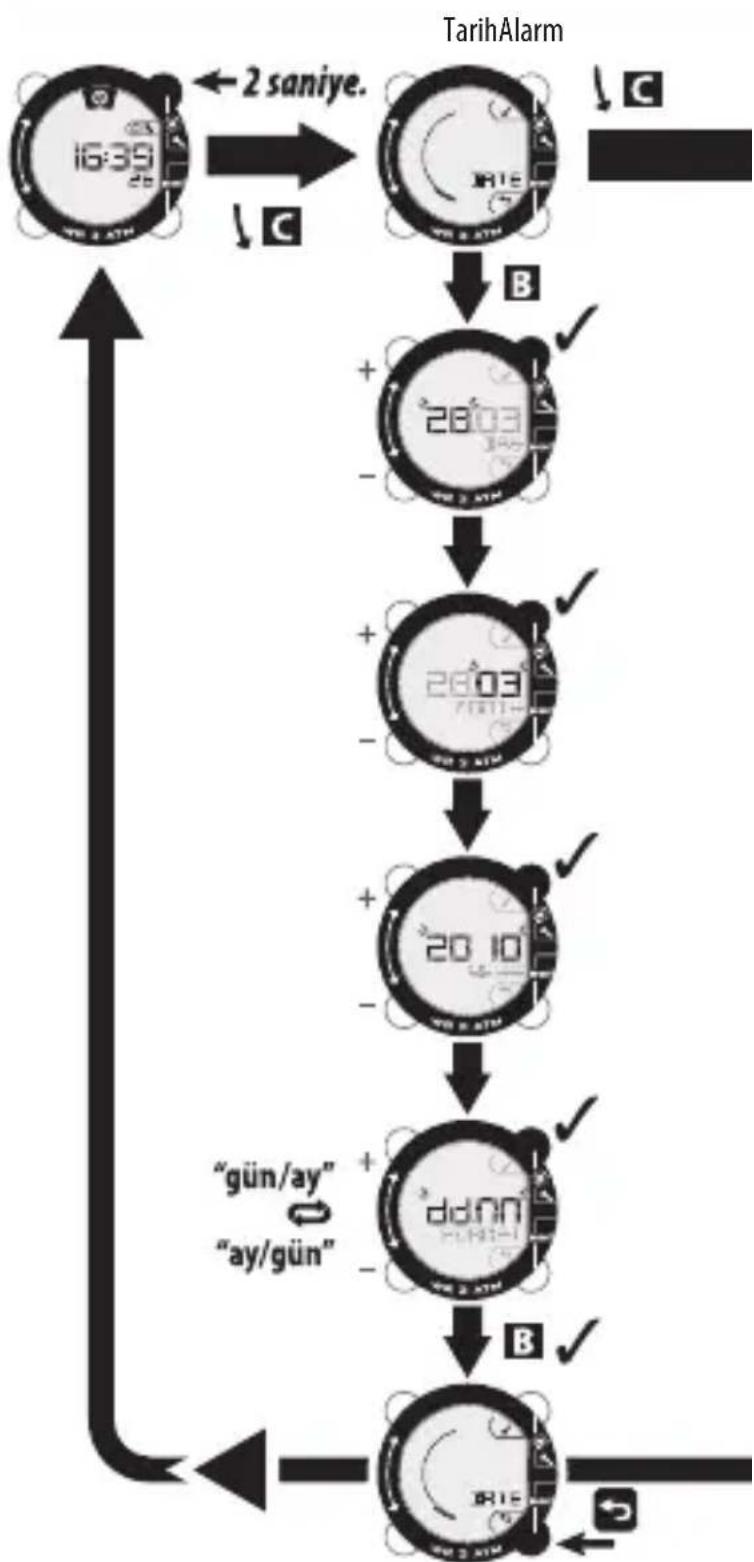
flowchart
graph TD
    A["16:39"] -->|2 saniye.| B["2003"]
    B -->|✓| C["2003"]
    C -->|✓| D["2010"]
    D -->|✓| E["ddnn"]
    E -->|✓| F["2015"]
    F -->|✓| G["2015"]
    G --> H["2015"]
    H --> I["2015"]
    I --> J["2015"]
    J --> K["2015"]
    K --> L["2015"]
    L --> M["2015"]
    M --> N["2015"]
    N --> O["2015"]
    O --> P["2015"]
    P --> Q["2015"]
    Q --> R["2015"]
    R --> S["2015"]
    S --> T["2015"]
    T --> U["2015"]
    U --> V["2015"]
    V --> W["2015"]
    W --> X["2015"]
    X --> Y["2015"]
APILMASI
flowchart
graph TD
    A["Motor 1: 938A"] -->|B ✓| B["Motor 2: 938A"]
    B -->|✓| C["Motor 3: 12H 40-44H"]
    C -->|✓| D["Motor 4: 12H 24H"]
    D -->|B ✓| E["Load Currents: UTR, USSR, USR"]
    E -->|✓| F["Load Currents: UTR, USSR, USR"]
    F -->|B ✓| G["Load Currents: UTR, USSR, USR"]
    G -->|✓| H["Load Currents: UTR, USSR, USR"]
    H --> I["Load Currents: UTR, USSR, USR"]
    I --> J["Load Currents: UTR, USSR, USR"]
    J --> K["Load Currents: UTR, USSR, USR"]
    K --> L["Load Currents: UTR, USSR, USR"]
    L --> M["Load Currents: UTR, USSR, USR"]
    M --> N["Load Currents: UTR, USSR, USR"]
    N --> O["Load Currents: UTR, USSR, USR"]
    O --> P["Load Currents: UTR, USSR, USR"]
    P --> Q["Load Currents: UTR, USSR, USR"]
    Q --> R["Load Currents: UTR, USSR, USR"]
    R --> S["Load Currents: UTR, USSR, USR"]
    S --> T["Load Currents: UTR, USSR, USR"]
    T --> U["Load Currents: UTR, USSR, USR"]
    U --> V["Load Currents: UTR, USSR, USR"]
    V --> W["Load Currents: UTR, USSR, USR"]
    W --> X["Load Currents: UTR, USSR, USR"]
    X --> Y["Load Currents: UTR, USSR, USR"]
    Y --> Z["Load Currents: UTR, USSR, USR"]
    Z --> AA["Load Currents: UTR, USSR, USR"]
    AA --> AB["Load Currents: UTR, USSR, USR"]
    AB --> AC["Load Currents: UTR, USSR, USR"]
    AC --> AD["Load Currents: UTR, USSR, USR"]
    AD --> AE["Load Currents: UTR, USSR, USR"]
    AE --> AF["Load Currents: UTR, USSR, USR"]
    AF --> AG["Load Currents: UTR, USSR, USR"]
    AG --> AH["Load Currents: UTR, USSR, USR"]
    AH --> AI["Load Currents: UTR, USSR, USR"]
    AI --> AJ["Load Currents: UTR, USSR, USR"]
    AJ --> AK["Load Currents: UTR, USSR, USR"]
    AK --> AL["Load Currents: UTR, USSR, USR"]
    AL --> AM["Load Currents: UTR, USSR, USR"]
    AM --> AN["Load Currents: UTR, USSR, USR"]
    AN --> AO["Load Currents: UTR, USSR, USR"]
    AO --> AP["Load Currents: UTR, USSR, USR"]
    AP --> AQ["Load Currents: UTR, USSR, USR"]
    AQ --> AR["Load Currents: UTR, USSR, USR"]
    AR --> AS["Load Currents: UTR, USSR, USR"]
    AS --> AT["Load Currents: UTR, USSR, USR"]
    AT --> AU["Load Currents: UTR, USSR, USR"]
    AU --> AV["Load Currents: UTR, USSR, USR"]
    AV --> AW["Load Currents: UTR, USSR, USR"]
    AW --> AX["Load Currents: UTR, USSR, USR"]
    AX --> AY["Load Currents: UTR, USSR, USR"]
    AY --> AZ["Load Currents: UTR, USSR, USR"]
    AZ --> BA["Load Currents: UTR, USSR, USR"]
    BA --> BB["Load Currents: UTR, USSR, USR"]
    BB --> BC["Load Currents: UTR, USSR, USR"]
    BC --> BD["Load Currents: UTR, USSR, USR"]
    BD --> BE["Load Currents: UTR, USSR, USR"]
    BE --> BF["Load Currents: UTR, USSR, USR"]
    BF --> BG["Load Currents: UTR, USSR, USR"]
    BG --> BH["Load Currents: UTR, USSR, USR"]
    BH --> BI["Load Currents: UTR, USSR, USR"]
    BI --> BJ["Load Currents: UTR, USSR, USR"]
    BJ --> BK["Load Currents: UTR, USSR, USR"]
    BK --> BL["Load Currents: UTR, USSR, USR"]
    BL --> BM["Load Currents: UTR, USSR, USR"]
    BM --> BN["Load Currents: UTR, USSR, USR"]
    BN --> BO["Load Currents: UTR, USSR, USR"]
    BO --> BP["Load Currents: UTR, USSR, USR"]
    BP --> BQ["Load Currents: UTR, USSR, USR"]
    BQ --> BR["Load Currents: UTR, USSR, USR"]
    BR --> BS["Load Currents: UTR, USSR, USR"]
    BS --> BT["Load Currents: UTR, USSR, USR"]
    BT --> BU["Load Currents: UTR, USSR, USR"]
    BU --> BV["Load Currents: UTR, USSR, USR"]
    BV --> BW["Load Currents: UTR, USSR, USR"]
    BW --> BX["Load Currents: UTR, USSR, USR"]
    BX --> BY["Load Currents: UTR, USSR, USR"]
    BY --> BZ["Load Currents: UTR, USSR, USR"]
    BZ --> CA["Load Currents: UTR, USSR, USR"]
    CA --> CB["Load Currents: UTR, USSR, USR"]
    CB --> CC["Load Currents: UTR, USSR, USR"]
    CC --> CD["Load Currents: UTR, USSR, USR"]
    CD --> CE["Load Currents: UTR, USSR, USR"]
    CE --> CF["Load Currents: UTR, USSR, USR"]
    CF --> CG["Load Currents: UTR, USSR, USR"]
    BG["B ✓"] --> HD["Ground Power Supply Line"]
SIFIRLAMA
natural_image
Simple line icon of a battery inside a circle, no text or symbols presentnatural_image
Illustration of a person in safety gear handling a device, with an inset magnified view of the device (no text or symbols present)chemical
Chemical symbol for 1x reaction with CR2032 voltage and 3V charge
KULLANIM KISITLAMALARI
natural_image
Circular diagram with raindrops and a paintbrush, no readable text or symbols
natural_image
Crosshair symbol with a stylized animal inside a circular frame (no text or numbers)
natural_image
Symbol of a crossed-out circle with a explosion or flame, no text present
natural_image
Simple circular diagram with two intersecting lines and a central shaded area (no text or symbols)

GÖRÜNTÜ ÇÖZÜNÜRLÜĞÜ

Mesafe: 10 m.

flowchart
graph LR
    A["1: WR 3 ATM"] --> B["2: WR 3 ATM"]
    B --> C["3: WR 3 ATM"]
    D["1: WR 3 ATM"] --> E["2: WR 3 ATM"]
    E --> F["3: WR 3 ATM"]
    G["1: WR 3 ATM"] --> H["2: WR 3 ATM"]
    H --> I["3: WR 3 ATM"]
flowchart
graph TD
    A["256 KCAL WR 3 ATM"] --> B["06.12 NON WR 3 ATM"]
    B --> C["7:00 OFF WR 3 ATM"]
flowchart
graph TD
    A["16:39/26/WR 3 ATM"] --> B["246/WR 3 ATM"]
    B --> C["39/WR 3 ATM"]
    C --> D["46/WR 3 ATM"]
flowchart
graph TD
    A["9:26 AM"] --> B["06:12 Mon"]
    B --> C["05:12 Sun"]
    C --> D["30:11 TUE"]
    E["WR 3 ATM"] --> F["WR 3 ATM"]
    G["WR 3 ATM"] --> H["WR 3 ATM"]
    I["WR 3 ATM"] --> J["WR 3 ATM"]
    K["WR 3 ATM"] --> L["WR 3 ATM"]
    M["WR 3 ATM"] --> N["WR 3 ATM"]
    O["WR 3 ATM"] --> P["WR 3 ATM"]
    Q["WR 3 ATM"] --> R["WR 3 ATM"]
    S["WR 3 ATM"] --> T["WR 3 ATM"]
    U["X5"] --> V["16:39"]
    W["X5"] --> X["X5"]
    Y["X5"] --> Y["X5"]
flowchart
graph TD
    A["الuya/الوزن"] --> B["1.70"]
    B --> C["60"]
    D["الوحدات"] --> E["KG + LB -"]
    E --> F[""M" + INCH -"]
    G["الساعة"] --> H["938"]
    H --> I["938"]
    I --> J[""12H" + 24H -"]
    J --> K["12H"]
    L["✓"] --> M["XX-XX-XX-XX-XX-XX-XX-XX-XX-XX-XX-XX-XX-XX-XX-XX-XX-XX-XX-XX-XX-XX-XX-XX-XX-XX-XX-XX-XX-XX-XX-XX-XX-XX-XX-XX-XX-XX-XX-XX-XX-XX-XX-XX-XX-XX-XX-XX-XX-XX-XX=XX-XX-XX-XX-XX-XX-XX-XX-XX-XX-XX-XX-XX=XX-XX-XX-XX-XX-XX-XX-XX-XX=XXX"]
    M --> L
    N["✓"] --> O["XX=XXX+XXX"]
    O --> P["XX=XXX+XXX"]
    P --> Q["XX=XXX+XXX"]
    Q --> R["XX=XXX+XXX"]
    R --> S["XX=XXX+XXX"]
    S --> T["XX=XXX+XXX"]
    T --> U["XX=XXX+XXX"]
    U --> V["XX=XXX+XXX"]
    V --> W["XX=XXX+XXX"]
    W --> X["XX=XXX+XXX"]
    X --> Y["XX=XXX+XXX"]
    Y --> Z["XX=XXX+XXX"]
flowchart
graph TD
    A["表单 16:39"] --> B["表单 28:03"]
    B --> C["..."]
    C --> D["..."]
    D --> E["..."]
    E --> F["..."]
    F --> G["..."]
    G --> H["..."]
    H --> I["..."]
    I --> J["..."]
    J --> K["..."]
    K --> L["..."]
    L --> M["..."]
    M --> N["..."]
    N --> O["..."]
    O --> P["..."]
    P --> Q["..."]
    Q --> R["..."]
    R --> S["..."]
    S --> T["..."]
    T --> U["..."]
    U --> V["..."]
    V --> W["..."]
    W --> X["..."]
    X --> Y["..."]
    Y --> Z["..."]
    Z --> AA["..."]
    AA --> AB["..."]
    AB --> AC["..."]
    AC --> AD["..."]
    AD --> AE["..."]
    AE --> AF["..."]
    AF --> AG["..."]
    AG --> AH["..."]
    AH --> AI["..."]
    AI --> AJ["..."]
    AJ --> AK["..."]
    AK --> AL["..."]
    AL --> AM["..."]
    AM --> AN["..."]
    AN --> AO["..."]
    AO --> AP["..."]
    AP --> AQ["..."]
    AQ --> AR["..."]
    AR --> AS["..."]
    AS --> AT["..."]
    AT --> AU["..."]
    AU --> AV["..."]
    AV --> AW["..."]
    AW --> AX["..."]
    AX --> AY["..."]
natural_image
Simple line icon of a battery inside a circle, no text or symbols presentnatural_image
Illustration of a person in safety gear handling equipment, with an inset showing a close-up of the device (no text or symbols visible)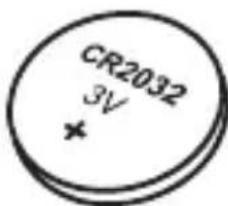
x1
AR
موانع الاستعمال:
natural_image
Circular diagram with raindrops and a paintbrush, no readable text or symbols
natural_image
Cross symbol of a medical device with no visible text or labels
natural_image
Symbol of a crossed-out circle with a stylized globe and flame, no text present
natural_image
Simple circular diagram with two intersecting lines and a central shaded area (no text or symbols)
ما يظهر على الشاشة
المسافة: 10 متر

flowchart
graph TD
    A["1: WR 3 ATM"] -->|2秒。| B["2: WR 3 ATM"]
    B -->|身高| C["3: WR 3 ATM"]
    C --> D["4: WR 3 ATM"]
    D --> E["5: WR 3 ATM"]
    E --> F["6: WR 3 ATM"]
    F --> G["7: WR 3 ATM"]
    G --> H["8: WR 3 ATM"]
    H --> I["9: WR 3 ATM"]
flowchart
graph TD
    A["16:39/26/WR 3 ATM"] --> B["246/WR 3 ATM"]
    B --> C["39/WR 3 ATM"]
    C --> D["46/WR 3 ATM"]
flowchart
graph TD
    A["256 KOAL WR 3 ATM"] --> B["06.12 NON WR 3 ATM"]
    B --> C["7:00 OFF WR 3 ATM"]
该仪器带有7种不同模式
①: 小时

②:里程: 计算锻炼中步行里程

3:有效步行时长
4: 锻炼中步行总时长

5:锻炼中消耗的卡路里总量
natural_image
Simple line icon of a battery inside a circle (no text or symbols)指示灯亮起时须更换电池。
natural_image
Illustration of a person in safety gear handling a device, with an inset magnified view of the device (no text or symbols present)chemical
Chemical symbol for 1x reaction with CR2032 voltage and 3V charge
使用限制
natural_image
Circular diagram with raindrops and a stylized object, no readable text or symbols
natural_image
Crosshair symbol with a stylized animal face inside a circular frame (no text or labels)
natural_image
Symbol of a crossed-out circle with a explosion or flame, no text present
natural_image
Simple circular diagram with two intersecting lines and a central shaded area (no text or symbols)
显示分辨率

里程: 10 M.

有效步行时长:1分钟。
锻炼中步行总时长:1分钟。

锻炼中消耗的卡路里总量:1千卡。
有限担保有限担保
flowchart
graph TD
    A["1: WR 3 ATM"] -->|2秒。| B["2: WR 3 ATM"]
    B -->|身高| C["3: WR 3 ATM"]
    C --> D["4: WR 3 ATM"]
    D --> E["5: WR 3 ATM"]
    E --> F["6: WR 3 ATM"]
    F --> G["7: WR 3 ATM"]
    G --> H["8: WR 3 ATM"]
    H --> I["9: WR 3 ATM"]
flowchart
graph TD
    A["16:39"] --> B["24:00"]
    B --> C["39:00"]
    C --> D["48:00"]
flowchart
graph TD
    A["256 KOAL WR 3 ATM"] --> B["06.12 NON WR 3 ATM"]
    B --> C["7:00 OFF WR 3 ATM"]
natural_image
Simple line icon of a battery inside a circle, no text or symbols present指示灯亮起时须更换电池。
natural_image
Illustration of a person in safety gear handling a device, with an inset magnified view of the device (no text or symbols present)更換電池:請到產品購買處進行更換。
chemical
Chemical symbol for a 1x reaction with CR2032 voltage and 3V charge
使用限製
natural_image
Circular diagram with raindrops and a stylized object, no readable text or symbols
natural_image
Cross symbol of a medical device with no visible text or labels
natural_image
Symbol of a crossed-out circle with a central explosion or explosion (no text or numbers present)
natural_image
Simple circular diagram with two intersecting lines and a central shaded area (no text or symbols)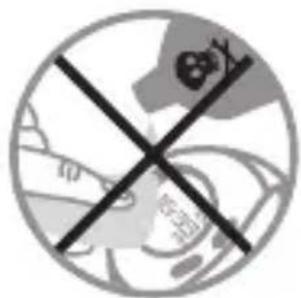

顯示分辨率

里程:10米。.

有效步行時長:1分鐘。
鍛煉中步行總時長:1分鐘。

鍛煉中消耗的卡路裏總量:1千卡。
有限擔保


- ###
- Device navigation screen:
- USE
- ACTIVE MINUTE
- What is Active Walking?
- Technically, how does it work?
- INITIAL SETTING OF THE PEDOMETER
- GENERAL USE
- THIS DEVICE HAS 7 DIFFERENT MODES
- Specific points
- MEMORY MODE
- RESETTING TO ZERO
- BATTERIES
- USER RESTRICTIONS
- SCREEN RESOLUTION
- LIMITED WARRANTY
- CONTACT US
- RESTRICTIONS D'USAGE
- RÉSOLUTION D'AFFICHAGE
- ESTE APARATO CUENTA CON 7 MODOS DIFERENTES
- RESTRICCIONES DE USO
- DIESES GERÄT VERFÜGT ÜBER 7 VERSCHIEDENE MODI
- DISPLAYAUFLÖSUNG
- BESCHRÄNKTE GARANTIE
- QUESTO APPARECCHIO DISPONE DI 7 MODALITÀ DIVERSE
- AZZERAMENTO
- RESTRIZIONI D'USO
- DIT APPARAAT BESCHIKT OVER 7 VERSCHILLENDE MODI
- GEBRUIKSBEPERKINGEN
- WEERGAVERESOLUTIE
- ESTE APARELHO DISPÕE DE 7 MODOS DIFERENTES
- NINIEJSZE URZĄDZENIE POSIADA 7 RÓŻNYCH TRYBÓW
- ZEROWANIE
- OGRANICZENIA DOT. UŻYTKOWANIA
- DOKŁADNOŚĆ WYŚWIETLANIA
- A KÉSZÜLÉK 7 KÜLÖNBÖZŐ MÓDDAL RENDELKEZIK
- NULLÁZÁS
- HASZNÁLATI KORLÁTOZÁSOK
- ACEST APARAT DISPUNE DE 7 MODURI DIFERITE
- RESTRICTII DE UTILIZARE
- REZOLUȚIA AFIȘAJULUI
- TENTO PŘÍSTROJ JE VYBAVEN 7 RŮZNÝMI REŽIMY
- NASTAVENÍ
- OMEZENÍ V POUŽÍVÁNÍ
- ROZLIŠENÍ ZOBRAZENÍ
- DENNA APPARAT HAR 7 OLIKA LÄGEN
- RESTRIKTIONER FÖR ANVÄNDNING
- РЕЗОЛЮЦЯ НА ЕКРАНА
- BU CIHAZIN 7 FARKLI MODU BULUNUR
- APILMASI
- SIFIRLAMA
- KULLANIM KISITLAMALARI
- GÖRÜNTÜ ÇÖZÜNÜRLÜĞÜ
- موانع الاستعمال:
- ما يظهر على الشاشة
- 该仪器带有7种不同模式
- 使用限制
- 显示分辨率
- 有限担保有限担保
- 使用限製
- 顯示分辨率
- 有限擔保
Brand : DOMYOS
Model : ONstep 600
Category : Pedometer