MPKDVF7 - Other camera accessories SONY - Free user manual and instructions
Find the device manual for free MPKDVF7 SONY in PDF.



User questions about MPKDVF7 SONY
0 question about this device. Answer the ones you know or ask your own.
Ask a new question about this device
Download the instructions for your Other camera accessories in PDF format for free! Find your manual MPKDVF7 - SONY and take your electronic device back in hand. On this page are published all the documents necessary for the use of your device. MPKDVF7 by SONY.
USER MANUAL MPKDVF7 SONY
Operating Instructions ____ GB
Mode d'emploi FR
For the customers in U.S.A.
CAUTION
You are cautioned that any changes or modifications not expressly approved in this manual could void your authority to operate this equipment.
NOTE:
This equipment has been tested and found to comply with the limits for a Class B digital device, pursuant to Part 15 of the FCC Rules. These limits are designed to provide reasonable protection against harmful interference in a residential installation. This equipment generates, uses, and can radiate radio frequency energy and, if not installed and used in accordance with the instructions, may cause harmful interference to radio communications. However, there is no guarantee that interference will not occur in a particular installation. If this equipment does cause harmful interference to radio or television reception, which can be determined by turning the equipment off and on, the user is encouraged to try to correct the interference by one or more of the following measures:
– Reorient or relocate the receiving antenna.
– Increase the separation between the equipment and receiver.
- Connect the equipment into an outlet on a circuit different from that to which the receiver is connected.
- Consult the dealer or an experienced radio/TV technician for help.


This symbol is intended to alert the user to the presence of uninsulated "dangerous voltage" within the product's enclosure that may be of sufficient magnitude to constitute a risk of electric shock to persons.

This symbol is intended to alert the user to the presence of important operating and maintenance (servicing) instructions in the literature accompanying the appliance.
Owner's Record
The model and serial numbers are located inside of the unit. Record the serial number in the space provided below. Refer to these numbers whenever you call upon your Sony dealer regarding this product.
Table of contents
Features and Precautions ...... 3
Supplied Accessories 4
Preparations 5
Preparing your camcorder 5
Preparing the marine pack (installing the battery)....9
Installing the camcorder to the marine pack 11
Underwater recording 14
Recording 16
Attaching the supplied accessories ..... 17
Using the underwater video light (optional) 18
Removing the camcorder 19
Note on the O-ring 22
What is an O-ring? 22
How the O-ring waterproofs 22
Handling the O-ring 23
Maintenance 25
Caution on handling 26
Identifying parts and controls 27
Specifications 28
Features and Precautions
GB
- This marine pack can be used with the following Sony Handycam camcorders:
- NTSC system-based: DCR-HC90/HC43/HC42/HC40/HC33/HC32/HC30/HC21/HC20/DVD803/DVD703/DVD653/DVD602/DVD403/DVD203/DVD103/DVD92/PC109/PC108/PC107
- PAL system-based: DCR-HC90E/HC43E/HC42E/HC40E/HC39E/HC33E/HC32E/HC30E/HC22E/HC21E/HC20E/HC19E/HC18E/HC17E/DVD803E/DVD703E/DVD653E/DVD602E/DVD403E/DVD203E/DVD202E/DVD103E/PC109E/PC108E/PC107E/PC106E
- Recording at depths of up to 75 meters (246 feet) is possible.
- The following operations can be performed underwater.
- Power on/off
- Recording start/stop
- Auto focusing on/off
– Tape photo recording
- Electric zoom function
- LCD screen monitor.
Sony does not accept liability for damage to the video camera recorder, battery, etc. in the marine pack, or for the loss of prerecorded material if a water leakage caused by incorrect operation occurs.
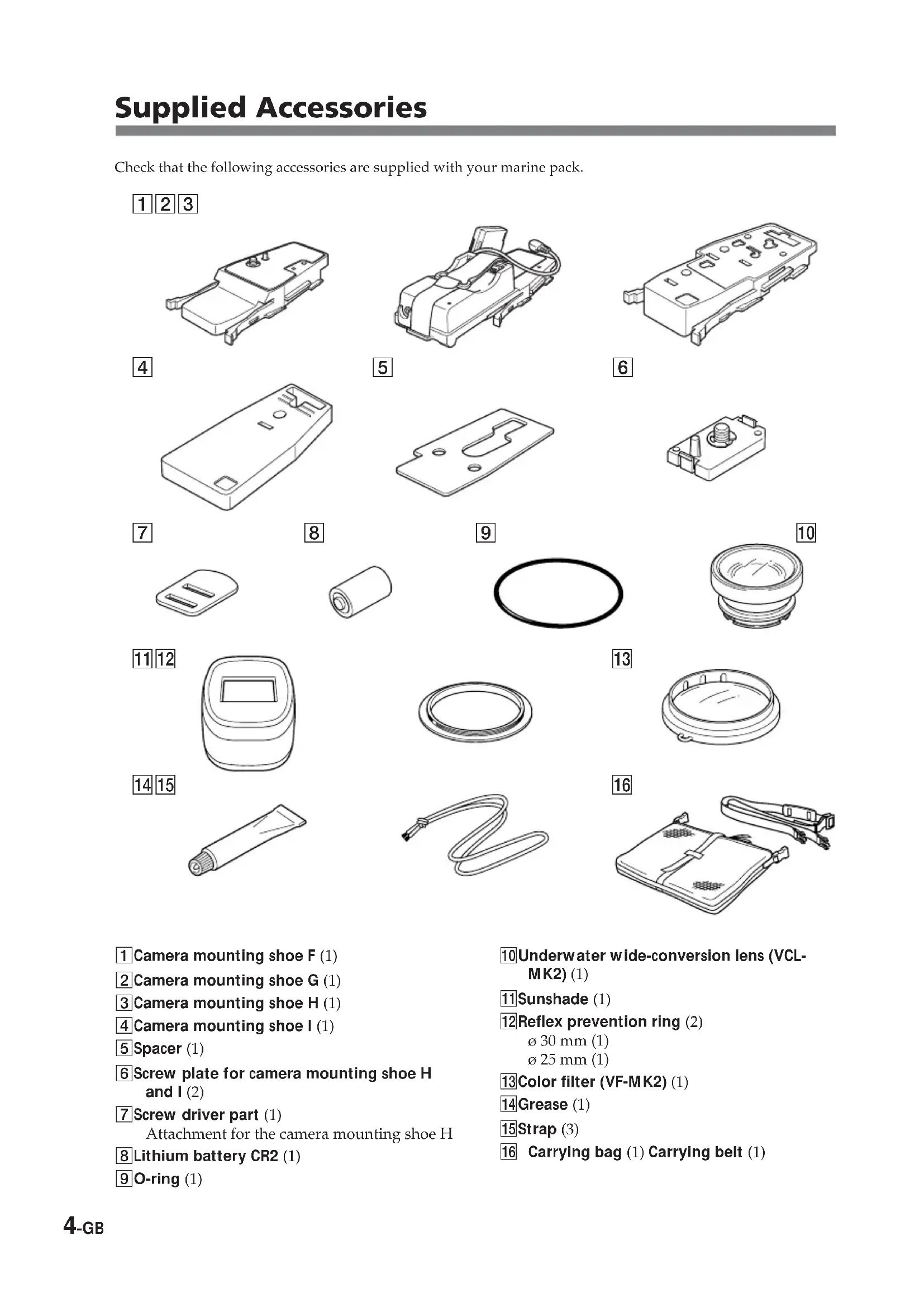
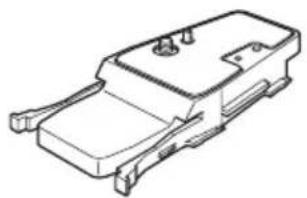
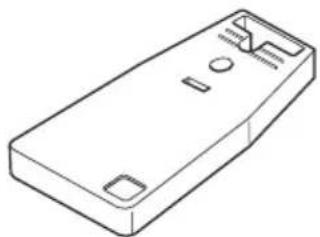
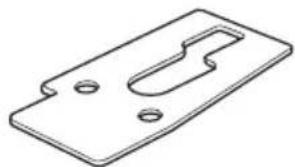
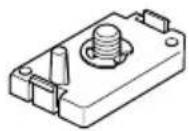
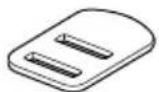
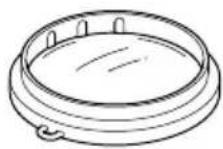
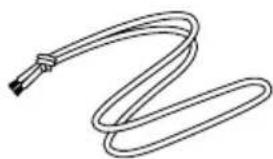
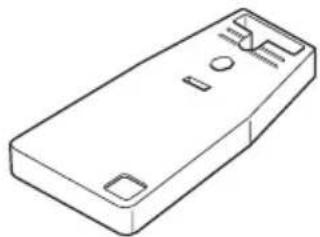
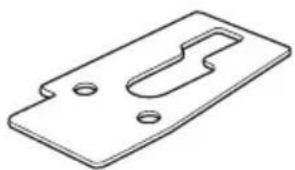
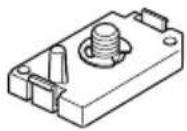
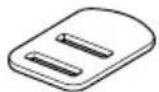
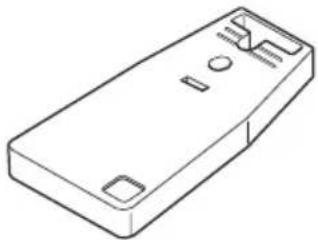
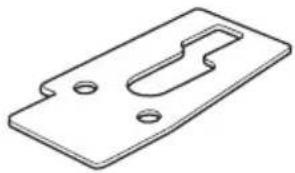
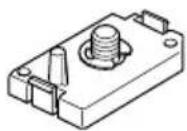
Check that the following accessories are supplied with your marine pack.
123
natural_image
Technical line drawing of a mechanical housing or enclosure component (no text or symbols)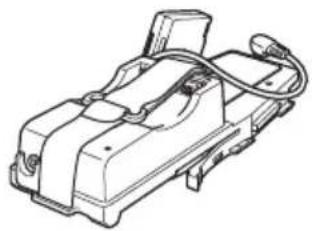
natural_image
Technical line drawing of a mechanical device with no visible text or symbols
natural_image
Technical line drawing of a mechanical component housing (no text or symbols)4
natural_image
Line drawing of a rectangular electronic device casing with three ports and a rounded base (no text or symbols)5
natural_image
Isometric line drawing of a mechanical part with cutouts and mounting holes (no text or symbols)6
7
8
9
10
11 12
natural_image
Simple line drawing of a rounded rectangular container with a rectangular lid (no text or symbols)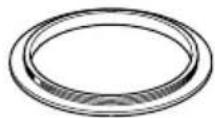
13
14 15
natural_image
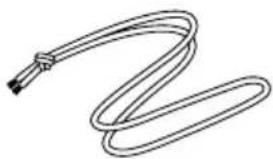
Line drawing of a coiled cable or hose with a connector (no text or symbols)16
natural_image
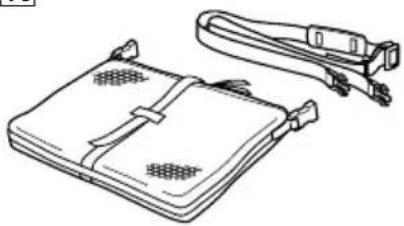
Line drawing of a portable electronic device with attached straps and ventilation slots (no text or symbols)① Camera mounting shoe F (1)
② Camera mounting shoe G (1)
3Camera mounting shoe H (1)
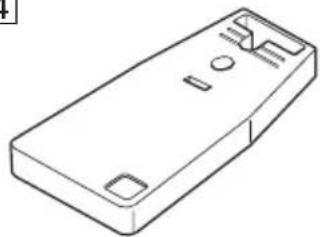
4 Camera mounting shoe I (1)
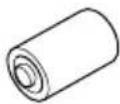
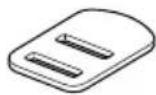
5 Spacer (1)
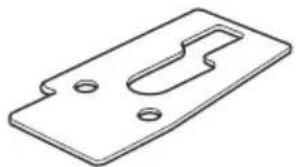
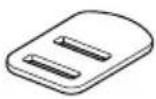
6 Screw plate for camera mounting shoe H and I (2)
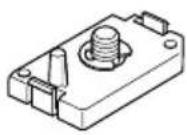
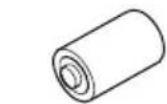
7 Screw driver part (1)
Attachment for the camera mounting shoe H
8 Lithium battery CR2 (1)
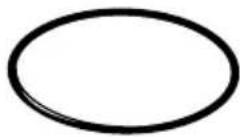
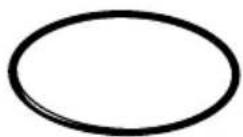
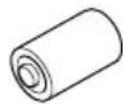
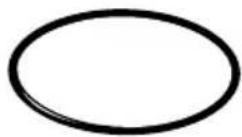
9O-ring (1)
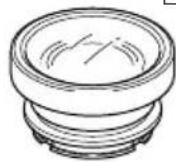
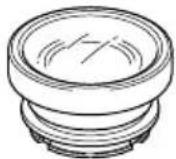
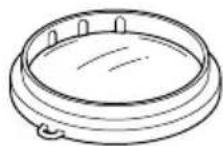
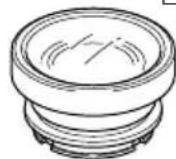
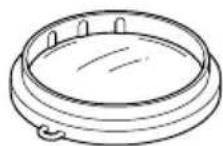
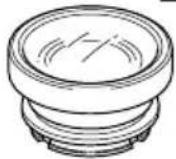
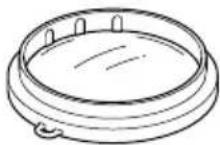
10 Underwater wide-conversion lens (VCL-MK2) (1)
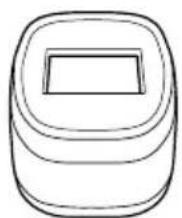
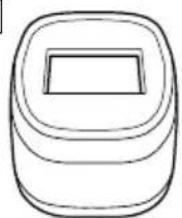
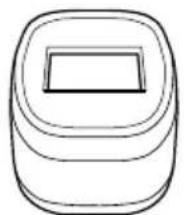
11 Sunshade (1)
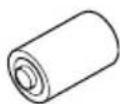
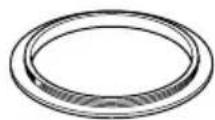
12 Reflex prevention ring (2)
ø 30 mm (1)
25 mm (1)
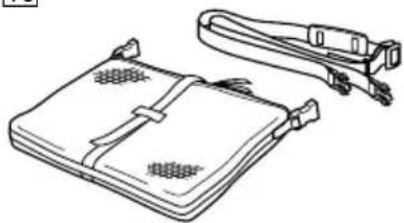
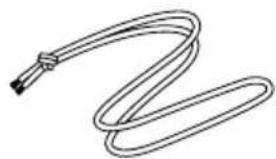
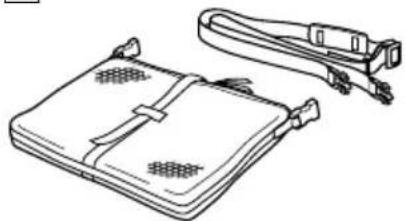
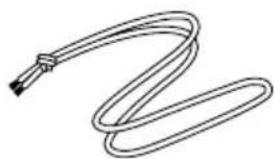
16 Carrying bag (1) Carrying belt (1)
Preparing your camcorder
Before installing your camcorder in the marine pack, prepare the camcorder according to this chapter.
The procedure may be different depending on your camcorder type.
Refer also to the operating instructions supplied with your camcorder.
You can also install camcorder models different to the one shown in the illustration.
1 Remove the lens cap, shoulder strap, conversion lens, filter or lenshood from the camcorder.
2 Attach a fully charged battery pack.
If you are using the camcorder DCR-PC109/PC109E/PC108/PC108E/PC107/PC107E/PC106E, remove the battery pack from the camcorder.
3 Insert a cassette tape, "Memory Stick" or disc.
4 Attach the reflex prevention ring to the lens.
for DCR-HC90/HC90E/DVD803/DVD803E/DVD703/DVD703E/DVD653/DVD653E/
DVD602/DVD602E/DVD403/DVD403E/DVD203/DVD203E/DVD202E/DVD103/DVD103E/DVD92/DVD92E : ø 30 mm
for DCR-HC43/HC43E/HC42/HC42E/HC40/HC40E/HC39E/HC33/HC33E/HC32/HC32E/HC30/HC30E/HC22E/HC21/HC21E/HC20/HC20E/HC19E/HC18E/HC17E/HC16E/PC109/PC109E/PC108/PC108E/PC107/PC107E/PC106E: 25 mm
Be sure not to tighten the prevention ring too tightly.
Note
If you select WIDE (16:9) on a camcorder with a selectable recorded picture aspect ratio, the picture will appear elongated on the LCD monitor of the marine pack, although the picture is actually recorded in 16:9 aspect ratio.
5 Attach the camera mounting shoe.
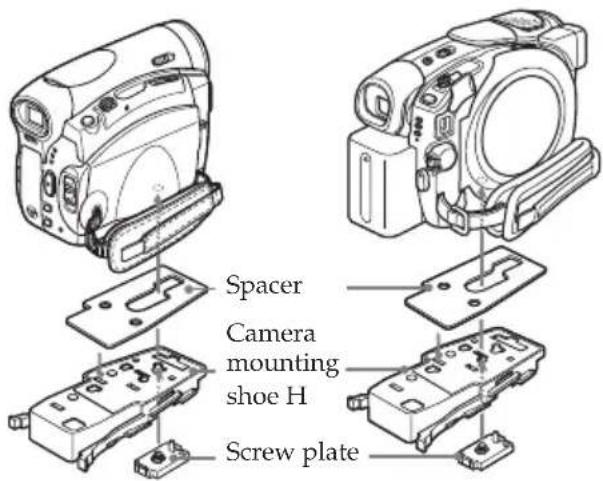
For DCR-HC90/HC90E/ DVD803/DVD803E/DVD403/ DVD403E
Use the mounting shoe H, spacer, and the screw plate.
The camcorder of the illustration may differ from the camcorder you use.
Refer to the following table to confirm the position for attaching the screw plate, according to your camcorder.
| DCR- Shoe H | |
| HC90/HC90E 1 | |
| DVD803/DVD803E 2 DVD403/DVD403E |
① Attach the spacer to shoe H.
② Attach the screw plate to shoe H so that the catch on the reverse side of the shoe clicks into place.
③ Fasten the screw of the screw plate to the tripod screw hole of the camcorder and tighten firmly.
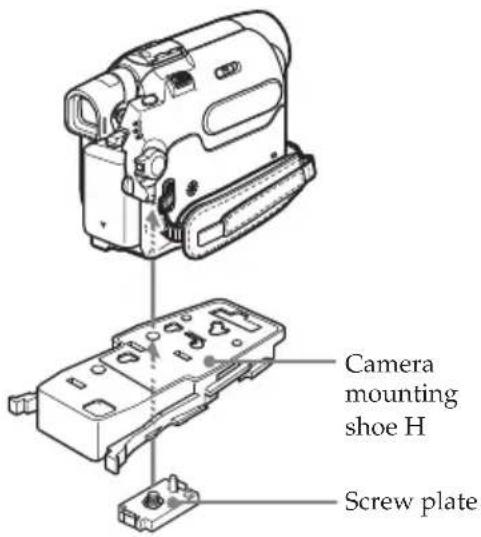
For DCR-HC43/HC43E/HC42/ HC42E/HC39E/HC33/HC33E/HC32/ HC32E/HC22E/HC21/HC21E/HC19E/ HC17E
Use the mounting shoe H and the screw plate. The position for attaching the screw plate to shoe H, is 3.
① Attach the screw plate to shoe H so that the catch on the reverse side of the shoe clicks into place.
②Fasten the screw of the screw plate to the tripod screw hole of the camcorder and tighten firmly.
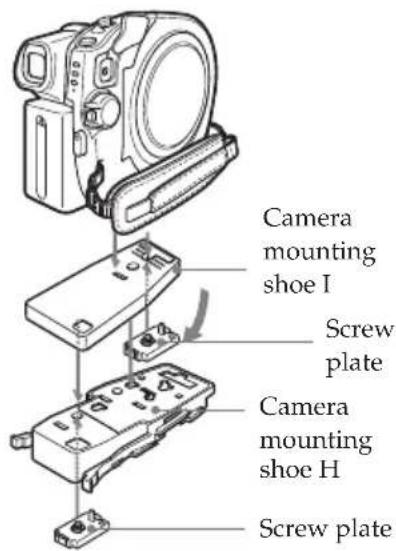
For DCR-DVD703/DVD703E/ DVD653/DVD653E/DVD602/ DVD602E/DVD203/DVD203E/ DVD202E/DVD103/DVD103E/ DVD92/DVD92E
Use the mounting shoes H and I, the spacer, and the screw plate.
The position for attaching the screw plate to shoe H, is 4.
① Attach the screw plate to shoe I so that the catch on the reverse side of the shoe clicks into place.
②Fasten the screw of the screw plate on shoe I to the tripod screw hole of the camcorder and tighten firmly.
③ Attach the screw plate to shoe H so that the catch on the reverse side of the shoe clicks into place.
④ Fasten the screw of the screw plate on shoe H to the metal fitting on shoe I, tighten firmly, and fix shoe I to shoe H.
For DCR-HC40/HC40E/HC30/HC30E/HC20/HC20E/HC18E/HC16E
Use the mounting shoe F only.
Attach the mounting shoe F firmly to the camcorder.
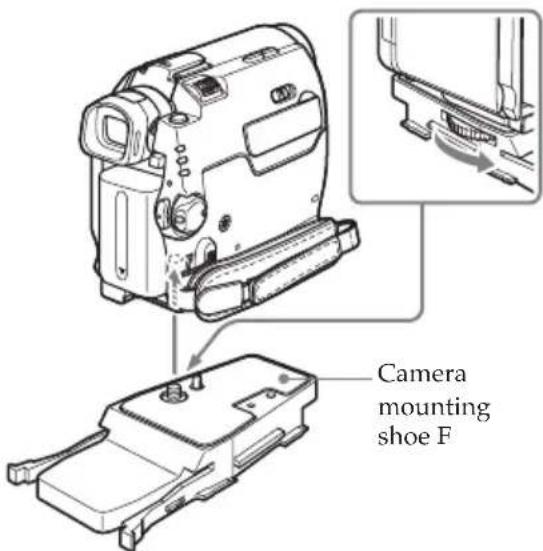
For DCR-PC109/PC109E/PC108/PC108E/PC107/PC107E/PC106E
Use the mounting shoe G only.
① Attach the mounting shoe G firmly to the camcorder.
②Connect the A/V connecting cable of the shoe to the camcorder's A/V jack.
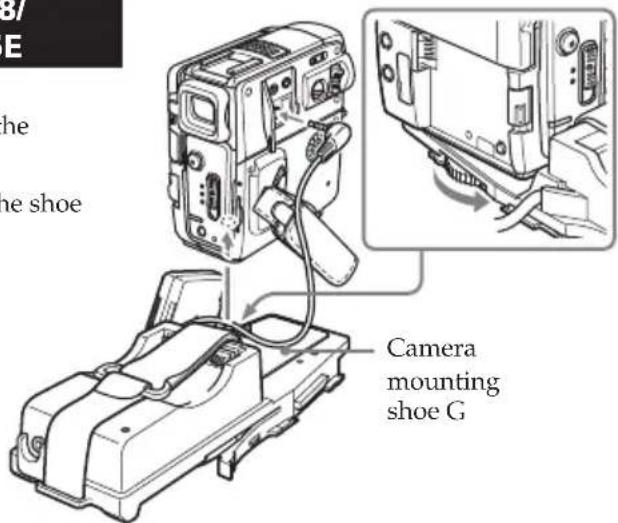
③ Attach the battery adaptor that comes with the mounting shoe G to battery terminal of the camcorder.
If there is a battery installed in the camcorder, remove it.
④ Attach the battery to the rear of the mounting shoe G Ⓐ.
Fasten the battery firmly with the belt, as shown in the illustration.
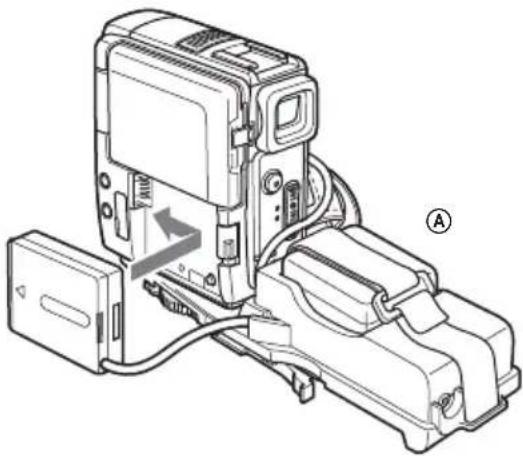
natural_image
Technical line drawing of a mechanical device with labeled components (no readable text or symbols)Now you are ready to install the camcorder to the marine pack.
Be sure to check that the camera mounting shoe is attached to the camcorder tightly before you install the camcorder to the marine pack.
6 Prepare to record.
①Set the POWER switch to CAMERA.
② Set COMMANDER to ON in the menu settings.
③Cancel the following functions: BACK LIGHT, NIGHTSHOT, Nightshot plus, PROGRAM AE, flash, Picture effect and TELE MACRO.
④ Set the FOCUS switch to AUTO.
⑤ Set DISPLAY to V-OUT/LCD in the menu settings and press the DISPLAY button on your camcorder before installing the marine pack.
* If your camcorder has REC LAMP in the menu settings, set it to OFF. By using this function, the light of the lamp is not reflected in the lens. For details, please refer to the operating instructions supplied with your camcorder.
Preparing the marine pack (installing the battery)
1 Remove the grip.
Undo the screw on the bottom side of the marine pack.
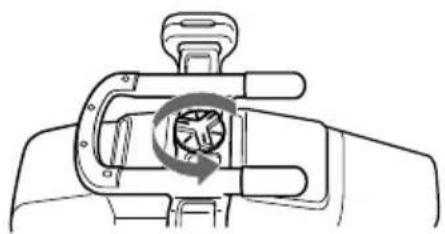
natural_image
Diagram of a hand holding a mechanical component with a circular arrow indicating rotation (no text or symbols)2 Insert the Sony CR2 lithium battery into the grip.
WARNING
Battery may explode if mistreate. Do not recharge, disassemble or dispose of in fire.
① Remove the screw with the supplied screw driver.
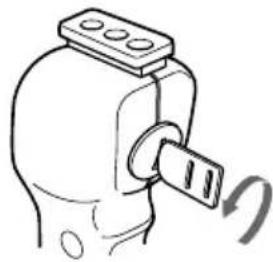
natural_image
Simple line drawing of a mechanical component with a knob and rotating arrow (no text or symbols)②Insert the supplied lithium battery (CR2, · 1) with the polarity positioned correctly as indicated on the battery case.
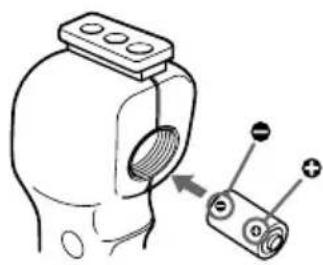
natural_image
Diagram of a device with a bulb and pin, showing an arrow pointing to a component (no text or symbols present)③ Fasten the screw tightly.
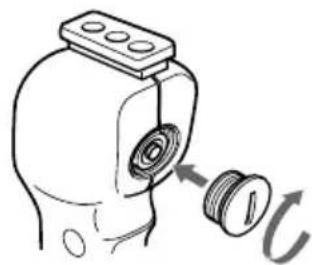
natural_image
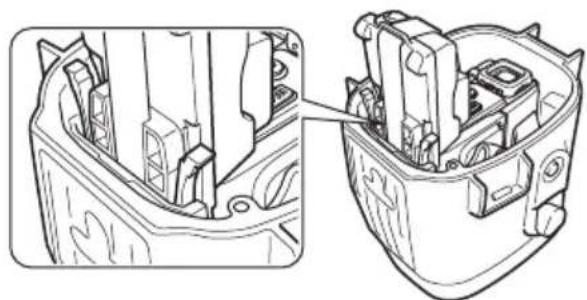
Diagram of a mechanical component with a threaded fastener and a curved arrow indicating rotation (no text or symbols)3 Unfasten the 3 latches and open the marine pack.
If you lift the metal part in the direction of the finder when the latches are open, the latches will stop.
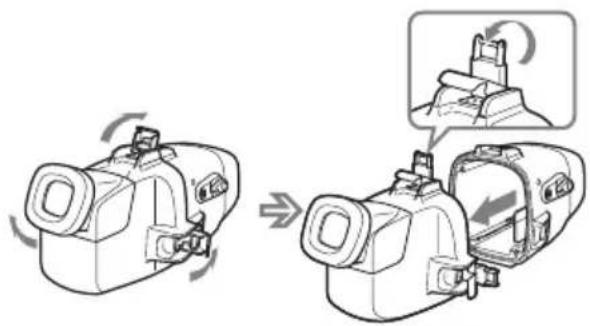
4 Insert the batteries (optional) into the LCD monitor battery compartment.
Use four new AA alkaline dry batteries.
We recommend using alkaline dry batteries made by Sony Corporation.
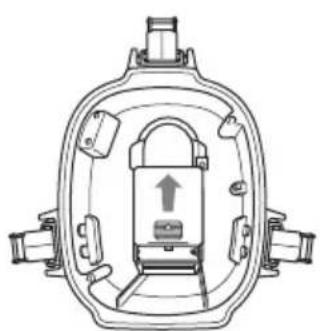
natural_image
Technical line drawing of a mechanical device with internal components and an upward arrow (no text or symbols)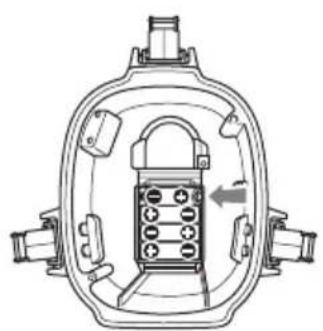
natural_image
Technical line drawing of a mechanical device with internal components and a directional arrow (no text or symbols)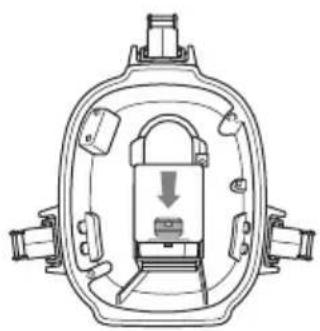
natural_image
Technical line drawing of a mechanical device with internal components and a downward arrow indicating motion (no text or symbols)Notes
- Be sure to use four batteries of the same type.
- Be sure to confirm the ⊕⊖ poles of the batteries. Inserting the batteries with the poles in the wrong direction may cause leakage or ruptures.
• The marine pack does not work with Ni-MH batteries.
About the LCD monitor
• Install the camcorder in the marine pack and set the POWER switch to ON to make images appear on the LCD monitor.
- The remaining battery time indicator displayed on the LCD monitor refers to remaining time of the camcorder battery time, not the remaining time of the LCD monitor battery.
- You can use the monitor for approximately 6 hours with four new AA alkaline dry batteries.
Installing the camcorder to the marine pack
You can also install camcorder models different from the one shown in the illustration.
For DCR-HC90/HC90E/HC43/HC43E/HC42/HC42E/HC40/HC40E/HC39E/ HC33/HC33E/HC32/HC32E/HC30/HC30E/HC22E/HC21/HC21E/HC20/HC20E/ HC19E/HC18E/HC17E/HC16E/DVD803/DVD803E/DVD703/DVD703E/ DVD653/DVD653E/DVD602/DVD602E/DVD403/DVD403E/DVD203/ DVD203E/DVD202E/DVD103/DVD103E/DVD92/DVD92E
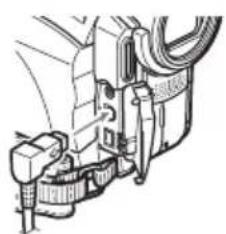
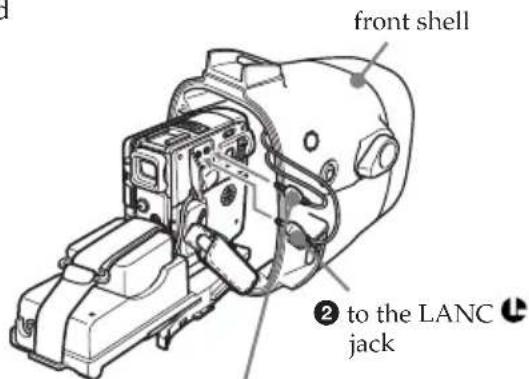
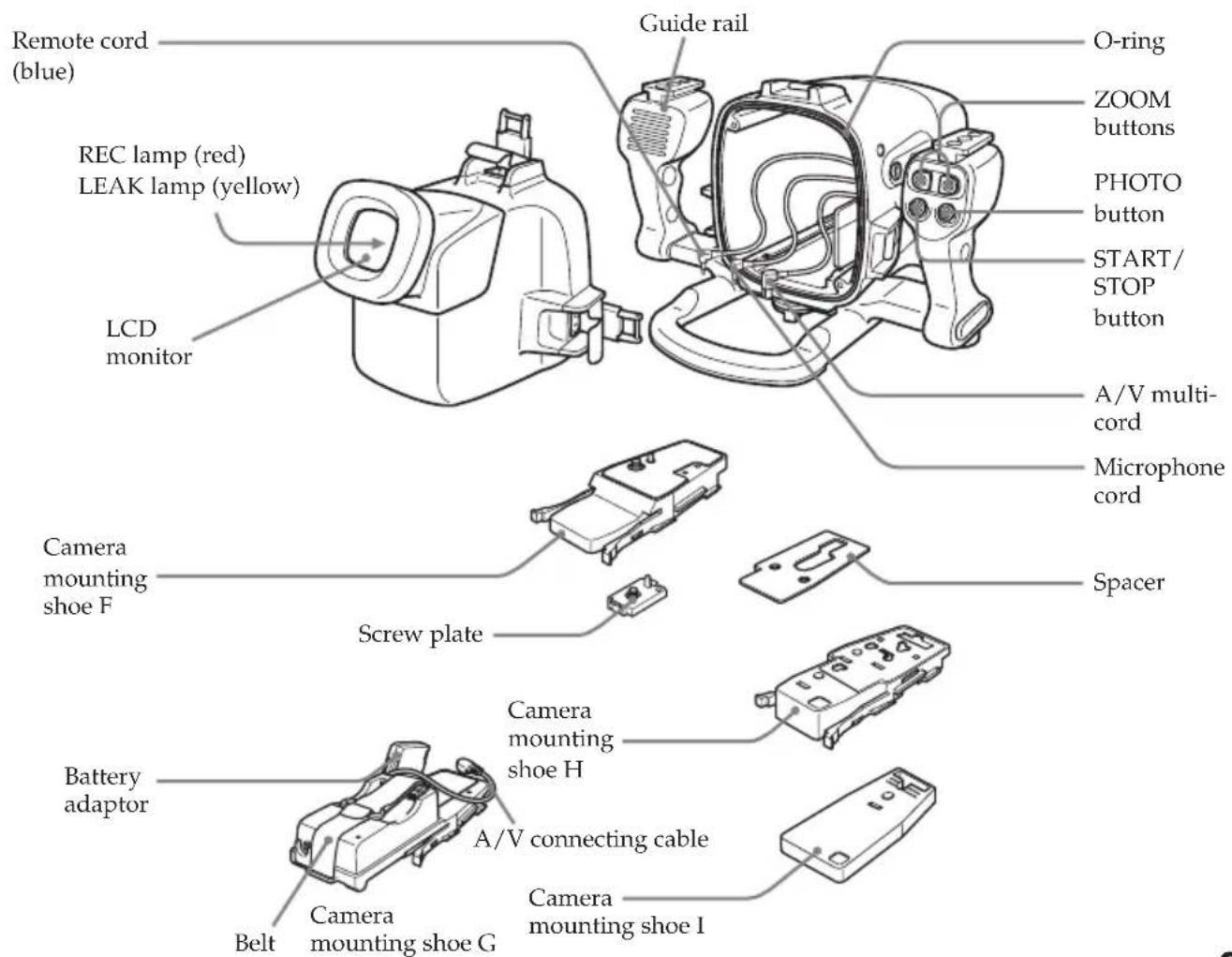
1 Connect the remote cord and the microphone cord to the camcorder.
For DCR-HC90/HC90E/HC43/HC43E/HC42/ HC42E/HC39E/HC33/HC33E/HC32/HC32E/ HC22E/HC21/HC21E/HC19E/HC17E/DVD803/ DVD803E/DVD703/DVD703E/DVD653/ DVD653E/DVD602/DVD602E/DVD403/ DVD403E/DVD203/DVD203E/DVD202E/ DVD103/DVD103E/DVD92/DVD92E
* The microphone cord is not necessary.
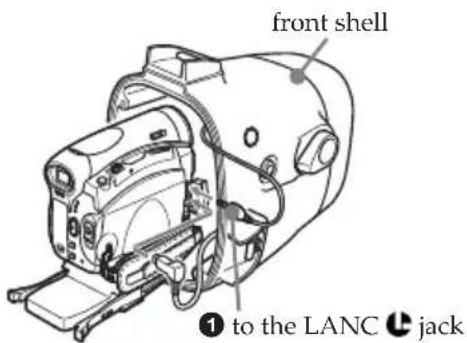
①Connect the remote cord to the LANC jack.
2Connect the A/V multi-cord of the marine pack to the camcorder's A/V jack.
natural_image
Mechanical assembly diagram showing components like hoses and connectors (no text or labels)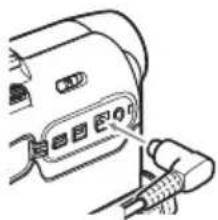
natural_image
Line drawing of a device with a plug inserted into the socket (no text or symbols)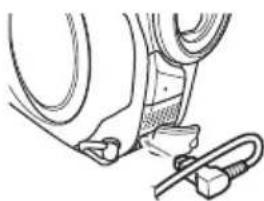
natural_image
Technical line drawing of a mechanical assembly with hoses and connectors (no text or symbols)For DCR-HC40/HC40E/HC30/HC30E/HC20/HC20E/HC18E/HC16E
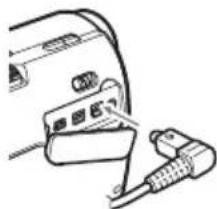
①Connect the microphone cord to the MIC jack (plug in power).
②Connect the remote cord to the LANC jack.
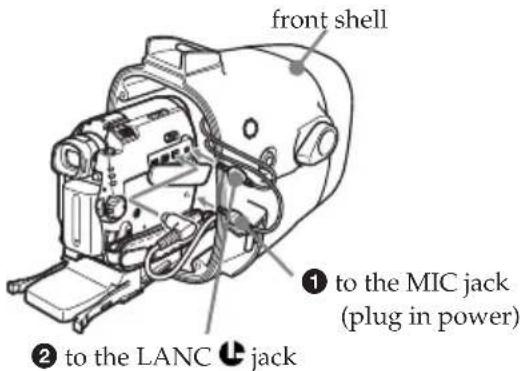
3 Connect the A/V multi-cord of the marine pack to the camcorder's A/V jack.
natural_image
Line drawing of a device with cable and connector (no text or symbols)continued
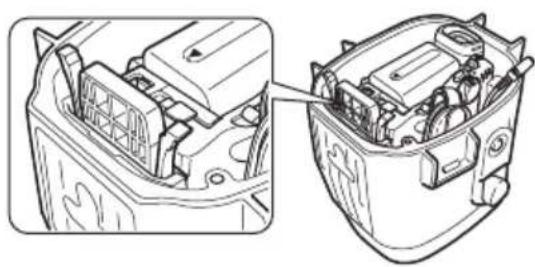
2 Insert the camcorder, sliding the mounting shoe along the guide rail of the marine pack until the mounting shoe clicks into place.
natural_image
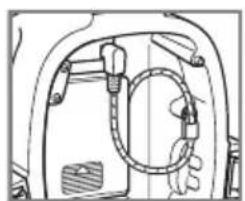
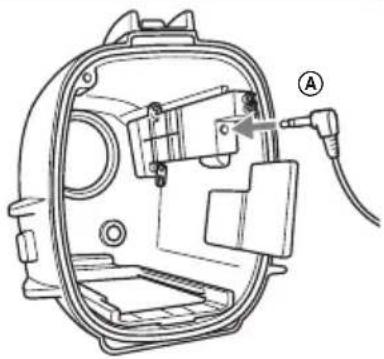
Technical line drawing of a car battery internal structure, showing internal components and wiring (no text or symbols)3 Connect the monitor cord to part Ⓐ (see illustration) of the marine pack.
natural_image
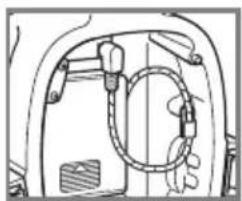
Technical line drawing of a mechanical component with no visible text or symbolsThe cords are placed in the plug holders of the marine pack at the factory. Pull the plugs out of the holders when in use.
natural_image
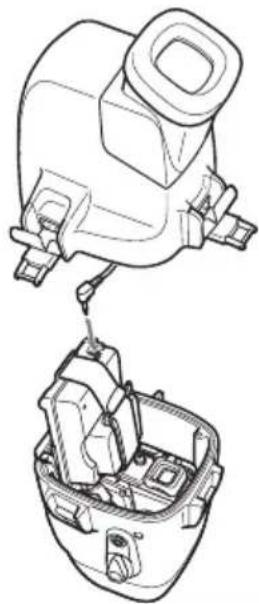
Technical line drawing of a mechanical device with labeled component (A), no readable text or symbols presentThen, fasten the latches securely, and attach the grip. For details, see page 13.
For DCR-PC109/PC109E/PC108/PC108E/PC107/PC107E/PC106E
1 Connect the remote cord and microphone cord to the camcorder.
* The A/V multi-cord is not necessary.
①Connect the microphone cord to the MIC jack (plug in power).
②Connect the remote cord to the LANC jack.
上
① to the MIC jack (plug in power)
2 Insert the camcorder, sliding the mounting shoe along the guide rail of the marine pack until the mounting shoe clicks into place.
natural_image
Technical line drawing of a mechanical component with internal parts and mounting holes (no text or symbols)3 Connect the monitor cord to the jack of camera mounting shoe G.
natural_image
Technical line drawing of a mechanical component with no visible text or symbolsThe cords are placed in the plug holders of the marine pack at the factory. Pull the plugs out of the holders when in use.
natural_image
Technical line drawing of a mechanical assembly with no visible text or symbolsThen, fasten the latches securely, and attach the grip. For details, see below.
GB
For DCR-HC90/HC90E/HC43/HC43E/HC42/HC42E/HC40/HC40E/HC39E/ HC33/HC33E/HC32/HC32E/HC30/HC30E/HC22E/HC21/HC21E/HC20/HC20E/ HC19E/HC18E/HC17E/HC16E/DVD803/DVD803E/DVD703/DVD703E/ DVD653/DVD653E/DVD602/DVD602E/DVD403/DVD403E/DVD203/ DVD203E/DVD202E/DVD103/DVD103E/DVD92/DVD92E/PC109/PC109E/ PC108/PC108E/PC107/PC107E/PC106E
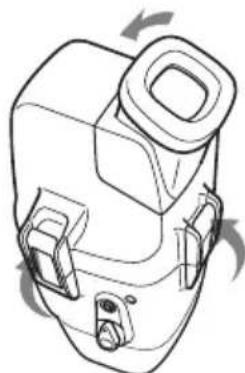
4 Attach the front shell to the rear shell. Hold both shells firmly and fasten the 3 latches securely.
Take care not to pinch the remote, microphone, and monitor cords. If this happens water may leak in.
For details on handling the O-ring, see page 22.
natural_image
Line drawing of a mechanical device with no visible text or symbolsTake care not to pinch the cords.
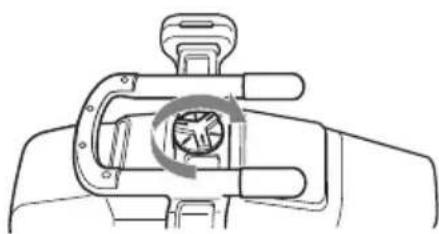
5 Attach the grip.
Fasten the screw tightly.
natural_image
Diagram of a hand holding a mechanical device with a circular arrow indicating rotation (no text or symbols)Now you have finished the preparations.
Be sure to check that the equipment operates correctly and that there is no water leakage before you dive (see page 14).
Before diving
Check for water leakage.
Check that the equipment operates correctly and that there is no water leakage at a depth of about one meter (3 feet) before you dive deeper.
Take care not to expose the equipment to salty air. Do not drop water on the equipment.
Do not open the marine pack underwater or on the beach. Preparations such as installing and checking the equipment should be done in a place with low humidity and no salty air.
Check the following points again before you dive.
☐ Be sure to fully charge the battery pack for the camcorder.
Be sure that the dry battery for the monitor is not old.
- We recommend you use a battery pack with a large capacity and prepare spare battery packs and dry batteries.
☐ Be sure that your video tape and "Memory Stick" have enough tape and memory left.
☐ Check that there are no scratches or cracks on the O-ring.
☐ Make sure there is no cord, cable, sand, or hair between the front shell and the rear shell.
□ Be sure that the lithium battery has enough power.
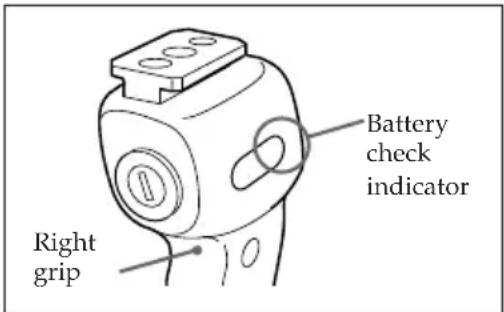
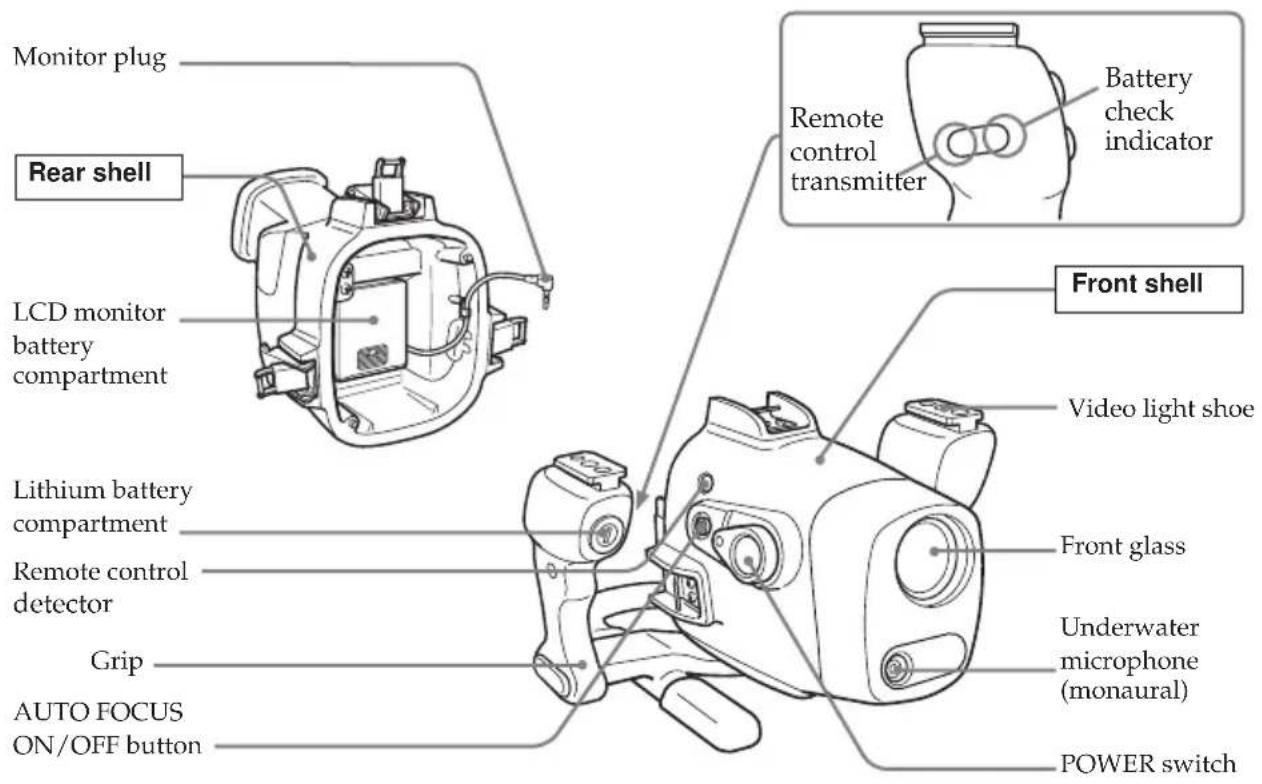
- If the remaining battery capacity is enough, when you press the ZOOM, PHOTO, or START/STOP button, the battery check indicator on the grip lights up. Check this indicator as a criterion. If the battery check indicator on the grip does not light, exchange for a new one. We suggest that you prepare spare ones.
Conditions of underwater recording
Recording underwater is different from recording on land because it is affected by the clarity, depth of the water, and the light conditions. The following are hints for good underwater recording.
Best time for recording
The best recording time is from 10:00 a.m. to 2:00 p.m. When the sun is at its highest, optimum results can be obtained.
To record in dark places that the sun does not reach or at night, use a powerful underwater video light.
Subject size underwater
Since the refractive index underwater is higher than in air, objects appear 1/4 closer, and therefore larger. This phenomenon affects the lens on the camcorder as well as the human eye and the area recorded is narrower. Using the supplied wide-conversion lens is recommended.
Operate the camera with slow and stable motions
When recording, keep your body stable.
Slight shaking will be magnified on the TV screen, resulting in unsteady pictures.
Move the camcorder as slowly as possible. Since most of the objects underwater move, you can record a good shot without moving the camcorder too much.
Note on recording underwater
Be sure to follow the safety rules for diving, such as diving period and depth.
Now you are ready for underwater recording.
When you dive with the camcorder, dive slowly, paying attention to the surrounding environment. Be careful not to strike the marine pack against rocks or reef, etc.
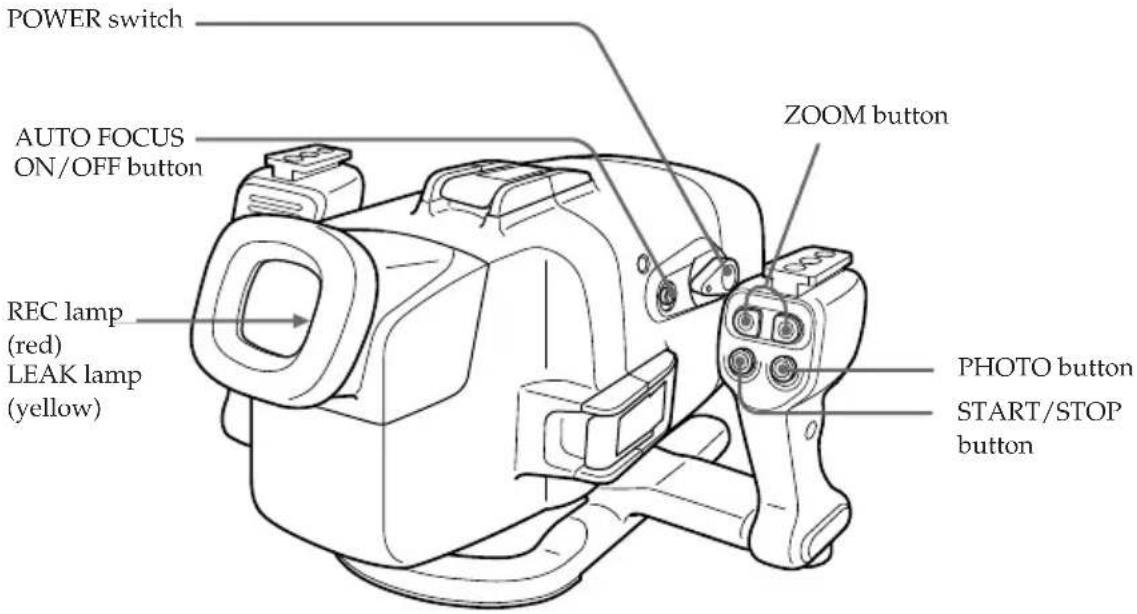
1 Set the POWER switch to ON.
The camcorder turns on and a picture appears on the LCD monitor.
2 Press START/STOP button to start recording.
The REC lamp (red) lights up during recording.
To stop recording, press START/STOP button again.
To zoom
Press ZOOM button.
Press T for telephoto (subject appears closer) and W for wide-angle (subject appears further away).
You cannot change the zooming speed of the camcorder.
Recording a still image
You can record a still image on the camcorder by pressing the PHOTO button.
Note that pressing PHOTO button lightly does not allow you to check the recorded image. For more details, refer to the operating instructions supplied with your camcorder.
Note
If you use the marine pack with a DVD Handycam, you cannot record still images.
To keep a subject in focus
Press AUTO FOCUS ON/OFF button to set it to OFF. You can still keep the subject in focus even if fish swim between the camcorder and the subject. Press AUTO FOCUS ON/OFF button again to set the camcorder to auto focus mode.
Note
Do not cover the control emitter or detector with your finger as the remote control signal for operations is transmitted from the grip to the marine pack.
Attaching the supplied accessories
Attaching the supplied wide-conversion lens
The wide-conversion lens is recommended when you want to take pictures of wide areas. Note however, that objects will appear smaller.
Note
This supplied wide-conversion lens is to be used only underwater.
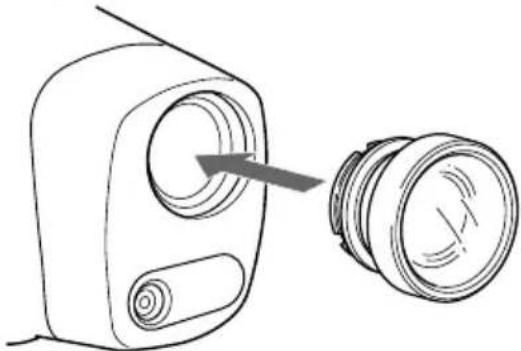
natural_image
Line drawing of a device with a circular button and a separate cylindrical component (no text or symbols)Attach the wide-conversion lens until it fits firmly.
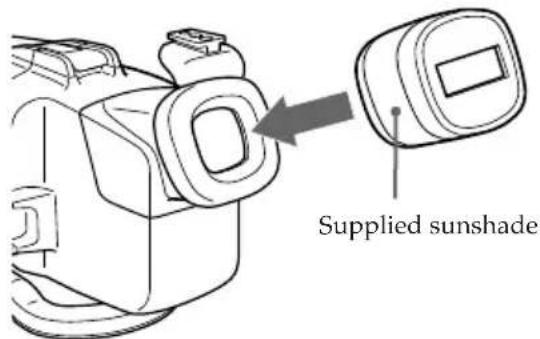
Using the supplied sunshade
The supplied sunshade reduces glare on the LCD monitor.
Attaching the supplied color filter
When using the supplied color filter, attach it on top of the wide-conversion lens.
Water absorbs light, especially red light, so that objects in deep water are seen bluish.
The color of objects is affected by the clarity of the water.
To record in natural color, use the supplied colour filter.
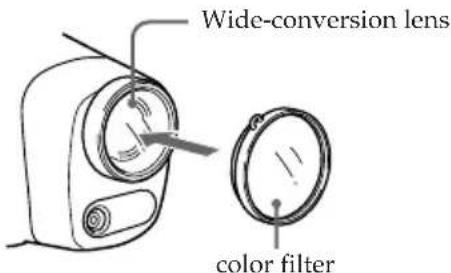
You can attach and remove the wide-conversion lens, sunshade, and color filter underwater.
If the image on the LCD monitor is not clear because of air between these accessories and the marine pack, reattach them underwater.
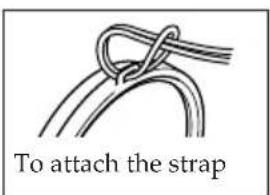
Attaching the supplied strap
Attach the strap as shown.
Attach the supplied straps to prevent loss of these accessories when removing them both on land and underwater. Attach the straps to the grip of the marine pack.
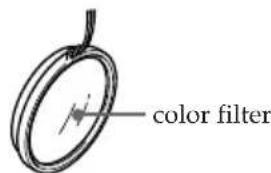
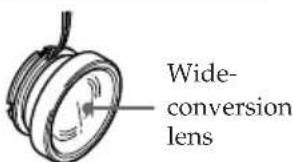
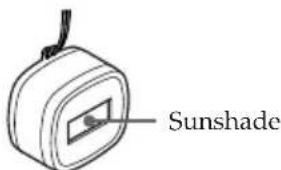
continued
Using the underwater video light (optional)
In deep water or under rocks where direct sunlight does not reach, recording with underwater video lights is recommended. You can attach these video lights to the video light shoes on the upper part of both grips.
Underwater video lights such as the Sony HVL-ML20M (optional)
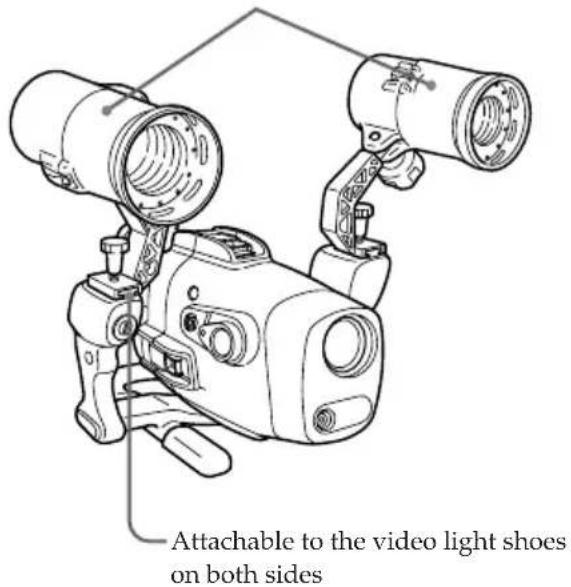
Water leakage
The marine pack is designed to be waterproof, however if water happens to leak in, the LEAK lamp (yellow) flashes.
In such a case, remove the marine pack from the water as soon as possible, keeping it horizontal. Be sure to surface following the safety rules for diving.
Dry the marine pack with a soft cloth and then open it.
To switch off the lamp, disconnect the remote control cable.
Check the cause of the leak.

If the camcorder is wet, take it to the nearest Sony dealer immediately.
We recommend you purchase property damage insurance for underwater materials in case of emergency.
After using
- After recording in the sea, submerge the marine pack in tap water or fresh water for about 30-60 minutes before undoing the latches to completely remove any salt from the marine pack unit, filter, and wide-conversion lens.
- When your camcorder has been used near or in the sea for a long time, we recommend that it be checked by the nearest Sony dealer.
Before opening the marine pack, rinse it with fresh water and dry with a soft cloth.
When you open the marine pack, make sure you are dry. And take care that no water drips from your wet suit.
For DCR-HC90/HC90E/DVD803/DVD803E/DVD703/DVD703E/DVD653/DVD653E/DVD602/DVD602E/DVD403/DVD403E/DVD203/DVD203E/DVD202E/DVD103/DVD103E/DVD92/DVD92E
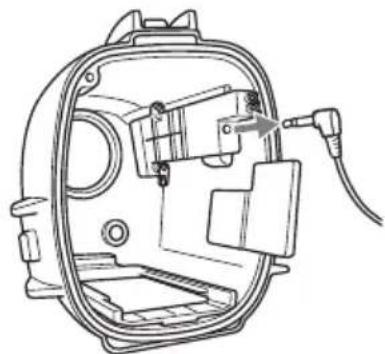
1 Remove the grip.
2 Unfasten 3 latches and open the marine pack.
3 Disconnect the monitor cord.
natural_image
Technical line drawing of a mechanical device with internal components and a cable (no text or symbols)GB
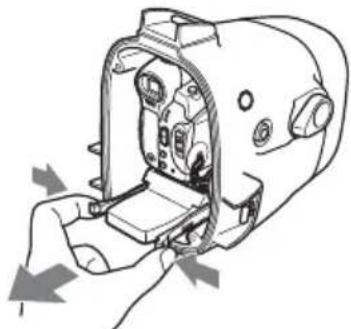
4 Take the camcorder out of the front shell.
Hold the camera mounting shoe by the knobs and extract the camcorder.
When you open the marine pack, do not pull the cords by force.
natural_image
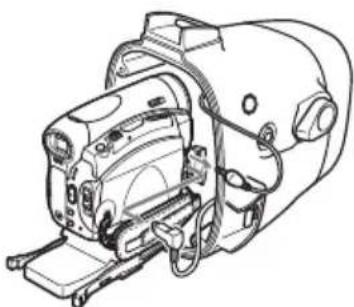
Diagram of a hand inserting a device into a device housing (no text or symbols visible)5 Disconnect the remote cord, the microphone cord and the A/V multi-cord.
natural_image
Technical line drawing of a mechanical device with internal components and mounting brackets (no text or symbols)6 Remove the mounting shoe from the camcorder.
7 Remove the batteries from the LCD monitor battery compartment and the battery case of the grip.
For DCR-HC43/HC43E/HC42/HC42E/HC40/HC40E/HC39E/HC33/HC33E/HC32/HC32E/HC30/HC30E/HC22E/HC21/HC21E/HC20/HC20E/HC19E/HC18E/HC17E/HC16E
1 Remove the grip.
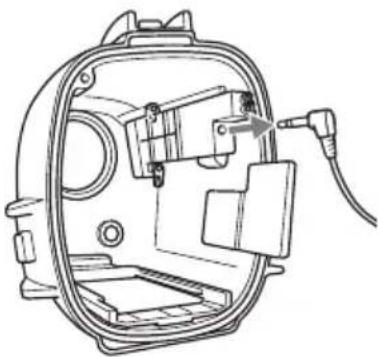
2 Unfasten 3 latches and open the marine pack.
3 Disconnect the monitor cord.
natural_image
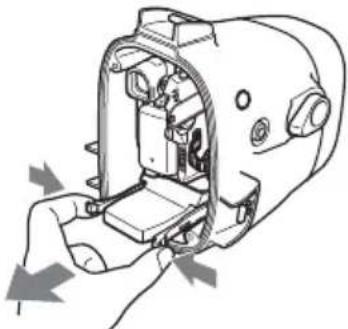
Technical line drawing of a mechanical device with a cable inserted, showing internal components and a pointer indicating a component (no text or symbols present)4 Take the camcorder out of the front shell.
Hold the camera mounting shoe by the knobs and extract the camcorder.
When you open the marine pack, do not pull the cords by force.
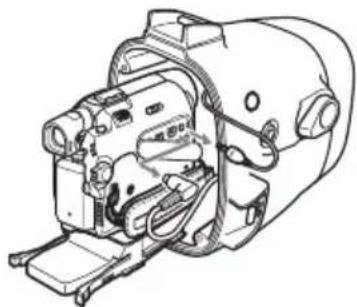
natural_image
Diagram of a hand inserting a device into a device housing (no text or symbols visible)5 Disconnect the remote cord, the microphone cord and the A/V multi-cord.
natural_image
Technical line drawing of a mechanical device with no visible text or symbols6 Remove the mounting shoe from the camcorder.
7 Remove the batteries from the LCD monitor battery compartment and the battery case of the grip.
For DCR-PC109/PC109E/PC108/PC108E/PC107/PC107E/PC106E
1 Remove the grip.
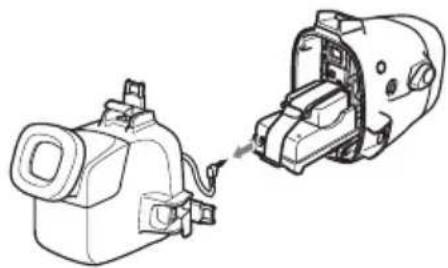
2 Unfasten 3 latches and open the marine pack. Disconnect the monitor cord from the camera mounting shoe G.
natural_image
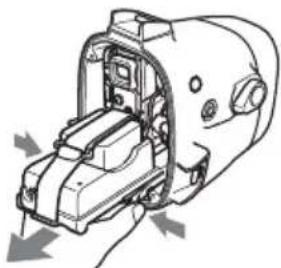
Technical line drawing of a mechanical device with two views: one showing internal components and the other showing a close-up of a cylindrical component (no text or symbols)3 Take the camcorder out of the front shell. Hold the camera mounting shoe by the knobs and extract the camcorder. When you open the marine pack, do not pull the cords by force.
natural_image
Technical line drawing of a mechanical device with internal components and directional arrows indicating movement (no text or symbols)4 Disconnect the remote cord and the microphone cord.
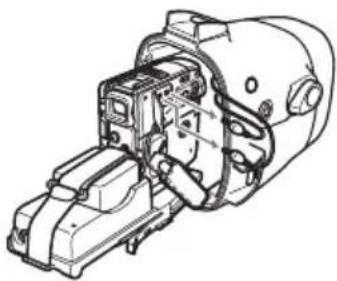
natural_image
Technical line drawing of a mechanical assembly with no visible text or symbols5 Disconnect the A/V connecting cable of camera mounting shoe G from the A/V jack.
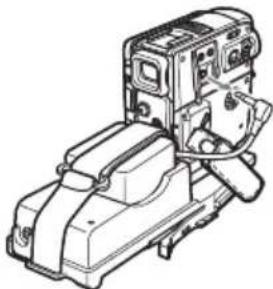
natural_image
Technical line drawing of a mechanical device with no visible text or symbols6 Remove the battery adaptor from the camcorder before removing the mounting shoe. Also remove the battery attached to the rear of mounting shoe G.
7 Remove the batteries from the LCD monitor battery compartment and the battery case of the grip.
What is an O-ring?
- An O-ring is part of the water-proof packing that is used on underwater cameras, watches, and other diving equipment.
- The O-ring acts to preserve the waterproof qualities of the marine pack and other equipments.
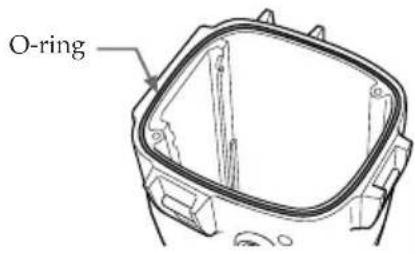
How the O-ring waterproofs
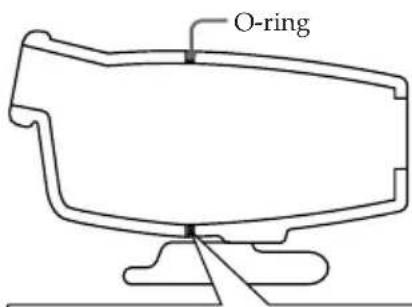
The rubber surface of the O-ring seals the opposite surface to prevent water from entering the gap.
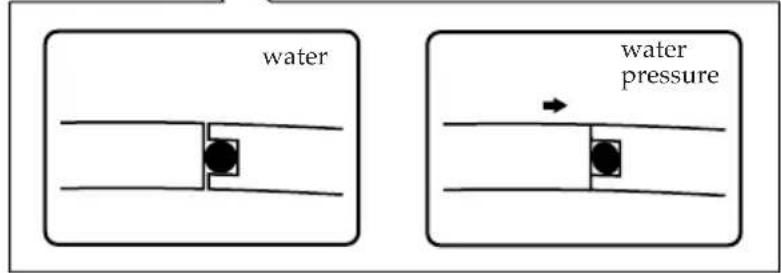
When water pressure acts on the O-ring, the contact surface area of the O-ring expands to increase the force acting on the groove on the marine pack.
O-ring maintenance is very important. If O-ring maintenance is not followed according to instructions, a water leak may occur and cause the marine pack to sink. Waterproofing is achieved by perfect sealing of the O-ring to the entire contact surface.
Handling the O-ring
Set the O-ring in place
Avoid setting the O-ring in dusty or sandy locations.
1 Remove the O-ring.
Do not use pointed or metal objects to remove the O-ring. These objects might scratch or damage the marine pack groove or O-ring.
2 Inspect the O-ring.
- Fully check the following, and wipe off with a soft cloth or tissue paper. - Check for any dirt, grains of sand, hair, dust, salt, thread scraps, etc. - Check for any old grease.
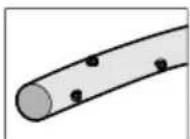
▲ Dirt
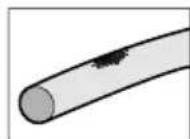
▲ Sand
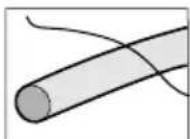
▲ Hair
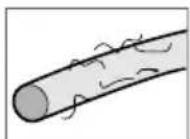
▲ Dust
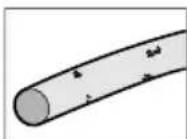
▲ Salt
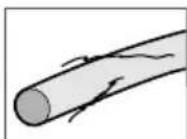
▲ Thread scraps
- Lightly run your fingertip around the O-ring to check for any unapparent dirt.
- After wiping the O-ring, take care to prevent any cloth or tissue paper fibres from remaining on the O-ring.
- Check the O-ring for cracking, skew, distortion, fine splitting, scratches, sand-biting, etc. Replace cracked or scratched O-rings.
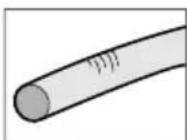
▲ Cracking
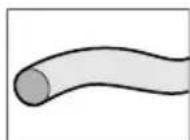
▲ Skew
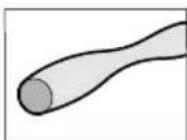
▲ Distortion

▲ Fine Splitting
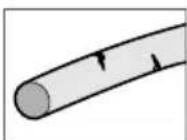
▲Scratches
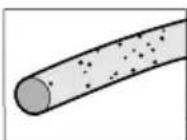
▲ Sand-biting
3 Inspect the O-ring groove.
Grains of sand or hardened salt sometimes get into the groove. Carefully remove them by blowing with an air spray or by wiping them with a cotton wool bud. Prevent fibre scraps from the cotton wool bud from entering inside.
4 Also, inspect the contacting surface on the other side of the O-ring in the same way.
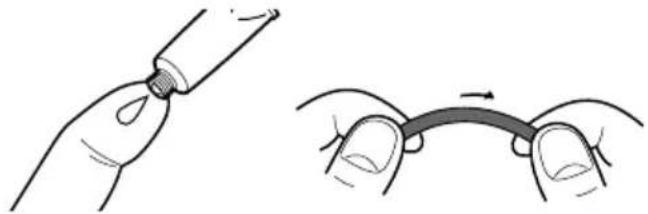
5 Apply a coating of grease to the O-ring.
natural_image
Illustration showing two hands performing a procedure: one applying liquid to a tube, the other bending a curved line (no text or symbols present)- Apply a small drop of grease onto the O-ring and evenly coat the entire surface of the O-ring with your finger.
- Do not use paper or cloth as fibre may stick to the O-ring.
- Make sure that a thin coating of grease is applied to the surface of the O-ring at all times. Grease protects the O-ring, and prevents wear.
• After you have applied a small drop of grease onto the O-ring, set the O-ring immediately. Do not leave the greased O-ring on a desk or other surfaces.
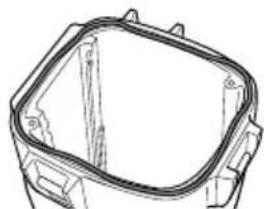
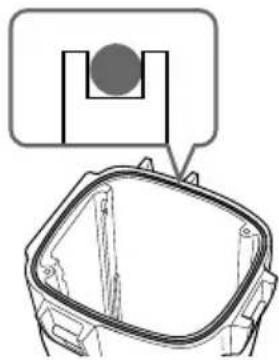
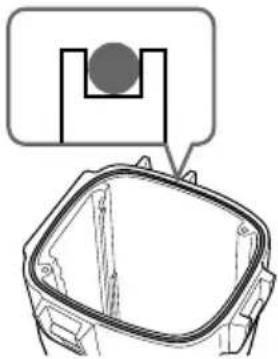
6 Place the O-ring in the groove on the marine pack.
Place the O-ring evenly in its groove paying attention to the following points:
- Is there any dirt on the O-ring?
- Is the O-ring twisted?
- Do not pull the O-ring.
- Is the O-ring protruding?
natural_image
Technical line drawing of a mechanical component with no visible text or symbols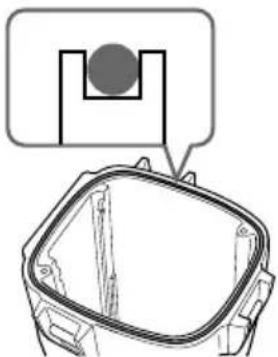
natural_image
Technical diagram of a mechanical component with a highlighted section and an inset view (no text or symbols)Bad example Good example
Final check
After you have fitted in the O-ring, check it again for the following:
- Is the O-ring twisted?
- Is there any dirt on the O-ring?
- Is the O-ring protruding?
- Are there any cracking or distortion on the O-ring?
How to check for water leaks
After you have replaced the O-ring, close the marine pack before you insert the equipment you are using. Immerse the marine pack for about three minutes in water to a depth of about 15 cm, and check for water leaks.
CAUTION
When you have taken photos on a sandy sea bottom or have placed the camera on the sand, remove the O-ring and check for water leaks.
Be sure to take a spare O-ring with you.
This facilitates replacement even if O-ring trouble occurs where you are recording.
Maintenance
After you have finished using an O-ring
• After you have used the marine pack, be sure to perform the following:
- Wash the marine pack with fresh water with the latches closed to remove salt or sand.
- Insert the marine pack in fresh water for about 30 minutes with the latches closed.
If salt is left on the marine pack, metal parts and the O-ring might be damaged, and cause water leaks.
- When sun oil is stuck to the marine pack, wash off with lukewarm water.
If sun oil is left on the marine pack, the surface of the marine pack might become discoloured or become damaged.
- Wipe the inside of the marine pack with a soft, dry cloth. Do not wash with water.
- Remove the O-ring each time that you have finished using it, and check it.
If the marine pack is dried with sea water still in the O-ring groove, salt crystals form, and might impair the O-ring's functions.
- Do not use thinner, benzine, alcohol or other solvents as they will damage the surface finish.
Storing O-rings
- Prevent dust from sticking to O-rings.
- Apply a thin coating of grease to the O-ring, set it in the groove, and store in a well-ventilated location. Do not close the latches.
- Avoid storing O-rings in hot, cold or humid locations, and placing in naphthalene or camphor. These locations and solutions will damage the materials.
How to store O-rings
- To maintain the O-ring's functions, avoid storing them in hot locations or in the direct sunlight.
- Do not place the spare O-ring under heavy objects. Doing so might deform the O-ring.
O-ring life
Replace the O-ring with a new one after one year of use.
Even if the O-ring is not cracked or scratched, deformation or wear reduces the waterproof qualities of the O-ring. Replace the O-ring with a new one if cracking, skew, distortion, fine splitting, scratches, sand-biting, etc. is found.
Grease
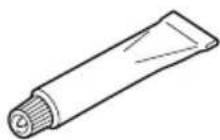
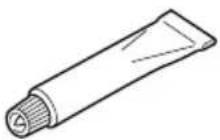
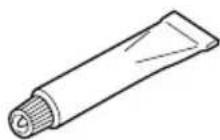
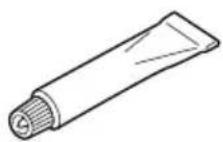
Use the supplied grease. Using other manufacturer's grease will damage the O-ring, and cause water leaks.
O-ring and grease
You can obtain O-rings and grease at your nearest Sony dealer.
O-ring (model No. 3-977-362-01)
Grease (model No. 3-071-370-01)
After using
The metal parts will rust and the movement of the operation switches will be impaired if you leave salt water on the marine pack. If sea water enters through scratches in the coating, the salt can corrode the metal parts of the marine pack unit and cause the coating to peel off. After recording in the sea, submerge the marine pack in tap water or fresh water for about 30 minutes before undoing the latches to completely remove any salt from the marine pack unit, filter, and wide-conversion lens.
After washing, wipe any water from the inside of the marine pack and the loaded video camcorder with a soft dry cloth.
* Always follow the above precautions when you use the marine pack.
When you open the marine pack or exchange the battery of the grip, take care that no water drips from your wet suit or hair.
Do not leave the marine pack under direct sunlight or in a humid place for a long period of time. Moisture condensation or a high temperature build-up inside the marine pack may occur and damage the camcorder. If you cannot avoid leaving the marine pack under direct sunlight, be sure to cover the marine pack with a towel or other protection.
When you store the marine pack
- Coat the O-ring slightly with the supplied grease, and put it in the groove correctly. Join the front and rear shells then put it in a cool and dry place without fastening the latches.
- Avoid storing the marine pack in a very hot, cold, or humid place, or together with naphthalene or camphor, as these conditions might damage the unit.
On transportation
When transporting the marine pack, be sure to remove your camcorder from it. Otherwise this might damage the unit.
Note
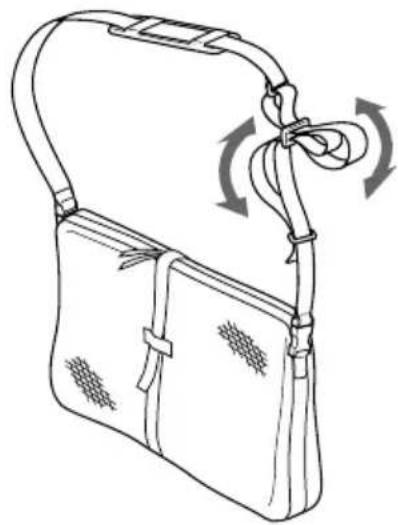
When you use the supplied carrying bag, attach the supplied carrying belt and adjust the length of the belt.
Avoid rough handling or a shock. We recommend covering the marine pack with a towel or other protection.
natural_image
Line drawing of a handbag with straps and a bow, showing motion arrows (no text or symbols)Identifying parts and controls
Material
Aluminum alloy, glass, plastic (ABS, PC)
Waterproofing
O-ring, 3 latches
Usable depth
Up to 75 m (246 feet)
Underwater microphone
Condenser microphone (monaural)
Controllable function
Power on/off, recording start/stop, auto focus on/off, power zooming, tape photo recording
Dimensions
Approx. 312 · 212 · 318 mm (w/h/d)
(12 3/8 · 8 3/8 · 12 5/8 in.)
Mass
Approx. 4.4 kg (9 lb 11 oz) (the unit only)
Included items
Marine pack (1)
Camera mounting shoe F, G, H, I (1 each)
Spacer (1)
Screw plate (2)
Screw driver part (1)
Wide-conversion lens (1)
Color filter (1)
Lithium battery CR2 (1)
Grease (1)
O-ring (1)
Sunshade (1)
Reflex prevention ring (2)
Strap (3)
Carrying bag (1)
Carrying belt (1)
Set of printed documentation
Recommended accessory
Underwater video light HVL-ML20M
Design and specifications are subject to change without notice.
Table des matières
natural_image
Technical line drawing of a mechanical component or housing (no text or symbols)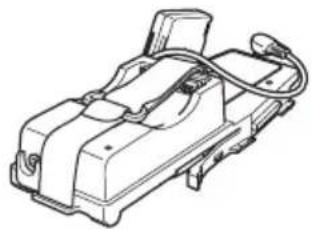
natural_image
Technical line drawing of a mechanical component with no visible text or symbols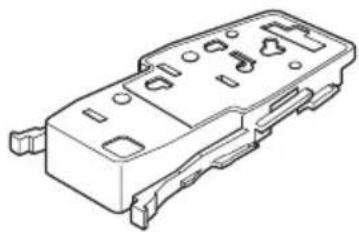
natural_image
Technical line drawing of a mechanical component with mounting holes and housing (no text or symbols)4
natural_image
Line drawing of a 3D rectangular electronic device casing with mounting holes and internal slots (no text or symbols)5
natural_image
Isometric line drawing of a mechanical part with cutouts and mounting holes (no text or symbols)6
7
8
9
10
11 12

natural_image
Simple line drawing of a rounded rectangular container with a rectangular lid (no text or symbols)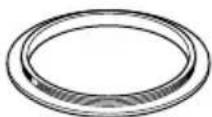
13
14 15
natural_image
Simple line drawing of a coiled cable or hose with a connector (no text or symbols)16
natural_image
Line drawing of a portable electronic device with attached cable and accessories (no text or symbols)natural_image
Technical line drawing of a camera module with labeled components (no text or symbols present)natural_image
Diagram of a hand holding a mechanical device with a circular arrow indicating rotation (no text or symbols)natural_image
Simple line drawing of a mechanical component with a knob and rotating arrow (no text or symbols)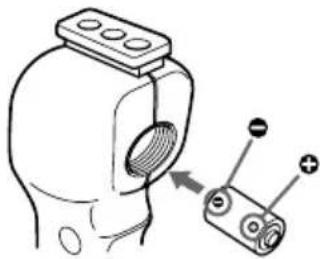
natural_image
Diagram of a mechanical component with a threaded part and two labeled terminals (no text or symbols present)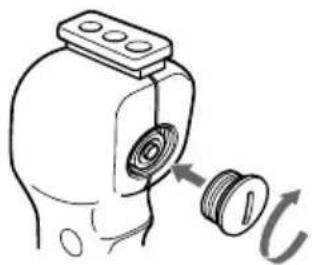
natural_image
Diagram of a mechanical component with a threaded fastener and a curved arrow indicating rotation (no text or symbols)natural_image
Diagram showing two views of a device with rotating buttons and a close-up view of the internal mechanism (no text or symbols)natural_image
Technical line drawing of a mechanical assembly with hoses and components (no text or symbols)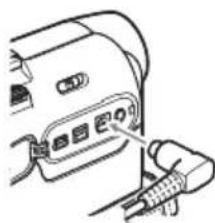
natural_image
Line drawing of a camera with an attached cable (no text or symbols)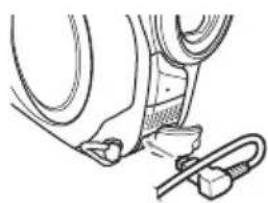
natural_image
Technical line drawing of a mechanical assembly with no visible text or symbolsPour les modèles DCR-HC40/HC40E/HC30/HC30E/HC20/HC20E/HC18E/HC16E
natural_image
Technical line drawing of a mechanical device with internal components and labeled parts (no readable text or symbols)② à la prise LANC
natural_image
Line drawing of a device with cable and plug, no text or symbols presentnatural_image
Technical line drawing of a car interior showing internal components and structural details (no text or symbols)natural_image
Technical line drawing of a mechanical component with no visible text or symbolsnatural_image
Technical line drawing of a mechanical device with labeled component (A), no readable text or symbols present.natural_image
Technical line drawing of a mechanical component with internal parts and mounting holes (no text or symbols)natural_image
Technical line drawing of a vehicle rear view showing internal components like hoses and connectors (no text or symbols)natural_image
Technical line drawing of a mechanical device with internal components and assembly (no text or symbols)natural_image
Line drawing of a 3D printer or scanner device with no visible text or symbolsnatural_image
Diagram of a mechanical device with a circular component and handle, no visible text or symbolsnatural_image
Diagram of a device with a circular component and a separate cylindrical component, showing no text or symbols.natural_image
Technical line drawing of a mechanical device with internal components and a cable inserted (no text or symbols)natural_image
Illustration of a hand inserting a device into a device housing (no text or symbols visible)natural_image
Technical line drawing of a mechanical device with no visible text or symbolsnatural_image
Technical line drawing of a mechanical device with internal components and a cable (no text or symbols)natural_image
Diagram of a device interior showing internal components and directional arrows (no text or symbols)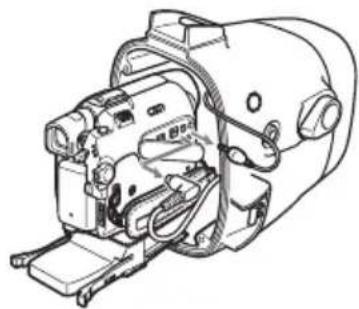
natural_image
Technical line drawing of a mechanical device with no visible text or symbolsPour les modèles DCR-PC109/PC109E/PC108/PC108E/PC107/PC107E/PC106E
natural_image
Technical line drawing of a mechanical device with two views: one showing internal components and the other showing external housing (no text or symbols)natural_image
Technical line drawing of a mechanical device with internal components and directional arrows indicating movement (no text or symbols)natural_image
Technical line drawing of a mechanical assembly with no visible text or symbolsnatural_image
Technical line drawing of a mechanical device with no visible text or symbolsnatural_image
Illustration showing a hand holding a tube and a close-up of a curved pipe with an arrow indicating motion (no text or symbols)natural_image
Technical line drawing of a mechanical housing or enclosure component (no text or symbols)Mauvais
natural_image
Technical line drawing of a mechanical component with a circular inset detail (no text or symbols)Bon
Contrôle final
natural_image
Line drawing of a backpack with a handle and belt, showing rotational motion arrows (no text or symbols)natural_image
Technical line drawing of a mechanical component or housing (no text or symbols)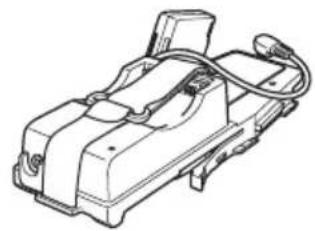
natural_image
Technical line drawing of a mechanical device with no visible text or symbols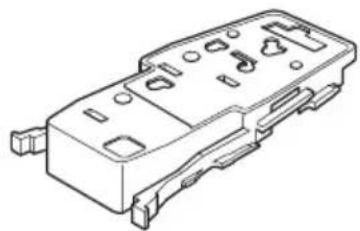
natural_image
Technical line drawing of a mechanical component with mounting holes and slots (no text or symbols)4
natural_image
Line drawing of a rectangular electronic device casing with cutouts and mounting holes (no text or symbols)5
natural_image
Isometric line drawing of a mechanical part with cutouts and mounting holes (no text or symbols)6
7
8
9

10
11 12 13
14 15
natural_image
Simple line drawing of a coiled cable or wire with a connector (no text or symbols)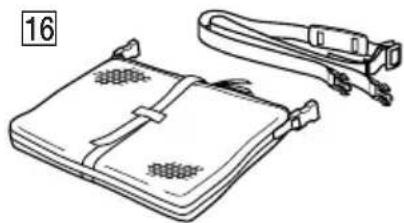
natural_image
Line drawing of a closed notebook with straps and connectors (no text or symbols)natural_image
Exploded view diagram of a camera module showing internal components (no text or labels)Para DCR-HC43/HC43E/HC42/ HC42E/HC39E/HC33/HC33E/HC32/ HC32E/HC22E/HC21/HC21E/HC19E/ HC17E
natural_image
Technical line drawing of a mechanical device with labeled component (A), showing internal components and wiring (no text or symbols beyond label)natural_image
Line drawing of a hand holding a device with a circular arrow symbol (no text or labels)natural_image
Simple line drawing of a mechanical component with a curved arrow indicating rotation (no text or symbols)natural_image
Diagram of a mechanical component with a threaded part and a separate cylindrical component with labeled terminals (no text or symbols present)natural_image
Diagram of a mechanical component with a threaded fastener and a curved arrow indicating rotation (no text or symbols)natural_image
Diagram showing two mechanical device states: one with rotation arrows and the other with a close-up view of the internal components (no text or symbols)natural_image
Technical line drawing of a mechanical assembly with hoses and components (no text or symbols)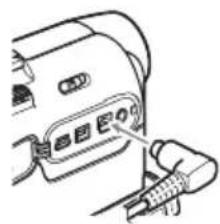
natural_image
Line drawing of a device with cable and connector (no text or symbols)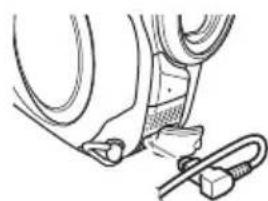
natural_image
Technical line drawing of a mechanical assembly with no visible text or symbolsPara DCR-HC40/HC40E/HC30/HC30E/HC20/HC20E/HC18E/HC16E
② a la toma LANC
natural_image
Line drawing of a cable connector with a plug inserted, no text or symbols presentnatural_image
Technical line drawing of a car interior showing engine compartment and battery casing (no text or symbols)natural_image
Technical line drawing of a vehicle rear view showing internal components like hoses and a handle (no text or symbols)natural_image
Technical line drawing of a mechanical device with labeled component (A), no readable text or symbols presentnatural_image
Technical line drawing of a mechanical component with internal parts, showing two views (top and side) without any text or symbols.natural_image
Technical line drawing of a vehicle interior showing hoses and a central body (no text or symbols)natural_image
Technical line drawing of a mechanical assembly with no visible text or symbolsnatural_image
Line drawing of a mechanical device with no visible text or symbolsnatural_image
Diagram of a mechanical device with a circular component and rotating arrow (no text or symbols)natural_image
Line drawing of a device with a circular component and a separate cylindrical component, no text or symbols present.natural_image
Technical line drawing of a mechanical device interior with no visible text or symbolsnatural_image
Diagram of a hand inserting a device into a device housing (no text or symbols visible)natural_image
Technical line drawing of a mechanical device with no visible text or symbolsnatural_image
Technical line drawing of a mechanical device with internal components and a cable inserted (no text or symbols)natural_image
Diagram of a hand inserting a device into a device housing (no text or symbols visible)natural_image
Technical line drawing of a mechanical device with no visible text or symbolsnatural_image
Technical line drawing of two mechanical components, one with a handle and cable, the other with a cylindrical housing (no text or symbols)natural_image
Technical line drawing of a mechanical device with internal components and directional arrows indicating movement (no text or symbols)natural_image
Technical line drawing of a mechanical assembly (no text or symbols visible)natural_image
Technical line drawing of a mechanical device with housing and components (no text or symbols)natural_image
Technical line drawing of a mechanical component with no visible text or symbolsnatural_image
Illustration showing a hand holding a pen tip and a close-up of hands holding a curved object with an arrow (no text or symbols)natural_image
Technical line drawing of a mechanical component with no visible text or symbols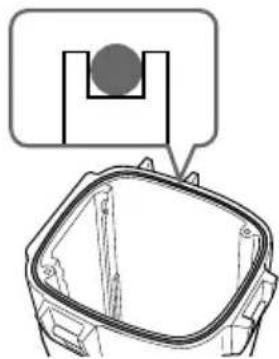
natural_image
Technical line drawing of a mechanical component with a circular inset detail (no text or symbols)natural_image
Line drawing of a handbag with straps and a bow, showing motion arrows (no text or symbols)natural_image
Technical line drawing of a mechanical component or housing (no text or symbols)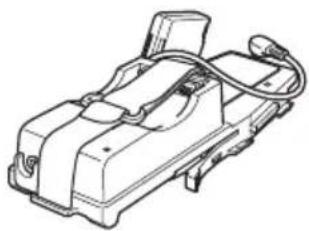
natural_image
Technical line drawing of a mechanical device with no visible text or symbols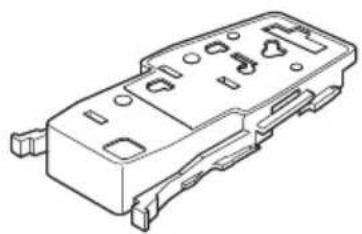
natural_image
Technical line drawing of a mechanical component with mounting holes and housing (no text or symbols)4
natural_image
Line drawing of a rectangular electronic device casing with ports and mounting holes (no text or symbols)5
natural_image
Isometric line drawing of a mechanical part with cutouts and mounting holes (no text or symbols)6
7
8
9
10
11 12
natural_image
Simple line drawing of a rounded rectangular container with a rectangular lid (no text or symbols)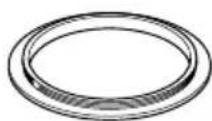
13
14 15
natural_image
Simple line drawing of a coiled cable or wire with a connector (no text or symbols)16
natural_image
Line drawing of a portable electronic device with attached cable and connectors (no text or symbols)natural_image
Technical line drawing of a mechanical device with labeled components (no text or symbols present)natural_image
Diagram of a hand holding a device with a circular arrow symbol indicating rotation or refresh (no text or labels)natural_image
Simple line drawing of a mechanical component with a curved arrow indicating rotation (no text or symbols)natural_image
Diagram of a mechanical component with a threaded part and a separate cylindrical component with labeled terminals (no text or symbols present)natural_image
Diagram of a mechanical component with a threaded fastener and a curved arrow indicating rotation (no text or symbols)natural_image
Mechanical assembly diagram showing components like hoses and connectors (no text or labels)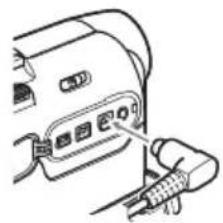
natural_image
Line drawing of a device with cable and connector, no text or symbols present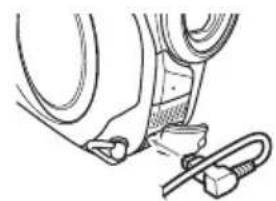
natural_image
Line drawing of a car's seat and wheel assembly (no text or symbols)Für DCR-HC40/HC40E/HC30/HC30E/HC20/HC20E/HC18E/HC16E
natural_image
Line drawing of a car's rear panel with cable and plug (no text or symbols)natural_image
Technical line drawing of a car engine compartment showing internal components (no text or symbols)natural_image
Diagram of a vehicle rear view showing internal components including hoses and a curved body (no text or labels)natural_image
Technical line drawing of a mechanical device with labeled component (A), no readable text or symbols present.natural_image
Technical line drawing of a mechanical component with internal parts, showing two views (top and side) without any text or symbols.natural_image
Technical line drawing of a mechanical component with hoses and a central loop (no text or symbols)natural_image
Technical line drawing of a mechanical device with a component inserted into a housing (no text or symbols)natural_image
Line drawing of a mechanical device with no visible text or symbolsnatural_image
Diagram of a mechanical device with a circular component and rotating arrow (no text or symbols)natural_image
Diagram of a device with a circular component and a separate cylindrical component, no text or symbols presentnatural_image
Technical line drawing of a mechanical device housing with internal components and a cable outlet (no text or symbols)natural_image
Illustration of a hand inserting a device into a device housing (no text or symbols visible)natural_image
Technical line drawing of a mechanical device with internal components and mounting brackets (no text or symbols)natural_image
Technical line drawing of a mechanical device with internal components and a cable inserted (no text or symbols)natural_image
Diagram of a hand inserting a device into a device housing (no text or symbols visible)natural_image
Technical line drawing of a mechanical device with hoses and components (no visible text or symbols)natural_image
Technical line drawing of a mechanical device with two views: one showing internal components and the other showing external housing (no text or symbols)natural_image
Technical line drawing of a mechanical device with internal components and directional arrows indicating movement (no text or symbols)natural_image
Technical line drawing of a mechanical assembly with no visible text or symbolsnatural_image
Technical line drawing of a mechanical device with no visible text or symbolsnatural_image
Illustration showing a hand holding a tube being inserted, and a close-up of hands holding a curved cable with a handle (no text or symbols)natural_image
Technical line drawing of a rectangular mechanical component with mounting brackets (no text or symbols)Falsch Richtig
natural_image
Technical line drawing of a mechanical component with a highlighted section (no text or symbols)Endkontrolle
natural_image
Line drawing of a handbag with a ribbon and belt, showing a scroll wheel (no text or symbols)Printed on 100% recycled paper using VOC (Volatile Organic Compound)-free vegetable oil based ink.