IAN 322250 - Wristwatch AURIOL - Free user manual and instructions
Find the device manual for free IAN 322250 AURIOL in PDF.



| Product type | Wristwatch |
| Model | Auriol IAN 322250 |
| Power supply | 1 x 1.5 V battery (pre-installed) |
| Water resistance | Suitable for swimming and diving (see pictograms) |
| Main functions | Display of hours, minutes, seconds and date |
| Available materials | HG05231A: silver, black silicone; HG05231B: gunmetal, green nylon; HG05231C: silver, metallic silver; HG05231D: gunmetal, mesh metal |
| Delivery contents | Watch, pre-installed battery, instruction manual, for HG05231C: 1 spare link and 1 repair kit |
| Strap adjustment | HG05231D: adjustable slider; HG05231C: removable segments with repair kit |
| Care and cleaning | Lint-free, clean, slightly damp cloth; rinse under running water if necessary |
| Warranty | 3 years from date of purchase |
| Customer service France | Tel.: 0800 919270, e-mail: owim@lidl.fr |
| Customer service Belgium | Tel.: 070 270 171 (0.15 EUR/min), e-mail: owim@lidl.be |
| Repairability | Battery replacement and strap adjustment by user; for other repairs, contact customer service |
| Safety | Do not open the watch yourself to avoid losing water resistance |
Frequently Asked Questions - IAN 322250 AURIOL
User questions about IAN 322250 AURIOL
0 question about this device. Answer the ones you know or ask your own.
Ask a new question about this device
Download the instructions for your Wristwatch in PDF format for free! Find your manual IAN 322250 - AURIOL and take your electronic device back in hand. On this page are published all the documents necessary for the use of your device. IAN 322250 by AURIOL.
USER MANUAL IAN 322250 AURIOL
ARMBANDUHR / WATCH / MONTRE
DE AT CH
ARMBANDUHR
Operation and safety notes
FR BE
MONTRE
GB/IE Operation and safety notes Page 15
A
HG05231A/C/D HG05231B
| B | 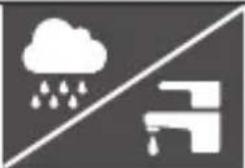 |  |  | 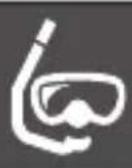 |
| 3 BAR | √ | × | × | × |
| 5 BAR | √ | √ | × | × |
| 10 BAR | √ | √ | √ | × |
| 20 BAR | √ | √ | √ | √ |

F
HG05231C

G
HG05231C
Liste der verwendeten Piktogramme . . . . . . . . . . . . . . . . . . . . . . . . . . . . . . . . . . . . . . . . . . . . . . . . . . . . . . . . . . . . . . . . . . . . . . . . . . . . 6
Einleitung . . . . . . . . . . . . . . . . . . . . . . . . . . . . . . . . . . . . . . . . . . . . . . . . . . . . . . . . . . . . . . . . . . . . . 6
List of pictograms used ...... Page 16
Introduction Page 16
Intended use.... Page 17
Description of parts.... Page 17
Technical data Page 17
Scope of delivery.... Page 18
Before first use Page 18
Changing the battery.... Page 18
Setting the time.... Page 18
Water resistance Page 19
Adjusting the watch strap (HG05231D).... Page 19
Adjusting the watch strap (HG05231C) Page 19
Removing segments ...... Page 20
How to exchange the pin inside the slider (Fig. E, F, G) ...... Page 20
Cleaning and care Page 21
Disposal.... Page 21
Warranty Page 22
List of pictograms used

Direct current
Suitable for rain, washing hands, splashes
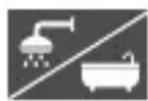
Suitable for showering, washing up, bathing

Suitable for swimming, snorkelling

Suitable for wind surfing, scuba diving
WATCH
Introduction
We congratulate you on the purchase of your new product. You have chosen a high quality product. The instructions for use are part of the product. They contain important information concerning safety, use and disposal. Before using the product, please familiarise yourself with all of the safety information and instructions for use. Only use the product as described and for the specified applications. If you pass the product on to anyone else, please ensure that you also pass on all the documentation with it.
Intended use
The product is intended for consumer use only and must not be used in commercial areas.
● Description of parts
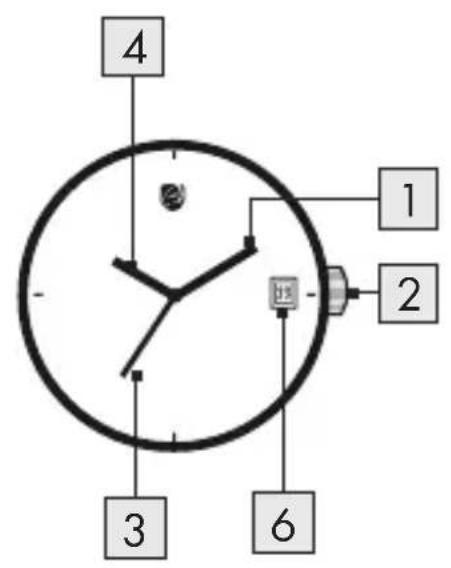
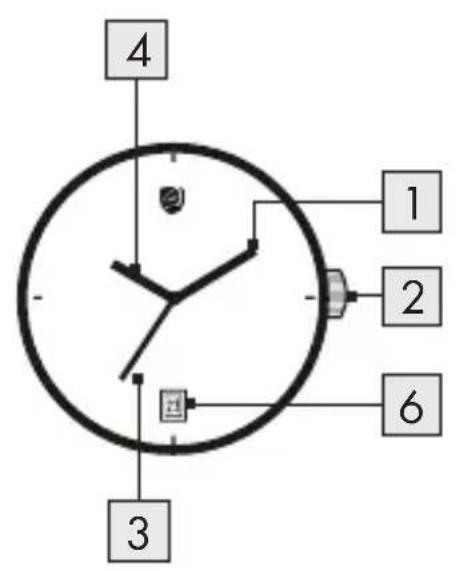
1 Minute hand
2 Crown
3 Second hand
4 Hour hand
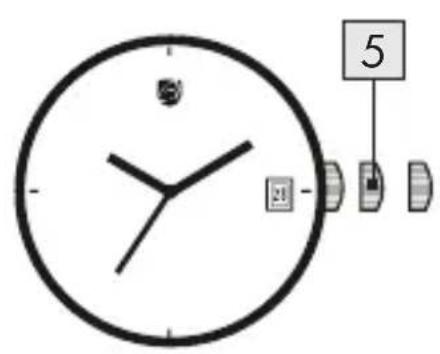
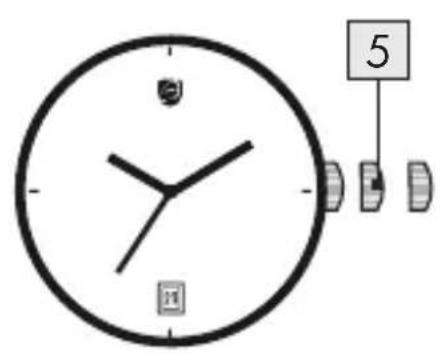
5 Unlock position
6 Date display
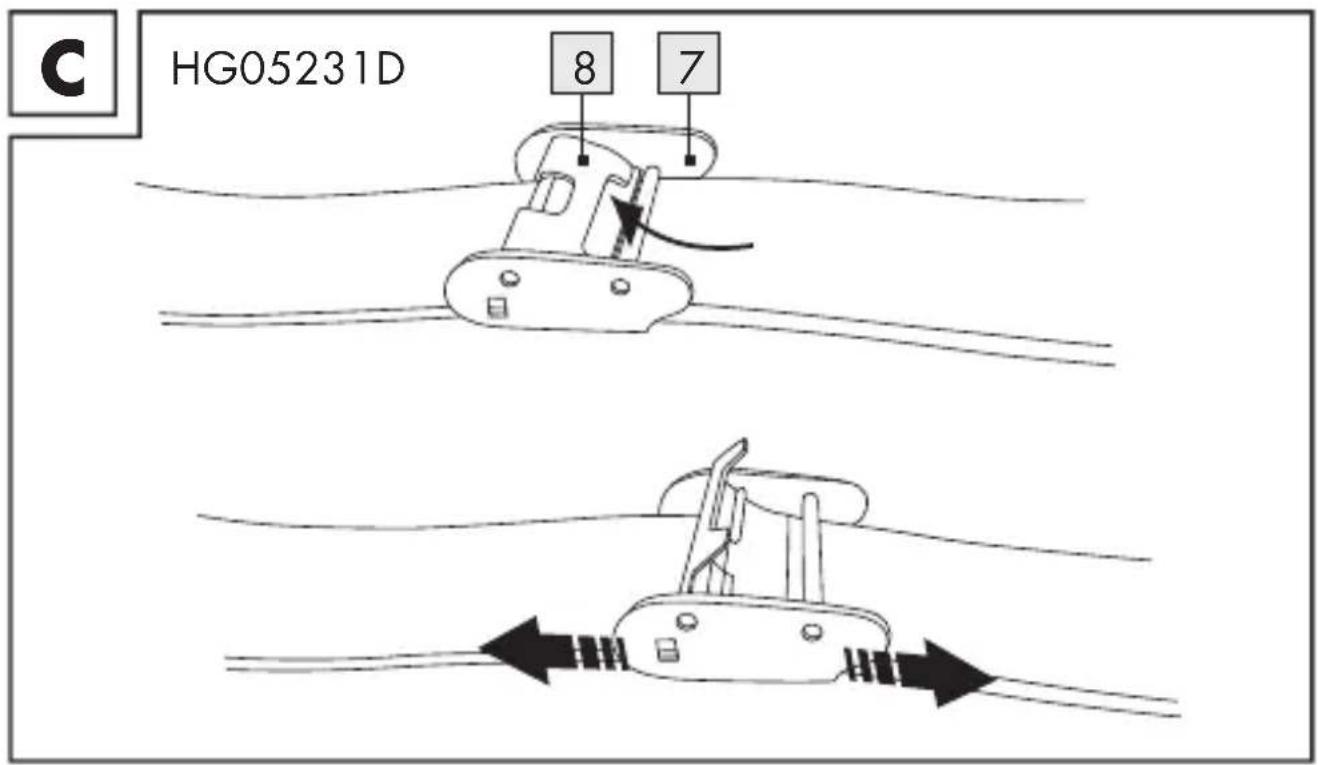
7 Slider (HG05231D)
8 Locking plate (HG05231D)
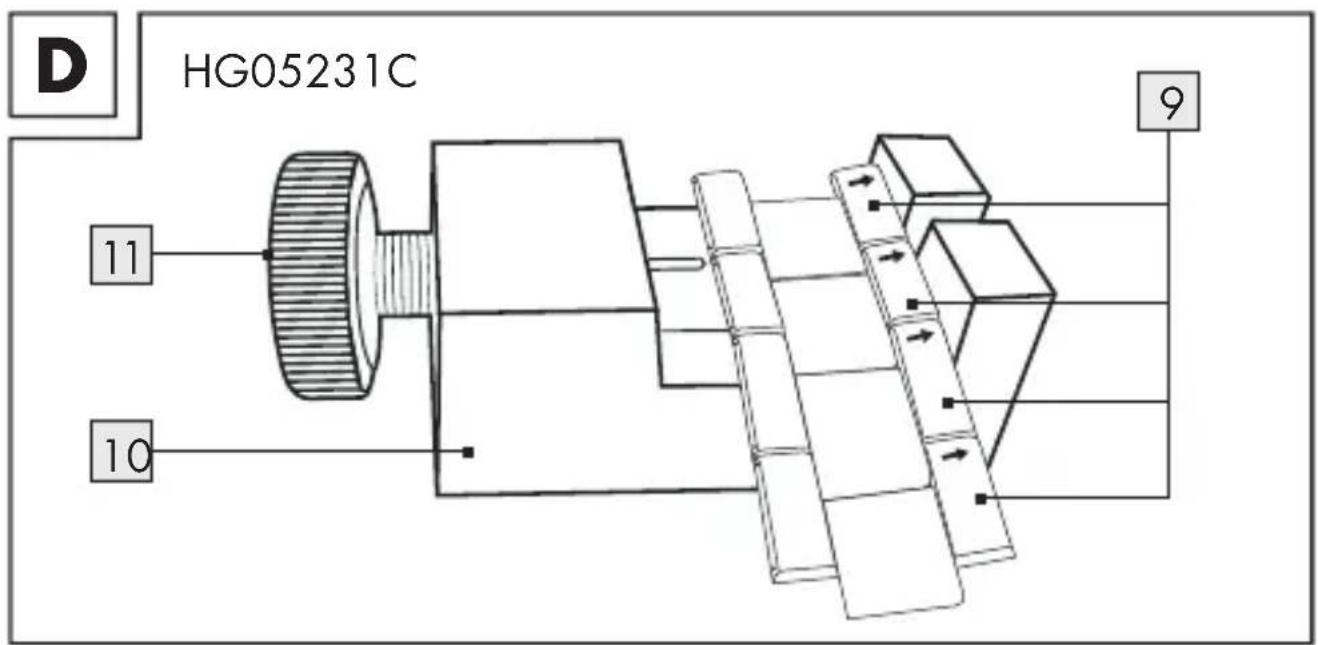
9 Segment (HG05231C)
10 Repair set (HG05231C)
11 Rotating slider (HG05231C)
12 Spare pin (HG05231C)
13 Bottom cover (HG05231C)
● Technical data
Battery: 1 x 1.5 V ---
Button cell (type SR626SW)
Model number:
HG05231A: Silver, black silicon
HG05231B: Gun metal, green nylon
HG05231C: Silver, silver metal
HG05231D: Gun metal, gun metal mesh
- Scope of delivery
Immediately after unpacking, please check the package contents for completeness and if the product and all parts are in good condition.
1 Watch
■ 1 Battery (pre-installed)
■ 1 Set of instructions for use
■ 1 Spare changeable link (HG05231C)
1 Repair set (HG05231C)
Before first use
■ Remove all packaging materials from the product.
● Changing the battery
Note: Have batteries changed in a specialist shop.
- Setting the time
- To set the time, pull the crown 2 out to the unlock position 5.
- Turn the crown 2 to set the hour 4 and minute hands 1.
- When the crown 2 is pushed back to the normal position, the second hand 3 begins to run.
Water resistance
Figure B shows the permissible areas of use. Please note that the water resistance is not a permanent feature. It should be checked annually and particularly before subjecting it to special conditions, as the function of the in-built sealing elements diminishes with daily use.
● Adjusting the watch strap (HG05231D)
See Fig. C:
To adjust the circumference of the strap, use a small flat-head screwdriver (not included) to open the locking plate 8 of the slider 7 in the direction of the arrow.
After adjusting the right length, locate the slider 7 with the indent at the bottom matching the strap indent at the back. Then press down the locking plate 8.
● Adjusting the watch strap (HG05231C)
See Fig. D-G:

Adjust the watch strap by removing segments 9 (1 spare changeable link is included). To this purpose you should use the repair set 10 supplied.
- Removing segments
Note: The segments which can be removed are marked with an arrow (see Fig. D). They are connected together with pins. These can be pushed out in the direction of the arrow with the repair set 10. Use a pair of tweezers (not included) if necessary in order to remove the pins.
Place the watch with the dial facing downwards in the repair set 10.
■ Remove the pins of the segment that you wish to remove (as described above) and take out the segment 9.
Note: If you would like to take out more than one consecutive segment 9, it is sufficient to remove the two outer pins.
Connect the watch strap together again by joining the loose segments 9 with a pin. Press this pin against the direction of the arrow into the adjacent segments 9.
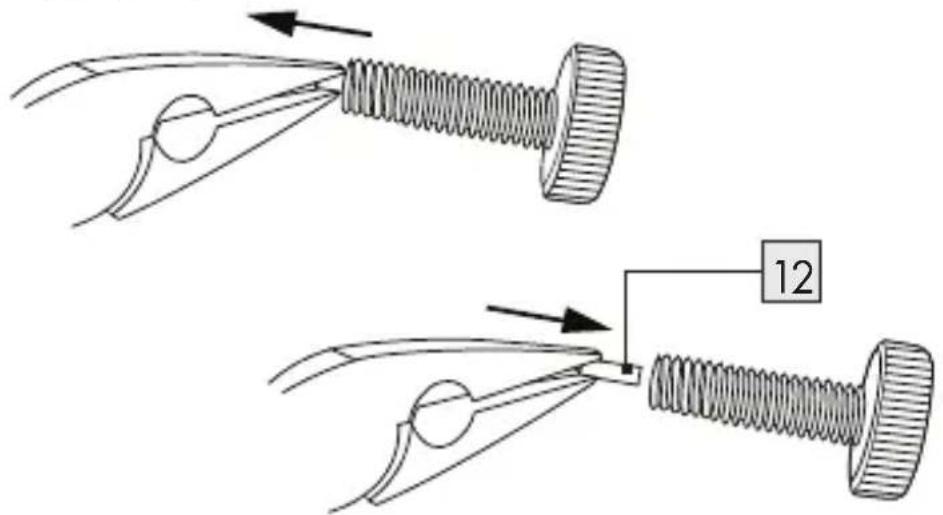
● How to exchange the pin inside the slider (Fig. E, F, G)
Take out the rotating slider (Fig. E). Open the bottom cover 13 with the spare pin 12 inside (Fig. F).
You will need the pliers (not included) to carefully remove the old pin from the slider (Fig. G).
- Insert the spare pin2 carefully into the rotating slider 11 by again using the pliers (not included). The new pin is installed.
● Cleaning and care
- Clean the product on the outside only with a soft, wet and clean cloth.
- Rinse the product under the running water if necessary. Dry thoroughly after rinse.
● Disposal
The packaging is made entirely of recyclable materials, which you may dispose of at local recycling facilities.
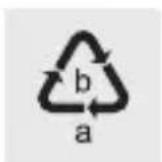
Observe the marking of the packaging materials for waste separation, which are marked with abbreviations (a) and numbers (b) with following meaning: 1 - 7: plastics / 20 - 22: paper and fibreboard / 80 - 98: composite materials.

The product and packaging materials are recyclable, dispose of it separately for better waste treatment. The Triman logo is valid in France only.

Contact your local refuse disposal authority for more details of how to dispose of your worn-out product.
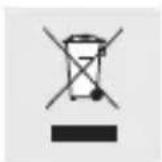
To help protect the environment, please dispose of the product properly when it has reached the end of its useful life and not in the household waste. Information on collection points and their opening hours can be obtained from your local authority.
Faulty or used batteries / rechargeable batteries must be recycled in accordance with Directive 2006/66/EC and its amendments. Please return the batteries / rechargeable batteries and / or the product to the available collection points.
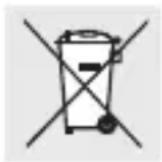
Environmental damage through incorrect disposal of the batteries / rechargeable batteries!
Batteries / rechargeable batteries may not be disposed of with the usual domestic waste. They may contain toxic heavy metals and are subject to hazardous waste treatment rules and regulations. The chemical symbols for heavy metals are as follows: Cd = cadmium, Hg = mercury, Pb = lead. That is why you should dispose of used batteries / rechargeable batteries at a local collection point.
Warranty
The product has been manufactured to strict quality guidelines and meticulously examined before delivery. In the event of product defects you have legal rights against the retailer of this product. Your legal rights are not limited in any way by our warranty detailed below.
The warranty for this product is 3 years from the date of purchase. Should this product show any fault in materials or manufacture within 3 years from the date of purchase, we will repair or replace it – at our choice – free of charge to you.
The warranty period begins on the date of purchase. Please keep the original sales receipt in a safe location. This document is required as your proof of purchase. This warranty becomes void if the product has been damaged, or used or maintained improperly.
The warranty applies to defects in material or manufacture. This warranty does not cover product parts subject to normal wear, thus possibly considered consumables (e.g. batteries) or for damage to fragile parts, e.g. switches, rechargeable batteries or glass parts.
The warranty further excludes a reduction in water tightness. The state of water tightness is not a permanent property and should therefore be regularly maintained. Please note, opening and repairs performed by unauthorized individuals will void any warranty.
Warranty claim procedure
To ensure quick processing of your case, please observe the following instructions:
Please have the till receipt and the item number (e.g. IAN 123456_7890) available as proof of purchase.
You will find the item number on the type plate, an engraving on the front page of the instructions (bottom left), or as a sticker on the rear or bottom of the appliance.
If functional or other defects occur, please contact the service department listed either by telephone or by e-mail.
You can return a defective product to us free of charge to the service address that will be provided to you. Ensure that you enclose the proof of purchase (till receipt) and information about what the defect is and when it occurred.
Service

Service Great Britain
Tel.: 0800 404 7657
E-Mail: owim@lidl.co.uk

Service Ireland
Tel.: 1890 930 034
(0,08 EUR/Min., (peak))
(0,06 EUR/Min., (off peak))
E-Mail: owim@lidl.ie

Pile bouton (type SR626SW)
Numéro de modèle :
Model No.: HG05231A / HG05231B / HG05231C / HG05231D
Version: 06/2019
IAN 322250_1901
8


- ARMBANDUHR / WATCH / MONTRE
- ARMBANDUHR
- MONTRE
- Liste der verwendeten Piktogramme . . . . . . . . . . . . . . . . . . . . . . . . . . . . . . . . . . . . . . . . . . . . . . . . . . . . . . . . . . . . . . . . . . . . . . . . . . . . 6
- Einleitung . . . . . . . . . . . . . . . . . . . . . . . . . . . . . . . . . . . . . . . . . . . . . . . . . . . . . . . . . . . . . . . . . . . . . 6
- List of pictograms used
- WATCH
- Introduction
- Intended use
- ● Description of parts
- ● Technical data
- - Scope of delivery
- Before first use
- ● Changing the battery
- - Setting the time
- Water resistance
- ● Adjusting the watch strap (HG05231D)
- ● Adjusting the watch strap (HG05231C)
- - Removing segments
- ● How to exchange the pin inside the slider (Fig. E, F, G)
- ● Cleaning and care
- ● Disposal
- Environmental damage through incorrect disposal of the batteries / rechargeable batteries!
- Warranty
- Warranty claim procedure
- Service
- Service Great Britain
- Service Ireland
Brand : AURIOL
Model : IAN 322250
Category : Wristwatch