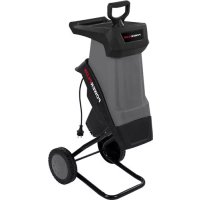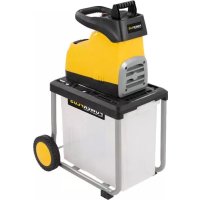
POWXG6462 - Mechanical chipper PowerPlus - Free user manual and instructions
Find the device manual for free POWXG6462 PowerPlus in PDF.



| Product type | Silent shredder (mechanical chipper) |
| Brand | PowerPlus |
| Model | POWXG6462 |
| Rated power | 2800 W (P40) |
| Rated voltage | 230-240 V ~ 50 Hz |
| Rotation speed | 42 min⁻¹ |
| Maximum cutting diameter | 45 mm |
| Collection bin capacity | 60 liters |
| Electrical safety class | Class I (grounded) |
| Protection rating | IPX4 |
| Reverse function | Yes, to unblock the blades |
| Cutting system | Adjustable helical blade |
| Mobility | Wheels with covers |
| Weight | Approx. 30 kg (estimate) |
| Sound pressure level | 75 dB(A) |
| Sound power level | 86 dB(A) |
| Warranty | 36 months |
| Maintenance | Lubrication of the drum every 4-5 uses |
| Intended use | Amateur gardening: green waste and branches up to 45 mm |
Frequently Asked Questions - POWXG6462 PowerPlus
User questions about POWXG6462 PowerPlus
0 question about this device. Answer the ones you know or ask your own.
Ask a new question about this device
Download the instructions for your Mechanical chipper in PDF format for free! Find your manual POWXG6462 - PowerPlus and take your electronic device back in hand. On this page are published all the documents necessary for the use of your device. POWXG6462 by PowerPlus.
USER MANUAL POWXG6462 PowerPlus
17/03/2022, Lier - Belgium
17/03/2022, Lier - Belgium
1 INTENDED USE 3
2 DESCRIPTION 3
3 PACKAGE CONTENT LIST 3
4 SYMBOLS 4
5 GENERAL SAFETY 4
5.1 Work area 4
5.2 Electrical safety 4
5.3 Personal safety 5
5.4 Power tool use and care 5
5.5 Service 6
6 ADDITIONAL SAFETY RULES FOR SHREDDERS 6
6.1 Preparation: 7
6.2 Operation: 7
6.3 Maintenance and storage 8
7 ASSEMBLY INSTRUCTIONS 8
8 OPERATION 8
8.1 Start-up 8
8.2 Switching the shredder on and off 9
8.3 Emptying the collector box 9
8.4 Overload protection 9
8.5 Restart prevention 9
9 WORKING METHODS 9
9.1 Shredding the material 9
9.2 Freeing up a jam 10
9.2.1 Overload protection switch (11) motivated 10
9.3 Adjusting the pressure plate 10
10 SHREDDING TIPS 10
10.1.1 Mulching 11
10.1.2 Composting 11
11 TECHNICAL DATA 12
POWERPLUS HIGH QUALITY TOOLS
POWXG6462 EN
12 NOISE 12
13 CLEANING AND MAINTENANCE 12
14 STORAGE 13
15 WARRANTY 13
16 ENVIRONMENT 13
17 DECLARATION OF CONFORMITY 14
1 INTENDED USE
Your shredder is intended for compacting fibrous and wood-related materials such as hedge and tree cuttings, branches, bark and pine cones. Not suitable for professional use.

Do not fill the shredder with stones, glass, metal, bones, plastics or fabrics.
Warning! Read this manual and the general safety instructions carefully before using the machine, for your own safety. Keep this manual for future reference.
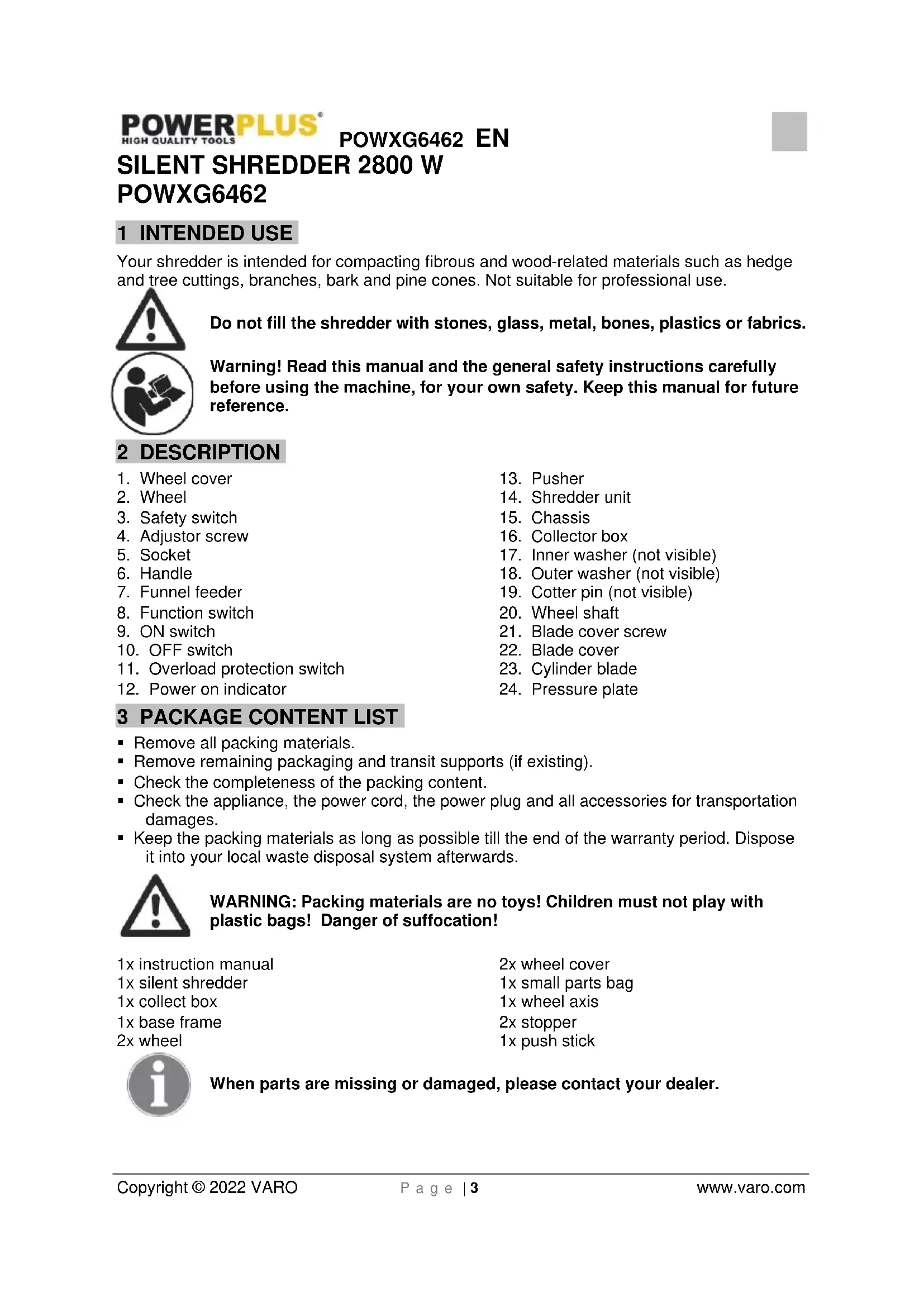
2 DESCRIPTION
- Wheel cover
2.Wheel - Safety switch
- Adjustor screw
- Socket
- Handle
- Funnel feeder
- Function switch
- ON switch
- OFF switch
- Overload protection switch
-
Power on indicator
-
Pusher
- Shredder unit
- Chassis
- Collector box
- Inner washer (not visible)
- Outer washer (not visible)
- Cotter pin (not visible)
20.Wheel shaft - Blade cover screw
- Blade cover
- Cylinder blade
- Pressure plate
3 PACKAGE CONTENT LIST
- Remove all packing materials.
- Remove remaining packaging and transit supports (if existing).
- Check the completeness of the packing content.
- Check the appliance, the power cord, the power plug and all accessories for transportation damages.
- Keep the packing materials as long as possible till the end of the warranty period. Dispse it into your local waste disposal system afterwards.

WARNING: Packing materials are no toys! Children must not play with plastic bags! Danger of suffocation!
1x instruction manual
1x silent shredder
1x collect box
1x base frame
2x wheel
2x wheel cover
1x small parts bag
1x wheel axis
2x stopper
1x push stick

When parts are missing or damaged, please contact your dealer.
4 SYMBOLS
In this manual and/or on the machine the following symbols are used:
| ! | Warning / Danger! | Warning! Flying objects! | |
| Read manual before use. | Wear gloves. | ||
| Danger - rotating blades! | Always switch off the shredder, disconnect the plug and wait until the cutting disc stops before carrying out maintenance or cleaning work. | ||
| Keep hands and feet out of openings while machine is running. | Wear noise protection. | ||
| Keep bystanders away. | Wear eye protection. |
5 GENERAL SAFETY
Read all safety warnings and all instructions. Failure to follow all warnings and instructions may result in electric shock, fire and/or serious injury. Save all warnings and instructions for future reference. The term "power tool" in the warnings refers to your mains operated (corded) power tool or battery operated (cordless) power tool.
5.1 Work area
- Keep your workspace clean and tidy. Untidiness and unlit working areas can lead to accidents
- Do not work with the device in an environment where there is danger of an explosion, where there are combustible fluids, gases or dust. Power tools produce sparks which can ignite the dust or the vapours.
- Keep children and other persons away while you are using the power tool. You may lose control of the device if you are distracted.
5.2 Electrical safety
- The connector plug must fit in the power socket. The mains plug must not be adapted in any way. Do not use an adapter plug together with earthed devices. Unadapted plugs and appropriate sockets reduce the risk of an electric shock.
- Avoid contact with earthed surfaces, for example on pipes, heaters, cookers and refrigerators. The risk of an electric shock is increased if your body is earthed.
- Keep the device away from rain or moisture. Penetration of water into an electrical appliance increases the risk of an electric shock.
- Do not use the cable to carry or hang up the device and do not pull the cable to remove the plug from the power socket. Keep the cable away from heat, oil, sharp edges and moving parts of the device. Damaged or tangled cables increase the risk of an electric shock.
POWXG6462 EN
- When working with a power tool outside, only use extension cables which are approved for outdoor use. Using an extension cable which is suitable for outdoor use reduces the risk of an electric shock.
- Always check that the power supply corresponds to the voltage on the rating plate.
5.3 Personal safety
- Be observant, pay attention to what you are doing and be sensible when working with a power tool. Do not use if you are tired or under the influence of drugs, alcohol or medicines. One moment of carelessness when using the device can lead to serious injury.
- Wear personal protective equipment and always wear safety glasses or goggles. The wearing of personal protective equipment, such as a face mask, non-slip safety shoes, a protective helmet or ear protectors, depending on the type and use of the power tool, reduces the risk of injury.
- Avoid unintentional starting. Ensure that the switch is in the "OFF (0)" position before putting the mains plug in the power socket. Accidents can be caused by having a finger on the switch while carrying the device or connecting it to the power supply with the switch in the "ON" position.
- Remove any adjusting tools or spanners before switching the device on. A tool or spanner in a turning part of the device can lead to injuries.
- Do not overreach your ability. Ensure that your footing is secure and that you keep your balance at all times. You will then have better control over the device in unexpected situations.
- Wear suitable clothing. Do not wear loose fitting clothes or jewellery. Keep your hair, clothing and gloves well away from moving parts. Loose clothing, jewellery or long hair can get caught in moving parts.
- If dust extraction and absorption devices can be fitted, ensure that they are connected and used correctly. Use of these devices reduces exposure to dust.
5.4 Power tool use and care
- Do not overload the device. Use the power tool which is intended for your work. With the appropriate power tool you will work better and more securely in the performance range indicated.
- Do not use any power tool with a defective switch. A power tool which cannot be switched on or off correctly is dangerous and must be repaired.
- Take the plug out of the power socket before carrying out any adjustments, changing accessories or putting the device away. These precautions prevent any accidental starting.
- Keep power tools out of the reach of children when not in use. Do not allow anyone who is not familiar with the device or who has not read these instructions to use it. Power tools can be dangerous when used by inexperienced persons.
- Be careful to maintain the device correctly. Check whether moving parts are operating correctly and are not sticking and whether parts are broken or damaged to such an extent that operation is affected. Any damaged components should be repaired before use. Many accidents are caused by power tools being poorly maintained.
- Keep cutting tools sharp and clean. Properly maintained cutting tools with sharp cutting edges jam less often and are easier to operate.
- Use power tools, accessories, inserts, etc. in accordance with these instructions and as specified for this particular type of device, taking into account the working conditions and the activity to be carried out. Using power tools for anything other than their intended applications can lead to dangerous situations.
5.5 Service
- Have your power tool serviced by a qualified repair person using only identical replacement parts. This will ensure that the safety of the power tool is maintained.
6 ADDITIONAL SAFETY RULES FOR SHREDDERS
- Wear protective gloves, protective glasses and hearing protectors. Avoid loose clothing.
- Always stand steadily and in balance. Do not stretch towards the machine.
- During use, the machine should be level and on a firm surface.
- Ensure that all screws and nuts are properly tightened before use.
- Only use the machine in dry conditions and never use outdoors when it is raining.
- Never use the machine with damaged safety devices or without protection.
- Keep hands, other parts of your body and clothing away from the feeding hopper and the discharge chute.
- Keep your face and the rest of your body away from the feeding hopper.
- Do not leave the machine unsupervised, switch off the motor and disconnect the plug.
- Hard objects such as stones, bottle, cans or pieces of metal must not be fed into the inlet chute. This can cause damage to the machine.
- If the machine becomes blocked, stop the motor and disconnect the plug. Pull out any objects and check for damage.
- If the fuse blows or if the overload protection is triggered, this is a sign that the machine is overloaded and/or that too many appliances are connected to the same extension cable. Check the cause and remedy. Do not install a more powerful fuse.
- Do not tug on the extension cable. Do not hold the cable taut. This can cause damage in the plugs or in the cables insulation. Such damage is invisible but can be dangerous.
- Always keep the extension cable away from the machine. Disconnect the plug from the electric socket and check the cable regularly for signs of damage or aging. Do not use the machine with a damaged extension cable.
- If the cable is damaged, it must be replaced by an authorized service centre in order to avoid a hazard.
- Never move the machine by pulling the cable. The machine must not be moved with the motor running.
- The shredder must be assembled correctly before use.
- Warning! This appliance must be earthed!
- Warning! Use only three core extension cables with the earth wire connected.
- Only use extension cables that are approved for outdoor use and check that they are in good condition before use.
Before inserting the plug in the mains socket, make sure that the socket ratings are correct and correspond to those indicated on the rating label on the shredder. - Always switch off the shredder before disconnecting any plug and socket connector or extension cables.
- Keep children and pets away. All onlookers should be kept a safe distance away from the shredder when it is in use.
- Do not allow children or any person who has not read this instruction leaflet or who is not familiar with the shredder to operate it.
The operator is responsible for third parties while working with the shredder. - Only use the shredder for its intended purposes.
- Caution! There are rotating blades on this machine.
- Caution! Blades do not stop immediately after switching off.
- Always switch off the shredder, disconnect the plug and wait until the cutting disc stops before carrying out maintenance or cleaning work.
- It is forbidden to move or modify any of the electrical and mechanical safety devices.
- Use only in daylight or good artificial light.
- Do not put your hands into the feed funnel or ejection slot.
POWXG6462 EN
- If the shredder should start to vibrate abnormally, switch off the motor and check for the cause immediately. Vibration is generally a warning of trouble.
- Ensure blades are secure before shredding. Do not operate the shredder if any of the blades are not properly mounted.
- The shredder should be checked carefully before use. You should only work with a shredder that is in good condition. If you notice any defect on the machine that may cause danger to the operator, do not operate the shredder until defects are rectified.
- Replace worn or damaged parts for safety. Use only original spare parts. Parts not produced by manufacturer may cause poor fit and possible injury.
- Use the shredder only in places where it is protected from water and never use it outdoors in rainy weather.
- Store in a dry secure place out of reach of children,
- This appliance is not intended for use by persons (including children) with reduced physical, sensory or mental capabilities, or lack of experience and knowledge, unless they have been given supervision or instruction concerning use of the appliance by a person responsible for their safety.
- Children should be supervised to ensure that they do not play with the appliance.
6.1 Preparation:
- Do not allow children to operate this equipment.
- Do not operate this equipment in the vanity of bystanders.
- Wear ear protection and safety glasses at all times while operating.
- Avoid wearing clothing that is loose fitting or that has hanging cords and ties.
- Only operate the machine the machine in open space (e.g. Not close to a wall or other fixed objects) and on a firm, level surface.
- Do not operate the machine on a paved or gravel surface, where ejected material could cause injury.
- Before starting the machine, check that all screws, nuts, bolts, and other fasteners are properly secured and that guards and screens are in place. Replace damaged and unreadable labels.
6.2 Operation:
- Before starting the machine, look into the feeding chamber to make certain, that it is empty.
- Keep your face and body away from the feed intake opening.
- Do not allow hands or any other part of the body or clothing inside the feeding chamber, discharge chute, or near any moving part.
- Keep proper balance and footing at all times. Do not overreach. Never stand at a higher level than the base of the machine, when feeding material into it.
- Always stand clear of the discharge zone when operating this machine.
- When feeding material into the machine be extremely careful that pieces of metal, rocks, bottles, cans or other foreign objects are not included.
-
If the cutting mechanism strikes any foreign objects or if the machine should start making any unusual noise or vibration, shut off the power source and allow the machine to stop, disconnect the spark plug wire from the spark plug (electric unit disconnect from supply) and take the following steps:
-
Inspect for damage
- Check for and tighten any loose parts
- Have any damaged parts replaced or repaired with parts having equivalent specifications
- Do not allow processed material to build up in the discharge zone; this may prevent proper discharge and can result kickback of material through the feed intake opening.
POWXG6462 EN
- If the machine becomes clogged, shut of the power source and disconnect the spark plug wire from the spark plug (electric unit disconnect from supply) before clearing debris. Keep the power source clear of debris and other accumulations to prevent damage to the power source or possible fire. Remember that operating the starting mechanism on engine powered machines will still cause the cutting means to move.
- Keep all guards and deflectors in place and in good working condition.
- Do not tamper with the power source governor settings; the governor controls the safe maximum operating speed and protects the power source and all moving parts from damage caused by over speed. Seek authorized service if a problem exists.
- Do not transport this machine while the power source is running.
- Shut off the power source and disconnect the spark plug lead (electric unit disconnect from supply) whenever you leave the work area.
- Do not tilt the machine while the power source is running.
6.3 Maintenance and storage
- When the machine is stopped for servicing, inspection, or storage, or to change an accessory, shut off the power source, disconnect the spark plug wire from the spark plug (electric unit disconnect from supply), make sure that all moving parts have come to a complete stop and, where a key is fitted remove. Allow the machine to cool before making any inspections, adjustments, etc.
- Store the machine where fuel vapour will not reach an open flame or spark. For extended storage periods, run the unit dry of fuel. Allow the machine to cool before storing.
- When servicing the cutting means be aware that, even though the power source will not start due to the interlock feature of the guard, the cutting means can still be moved by a manual starting mechanism.
7 ASSEMBLY INSTRUCTIONS

Warning! You may need assistance when lifting the machine out of the box and assembling.
- Insert the wheel shaft (20) into the chassis (15) and put the inner washers (17) on both sides. (Fig. 1)
- Assemble the two wheels (2) on the wheel shaft (1), fix its by outer washers (18) and cotter pins (19).
- Clip in the wheel covers (20) into the wheels (2) with an audible click.
Fix the shredder unit (14) onto the chassis (15) with the four self-tapping screws enclosed and Philips screwdriver (not provided). (Fig. 2) - To insert the collector box (16), the safety switch (3) must be unlocked, i.e. in the "OFF" position. Push the collector box (16) into the chassis (15), the collector box (16) can be pushed in only in one direction. (Fig. 3)
- Lock the collector box (16) by pulling the safety switch (3) to the ON position.
8 OPERATION
8.1 Start-up
Before starting the shredder, make sure that the shredder unit (14) is firmly attached to the chassis (15) and the collector box (16) and safety switch (3) are in their proper positions.

The shredder cannot be switched on before the collector box (16) and safety switch (3) are in their proper positions.
8.2 Switching the shredder on and off

Make sure that the mains power voltage agrees with the type plate on the shredder.
- Connect the extension cable to the socket (5). Check the power on indicator (12) is lighting which means power on.
- Check the funnel feeder (7) is empty.
- To switch on:
A. to start shredding material: Press the function switch (8) downwards to allow blade rotate clockwise to shred the material, then press the "ON" switch (9) to start shredding material.
B. to start returning material: Press the function switch (8) upwards to allow blade rotate anti-clockwise to return the material, then press the "ON" switch (9) to start returning material. - To switch off, press the "OFF" switch (10), then press the function switch (8) to return to the middle neutral position.
8.3 Emptying the collector box

Do not leave it until too late to empty the collector box (16). Remember that the collector box fills unevenly under the ejector opening.
- Switch the shredder off. (Fig. 3)
- Unlock the collector box (16) by placing the safety switch (3) in the OFF position.
- Remove the collector box (16) from the chassis (15) and empty it.
- Make sure that the area around the safety switch (3) is free of wood chippings before you reattach the collector box (16).
- Reattach the collector box (16) and place the safety switch (3) in the ON position.
8.4 Overload protection
In the event of overload, e.g. due to branches that are too thick, the equipment automatically switches off.
The overload protection switch (11) is motivated and the power on indicator (12) turns off which means power off.
8.5 Restart prevention
After switching off automatically as a result of overload, the equipment will not restart automatically.
After 1 - 2 minutes, to press the overload protection switch (11) to repower the machine. The power on indicator (12) turns to red which means power on.
9 WORKING METHODS
9.1 Shredding the material
- Connect the power supply and switch the shredder ON to start shredding the material. (Fig. 4)
- Adjust the pressure plate (24) to correct position by rotating the adjustor screw (4). (Fig. 5)
- Insert the material into the funnel feeder (7) until you see the shredded material comes out and falls into the collector box (16).
- The designed system between blade (23) and pressure plate (24) will draw the material in automatically. If failed, you can use the pusher (13) to push the material down along the funnel feeder (7).
Empty the collector box (16) after 70% full. (Fig. 3)
9.2 Freeing up a jam
9.2.1 Overload protection switch (11) motivated
- Press the function switch (8) to return to neutral position. (Fig. 4)
- After 1-2 minutes, press down the overload protection switch (11) to repower the machine.
- Press the function switch (8) upwards to allow the blade rotate anti-clockwise to return the material.
- Press the "ON" switch (9) to start the machine to return the jammed material.
- Switch the shredder ON and OFF (see" switching the shredder on and off ) to check if the jam is fixed.
- If jam is fixed, switch the shredder ON (see" switching the shredder on and off ) to continue shredding material.
- If jam is not fixed, repeat above steps. If still fail to fix (Fig. 5), open the blade cover (22) to clean the jammed material.
a. Unplug the power supply.
b. Loosen the four blade cover screws (21) by enclosed Allen key.
c. Pull to remove the blade cover (22).
d. Clean the jammed material from the cylinder blade (23) and pressure plate (24).
e. Put the blade cover (22) back and tighten the four screws (21).
Connect the power supply and switch the shredder ON and OFF to check.
9.3 Adjusting the pressure plate
The pressure plate factory setting is correct and only has to be adjusted when worn. You will recognize that the cutting system has become worn when the shredded material is only compressed, and comes out in long chains.
The running-in process may require that you initially readjust the pressure plate (24) in short intervals.
- Check the funnel feeder (7) is empty and clean.
- Connect the power supply and switch ON the machine to shred the material. (Fig. 4)
- Turn the adjustor screw (4) slowly clockwise until you hear scraping noises. Small aluminium shavings will come out.
- Switch OFF the machine and unplug the power supply.
10 SHREDDING TIPS
- Heavy material or branches may result in blocking of the cutting blades during continuous cutting.
- Soft materials, such as leaves or stems may block the feeding opening.
Always feed the material to be chopped from the right corner of the feeding funnel. - Check the material to be chopped carefully. Make sure there is no contact with stones or nails as these could damage the shredder seriously.
- To release blocked material, switch the shredder on and press the "reverse" button. The blade drum will release the jammed shredding material. If it is still blocked, you can increase the distance between the anvil & the drum knife (see described before in this manual). Try reverse run again to free the blocked material. Readjust the anvil to your personal choice.
- Keep hold of branches while feeding them into the shredder until they are automatically drawn in.
- Keep to the working speed of the shredder and do not overload it.
- To protect the shredder from clogging, shred wilted garden waste that has been left for a few days and shred thin twigs alternately with branches.
- Before you shred roots, remove any remaining soil and stones from them. Do not shred soft, damp material such as kitchen waste, but take it straight to the compost.
-
Keep a few dry branches for the end, as they will help clean the shredder.
-
Only switch the shredder off when all of the shredding material has passed through the cylinder. Otherwise, the cylinder may jam the next time you switch the shredder on.
10.1.1 Mulching
The following types of material can be mulched in the shredder:
Twigs and branches.
- Waste from cutting bushes.
- Waste from hedge-trimming.
Examples of materials which are not suitable for mulching include:
Glass, metal, plastic bags, stones, fabric, and earth covered roots.
- Waste that does not have a firm consistency, e.g. kitchen waste.
- Soft leafy material.

CAUTION: The maximum diameter of twigs and branched, which are shredded or mulched with this unit, must not exceed 40~mm . Bigger sized materials could damage the unit.
Branches and twigs should be mulched shortly after being cut. They become extremely hard when they dry out, and the maximum diameter of what can be mulched is reduced. Heavy material or twigs will jam the blades if you let the machine cut continually. A large proportion of garden waste contains a lot of water and therefore sticks easily. Such material should be allowed to dry for a few days before being processed.
Check all the material you want to shred carefully. Make sure it doesn't contain any stones or nails as this might severely damage the shredder.
Be aware of vibrations. Heavy vibrations are caused by damaged or worn out blades. Store the shredder indoors in a dry place.
10.1.2 Composting
The processed material can be composted in various ways:
- The material can be placed in a heap directly on the ground (cold composting).
- The material can be placed in a plastic container, wooden crate, skeleton container or similar (cold composting).
- The material can be placed in an insulated compost holder. The heat is then held for longer and the rotting process also continues during the winter. This method produces faster results (warm composting).
- The material can be spread directly onto the garden (surface composting).
11 TECHNICAL DATA
| Rated voltage | 230-240 V |
| Rated frequency | 50 Hz |
| Rated power | 2800W (P40) |
| Rotation speed | 42min-1 |
| Max. diameter | 45mm |
| Protection class | Class I |
| Int. protection degrees | IPX4 |
| Collect box | 60I |
Note:
- The P40 indicates a load profile of 4 min load and 6 min idle time. For practical application, continuous operation is permitted.
- The Max Cutting Diameter depends on the hardness of the wood.
12 NOISE
Noise emission values measured according to relevant standard. (K = 3)
Acoustic pressure level LpA
75dB(A)
Acoustic power level LwA
86dB(A)

ATTENTION! Wear hearing protection when sound pressure is over 85 dB(A).
13 CLEANING AND MAINTENANCE
Before commencing cleaning and maintenance procedures, make sure the garden shredder is switched off and disconnected from the mains supply. Always wear sturdy leather gloves when cleaning the cutter blades.
To ensure the best performance from the garden shredder, it must be kept clean.
Always clean the garden shredder immediately after use.
- Do not allow material to become dry and hard on any of the garden shredder surfaces. This will directly affect the shredding performance.
- Make sure that the inlet chute and the discharge chute are kept clean and clear of all waste material.
- Make sure that all nuts, bolts and screws are tight and secure.
- Always have any damaged or worn parts repaired, or replaced by qualified personnel.
- Do not use detergents or solvents as these could cause irreparable damage to your machine. Chemicals can destroy the plastic parts.
- Oil the drum every 4^th or 5^th (use BIO-degradable oil to protect environment).

CAUTION! Do not over tighten the anvil plate adjustment knob and cut excessive aluminium off of the plate, as this will reduce the life of your shredder.

Have your garden shredder inspected and maintained by qualified service personnel. Do not attempt to repair the machine unless you are qualified to do so.
14 STORAGE
To protect the shredder from corrosion when storing for a longer period, treat the cutting blade with environmentally-friendly oil.
15 WARRANTY
This product is warranted for a 36-month period effective from the date of purchase by the first user.
- This warranty covers all material or production flaws excluding : batteries, chargers, defective parts subject to normal wear & tear such as bearings, brushes, cables, and plugs, or accessories such as drills, drill bits, saw blades, etc. ; damage or defects resulting from maltreatment, accidents or alterations; nor the cost of transportation.
- Damage and/or defects resulting from inappropriate use also do not fall under the warranty provisions.
We also disclaim all liability for any bodily injury resulting from inappropriate use of the tool.
- Repairs may only be carried out by an authorised customer service centre for Powerplus tools.
- You can always obtain more information at the number 00 32 3 292 92 90.
- Any transportation costs shall always be borne by the customer, unless agreed otherwise in writing.
- At the same time, no claim can be made on the warranty if the damage of the device is the result of negligent maintenance or overload.
- Definitely excluded from the warranty is damage resulting from fluid permeation, excessive dust penetration, intentional damage (on purpose or by gross carelessness), inappropriate usage (use for purposes for which the device is not suitable), incompetent usage (e.g. not following the instructions given in the manual), inexpert assembly, lightning strike, erroneous net voltage. This list is not exhaustive.
- Acceptance of claims under warranty can never lead to the prolongation of the warranty period nor commencement of a new warranty period in case of a device replacement.
Devices or parts which are replaced under the warranty therefore remain the property of Varo NV.
- We reserve the right to reject a claim whenever the purchase cannot be verified or when it is clear that the product has not been properly maintained. (Clean ventilation slots, carbon brushes serviced regularly, etc.).
- Your purchase receipt must be kept as proof of date of purchase.
- Your appliance must be returned undismantled to your dealer in an acceptably clean state, (in its original blow-moulded case if applicable to the unit), accompanied by proof of purchase.
16 ENVIRONMENT
Should your machine need replacement after extended use, do not put it in the domestic waste but dispose of it in an environmentally safe way. Waste electrical products should not be disposed of with household waste. Please recycle where facilities exist. Check with your Local Authority or retailer for recycling advice.
VARO - Vic. Van Rompuy N.V. - Joseph Van Instraat 9 - 2500 Lier - Belgium, declares that, Product: Silent shredder Trade mark: PowerPlus Model:POWXG6462
is in conformity with the essential requirements and other relevant provisions of the applicable European Directives, based on the application of European harmonized standards. Any unauthorized modification of the apparatus voids this declaration.
European Directives (including, if applicable, their amendments): 2011/65/EU 2006/42/EC 2014/30/EU 2000/14/EC Annex V LwA Measured 86dB(A) Guaranteed 88dB(A)
European harmonized standards (including, if applicable, their amendments): EN60335-1:2012 EN50434:2014 EN55014-1:2017 EN55014-2:2015 EN IEC 61000-3-2:2019 EN61000-3-11:2000
Keeper of the Technical Documentation: Philippe Vankerkhove, VARO - Vic. Van Rompuy N.V.
The undersigned acts on behalf of the company CEO,
Philippe Vankerkhove
Regulatory Affairs - Compliance Manager
17/03/2022, Lier - Belgium
17/03/2022, Lier - Belgium
Regulatory Affairs - Compliance Manager
17/03/2022, Lier - Belgium
13 RENGJØRING OG VEDLIKEHOLD
17/03/2022, Lier - Belgium
1 TILSIGTET BRUG 3
2 BESKRIVELSE 3
3 MEDFØLGENDE INDHOLD 3
4 SYMBOLER 4
5 GENERELLE SIKKERHEDSFORSKRIFTER 4
17/03/2022, Lier - Belgium
1 UTILIZARE PREVÄZUTÄ 3
2 DESCRIERE 3
3 CONTINUTUL PACHETULUI 3
4 SIMBOLURI PRIVIND SIGURANTA 4
5 SIGURANTA GENERALÄ 4
5.1 Zona de lucru 4
5.2 Sigurantha electrica 4
5.3 Siguranta personala 5
5.4 Utilizarea 日 intretnerea aparatului electric.. 5
5.5 Service 6
6 REGULI DE SIGURANÀ SUPLIMENTARE PENTRU TOCÁTOARE 6
6.1 Pregatirea: 7
6.2 Functionarea: 7
6.3 Intretinerea si depositarea 8
7 INStruCTIUNI DE MONTARE 8
8 MOD DE UTILIZARE 9
8.1 Pornirea 9
8.2 Pornirea 山 oprirea tocatorului 9
8.3 Golirea compartmentului de colectare 9
8.4 Protectia la suprasolicitare 10
8.5 Evitarea repornirii 10
9 METODE DE LUCRU 10
9.1 Tocarea materialului 10
9.2 Rezolvarea unui blocaj 10
9.2.1 Comutator de protectie la suprasarcina (11) actionat 10
9.3 Reglarea placii de presiune 10
10 RECOMANDÄRIPENTRU TOCARE 11
10.1.1 Tăierea 11
10.1.2 Producerea compostului 12
11 DATE TEHNICE 12
12 ZGOMOT 12
13 CURATAREA 日 INTRETINEREA 12
14 DEPOZITAREA 13
15 GARANTIE 13
16 MEDIU 14
17 DECLARATIA DE CONFORMITATE 14
TOCÁTOR SILENTIOS 2800W POWXG6462
1 UTILIZARE PREVÁZUTA
17/03/2022, Lier - Belgium
1 IPEdHA3HauEHNHe HA yNOTPEbATA. 3
2 ONICAHNE 3
3 CnncbK HA CbIbPjXAHNETO HA ONAKOBKATA. 3
4 CnMBOJIH 4
5OBsI INPEdUINPEXJDEHnA 3A B63O1ACHOCT INN3IOJ3BAHE HA EJEKTPOHCHPymeHTN
5.1 Pa6omHa 3oHa. 4
5.2 EneKmpo6e30nachocm 5
5.3 1uHa 6e3oNaChocm .5
5.4 3nnon3eane u apuxu 3a enekmpouHcmpyMehma.. 5
5.5 Cepu3Ho 06cnykeane 6
6ДОПьНHTЕЛНИРABИА 3AБE3ОПACHECTПРИ N3ПОЛ3BAHEHAшPEДЕРи
6.1 Nodaomoeka: 8
6.2 Eknpnoamaua: 8
6.3 Nodopbka u cbxpaHue.. 9
7 INHCTPYKUIN 3A CΓIIOEBAHE
8 PAEBOTA 10
8.1 Iyck 10
8.2 BkIIOUcHaHe u u3KIOUcHaHe Ha wpedepa 10
8.3 13npa3eane Ha kymura 3a cb6upahe 10
8.4 3auuma om npemoeapeahe 10
8.5 IpeodomepamraeHa pecmapupahe 11
9 METODN 3A PABOTA 11
9.1 Pa3dp06rahe Ha Mamepuana 11
9.2 OceooKdaeaHe Ha 3adpbcmae.. 11
9.2.1 3aunTHnT npekcbay npn npetOBapBaHe (11) eakTNBupaH 11
9.3 Peaylupahe Ha npumuckaaama nnoa 12
10 CbBETN3A PA3DPO6BAHE 12
10.1.1 MyIuipaHe 12
10.1.2 KomnoctupaHe 13
POWERPLUS HIGH QUALITY TOOLS
POWXG6462BG
11 TEXHnueCKn DAHHN 13
12 14
13 IOUHCTBAHEIIOIDPbJxKA. 14
14 CbXPAHEHNE 14
15 TAPAHU 15
16 OKOJIHACPEDA 15
17 DEKJIAPAUJRA 3A CbOTBETCTBNE 16
1 ПЕДHA3HAUECHNE HA YNOTPEBATA
Baunr wpeep (Maunha 3a pa3npo6bahe) e npedHa3Naueh 3a KOMnocTnpaHe Ha BnaKHeTn I DpbBeCHn rpaDnHcN OTnAdbu, KaTo HAnpMep NOp3BaHe Ha PteTOBe n DpbBeTa,KnOH, Kopa I 6opOBu ShuapKn. HeNoxDxOJa3 a npocecnoHaHa ynoTppe6a.

He noctabraye kambn, CTbKnO, MeTaN, KOCTN, NlaCTMaCn HNN TbkAHN B wpeepa.

IpeynpeJeHne! Ipei Da n3noJ3BaTe HNcTpymeHTa, npooyTeBHNMaTeJHO TOBa pkoBOdCTBO N 06uNTe HNcTpkykUn 3a 6e3OnacHocT,3apaDi Baawata Co6CTBeHa cnrypHocT. BauHr TneKtponHcTpymeHT Tp6Ba Da ce IpeDaBA Ha dpyr cmo 3aeDnO C hactoJnte HNcTpkykUn.
2 OINCAHNE
- Kanak Ha konelnoTo
- Kojeno
- 3aunTeH npBkIIOUbaTeN
- PerynnpaBnT
- KoHTaKT
- PbKoXBaTka
7.ФуниногпадаьсустpoCTBO - IpeBknHouBaTeJ Ha cyHKnInTe
- NpeBknIOuBaTeI 3a BKJI.
- PpeBknHouBaTeJ 3a N3KJI.
- 3aunTeH npeKbCBAu npn npetOBapBaHe
-
INdkaTop 3a BkIIOueHo 3axpaHbAHe
-
N36yTbM MEXaHn3bM
14.БнokHaшрета
15.卍acn - Kytna 3a cbbnpahe
- BbtpeHnHa Ⅲa6a (He ce BnKJa)
- BbHnHa 7aI6a (He ce BnKda)
- ⅢππnHT (He ce BnKja)
- Nonyoc
- BnHT 3a Kanaka Ha Hoxa
- Kanak Ha Hoxa
- LINHpueH HOX
24.Приптусяа поча
3 CπисьК HA CьдьРжAHNETO HA ONAKOBKATA
- OtctpaHete BCnKoNAKOBbHyMaTePnaJI.
OTctpaHTe octaHaNTe onakOBbUHN bPemEHN nOCTaBKN (aKO IMa TaKnBa). - PpOBepTe daI NaKeTbT cBdPjka BCnKu KOMNoHEHTN.
PpOBepeTe daHypeBbT, Ka6eIbT Ha 3aapanHTenHaTa CBeU, CBeU Ta n akcecoapTe He ca 6nIn nobpeHe np TpaHCnpTupaHe. - Na3ete onakOBbHnTe MaepnaIINoTn DO kpaHa rapaHcIOHHnpePNO. CJeToba n3XbPJIeTe B NyKHT 3a cb6npaHe Ha OTNaDbu.

BHIMAHHE! OnakobbHnTe MaTePnAn He ca nrpauKn! He no3BOnBaTHe Ha deca da npraT c HainIOHOv TOp6uKn! Pnck OT 3aDywaBaHe!
1xpbkoBOdCTBO3aeknnoaTaun
1x pnx wpeep
1x kyTna 3a c6bnpaHe
1x ochOBha pama
2x koneno
2x Kanak Ha Konejo
1x yHaHTa C MaJIKN YactN
1x oc ha konjeno
2x orpaHnUHTeI
1x n36yTbau
B clya, ye hakoun yactn IunncBaT nIu ca nobpeDeH, CBbpxKeTe ce C MeCTHna dNcTpnbTyOp.
4 CnMBOJN
B HacToaHapbUHNK n/nnn Bbpxy MaunHaTa ca n3NoJ3BaHn CJIeHHTe CmBOJN:
|  | Вимане/Опасноct! |  | Вимане! Летаи педмétи! |
|  | Прочтete ръководстбото преи уnotреба. |  | Hocete ръкавици. |
|  | Опасноct - Въръции ce octrпета! |  | Преи да письпITE кы м работа по подрьжката илі поисстванeto, Винаи Излioчваite Шpeдера, koTo Извашие сенисяа оТ зхранванeto и在其akate рекшсят дисда спг. |
|  | Когато машината пботи, пазete ръцete и кракatable си далаче OT OTворптой. |  | Изпалзваite п徴па3нс сpreciства за ушITE. |
|  | He Донускaite дооближаване настараични лица. |  | Изпалзваite п徴па3нс сpreciства за очITE. |