
DTAG 181253 Li - Grinder DEXTER - Free user manual and instructions
Find the device manual for free DTAG 181253 Li DEXTER in PDF.



User questions about DTAG 181253 Li DEXTER
0 question about this device. Answer the ones you know or ask your own.
Ask a new question about this device
Download the instructions for your Grinder in PDF format for free! Find your manual DTAG 181253 Li - DEXTER and take your electronic device back in hand. On this page are published all the documents necessary for the use of your device. DTAG 181253 Li by DEXTER.
USER MANUAL DTAG 181253 Li DEXTER
Chere cliente, cher client,
Evnpewon yia to epbiC
Bha3iBn CTOCOBHO anMyIaTOpB
- AkymyIaTOPHn 6bOK akymyIaTOPHO npuIaNdy NoCTabJIeTbcr He3apJdHeHIM. Tomy nepeNepuIM BkOpNCtAHnA kymyIaTOP cIiD 3apJNTn.
- ONTHIMaIbHa NoTsyHhIcThb aKymyIaTopa 3a6e3neuYcTBc3a yMoBNB BIDcyTHocTi UKNiB IIN6oKO rOp3rJKeHH! YaCTO 3aepdKaIte BaW aKymyIaTOp.
- 36epiraTeBaAkyMnyTOp yDobKilni 3 npoxoIoHOTo TempeaTyPOI,HaKnpaSe- np1 15^ ,3apJKeHm npHaMnHa 40 %
- JIITIEBO-IOHHI akMyJrTOpN 3a3HaHOTb npouecy 3BnuahHOrO CTapIHn. AkMyJrTOp
cIa3mHHTn Hainisihe Toi, KOIN Horo NOTyHKHCTb BiNDOBiATMHe TiInhN 80%NOTyHKHOtI HOBOrakymyIaTOpA BnchAkehi AcMyJLTopHi ElenMeHTn B CTAPOMyAcMyJLTopHOMBloJI He BINDOBiDAOTb BVCOHIM BMIMOram IoOoN oTnyKHOCTiE JKepeIom He6e3neKn.
8. 06epiraTe anymyIaTOpn a6o npHlaD BiD nepeBaHTaXeHHra!
- BiinpaoboBani akymyIaTOpn He Kndatyn y BiKpnTBIBOrOb. He6e3neKa B6byx!
- AkymyIaTOpn He niJaIaJIbObTa T a He cnaJIIOBaTn.
7.He donyckatn rlnboKoro po3pndhenna kymnatopib!
rno6oke po3prdkeHHaKOHTb
akmyJrTOpHm eIemehTAM. Hauactiie
rno6oke po3prdkeHHa kymJrTOpHx
6loKIB BID6yBaETCBN iD qac TpuBaIoro
3epeirAHn ABO TPNBaIoro HEBKnOPcTaHH
CACTKOBo PO3prdKeHHx aKymJrTOpIB.
PninnHtBo p6oTy, RkIo nomiaTe, 00
NOTyHKHCTb 3NaHNO 3MeHUnIacb, a60
CnpaIOBala 3axncha eEKeTPOHHa. KlaDiB
akmyJrTOp Ha 3eepiraHH TInbKn Nicra
NoBHOrO 3apRKeHH.
IpebaHTaKeHHn npH3BODnTb do HENOMITHORO 3OBHI nepeRpiBaHH Ta N0HOKJeHHHaAkyMJIaTOHPNHex EmeHtB BCEpeHiKOpNyCaMyJyTA. - YHnKaTe NoKoDHeB Ta ydApI! HeraiHo 3aMInHJeAkyMylTOpN, IHKUO BOHN 3a3HaJI NaIHINr 3 BICOTn NOHAD OJHO METpa a60 CInbHnx YdApIB HABIT ToDi, KOJI KOpNc AkyMylTOpHOro 6NoKA 3daETCBa HeyuKOKeHIM. AkyMylTOpHi eLEMEHTB CepeDHHIO MOnI 3a3HaTI 3HaunHX yUHKnOHeHb.BpaxOByIe TaKoK BkAsBKN UoDO yTuNla3auii.
10.YBnnaHy nepeBaHTaKeHH Ta neperpibAHn iTERpoBaHn 3axnCHn BmHaC HBMNae npiaad 3 MIPkyBaHb 6e3neH. YBara! He KopNCTyTecb 6iIbwe BMnKaem YBMKH./BMKH., RaIO npNCTpiB yNo BmKHyTo 3axnCHm BmHaCem.B IHoMy BnnaKy aHymyJrTop MOKe 6yTN noHKoDHeO. - BnKOpNCTOByTe TIlbKn OpnirHaJIbHi aHyMyJrToPi. BnKOpNCTaHnIHuXn aHyMyJrToPiMoHe cnpuHHn HeuaChi BnJaKn, Bn6yx abo noKeHy.
- 3axuante cbiy akymylatop biB BOIOR, douyi BVHCOOI aMoccpepHOI BOIOR. BoIora,dooi Ta BncoKa aMoccpepHa BOIORA MOxHyb cnPnHInTE He6eNeue
UKR
noWKoJKeHHaKMyJIaTOpHINx eIeMeHTIB. HIKOJIne 3apdJaKaIte aKMyJlAToPn I He npaQoiTe 3 aKMyJIaTOpAMn, L0 3a3HaII BnIbBy BOIOn, DoUy NcBcOKOI aTMocΦepHOI BOIOn -ix HeaIHo CJId 3aIMHNi!
- Raio Baa npicpii 6laHaHO 3HIMNAM akymyIaTOPOM, 3 MIPkyBaHb 6e3neKIN BnIMtB Ioro 3 npicpo nicra 3akIHHeHHa po6OTn
Bha3iBn CTOCOBHO 3apAHorO npCTpo Ta npocecy 3apAHeHH
- DToTpMmYTeCbnapaMeTpB,3a3HaueHnX Ha Ta6hInuJ, RaKa 3hAxoDHTbcra Ha Kopnyci 3aprHOrO npNCTpoO.PiD'EDHynte 3apRHNPiNcTpiTilbKnDo MepeXi 3 3a3HaehoHO Ha Ta6hInuJ MepeXeBOHO HanpyroIO.
- 06epiraTe 3apnHn npctpi Ta Ka6eBbI ND NOKDHe Ta roCTpIX rpaHe. 3amHy NOKoHeHO Ra6eJI cIi HeaHo DopyHTN faxIBIO-eneKTPNky.
- 3apnpi, aKymIaTOpTa aKymIaTOpHm 6IOK cnID TpMaTH B HeOCTyHOMy dIa DITE Mici.
- He BnKOpNCToBvIe Tne noWKnOHeHi 3apAHi npNCTpoi.
5.He BnKOpNCToByTe 3apAaHn npCTpi, AKNBxOAnTb B O6'Em NocTaBKn, DIA 3apAaKeHHI hINHX aKMyJrTOPHN6bONiB. - B yMoBax 3HaYHoro HaBaHTaKeHHaKymIaTOpHni 6LoN HarpIbAeTcSg.AhymIaTOpHni 6LoK nepeD noaTkom npocecy 3apJdKeHHNoBHeH OXoJOnHyTu DO KIMHaTHOi TEMpepaTyPi.
7.He donyckatn HaidmpHoro 3apdHexHHa kymarTopiB! DToPmYTeCb 3a3HaeyHOI MaKcMaJIbHoIT PnBaIocTI 3apdHexHHa. Lc TpBaIacIbBkA3aHaTINbKn IraTopa3Obe NOBtOpHe nIDeHnH3 aepdHexHOro a60 cactHOBO 3apdHexHOrA kymyIaTOPa pN3BOJHT DO HaidmpHoro 3apdHexHHa T aOnIKoDHexHHa kymyIaTOPHnx elementHB. He 3aIIuWae tE AHMyMTopn B 3apdHOM npncTpoI NPOTAROM KlbKOx DIIB. -
Hikon He BnHOpncToByte i He 3apJaKaIe AkymyIaTOpN, RaIO Bu npnyncAte, 0o octaHbO rpo 4sy ix 3apJHaKm6IbB HiK 12 MicuB TOMy.IChye BeIIkHa BiporidHCTb TOrO, 0o akymyIaTOp BHe 3a3Hb He63neHnIX nowkoDKeHb (rIn6ohe po3pndKeHHa
-
36epirahnnp TEmpepatypi HxKye 10^ npH3BOIDHTo XiMlHORO NOIKOJKeHHN elemEnTy Ta MOKe CnpuHHTn NOKeHy.
- He BnHOpncTObyIte akymyIaTOpiB, kIHaarpilncb y npoceci 3apdKeHH, oKcilbNkakymyIaTOpHi eIeMeHTN MoJIIN 3a3HaTHHe6e3neuHx NOHKoDkeHb.
- He BnKOpNCTOByIte DeΦopMBoaHi
aHcMbIaTOpN Ta aHcMbIaTOpN, RaKi
BnRbJIbOTb I pIoceci 3apRdKeHHHa HETnIOBi O3HaKn (BnXiD rAsiB, NotPicKyBaHnH, WnNiHHa, ToTO)
12.He npynckai Te NoBHO r po3pndkHeHH aKymyIaTOPiB (peHOMeHDoBaHn NOKa3NH K po3pndKeHH -MaKc.80%).PiBHe po3pndKeHH np3BDoNt b Do nepeDyacHO t CapiHH aKymyIaTOpHIX eJeMeHTb. - Hikoli He 3aIiwaIte 6aIapei, 0o 3apdkaHObC8, 6e3 HaIy!
3axnCT BiB nHnBIB DOBkiIINr
- HociTb haleKHHn poochn oJr. HociTb 3axnci OKyIaRn.
- O6epiraTe aKymyIaTOpHn npnlaT Ta 3apdHn pnCTpri BID BoIorTa douy. BoIorTa Ta DOU,MOKHTb CnpuHnTe He6e3neHHe NIOkOHeHHa KymyIaTOpHnx elementTIB.
3.HeBnKOpNCTOByTeaKymIaTOpHNI6Lok Ta 3apAHyN pncTpi N6bI3y DKepeI npOyTBOpEHRA Ta 3aMmCTnx piHN.
4.He KopnctyTecb BORKIM 3aprHIM npncTpoem Ta aHymyIATOPHM 6JOKOM, TemnepaTypa DOBklln NOBHnHa 3haxoHTCb B jana30Hi BiD 10do 40^ - AHymyIaTOpn He MoKHa 36epiratn Tam, De TempepaTpya DOBHIJIa MOHe NpeBnuyBaTH 40°C, 3OKpema ue CTocyETbC aBTOMObiIB, npinnapKObaHn HA COHryHnx MiCxJx.
- 06epiraTe akymlyaTopn BiD neperpibaHna! HaMipHe HabaHTaXeHHa,HaMipHe 3apdKeHHa Ta COHne OnpOMHeHHa np3bOyTb Do neperpibaHHa Ta NowkoJdeHHaAhMyJIaTOPHnx eIemEHTB. HikOn He 3apdJaKeTa He npauoTe 3 aHyMaJIaTOpaAMi, KJI 3a3HaJI npeRpibaHHa -ix HeaHO cIld zamHHTN.
- 36epirahn anymyIaTOPIB,3apdHnx npCTpoIB Ta anymyIaTOPHO 6loHa. 36epiraTe 3apdHn npCTpi Ta BaW aMynLTOPHN 6LoN TlbKn B cyXnx npMiuEHHx, TempePaTyB A KHX 3hAxOHTbcra B diana0Hi BiD 10 Do 40^ 36epiraTe BaW litieBO-ionHn anymyIaTOp
UKR
B cyxomy Ta npoxoJHOmy Mici npn Temnepatypi BiD 10 do 20°C.3axuauTe BID atMOCpeHoi BOIOTa pRMOcoHRHO rOpomHeHH.AkMyIaTOpN cIid 36epirATn TIlbK B 3apJXeHOMy CTaHI.(MIH.pBeHb 3apJXeHH-40%).
8. 3anobiraTe 3amep3aHHIO liTIEBO-IOHHNx akyMnyrTopiB. AkyMnyrTopn, kki 6bnue 60 XBnHn 3haxOuHncb npn Temnepatypi HnKHe 0^ cnid yTuNisyBaTu.
9. 06epeKHO NOoBtEcB 3 akymyIaTOpamn 3 orJMy HA eJeHTPoCTatuHni 3apRd: eJeKTPOcTaTuHPi PO3prNi NOnIKoDHyOTb 3axNCHy eJeTPOhiKa TA aKymyIaTOpHi eLemENT! TOM 3anO6irateYTBopEnHIO eJeTPOCTatuHnx 3apRd i HikOJIne I doTopkaiaTeCb Do nonHocib aHyMnyIaToppa!
AkymyIaTOnTa eEeKTPonpnilaN, 10 npauoIOb BiD AkymyIaTOB, MiCTb He6e3neHi dI IOBkiJI MaTePIaII. He BnHdaIte AkymyIaToPi Ta AkymyIaTOPi npilai Pa3OM 3 no6yTOBmBiDxOamN.
ДяналжноутлizацiiakymyIANTop Heo6xidno 3dAnDcneuJIiIOBaHnxoprAhi3aui,UO 3aHaMObTcB36npaHHaMaH Ta yTuNlaiaeio TAKOrOoblanHaHH.JaBoAMHeBiOMtaki opraH3aui,UO IHOpmaioNotpi6HO3'rcyBatnyMicceBHXoprAhaXBlni
HnHaJIeKHOnepeCnHaHHHecnPpABHnX/ NOWKoOHeHnxIITI-OIHHXAnMyJATOpIB MNnpocmBOBAC3BepHyTNCdOHaWOrO cepBicHorOBiDInyNDoKpaMnU,De BN npH6aBnBiIDNoBIDnPiucTpi.
PnBicnHt Ta yTHni3auiymyIaTOpB a6o aMyIaTOpHnx npnaIadix cnid no ONDMY 3anaKOBByBn PnactHKOBI Top6HHN, 06bYHHHyHn HOPOTHO 3AMKHHa a6o nOHeKi!
3araIbHI BHA3iBHK 3TexHk6e3neKn npn 3actocybaHHI BCIX eJeHTpoHCTpyMeHtIB
a) Ue eneHTpoHcTpyment cnid BnHOpNCTOByBaTH B AHOCTI 1iΦMaunHHn a6o a6pa3NBHO-Bi4pi3Horo BepCTATA.0TPhMyTeCb ycix Bha3IBOH 3TexHIN 6e3neHN, IHCTpyKui, CmBBOJb TaTexHINHx napametpiB, HAI HADIoTBcRa pAOM 3 NoCTABKO npHAny.B paasi, JAKUo BN He 6yndeTOptPMyBATnca HNNCHEKNlaDeEHNX IHCTpyKui, CE MOKe CNPnuHHTN
eNEKtpnHn ynap, BNHKHeHH noHexKi Ta/ a6o cepno3Hi TpaBMN.
b) ΒeI eIeHTpoiHCTpymeHT HENPnDaTHN dIa WlifyBaHH 3 DOnOMoTOHAnDaHOrO Nanepy, dIpa0Bt 3 dpOtaHHMn uITkAMn Ta dIa NIOpIyBaHH. BIKOPHCTAHH EJIeKTPOIHCTyMeHTa IINBIOHOHH HED03BOHEHX poBt MOHe CnpHmHTBHNKHeHH He6e3neKn TA TpaBM.
c) He BnKOpNCToBMyTe eEnEHTpoiHCTpyMeNTIa 6yDb-RAHX 3aBdaHb, IJIa RIKNX BIH He IpiN3HaueHNI BIno6NHKOM. TaKe BnKOpNCtAHH MoKe IpiN3BeCTN Do BTPaTH KOHTPOJIO Ta DO OTPmAMHH cepNo3HNX TpaBM.
d) He BnHOpNCTOByte HoDHNX HOMPLeHTyOuNX BnPo6iB, He nepeIb6aueHINx Ta He peHOMeHIOBaHINx BnPo6HHKm CneuaIaHo DJIa boro eEeKTPoPnHa. Ty OcbSTaBNHa, 100 BN MOKeTe 3aKpInNTn TaHKN KOMPLeTkyOuH NBIi6 Ha CBOeMY eJEnHTpoIHCTpyMeHTI, Ue He E rapaHTieO HADIIHORO BnKOpNCTAHH.
e) TexhiHNO donyctmme nCNo o6epTIB 3aCTOCOBYBaHOro IHCTpymEtTy NOBHHHO, RA MiniMym, DOpIBHObATn MAKCHMaIbHOMy YcNly o6epTIB, BHA3aHOMy Ha eJeKTpoIHCTpymEtI. HomPiKeTkyouCh Bnpi, CNo o6epTIB RaKO 6JIbSe 3a TexHIHO donyctmme nCNo o6epTIB, MoKe po3KoJOTnc Ta po3NeITtnc H a p3Hi 60kH.
f) 3obhiwhi diametp i TOBunha BCTabHnx IHcTpymehti NobHHI BiIDNObIdaTH po3mipam BaWoro eNEKtpoiHcTpymeHTy. BCTabHI IHcTpymeH He npabnHbHOro po3mipy HEMOJIINBO pNHPRTN a60 KOHTPOIOBAtN HAJIEXHHM YIHOM.
g) Po3mipn KpinHn H BCTabHnx ihctpymehti NobHHI 36iraTncra 3 po3mpaHn KpinHeHa eEnkpoHCTpymEt. BCTabHI hCtpymEH, Rhi HenpaBnIbHO 3akPInHeH B eEKeTPOIHCTpymEtO, OeptatMytbcR HePiBOMipHO, 6dyTB CnIbHO BiPyBaTn Ta MOKHT CNPHINHTBtPaTy KOHTPOIO.
h) He 3actocobyte HODHx
noHodxeHHx IHcTpymeHTB.Ipeed
KOHHM BHKOpHCTaHHM Taki pOboHi
IHcTpymeHTN,AK WlifyBaHbHI KpyrN,
nepeBipnTe Ha HABHcTb Hauepe6JIeHb
Ta TpiuH, TaPiHaCTi WlifyBaHbHI
kpyrN -Ha HABHcTb TpiuH, hOcy
abo BeHHoro CnpauoBaHHa dpoTaNi
UKR
iTHN-HaHaBnHcTb po3mToAHx
a6o oBLOMaHnx dpotIB.Bpa3i,Ano
eEeKtpoHCTpymENT HInHnPo6OHy
IHCTpymENT ynaDe Ha 3emLIO,pepeBipTe
Ioro HA HaBBHCb TNOHODKeHHa60
3AcTOCyHTe IHsHHeNoWHOdHeHn
eEeKtpoHCTpymENT.1Pn 3actocyBaHHi
po6OOro IHCTpymENT nicra Ioro
nepeBipHN a TAOH OcO6n,io
3HaxOaTBcN NO6h3Y, NOBHHi
nepe6yBaNIO3a MeKaAMn DII p6o6Oro
IHCTpymENTy,oo ObepTaEcBc,Ta
HaadATn PnHaDObi MOKnHBicTB,io6
BIn IpOTAHROM XBNINHn PpaOOBab Ha
XoIOCTOMy XOy pN MaHCmAlbHOMy
ChnI o6eptIB.Y6blbOcTI BnAaKnB
noHKOHeH p6oOH IHCTpymENT nPOTrOM
TAKORO Yacy nepeBipKN NobHCTIO BHXoAITb 3
laNy.
i) Hocitb oc06ncte 3axnche cnopdHexHHB 3aJIekHocti BiK KOHKpeTHOI texHoIriHoi onepaui BHNOpHCTOByTe 3axncHy MaChy dJa O6NIuHa Ta DnA OH a6o 3axChi OyIyrp. RaHIO Heo6xIdHO, Hocitbpecnipatop, HabyuHNn,po6Oi pyKaBuNci a6o cneiaJbHnI hapTyX, AIKI 3axNuATHe BAC BiD HeBeINuHx qactInOH K abpa3HBY Ta MATEPIAY.Oi CnID 3axUaTH BID nItaOuHX HABKOLO NocToPOHHix peOBOH, IO yTBOPIOHTbcr NiD Yac npOBeEHH pI3HOMAHITHX TexHOIurHIX onepaui. IINIOBIOBIAbHI MaCNi A6O pecnipatOpn NOBHHI fIbTpByaTH INI, IO yTBOpEOtbcr Pn3AcTOcYBaHHi WlidyBaIbHoro eENTPOIHCTpymHTy. RIO Ha Bac TPNBaIIH HAC DE CINbHn Wym, y Bac MOHe NORIPWNTNC CJyx.
j) 3BepraTe ybary iHuxOci6 Ha Heo6xHicThb D0tpMaHHa 6e3neuHOi BiDctahi DoBaWoiPo6OoI 30HN.HoKeH, XTO BXoHTb B Po6Oy 3OHy, NOBHeH Math Ooc6ncte 3axHCNE CnpAHeHHa YamaK3 aroTobKn A60 TpichyTHx Po6OuHX IHCTpyMeHTIB MOHYb BiIDJeTI NaIEKO B6IO Ta cnpuHHNTn TpaMByAHN HABITb N03a MeKaAMn 6e3nocepEnbOi Po6OoI 30HN.
k) Pnp npoBeHnI pOit, npn HnX
po6OuHn IHCTpyMeHT MoHe HATpAnTH Ha
npHXOBaHI eJeKTPuHi npOBOH a6o Ha
roIOBHN MepeHBeHN Ka6eB, TpMaHTe
PnIaD TINbKN 3a PyuN, KJI MaOTb
IIObOBAHy NOBepxHo. HoTakTyBaHHa 3
npoBOMAM, KJI 3HaXoJTBcN iND HapPyRO,
MOHe NODaTH cHnHany iHa MeTaeBi
deta npna, cnpuHHBn eektpnHnyap.
I) Hikohne HknaiItb eJeHTpoHCTpyment, nepw hix pOoohin IHCPTyMeNT NOBHCtIO He 3ynnntbcra. PoOohin HCPTyMeNT, 10 o6epTaTbC, MOHe cKHOaHTyBaTN 3NoBxHEo, Ha kYb BN NOKaJIaN eJeKTPoHCTpymET, BHaCNIJOK YORo BN MOKeTe BTPaTINr HAD HmKOHTOpb.
m) Hikoln He nepehocitb eKtpoiHcTpymENT, kio Bin npaioe. Pooboun IHcTpyMeHT, 0o o6epTaetbcra, BnaIIOK BnIaIKOBOrO KOHTaKtY MoKe 3axONNTB Bau OJr I npaioBaTn y BaWOMy TINI.
n) Perynpho ouhau Te BHTHuaui Hi OTBOPC BOEeHTPOINCTPymTy. Hompcop DbryHa BTyRe YIb KOpnyi BEHHe CHyTHHMe MetaIeBO rNMy MoKe cnpuHHTn neBHy eKETpHHy He63neHy.
o) He 3actocobyte eenehtpoiHCTpymeNT no6n3ry roponuX MaTepiAIB. Ickpn MOHyTb NiDnAInTN U MaTepiAIN.
p) He BnKOpHCTOByTe HODHNx IHCTpyMeHTi Ta aXCEcyapiB, kI npaOHTb 3 pIKHM XoJDoaReHTAMN. BnKOpCTaHH BOni Ta iHxN xPiNx XoJDoaReHTiMoHe CTaTn pNCHNO eKeKTPuHoro ydapy.
Ihwi Bkazibn 3Texhi6e3nepn npi
3actocybaHHI BCIX iHcTpmeTIB
Bidaea e pantoTOBOO peakciEIO HCtpMeHTa,
UO o6eptaeTcra, HApNkaia, UInidyBaHni
Kpyr, TaipnaCTuHNI WfHyBaHbN Kpyr, DpOTHa
UITKa ta IHw., y BnnaDky 3aklnHOBAHH
abo 6LokyBaHHa.3aklnHOBBHnAbo
6LokyBaHHn Pn3BODntb Do pantoBoi
3ynHHo6peTaOHORoC hICTpMeTA. Ce
CnpnHHne PnpckOpEHn HeOKHTpoJbOBaHO
eJeKTPoiHCTpMeHTa y Mici 6LokyBaHHa
hy HapPmKy, IpOTnJIeKHomO Do HApPmKy
06epTaHHBnKOpNCToBaHO rHcTpMeHTa.
Jkuo, Hanpknlaad, lHyBaIbHni Kpyr 3aKnHIOEbCn a6o 6loKyeTbcy y 3arOTobci, Ioro Kpa, 3aIbIeHni y 3aroTobHy, nepeCTae npocyBaTMcB NO Hni, ue MOHe npn3BeCTn do nowkoJHHeHHaIHyBaIbHoro Kpyra a60 BnKlnKaTn BiDau. LlHyBaIbHni Kpyr pyxaTeBcToTi y HapnMky Do opeaTopaO a6o K y npotIneHxOMy HapnMcy - B 3aJIeHNocTi BiD hnapmky OepraHn Kpyra y Mici 6loKyBaHn. Ppi cblomy WlHyBaIbHi Kpyr MoKyt TaKoX i p03naMyBaTncb.
UKR
BidaeHaCnIdKOMHe npabHbHoro
abo NOMIKOBORO BIKOPNCTAHNA
eIeKTPOiHCTpyMeTy.BHHKeHHeHHo BiDaHi
MOHHe 3aONoBfTn 3aBdKn BIDNoBIDHM 3axOdaM
6be3eKn,AnE OINCAHO DaJI.
a)MiUHO yTpmyTe eJeHTpoIHcTpymeH, NOCTABTE CBOE TUYOBnIe i pyKn B TAKe NIOJOHeHH, Uo6 BN MOrN HNOBNIHOBATn CNy BIDaHi.3aBKnH BHKOpNCbOByte DOaTHOBypyKny, RHN BOHa C BAHBHOCTI, 06MaMCHmALbHO HOHTPOINBOATH CNH BiDaHi a6o peAKTNBI MOMENTn NiJ Yac 3anyChy. 3aBdKN BiDnOBiDNHM 3axOdAm 6e3neKn OepaTOp MOKe KOHTPOINBOATH CNH BiDaHi Ta peAKTNBI MOMENTn.
b) Hikon He TpmaTe pyKy no6n3y po6OuNX IHCTpyMeTtB, 0o o6ePaIcTBca. Pn BHHKHeHHi BiDaqi po6OHy IHCTpyMeHT MoKe 3aueHNT BaUy pyKy.
c) YHnKaIe CBOIM TynOBHmEe 30H, B RHI nepemiaactbca eNtpoHCTpymeT npn BiDaui. BiDaua nepemiuye eNtpoHCTpymeT H anpMky, npOTnENKHOmy pyXoBI WlIpyBaIbHorO Kpyra B MCIJI 6JOKyBAHHa
d) Bybte Dyhe yBaxHMM npn npoBeHnhi po6it B 30hax Hytib, roctpnx hpaib t.n. 3ano6iraute BiDcHakYbaHHo p6oOoro IHCTpymEnTy Bid 3aOROBn Ta Horo 3aHINHOBAHHo. Po6oyni INCTpymEnT, Ioo 0e6ptacBcra, npn npoBeHnHi po6t B kyTx, Ha roctpNx Kparx Ta npn BiDcKaYbaHHo MOKe 3aKlnHOBATn. Lc cTaE npnnHOO BTPaTH KOHTPOLO ABO BHNKHeHHA BIDnayi.
e) He BnKOpNCbOByTe IaHcIOrObe nHbHe noltoTHo dIra p3aHHa DepeBHH, cerMeHTOBaHn aJMa3Hn BiDpI3HN dnck i3 BiDCTaHHo mix cerMeHTamn 6iNbue 10 MM a60 3y6bacte nHbHe noltoHO. Tahi BCTABHI HCTpyMeHTu qACTO cnPnHHrIOb CNbHy BiDaay Ta BTpaTy KOHTPOJIIO.
CneiaJIbHI Bka3iBHN 3TexHIN 6e3neHH
Ia npo6it 3 wliDyBaHH Ta BiPi3aHH
WliDyBaJIbHM Kpyrom
a) BnHOpNCTOByIte BnKIIIOHO TiIbHI Ti IiYBaJIbHI Kpyr, Iki MaIOb TexHiHH Donyck JIA Bauoro eIeKtpOHCTpMyENTa Tl 3axChi HOnHyXn, Iki nepeD6aChE IJRA TaHIX IiYBaJIbHI Kpyr. UIiYBaJIbHI Kpyr, He nepeD6aChE IJRA eIeKtpOHCTpMyENTy, He MoHIMBO Do6pe 3aKpHTN 3axIHCHMn
KOBNaKaMn, OCKIKN BOHn He HaJIHr.
b) BnHyTl wIiFyBaIbHi dNcHn HaJIeHNb 3aKpInNTn TaH, 0o6 ix WIIiFyBaIbHa NOBepXn He BnCTynapA nad pIBHeM KpaO 3axnCHOrO KOHyxa. He HaneKHM YINHom 3aKpInIeHn WIIiFyBaIbHn DnCK, 10o BnCTynae Hd pIBHEm KpaO 3axnCHOrO KOHyxa, He MOte 6yTH y6e3neueHem B DOCTaTHi Mpi.
c) 3a6e3neueHH MaHcHMaIbHOI 6e3eHN KOxHx MaE 6yTu HadiiHo 3aHpiIeHH Ha eIeHTpOHCTpyMeHTi Ta BiDperYbOBAHm TAKHM YHOM, Uo6 6yLa BnHa TIbKn HeBENKa YaCTNa H 7niΦyBaIbHorO DnCk. HoXy DoIomarae 3axHCTTN OpeTopaBi Bid BHKNy CMITTR, BiB BnIaKOBORO KOHTAу 3 uIIOyBaIbHm IINCKOM Ta BiD iCKOp, Rki MOxTy NiIpaIInTH OJAR.
d) ⅢiΦyBaIbHI KpyrMoHnBAHKOPNCTOBYBAtn TINbKn dIpeKOMeHDoBaHnx UineH. HanpHkaad:HiOJIne HJiΦyIte 60HOBOIO NOBepxHeo BiDiPI3HOrO WlifyBaIbHoro Kpyra.BiDiPi3H Kpyr npn3HaenI dIa3HIMAHMaTePiaLy Kpaem Kpyra.BnIIIB 60KOBoI CNHn Ha CIu IiΦyBaIbHI Kpyr MoKe ix pO3IaMaTn.
e)ДЯВибраHOrO Bamu WlNiYBaJIbHOro Kpyra 3aBxHd BnHOpNCToBvIte HEnoWkoDHeHn 3aTnckHn HlaHecpNabINbHnx po3MpIB Ta φopMn. BiJNoBdiHnФlaHcui CnyHaTb dJa WlNiYBaJIbHOrO Kpyra onopoIO, TaKIM CNOCo6OM BOHn 3MeHsuOyTb He6e3NeKy Ioro BnXOy 3 NaJy.ФlaHci Dja BIDpi3Hnx WlNiYBaJIbHnX KpyrIB MOChTy BIp3HrtncB BiDФlaHcij DnIHwix WlNiYBaJIbHnX KpyrIB.
f) He BnHOpNCTOByIte 3HOweHx WlifyBaIbHNx KpyR, np3HaueHnx Dn8 6iIbW BeINHX eNEKtpoiHcTpymeHTIB. UliFyBaIbHi Kpyr n4 6iIbW BeINHOraBapTHNX eNEKtpoiHcTpymeHTIB He po3paxoBAH h BaENKe YncNo o6epTIB MAIORaBapTHNX eNEKtpoiHcTpymeHTIB i MOHYt pyHbYBaTHCnR.
g) IINBHOHANPOBIT3DNCHAMN NODBIHHORO pIN3HAueHN 3ABKdIN BHKOPNCOBYITE BIDNOBIDHN 3AXHCNH KHOyX.BiCyTHICb HALEKHOrO 3axHCHO KOHXMOHe npIN3BcETn Do 3HNKeHH 6aKaHOro pIBH 3AXNCTy Ta do OTPMAHHH cepNo3Hx TpaBM.
UKR
Ihwi cneiajbhi Bkazibn 3Texhni 6e3neKn dIra po6it 3 BiDpi3aHHH wliybaIbHM Kpyrom
a) YHnHaTe 6NoKyBaHHN BiDpi3HOrO ⅢiΦyBaIbHorO kpyra a6o DyeHe BnCOHO 3yCnIIJI npNTnCKaHHN Horo Do 3arOTOBKn. He BnOHyTe Ha3BmuaHn Ro160kHX Po3pi3IB. NpeBaHTaXeHHN BiDpi3HOrO WlNiΦyBaIbHorO Kpyra nIDBuCy HabaHTaXeHHN Ha HbOra Ta 36IbUwe IYO CxNlbHiCTb DO nepeKOuYBaHHN a6o 06NoKyBaHHN, a 3HaHTb, BnHNaKe MOHNbICTb BnHnKHeHHN BiJaChi a6o pyHyBaHHN ⅢiΦyBaIbHorO kpyra.
b) YHnKaIte 30HN nepeB iDpi3HM WlifyBaIbHm Kpyrom, 10 o6eptaetbcra Ta 30HN nICJRA HbO. JkUo BN BeTe BIDpi3Hn wliFyBaIbHn Kpyr no 3arOTobci BID ce6e, To B pa3i BHNKHeHn BiDaHi eNEHTPOIHCTpyMeHT pa3OM 3 kpyrom, 10 o6eptaTcB, MoHE 6yTN hAnpaBJIeHn 6eNocepeHbHO Ha Bac.
c) B pa3i, ano biDi3nH nnifyBaIbHn Kpyr 3aKnHHntb a6o BN npnnHrcTe pO60Ty, BmKHiTb npHaia I TpMaHte HoroB pykaxdoTORO yacy, noH Kpyr He 3ynHHtbc. HikOnn He HaMaraiTeCBAITARHyTH BiPi3Hn WlifyBaIbHn Kpyr, 0 npodBHyEc o6eptatncs, 3 Micra pi3y, iHaHe MoHe BnuHHHTB BiDdaua.Bn3NaTe i ycHyBe npuHny 3aKNHIOBaHH.
d) He BmHKaIte NOBTOPO
eKTePOHCTPymENT DO Tnx nip, noHN
kpyr 3haxoNDbC8 B 3arOTOBci. CnoaTHy
daIte BiApI3HOMy WlifyBaJIbHOMy
kpyr MOHJIbICtB BNHT Ha NOBHe
HCNo O6epTib, a NotIM O6peEHHO
npOobHyte Onpeaio piaHHn. IHaKwe
kpyr MoHe 3aHInHHT, BnCKOHTi3
3aOrTOBKn a6o CnPNHHTN BiDaay.
e) Ctbopitb BiNobiHy onopy Ia nIa b60 BeHHnx 3arotOBOH,IO6 3MeHnHTn pnc BiiDaay BHacniOk 3akHHOBAHn Bidi3Horo WlifyBaBbHoro Kpyra. BeNKI 3arotOBKn MOKyTb nporHytnc niCBOEIO BlaChIO BarO.3arotOBky cnId niPeptn 3 06nDbox 6okB Kpyra, a came Jk 61ra BiDi3Horo WlifyBaBbHoro Kpyra, TaK i no KpaX 3arotOBKn.
f) Bydte ooc6nbo 06peHHMM npn "BHPi3ax HNeHb" B iCHyOuX CTiHaX Ta B IHnx HeBnDnMicx. BiPi3Hni nnIkyBaHn Kpyr, 10o 3aHypoeTbcB C p03pi, npn p03pi3aHHi ra3o- a6o
BODONPOBOIDIB, ENEKTPNHHINPPOBOIDTA IHINXOB'EKTBMOKe CnPNHINHTBIDaHy.
g) He po6iB BuHyTHx po3pi3IB. CnIbHe HabaHTaKeHHHa BiDpI3HNI DnCK MOKe npIN3BeCTN Do IIO 3aKInHOBaHH, 36JIbUoyu NMOBipHcTb BiDaqi Abo NOOMKn DnCKA, IOO MoKE CTaTH pINuHIO CEpNo3NHx TpaBM.
2. Onnc npnilady Ta 06'em noctabkn
2.1 Onnc npnla dy (MaIOHOH 1)
1.ΦikcatopdIg6lokyBaHHwHnHdJIa
2.BMnKay/BmNkau
3.Дономінka ручka
4.3axnchnn npncptpi
5. TopceBn TnTOBn rAHOBn KIOU
6. AkymyIaTOp
7. 3apdHn npncptpi
8.нонкafikcaujii
9. lndkaTOp 3apny akyMnyIaTopa
10. 3axnchnn KoxyxBipi3Horo Kola
2.2 06'EM noCTaBKn
BydIaNcA, nepeBipTe KOMnJIeKTHiCtB BIVO6y BiIDNoBIDHO DO OONcaHORO 06'EMy NOCTABKN. RAnIO JAcicB DeTani BIdCyTHI, 3BepHITbCra - He Ni3HIue HIX CheE3 P5oobQxN DINB NcIa KynBli TOBAPy - Do NaHoro CepBICHO eHTpy H IN B ToproBeIbHy ToUky, De BN pnpDabuN cei npnIaJ, Ta npeJ'ABiTb Tam BiNDoBIDHm Yek a6o KBNTaHIO. BydIaNcA, 3ayBaXte IHOpMaIIO, kA MiCTNbCBHapnIKHui iHCTpyKu2i 3 EKcIyatauB I TabLNI 3 daHIMM uOdo rapaHTII.
Bidkpnte onaKybaHn Ta obepeHHo dictaHbTe npHaJ.
3HIMITb NaHyBaIbHn MaTepiA,I a TaHOX 3aONoBIXHI Ta 3axINHi npHcTpoI, BHKOPNCTOByBaHI nID qac TpaHCnOpTyBaHHa (RHKUToTaKi e).
- PepeBipTe KOMNIEKTHIcTB NOCTABKN.
IpeBipTe, HEmae NOHOKHeHHa npnadi Ta KOMNIEKTyOHyX.
KIO MOHINBO,36epiraTe OAnyBaHHN npOTAROM BCbOrO rapaHTiHoro CTPOky.
Hebe3neta!
Pnlaq Ta onaHyBaHH He e irpaHamn
JI dite! DiTm 3a6OpOHeo rpaTncb
NlactHOBMM Top6HHAMn, NIIIBHOTo Ta
dp6HMn DeTaNMaH! IcHye Hene3neHa ix
npOKOBTuBaHH Ta He6e3NeKa 3aDyueHHA
UKR
KyToba wJiΦyBaIbHa MaIuHa
AkyMnyTOp
3apdHn npctpi
- DonomixHa pyka
TopceBnTnTOBnraKOBN KJIIOU
3axnHn npncpii
Opurihalha iHCTpykui3eknnyatauii
3. 3actocyBaHHa npH3HaueHHa
AkymyIyTopHa kyToBa IyBaIbHa MaIiHa npn3haeHa dIa IyIyBaHHa MetaIy Ta KameH0 3a DOnomorOIO BiNobIDHO IyBaIbHoro KOla Ta 3axnCHOrO pncTpoIO.
3actepekeHH! KyTOBY wIiYBaIbHy MaunHy MoKHa BVKnOpCTOByBatn DnI PO3NIHOBaHHr Pi3aHHMaTAY Ta KaMeHO NIIue 3a YM0Bn BCTaHOBJIeHHraXHCHO pNcTPOIO, RKN BXoNTb DO KOMJIeKTy NOCTaBKn IK DoaTaKObe npinnaJa.
MaunHy cnID BNKOpNCTOByBatn TiIbKn 3rIHO 3 II npn3NaeHnM. HoJHe iHne BnKOpNCTAHnMaunHH, IIO BNXOJNb 3a BKa3aHI MeHi, He BiNDobIAE II npn3NaeHnH. 3a HecnpaBHoCTa 60 TpaBM 6yDb-RAKO BVdy, RKi BHNKINBhAClIDOK BHKOpNCTAHH MaunHH He 3a npn3NaeHnHM, BiNDOBJaBHCtB Hece He BInpO6NHk, a KopNCtBuA/OnepaTop.
BpaxoByIe,6yIbJaIcKa,Te,io 3a npn3HaueHnHmHaJI npnlaHn He CHOHCtpyHOBAHI DIA BnPObHnOro,peMICnHOrO nI npmocIOBOrO 3actOcyBaHH. MHe 6bePem O Ha Cebe JKOHNr rapaHTN, RaIO npnlaD 3actOCOBYETCBa HnPoobNHx,peMICnHux NpomCIOBHX nIDPNHEmCTBax,aTAKOK npn BVKoHaHHi IHNX pnpipBnHnx Do cboR po6it.
4. Texhihi napametpn
EneKtpoKmBHeHH
MOtOpy: 18B noctiHoro cTpyM
HomHaJIbHa WbIaKicTb: 8500o6/xB
MaKc. diaMeTp Kola: 125 MM
UJIyBaIbHe KOLO: 125x22MM
Bidi3He KOLO: 125x22MM
P3b6JIeHHKpINHbHorO WnHdEla: ...M14
BnxiHa Hanpyra 3apdHoro
npctpo 20B noctiHoro ctpmy
BuxiHn CTpym 3apAHO npictpo 3 A
MepexeBa Hanpyra 3apdHoro npicrpoio 200-250B\~50-60T
Tn akymyrtopa .iitii-oHHN
Kihkictb enemertib akymyrtopa 10
EMHicThbakymyIaTopa 4,0A-ro
Bara: 2,3K
JIiri-ionHiaKymyIaTOpncepiIPowerX-Change MoKa3apdKaTuTbKn3aDOnomorO 3apdHoro npctpoo Power X-Charger.
He6e3neHa!
UymTaBi6paia
Iapametpruymib Ta bi6paui Bn3haehi y BiNobiHocti 3BponeCbKm CTaHdpTOM EN 60745-1,EN 60745-2-3.
Pibehb3BykyL. 82,4D5(A)
Poxn6ka K. 3d6
Pibeh 3BykoBoi noTyKHoCTi LwA.93,4 d5(A)
Poxn6ka K. 5a6
Hocitb HabyuHKn.
BnINB Wymy MoKe CTaTn npuHIO BtpaTn Cnyx.
3araJIbHI napaMeTpN KOJIbAhnB (cMa BeKTopi Btpbx HaprMkax) Bu3HaueHi y BiINOBiHocTi 3 CbponeIcbKIM CTaHApTOM EN 60745-1,EN 60745-2-3.
Pуka
BeliuHb BiaepauiHoro BNpomHOBAH
a2,4G=2,830m/c²
Poxn6KaK=1,5M/c²
UKR
3a3haeHa BELINHHa emicii KOJINBaHb
BIMipOBAIacb BiIDNoBIIdHO DO
CTaHdAPTN3OBaHOro IpOcEyc BnPpO6yBaHb,
BOHa MoHE 3MIHOBaTncB 3aJIeXHoCTi BiD
CnOCo6y BnKOpNCtAHNa eJeKTpOIHCTpyMeHaTa,
B OKPEmIX BnAJaKaX II 3HaueHHe MoKe 6ytN
6IbWM,Hk 3aHOTobaHe TyT.
3a3HaHeHa BeInHnHa emicii KOJIbHaHb MOKe BnKOpNCTOByBaTncB IJI NOpIBHHA eIeKtpoHCTpyMeHTiB MIX CO6O.
3a3haeHa BélnuHa emicii KOJIbAHB MoKe TaKoX BnKOpNCtOByBaTncB DnI NOaTHOBORO OcIHOBaHH HeRaTHBHX BNJIbIB.
3MeHuyTe Bi6pauiTo Ta YTbOpEHnIyMDo MIHIMaJIbHorO pIBHa!
3actocobyTeTibk6e3oarHNO 1yHKIOHyOci npnla.
Perynphno npoBODtB TexHnDorJnpaady Ta NCTb Horo.
- Y3roDbTe CbI CTnIb npaI 3 po6ToIO npnaIay.
He nepeBaHTaKyIte npuIaN.
- Pn Heo6xidHocTi BiDaaBaTe npnaHa nepeBipky.
BIMKaIte npnlaI, RaIO Bn Hm He KOpNCTyTeCra.
06epeKHo!
3aHnKoBI pH3HH HabITb npHaJIeKHOmy BHKOpNCTaHHI daHoro eEeHTPOIHCTpymEtA icHyOTb 3aHnKoBI pH3HN.CiI dpaXyBaTncb 3 HAcTyNHmPi3HNAM,OByMOBneHMn KOHCTpyHcIeTO Ta BHKoHaHHaMaH daHoro eEeHTPOIHCTpymEtA:
- YpaKeHHaJIeHb, JaIIO HeXTyBaTHn HaleKHMMaCKAMn-peCnipaTopaMn, 3axNlaOCHMM BiD NIIy.
- YpaKeHHraopraHIBcLyxy,KaIOHexTyBaTHn HALEKHMn3acO6aMn3axNCTy opraHIB cLyxy.
- ⅢKoJa 3dOpOB'U, o6yMOBJIeHa BIBpaIeIO KnCTi Ta pyKn 3a yMOBN IOBrotpNBALORO BHKOpNCtAHH IHCtpyMeHTa a60 3a yMOBN HeHaJIeXHNO BHKOpNCtAHH Ta HeHaJIeXHOrTO TexO6CnyROByBaHH.
5.1 BCTaHOBJIeHHaDpaTHOBoi pyHn (MaIOHOK 2)
AkymyIaTOpHy KTOBy WlIpyBaIbHy MaHInHy He MOHHa BnKOpNCToBvBaTH 6e3 DoaTHOBoi pyKn (3).
- OdaTkoBy pyKy moXHa BkpyTNB 2
- noLoHeHHAx (A, B).
6.13apnHa niricBoro anymyIaTophoro 6nky (MaHIOHOk 1a-1b)
- BnMItb akymyIaTOpHn 6LoK (6) 3pyKn, HATNCHyBwHa KHOHky fikcaui (8) DOHN3y.
- Npebipte, H BIDNOIBaE MepeKeba Hanpyra, 3a3NaHeHa Ha nacnOpTHi TabIuCi, HABBHI MepeKebi Hanpysi. BCTABTe WtencelbHy BNky 3apdHoro
npntpo(7)B eIeKtpnHy po3EtHy. 3eHn CbITIOIOJ noHc 6nmatn.
- BCTaBTe aKymyIaTOp (6) y 3apAaHn npNCTpii (7).
Ynykti,IHdkatop3apdHoro npictpoio HabeDeHa Ta6nla 3naeHb CbitnoiOHDoro IHdkatopa Ha 3apdHomy npictpoi.
Hkuo He Bdaetbca 3apnTn anymyIaTOp, nepebiTe
- H E B po3eTci MepeXeBa Hanpyra.
CHaJIeKHHKOHTaKT Ha 3apAaHIX KOHTaKTax.
Hkio3apkaakymyIaTopaBce HEMOHNBA,MIIPOCIMO BAC
Hadiclatn 3apdHn npctpi
Ta aKymyIaTOPHn6LOK
B Hauy Cnyk6by TexhiHoi niTpmuMKn.
Aa3ae3neHHaIeHHoro TpaHcnpTyBaHH 3BepHItbcdo Hauoi CnyK6nTexHiHOi ndpMnAno doToouKn npoadHy, de 6yno npndaoHo npncptpi.
Piic TpaHcnpTyBaHH a60 yTnI3auii
aMyyIaTopiB a60 npncIpoIB, 0o HNBtBCa
BiD aMyyIaTopa, nepeHOHaIteC, 0o BOHN
yNaIObAHI OKpEMO B NoIeTIHeHOBI naHETH,
0o6 3ano6irn HOpOTHMy 3AMNKAHHIO Ta
noKeHi!
AkymyIaTOp NOBHCIO 3apdKeHn.
CbitTaBc2y1CBitIOaN:
AkymyIaTOP Mae doCTaTHi 3apn.
UKR
Bnmae 1 cBITIOioA:
AkymyJrTop po3paJxHeHn, 3apJitb akymyJrTop.
Bci cblioiO6nmaotb:
3aHaTTO Hn3bKa TemnepaTpya akymyIaTopa.
3HIMtB aKymyIaTOp 3 npCTpOIO 3aIINuTe
akymyIaTOp Ha doby pN KIMHATNI
TEMnepaTpyi. RaHTo HeCnpBaHCTb 3HOBy
3'ABNTBCA, aKymyIaTOp 3aHaTIO pO3PraIBcNIO
noIHODHeHH. 3HIMtB aKymyIaTOp 3 npCTpOIO.
PioukOHDHeHH aKymyIaTOp 6JIbWe He MoHNa
BVKOPnCTOByBaTH Ta 3apJdHnatN.
6.3BMnKaHH npHJaDy (MaHOHO4)
Uo6 yBIMKHyTN, npeBeIDtB BMNkau/BMNkau (2) y noLoJHHeHH «BnpeD» i HATNCIb HA HoBOrO. Uo6 BmKHyTN KTOBY uhiyBaJIbHy MaunHy, HaTNCIb Ha 3aHIO qAChNY BMNkaa/BMNkaa (2). BMNkau/BMNkau(2) nobepHeTbcy bVbxiHne noLoJKeHH.
Ppimitka!
Hnpo npnlaJe BHKOPNCTOBYETbCn pOTRAOM 10XBNIN,BIH nepexoNDy PEXHM OUYBAHNA?
IIO63HOByaHTNByBaTH npHnAd:DbHiHaTNCiht Ha BmHKa/BMmHKaU pHnAdu aBO HATNCiht Ba iHNKAtOP 3apy Ay kMyJITopa.
"PeKIM OUYBbAHnE eKOHOMtB 3apd AkyMJIrTOpa.
PpimItka!
IicraToro,AKnpiNlaD,00KHBNTBCB BId aKyMylrTopa,3yHnHnBCa(Yepe3 nepeBaHTaKeHH),Bih aBTOMaTHHO nepe3anyCaeTbCBA.
Ppimitka!
3aekaiTe, nOKMMAHnHa DoCgRHe MAHCmMaJIbHOI WbNDKcTi. Nicra 1bOro MOKHb BCTaHOBNIIOBAtn KytOBy WlifyBaJbHy MaunHy Ha 3aorTOBHy Ta o6p6LnTn II.
6.4 3aimaHa wniΦyBaIbHoro Hola (MaHHOH 5/6)
ДлгзамишлфыальнхкINВAM3HaO6nltbcr TopueвиштфотовигайковикLOH(5),IO BXoNTbdoKOMJIeKTYNOCTaBKN。TopueвиштфotobuгайковикLOH(5)36epiraetcbN BOdAHTOBi pyu(3).3a He06xIHOCTBIITaRHTb WtntfoBni KIOBNILOU(5)3doAHTBOIpyu(3).He6e3neKa!3MIPyBaHb6e3neKIN 3a6bOPAHETCBsBNOPHCTOBYBaTHyKTOBY WlifybalbHy MaunHy 3i BCTaBLeHIM TopeBIM
HTNTOBIMIaIKOBIMKIOHcEM(5).
3amHy kIJI IeRKO 3dIChIOBATN 3aBDAKNI fikCaTOpy dIg 6bOKyBaHHaUNHdEJI (1).
HaTnchitb Ha φiHcaTOP Ia 6IokyBaHHaIHHdJIa (1) iD03BOJbTe WlifyBaIbHOMy KONY 3aΦiKCyBaTHcR.
BjdkpyTtB pfAnaueBy rAHy TOPeBM mTHnTOBm raIKOBm KIOChem (5) (INB. MaIHOH6).
3amHtB uIyBaIbHe a6o BiDpI3He KIOi 3aTnHtB fHaueBy raHy TopeBM mHTNOTOBm RaIKOBm KIOUcHem.
Приимітka!
HaTHschaIte Ha iKcatop dIy 6IohyBaHHa HINHdJI TILbN pI np HepyXOMOy DBNHyI Ta WnHdJI WlIyBaIbHO rO KOnI!PiJac 3AmHN KOnA IcATop dIy 6IohyBaHH aWnHdJI NOBHeH 3aIIwATHCs HATCHyTmI
YBnAHy uIiFyBaIbHnx a6o BiDpi3Hnx KIN TOBUNHOIO do 3 MM HAnpyuTe FJIaHcEBy raHy NLOCKOIO CTOpHOIO do uIiFyBaIbHoro a6o BiDpi3Horo KOJa.
6.5 Po3TaWyBaHHaHcBnpi BnKOpHCTaHHi WlIpyBaIbHNx i BiDpi3HNX KII (MaHIOHOH 7-10)
P03taUyBaHHa PhaHcIB npn BnKOpHCTaHHi BRHyTOrO a6o pAmRo 7JIΦyBaJbHOrO KOla (MaIOHO8) a) 3aTnCKHm FNaHeCb b)ФaHaIeBa raiKa
- Po3taUyBaHnHaJnCJB npn BnKOpNCtAHnBnHTyToro BiDpi3HOrO KOla (MaIIOHOK 9) a) 3aTnCKnHn FnAneCb b) FnAhnueBa raiHa
P03TaWbAHn PhaHcJB npn BnKOpncTahHi npAmoro BiDiPi3HOro KoJa (MaIHOK 10) a) 3aTnCKHn PhaHeCb b) PhaHcBa raHa Ka
6.6 ABnryh
Iiuc po60n DBNyH NOtpe6ye HaleKHOI BENTNIAJI, TOMY BEHTNIAUHI OTBOPN 3aBXDN NOBHNI 6yTN YCHTMM.
6.7 UniipybaJIbHI KJIa
- LJIiΦyBaIbHe a6o BiDiP3He KOIO hIKOIN He NOBHHO 6yTH 6IbShm 3a BkA3aHn DIaMeTp.
Ipeed BnKOpNCTaHHM WlIpyBaIbHOro a6o BiDpi3HOrO KOna CnIe nepeBiprTH Bha3aHy Ha HbOMy YactOTy o6epTaHH.
UKR
MaKcHMaJIbHa qACTota o6eTpAHn HJiIyBaJIbHorO a6o BiDi3HOrO kOla NOBINHa 6ytN BnIOHO 3a qACTOTy o6eTpAHn XOIOCTORO XOy KYTOBOI WlIyBaJIbHO MaINHH.
BnKOpNCbByte TJIbHIuIHyBaJIbHi Ta BiDpi3HIOKA3DOyCTMIOOCACTOTIO 06epTaHHHe MeHue8500o6/xbi OKpyHKHOUWBnIDKICHTHe 6Ibue56Mc.
- PnBnKOpNCTaHHi aIma3Hnx BiDpi3Hx KIN 3BepTaIe yBaIy Ha HAnpMOK o6eTahHa. HanpMOK cTpiKNo6eTpHa Ha aIma3HOMy BiDpi3HOMy KOJI NOBHeH 36iratnc 3 HapRMkOM cTpiKNo6eTpHa Ha npJnadi.
3actepekeHHI
3BepHtB oc6bNBy yBaIy Ha npaBnIbHe 36epirAHnTa TpaHcnpOpTyBaHn IiYfpyBaIbHx KII. HikOJI He IIdAbaIte WlIpyBaIbHI KoJa UdpHM HabaHTaKeHHM, NOITobXam a60 KOHTaK TY 3 OCTpIMH PpeMEdTAM (HaPnKlaD, NiJ Yac TpaHcnpOpTyBaHn A6o 36epirAHn B RaHcy 3 IHCTpyMeTAM).Je MoJE np3BeCTn DO noWkoJDAH NlFpyBaIbHx KIN, HapNKlaD, Do NoRBN Ha HN Tx TriUnH, I CE MoJE cTaHOBHTn Hebe3NeK dy KOpNC TyBaUa.
3actepenHnI
6.8 Pooboyi iHctpykui
6.8.1 YopHOBE WlifyBaHHa (MaJIHOHOK 11)
Ybara!PiJvacIiIyBaHHBnKOpHCTOByTe 3axnchnn pncptpi!
PnHOpHObOMyIiFyBaHHi BCTaHOBJIouTe WlifyBaJIbHe KOIO nID KytOM BiD 30^ do 40^ 1o IIOUHN WlifyBaHHa Ta pIBHomipHO nepemiuYte HOrO BnepeHa3aAD No 3arotIBuJ dIra6e3neueHHaONTHMaJIbHoro pe3ynbTaTy.
6.8.2 P03nHIOBAAHH-pi3aHH 3a donomorBO BIDpi3HORO KOla (MaIHOH 12)
Ybara!PiJvac po3nIIOBAAH-p3AHN BHKOPNCOTByte 3axncn npncpti! (HE BXODNTb DO KOMPTHTy NOCTaAHN)!PiJ vac po3nnIOBAAH-p3AHN He HaxnJIrTe kyTOBY wliCyBAIbHy MaunHy B NLOUHH IINII PO3NNIOBAAH-p3AHN.Bidpi3He KOLO NOBHNO MATn YCHTy pIKyU KpOMky. Jra Po3NNIOBAAH-p3AHN TBEpDOro KAMEHO HAIKpaue BHKOPNCOTByATn aIma3He BiDi3He KOLO.
3actepenHnI
3a6opohreBc3diHOBATn 06po6Hy mATEpiaiib, 0oMiCTbA36ect!
3acTepeKeHHa!
HiHOn He BnOpHcTObyIe BiDpi3Ni Kola dnyopHOBO rNlifyBaHHa.
Плимитka!
Дя 36ьшення пукгнвocti po3nHIOBAHNA-p3AHN Ta Yacy po6OTn akymJIaTOpHOrO iHCTpyMeHTy Ml peKOMeHnyeMo BHKOpNCTOByaTH BiDiPI3He KOLO TOBUnHO1 MM.
3BnauHNO, Mn TaHO npaI yCyHTn DeEeHTN npCTPO, Ha Rki He nouPioTebca 6o 6ilbue He nouPioTebca rapaHTi, 3 BIDHODyBaHHm BNtpa. Ila zboRo HadiuNtbpnctpiHa aDpecy Haaworo cepBichoro ceHTpy.
LIOdo BiDcyTHIX, BntpaTHx DeTaeJe a6o Tnx, Iki WbNDHO 3HOwHOTbcr MIOncnaEMOCr Ha OMeKeHHraieI rapaHTII BiNobIDHO do cepBcHoi IHopMaui B IHCTpyKJI 3 EcnnyatauII.
RO
Pericol!
Lautilizarea aparatelotrebuie respectate cateva masuri de siguranta,paraevita accidentele si daunele.Deacea,citi cu grijia instruktunile deutilizare/indicatiile de siguranta.Pastrati aceste materiairen bune conditi,pentruca aceste informatiisai fe disponibile in orice moment. Daca predataparatul alter persone,inmanatile si aceste instructuni deutilizare/indicati de siguranta.Nu ne asumamici o raspundenere pentru accidentsau daune care rezulta din nerespectarea acestor instructuni deutilizare si a indicatiilor de siguranta.
Tip accumulator: Li-Ion
Stimata clienta, stimate client
produsele noastre sunt supuse unui control de calitate riguros. Daca totusi vreodata acest aparat nu va functiona ireprosabil, ne pare foarte rau si va rugam sa va adresa t centrului nosru service, la adresa indicata la finalul acestui certificat de garantie. Bineinteles ca va stam si la Telefon cu placere la dispositione, la numarul de service mentionat. Pentru revendicerca prentiuller de garantie trebuie tinut cont de urmatoarele:
When using the equipment, a few safety precautions must be observed to avoid injuries and damage. Please read the complete operating instructions and safety regulations with due care. Keep this manual in a safe place, so that the information is available at all times. If you give the equipment to any other person, hand over these operating instructions and safety regulations as well. We cannot accept any liability for damage or accidents which arise due to a failure to follow these instructions and the safety instructions.
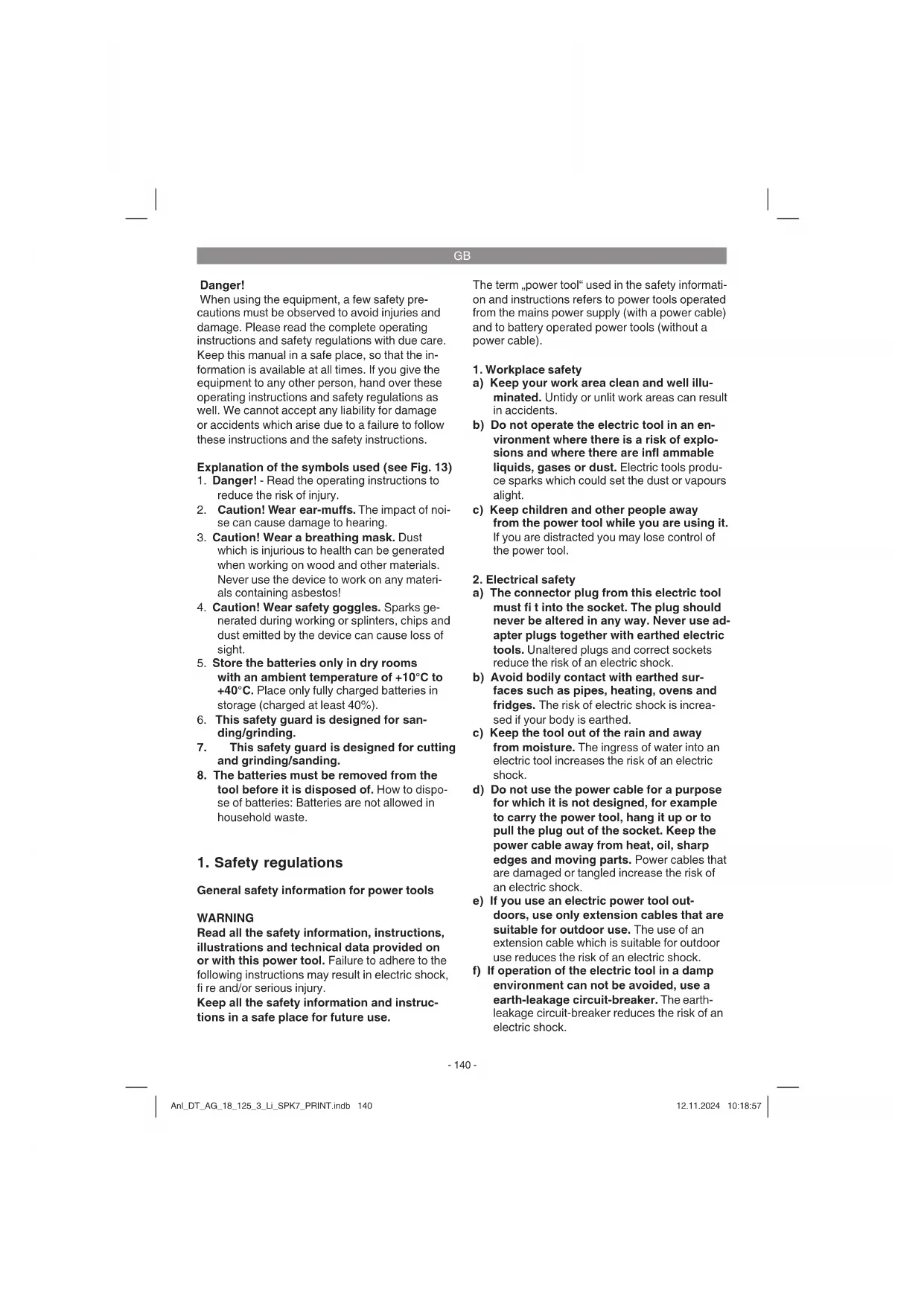
Explanation of the symbols used (see Fig. 13)
- Danger! - Read the operating instructions to reduce the risk of injury.
- Caution! Wear ear-muffs. The impact of noise can cause damage to hearing.
- Caution! Wear a breathing mask. Dust which is injurious to health can be generated when working on wood and other materials. Never use the device to work on any materials containing asbestos!
- Caution! Wear safety goggles. Sparks generated during working or splinters, chips and dust emitted by the device can cause loss of sight.
- Store the batteries only in dry rooms with an ambient temperature of +10^ to +40^ . Place only fully charged batteries in storage (charged at least 40% ).
- This safety guard is designed for sand- ding/grinding.
- This safety guard is designed for cutting and grinding/sanding.
- The batteries must be removed from the tool before it is disposed of. How to dispose of batteries: Batteries are not allowed in household waste.
1. Safety regulations
General safety information for power tools
WARNING
Read all the safety information, instructions, illustrations and technical data provided on or with this power tool. Failure to adhere to the following instructions may result in electric shock, fire and/or serious injury.
Keep all the safety information and instructions in a safe place for future use.
The term "power tool" used in the safety information and instructions refers to power tools operated from the mains power supply (with a power cable) and to battery operated power tools (without a power cable).
1.Workplace safety
a) Keep your work area clean and well illuminated. Untidy or unlit work areas can result in accidents.
b) Do not operate the electric tool in an environment where there is a risk of explosions and where there are infl ammable liquids, gases or dust. Electric tools produce sparks which could set the dust or vapours alight.
c) Keep children and other people away from the power tool while you are using it. If you are distracted you may lose control of the power tool.
2. Electrical safety
a) The connector plug from this electric tool must fit into the socket. The plug should never be altered in any way. Never use adapter plugs together with earthed electric tools. Unaltered plugs and correct sockets reduce the risk of an electric shock.
b) Avoid bodily contact with earthed surfaces such as pipes, heating, ovens and fridges. The risk of electric shock is increased if your body is earthed.
c) Keep the tool out of the rain and away from moisture. The ingress of water into an electric tool increases the risk of an electric shock.
d) Do not use the power cable for a purpose for which it is not designed, for example to carry the power tool, hang it up or to pull the plug out of the socket. Keep the power cable away from heat, oil, sharp edges and moving parts. Power cables that are damaged or tangled increase the risk of an electric shock.
e) If you use an electric power tool outdoors, use only extension cables that are suitable for outdoor use. The use of an extension cable which is suitable for outdoor use reduces the risk of an electric shock.
f) If operation of the electric tool in a damp environment can not be avoided, use a earth-leakage circuit-breaker. The earth-leakage circuit-breaker reduces the risk of an electric shock.
GB
- Safety of persons
a) Be careful, watch what you are doing and use an electric tool sensibly. Do not use the tool if you are tired or under the infl uence of drugs, alcohol or medication. A moment of inattention when using the electric tool can result in serious injuries.
b) Wear personal protection equipment and always wear safety goggles. Wearing personal protection (such as dust masks, non-slip safety shoes, safety helmet or ear protection, depending upon the type and use of the electric tool) reduces the risk of injury.
c) Make sure that the appliance cannot start up accidentally. Ensure that the electric tool is switched off before you connect it to the power supply and/or insert the battery, or pick up or carry the tool. If your finger is on the switch whilst carrying the electric tool or if you connect the appliance to the mains when it is switched on, this can lead to accidents.
d) Remove all adjusting tools or wrenches before you switch on the power tool. Any tool or wrench in a rotating part of the power tool could cause injuries.
e) Avoid abnormal working postures. Make sure you stand squarely and keep your balance at all times. This will enable you to control the power tool better in unexpected situations.
f) Wear suitable clothes. Never wear loose ftting clothes or jewelry. Keep hair, clothing and gloves away from moving parts. Loose clothing, jewelry or long hair can be caught by moving parts.
g) If dust extraction devices and dust collection devices can be fitted, they must be connected and must be used correctly. The use of a dust extractor can reduce the dangers posed by dust.
h) Do not allow yourself to be lulled into a false sense of security and do not ignore the safety regulations covering electric power tools, even if you are familiar with the power tool after having used it many times. Carelessness can lead to serious injuries in just a fraction of a second. - Using and handling the power tool
a) Do not overload your power tool. Use the correct electric tool for the job in hand. The correct tool will enable you to work better and more safely within the specific performance range.
b) Do not use an electric power tool if the switch is defective. An electric power tool that cannot be switched on or off is dangerous and must be repaired.
c) Pull the plug out of the socket and/or remove the battery pack before making any adjustments to the tool, changing accessories or putting the power tool down. These precautions will prevent the power tool starting accidentally.
d) Keep unused electric tools out of the reach of children. Do not allow people who are not familiar with the power tool or who have not read these instructions to use the tool. Electric tools are dangerous if they are used by inexperienced people.
e) Look after power tools plug-in tools with care. Check that moving parts function correctly and do not jam, and whether any parts are broken or damaged such that they adversely affect the function of the power tool. Have damaged parts repaired before you use the power tool. Many accidents are caused by poorly maintained electric tools.
f) Keep cutting tools sharp and clean. Carefully maintained cutting tools with sharp cutting edges will jam less and are easier to control.
g) Use the power tool, accessories, plug-in tools, etc. as set out in these instructions. Take account of the conditions in your work area and the job in hand. Using electric tools for purposes other than the one for which they are designed can result in dangerous situations.
h) Keep the handles and grip surfaces dry, clean and free from oil and grease. If the handles and grip surfaces are slippery, it will not be possible to operate and control the power tool safely in unforeseen situations.
- Using and handling the cordless tool
a) Only charge the batteries in chargers that are recommended by the manufacturer. A charger that is designed for a certain type of battery may pose a fire risk if it is used with other types of battery.
b) Use only the correct batteries in the electric tools. The use of other batteries may result in injuries and a fire risk.
c) Keep unused batteries away from paper clips, coins, keys, nails, screws and other metallic objects that could cause a short circuit between the contacts. A short cir
GB
cuit between the battery contacts may cause burns or a fire.
d) In case of incorrect use, flUID may escape from the battery. Avoid contact with it. If you touch it by accident, rinse the affected area with water. If you get the fluid in your eyes, also seek medical advice. Leaking battery fluid can cause skin irritation or burns.
e) Never use damaged or altered rechargeable batteries. Damaged or altered rechargeable batteries can behave unpredictably and lead to a risk of fire, explosion or injury.
f) Never expose a rechargeable battery to fire or high temperatures. Fire or temperatures over 130^ pose a risk of explosion.
g) Follow all the instructions on charging and never charge the rechargeable battery or cordless tool outside the specific allowable charging temperature range. Incorrect charging or charging outside the allowable charging temperature range could cause irreparable damage to the battery and increase the risk of fire.
6. Service
a) Have your electric tool repaired only by trained personnel using only genuine spare parts. This will ensure that your electric tool remains safe to use.
b) Never perform maintenance work on damaged rechargeable batteries. All maintenance work on rechargeable batteries should only be performed by the manufacturer or authorized after sales service outlets.
Additional safety instructions
We pay a great deal of attention to the design of every battery pack to ensure that we supply you with batteries which feature maximum power density, durability and safety. The battery cells have a wide range of safety devices. Each individual cell is initially formatted and its electrical characteristic curves are recorded. These data are then used exclusively to be able to assemble the best possible battery packs. Despite all the safety precautions, caution must always be exercised when handling batteries. The following points must be obeyed at all times to ensure safe use.
Safe use can only be guaranteed if undamaged cells are used. Incorrect handling can cause cell damage.
Important: Analyses confirm that incorrect use and poor care are the main causes of the damage
caused by high performance batteries.
Information about the battery
- The battery pack supplied with your cordless tool is not charged. The battery pack has to be charged before you use the tool for the first time.
- For optimum battery performance avoid low discharge cycles. Charge the battery pack frequently.
- Store the battery pack in a cool place, ideally at 15^ and charged to at least 40% .
- Lithium-ion batteries are subject to a natural ageing process. The battery pack must be replaced at the latest when its capacity falls to just 80% of its capacity when new. Weakened cells in an aged battery pack are no longer capable of meeting the high power requirements and therefore pose a safety risk.
- Do not throw battery packs into an open fire. There is a risk of explosion!
- Do not ignite the battery pack or expose it to fire.
- Do not exhaustively discharge batteries. Exhaustive discharge will damage the battery cells. The most common cause of exhaustive discharge is lengthy storage or non-use of partly discharged batteries. Stop working as soon as the performance of the battery falls noticeably or the electronic protection system triggers. Place the battery pack in storage only after it has been fully charged.
- Protect batteries and the tool from overloads. Overloads will quickly result in overheating and cell damage inside the battery housing without this overheating actually being apparent externally.
- Avoid damage and shocks. Replace batteries which have been dropped from a height of more than one meter or which have been exposed to violent shocks without delay, even if the housing of the battery pack appears to be undamaged. The battery cells inside the battery may have suffered serious damage. In this respect, please also read the waste disposal information.
- If the battery pack suffers overloading and overheating, the integrated protective cut-off will switch off the equipment for safety reasons. Important. Do not press the ON/OFF switch any more if the protective cut-off has actuated. This may damage the battery pack
- Use only original battery packs. The use of other batteries may result in injuries, explosion and a fire risk.
GB
- Protect your rechargeable battery against moisture, rain and high humidity. Moisture, rain and high humidity can cause dangerous cell damage. Never charge or work with batteries which have been exposed to moisture, rain or high humidity - replace them immediately.
- If your equipment is fi tted with a detachable battery, remove the battery for safety reasons after you have fi nished your work
Information on chargers and the charging process
- Please check the data marked on the rating plate of the battery charger. Be sure to connect the battery charger to a power supply with the voltage marked on the rating plate. Never connect it to a different mains voltage.
- Protect the battery charger and its cable from damage and sharp edges. Have damaged cables repaired without delay by a qualified electrician.
- Keep the battery charger, batteries and the cordless tool out of children's reach.
- Do not use damaged battery chargers.
- Do not use the supplied battery charger to charge other cordless tools.
- In heavy use the battery pack will become warm. Allow the battery pack to cool to room temperature before commencing with the charging.
- Do not over-charge batteries. Do not exceed the maximum charging times. These charging times only apply to discharged batteries. Frequent insertion of a charged or partly charged battery pack will result in over-charging and cell damage. Do not leave batteries in the charger for days on end.
- Never use or charge batteries if you suspect that the last time they were charged was more than 12 months previously. There is a high probability that the battery pack has already suffered dangerous damage (exhaustive discharge).
- Charging batteries at a temperature below 10^ will cause chemical damage to the cell and may cause a fire.
- Do not use batteries which have heated during the charging process, as the battery cells may have suffered dangerous damage.
- Do not use batteries which have suffered curvature or deformation during the charging process or which show other non-typical symptoms (gassing, hissing, cracking,...)
- Never fully discharge the battery pack (re
commended depth of discharge max. 80% A complete discharge of the battery pack will lead to premature ageing of the battery cells.
- Never charge the batteries unsupervised.
Protection from environmental influences
- Wear suitable work clothes. Wear safety goggles.
- Protect your cordless tool and the battery charger from moisture and rain. Moisture and rain can cause dangerous cell damage.
- Do not use the cordless tool or the battery charger near vapors and infl ammable liquids.
- Use the battery charger and cordless tools only in dry conditions and an ambient temperature of 10 - 40^ .
- Do not keep the battery charger in places where the temperature is liable to reach over 40^ . In particular, do not leave the battery charger in a car that is parked in the sunshine.
- Protect batteries from overheating. Overloads, over-charging and exposure to direct sunlight will result in overheating and cell damage. Never charge or work with batteries which have been overheated - replace them immediately if possible.
- Storage of batteries, battery chargers and cordless tools. Store the charger and your cordless tool only in dry places with an ambient temperature of 10 - 40^ . Store your lithium-ion battery pack in a cool, dry place at a temperature of 10 - 20^ . Protect them from humidity and direct sunlight. Only place fully charged batteries in storage (charged at least 40% ).
- Prevent the lithium-ion battery pack from freezing. Battery packs which were stored below 0^ for more than 60 minutes must be disposed of.
- When handling batteries, beware of electrostatic charge: Electrostatic discharges cause damage of the electronic protection system and the battery cells. Avoid electrostatic charging and never touch the battery poles.
Batteries and cordless electric equipment contain materials that are potentially harmful to the environment. Never place any rechargeable batteries or cordless electric machines or tools in your household refuse.
The rechargeable battery should be taken to a suitable collection center for proper disposal. If you do not know the whereabouts of such a collection center, you should ask in your local council
GB
offices.
To ensure that any defective/damaged lithium-ion batteries are properly packaged and delivered when you send them to us, please contact our customer service or the point of sale at which the equipment was purchased.
When shipping or disposing of batteries and cordless tools, always ensure that they are packed individually in plastic bags to prevent short circuits and fire.
Safety Information for all Applications
a) This electric tool is designed for use as a grinder/sander and cutting-off machine. Obey all the safety instructions, general instructions, illustrations and data supplied with the tool. If you fail to obey the following instructions, you may suffer an electric shock, fire and/or serious injuries.
b) This electric tool is not designed for sanding, working with wire brushes or polishing. Use of the electric tool in ways it was not intended could lead to dangerous situations and injuries.
c) Do not convert this power tool to operate in a way which is not specifi cally designed and specified by the tool manufacturer. Such a conversion may result in a loss of control and cause serious personal injury.
d) Do not use accessories which are not specifically designed and specified by the tool manufacturer. Just because the accessory can be attached to your power tool, it does not assure safe operation.
e) The rated speed of the accessory must be at least equal to the maximum speed marked on the power tool. Accessories running faster than their rated speed can break and fly apart.
f) The outside diameter and the thickness of your accessory must be within the capacity rating of your power tool. Incorrectly sized accessories cannot be adequately guarded or controlled.
g) The dimensions of the accessory mounting must fit the dimensions of the mounting hardware of the power tool. Accessories that do not match the mounting hardware of the power tool will run out of balance, vibrate excessively and may cause loss of control.
h) Do not use a damaged accessory. Before each use inspect the accessory such as abrasive wheels for chips and cracks, ba
cking pad for cracks, tear or excess wear, wire brush for loose or cracked wires. If power tool or accessory is dropped, inspect for damage or install an undamaged accessory. After inspecting and installing an accessory, position yourself and bystanders away from the plane of the rotating accessory and run the power tool at maximum no-load speed for one minute. Damaged accessories will normally break apart during this test time.
i) Wear personal protective equipment. Depending on application, use face shield, safety goggles or safety glasses. As appropriate, wear dust mask, hearing protectors, gloves and workshop apron capable of stopping small abrasive or workpiece fragments. The eye protection must be capable of stopping flying debris generated by various applications. The dust mask or respirator must be capable of ft rating particles generated by the particular application. Prolonged exposure to high intensity noise may cause hearing loss.
j) Keep bystanders a safe distance away from work area. Anyone entering the work area must wear personal protective equipment. Fragments of workpiece or of a broken accessory may fly away and cause injury beyond immediate area of operation.
k) Hold the power tool by insulated gripping surfaces only, when performing an operation where the cutting accessory may contact hidden wiring. Cutting accessory contacting a,live wire may make exposed metal parts of the power tool, live and could give the operator an electric shock.
1) Never lay the power tool down until the accessory has come to a complete stop. The spinning accessory may grab the surface and pull the power tool out of your control.
m) Do not run the power tool while carrying it at your side. Accidental contact with the spinning accessory could snag your clothing, pulling the accessory into your body.
n) Regularly clean the power tool's air vents. The motor's fan will draw the dust inside the housing and excessive accumulation of powdered metal may cause electrical hazards.
o) Do not operate the power tool near flammable materials. Sparks could ignite these materials.
p) Do not use accessories that require liquid coolants. Using water or other liquid coolants may result in electrocution or shock.
GB
Further safety instructions for all operations Kickback and related warnings:
Kickback is a sudden reaction to a pinched or snagged rotating wheel, backing pad, brush or any other accessory. Pinching or snagging causes rapid stalling of the rotating accessory which in turn causes the uncontrolled power tool to be forced in the direction opposite of the accessory's rotation at the point of the binding.
For example, if an abrasive wheel is snagged or pinched by the workpiece, the edge of the wheel that is entering into the pinch point can dig into the surface of the material causing the wheel to climb out or kick out. The wheel may either jump toward or away from the operator, depending on direction of the wheel's movement at the point of pinching. Abrasive wheels may also break under these conditions.
Kickback is the result of power tool misuse and/or incorrect operating procedures or conditions and can be avoided by taking proper precautions as given below.
a) Maintain a firm grip with both hands on the power tool and position your body and arms to allow you to resist kickback forces. Always use auxiliary handle, if provided, for maximum control over kickback or torque reaction during start-up. The operator can control torque reactions or kickback forces, if proper precautions are taken.
b) Never place your hand near the rotating accessory. Accessory may kickback over your hand.
c) Do not position your body in the area where power tool will move if kickback occurs. Kickback will propel the tool in direction opposite to the wheel's movement at the point of snagging.
d) Use special care when working corners, sharp edges, etc. Avoid bouncing and snagging the accessory. Corners, sharp edges or bouncing have a tendency to snag the rotating accessory and cause loss of control or kickback.
e) Do not attach a saw chain woodcarving blade, segmented diamond wheel with a peripheral gap greater than 10mm or toothed saw blade. Such blades create frequent kickback and loss of control.
Additional safety instructions for grinding and cutting-off operations Safety warnings specific for grinding and cutting-off operations:
a) Use only wheel types that are specified for your power tool and the specific guard designed for the selected wheel. Wheels for which the power tool was not designed cannot be adequately guarded and are unsafe.
b) The grinding surface of centre depressed wheels must be mounted below the plane of the guard lip. An improperly mounted wheel that projects through the plane of the guard lip cannot be adequately protected.
c) The guard must be securely attached to the power tool and positioned for maximum safety, so the least amount of wheel is exposed towards the operator. The guard helps to protect the operator from broken wheel fragments, accidental contact with wheel and sparks that could ignite clothing.
d) Wheels must be used only for specified applications. For example: do not grind with the side of cut-off wheel. Abrasive cut-off wheels are intended for peripheral grinding, side forces applied to these wheels may cause them to shatter.
e) Always use undamaged wheel flanges that are of correct size and shape for your selected wheel. Proper wheel flanges support the wheel thus reducing the possibility of wheel breakage. Flanges for cut-off wheels may be different from grinding wheel flanges.
f) Do not use worn down wheels from larger power tools. A wheel intended for larger power tool is not suitable for the higher speed of a smaller tool and may burst.
g) When using dual purpose wheels always use the correct guard for the application being performed. Failure to use the correct guard may not provide the desired level of guarding, which could lead to serious injury.
Additional safety instructions for cutting-off operations
Additional safety warnings specific for cutting-off operations:
a) Do not "jam" the cut-off wheel or apply excessive pressure. Do not attempt to make an excessive depth of cut. Over-stressing the wheel increases the loading and susceptibility to twisting or binding of the wheel in the cut and the possibility of kickback or wheel breakage.
GB
b) Do not position your body in line with and behind the rotating wheel. When the wheel, at the point of operation, is moving away from your body, the possible kickback may propel the spinning wheel and the power tool directly at you.
c) When the wheel is binding or when interrupting a cut for any reason, switch off the power tool and hold it motionless until the wheel comes to a complete stop. Never attempt to remove the cut-off wheel from the cut while the wheel is in motion otherwise kickback may occur. Investigate and take corrective action to eliminate the cause of wheel binding.
d) Do not restart the cutting operation in the workpiece. Let the wheel reach full speed and carefully re-enter the cut. The wheel may bind, walk up or kickback if the power tool is restarted in the workpiece.
e) Support panels or any oversized workpiece to minimize the risk of wheel pinching and kickback. Large workpieces tend to sag under their own weight. Supports must be placed under the workpiece near the line of cut and near the edge of the workpiece on both sides of the wheel.
f) Use extra caution when making a "pocket cut" into existing walls or other blind areas. The protruding wheel may cut gas or water pipes, electrical wiring or objects that can cause kickback.
g) Do not attempt to do curved cutting. Over-stressing the wheel increases the loading and susceptibility to twisting or binding of the wheel in the cut and the possibility of kickback or wheel breakage, which can lead to serious injury.
2. Layout and items supplied
2.1 Layout (Fig. 1)
- Spindle lock
- ON/OFF switch
- Additional handle
- Guard
- Flange nut wrench
- Battery
- Charging unit
- Pushlock button
- Battery capacity indicator
- Cut-off wheel guard
2.2 Items supplied
Please check that the article is complete as specified in the scope of delivery. If parts are missing, please contact our service center or the sales outlet where you made your purchase at the latest within 5 working days after purchasing the product and upon presentation of a valid bill of purchase. Also, refer to the warranty table in the service information at the end of the operating instructions.
- Open the packaging and take out the equipment with care.
- Remove the packaging material and any packaging and/or transportation braces (if available).
- Check to see if all items are supplied.
- Inspect the equipment and accessories for transport damage.
If possible, please keep the packaging until the end of the guarantee period.
Danger!
The equipment and packaging material are not toys. Do not let children play with plastic bags, foils or small parts. There is a danger of swallowing or suffocating!
Angle grinder
- Batterycharger
Battery
Additional handle
- Flange nut wrench
Original operating instructions
3. Proper use
The angle grinder is designed for grinding metal and stone when using the appropriate grinding wheel and guard.
Warning! To cut metal and stone the grinder/sander may only be used when the guard (available as an accessory) is mounted.
The equipment is to be used only for its prescribed purpose. Any other use is deemed to be a case of misuse. The user / operator and not the manufacturer will be liable for any damage or injuries of any kind caused as a result of this.
Please note that our equipment has not been designed for use in commercial, trade or industrial applications. Our warranty will be voided if the machine is used in commercial, trade or industrial
GB
businesses or for equivalent purposes.
4. Technical data
Motor power supply: 18 V DC
Rated speed: 8500 min-1
Max.wheel diameter: 125 mm
Grinding wheels: 125 x 22 mm
Cutting wheel: 125 x 22 mm
Mounting spindle thread: M14
Battery charger output voltage: 20 V DC
Battery charger output current: 3 A
Charging unit supply
voltage: 200-250V~50-60Hz
Battery type: Lithium-ion
Number of battery cells: 10
Battery capacitance: 4.0 Ah
Weight: 2.3 kg
The lithium-ion batteries of the Power X-Change series are allowed to be charged only with the Power X-Charger.
Danger!
Sound and vibration
Sound and vibration values were measured in accordance with EN 60745-1, EN 60745-2-3.
L_pA sound pressure level 82.4 dB(A)
The impact of noise can cause damage to hearing.
Total vibration values (vector sum of three directions) determined in accordance with EN 60745-1, EN 60745-2-3.
Handle
Vibration emission value a_h,AG = 2.830 ~m / s^2
K uncertainty = 1.5m / s^2
The specified vibration value was established in accordance with a standardized testing method. It may change according to how the electric equipment is used and may exceed the specified value in exceptional circumstances.
The specified vibration value can be used to compare the equipment with other electric power tools.
The specified vibration value can be used for initial assessment of a harmful effect.
Keep the noise emissions and vibrations to a minimum.
- Only use appliances which are in perfect working order.
Service and clean the appliance regularly.
Adapt your working style to suit the appliance.
Do not overload the appliance. - Have the appliance serviced whenever necessary.
- Switch the appliance off when it is not in use.
Caution!
Residual risks
Even if you use this electric power tool in accordance with instructions, certain residual risks cannot be rules out. The following hazards may arise in connection with the equipment's construction and layout:
- Lung damage if no suitable protective dust mask is used.
- Damage to hearing if no suitable ear protection is used.
- Health damage caused by hand-arm vibrations if the equipment is used over a prolonged period or is not properly guided and maintained.
5. Before starting the equipment
Warning!
Always remove the battery pack before making adjustments to the equipment.
5.1 Fitting the additional handle (Fig. 2)
The angle grinder must not be used without the additional handle (3).
The additional handle can be secured in any of three positions (A, B).
| Tool side Suitable for | |
| Left (position A / as shown) | Right-handedusers |
| Right(possessionB)Left-handedusers | |
GB
5.2 Replacing and adjusting the guard (Fig. 3a)
Replacing:
- Remove the flange nut (b) and the clamping flange underneath.
- Open the clamp lever (a) on the guard (4).
- Turn the guard (4) through 180^ in clockwise direction so that the guard points upwards.
- Remove the guard (4).
To mount, proceed in the reverse order.
Adjusting:
- Adjust the guard (4) to protect your hands so that the material being ground is directed away from your body.
The position of the guard (4) can be adjusted to any specific working conditions. Undo the clamp handle (a) and turn the cover (4) into the required position. - Ensure that the guard (4) correctly covers the gear wheel casing.
- Secure the clamp handle (a) again.
- Ensure that the guard (4) is secure.
Take care that the safety device is secure. Never use the angle grinder without the guard.
5.3 Fitting/removing the cutting wheel guard (Fig. 3b-3f/Item 10)
The angle grinder is equipped with a removable cutting wheel guard (10).
The guard (4) does not need to be replaced in order for you to fit the cutting wheel guard.
Beginning from the end with the lug (Fig. 3b), push the removable cutting wheel guard (10) onto the guard.
Make sure when doing so that the guard (4) lies between the guide ribs (g) of the removable cutting wheel guard (Fig. 3b).
- Then push the removable cutting wheel guard counter-clockwise onto the guard until you hear this guard latch in place (Fig. 3c-3e).
To take off the removable cutting wheel guard (10) again, press the lug (b) slightly away from the guard (4) as shown in Fig. 3f until you can rotate the removable cutting wheel guard (10). Now turn the cutting wheel guard clockwise and off the guard (4).
5.4 Test run for new grinding Wheels Allow the right-angle grinder to run in idle for at least 1 minute with the grinding or cutting wheel fitted in place. Vibrating wheels are to be replaced immediately.
6. Operation
6.1 Charging the Li battery pack (Fig. 1a-1b)
- Remove the battery pack (6) from the handle, pressing the pushlock button (8) downwards to do so.
- Check that your mains voltage is the same as that marked on the rating plate of the battery charger. Insert the power plug of the charger (7) into the mains socket outlet. The green LED will then begin to flash.
- Push the battery pack onto the battery charger.
In section 10 (Charger indicator) you will find a table with an explanation of the LED indicator on the charger.
If the battery pack fails to charge, check for the following:
- voltage at the power socket
whether there is good contact at the charging contacts of the charging unit
If the battery pack still fails to charge, send
the charger and charging adapter
and the battery pack
to our customer service center.
To ensure that items are properly packaged and delivered when you send them to us, please contact our customer service or the point of sale at which the equipment was purchased.
When shipping or disposing of batteries and cordless tools, always ensure that they are packed individually in plastic bags to prevent short circuits and fi res.
To ensure that the battery pack provides long service, you should take care to recharge it promptly. You must recharge the battery pack when you notice that the performance of the device drops. Never allow the battery pack to become fully discharged. This will cause it to develop a defect.
GB
6.2 Battery capacity indicator (Fig. 1c/Item 9)
Press the battery capacity indicator switch (a). The battery capacity indicator (9) shows the charge status of the battery using 3 LEDs.
All 3 LEDs are lit:
The battery is fully charged.
2 or 1 LED(s) are lit:
The battery has an adequate remaining charge.
1 LED blinks:
The battery is empty, recharge the battery.
All LEDs blink:
The battery temperature is too low. Remove the battery from the equipment, keep it at room temperature for one day. If the fault reoccurs, this means that the rechargeable battery has undergone exhaustive discharge and is defective. Remove the battery from the equipment. Never use or charge a defective battery.
6.3 Switching on (Fig. 4)
To switch on, push the On/Off switch (2) forwards and press it down. To switch off the angle grinder, press down the On/Off switch (2) at the back. The On/Off switch (2) will jump back into its starting position.
Important!
The equipment will switch to "Standby Mode" after 10 minutes of non-use.
To reactivate: Switch on the equipment twice or press the battery capacity indicator.
"Standby Mode" protects the battery.
Important!
Following a stoppage (due to overloading), the cordless equipment will start up again automatically.
Wait until the machine has reached its top speed. You can then position the angle grinder on the workpiece and machine it.
6.4 Changing the grinding wheels (Fig. 5/6) Use the face spanner (5) supplied to change the grinding wheels. The face spanner (5) is stored in the additional handle (3). Pull the face spanner (5) out of the additional handle (3) when you need it.
Danger! For safety reasons, the angle grinder must not be operated with the face spanner (5) inserted in it.
Warning!
- Simple wheel change by spindle lock:
- Press the spindle lock and allow the grinding wheel to latch in place.
- Open the flange nut with the face spanner. (Fig. 6)
- Change the grinding or cutting wheel and tighten the flange nut with the face spanner.
Notice!
Only ever press the spindle lock when the motor and grinding spindle are at a standstill! You must keep the spindle lock pressed while you change the wheel!
For grinding or cutting wheels up to approx. 3mm thick, screw on the flange nut with the flat side facing the grinding or cutting wheel.
6.5 Flange arrangements when using grinding wheels and cutting wheels (Fig. 7-10)
- Flange arrangement when using a depressed-centre or straight grinding wheel (Fig. 8)
a) Clamping flange
b) Flange nut - Flange arrangement when using a depressed-centre cutting wheel (Fig. 9) a) Clamping flange
b) Flange nut - Flange arrangement when using a straight cutting wheel (Fig. 10)
a) Clamping flange
b) Flange nut
6.6 Motor
It is vital for the motor to be well ventilated during operation. Be sure, therefore, to keep the ventilation holes clean at all times.
6.7 Grinding Wheels
- Never use a grinding or cutting wheel bigger than the specified diameter.
Before using a grinding or cutting wheel, check its rated speed. - The maximum speed of the grinding or cutting wheel used must be higher than the idle speed of the angle grinder.
Use only grinding and cutting wheels that are approved for a minimum speed of 8,500 rpm and a peripheral speed of 56 m/sec. - Check the direction of rotation when you use diamond cutting wheels. The directional arrow on the diamond cutting wheel must point in
GB
the direction in which the tool rotates.
Take special care that the grinding/sanding wheels are properly stored and transported. Ensure that the grinding/sanding wheels are never exposed to shock, jolts or sharp edges (for example during transport or storage in a toolbox). This could cause damage (such as cracks) to the grinding/sanding wheels and place the user in serious danger.
Warning!
6.8 Operating Modes
6.8.1 Rough grinding (Fig. 11)
Caution: Use the safety device for sand- ing/drinding (included in items supplied).
For the best rough grinding results, hold the grinding wheel at an angle of between 30^ and 40^ to the workpiece surface and guide back and forth over the workpiece in steady movements.
6.8.2 Cutting (Fig. 12)
Caution: Use the safety device for abrasive cutting (available as accessory, see 7.3)
When you use the right-angle grinder for cutting purposes, avoid tilting it in the cutting plane. The cutting wheel must have a clean cutting edge.
A diamond cutting wheel is best used to cut hard stone.
It is prohibited to use the machine on asbestos materials!
Never use a cutting wheel for rough grinding.
Important!
To increase the cutting performance and running time of the cordless equipment, we recommend that you use a cutting wheel with a thickness of 1 mm.
7. Cleaning, maintenance and ordering of spare parts
Danger!
Always pull out the battery pack before starting any cleaning work.
7.1 Cleaning
- Keep all safety devices, air vents and the motor housing free of dirt and dust as far as possible. Wipe the equipment with a clean cloth or blow it with compressed air at low pressure.
We recommend that you clean the device immediately each time you have finished using it.
Clean the equipment regularly with a moist cloth and some soft soap. Do not use cleaning agents or solvents; these could attack the plastic parts of the equipment. Ensure that no water can seep into the device. The ingress of water into an electric tool increases the risk of an electric shock.
7.2 Maintenance
There are no parts inside the equipment which require additional maintenance.
7.3 Ordering replacement parts:
Please quote the following data when ordering replacement parts:
Type of machine
Article number of the machine
Identification number of the machine
- Replacement part number of the part required For our latest prices and information please go to www.Einhell-Service.com
8. Disposal and recycling
The equipment is supplied in packaging to prevent it from being damaged in transit. The raw materials in this packaging can be reused or recycled. The equipment and its accessories are made of various types of material, such as metal and plastic. Never place defective equipment in your household refuse. The equipment should be taken to a suitable collection center for proper disposal. If you do not know the whereabouts of such a collection point, you should ask in your local council offices.
GB
9. Storage
Store the equipment and accessories out of children's reach in a dark and dry place at above freezing temperature. The ideal storage temperature is between 5 and 30^ . Store the electric tool in its original packaging.
Disposal

Power tools, rechargeable batteries, accessories and packaging should be sorted for environmental-friendly recycling.
Do not dispose of power tools and batteries/re-chargeable batteries into household waste!
Only for EU countries:
According to the Directive 2012/19/EU on waste electrical and electronic equipment and its transposition into national law, power tools that are no longer usable, and, according to the Directive 2006/66/EC, defective or drained batteries must be collected separately and disposed of in an environmentally correct manner.
If disposed incorrectly, waste electrical and electronic equipment may have harmful effects on the environment and human health, due to the potential presence of hazardous substances.
Only for United Kingdom:
According to The Waste Electrical and Electronic Equipment Regulations 2013 (SI 2013/3113) (as amended) and the Waste Batteries and Accumulators Regulations 2009 (SI 2009/890) (as amended), products that are no longer usable must be collected separately and disposed of in an environmentally friendly manner.
The reprinting or reproduction by any other means, in whole or in part, of documentation and papers accompanying products is permitted only with the express consent of the Einhell Germany AG.
Subject to technical changes
GB
10. Charger indicator
| Indicator status Exp | anations and actions | |
| Red LED Green LED | ||
| Off | Flashing | Ready for useThe charger is connected to the mains and is ready for use; there is no battery pack in the charger |
| On Off Charging | The charger is charging the battery pack in quick charge mode. The charging times are shown directly on the charger.Important! The actual charging times may vary slightly from the stated charging times depending on the existing battery charge. | |
| Off | On | The battery is charged and ready for use. (READY TO GO)The unit then changes over to gentle charging mode until the battery is fully charged.To do this, leave the rechargeable battery on the charger for approx. 15 minutes longer.Action:Take the battery pack out of the charger. Disconnect the charger from the mains supply. |
| Flashing Off | Adapted charging | The charger is in gentle charging mode.For safety reasons the charging is performed less quickly and takes more time. The reasons can be:- The rechargeable battery has not been used for a very long time.- The battery temperature is outside the ideal range行动:Wait for the charging to be completed; you can still continue to charge the battery pack. |
| Flashing Flashing Fault | Charging is no longer possible. The battery pack is defectiveACTION:Never charge a defective battery pack.Take the battery pack out of the charger. | |
| On On Temperature fault | The battery pack is too hot (e.g. due to direct sunshine) or too cold (below 0°C).Action:Remove the battery pack and keep it at room temperature (approx. 20°C)for one day . | |
GB
Service information
We have competent service partners in all countries named on the guarantee certificate whose contact details can also be found on the guarantee certificate. These partners will help you with all service requests such as repairs, spare and wearing part orders or the purchase of consumables.
Please note that the following parts of this product are subject to normal or natural wear and that the following parts are therefore also required for use as consumables.
| Category Example | |
| Wear parts* Carbon brushes, Battery | |
| Consumables* Cutting wheels, grinding wheels | |
| Missing parts |
- Not necessarily included in the scope of delivery!
In the effect of defects or faults, please register the problem on the internet at www.Einhell-Service.com. Please ensure that you provide a precise description of the problem and answer the following questions in all cases:
Did the equipment work at all or was it defective from the beginning?
Did you notice anything (symptom or defect) prior to the failure?
What malfunction does the equipment have in your opinion (main symptom)?
Describe this malfunction.
GB
Warranty certificate
Dear Customer,
All of our products undergo strict quality checks to ensure that they reach you in perfect condition. In the unlikely event that this equipment develops a fault, please contact our service department at the address shown on this guarantee card. You can also contact us by telephone using the service number shown. Please note the following terms under which guarantee claims can be made:
-
These guarantee terms apply solely to consumers, i.e. natural persons, who do not want to use this product in connection with either their commercial or other self-employed activities. These guarantee terms regulate additional guarantee services which the undermentioned manufacturer promises to buyers of its new products in addition to their statutory rights of guarantee. Your statutory rights of guarantee are not affected by this guarantee. Our guarantee is free of charge to you.
-
The guarantee services cover only defects due to material or manufacturing faults on the new product which you have bought in the European Union from the undermentioned manufacturer and are limited to either the rectification of said defects or the replacement of the product, whichever we prefer. Please note that only equipment under the brand name "Professional" has been designed for use in commercial, trade or professional applications. For all other products the guarantee is invalidated if the equipment is used within the guarantee period in commercial, trade or industrial applications or for other equivalent activities.
-
Our guarantee does not cover:
-
Damage to the equipment caused by failure to comply with the installation/assembly instructions or by unprofessional installation; damage caused by failure to comply with the operating instructions (e.g. connection to the wrong mains voltage or current type); damage caused by failure to comply with the maintenance and safety regulations; damage caused by exposing the equipment to abnormal environmental conditions; damage resulting from poor care and maintenance.
- Damage to the equipment caused by misuse or incorrect applications (e.g. overloading the equipment or using non-approved attachments or accessories); damage caused by foreign bodies (e.g. sand, stones, dust, ...) getting inside the equipment. Damage in transit; damage caused by force or external influences (e.g. by dropping the equipment).
-
Damage to the equipment or parts of the equipment which is owed to use-related, normal or otherwise natural wear. For example, batteries and battery packs are manufactured with a cycle limit for design-related reasons. Wear is negatively influenced in particular by load demands and charging speeds as well as exposure to heat, cold, vibration and impact.
-
The guarantee is valid for a period of 5 years starting from the purchase date of the equipment (Warranty of battery is 2 years, unless the battery is registered on Einhell website, then also 3 years). Guarantee claims must be submitted before the end of the guarantee period and within two weeks of the defect being noticed. No guarantee claims will be accepted after the end of the guarantee period. The original guarantee period remains applicable to the equipment even if repairs are carried out or parts are replaced. In such cases, the work performed or parts fitted will not result in an extension of the guarantee period, and no new guarantee will become active for the work performed or for any replacement parts fitted. This also applies if on-site service is used.
- To assert your guarantee claim, register the defective equipment at: www.Einhell-Service.com. You will need to provide proof of purchase of the new item of equipment. Equipment returned without such proof or without a rating plate are excluded from the guarantee services because of the lack of traceability. If the defect is covered by our guarantee, then either the item in question will be repaired immediately and returned to you or we will send you a new replacement.
- If you have taken the equipment with you to a different EU country than where you bought it, we will arrange for a local service partner to provide the guarantee services. If you take the equipment outside the EU, the guarantee will not apply.
Of course, we are also happy to offer a chargeable repair service for any defects which are not covered or no longer covered by the scope of this guarantee. To take advantage of this service, please send the equipment to our service address. We draw attention to the restrictions of this guarantee concerning wear parts, consumables and missing parts as presented in the service information included in this operating manual.
Warrantor/Service:
Einhell UK Ltd, Unit 10, 1st Floor, Champion's Business Park, Arrowe Brook Road, Upton, Wirral, CH49 0UQ

D Konformitärserklarung: Wir erklärten Konformität gemäß EU-Richtlinie und Normen für Artikel
GB Declaration of conformity: We declare conformity in accordance with the EU directive and standards for article
F Déclaration de conformité: Nous déclarons la conformité conformément aux directives et normes UE pour l'article
1 Dichiarazione di conformità: dichiariamo la conformità seconda la direttiva UE e le norme per l'articolo
DK Overensstammelseserklae: Vi attesterer overensstimmse itt. EU-direktiv stam standarder for arterlk
S Forsakran om overensstammelsa: Vi fokiar foljande overensstammelne enl. EU-directiv och standarder for aktiken CZ Prohalaseni o shode: Prohalasugeme shoed podle smrne EU
SK Vyháseinie o zhode: Vyhlasujeme zhodu podfia smernice EU a podem pre vytobok.
NL Conformiteitsverklaring: wij verklaren conformiteit conform EURichtlin en pommen voor arterik.
E Declaracion de conformidad: declaramos la conformidad a tener de la directiva y nomas de la UE para el articulo
FIN Standardimukaisuostudis: Mevakutamme, etta EU-direktivin la standarden vaatimumukset tavthvatauottelle.
SLO IZJAA OKSLADNOSTI potjue sleedecko smladnoi s smono EU in standarda izidolek
H Konformitasi nyilatkoz: Az EU-irányvoc námormak szerinti konformitasi leniţuk iča kalkcehvez
RO Declarationie de conformitate: Declarare conformitate conform directiveoi sinormeler UE pourntu articulol
GR Anwao ouopopwoo;Anovouoe ouopopwoo oOpaovoe OObvEa Ee Kai npotua va ta npotiva
P Declaración de conformidade: Declararros a conformidade de accordo con a diretica CE e normas para o arterigo

HR IJAZVA O SUKLADNOSTI potvrduje sijdececu uskladenost prema smjernicima EU n omarna za artikl
BIJ IZAVA O SUKLADNOSTI potvduje sljodec u uskladonost proma smiernicama EU i nomamaca arteri
RS DEKLARACIJA O USUGLASENOST potrdujbe sledecu uskadenoprema smerimicaEZnorma z artikal
TR Uygulnuk Dekarasony: AB direklif ve ürün standartlan uynannca Uygulnukluyu hovan edizg.
RUS 3aBbHHe O COCTBCTBn TOBaP:a HAcToaHm YOcTOBepETC,HTo CNeDyUcNMe PPOyKtBu COBTBCTByOT DApKTHMa HOPMAM EC
EE Vastavusdeklaratsoon: Toendame toote vastavust EL direktivile ja standarditele
LV Altibiflas deklaraci: Mse aplicacin altabifbu ES direkfvai un standtermi taliik minetajam pracim
LT Attikites deklaracija: deklaruojame, kad gamirns atitinka ES direktvra i rstandatius
PL Dekaraciaca Zgodnosci - deklarujemy zgodnosci wymienionego ponizej artykulo n stavpujcuymi normami na podstawie dyrektwy EU
BG Hekapama 3a cTbETCTBHe NHe Kekapampe cTbETCTBHe Hn HekpHTBHe Hn HDMHTe (EC) 3a HnHn
UKK DeNapajau aIJIIOBHOCTH MAn IABENMO pBO IIBIOHIDCTIcIaIHO aI DHEKTHBOO EC TA cTAaDAPTAMC CTOCBOH aDTHOWA
MK 1sJ3a 3a coo63pa3Hoc 3jBaJbMaBme 006p3AooC opeyUHTBtA h CO HOPMTE HA EY aa aTIKNk
N Samsvarserklaering: Vi aklarer smsalvar i hopenhagen til EU-directivity og standarder for articikel
IS Sammiemisyfiryising: Vliutskurdum samreim vii EU reglugerog stolum lyir vorotugend
Cordless Angle GrinderaDT-AG 18/125-3 Li (Dexter)
2014/29/EU
2005/32/EC_2009/125/EC
EU2015/1188
2014/35/EU
2006/28/EC
2014/30/EU
2014/32/EU
2014/53/EU
2014/68/EU
(EU)2016/426
Notified Body:
(EU)2016/425
2011/65/EU_(EU)2015/863
区2006/42/EC
Annex IV
Notified Body: Req. No.:
□2000/14/EC_2005/88/EC
Annex V
Annex VI
Noise: measured L_WA = dB (A); guaranteed L_WA = dB (A)
P = kW; L/0 = cm
Notified Body:
2012/46/EU_(EU)2016/1628
Emission No.
区(EU)2023/1542
区(EC)No1907/2006
Standard references: EN 60745-1:2009/A11:2010; EN 60745-2-3:2011/A13:2015; EN IEC 55014-1:2021;
EN IEC 55014-2:2021; EN 60335-1:2012/A15:2021; EN 60335-2-29:2021/A1:2021;
EN 622233:2008; EN IEC 61000-3-2:2019/A1:2021; EN 61000-3-3:2013/A2:2021
Subject to change without notice
Archive-File/Record: NAPR033711
Documents registrar: Daniel Laubmeler
Wiesenweg 22, D-94405 Landau/Isar
*GG Cordless Angie Grinder F Meueus dangle sans /Smerginlae angioa a tatera DOKN Axu vinkester S Baitderriven virestip CZ Akumulatiorova ahovs truska SK Akumulatiorva uhovs truska - Nf Kukucskoien 2015 Aklakurksoi koin brutirik - N Akukar-szarecza- PO Pelaz unghurcu el acumulator - GIF Tuvacok ipeco pratacik - P Berbado senn fio - NBRHAI Akumulatorka kune brasula - RFS Akumulatorka agora strubica - PL Akumulatorka szejefki kalotka - TR Aklu acumulator. - LUSK Urology Mauuua Mauuua cnaeayyponpoe - EE Aku-rufimlia - LV Leja slpmaflina ar acumulator - LT Akumulorlina kampinis Billudka - BG Acrymoptera bmeckianum - UGR Ankyxuyia yurtca uxtanpaia - MK Arnoa dyopnna na faenapra

D-94405 Landau/Isar - Germany

