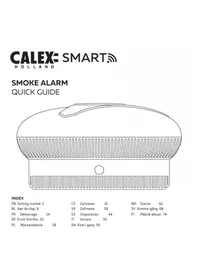
USER MANUAL Smart Smoke Alarm Calex
EN Getting started 2
NL Aandeslag8
FR Demarrage 14
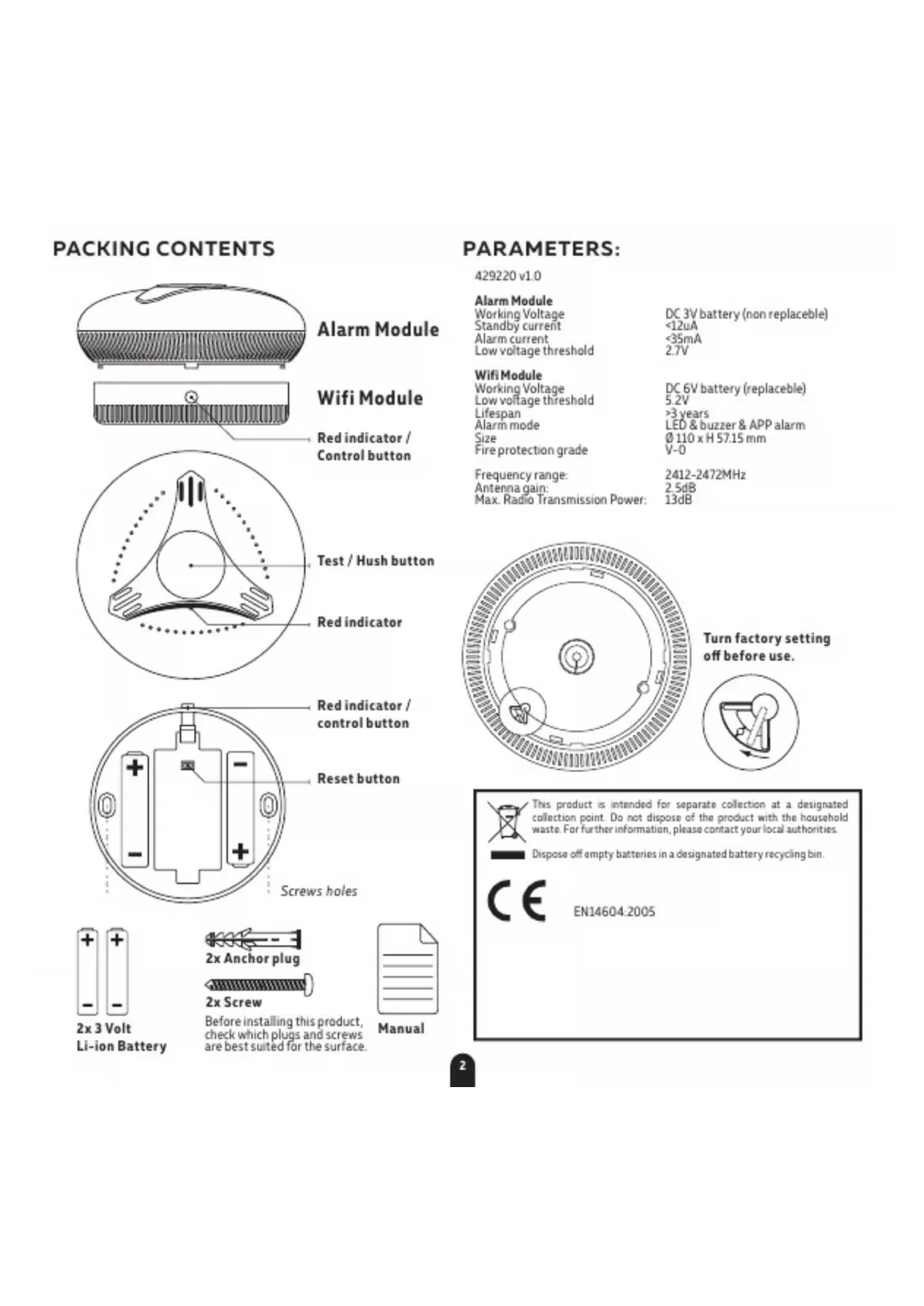
Before installing this product, check which plugs and screws are best suited for the surface.

Manual
PARAMETERS:
429220 v10
Alarm Module
Working Voltage
Standby current
Alarm current
Low voltage threshold
DC 3V battery (non replaceable)
<12uA
<35mA
27V
WifiModule
Working Voltage
Low voltage threshold
Lifespan
Alarm mode
Size
Fire protection grade
DC 6V battery (replaceble)
5.2V
3 years
LED & buzzer & APP alarm
110xH57.15mm
V-0
Frequency range:
Antenna gain:
Max. Radio Transmission Power:
2412-2472MHz
2.5dB
13dB


Turn factory setting off before use.
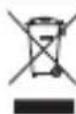
This product is intended for separate collection at a designated collection point. Do not dispose of the product with the household waste. For further information, please contact your local authorities.
Dispos off empty batteries in a designated battery recycling bin.

EN146042005


Contents
- Set up
- Installing the alarm
- Where to install smoke detectors
- Locations to avoid
- Testing, maintenance & cleaning
- Function description
- What to do in case of a fire
- Troubleshooting
- Limitations of a smoke alarm
- Limited Warranty
§1 Setup
Write down your network name & password before you start. Note: this item only works on a 2.4GHz WiFi network, not on a 5GHz WiFi network. Please consult your router manual for settings.
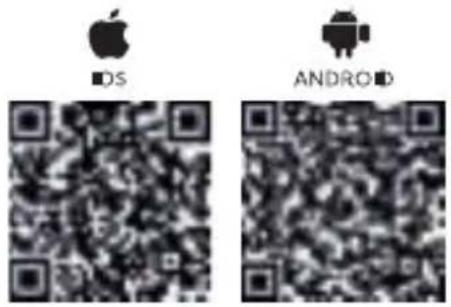
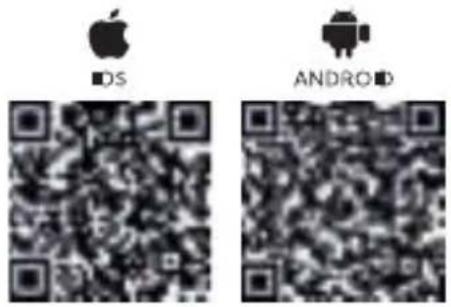
- Download the Calex Smart app from the Google Play store, the Apple Store or scan the QR code.
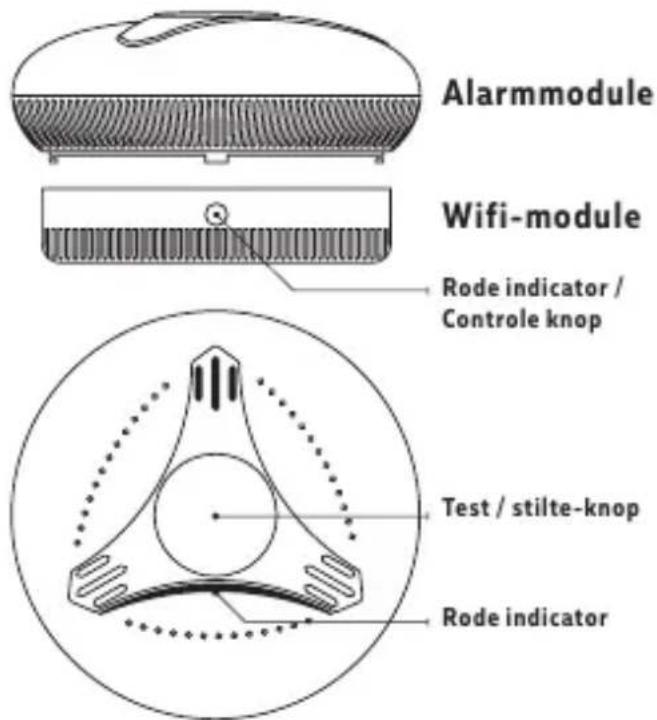
- This device consists of two main parts: the Alarm Module and Wifi Module.
Turn the WiFi module counter clock wise to separate it from the Alarm module. Remove the insulation sheets found at both batteries. The red indicator on the button flashes twice.
Turn off the factory setting in the Alarm Module.
-
Open the app. If using for the first time follow the on-screen instructions to create your account. To add this device start by touching 'add device' (+) and follow the on-screen instructions.
-
Press and hold the control button on the Wifi Module for 5 seconds. The red indicator light will start flashing. The device is now in network mode.
- Follow the on screen prompts to finish installation. For more information, see our website: www.calex.eu A 'Di Di' sound sounds after successful installation.
If you get the notification the product only works on 2.4GHz networks you should change the WiFi-frequency of your network to 2.4GHz only in the settings menu of your router.
- Proceed to the section 2 for installing the device.
- Test each smoke alarm to be sure it is installed correctly and operating properly. See section 5.
§ 2 Installing the alarm
Be careful not to press the button on top of the alarm module unless you intend to do so. Pressing this button will cause the alarm to sound, the sound is very loud and may cause harm to your hearing.
1.1 Preparation
Determine how many alarms you need and where best to install them. See § 3 for more information on locations and § 4 for locations to avoid.
Before installing this product, check which plugs and screws are best suited for the surface.
2.2 Installation
Disconnect the alarm module from the base module by twisting the base module counter clockwise.
Alarm module > Disable the factory lock by pushing the lever clockwise.
Wifi module > Remove both plastic battery protection slips
After installing the alarm, attach the alarm module back on the WiFi module. Turn till you feel a click to ensure the Alarm Module is buckled in to place.
§ 3 Where to install smoke detectors
We advice at least one smoke alarm per floor.
3.1 As a minimum, smoke alarms should be located between sleeping areas and potential sources of fire such as living rooms and kitchens. In single storey homes with one sleeping area, a smoke alarm should be installed in the hallway, as close as possible to the living accommodation. To ensure audibility in bedrooms, no smoke alarm should be further than 3m away from any bedroom door. It may be necessary to install more than one smoke alarm, particularly if the hallway is more than 15m long. In single storey homes with two separate sleeping areas, a minimum of two smoke alarms is required, one outside each sleeping area. In multilevel or split level homes, as a minimum one smoke alarm should be installed on the ground floor between the stair case and any rooms in which a fire might start and on each
storey in circulation areas which form part of escape route(normally hallways and landings).
3.2 Additional alarms should be installed in bedrooms in anticipation of fires originating here, caused by faulty wiring. lights, appliances, smokers or other hazards.
3.3 For best protection, smoke alarms should be installed in every room in your home, apart from those listed in the Section 4
§ 4 Locations to avoid
DO NOT locate smoke alarms:
§ 5 Testing, maintenance and cleaning
This unit has been designed to be as maintenance-free as possible, but there are a few simple things you must do to keep it functioning properly:
5.1 Test each alarm at least once a week
Keep at arms length distance to the alarm during the test. The alarm is loud in order to alert you in case of an emergency and can be harmful to your ears.
Press the button (3) for a duration of two seconds. The alarm will sound a few short, loud beebs. Upon releasing the button, the sound will stop. The APP will receive a test signal after ten seconds.
5.2 Reset the alarm
If the test does not function properly, reset the alarm. Repeat the steps above.
Replace or return the alarm if the test does not function properly after completing these steps
5.3 Cleaning
Clean the smoke alarm at least once a month; gently vacuum the outside of the smoke alarm using your
household vacuum's soft brush accessory. Test the smoke alarm after cleaning. Never use water, cleaners or solvents since they may damage the unit.
If the smoke alarm becomes contaminated by excessive dirt, dust and/or grime, and gives unwanted alarms, replace the unit immediately.
§ 6 Function Description
Low voltage alarm: When the built in battery voltage of the smoke detector is below 2.7V, the red indicator light flashes once every 50 seconds, accompanied by a 'Di' sound. The app will (also) show a warning in the status bar.
Smoke alarm fault: The LED of the smoke alarm flashes once every 8 seconds and is accompanied by a buzzer. The App status displays an alarm fault.
If the device operates normal, the red LED indicator flashes once every 50 seconds.
WiFi Module batteries: The battery life of the base batteries is 3 years. If the power indicator in the App turns red you need to replace the batteries in the Wifi Module to ensure communication is maintained.
§ 7 What to do in case of a fire
Contact your local fire department for what you can do in case of a fire.
§ 8 Trouble shooting
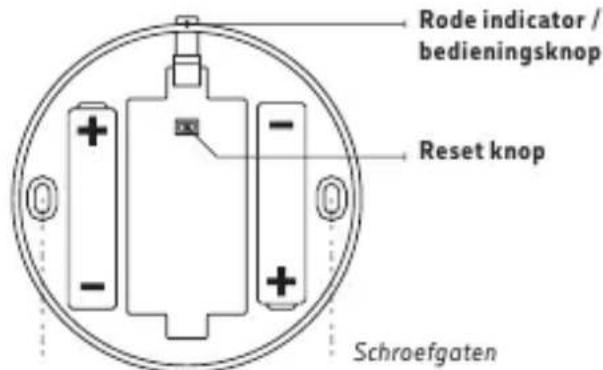
Reset procedure: If the device fails to access the network or crashes due to incorrect operation, please unscrew the wifi module and press the reset button to restart the installation procedure.
Problem: Red LED flashes and the alarm sounds one beep every 50 seconds
Solution: The alarm module battery has ran out, replace the unit.
Problem: No response during APP operation
Solution: Check that the network and the power supply are normal.
Problem: the APP battery indicates red
Solution: The Wifi Module battery is exhausted. Please replace the batteries.
Problem: Smoke alarm is being triggered when the residents are cooking or showering
Solution: 1, clean the detector, refer to section 5 "Testing, maintenance and cleaning"; 2, install the detector to another place, refer to section 3 "Installation Location"
9. Limitations of some alarms
Smoke alarms have played a key role in reducing deaths resulting from home fires worldwide. However, like any warning device, smoke alarms can only work if they are properly located, installed, and maintained, and if smoke can reach the alarms.
- Smoke alarms may not wake all individuals.
- Smoke alarms cannot detect fires if the smoke does not reach the alarms. Smoke from fires in chimneys or walls, on roofs or on the other side of closed doors may not reach bedroom or sleeping area - especially if the bedrooms or sleeping area doors are closed at night.
- Smoke alarms may not have time to sound before the fire itself causes damage, injury, or death, since smoke from some fires may not reach the unit immediately. Examples of this include persons smoking in bed, children playing with matches, or fires caused by violent explosions resulting from escaping gas.
- Smoke alarms are not foolproof. Like any electronic device, smoke alarms are made of components that can wear out or fail at any time. You must test the unit weekly to ensure your continued protection. Smoke alarms cannot prevent or extinguish fires. They are not a substitute for property or life insurance.
- Smoke alarms have a limited life. The unit should be replaced immediately if it is not operating properly. You should always replace a smoke alarm after 10 years from date of purchase. Write the purchase date on the space provided on back of unit.
10. Limited warranty
Copyright Notice: The copyright of this manual is owned by the manufacturer. All copyright is reserved. Except as permitted by copyright law, no one may copy, adapt or translate without prior permission.
Warranty: The contents of this manual are subject to change without prior notice. For the latest information, please contact the manufacturer. The manufacturer is not liable for any damage caused by errors in this manual and is not liable for damages caused by the provision or use of this manual.
Calex can never be made liable for loss and / or damage of whatever nature, including incidental and / or consequential loss, arising from the fact that the signal from the smoke alarm did not sound during smoke or fire.
INHOUD VERPAKKING

2x3 Volt
Li-ion batterij

2x Ankerplug
2x Schroef
battery DC 6V (replacable)
5.2V
3ans
§ 5 Testing, maintenance and cleaning
This unit has been designed to be as maintenance-free as possible, but there are a few simple things you must do to keep it functioning properly:
Before installing this product, check which plugs and screws are best suited for the surface.

Manual
PARAMETERS:
429220 v10
Alarm Module
Working Voltage
Standby current
Alarm current
Low voltage threshold
DC 3V battery (non replaceable)
<12uA
<35mA
27V
WifiModule
Working Voltage
Low voltage threshold
Lifespan
Alarm mode
Size
Fire protection grade
DC 6V battery (replaceble)
5.2V
3 years
LED & buzzer & APP alarm
110xH57.15mm
V-0
Frequency range:
Antenna gain:
Max. Radio Transmission Power:
2412-2472MHz
2.5dB
13dB
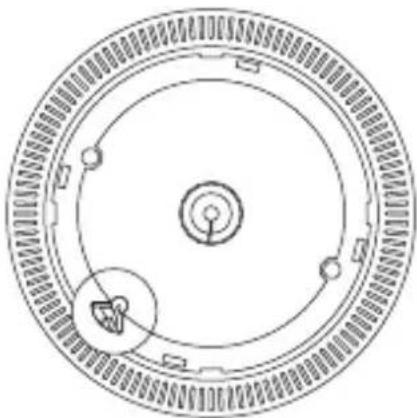

Turn factory setting off before use.
This product is intended for separate collection at a designated collection point. Do not dispose of the product with the household waste. For further information, please contact your local authorities.
Dispos off empty batteries in a designated battery recycling bin.

EN146042005


Obsah
Maks. Radiotransmission:
2412-2472MHz
2.5dB
13dB
§ 2 Installation of alarmen
Before installing this product, check which plugs and screws are best suited for the surface.

Manual
PARAMETERS:
429220 v10
Alarm Module
Working Voltage
Standby current
Alarm current
Low voltage threshold
DC 3V battery (non replaceable)
<12uA
<35mA
27V
WifiModule
Working Voltage
Low voltage threshold
Lifespan
Alarm mode
Size
Fire protection grade
DC 6V battery (replaceble)
5.2V
3 years
LED & buzzer & APP alarm
110xH57.15mm
V-0
Frequency range:
Antenna gain:
Max. Radio Transmission Power:
2412-2472MHz
2.5dB
13dB


Turn factory setting off before use.
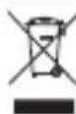
This product is intended for separate collection at a designated collection point. Do not dispose of the product with the household waste. For further information, please contact your local authorities.
Dispose off empty batteries in a designated battery recycling bin

EN14604:2005



Sisallys