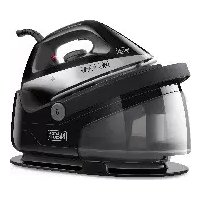
BXSS2200E - Iron BLACK & DECKER - Free user manual and instructions
Find the device manual for free BXSS2200E BLACK & DECKER in PDF.



| Product type | Steam generator |
| Brand | Black & Decker |
| Model | BXSS2200E |
| Power | 2200 W (estimated) |
| Power supply | 220-240 V ~ 50/60 Hz |
| Water tank capacity | 1.1 L (estimated from cleaning guide) |
| Steam autonomy | Up to 60 minutes (estimated) |
| Steam flow rate | Variable (ECO / MAX) |
| Heating time | Approximately 60 seconds |
| Temperatures | Synthetic, Silk/Wool, Cotton, Linen |
| Functions | Dry ironing, steam ironing, vertical, anti-scale |
| Ready indicator | Indicator light (B) |
| Steam regulator | Yes, with ECO and MAX settings |
| Anti-scale filter | Replaceable, with indicator light and RESET button |
| Soleplate type | Not specified (likely stainless steel) |
| Power cord length | Approximately 2 m (estimated) |
| Safety | Automatic shut-off not mentioned; hot surface indicated |
| Cleaning | Quick guide with pumping and monthly descaling recommended |
| Weight | Approximately 1.5 kg (estimated) |
| Dimensions | Not specified |
| Usage | Domestic use only |
| Warranty | In accordance with applicable legislation |
Frequently Asked Questions - BXSS2200E BLACK & DECKER
User questions about BXSS2200E BLACK & DECKER
0 question about this device. Answer the ones you know or ask your own.
Ask a new question about this device
Download the instructions for your Iron in PDF format for free! Find your manual BXSS2200E - BLACK & DECKER and take your electronic device back in hand. On this page are published all the documents necessary for the use of your device. BXSS2200E by BLACK & DECKER.
USER MANUAL BXSS2200E BLACK & DECKER
Many thanks for choosing to purchase a BLACK+DECKER brand product.
Thanks to its technology, design and operation and the fact that it exceeds the strictest quality standards, a fully satisfactory use and long product life can be assured.
Description
A Tank filler opening
B Iron ready indicator
C Steam Button
D Tank release button
E Temperature and steam control
F Stand
G Steam tube
H Power cable
I Cord storage
J Water tank
K Anti-limescale filter
L Control panel
Read these instructions carefully before switching on the appliance and keep them for future reference. Failure to follow and observe these instructions may result in an accident. Failure to follow and observe these instructions may result in an accident.
SAFETY ADVICE AND WARNINGS
The appliance should be used and kept over a flat and stable surface.
- When the appliance is placed on its support, make sure that the surface on which it is placed is stable.
This appliance can be used by children aged from 8 years and above and persons with reduced physical, sensory or mental capabilities or lack of experience and knowledge if they have been given supervision or instructions concerning use of the
(Original instructions)
ENGLISH
appliance in a safe way and understand the hazards involved.
- Keep the appliance and its cable out of reach of children under the age of eight.
Do not use the appliance if it has fallen on the floor, if there are visible signs of damage or if it has a leak. - The temperature of the accessible surfaces may be high when the appliance is in use.
- If the mains connection is damaged, it must be replaced. Take the appliance to an authorised Technical Assistance Service In order to prevent any danger, do not attempt to dismantle or repair it yourself.
Do not leave the appliance unattended while it is connected to the mains supply.
Cleaning and user maintenance must not be done by children unless they are supervised - This appliance is not a toy. Children should be supervised to ensure that they do not play with the appliance.
Ensure that the voltage indicated on the nameplate matches the mains voltage before plugging in the appliance.
- Connect the appliance to a base with an earth socket, withstanding a minimum of 16 amperes.
Do not use or store the appliance outdoors.
- Do not force the electrical wire. Never use the electric wire to lift up, carry or unplug the appliance.
- Check the state of the power cord. Damaged or tangled cables increase the risk of electric shock.
Do not touch the plug with wet hands.
If any of the appliance casings breaks, immediately
ENGLISH
(Original instructions)
disconnect the appliance from the mains to prevent the possibility of an electric shock.
Do not touch metal parts or the body when it is operating, as it may cause serious burns.
Use and care:
Fully unroll the appliance's power cable before each use
Do not use the appliance if the accessories or parts are not fastened together properly.
Use the appliance handle/s, to catch it or move it.
Respect the MAX level (Fig. 2)
Disconnect the appliance from the mains when not in use and before undertaking any cleaning task.
- This appliance is for household use only, not professional or industrial use.
This appliance should be stored out of reach of children and/or those with reduced physical, sensorial or mental abilities or who are unfamiliar with its use.
Do not store or transport the appliance if it is still hot.
To ensure that the iron functions correctly, keep the iron face smooth and do not hit it against metallic objects (for example, the ironing board, buttons, zips...)
IMPORTANT: Replace the ANTISCALE filter (See anti-scale warning) whenever the appliance indicates to do so, use demineralised water with a depleted filter.
- The use of demineralised water is recommended, especially if the water in your area contains any type of grit or is "hard" (contains calcium or magnesium).
N.B.: It is normal to hear a pumping sound as the water is pumped into the steam generator.
- Never leave the appliance connected and unattended if is not in use. This saves energy and prolongs the life of the appliance.
Do not use the appliance on any part of the body of a person or animal.
Do not use the appliance with pets or animals.
- Turn the thermostat control to the minimum (MIN) setting. This does not mean that the iron is switched off permanently.
Service:
Make sure that the appliance is serviced only by specialist personnel, and that only original spare parts or accessories are used to replace existing parts/accessories.
Any misuse or failure to follow the instructions for use renders the guarantee and the manufacturer's liability null and void.
Instructions for use
Before use:
Remove the appliance's protective film.
Prepare the appliance according to the function you wish to use.
Filling with water:
- It is essential to have filled the tank with water to be able to work with steam.
- Remove the tank from the appliance by pressing the tank release button (D) located at the base of the tank or fill the tank through the filling hole (A).
Fill the tank taking care to observe the MAX level (Fig.2).
- Replace the tank in its housing, ensuring that it is well fitted.
Use:
Uncoil the cable completely and lift the handle before plugging it in.
IMPORTANT: Check that the water tank is coupled correctly to the anti-scale filter on the inside before switching on the appliance (Fig. 1)
Fill the deposit taking care to observe the MAX level (Fig. 2)
Connect the appliance to the mains.
- Switch the appliance on (On/off) (L), setting the temperature and steam control (E) to the position that corresponds to the desired temperature. (Fig.3)
The indicator lamp (B) will light up (Fig.4)
During the heating process, and depending on the setting, the ECO or MAX indicator will flash until the steamer reaches temperature, once this happens the indicator will remain constant, indicating that it is fully ready to iron. This process takes about 60" and is controlled by the product's electronics.
Do not use temperatures higher than those indicated on the garments to be treated.
- Temperature for synthetic fibres (Polyester, Nylon...).
- Temperature for silk, wool. (Minimum temperature for ironing with steam)
- Temperature for cotton.
Max Temperature for linen.
- If garment has various kinds of fibres, select the temperature for the fibre that requires the lowest temperature. (For example, select the temperature for polyester for an article made out of 60% polyester and 40% cotton).
Wait until the pilot light (B) has gone out which will indicate that the appliance has reached an adequate
temperature.
Press and hold the steam button (C) for 10 seconds
During use the pilot light (B) will automatically flash on and off, thus indicating that the heating elements are operating in order to maintain the desired temperature.
Dry ironing:
- The appliance has a steam and temperature control (E) which when set to the MIN position allows dry ironing (no steam).
Steam Ironing:
- It is possible to iron with steam whenever the deposit is filled with water and the adequate temperature is selected.
Steam flow control:
- The appliance allows the temperature (E) and steam flow (C) to be regulated, to adjust the steam use ECO for reduced power consumption while still maintaining ironing quality or MAX for maximum steam flow.
Vertical steaming
- It is possible to iron hanging curtains, items of clothing on his hanger, etc. To do so, follow the instructions:
Select the maximum temperature of the iron, while turning the temperature regulator of the iron in a clockwise direction. - Move the iron in a top to bottom direction while pressing the steam control (C). Important: for cotton and linen, its recommended to put the iron base in contact with the material. For other more delicated fibres, it's recommended to keep the iron base at some centimetres of distance.
Anti-scale warning:
- When the anti-scale cartridge is depleted and has to be replaced, an indicator will light up on the control panel (fig. 5), indicating that the cartridge has to be replaced. Fit the new cartridge into its housing and press the RESET button to reset the use control. Use demineralised water to continue using an already depleted cartridge.
Once you have finished using the applian
ce:
- Select the minimum position (MIN) using the steam and temperature control.
Unplug the appliance to the mains.
Remove the water from the water tank.
Clean the appliance
Cleaning
- Disconnect the appliance from the mains and let it cool before undertaking any cleaning task.
- Clean the equipment with a damp cloth with a few drops of washing-up liquid and then dry.
- Do not use solvents, or products with an acid or base pH such as bleach, or abrasive products, for cleaning the appliance.
Do not submerge the appliance in water or any other liquid, or place it under a running tap.
Quick cleaning guide:
- Fill the tank with approximately 1 litre of water. (Do not put vinegar or other descaling agents into the water tank)
Plug in the ironing system and set the temperature control to MIN.
- Hold the iron vertically over the sink and press the steam button (C) for 1 minute to pump the water from the tank to the iron.
Increase the iron's temperature setting to number 2
Place the iron horizontally over the sink, keep pressing the steam button (C) and gently rock the iron backwards and forwards for 1 minute.
Unplug the ironing system from the mains supply and immediately rub the soleplate with a damp cotton cloth folded several times. (Never use scouring pads or chemicals).
- Repeat the cleaning process at least twice.
** We recommend performing the process once a month to prolong the service life of the ironing system. If the water in your area is very hard or you notice limescale coming out through the soleplate during ironing, use this function more often.
Anomalies and repair
- Take the appliance to an authorised technical support service if problems arise. Do not try to dismantle or repair without assistance, as this may be dangerous.
WARRANTY AND TECHNICAL ASSISTANCE
This product enjoys the recognition and protection of the legal guarantee in accordance with current legislation. To enforce your rights or interests you must go to any of our official technical assistance services.
- You can find the closest one by accessing the following web link: http://www.2helpu.com/.
- You can also request related information, by contacting us (see the last page of the manual).
ENGLISH
(Original instructions)
- You can download this instruction manual and its updates at http://www.2helpu.com/.
For EU product versions and/or in the case that it is requested in your country: Ecology and recyclability of the product
- The materials used to make the packaging of this appliance are covered by a system for collecting, classifying and recycling them. Should you wish to dispose of them, use the appropriate public containers for each type of material.
The product does not contain concentrations of substances that could be considered harmful to the environment
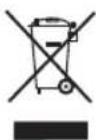
This symbol means that in case you wish to dispose of the product once its working life has ended, take it to an authorised waste agent for the selective collection of waste electrical and electronic equipment (WEEE)

This symbol indicates that the surface may heat up during use.
This appliance complies with Directive 2006/95/EC on Low Voltage, with Directive 2004/108/EC on Electromagnetic Compatibility, with Directive 2011/65/EC on restrictions on the use of certain dangerous substances in electrical and electronic appliances.
CENTRALE VAPEUR BXSS2200E
Cher Client,
Napatnpnoeic Tpiv tn xphon:
ApaipoeTe nV npoateutik Taivia ts oukeunc.
Ppoetoiaote Tn ouoKeun oUuWvA uE aeitoupyia Tou ΘeTe va xpnoiotoineTe:
Fmu ma e vepo:
Eiva aapaitno va exete ymuoi n deqauv n e vpo ia va uipopee va xnpoioihoet e atuo.
ApaipoeTo doxio TnC oukeunng Tnawvtac To koupi via va apiaepoTe to doxio (Tnou pbioketai ot n Bao n Tou doxieou n ymuote to doxio aTO to OTou ymuatoC (A).
- Γεμίστη έδεαμενή, μην Απερβαίνοντας το επίπεδo MAX (Fig.2)
TOTTOEETNOTE TNEEGAEVNIOTNV UTOOxN TNC KAI EBAIOWEITE OTI EXEI TOTOEETNEI OWAITA.
Xpno:
(OpHnHaJIHHnHCTpyKcH)
ББЛГAPСКИ
Ha HЯков Вьзраcteh YOBek ИлиakO npedВapntelno IMe o6racheHo KaK Tp8Ba Da n3NoJ3BaT ypeDa NO cnrypen Haunn I aKO pa3bnpaT CbueCTByBaUNTe pNCKOBe.
CbxaHbAte ypea n HeOBnT 3axpaHbAa KabeJ daJeu OT DoCTbNa Ha deca noJ 8 roDHH.
He n3noJ3BaIte ypeJa aKo e naJan, aKO mMa BnIMN NOBpeN INN TeU.
Temnepaypata Ha doctbHnTe NOBbpxHOCTM MoKe da 6bde BnCOKa, KOraTo ypeDbT pa6OTn.
Ako Bpb3KaTa KbM MpeXaTa e NOBpeDeHa, CJIeDbA He3a6aBHO da 6bJe NOpMeHHe. YpeBt CJIeDbA da ce 3aHece B yIbJIHOMOuE H cepBn3 3a TexHnuecka NOpDpBxKka. C cen n36yBaHe Ha npOn3WeCTBn, MOJr He NOpPabYte nII pa3rNo6BaYte ypeDa.
He octabraye ypea 6e3 Ha3Op, KOraTo e BkIIOueH KbM eJeKtpo3axpaHbaHeto.
Deuata He Tp6Ba Da nouchTbaT NIN N3BbPWBaT NOdPbKkTa Ha YpeDa, aKO Te He ca NoiHaD3opa Ha HAKO Bb3paCTeH YOBek.
To3n ypei He e irpaayka. H6nIoDaBaIe DeaTa, 3a da cTe cnrypHn, Ye He cn IrpaT Cypea.

ББЛГAPСКИ
NapHOTOrnaheE Bb3MOxHO BnHaN KOraToB pe3epBoapa NMa BOa N36paHata Tempepatya e nOxDxOJaIaTa.
YnpaBneHnHa nponotoKa:
YpeIbT No3B0JRA Ba Da ce UnpaBJIra B TaMnepaTyHnIa TNOTOK (E) n napoNtOKa (C). 3a peryInpaHe Ha napata H3No3BaMe ECO, a 3a Da hAmalim NOTpe6JeHneTo Ha eHeprna, KaTO CbXpaHm KaueCTBOTo Ha rJaDeHe, a NoLoXeHneTo MAX n3No3BaMe 3a Da noCTuHem MaKcIMaJIeH napoNtOK.
BepTKKaJIHo rJaIeHe:
C nomoHa Ta3n FyHKmro MoKeTe Da rnaHrte OKaehn nepdeta, dpexn noCTabeHN Bbpxy 3akaaykata mN T.H. 3a ceTn npoeDnpaTe NO CneHnHaHn:
- 36epete MaKcImaJIHATA TempepaTyHa IOTnra, KATO 3aBbPTnTE B NOCOKA Ha YacOBHmKOBaTA CTpeNka yCTpoIcTBOTO 3a ynpabNeHne Ha TemnepaTypa (Fig.2).
IpekapaIteIOTnTaOTropeDoDony,HaTnCKaIKynpabJIeHneTo3a napata.BAXKHO!:3a naMyK nJeHce npenOpbUbaOCHOBATA HaIOTnTa Da ce HAMnPAB DoNtC TbKaHTA.3a DpyrN,NO-deJIHKaTHN TbKaHNIpenOpbVbAME Da IbPxNTeIOTnTaHa HRAKOJIkoCAHTIMeTpA OCToRHe.
CnHaJIIN3aTOP npOTNB KOTJEn KaMbK:
Korato natpohbt npotnb KOTnK Kambk ce n3Hocn c Hana ra da 6bde noDMHeH, ha KOHTPOHTO Ta6no ue CBETHe IHdNkATOp (Fig.5), KOTo noka3Ba, ye natpohbt CneBda da ce noDMeHN. NocTabete HOBnA natpoh B HerOBOTO xpaHnIuSe n HATNCheTe 6yToHa RESET, 3a da 3aedeCTBaTe OTHOBO KOHTPonepa 3a ynotpe6a. IV3non3BaIte demHepaun3npaHa B0da, 3a da npOdbJXnTE yNOTpe6ata, KORATO natpohbt e n3HOceH.
Cnei npKIOUbaHe ynoTpe6aTa Ha ypeDa, HnpaBete CneHOTO:
- Изберете минималноюженье (MIN), посрдьом perулатopa за пара и Temперараза.
13KnHouTeToOT3axpaHbuaataMpeka.
I3JIeIte BOdaTAt oT pe3epBoapa.
IOnuInCTe ypea.
NouchTaHe
I3KJIyUeTe ypeDa OT 3axpaHbAuTa MpeKa n ro octaBeTe da ce OXnAn npedn da 3anOuHeTe da ro noYnCTBaTe.
Nocne ro noocyuwe.
3aNoCHCTBaHETo My He 3nOJI3BaIte pa3TBOpNTeIN npenapatnc KMCeJIInHeH INO OCHOBEN pH KaKTOp, KaTO 6eJInHa n a6pa3NBn IPOyKTu.
ББЛГAPСКИ
(OpHnHaJIHHnHnCTpyKun)
He notanraTe ypeDa BbB Boga nIIN dpyra TeuHocT, Hnto noCTabraTe noD KpaHa Ha YeMaTa.
KpaTko pBkoBOdCTBO 3a NouCTBaHe:
HanbIhTe pe3epBoaupeTo c npi6n3nteHIO 1 nITbp BOa. (He HAIINBaIte B pe3epBoaupeTo ouet nn dpyrnpa3TbOp 3a nouCTBaHe Ha OTnarHna).
BkIIOUeTe yCTPOINCTBOTo 3a INaIeHe nHaIaNaceTe peryNaTopa Ha TemnepaTpya Ha CTenH MIN.
NocTabeIOTnTaBOTBeCHOIIOJKeHHeHaIMNBkata HHaTNCHeTe BnpOdbJIKeHHe Ha1MHyTa6yToHa3a npa(C),cueJaN3nomnTeBODaT0pe3epBoapa KbM IOTnTa.
HaIacete TempeaTypaHa IOTnTa Ha CTeneH 2.
- NocTabeTe IOTnTa BbB BOIopabHNOIIOXeHHe HaIMBkata, KaTO npOdbJnxBaTe Da HATNCKaTe 6yToHa 3a napa (C) INeKo pa3Knauate HAnpei-Ha3aI IOTNrTa B npOdbJnxKeHHe Ha 1 MNHyTa.
I3KIIHcTe YcTPOcTBOTa rIJaHe OTeENeTpueckatMpeKa HnE3a6abHO IpokapaiTe HeKoIKoKpaTHO HABNaXHeHa NaMyHa KbPna No DoiHaTa Yact HaIOTnra. (Mon, HNKora Da He n3No13BaTe CTbPxuMaTepnaIN INN XmMueCKn PpoyKTn).
*IOBTopeTe IOUcHbHeTO MmHmym DbIbTN.
**C ueI yIbIgKaBaHe JxIBota Ha yCTpoiCTBOTO 3a rnaJeHe, npenOpbVbame Da n3BbpWbATE TAKOba noHCTBaHe BcEKn Meceu. Ako KxBeEte Ha MAcTo, KbDeTo BOata e IpeKaIeNo TBbpDa nInA kO 3a6eN3BaTe, Ye N0 Bpeme Ha rnaHeTo OT DOJHaTt auct Ha IOTnTa n3n3a BapOBVK, npinraIte No-YeCTo Ta3n FyHKun.
HennpabHocTn nonpaBka
B cnyaH ha Hn3npabHocT, ypebT cneBa da ce otHece B OTOpuHaH cepBn3. He ce onITbaTe da pa3rNo6BaTe ypeDa nI Da ro nonpaBte TOBa e onaCHO.
3a pa3HOBnDnOCTnTe EU Ha TOBa n3dJIne H/INn B cnya, npInoXm 3a BaWata CTpaHa:
Ona3BaHe Ha OKoJHaTa CpeJa n peuNKnIpaHe Ha N3deJIneTo.
MaTePnAnTe,OT KOnTo e n3pa6oTeH HactoIypeI ca npEdBnDeH B CnCTemata 3a Cb6npaHe, KLnacnФnKaun I peuKnnpaH He CbUnTe. Ako XeJaTe Da ce OcBO6OJte OT Tx, N3NoJ3BaJTe O6UeCTBeHIne KOHTeHepn, PnIroDEn 3a BCEKn OTDeHn BVn MaTePnAn.
I3dJIeIeTo He CbIbPka KOHcEHTpaCm Ha BeIecTba, KOnTO MOraT Da 6bDaT CyeTeHn 3a BpeHN 3a OKoJHaTa cpea.
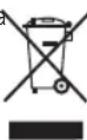
HaCToIaIIT CIMBOI O3HauBa, Ye aKO JeNaeTe Da ce ocBo6OdInTe OT n3DeJIneTo CNeI N3TuHaHe HA IIOE3HnMy XINBOT, CNEiDa Da TnpedeTe, Ype3 CbOTBeTHInTe CpeDCTBa, Ha OTOpN3UpaHO 3a N3bupateHNO Cb6pnaHe Ha eIEKTPuYeCKn ENEKTOPHNn OTNaDbun JInCe.

To3n CmB0J O3NaUaBa, Ye NOBbPxHocT Ta MoKe Da Ce 3aPeer No Bpeme Ha N3NoJI3BaHeTo Ha ypeJa.
HactoIyueN3nBnHraDnpeKTHBa 2006/95/ EC 3a Hnckn HnpeXeHn, DnpeKTHBa 2004/108/EC 3a eNeKTPomarHETnHO CbOTBeTCTBne nC DnpeKTHBa 2011/65/EU 3a OrpaHnueHnTa npuynOpTe6a Ha hAkon OnpedeHn OnaChn BeSeCTBa B eJeKtpueeCKn n eJeKTPoHHn anapATn.
TAPAHUNI IN TEXHNUECKN CEPBUN3
HactoIpynt npOdykT nMa 3aKOHHa rapaHnA, B CbOTBeCTBnE C DeNCTBaUTo 3aKHOdaTeNCTBO.AKO JeJaete Da ynpaxHnTe npabata CN Ha Notpe6nTe n CneBa Da ce HacOHTe KbM HAKOIT O HAINTE OTOpN3nPaHn CepBn3n.
Hai-6n3Kna Do Bac cepBm MoKeTe da oTkpuTe Ha cnEHNn nnHk: http://www.2helpu.com/
CbTaka,MOKeTe Da NoTpbcnte INHOpMauncBb3BaMn Ce C HAc (BnKTe Ha nocneHaTa CTpaHncaHa HapbYnka).
HapbUnka c yka3aHnna n HerOBnTe ocbBpeMeHraBaHn moKeTe da CbaNte Ha cnEHNHahtp://www.2helpu.com/.
| België/Belgique Stanley Black & Decker Belgium BVBA | www.blackanddecker.be |
| Egide Walschaertsstraat 16 | enduser.BE@SBDinc.com |
| 2800 Mechelen | Tel - NL. +32 15 47 37 65 |
| Tel - FR. +32 15 47 37 66 | |
| Bulgaria Stanley Black&Decker Polska Bucharest Branch | office.bucharest@sbdinc.com |
| Phoenicia Business Center | Tel. +4021.320.61.04. |
| Turturelior Street, No 11A, 6th Floor,Module 15, 3rd District. Bucharest (Romania) | |
| Česká Republika Stanley Black & Decker Czech Republic s.r.o. | www.blackanddecker.cz |
| Chodov Třúkova 2319/5b | recepce@blackanddecker.cz |
| 149 00 Praha 4 | Tel: 261 009 782 |
| Česká Republika | |
| Danmark Stanley Black & Decker Denmark | www.blackanddecker.dk |
| Roskildevej 22 | kundeservice.dk@sbdinc.com |
| 2620 Albertslund | Tel. 70 20 15 10 |
| Fax. 70 22 49 10 | |
| Deutschland Stanley Black & Decker Deutschland GmbH | www.blackanddecker.de |
| Black & Decker Str. 40, D - 65510 Idstein | infobfge@sbdinc.com |
| Tel. 06126 21-0 | |
| Fax 06126 21-2980 | |
| Ελλάδα Black & Decker ΕλλΑΣ | www.blackanddecker.gr |
| ΕΔPA-ΓΑΦΕΙΑ : Στράβωνος 7 & Λ. Bouλιαγμένης. | Greece Service@sbdinc.com |
| 166 74 Γλυφάδα - Αθήνα | Tηλ: 00302108981616 |
| SERVICE: Μιερος Tόπος 2 (Xάνι Αδάμ) - 193 00 Ασπρόπμρύς | Φαξ: 00302108983570 |
| España Engineering and Technology for Life Spain | www/blackanddecker.es |
| Avenida Barcelona s/n | service.spain@etforlife.com |
| 25790 Oliana (Lleida) | |
| France Engineering and Technology for Life France | www.blackanddecker.fr |
| 6 rue de l'Industrie | service.france@etforlife.com |
| Z.l des Sablons | |
| 89100 Sens | |
| Helvetia ROFO AG | www.blackanddecker.ch |
| Gewerbezone Seeblick | service@rofoag.ch |
| 3213 Kleinbosingen | Tel. 026 674 93 93 |
| Fax 026 674 93 94 | |
| Hungary Stanley Black & Decker Hungary Kft. | www.blackanddecker.hu |
| Meszaros u. 58/B | Tel: 1.6 225-1661 / 62 |
| 1016 Budapest (Hungary) | |
| Italia Stanley Black & Decker Italia | www.blackanddecker.it |
| Via Energypark 6 c/o Energypark Building 3 sud | service.italia@blackdecker.com |
| 20871 Vimercate (MB) | Tel. 800-213935 |
| Fax 039-9590313 | |
| Nederland Stanley Black & Decker Netherlands BV | www.blackanddecker.nl |
| Holtum Noordweg 35 | enduser.NL@SBDinc.com |
| 6121 RE BORN | Tel. +31 164 283 065 |
| Postbus 83. 6120 AB BORN | Fax +31 164 283 200 |
| Norge Stanley Black & Decker Norway AS | www.blackanddecker.no |
| Gullhaugveien 11, 0484 Oslo | kundeservice.no@sbdinc.com |
| PB 4613, Nydalen, 0405 Oslo | Tlf. 22 90 99 10 |
| Fax 45 25 08 00 |
| Österreich Stanley Black & Decker Austria GmbH Oberlaaerstraße 248, A-1230 Wien | www.blackanddecker.at service.austria@sbdinc.com Tel. 01 66116-0 Fax 01 66116-614 | |
| Polska Stanley Black & Decker Polska SP.z.o.o ul. Postepu 21D 02-676 Warszawa Polska | www.blackanddecker.pl reception.warsaw@sbdinc.com Tel: 22 4642700 | |
| Portugal Engineering and Technology for Life Portugal Avenida Rainha D. Amélia, n°12-B 1600-677 Lisboa | www.blackanddecker.pt service.portugal@etforlife.com | |
| Romania Stanley Black&Decker Polska Bucharest Branch Phoenicia Business Center Turturelelor Street, No 11A, 6th Floor,Module 15, 3rd District. Bucharest (Romania) | office.bucharest@sbdinc.com Tel. +4021.320.61.04. | |
| Slovenija G-M&M, proizvodnja in marketing, d.o.o. Brvace 11 1290 Grosuplej (Slovenija) | G-M&M, proizvodnja in marketing, d.o.o. Brvace 11 1290 Grosuplej (Slovenija) | |
| Suomi Stanley Black & Decker Finland Oy Kumpulantie 13B, 00520 Helsinki PL 47, 00521 Helsinki | www.blackanddecker.fi asiakaspalvelu.fi@sbdinc.com Puh. 010 400 43 33 Faksi 0800 411 340 | |
| Sverige Stanley Black & Decker Sweden AB Flöjelbergsgatan 1c, 431 35 Mölndal Box 94, 431 22 Mölndal | www/blackanddecker.se kundervice.se@sbdinc.com Tel. 031-68 60 60 Fax 031-68 60 80 | |
| United Kingdom & Republic Of Ireland | "Black & Decker Slough, Berkshire SL1 3YD 210 Bath Road " | www.blackanddecker.co.uk emeaservice@sbdinc.com Tel. 01753 511234 |
1
1
一
一

- Description
- SAFETY ADVICE AND WARNINGS
- ENGLISH
- (Original instructions)
- Use and care:
- Service:
- Instructions for use
- Before use:
- Filling with water:
- Use:
- Dry ironing:
- Steam Ironing:
- Steam flow control:
- Vertical steaming
- Anti-scale warning:
- Once you have finished using the applian
- ce:
- Cleaning
- Anomalies and repair
- WARRANTY AND TECHNICAL ASSISTANCE
- For EU product versions and/or in the case that it is requested in your country: Ecology and recyclability of the product
- CENTRALE VAPEUR BXSS2200E
- Cher Client,
- Napatnpnoeic Tpiv tn xphon:
- Fmu ma e vepo:
- Xpno:
- ББЛГAPСКИ
- YnpaBneHnHa nponotoKa:
- BepTKKaJIHo rJaIeHe:
- CnHaJIIN3aTOP npOTNB KOTJEn KaMbK:
- Cnei npKIOUbaHe ynoTpe6aTa Ha ypeDa, HnpaBete CneHOTO:
- NouchTaHe
- (OpHnHaJIHHnHnCTpyKun)
- HennpabHocTn nonpaBka
- Ona3BaHe Ha OKoJHaTa CpeJa n peuNKnIpaHe Ha N3deJIneTo.
- TAPAHUNI IN TEXHNUECKN CEPBUN3
Brand : BLACK & DECKER
Model : BXSS2200E
Category : Iron