ManualGo.com
DW030PLXJ - Laser pointer DEWALT - Free user manual and instructions
Find the device manual for free DW030PLXJ DEWALT in PDF.

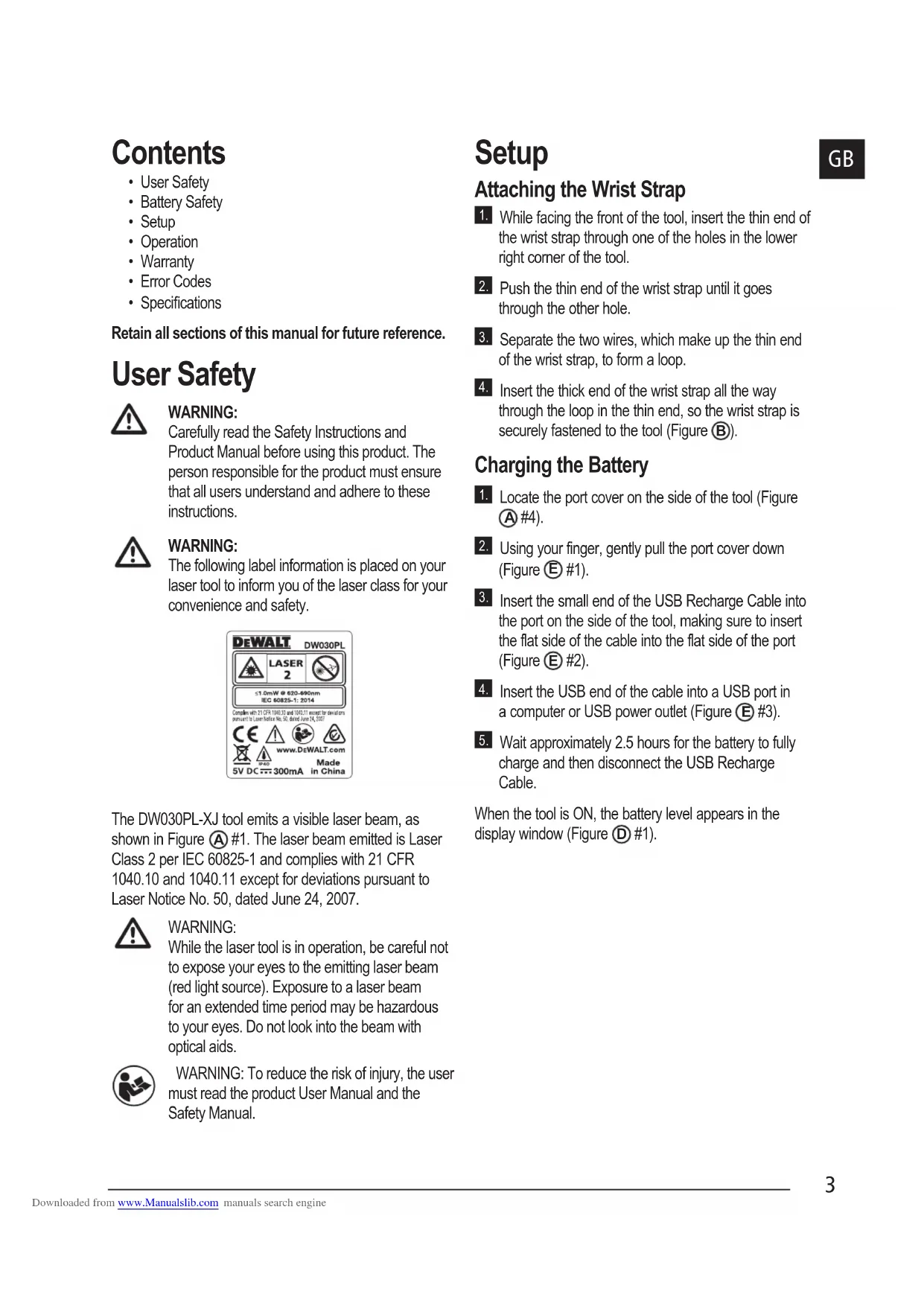


| Technical specifications | Measurement range: 0.05 to 30 m |
|---|---|
| Measurement accuracy | ± 2 mm |
| Laser type | Red laser |
| Features | Distance measurement, surface and volume calculation |
| Usage | Ideal for construction, renovation, and interior decoration work |
| Power supply | 2 x AAA batteries |
| Dimensions | Compact and lightweight for easy handling |
| Maintenance | Regularly clean the lens, check battery condition |
| Safety | Do not look directly at the laser beam, use protective glasses if necessary |
| General information | 3-year warranty, CE certification |
Frequently Asked Questions - DW030PLXJ DEWALT
Download the instructions for your Laser pointer in PDF format for free! Find your manual DW030PLXJ - DEWALT and take your electronic device back in hand. On this page are published all the documents necessary for the use of your device. DW030PLXJ by DEWALT.
USER MANUAL DW030PLXJ DEWALT
Please read these instructions before operating the product. www.2helpU.com
Downloaded from www.Manualslib.com manuals search engineA
1.89m Downloaded from www.Manualslib.com manuals search engine3
- Specications Retain all sections of this manual for future reference. User Safety
Carefully read the Safety Instructions and Product Manual before using this product. The person responsible for the product must ensure that all users understand and adhere to these instructions.
The following label information is placed on your laser tool to inform you of the laser class for your convenience and safety. The DW030PL-XJ tool emits a visible laser beam, as shown in Figure
#1. The laser beam emitted is Laser Class 2 per IEC 60825-1 and complies with 21 CFR 1040.10 and 1040.11 except for deviations pursuant to Laser Notice No. 50, dated June 24, 2007.
While the laser tool is in operation, be careful not to expose your eyes to the emitting laser beam (red light source). Exposure to a laser beam for an extended time period may be hazardous to your eyes. Do not look into the beam with optical aids.
WARNING: To reduce the risk of injury, the user
must read the product User Manual and the Safety Manual. Setup Attaching the Wrist Strap
While facing the front of the tool, insert the thin end of the wrist strap through one of the holes in the lower right corner of the tool.
Push the thin end of the wrist strap until it goes through the other hole.
Separate the two wires, which make up the thin end of the wrist strap, to form a loop.
Insert the thick end of the wrist strap all the way through the loop in the thin end, so the wrist strap is securely fastened to the tool (Figure
Charging the Battery
Locate the port cover on the side of the tool (Figure
Using your finger, gently pull the port cover down (Figure
Insert the small end of the USB Recharge Cable into the port on the side of the tool, making sure to insert the flat side of the cable into the flat side of the port (Figure
Insert the USB end of the cable into a USB port in a computer or USB power outlet (Figure
Wait approximately 2.5 hours for the battery to fully charge and then disconnect the USB Recharge Cable. When the tool is ON, the battery level appears in the display window (Figure
Point the laser at the top of the tool (Figure A #1) toward the wall whose distance you need to measure (Figure #1). Click (Figure #3) to turn the tool on and display a laser dot on the wall (Figure #1). When the bottom of the tool is positioned at the correct distance from the wall, click to take the measurement (Figure #2). View the measurement on the display window (Figure #2). Changing the Unit of Measure Once the current measurement is taken, you can change the unit of measure from decimal ft (6.21 ft) to fractional ft (6'02"9/16), fractional ft to meters (1.894 m), meters to inches (74 9/16 in), or inches to decimal ft.To change the unit of measurement, press and hold until you see the measurement change (2-3 seconds).NOTE: If you continue to hold after the measurement changes, the tool will turn off. Re-measuring If you need to take a new measu ement, click . • The previous measurement (Figure #2) will be cleared from the display window.• When you are ready to take the new measurement, click
Turning Off the Tool The tool can be turned off in either of these ways: • After taking a measurement, press and hold for 5 seconds (until the display window clears).• If you do not use the tool for 45 seconds, it will automatically turn off. Three Year Limited Warranty DeWALT will repair, without charge, any defects due to faulty materials or workmanship for three years from the date of purchase. This warranty does not cover part failure due to normal wear or tool abuse. For further detail of warranty coverage and warranty repair information, visit www.DeWALT.com or call 1–800–4-DeWALT (1–800–433–9258).This warranty does not apply to accessories or damage caused where repairs have been made or attempted by others. This warranty gives you specific legal rights and you may have other rights which vary in certain states or provinces.In addition to the warranty, DeWALT tools are covered by our:
DeWALT will maintain the tool and replace worn parts caused by normal use, for free, any time during the first year after purchase.
90 DAY MONEY BACK GUARANTEE
If you are not completely satisfied with the performance of your DeWALT Power Tool, Laser, or Nailer for any reason, you can return it within 90 days from the date of purchase with a receipt for a full refund - no questions asked.RECONDITIONED PRODUCT: Reconditioned product is covered under the 1 Year Free Service Warranty. The 90 Day Money Back Guarantee and the Three Year Limited Warranty do not apply to reconditioned product.FREE WARNING LABEL REPLACEMENT: If your warning labels become illegible or are missing, call 1-800-4-DeWALT or visit your local service center for a free replacement. Downloaded from www.Manualslib.com manuals search engine5
Protecting the Environment Separate collection. This product must not be disposed of with normal household waste. Should you nd one day that your DeWALT product needs replacement, or if it is of no further use to you, do not dispose of it with household waste. Make this product available for separate collection. Separate collection of used products and packaging allows materials to be recycled and used again. Re-use of recycled materials helps prevent environmental pollution and reduces the demand for raw materials. Local regulations may provide for separate collection of electrical products from the household, at municipal waste sites or by the retailer when you purchase a new product. DeWALT provides a facility for the collection and recycling of DeWALT products once they have reached the end of their working life. To take advantage of this service please return your product to any authorised repair agent who will collect them on our behalf. You can check the location of your nearest authorised repair agent by contacting your local DeWALT ofce at the address indicated in this manual. Alternatively, a list of authorised DeWALT repair agents and full details of our after-sales service and contacts are available on the Internet at: www.2helpU.com. Downloaded from www.Manualslib.com manuals search engine6
Error Codes If INFO appears on the display window with a Code number, perform the corresponding Corrective Action. Code Description Corrective Action 101 Received Signal Too Weak, Measuring Time Too Long Use the target plate or change the target surface. 102 Received Signal Too High Target is too reective. Use the target plate or change the target surface. 201 Too Much Background Light Reduce the background light on the target area. 202 Laser Beam Interrupted Remove the obstacle and repeat the measurement. 203 Insufcient Power Recharge the tool's battery. 301 Temperature Too High Allow the device to cool down to a temperature within the specied Operating Temperature Range. 302 Temperature Too Low Allow the device to warm up to a temperature within the specied Operating Temperature Range. 401 Hardware Error Switch the device on/off several times. If the error still occurs, return the defective device to the Service Center or distributor. Refer to the Warranty. 402 Unknown Error Contact the Service Center or distributor. Refer to the Warranty. Downloaded from www.Manualslib.com manuals search engine7
Specications Range 17.5cm to 9m (7in to 30ft) Measuring Accuracy* Typically ± 6mm (± 1/4in)* Resolution** 1mm (1/16in)** Laser Class Class 2 (IEC/EN60825-1: 2014) Laser Wavelength ≤ 1.0mW @ 620-690nm Auto Power Switch-off After 45s Battery Life Up to 3000 Measurements or 30 days (if the tool is not used) Dimension (H x D x W) 62 x 17.5 x 32mm (2.44 x .69 x 1.25in) Weight 31.75g (1.12oz) Storage Temperature Range -10° C ~ +60 C (14° F ~ 140° F) Operating Temperature Range 0° C ~ +40° C (32° F ~ 104° F)
Measuring Accuracy depends on the current conditions. Under favorable conditions (good target surface and room temperature) up to 9m (30ft). **Resolution is the nest measurement you can see. In inches, that is 1/16". In mm, that is 1mm. Downloaded from www.Manualslib.com manuals search engineD
Downloaded from www.Manualslib.com manuals search engine59
May 2017 Downloaded from www.Manualslib.com manuals search engine