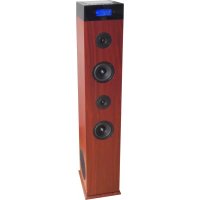
TSPK990CDBT - Radio ROADSTAR - Free user manual and instructions
Find the device manual for free TSPK990CDBT ROADSTAR in PDF.

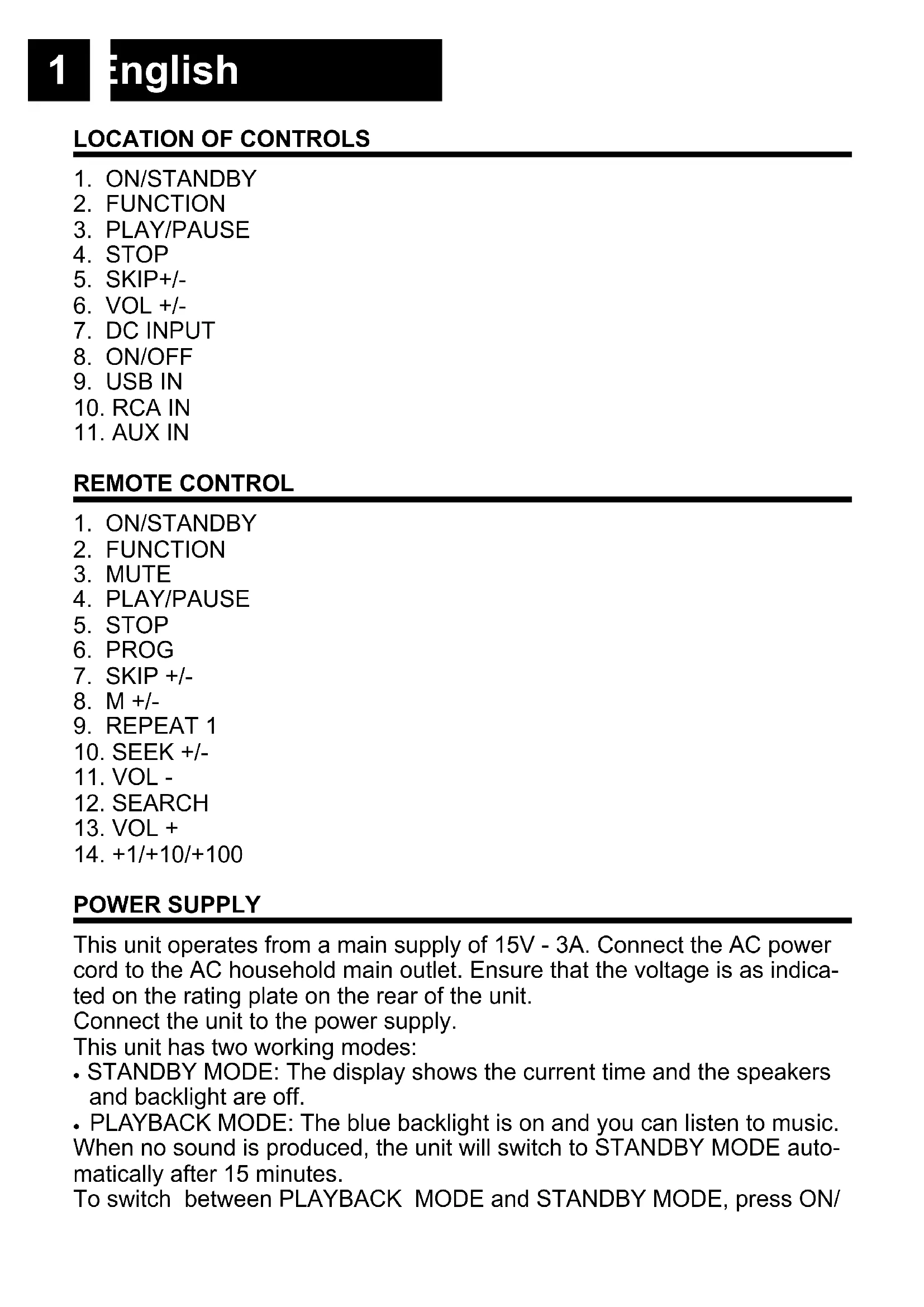


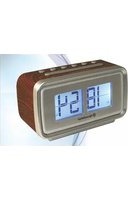
| Product type | Radio with CD player, Bluetooth, USB, AUX |
| Brand | ROADSTAR |
| Model | TSPK990CDBT |
| Power supply | 15V - 3A (mains adapter included) |
| FM range | 87.5 - 108 MHz |
| Number of radio presets | 20 stations |
| CD playback formats | Audio CD, CD-R, CD-RW (with MP3 files) |
| Bluetooth function | Yes, device name: TSPK-990CDBT |
| AUX input | 3.5 mm jack socket for external devices |
| USB port | MP3 file playback |
| CD programming | Up to 20 tracks |
| Repeat modes | Repeat one track (REPEAT 1) or all (REPEAT ALL) |
| Display | Digital display with clock |
| Auto standby function | Standby mode after 15 minutes of no playback |
| Cleaning | Use a soft, dry cloth. Do not use abrasive products. |
| Safety instructions | Do not expose to moisture, rain, direct sunlight or heat sources. Do not open the casing. |
| Spare parts / Repairability | Contains no user-serviceable parts. Call a qualified technician. |
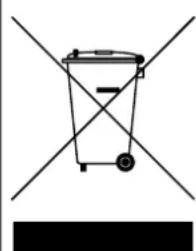
| Disposal | Do not dispose of with household waste. Recycle in accordance with WEEE regulations. |
Frequently Asked Questions - TSPK990CDBT ROADSTAR
User questions about TSPK990CDBT ROADSTAR
0 question about this device. Answer the ones you know or ask your own.
Ask a new question about this device
Download the instructions for your Radio in PDF format for free! Find your manual TSPK990CDBT - ROADSTAR and take your electronic device back in hand. On this page are published all the documents necessary for the use of your device. TSPK990CDBT by ROADSTAR.
USER MANUAL TSPK990CDBT ROADSTAR
- Your new unit was manufactured and assembled under strict ROADSTAR quality control. Thank-you for purchasing our product for your music enjoyment. Before operating the unit, please read this instruction manual carefully. Keep it also handy for further future references.
This unit operates from a main supply of 15V - 3A. Connect the AC power cord to the AC household main outlet. Ensure that the voltage is as indicated on the rating plate on the rear of the unit.
Connect the unit to the power supply.
This unit has two working modes:
- STANDBY MODE: The display shows the current time and the speakers and backlight are off.
- PLAYBACK MODE: The blue backlight is on and you can listen to music. When no sound is produced, the unit will switch to STANDBY MODE automatically after 15 minutes.
To switch between PLAYBACK MODE and STANDBY MODE, press ON/
STANDBY (1) (1 on remote control).
SETTING THE CORRECT TIME
In STANDBY mode:
- Press and hold SKIP+ (5) (7 on remote). 12/24 digits will flash on the display. Press SKIP- (5) (7 on remote) repeatedly to set the correct hour. Press SKIP+ (5) (7 on remote) again to confirm.
- The hour digits will flash on the display. Press SKIP- (5) (7 on remote) repeatedly to set the correct hour. Press SKIP+ (5) (7 on remote) again to confirm.
- The minute digits will flash on the display. Press SKIP- (5) (7 on remote) repeatedly to set the correct minute. Press SKIP+ (5) (7 on remote) again to confirm.
FM MODE
Select FM mode using FUNCTION SELECTOR (2) (2 on remote).
Select a station using one of the following methods:
- AUTO: Long pressing SKIP+/- (5) (7 on remote) for 2 seconds or more, the frequency changes down or up automatically until a station is found.
- MANUAL: Repeatedly press SKIP+/- (5) (7 on remote) to change the frequency until you find the station you want.
FM PRESET
You can program a maximum of 20 preset radio stations.
- Select your favourite station using Manual or Automatic mode.
- Press and hold PROG (6 on remote). P01 will appear on display. Press SEEK +/- (10 on remote) to select the preset number. Press PROG (6 on remote) to confirm.
- Press M +/- (8 on remote) to navigate through the presets.
PLAYING COMPACT DISC
- Select CD mode using FUNCTION SELECTOR (2) (2 on remote).
- Place a cd with the printed side facing up inside the tray, then close the cd door. The first track will start playback.
- Press SKIP -/+ (5) (7 on remote) to select your favorite tunes. If you hold SKIP -/+ (5) (7 on remote), the playing track will go fast backward or forward until you release the button.
- Press PLAY/PAUSE (3) (4 on remote) to pause the playback. The track number will start blinking. Press PLAY/PAUSE (3) (4 on remote) again to resume the playback.
- Press STOP (4) (5 on remote) to stop the playback.
3
English
• Repeatedly press ID3 (23 on remote) to show the following informations: file/album/song/artist.
REPEAT MODE
During playback, repeatedly press REPEAT 1 (9 on remote) to select: The current track is played repeatedly.
During playback, repeatedly press REPEAT ALL (9 on remote) to select: All tracks are played repeatedly.
CD PROGRAMMING
You can program up to 20 tracks to play in any desired order.
- Insert a disc and press STOP (4) (5 on remote) when it starts playing.
- Press PROG (6 on remote). "P01" will be shown on the display.
- Press SKIP -/+ (5) (7 on remote) to select your favorite tunes.
- Press PROG (6 on remote) to store the track in the program memory.
- Repeat steps 3-4 to select and store all desired tracks.
- Press PLAY/PAUSE (3) (4 on remote) to start program play.
- Press STOP (4) (5 on remote) once to stop the program play. Press STOP (4) (5 on remote) twice to clear programme.
AUX-IN
This unit provides an auxiliary audio input jack and RCA for connecting external audio device like MP3 players, CD players and allow playback of your external source through the system speakers.
-
Use an audio cable (not included) with a 3,5mm plugs or RCA on one end of the cable. Plug one end into the AUX-IN jack on the main unit and plug the other end of the cable into the LINE OUT or HEADPHONE Jack of your external audio device.
-
Turn ON the unit and your external audio device. Select AUX mode using FUNCTION SELECTOR (2) (2 on remote).
-
Start to play the external device (see the user manual of the external device).
BLUETOOTH OPERATION
- Select BT mode using FUNCTION SELECTOR (2) (2 on remote).
- Select from your portable device (Smartphone, Tablet...) the ID Bluetooth tagged as TSPK-990CDBT, then confirm connection.
- When the pairing is successful the LCD will stop blinking.
- Now you can transfer the music to the TSPK-990CDBT and all operations can only be operated from your mobile device.
PLAYBACK FROM USB
- Insert the USB device's plug into the USB socket.
- Select USB mode using FUNCTION SELECTOR (2) (2 on remote).
- The unit will start reading the device automatically after the connection.
- Use the same procedure as CD to listen to your USB device.
SPECIFICATIONS
AC: 15V - 3A
FM: 87.5 - 108 MHz
Specifications and the design are subject to possible modifications without notice due to improvement.
-WARNINGS

The exclamation point within the triangle is a warning sign alerting the user of important instructions accompanying the product.

The lightening flash with arrowhead symbol within the triangle is a warning sign alerting the user of “dangerous voltage” inside the unit.
To reduce the risk of electric shock, do not remove the cover. No user serviceable parts inside the unit. Refer all servicing to qualified personnel.
This unit operates on 230V \~ 50Hz. If the unit is not used for a long period of time, remove the plug from the AC mains.

Ensure all connections are properly made before operating the unit.

This unit must not be exposed to moisture or rain.

This unit should be positioned so that it is properly ventilated. Avoid placing it, for example, close to curtains, on the carpet or in a built-in installation such as a bookcase.
Do not expose this unit to direct sunlight or heat radiating sources.
natural_image
Simple line drawing of a trash bin with two crossed lines and a black bar below (no text or symbols)CORRECT DISPOSAL OF THIS PRODUCT (Waste Electrical & Electronic Equipment)
This marking shown on the product or its literature, indicates that it should not be disposed with other household wastes at the end of its working life. To prevent possible harm to the environment or human health from uncontrolled waste disposal, please separate this from other types of wastes and recycle it responsibly to promote the sustainable reuse of material resources. Household users should contact the retailer where they purchased this product, or their local government office, for details of where and how they can take this item for environmentally safe recycling. Business users should contact their supplier and check the terms and conditions of the purchase contract. This product should not be mixed with other commercial wastes for disposal.
LAGE DER BEDIENELEMENTE
- ON/STANDBY
- FUNCTION
- PLAY/PAUSE
- STOP
- SKIP+/-
- VOL +/-
- DC INPUT
- ON/OFF
- USB IN
- RCA IN
- AUX IN
FERNBEDIENUNG
- ON/STANDBY
- FUNCTION
- MUTE
- PLAY/PAUSE
- STOP
- PROG
- SKIP +/-
- M +/-
- REPEAT 1
- SEEK +/-
- VOL -
- SEARCH
- VOL +
- +1/+10/+100
ENERGIEVERSORGUNG
Select a station using one of the following methods:
- Long pressing SKIP -/+ (5) (7 fernbedienung) for 2 seconds or more, the frequency changes down or up automatically until a station is found.
- Repeatedly press SKIP -/+ (5) (7 fernbedienung) to change the frequency until you find the station you want.
PRESET
natural_image
Simple line drawing of a trash bin with two crossed lines indicating no text or symbols (no text or labels)KORREKTE ENTSORGUNG DIESES PRODUKTS (Elektromüll)
natural_image
Simple line drawing of a trash bin with two crossed lines and a black bar below (no text or symbols)natural_image
Simple line drawing of a trash bin with two crossed lines and a black bar below (no text or symbols)natural_image
Simple line drawing of a trash bin with two crossed lines and a black bar below (no text or symbols)natural_image
Simple line drawing of a trash bin with two crossed lines and a black bar below (no text or symbols)CORRECTE AFVALVERWERKING VAN HET PRODUCT (elektrisch en elektronisch afval)
natural_image
Simple line drawing of a trash bin with two crossed lines and a black bar below (no text or symbols)natural_image
Simple line drawing of a trash bin with two crossed lines and a blank rectangular bar below (no text or symbols)Roadstar Management SA, via Passeggiata 7 CH 6883 Novazzano (Switzerland)

- SETTING THE CORRECT TIME
- In STANDBY mode:
- FM MODE
- FM PRESET
- PLAYING COMPACT DISC
- 3
- English
- REPEAT MODE
- CD PROGRAMMING
- AUX-IN
- BLUETOOTH OPERATION
- PLAYBACK FROM USB
- SPECIFICATIONS
- -WARNINGS
- CORRECT DISPOSAL OF THIS PRODUCT (Waste Electrical & Electronic Equipment)
- LAGE DER BEDIENELEMENTE
- FERNBEDIENUNG
- ENERGIEVERSORGUNG
- PRESET
- KORREKTE ENTSORGUNG DIESES PRODUKTS (Elektromüll)
- CORRECTE AFVALVERWERKING VAN HET PRODUCT (elektrisch en elektronisch afval)
Brand : ROADSTAR
Model : TSPK990CDBT
Category : Radio