USER MANUAL Kids Tab BB8252 BIGBEN INTERACTIVE
Thank you for purchasing the Bigben Interactive KIDS TAB. Please keep this instruction manual for future reference. If you require any assistance or help please contact www.bigben.eu/support.
WARRANTY:
This product bearing the Bigben Interactive trademark, is guaranteed by the manufacturer for a period of 1 year from the date of purchase, and will, during this period be replaced with the same or a similar model, at our option, free of charge, if there is a defect due to faulty material, or workmanship. This guarantee does not cover defects arising from accidental damage, misuse or wear and tear, and is available only to the original purchaser of the product. This does not affect your statutory rights.
PRODUCT FEATURES:
• Additional contents for kids with games
- HDMI video output for full screen game support, internet browsing and media viewing
• Wi-Fi and Bluetooth connectivity
- Expandable storage via Micro SD
- Multiformat compatibility for video, audio and photo
PRODUCT CONTENTS:
• KIDS TAB 7 inch tablet
- Protective Silicon Bumper
- 5V - 2A AC power adaptor
- USB to micro USB cable for data transfer
- Stickers
- Set up guide
SPECIFICATIONS OF THE KIDS TAB:
- Android 4.4.2 operating system
• Action ATM7021 (1.2 GHz) Cortex A9 CPU Dual Core
• GPU: POWER VR SGX 540
• RAM memory: 1Gb DDR3 Dual Channel
- Storage capacity: 4Gb
- Micro memory card reader SD/SDHC up to 32Gb
- Communication: Bluetooth® 3.0, WiFi 802.11 b/g/n
- Dual cameras
- Directional sensor
• HDMI 1080p mini port
- Integrated loud speaker and microphone
CHARGING
Before using the KIDS TAB, please ensure that the internal battery is fully charged.
- Connect the supplied AC adaptor to the power input connection on the edge of the tablet.
- The screen will then indicate that the tablet is charging.
- Charging should be completed within 2-3 hours.
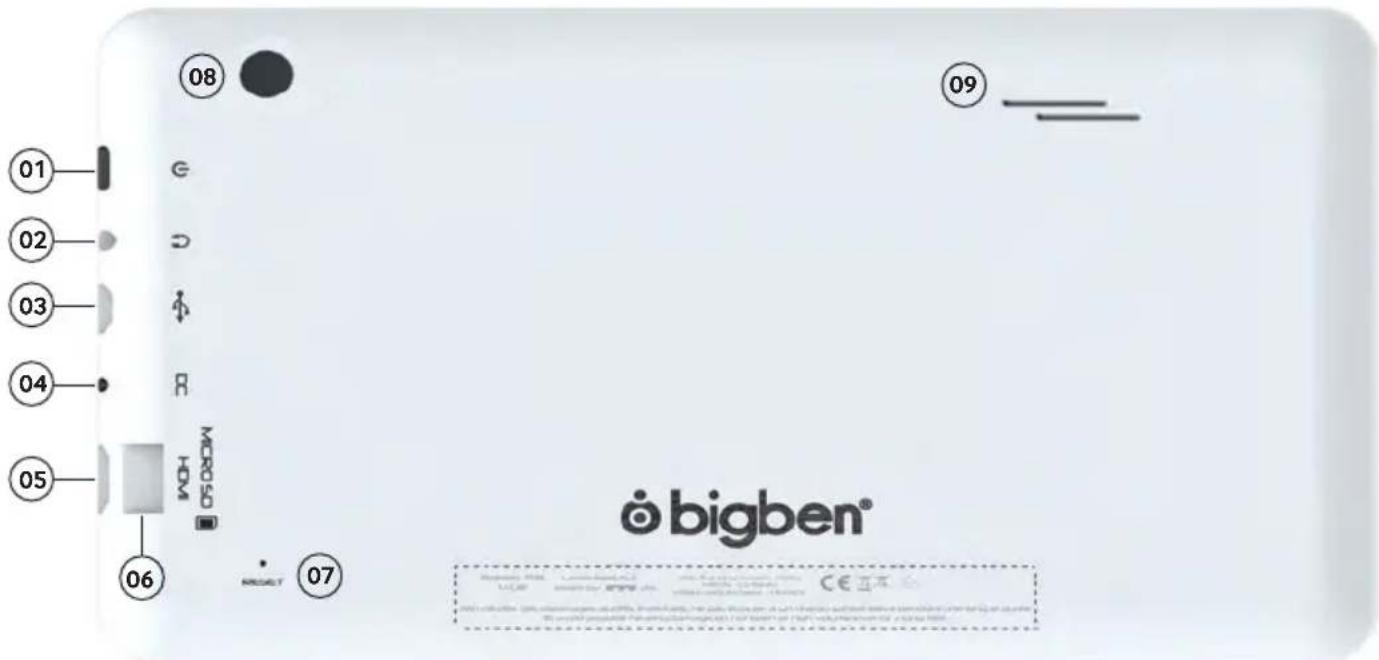
OVERVIEW
text_image
01
02
03
04
05
06
07
08
09
© bigben®
- Power button
- 3.5mm earphone socket
- Micro USB connector
- Power socket (DC)
- Mini HDMI socket
- Micro SD card slot
- RESET button
- Rear camera
- Built-in speaker
POWERING ON
To switch on your KIDS TAB, simply press and hold the power button, on the edge of the tablet. When loading is complete you will see the welcome screen. Follow the onscreen instructions to familiarise yourself with the system. On any future power on you will see the lock screen. Drag the 'locked symbol to the right side to unlock the screen. When the screen is unlocked you will see the home screen. You can configure your tablet from here by entering the settings option. This will allow you to set your language, Wi-Fi settings and set up your Google account. You MUST set up a Google account in order to use Google Play to download apps and games. This will also involve creating a Gmail account. If you already have a Google account, you can retrieve it and use it on your KIDS TAB by inputting your Gmail address and password. Once this is set up, you are ready
To power off and put into standby mode simply press and release the power button.
To power off completely, press and hold the power button and select the 'Power Off' option on the screen.
ABOUT APPLICATIONS
Some applications have been installed on your tablet for your convenience.
You can also download and install additional applications from Google Play store
To open an application, touch the application icon.
SETTINGS CHANGES
The settings option allows you to make various changes and connections on your KIDS TAB
a) Language
You can select your preferred language using this setting option. To change the language used on your tablet, use the following steps:
- Press on the settings icon on the home page
- Press on the Language & input
- Press on the Language option. Default is always English.
- Select the language you want by scrolling through the list.
Now your KIDS TAB will use the selected language.
You can also specify the default KEYBOARD & INPUT METHODS from this page. Press on the Default option to select the keyboard type you want. The keyboard will be set up correctly according to your selected language, but you can change it for another preference if you wish.
b) Wi-Fi
To get an Internet connection on your KIDS TAB, a Wi-Fi Connection is required. To setup your connection, use the following steps:
- Press on the settings icon on the home page
- Slide the Wi-Fi switch on the right so it is in the ON position.
- Wait a moment while your KIDS TAB scans your environment to display all the Wi-Fi networks available.
- Select the desired Wi-Fi network.
- The KIDS TAB will directly connect if no security password is requested. If a password is required, a window will open and you will need to enter the correct code for your protected network. Follow the onscreen instructions to complete the set up.
c) Date and Time
To set the date and time use the following steps:
- Press on the settings icon on the home page
- Un-tick the automatic date, time and time zone options
- Set the time zone to your region
- Set the date to the correct day, month and year
- You can also change the date and time format.
- Once his is done you can then tick the automatic date, time and time zone options so the time stays in sync with the internet.
TRANSFER DATA
To transfer data into your KIDS TAB, you can use any of the following methods:
- Via USB cable
- Via Bluetooth
- Via SD card
a) Transferring with USB
To transfer files from a computer, use the following steps:
- Connect the supplied Micro USB cable to the USB port on the KIDS TAB and to your computer
• The name of your tablet is BB8252
- The screen will advise that USB is connected. Press the 'Turn on USB storage' option to connect.
- An External device will then be detected by your computer.
- Copy and paste your selected files into the correct folders.
The content used by the Android system is arranged in different folders. These are the different folders for your media:
- DCIM: contain pictures and movies taken with the built-in camera.
- Music
- Movies
- Download
You can access these folders using the 'Explorer'
b) Transferring with Bluetooth
The KIDS TAB is compatible with the Bluetooth 3.0 technology.
The name of your tablet is «Bigben-TAB»
To setup your Bluetooth connection, use the following steps:
- Press on the settings icon on the home page.
- Slide the Bluetooth switch to the right in the ON position.
- Press on the Bluetooth option
- To add a device, press on 'SEARCH FOR DEVICES'
- A list of the available devices will be displayed. Select your chosen device and follow the instructions on the screen.
A passkey may be displayed on the KIDS TAB screen and on the screen of the other device. You will need to select 'Pair' on both devices to compete the connection.
c) Transferring with an SD card
- To transfer files using an SD, firstly copy your required fi les onto the SD card from your computer.
- Insert the SD card into the KIDS TAB. Make sure that the blank side is facing towards the back of the tablet.
The slot is sprung so make sure that you push it fully into position so it locks.
- Press the apps icon on the home page.
- Select the file manager \ explorer.
- Select the SD card option to view the files on the card.
- Press and hold the file until you get an options menu appear.
- Select the copy option and then press the home option in the file manager \ explorer.
- Select the folder you wish to copy to.
- Select the 'paste' option to copy the fi le. Your fi le will now copy to that folder.
- To remove the SD card, firstly un-mount the card from the settings menu. To so this go to settings\ storage\ un-mount SD card.
- When this is done, push on the top of the card to release it from the locking mechanism. Be careful when removing it so you don't lose it.
HDMI OUTPUT
The KIDS TAB has a Mini HDMI output. The screen of your tablet can be duplicated on your HDTV with a resolution up to 1080p if you connect the appropriate HDMI cable between your KIDS TAB and your TV. This cable is sold separately. Simply attach the Mini HDMI plug to the HDMI socket on the tablet and attach the full size HDMI connector to your TV.
NOTE: To have an optimum performance, it is not advised to use the HDMI function simultaneously with the AC adapter.
BACKUP & RESET
The Android system of your KIDS TAB allows you to back up your data including Apps, Wi-Fi passwords and other settings to the Google servers.
To save information, use the following steps:
- Press on the settings icon on the home page
- Press on 'Backup & reset' option
- A tick should appear next to this option to confirm it is set.
- If you need to restore any data for your account, ensure that the 'Automatic restore' option is also ticked.
- If, for any reason, you need to reset the Factory data, press on 'Factory data reset'
NOTE: This action will erase all data from your tablet's internal storage. Your tablet will then reset and start like it is new.
When you reinstall your apps again, your app settings and data should be restored assuming that you used the exact same
Google account and that the app supports the back-up feature.
Note that this feature DOES NOT backup your photos, music, videos etc. It is recommended that you back this data up to your computer via USB or SD card.
If in the unlikely event you experience any crashes or lock ups, there is a reset switch on the rear of the KIDS TAB.
Insert a thin object into the hole to perform a reset. The KIDS TAB will power off and restart. This reset WILL NOT delete any software from your device.
TROUBLESHOOTING
The KIDS TAB switches off during use.
- The battery level could be low, plug the AC adaptor for charging.
- Ensure that the sleep mode, (in the display settings), is not set to a short time period (i.e. 15 seconds).
The KIDS TAB does not switch on
- Press and hold the power button for 5 seconds.
- Connect the AC adaptor and press and hold the power button for 5 seconds. If the battery is fully discharged then it could take several minutes before you can use the tablet.
I have connected the AC Adaptor but the KIDS TAB is not charging.
- Ensure that you have correctly connected the AC adaptor into the DC socket.
- The battery is fully discharged. It can take several minutes before you can use the tablet.
The image on my TV is not good when I am using a HDMI cable.
- Try to change the resolution of the HDMI output in the HDMI settings. If the selected resolution is not appropriate for your TV screen.
The applications are slower than usual.
- Ensure that you close all of your previous APPS used. Press on the 'recent applications' button, in the Navigation bar, and remove them from the list.
- Switch off your KIDS TAB completely and switch it back on. Your tablet needs to be restarted occasionally to keep the best performance as possible.
The touch screen of the KIDS TAB is less sensitive.
- Ensure that the screen and your fingers are clean.
The KIDS TAB shows some error messages during use.
- Ensure that your Internet connection is ON and you are connected to the correct Wi-Fi network. Use another device to check your Internet connection.
The KIDS TAB cannot be connected to the Wi-Fi.
- Ensure that your Internet connection is ON and you are connected to the correct Wi-Fi network. Use another device to check your Internet connection.
- Ensure that you use the correct security key for your Wi-Fi network. Go into the Wi-Fi settings, press on the desired connection and select the option 'Forget'. Select it again and type your security key.
The KIDS TAB has no response.
- Press the reset button on the back to switch off the KIDS TAB. If the problem continues, please contact the technical helpline.
- The stability of the system could be compromised by some third-party applications, uninstall them and restart your KIDS TAB
For further instructions, please contact our technical helpline. See details in the 'Technical Helpline Information' section.
IMPORTANT HEALTH WARNING: PHOTOSENSITIVE SEIZURES
A very small percentage of people may experience a seizure when exposed to certain visual images, including flashing lights or patterns that may appear in video games. Even people with no history of seizures or epilepsy may have an undiagnosed condition that can cause “photosensitive epileptic seizures” while watching video games. Symptoms can include light-headedness, altered vision, eye or face twitching, jerking or shaking of arms or legs, disorientation, confusion, momentary loss of awareness, and loss of consciousness or convulsions that can lead to injury from falling down or striking nearby objects. Immediately stop playing and consult a doctor if you experience any of these symptoms. Parents, watch for or ask children about these symptoms—children and teenagers are more likely to experience these seizures. The risk may be reduced by being farther from the screen; using a smaller screen; playing in a well-lit room, and not playing when drowsy or fatigued. If you or any relatives have a history of seizures or epilepsy, consult a doctor before playing.
DISPOSAL, DECLARATIONS & SAFETY
Disposal of Old Electrical & Electronic Equipment

This symbol on the product or on its packaging indicates that this product shall not be treated as household waste. Instead it should be taken to an applicable collection point for the recycling of electrical and electronic equipment. By ensuring that this equipment is disposed of correctly you will help prevent potential negative consequences for the environment and human health, which could otherwise be caused by inappropriate waste handling of this product. The recycling of materials will help to conserve natural resources. For more information please contact your local council or waste disposal service.
Important Safeguards & Precautions
- Do not expose to dust, direct sunlight, wet weather conditions, high humidity, high temperatures or mechanical shock.
- Do not expose the unit, to splashing, dripping rain or moisture. Do not immerse in liquid.
- Do not disassemble; there are no serviceable parts inside.
- Do not use if the equipment is damaged.
- Never carry the unit by its cables.
- For external cleaning, use a soft, clean, cloth only. Use of detergents may damage the cabinet finish.
-
Do not dispose of batteries in fire or leave them near a heat source such as a radiator.
-
You should take a break at least every 5 to 10 minutes if your eyes feel tired or dry or if you experience discomfort of any kind.
- You are advised to take one 15 minute break per hour when playing for extended periods of time.
RTTE
Hereby, Bigben Interactive SA, declares that the KIDS TAB device complies with the essential requirements of the directive 1995/5/EC of the European Parliament and of the Council of 9 March 1999 on radio equipment and telecommunications terminal equipment and the mutual recognition of their conformity.
To download the full statement, please visit our website: http://www.bigben.eu/support and the section `declaration of conformity'.
The Technical Helpline is a live one-to-one service
UK: 0905 710 0015 - Hours: 10:00am till 5:00pm, Monday to Friday
(All calls are charged at 30 pence per minute. All callers must be over 16 years of age. Permission must be obtained from the person paying the bill. Parental supervision is recommended).
Eire: 154 056 3001 - Hours: 10:00am till 5:00pm, Monday to Friday
(All calls are charged at 60 euro cents per minute. All callers must be over 16 years of age. Permission must be obtained from the person paying the bill. Parental supervision is recommended).
To ensure that your call is handled quickly and effectively please ensure that you have the model number and any other relevant information regarding your product.
Calls may be recorded for training purposes.
FR
TRANSFERT DE DONNÉES
Lesquin Cedex, France Avenue Ernest Solvay
CS90414 1480 Tubize, Belgium
www.bigben.eu
DE
www.bigben-interactive.de
NL
Email : customerservice@bigben-interactive.be
SP
Witigo Parental Filter for Android is a parental control for Web content and used applications, thus protecting children against inappropriate content.
GETTING STARTED
-
The application is already installed on your device. Tap the icon "Witigo Parental Filter". The dedicated browser will be launched.
-
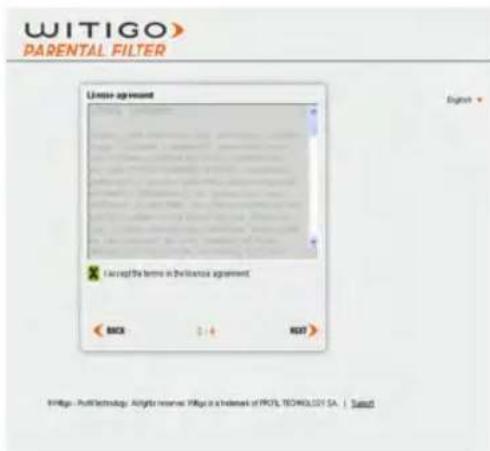
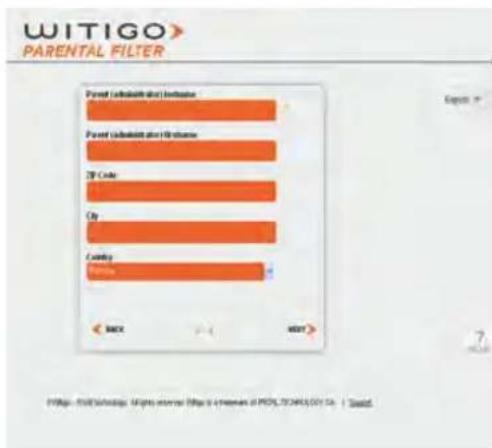
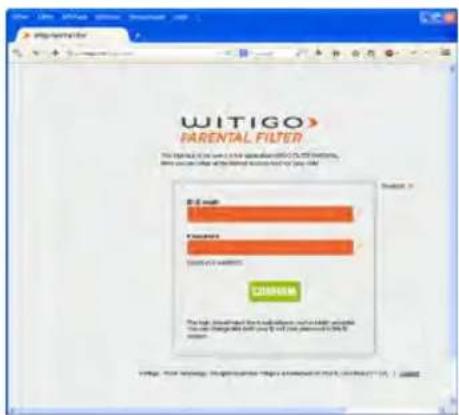
At first launch, you will be automatically guided to the online registration page
-
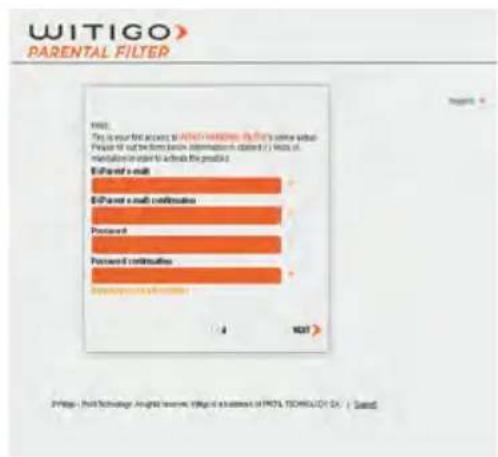
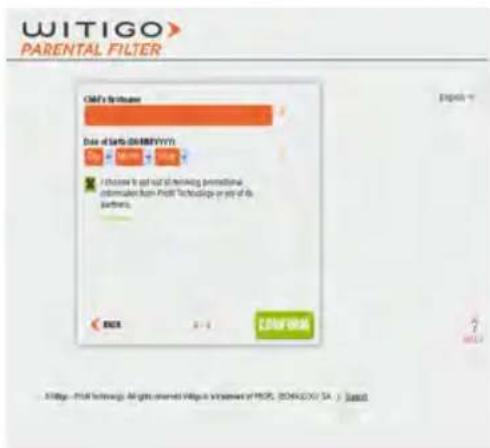
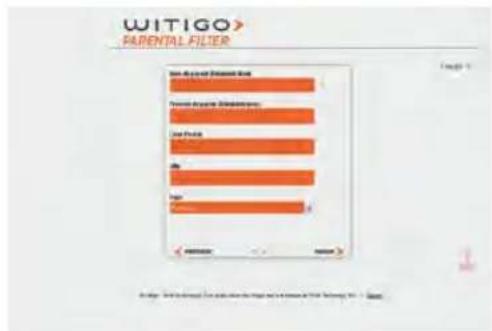
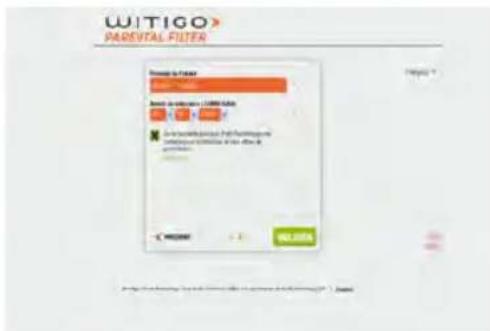
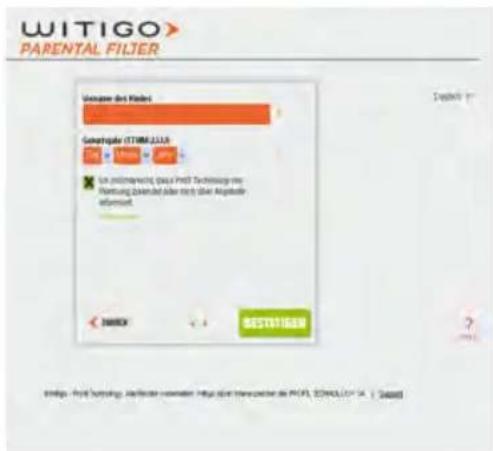
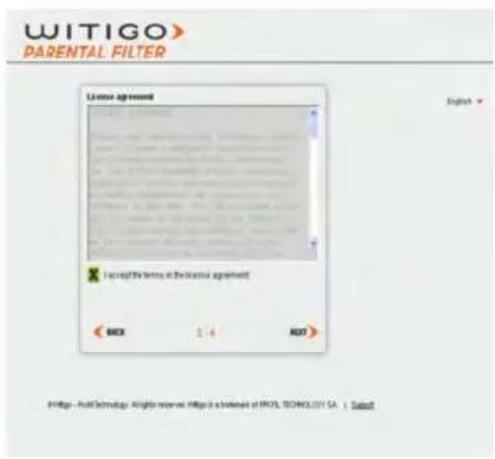
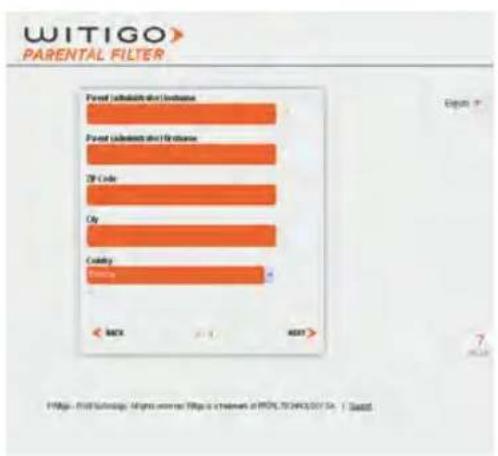
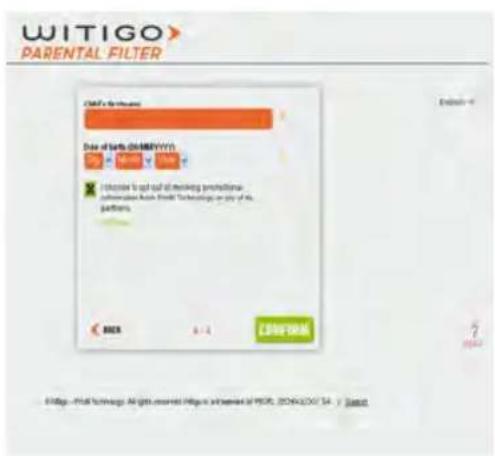
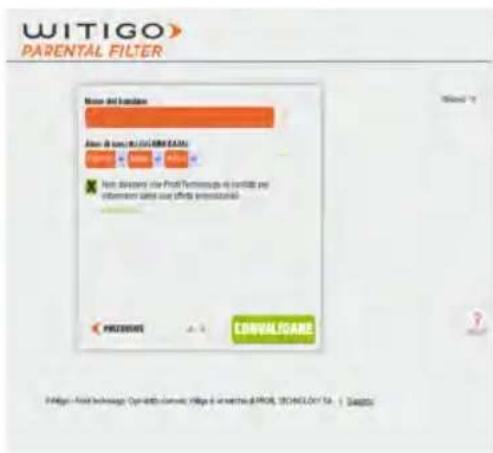
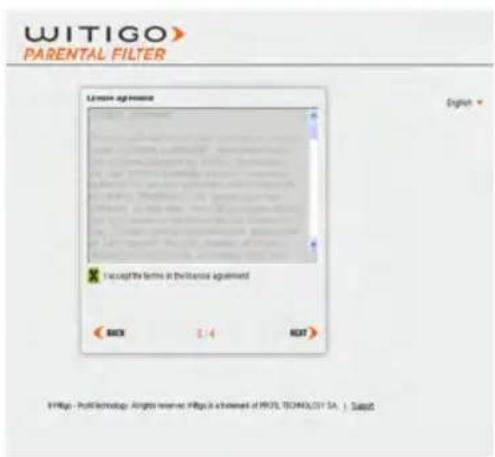
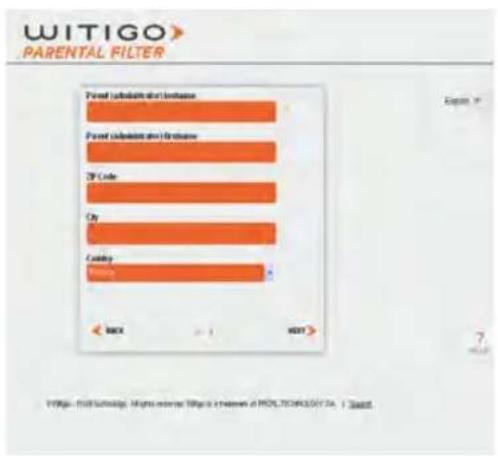
Follow the registration steps pictured below, keeping in mind the following:
a. Entering a valid e-mail address is of paramount importance in order to receive control feedback
b. The password you'll define is only meant as a barrier for kids. Do not enter a password you already use for some other online service, make up a new one. You might need to share it occasionally with other caretakers, within family (e.g. Grandpa for the week-end) or beyond (e.g. summer camp supervisor)
c. If prompted, choose not to have your password saved at browser level
d. To register a new device under a family parental control account that you already own, click on ALREADY GOT AN ACCOUNT? then sign in. The same applies in order to register a sibling as a second Android user on the same device
e. Providing an accurate DOB for the child serves the purpose of having a proper default filtering profile assigned to the device. However, you'll be able to refine every single aspect of the settings at any later stage.
text_image
WITIGO
PARENTAL FILTER
WITIGO
This is your first access to the parents who do's own school.
Prevalence is not to be from basic information obtained (i) lists in
medication or to select the practice.
Forward search
Forward search functionality
Forward search functionality
Forward search functionality
Progress functions
http://witigo.net/portal/ware.org/10.10.2015/03/2015
POSTS
text_image
WITIGO
PARENTAL FILTER
License agreement
Logon
Accepted the terms in the license agreement
MCH 3:4 KRT
Witigo - PuntTechnology: All rights reserved. https://a.btedmark/prol.technology.ca | Send
text_image
WITIGO
PARENTAL FILTER
Parent (default bar) Inclusive
Parent (default bar) Inclusive
2P Code
Cy
Coding
Female
Back Next
https://witigogo.com/external/https://www.pwL.TECHOLTD.Ca / iased
text_image
WITIGO
PARENTAL FILTER
Date of Sale (08/09/11)
I choose to opt out of trading promotional information from Profit Technologies or any of its partners.
BOX 3-1 Channel
© http://WITIGO. All rights owned Witsig Windows of WITIGO (2016)XV.SA / Export
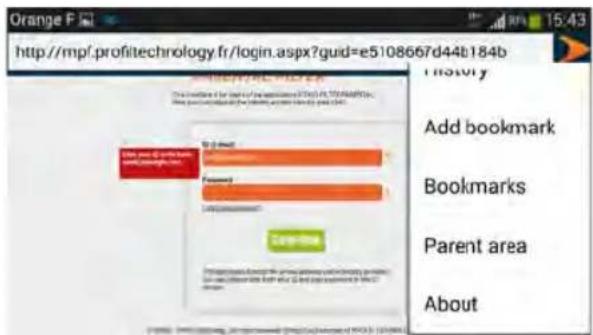
- Device is now registered and protected. For subsequent changes in the parental control settings, go online to http://pf.witigo.net/ using a desktop computer or any mobile device with Web access. You can also change the settings from the application itself by tapping on the icon, then «Parent Area».
text_image
http://mpf.profitechnology.fr/login.aspx?guid=e5108667d44b184b
I mostly
Add bookmark
Bookmarks
Parent area
About
SETTINGS
Parental control settings and feedback are available online at http://pf.witigo.net, either form the device itself or from any other connected device. As this «parent-only zone» is password -protected, please keep in mind not to save the password at browser level when accessing from the child's device.
text_image
WITIGO
PARENTAL FILTER
The original code is to be provided in the Internet Explorer.
http://www.witigogo.org/ parental filtering.org.
http://pf.witigo.net
The link «Forgot your password?» can be used if needed, in order to have your current password re-sent to your e-mail address.
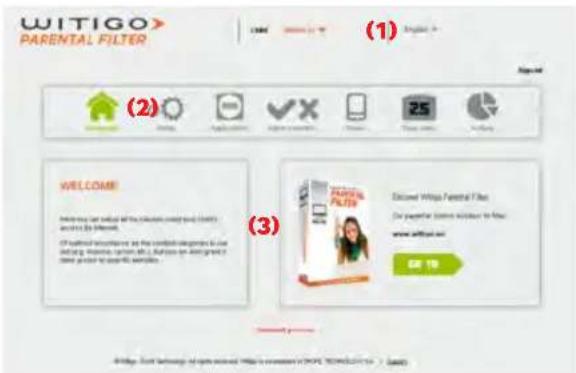
The parent area at a glance
text_image
WITIGO>
PARENTAL FILTER
(1)
(2)
Welcome
(3)
Discount With Parental Filter
Do popular store information to your
www.witigo.net
GO 10
© http://taike.org/soptech/Witigo.com/senior/2019/2019-2020
ENGLISH
(1) Name of child / device that the control applies to. This is properly set already when accessing from the device itself. For several protected devices and/or siblings, do keep in mind to set this first when accessing the online parent area from somewhere else.
(2) The main features
(3) Setup detail within the context of the currently selected feature (2)

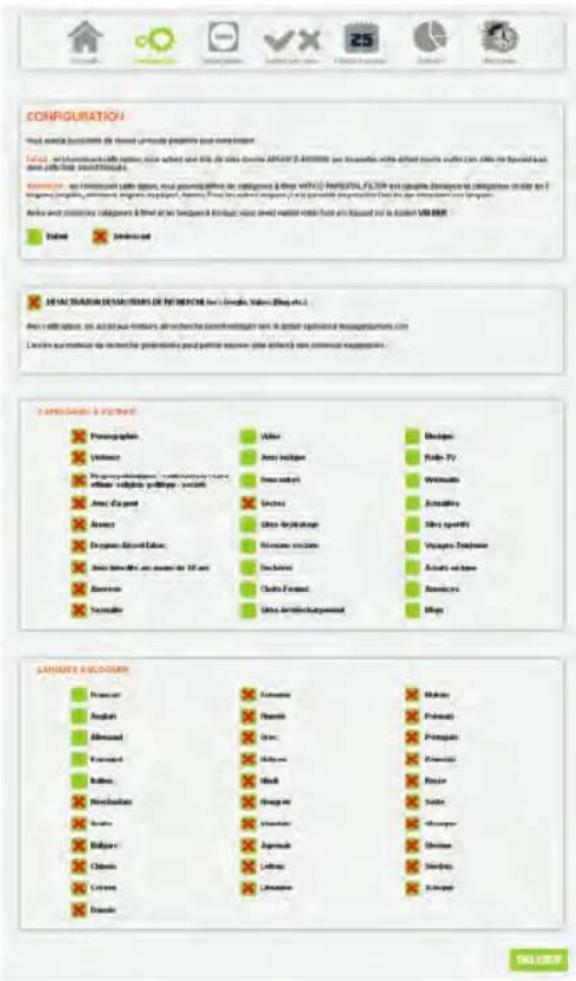
Setup
This feature is the main part for setting the filter on the Internet.
Search engines: when this option is checked, the access to general purpose search engines is denied. All searches are then performed within moderated and peer-reviewed content instead (Wikipedia)
Forbidden categories: You can choose sites to filter according to 27 categories of content.
Forbidden languages: You can choose to deny access to web content by language.
text_image
CONFIGURATION
How much be completed by the user's update probably has been replaced.
Value is not required to use any other value. The value is based on the value of APARTS 2-800000 for information with different values used in the user's data. The value is based on the value of APARTS 2-800000 for information with different values used in the user's data.
Description is not required to use any other value. The value is based on the value of APARTS 2-800000 for information with different values used in the user's data.
Device and computer components are defined by the device and computer which should be used in the user's data. Based on the data, the device and computer components are defined by the device and computer which should be used in the user's data.
Language & Pattern
Paragraphs
Volume
Paragraphs (including text) or (including text) or (including text) or (including text) or (including text) or (including text) or (including text)
Amer d'agent
Absent
Despes et al. et al. (1954)
Jours de laire et al. (1954)
Absence
Sonsalle
Video
Video (using video)
Video (using video)
Video (using video)
Video (using video)
Video (using video)
Video (using video)
Video (using video)
Video (using video)
Video (using video)
Video (using video)
Video (using video)
Video (using video)
Video (using video)
Video (using video)
Video (using video)
Video (using video)
Video (using video)
Video (using video)
Video (using video)
Video (using video)
Video (using video)

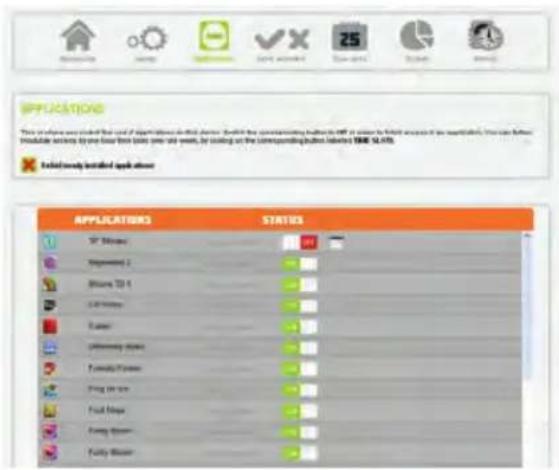
Applications
This feature allows you to control the use of applications on this device. By default, all new applications are forbidden. You can also modulate access by setting allowed time slots for each application, on a weekly basis.
ENGLISH
text_image
APPLICATIONS
This is also available to the use of applications in which there is a switch to the corresponding button or off. It can be further required if the requirement exists. This can further install any other time periods (see next week, by calling on the corresponding button labeled TIME SLABS)
Related mainly installed up to about
APPLICATIONS STATUS
SP Stream
Downstream 2
Airline 10.1
Light Stream
Faster
Offshore flow
Fuzzy Flower
Fung line
Food Maps
Furry Blower
Fuzzy Blower

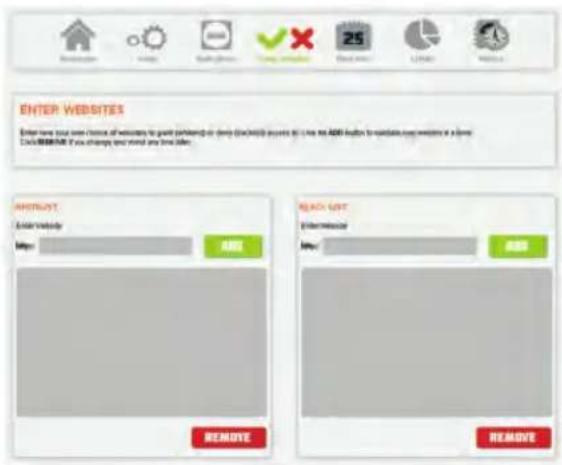
Enter websites
This feature allows you to define your own lists of websites to deny (black lists) and to grant (white lists).
text_image
ENTER WEBSITES
Enter your own choice of websites to guide pinheng at empty (all/03) access at Live the ADD help to navigate any website in a new
DASH/WEBSITES. This change is mind any time later.
ABOUT
Add website
http:
ADD
REMOVE
READ OUT
Enter Advisor
http:
ADD
REMOVE

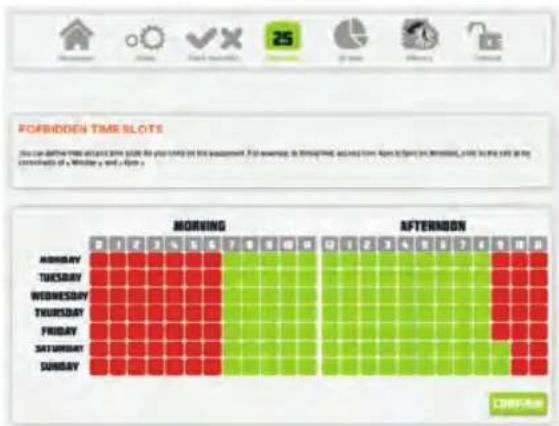
Forbidden time slots
The feature « Time slots » allows modulation of the overall web access from the device, on a weekly basis.
text_image
FORBIDDEN TIME SLOTS
You can define the time slot for your daily on this equipment. For example, it is therefore accessed from Open to Open in minutes, 2 PM to 5 PM at the start of the Wednesday or Sunday.
MORNING
AFTERnoon
SUNDAY
ENGLISH

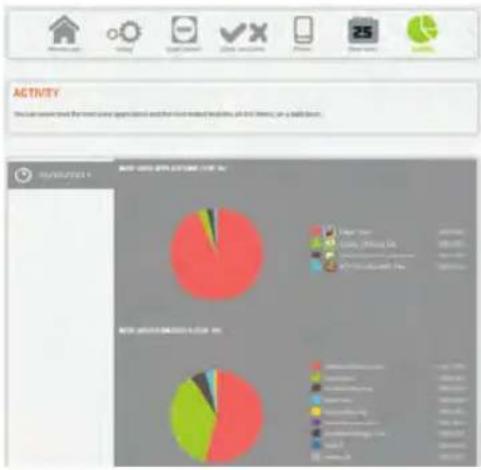
Activity
You can review the most used applications and the most visited websites on this device, on a daily basis.
pie
| Activity | Percentage (%) |
| :--- | :--- |
| High | 40 |
| Low | 15 |
| Medium | 20 |

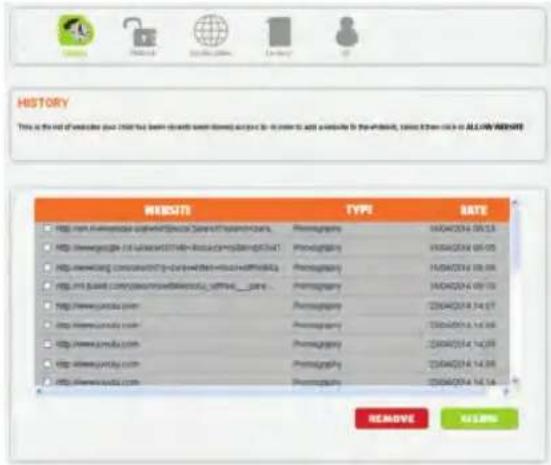
History
You can see here all the websites your child has been denied access to. If needed, you can grant the access by clicking on ALLOW.
text_image
HISTORY
This is the net of website you have been read about home, but you can to access a website for the website, since then click in ALLIY AVERAGE
WEDNESOTA
TITLE
WEETS
http://www.wednesOTA/ Special Service System
http://www.wednesOTA/ Special Service System
http://www.wednesOTA/ Special Service System
http://www.wednesOTA/ Special Service System
http://www.wednesOTA/ Special Service System
http://www.wednesOTA/ Special Service System
http://www.wednesOTA/ Special Service System
http://www.wednesOTA/ Special Service System
http://www.wednesOTA/ Special Service System
http://wednesOTA/ Special Service System
http://www.wednesOTA/ Special Service System
http://www.wednesOTA/ Special Service System
http://www.wednesOTA/ Special Service System
http://www.wednesOTA/ Special Service System
http://www.wednesOTA/ Special Service System
http://www.wednesOTA/ Special Service System
http://www.wednesOTA/ Special Service System
http://www.wednesOTA/
http://www.wednesOTA/
http://www.wednesOTA/
http://www.wednesOTA/
http://www.wednesOTA/
http://www.wednesOTA/
http://www.wednesOTA/
http://www.wednesOTA/
http://www.wednesOTA/
http://www.wednesOTA/
http://www.wednesOTA/
http://www.wednesOTA/
http://www.wednesOTA/
http://www.vendesOTA/
http://www.vendesOTA/
http://www.vendesOTA/
http://www.vendesOTA/
http://www.vendesOTA/
http://www.vendesOTA/
http://www.vendesOTA/
http://www.vendesOTA/
http://www.vendesOTA/
http://www.vendesOTA/
http://www.vendesOTA/
http://www.vendesOTA/
http://www.vendesOTA/
http//www.vendesOTA/
http://www.vendesOTA/
http://www.vendesOTA/
http://www.vendesOTA/
http://www.vendesOTA/
http://www.vendesOTA/
http://www.vendesOTA/
http://www.vendesOTA/
http://www.vendesOTA/
http://www.vendesOTA/
http://www.vendesOTA/
http://www.vendesOTA/
http://www.vendasota/
http://www.vendasota/
http://www.vendasota/
http://www.vendasota/
http://www.vendasota/
http://www.vendasota/
http://www.vendasota/
http://www.vendasota/
http://www.vendasota/
http://www.vendasota/
http://www.vendasota/
http://www.vendasota/
http://www.vendasota/
http://wendasota/
http://wendasota/
http://wendasota/
http://wendasota/
http://wendasota/
http://wendasota/
http://wendasota/
http://wendasota/
http://wendasota/
http://wendasota/
http://wendasota/
http://wendasota/
http://wendasota/
http://wendasota/
http://wendaseota/
http://wendaseota/
http://wendaseota/
http://wendaseota/
http://wendaseota/
http://wendaseota/
http://wendaseota/
http://wendaseota/
http://wendaseota/
http://wendaseota/
http://wendaseota/
http://wendaseota/
http://wendaseota/
http://wendaseota/
http://wendaseota/

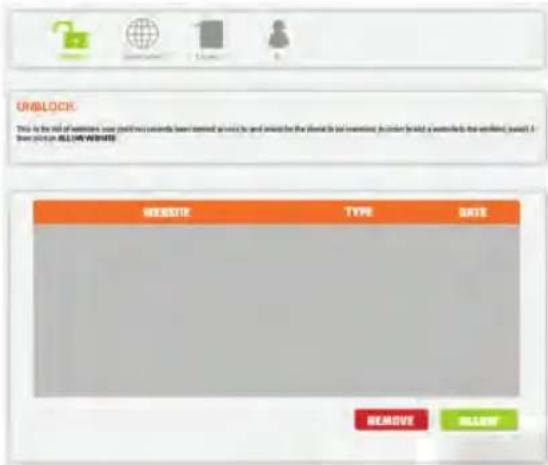
Unblock
This is the list of websites that your child is asking for the denial to be overruled. All websites that will be granted will be added to the white lists.
text_image
UNBLOCK
This is the site of website, user (start) or any other web content available to and forward the website to be inserted. This is held a website for the website, which is then 24% on ALL OR FREE.
TITLE
TYPE
DATE
REMOVE
ALLOW
ENGLISH

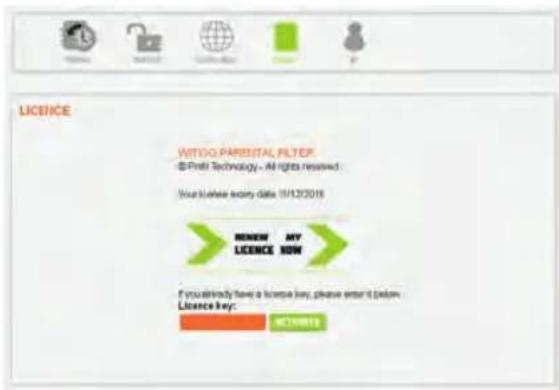
Licence
Here you can renew the licence of the application.
text_image
LICENSE
WITOO PARENTAL FILTER
© Profil Technology, - All rights reserved.
Your License copy date 10/12/2018
NEW MY
LICENSE NOW
If you already have a license key, please enter it below.
License key:
NOTIFIED

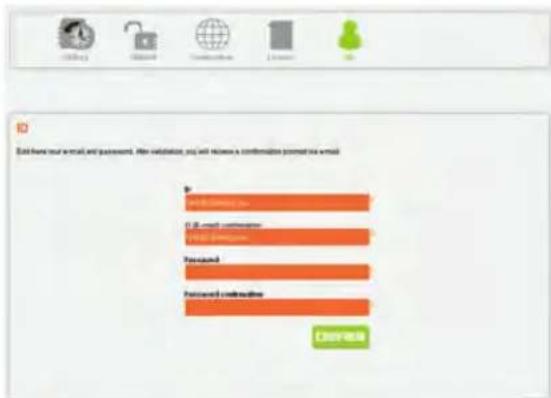
ID
To change the e-mail address and/or password for your parental control account, log in and use the right arrow icon to scroll the «ID» menu into view.
Click upon, change values and confirm. Notification messages will be immediately sent:
- to the account e-mail address (if unchanged)
- to both old and new account e-mail address (if changed).
text_image
Data have your email and passwords. After validation, you will release a confirmation packet via email
Send to email
Email:
Password
Password:
Password:
Password:
Password:
Password:
Password:
Password:
Password:
Password:
Password:
Password:
Password:
Password:
Password:
Password:
Password:
Password:
Password:
Password:
Password:
Password:
Password:
Password:
Password:
Password:
Password:
Password:
Password:
Password:
Password:
Password:
Password:
Password:
Password:
Authentication
FRANÇAIS
text_image
WITIGO
BARENTAL FILTER
Debut-Mixes
Play the original children in this
100%
text_image
WITIGO
PARENTAL FILTER
Open Box for Fresh Box
Transfer Box for New Box
Live Box
Sign
text_image
WITIGO
PARENTAL FILTER
Forward to Filter
OK
Cancel
OK OK
Cancel
OK OK
Cancel
OK OK
Cancel
OK OK
Cancel
OK OK
Cancel
OK OK
Cancel
OK OK
Cancel
OK OK
Cancel
OK OK
Cancel
OK OK
Cancel
OK OK
Cancel
OK OK
Cancel
OK OK
Cancel
OK OK
Cancel
OK OK
Cancel
OK OK
Cancel
OK OK
Cancel
OK OK
Cancel
OK OK
Cancel
OK OK
Cancel
OK Cancel
text_image
WITIGO
PARENTAL FILTER
Healthcare
Health Care
Health Care
Health Care
http://pf.witigo.net
text_image
WITIGO
PARENTAL FILTER
(1)
(2)
(3)
Access
How additional parental filters use this filter.
Please use your filters to access
How previous filters do it help you
select the filters. This filter is only
used to access your filters.
www.witigo.com
17 KB
Cancel quickly 17
Preserving for information
© 2016 https://www.witigo.com/2016/01/04/2016/01/05/2016/01/06/2016/01/07/2016/01/08/2016/01/09/2016/01/10/2016/01/11/2016/01/12/2016/01/13/2016/01/14/2016/01/15/2016/01/16/2016/01/17/2016/01/18/2016/01/19/2016/01/20/2016/01/21/2016/01/22/2016/01/23/2016/01/24/2016/01/25/2016/01/26/2016/01/27/2016/01/28/2016/01/29/2016/01/30/2016/01/31/2016/01/32/2016/01/33/2016/01/34/2016/01/35/2016/01/36/2016/01/37/2016/01/38/2016/01/39/2016/01/40/2016/01/41/2016/01/42/2016/01/43/2016/01/44/2016/01/45/2016/01/46/2016/01/47/2016/01/48/2016/01/49/2016/01/50
www.witigo.com
text_image
Screenshot of a software configuration interface with four panels showing categorized features and their corresponding icons.

Applications
text_image
APPLICATIONS
This is not a data source. It is also a data source for the application. For this example, it is not a data source. This is not a data source for the application. This is a data source for the application. The data source is a data source for the application. The data source is a data source for the application. The data source is a data source for the application. The data source is a data source for the application. The data source is a data source for the application. The data source is a data source for the application. The data source is a data source for the application. The data source is a data source for the application. The data source is a data source for the application. The data source in this image is an available application.

Saisie des sites
text_image
SAISE DES SITES
View and to provide the site name and location (site 1, 2, 3, 4, 5, 6, 7, 8, 9, 10, 11, 12, 13, 14, 15, 16, 17, 18, 19, 20)
http://www.168.com/
LISTE GAINES
SITES ID: 388-ee
SUBPUMER
LISTE GAINES
SITES ID: 388-ee
SUBPUMER
SITES ID: 388-ee
SUBPUMER
SUPRIMER

Plages horaires
text_image
CONTRANTS
View possible certificate details (if local items are available for place-based availability, local reserves are if local entities have issued information in any province or state or province)
Contract type: small
Contract name: small
Contract status: small
Bid-Export
Confirmation to send to project
OK/Cancel
DEUSTCH
text_image
WITIGO
PARENTAL FILTER
Nettover An Diclothy (Methanol)
Nettover An Diclothy (Methanol)
Festfold
Stell
Lost
( 2000X ) > 1 METHOL
© 2015.17
text_image
WITIGO
PARENTAL FILTER
Direct Mail
Parent
Imported Mail
NOTATION
Direct Mail, and the following: WITIGO, UK for
the first. Following the same way, we have been
controlling in the United States.
http://pf.witigo.net
text_image
WITIGO
PARENTAL FILTER
(1)
Search
(2)
STARTSRETE
The most successful design is the marketing program.
Key services: www.witigo.net
(3)
Bookshop Sir Wits Personal Star
www.witigo.net
CL.COM
DEUSTCH
text_image
App
ZUSTANS
UP
100
Disponed 2
Steam 15 G
CIN Views
Cubes
Differently Winged
Bromatic Flowers
Play back
Find Back
Firey Breaker
Play Back

Enter websites
text_image
WEBSITES ENTERPRIEN
How known the eye Link for Archive Bitter (Forgaming) and one Link for reverse Listen (Swimming) position. We can be aware of the reverse access to an i.e. www.winglond) and better the Dark and Light Discoveries.
We show that both link each letter, mean the y/y 0% lower than 100%. The website is a free access option.

Forbidden time slots
pie
| Category | Percentage |
| -------- | ---------- |
| Local Start | 45% |
| Local Activity | 25% |
| Local Engagement | 15% |
| Local Engagement & Other | 10% |
| Local Engagement & Others | 5% |
| Local Engagement & Others & Others | 3% |

History
text_image
ERLAUBEN
Start from the new Littered System, No. 10 is closed on Basing genentech, the system has been Basing up next (next product, system, etc.) and the system contains an external system. The system does not necessarily undergoing or want more effort. The system will start using a button for the system's access to the system.
START
START
STREICHEN
EXLABRER

Licence
text_image
WITIGO
PARENTAL FILTER
NOTE:
This is your first access to the parent company, by the entire value.
Prepaid 65 and the form below information shown? This is
remEMBER in order to check the positive
Export + credit
Export to credit continues
Payment
Payment to confirmation
Promoting payment continues
Print - Hold Technology. All rights reserved. Includes a section of PROL TECHNOLOGY SA | Send
text_image
WITIGO
PARENTAL FILTER
License agreement
English +
Used the terms in the license agreement
MEX 1.4 MXT
Philips-NetTechnology: Right reserved. https://www.witigo.com/ (S) . Save
text_image
WITIGO
PARENTAL FILTER
Parent (children and friends)
Parent (children and friends)
TP Code
City
Citybox
Back > No > Next >
https://810/2019, https://www.163.com.cn/163.com.cn / [Search]
text_image
WITIGO
PARENTAL FILTER
Date of Date (04/01/11)
User to get out of marketing promotional information from Shell Technologies or any of its partners.
BOX 8.1
WINTRON
ENGLISH
©2016-2017
text_image
WITIGO
PARENTAL FILTER
This image is provided in the provided image. It is not possible to extract or convert it into any text.
B-1 web
Fusion
Cancel
The light streaming will allow users to access your website.
You can get your own website (http://www.witig.org/)
http://www.witig.org/
http://pf.witigo.net
text_image
WITIGO
PARENTAL FILTER
(1)
Welcome
(2)
WELCOME
From the way we have to get your children's homes to the parents.
If needed for your family, you will be able to get your children.
(3)
Get your father's family.
The parent's home is also to buy
www.witigo.net
DO TE
Download from
Wittigo. Food & Beverage is going to send you to www.witigo.com. www.witigo.net
NEDERLANDS
text_image
APPLICATIONS
This is also used to install the end of the following in this domain. It should be completed using a tool to edit or install an account sheet, then can further install any account as to one other time (day or last week), by adding on the following buttons (button 108) (16:45)
Result/apply installed applicable
APPLICATIONS STATUS
STI Window #
Bippsheet 2
Bippsheet 2.1
LSP Window
F Peaks
Junctional Sheet
F Peaks/F Peaks
Freqing Box
Fool Width
Fool Width
Status:

Enter websites (websites openen)
text_image
ENTER WEBSITES
Enter how your own content of web sites to get passwords to check the website's access to the next API server. If you change your mind any time is again.
CREATE: If you change your mind any time is again.
IMPORTS
Enter website
http:
REMOVE
REACH LIST
Enter request
http:
REMOVE

text_image
FORBIDDEN TIME SLOTS
Schematic: Before the week's time slot for your daily on the occasion. For example, it is therefore accepted from the day to date in February, this is the last day of the following: a Monday and Sunday.
NEDERLANDS

Activity (activiteit)
text_image
UNBLOCK
This is the risk of maintaining your content for products have learned as needed and would be the extent to be increased. In order to find it was checked for website, you can't check in ALL OR WHERE
WEBSITE
TYPE
DATE
REMOVE
SALAW
NEDERLANDS

License (licentie)
text_image
WITO PARESTAL FILTER
© Profit Technology - All rights reserved.
Your license entry date 10/12/2019
NEW MY
LICENSE NOW
If you already have a license key, please enter it below
License key:
CREATE

ID
text_image
ID
Both have your email and password. After verification, you will receive a confirmation format via email.
Password
Password certificate
OK
ESPAÑOL
text_image
WITIGO
PARENTAL FILTER
WITIGO NETTER
TOMATO
You can use your filter to access your filters in your home.
We have to use your filters to access your filters in your home.
WITIGO NETTER
You can use your filter to access your filters in your home.
WITIGO NETTER
You can use your filter to access your filters in your home.
http://pf.witigo.net
text_image
APPLICATIONS
STATUS
VF (Movie)
Reception 2
Movie ID 1
City Video
Cable
comparatively Shared
Professional Producer
Flying video
Flying Image
Flying Blank
Flying Blank

text_image
WITIGO
PARENTAL FILTER
Cognitive Assistive (Standardization)
Noise Assistive (Standardization)
Finance Profile
Lift
Finance
FIRIggs - Fruit Technology Cap With-Use-Wit Lifts Can Matched PROG TECHNOLOGY SA | Payments
text_image
WITIGO
PARENTAL FILTER
Login Cell
Passed
Details Document
COWALOAR
Please change to access the next page in your home.
Please check up your first page. Please click this link to you.
http://pf.witigo.net
text_image
APPLICATIONS
STATUS
10° None
Environment 2
Balance 15
347 V/mix
Customs
Externalize Debris
Remote Design
Pre-gain 20
Fugling
Furles Shutter
Funglitter

Enter websites
text_image
DIGITARE DES GITI
Please go to the course in the online app for your own website (this company is you have all to be able to download any text, then I can't buy digital downloads can you see... Awareness that you click her and navigate Instagram.
Active online downloads search it all online for download Instagram.
LIVE BANCA
Digital Info Web
App
LIVE BANCA
Digital Info Web
App
LIVE BANCA
Digital Info Web
App
ELIGIBRARE
ELIGIBRARE

Forbidden time slots
pie
ATTIVITA
Panel 1: Investment allocation by loan application available to fixed value investment funds.
| Category | Value (%) |
|---|---|
| Invested Cash | 25.0 |
| Invested Loss | 8.0 |
| Cash Flow | 10.0 |
| Other | 3.0 |

History
text_image
CROHOLOGIA
Exercite in the site at what is possible presented for details of available and a partial information (RMS/MS). EXERCITE is available to the website. For example, you can access your website to a website or RMT/ACCA.
SITE
SUPPORT
DATA
http://irm-IIinbank.org/Industrial Securities/Trustcomm.com
Rasmagnia
1994/01/14 08:55
http://www.jrj.com
Rasmagnia
1994/01/14 08:03
http://www.jrj.com
Rasmagnia
1994/01/14 08:09
http://www.jrj.com
Rasmagnia
1994/01/14 08:10
http://www.jrj.com
Rasmagnia
2504/01/14 14:07
http://www.jrj.com
Rasmagnia
2504/01/14 14:06
http://www.jrj.com
Rasmagnia
2504/01/14 14:09
http://www.jrj.com
Rasmagnia
2504/01/14 14:09
http://www.jrj.com
Rasmagnia
2504/01/14 14:34
CLIMINAGEI
CONSENT

Unblock
text_image
SBLOCCAGGIO
Enter your website at play a menu, which is allowed to access your website. You can access your website to the website. You can access your website to the website. You can access your website to the website. You can access your website to the website. You can access your website to the website. You can access your website to the website. You can access your website to the website. You can access your website to the website. You can access your website to the website. You can access your website to the website. You can access your website to the website. You can access your website to the websites. You can access your website to the websites. You can access your website to the websites. You can access your website to the websites. You can access your website to the websites. You can access your website to the websites. You can access your website to the websites. You can access your website to the websites. You can access your website to the websites. You can access your website to the websites. You can access your website to the websites. You can access your website to the websites.
ITALIANO

Licence
text_image
WITIGO
PARENTAL FILTER
HRC:
Try to record the access to information. By the entire school
Prepared it out before listing information in terms of 2 weeks. With a
recommendation in order to check the product.
Enrolled a soft
Enrolled a soft continuous
Passed
Passed continuous
A small number of students
1 / 4 637>
Preview: What Technology: Augible, Inverse, Inverse or Interest of PRTL (PCMS) (CI-5). | Standard
text_image
WITIGO
PARENTAL FILTER
U.S. Patent Agreements
English ▼
Except the terms in the Internal Agreement
MEX 1.4 MCT
© https://patltechnology © Angles reserved https://advanced.de/PLT.TOMOLOGY SA. | Sua#d
text_image
WITIGO
PARENTAL FILTER
Parent (self-evaluation) filter
Parent (self-evaluation) filter
2F Code
City
Custody
Back Next
?
text_image
WITIGO
PARENTAL FILTER
CMF's Software
Size of MDS (MM/800mm)
• Choose to opt out showcasing promotional
information from Windi Technologies in the
partners.
MDS
1:1
COMFORM
©WITIGO - Windi Technologies All rights reserved. Values are presented at MDS, 2004-2017 SA | Search
text_image
WITIGO
PARENTAL FILTER
The image is too blurry to recognize any other content.
We can access the filters to your own website.
GETS
POSTS
COMPUT
The high level of this filter will be used to access your website.
You are interested in your web to use the parent material for your website.
GETS: Our website is also available to your website. We have been read out from the website.
http://pf.witigo.net
text_image
WITIGO
PARENTAL FILTER
(1) English →
(2)
WELCOME
WELCOME TO THE PARENTAL FILTER (1)
and you're interested.
If we need to choose to the parental filter, you will be interested.
You are your family. We have to get your family.
(3)
Eliomed Witten Funeral Filter
Do your family member in this
www.witigo.net
OR 10
Download: www.witigo.net
PORTUGUÊS
text_image
CONFIGURATION
View any the product or other item problems have been removed.
View - In the following table (e.g., view 100000000000000000000000000000000000000000000000000000000000000000000000000000000000000000000000
Edit
Remove
Add
Remove from the product or other item problems has been removed in the categories & other categories & other categories & other categories & other categories & other categories & other categories & other categories & other categories & other categories & other categories & other categories & other categories & other categories & other categories & other categories & other categories & other categories & other categories & other categories & other categories & other categories & other categories & other categories & other categories & other categories & other categories & other categories & other categories & other categories & other categories & other categories & other categories & other categories & other Categories
Edit
Remove
Add
Remove from the product or other item problems has been removed in the categories & other categories & other categories & other categories & other categories & other categories & other categories & other categories & other categories & other categories & other categories & other categories & other categories & other categories & other categories & other categories & other categories & other categories & other categories & other categories & other categories & other categories & other categories & other categories & other categories & other categories & other categories &
Edit
Remove
Add
Remove from the product or other item problems has been removed in the categories & other categories & other categories & other categories & other categories & other categories & other categories & other categories & other categories & other categories & other categories & other categories & other categories & other categories &
Edit
Remove
Add
Remove from the product or other item problems has been removed in the categories & other categories & other categories & other categories & other categories & other categories & other categories & other categories &
Edit
Remove
Add
Remove from the product or other item problems has been removed in the categories & other categories & other categories & other categories & other categories &
Edit
Remove
Add
Remove from the product or other item problems has been removed in the categories & other categories &
Edit
Remove
Add
Remove from the product or other item problems has been removed in the categories &
Edit
Remove
Add
Remove from the product or other item problems has been removed in the categories &
Edit
Remove
Add
Remove from the product or other item problems has been removed in the categories &
Edit
Remove
Add
Remove from the product or other item problems has been removed in the categories &
Edit
Remove
Add
Remove from the product or other item problems has been removed in the categories &
Edit
Remove
Add
Remove from the product or other item products has been removed in the categories &
Edit
Remove
Add
Remove from the product or other item products has been removed in the categories &
Edit
Remove
Add
Remove from the product or other item products has been removed in the categories &
Edit
Remove
Add
Remove from the product or other item products has been removed in the categories &
Edit
Remove
Add
Remove from the product or other item products has been removed in the categories &
Edit
Remove
Add
Remove from both items to non-Items, Values, Bits, etc.!
Add to some words, lines and lines above them are not more common than their partial non-Items, non-Items, lines and lines above them are not more common than their own words, non-Items, lines and lines above them are not more common than their own words, non-Items, lines and lines above them are not more common than their own words, non-Items, lines and lines above them are not more common than their own words, non-Items, lines and lines above them are not more common than their own words, non-Items, lines and lines above them are not more common than their own words, non-Items, lines and lines above they are not more common than their own words, non-Items, lines and lines above they are not more common than their own words, non-Items, lines and lines above they are not more common than their own words, non-Items, lines and lines above they are not more common than their own words, non-Items, lines and lines above they are not more common than their own words, non-Items, lines and lines above they are not more common than their own words, Non-Items, Lines, and Lines; Non-Items, Lines and Lines; Non-Items, Lines and Lines; Non-Items, Lines and Lines; Non-Items, Lines and Lines; Non-Items, Lines and Lines; Non-Items, Lines and Lines; Non-Items, Lines and Lines; Non-Items, Lines and Lines; Non-Items, Lines and Lines; Non-Items, Lines and Lines; Non-Items, Lines and Lines; Non-Items, Lines and Lines; Non-Items, Lines and Lines; No. 16457878988888888888888888888888888888888888888888888888888888888888888888888888888888888888888888888888888

text_image
APPLICATIONS
This software is named the use of a key store in this domain. It should be currently existing to add an account for any other store, but rather available existing by one store time (plus year end week), or adding on the following installation location: 1000 MLTS
Related mainly installed up all stores
APPLICATIONS STATUS
ST Master #
Incremental 2
Missing TO 4
LA Finance
Fisher
Differences down
Formula Store
Ping Store
Food Map
Fung Store
Fuzzy Store

text_image
ENTER WEBSITES
ENTER WITH YOUR HOME Connection of webinars to gain personal fees (if any accounts or options will be the AMR) then to choose any website in a free
CALL/MAKE if you change your mind any time after.
IMPORT
Enter Website
Help:
ARM
REMOTE
HELP LIST
Enter Website
Help:
ARM
REMOVE

Unblock (Desbloquear)
text_image
UNBLOCK
This is the result of a request to order two contracts from the following: you can be able to use the next contract to use the previous contract (including a written label and written label). This is a custom cloud version.
INCREASE TYPE RATE
REMOVE
PORTUGUÊS

Licence (Licença)
text_image
WITOO PARENTAL FILTER
© Profit Technology - All rights reserved
You license every date 10/12/2018
NEW MY
LICENSE NOW
If you already have a license key, please enter it (below
License key:
NOTICE)

ID (Identifi cação)
text_image
ID
Data have not available and requested. Data validation, you can become a confirmation program or access.
ID (B-mail): 0103-5892
Password:
Password: 0103-5892
OK
WITIGO>
http://pf.witigo.net

natural_image
Colorful abstract circular logo with overlapping red, orange, yellow, green, and blue segments (no text or symbols)
KIDOZ
Copyright © KIDO'Z Ltd 2013