Infinity H3101 - IPL hair remover SILKN - Free user manual and instructions
Find the device manual for free Infinity H3101 SILKN in PDF.



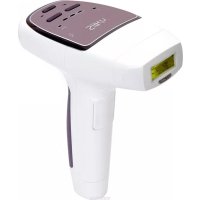
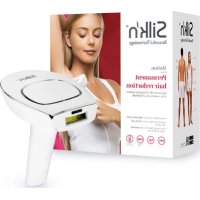
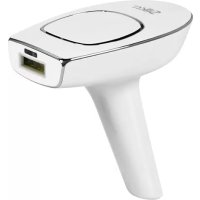
| Product Type | Intense Pulsed Light (IPL) Epilator |
| Brand | SILKN |
| Model | Infinity H3101 |
| Technology | Enhanced Home Pulsed Light™ (eHPL) with galvanic and optical energy |
| Energy Levels | 5 levels (1 to 5) |
| Maximum Fluence | 4 J/cm² |
| Wavelength | 475 - 1200 nm |
| Treatment Window Size | 0.9 cm x 3 cm (2.7 cm²) |
| Weight | 225 g |
| Power Supply | Adapter 100-240 V, 50/60 Hz, 0.9 A; output 12 V DC, 3 A |
| Bluetooth | BLE, frequency 2.402 - 2.480 GHz, power < 10 mW |
| Electrical Protection Class | Class II, type BF applied part |
| Operating Conditions | Temperature 10-35 °C, humidity 30-75% RH |
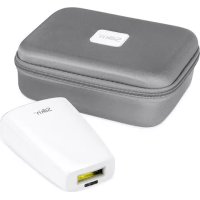
| Package Contents | Epilator, adapter with cable, cleaning cloth, storage case, instruction manual, warranty card |
| Application Areas | Underarms, bikini line, arms, legs, face (below cheekbones), back, shoulders, chest |
| Safety | Skin color sensor, skin contact required to emit pulse, integrated eye protection |
| Cleaning and Maintenance | Wipe with a dry cloth and 70% alcohol after each session; do not use acetone |
| Warranty | Refer to the provided warranty card |
Frequently Asked Questions - Infinity H3101 SILKN
User questions about Infinity H3101 SILKN
0 question about this device. Answer the ones you know or ask your own.
Ask a new question about this device
Download the instructions for your IPL hair remover in PDF format for free! Find your manual Infinity H3101 - SILKN and take your electronic device back in hand. On this page are published all the documents necessary for the use of your device. Infinity H3101 by SILKN.
USER MANUAL Infinity H3101 SILKN
Beautiful Technology
Infinity
H3101
EDE BEDIENUNGSANLEITUNG
EEN USER MANUAL
VFR MODE D'EMPLOI
BG РЪКОВОДСТВО НА ПОТРЕБИТЕЛЯ
HU HASZNÁLATI ÚTMUTATÓ
RO MANUAL DE UTILIZARE
CS NÁVOD K POUŽITÍ
SL UPORABNIŠKI PRIROČNIK
PL INSTRUKCJA OBSŁUGI
RU РУКОВОДСТВО ПОЛЬЗОВАТЕЛЯ
Silk'n Infinity
text_image
#10 #1 Silkn #2 #3 #4 #5 1 2 3 4 #6 #7 #8 #9 Hair colour Skin colour 1-21-21-31-41-51-5 Energy(i)
Inhaltsverzeichnis
text_image
Warning symbol image with exclamation mark inside triangletext_image
Diagram showing a device with labeled components and directional arrows, likely illustrating a process or assembly.text_image
QR code image containing encoded data, no visible human-readable textBluetooth
- Warnings....36
- Contraindications ....38
- Safety features ....40
3.1 Skin protection 41
3.2 Eye protection....41
3.3 Exposure to the sun 41 - Get to know your device ....42
4.1 Device description 42
4.2 Intended use....42
4.3 Package contents....42
4.4 Device parts....43
4.5 Device controls 43
4.6 Energy levels 44
4.7 Device sensors....45
4.8 Pulsing and gliding 45 - Treatments 46
5.1 Treatment plan 46
5.2 What to expect with the device 48
5.3 Possible side effects....48 - Get started!......51
6.1 Connecting the device....51
6.2 Pre-treatment preparation 51
6.3 Perform a spot test....52
6.4 Treatment steps....53
6.5 After treatment....54 - Connecting with Bluetooth....55
- Cleaning, maintenance & storage......55
- Troubleshooting 56
- Customer service....57
- Warranty....58
- Disposal 58
- Specifications....59
- Signs & symbols 60
- Labeling....61
- Technical results....62
- Legal notice 63
1. Warnings
text_image
Warning symbol image with exclamation mark inside triangleEN
This user manual is based on the standards and rules in force in the European Union. When abroad, you must also observe country-specific guidelines and laws.
Before first use, please read this user manual in full, and keep it for future use. We recommend you refamiliarise yourself with the instructions before each treatment.
●Always keep the device or any of its parts dry. Ensure that your hands are dry before connecting the adapter to the electricity supply.
Do not use the device in the bathroom.
Never use the adapter if it has a damaged cable or plug, or isn't working properly, or has been submerged in water. If that happens, unplug the adapter immediately before touching it. Failure to unplug the adapter may result in an electric shock!
Do not operate the device in environments where there is a risk of explosion. The device is not suitable for use in the presence of flammable anaesthetic mixture with air, oxygen or nitrous oxide. Keep the device and all its parts away from open flames and hot surfaces.
- Keep the adapter accessible at all times, so it can be removed from the electricity supply easily in case of emergency.
●Always switch the device off and disconnect it from the electricity supply when you are not using the device, when you intend to clean it, or in the event of a fault.
●Never pull the adapter out of the socket by the cable. Always remove it by taking hold of the adapter.
Do not kink the adapter cable or lay it over sharp edges. Place it in such a way that it does not pose a tripping hazard.
●Possible hazardous optical radiation is emitted from this device. Do not look at the operating lamp. Eye injury may result.
Do not use the device where there is monitoring equipment (e.g., cardiac monitors, ECG alarms), which may not operate properly when the device is in use.
Do not use if the parts or accessories are not supplied by the manufacturer as defined in this manual, or if the device is damaged in any way, does not appear to be working properly, or if you see or smell smoke.
Do not attempt to modify, open or repair the device. You may expose yourself to an electric shock. It will also void the warranty.
Children must not play with the device or any of its parts. They may injure themselves or swallow small parts and choke.
2. Contraindications
The device is suitable for adults aged 16 years and above.
The device must not be used by the following people: children, adults with limited physical, sensory or psychological capacities, or those lacking experience or knowledge in how to use the device.
The device is not designed for everyone. Hair removal by intense pulsed light sources can cause increased hair growth in some individuals, although it is extremely rare (less than 1% of the population). Potential areas for women are the face and neck, and for men, the back, shoulders and upper arms, although it could also affect other areas. The highest risk groups are people from the Mediterranean, Middle East and South Asia.
The device is not suitable for use on children or animals.
⚠️Do not use the device if you:
●have a pacemaker or an ICD.
●have naturally dark skin (refer to the skin colour chart at the front of this user manual). Treating dark skin can result in adverse effects such as burns, blisters, and skin colour changes (hyper- or hypopigmentation).
●have naturally white, grey, light blond or red body hair.
●are pregnant or nursing.
●have a history of keloidal scar formation.
●have suffered or suffer from epilepsy.
●have a disease related to photosensitivity, such as porphyria, polymorphic light eruption, solar urticaria, lupus, etc.
●have a history of skin cancer, a current condition of any cancer, or areas of potential skin malignancies.
●have received drugs from your physician for a skin condition within the past 6 months.
● are allergic to metal, or are sensitive to contact with chrome.
have any other condition which in your physician's opinion would make it unsafe for you to use the device.
● cannot sense heat properly because of an illness, or other health related issue.
⚠️Do not use on these parts of the body:
●on tanned skin.
around or near the eyes. Use below the cheekbones.
● on tattoos or permanent makeup, dark brown or black spots (such as large freckles, moles, or warts), nipples, genitals, around the anus, or lips.
● areas with injected fillers or toxins.
● a part of the body that has a history of herpes outbreaks.
●skin that has active eczema, psoriasis, lesions, open wounds or infections (cold sores), abnormal skin conditions caused by systemic or metabolic diseases (diabetes for example).
● areas that are prone to rosacea.
●on varicose veins.
● areas that are painful.
●areas where you may want hair to grow later. The results are permanent.
3. Safety features
With Silk'n safety comes first
Enhanced Home Pulsed Light™ (eHPL) technology provides superior safety with lower energy levels. eHPL achieves long-term hair removal results at a fraction of the energy level used in other light-based hair removal equipment. The technology combines 2 energy sources: galvanic energy and optical energy. The galvanic energy enables better penetration of the optical energy to the hair shaft by temporarily widening the skin pores. The hair shaft absorbs the light, deactivates the hair follicle and hair growth is disabled.
The low energy reduces the risk of harm or complications, and contributes to your overall safety.
3.1 Skin protection
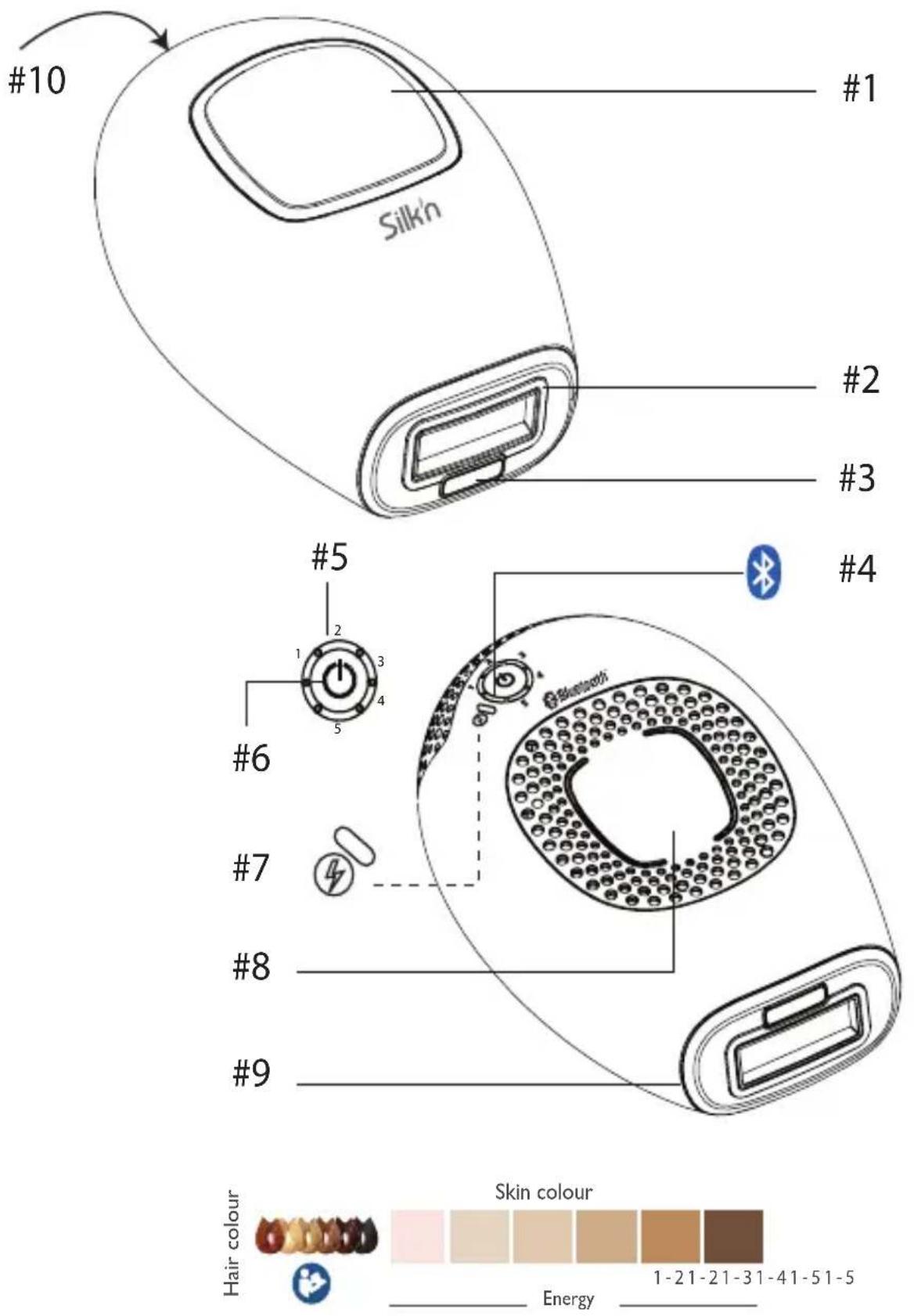
Light-based hair removal is not suitable for tanned skin. The device comes with a built-in skin colour sensor (#3) that is designed to measure the complexion of the applied surface and enables energy levels according to skin complexion.
Furthermore, the treatment surface (#2), through which pulses of light are delivered, is recessed inside the device. This enables the device to protect your skin by avoiding direct contact between the treatment surface (#2), and the skin.
3.2 Eye protection
The device has a built-in safety feature for eye protection. It has been designed so that a light pulse cannot be emitted when the treatment surface (#2) is facing open air. The safety feature enables treatment only when the treatment surface (#2) is in contact with the skin.
3.3 Exposure to the sun
● Sun exposure includes constant unprotected exposure to direct sunlight for over 15 minutes, or constant unprotected exposure to diffuse sunlight for over 1 hour.
Do not use on tanned skin after recent sun exposure, including tanning machines. Using the device on skin that has been recently exposed to sunlight can result in adverse effects such as burns, blisters, and skin colour changes (hyper- or hypopigmentation).
Avoid further exposure to the sun for 4 weeks before and 2 weeks after your treatment. This is because higher quantities of melanin expose the skin to greater risk when using any method of light-based hair removal. This applies to all skin types, even those that don't seem to tan quickly.
4. Get to know your device
4.1 Device description
The device is a light-based device for permanent hair reduction designed for home use. It is a powerful electrical device and should be used with special attention to safety.
4.2 Intended use
The IPL device is an over-the-counter device intended to remove unwanted hair and affect long term, or permanent hair reduction. Permanent hair reduction is defined as a long-term stable reduction in the number of hairs regrowing after a treatment regime. You may use the device to remove unwanted body hair. Ideal body areas include the underarms, bikini line, arms, legs, face (below the cheekbones), back, shoulders and chest.
The device is a medical appliance and is intended exclusively for cosmetic treatments. It is for private use, and is not suitable for commercial or therapeutic use.
⚠The device is for self-treatment only. Do not use the device on anyone but yourself.
Do not use for any purpose other than as described in this manual.
4.3 Package contents
- Hair removal device
- Adapter with cable
-
Cleaning cloth
-
Storage case
- User manual
- Warranty booklet
4.4 Device parts
Refer to the diagram on page (i) at the front of this manual to see the location of each feature.
- Pulse button (#1)
• Treatment surface (#2)
• Skin colour sensor (#3) - Bluetooth indicator light (#4)
• Energy level indicator lights (1-5) (#5)
• Control button (#6)
- Ready light/skin tone warning indicator light (#7)
- Base electrode (#8)
- Touch electrode (#9)
- Adapter socket (#10)
4.5 Device controls
| Control Function / Mode | |
Control button (#6) 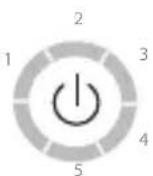 | Long press: turns the device on or off.Short press: each press increases the energy level. When at energy level 5, the next press moves back to energy level 1. |
Pulse button (#1) 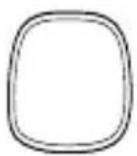 | Triggers a light pulse. |
Base electrode (#8) 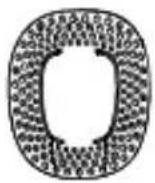 | Triggers a light pulse when pressed together with the pulse button. |
Ready/skin tone warning indicator light (green) (#7)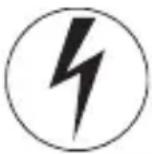 | ·Green constant: when the device is turned on.·Light off: the device is getting ready for the next pulse.·Green blinks: cannot detect the skin colour. |
Energy level indicator lights (green) (#5)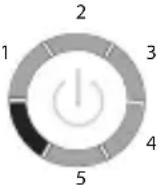 | ·Green constant: the energy level is active.·The energy level 1 indicator light is green constant when the device is turned on.·The number of energy level indicator lights on corresponds to the energy level selected. |
Bluetooth indicator light (blue) (#4) 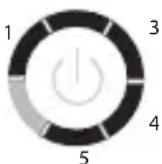 | ·Blue constant: Bluetooth is active. |
4.6 Energy levels
The energy level determines the intensity of the light pulse delivered to your skin. As the energy level increases, so do the results, as well as the risk of possible side effects and complications (see section 5.3 Possible side effects).
The device has 5 levels of energy from 1 (the lowest) to 5 (the highest), represented by 5 energy level indicator lights (#5). To change levels, short press the control button (#6).
To determine the right energy level for your treatment area, refer to section 6.3 Perform a spot test.
4.7 Device sensors
The device has sensors for touch and colour.
●Touch: The device will only emit pulses when it is in firm contact with your skin.
Colour: Light-based hair removal on darker skin tones may result in adverse effects such as burns, blisters, and skin colour changes (hyper- or hypopigmentation). The device has a skin colour sensor (#3) that detects the colour of your skin automatically. The skin colour sensor (#3) checks your skin colour at the start of, and occasionally during, each treatment.
i If the device detects that your skin tone is too dark for safe use, the ready light/skin tone warning indicator light (#7) will blink.
4.8 Pulsing and gliding
text_image
Diagram showing a device with labeled components and directional arrows indicating movement or transformation.Whether you decide to pulse or glide:
●Avoid gaps or overlaps as you use the device. Overlaps increase the likelihood of adverse affects.
Do not treat the same area of skin more than once per treatment session.
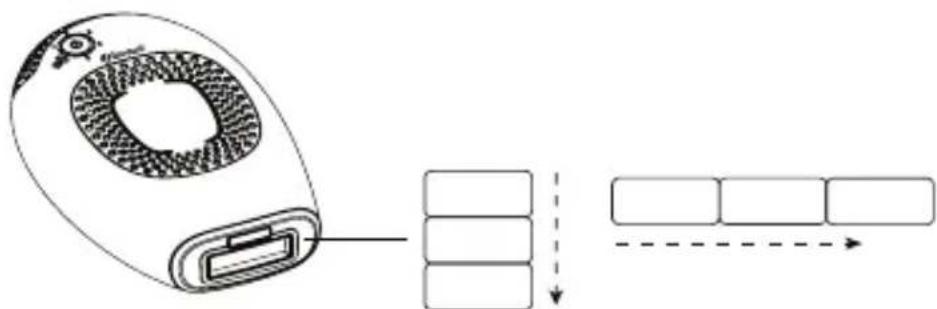
Pulsing is the best technique for treating specific spots or small areas.
- Press the treatment surface (#2) against your skin. Work in rows (either across or down as shown in the image). Start at one end of each row and progress to the other end.
The treatment surface (#2) creates temporary pressure marks on the treated area so you can see areas you have treated.
●After each pulse, move the treatment surface (#2) to the next spot. Keep doing this pulsing action for the area you are treating.
Gliding is the best technique for treating larger parts of the body.
●Press the treatment surface (#2) firmly against your skin and slowly glide over your skin (either across or down as shown in the image). Make sure that the treatment surface (#2) is always touching your skin.
- At lower energy levels, the device takes only 1-1.5 seconds to recharge between pulses. This generates a nonstop sequence of flashes.
5. Treatments
5.1 Treatment plan
The efficiency of hair removal varies from person to person according to body area, hair colour, and how the device is used. A typical full hair growth cycle may take 18-24 months. During this time, multiple treatment sessions are required to achieve permanent hair reduction.
A typical hair removal plan during a full hair growth cycle includes:
●Treatments 1-4: Plan two weeks apart.
●Treatments 5-7: Plan four weeks apart.
●Treatments 8+: Treat as needed, until desired results are achieved.
Ideal body areas include underarms, bikini area, arms, legs, back shoulders and chest (excluding nipples). For the face, use below the cheekbones but not around or near the eyes or lips.
| Skin Type1 | Body Hair2 | Light Fluence [J/cm2] | Part of the Body | Average Treatment Time | Effectiveness of Hair Reduction |
| 1-6 | Dark blond to brown | 2.5-4 | Lower or upper legs | Sessions 10-12 approx. 4 weeks apart | 60% |
| Arms 50% | |||||
| Bikini line 60% | |||||
| Underarms 55% | |||||
| 1-6 | Brown to black | 2.5-4 | Lower or upper legs | Sessions 8-10 approx. 4 weeks apart | 70% |
| Arms 60% | |||||
| Bikini line 70% | |||||
| Underarms 65% |
1 Individual response depends on hair type as well as biological factors that may affect hair growth patterns. Some users may respond quicker or slower than the average number of treatments.
2 One cannot expect permanent hair reduction in a single or even double treatment sessions. The duration of the resting period for hair follicles also depends on the body area.
5.2 What to expect with the device
During a treatment session it is normal to experience and feel:
●A fan noise: The cooling fan makes a noise similar to that of a hair dryer.
●A pop sound with each pulse: When a pulse of eHPL light is activated, it is normal to hear a subtle pop sound simultaneously with the flash of light.
●A sensation of warmth and tingling: During each galvanic pulse sequence it is normal to feel a mild sensation of warmth and tingling from the galvanic and optical energies.
Some mild red or pink colour: During and just after your treatment session it is not uncommon to see some very mild, pink-like colour of the skin. This is usually most noticeable around the hairs themselves.
⚠️Stop use immediately if you see full redness of the skin, blistering or burns.
5.3 Possible side effects
When used according to the instructions, side effects and complications associated with the use of the device are uncommon. However, every cosmetic procedure, including those designed for home use, involves some degree of risk. Therefore, it is important that you understand and accept the risks and complications that can occur with pulsed light hair removal systems designed for home use.
There is a minor risk that stacking or overlapping of multiple pulses on the same skin spot may have some adverse effects.
| Minor skin discomfortHome pulsed light hair removal is generally well-tolerated. However, some users feel mild discomfort during use. This is best described as a mild stinging sensation on the treated skin areas. The stinging sensation may last during or after treatment.If you feel pain and a notable skin irritation during treatment, reduce the energy level. If that doesn't help, stop the treatment. |
| Skin rednessYour skin may become red immediately after using the device or within 24 hours. Redness generally clears up within 24 hours.See your doctor if redness does not go away within 2 to 3 days.Make sure you use the energy level that is comfortable for you and suitable for your skin colour. |
| Excessive redness and swellingIn rare cases, treated skin may become very red and swollen. This is more common in sensitive areas of the body. The redness and swelling should subside within 2 to 7 days and should be treated with frequent applications of ice. Gentle cleansing is OK, but avoid exposure to the sun. |
| Increased sensitivity of the skinThe skin of the treated area is more sensitive so you may encounter dryness or flaking of the skin. |
| Blisters or burns; skin woundsIt is very unusual but blister, burns or wounds to the skin may occur following a treatment. These can require a few weeks to heal, and in very rare cases, may leave a noticeable scar.Cool the affected area and apply anti-burn cream. Wait until the area has healed completely before another treatment, and use a lower energy level. If the skin does not return to normal within 3 days, consult your physician. |
Infection or bruising
Infection of the skin is exceedingly rare but is still a possible risk following a skin burn or wound caused by the device.
Very rarely, the device may cause blue-purple bruising that can last 5 to 10 days. As the bruising fades, there may be a rust-brown discolouration of the skin (hyperpigmentation).
Scarring
Although very rare, scarring may occur. Usually, the scar is in the form of a flat and white lesion on the skin (hypotrophic). However, it can be large and red (hypertrophic) or large and extend beyond the margins of the injury itself (keloid). Subsequent aesthetic treatments may be required to improve the appearance of the scar.
Pigment changes
The device targets the hair shaft, in particular the pigmented cells in the hair follicle and the hair follicle itself. Nevertheless, there is a risk of temporary hyper-pigmentation (increased pigment or brown discolouration) or hypopigmentation (whitening) to the surrounding skin. Risk of changes in skin pigmentation is higher for people with darker skin tones or heavily tanned skin. Usually discolouration or changes to skin pigment are temporary, and permanent hyper-pigmentation or hypopigmentation are rare.
⚠️ Stop use immediately if any of these side effects are more severe.
⚠️ See your physician if the side effects do not go away within 2 to 3 days.
6. Get started!
6.1 Connecting the device
- Remove the device and other components from box.
- Plug the adapter into the adapter socket (#10) and plug the adapter into the electricity supply. All energy level indicator lights (#5) will turn on, and then go off.
6.2 Pre-treatment preparation
⚠️Remove all jewellery on or near the treatment area before use.
- Before treating an area, the skin should be shaved, clean, dry and free of any powders, antiperspirants or deodorants. Do not wax, pluck or tweeze the hair out.
Never use flammable liquids such as alcohol (including perfumes, sanitizers, or other applications containing alcohol), or acetone to clean the skin before use.
Do not use the device if the treatment surface (#2) is broken or missing.
- Be sure to cover up moles, warts or other marks on the skin that should not be treated. Use a material that does not absorb the light such as a white cloth or white medical tape.
6.3 Perform a spot test
You must decide which energy level is right for your skin, and the area you want to treat. For example, you might treat one area at energy level 1, and another at level 4.
To choose the right energy level, test each treatment area separately (refer to the skin colour chart at the front of this manual).
Repeat this spot test for each part of the body you wish to treat.
-
Press the control button (#6) to turn on the device. The level 1 energy level indicator light (#5) will go on.
-
Place the treatment surface (#2) on your skin and press the pulse button (#1) to deliver one pulse. Make sure your hand touches the base electrode (#8) together with the pulse button (#1). When the treatment surface (#2) is in full contact with the skin, the ready/skin tone warning indicator light (#7) will start blinking slowly.
-
If you do not experience abnormal discomfort press the control button (#6) again. This will increase the energy level.
-
Press the pulse button (#1) with your hand touching the base electrode (#8) to deliver another pulse on a different spot at energy level 2. Continue testing at increased energy levels. Use the energy levels indicated on the skin colour chart. When you find the highest energy level that is comfortable for that treatment area, you can start your treatment.
i Use a lower energy level if you experience discomfort.
You are now ready to perform a treatment.
6.4 Treatment steps
- Press the control button (#6). The device will turn on, the level 1 energy indicator light will be on, and a fan sound will start.
-
After pressing the control button (#6), the ready/skin tone warning indicator light (#7) will turn on. The device is then ready to use at the lowest energy level. Always start at energy level 1 for your first treatment.
-
Set the energy level. Press the control button (#6) repeatedly to increase the energy level until you have the level you want. The energy level indicator lights (#5) indicate the energy level setting (see section 4.6 Energy levels). The number of energy level indicator lights (#5) that are on, indicates the energy level selected.
-
Decide if you wish to treat the area by Pulsing or Gliding (refer to section 4.8 Pulsing and gliding).
-
Apply the treatment surface (#2) to the skin. Press the pulse button (#1). The device will first determine the colour of your skin automatically. If the skin colour is light enough for safe application, the device will activate the galvanic energy. You will feel a mild sensation of warmth and tingling, and you may hear a popping sound. This is completely normal. The galvanic energy works to enlarge your pores for a better application of the treatment.
i If your hand does not touch the base electrode (#8) no galvanic energy will be emitted.
-
Directly afterwards, the device will flash a pulse of light onto your skin, and the ready/skin tone warning indicator light (#7) will turn off. You will see a bright flash of light and simultaneously hear a popping sound, which is a normal noise for the device. You will feel a mild sensation of warmth and tingling. The device will immediately recharge for the next pulse.
-
If you are pulsing, repeat the process. If you are gliding, simply continue. Continue to pulse or glide until you have treated the area fully.
i Avoid gaps or overlaps.
i The device will only emit repeated pulses when it is in firm contact with your skin, and you keep moving it across your skin.
⚠️Stop use immediately, if your skin blisters or burns, if you feel very uncomfortable, or if the device gets too hot.
6.5 After treatment
When you have finished your treatment session:
- Long press the control button (#6) to switch off the device. Remember the last energy level setting you used, because it will not be restored when you turn the device on again.
- Disconnect the adapter from the electricity supply, then clean the device and store safely (see section 8. Cleaning, maintenance & storage).
- After your treatment session we recommend you apply a body lotion to the treated area to help your skin recover from the treatment faster.
7. Connecting with Bluetooth
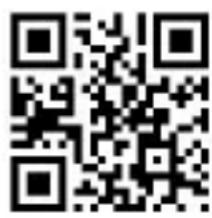
The free Silk'n Hair Removal application supports your every step with Silk'n hair removal devices. The app creates your personalized treatment plan, helps you make the safest and most informed choices, and makes sure you follow through the entire course of treatment for best results.
Download the app and follow the registration process and Bluetooth pairing steps. For a free download scan:
text_image
QR code image containing encoded data, no visible human-readable textBluetooth
8. Cleaning, maintenance & storage
It is important to clean the device after each treatment.
●Disconnect the device from the electricity supply.
To clean the device including the treatment surface (#2), wipe with a clean, dry cloth and 70% alcohol. Never use acetone or other abrasive fluids, because they will damage your device.
Use a wipe to dry the device.
●After cleaning, we recommend you store the device in its original box.
9. Troubleshooting
Do not attempt to open or repair your Silk'n device. You may expose yourself to dangerous electrical components or pulsed light energy and cause serious harm to yourself. It will also void your warranty. For unresolved problems or queries, please contact customer service.
| Problem Checks | |
| My device does not start. | Make sure the adapter is properly connected to the device and that it is plugged into an electrical outlet on the wall. |
| There is no galvanic pulse when I press the pulse button (#1). | Check that:· your hand is touching the base electrode (#8) when you press the pulse button (#1).· the galvanic energy is only active when the galvanic circuit is closed. This is achieved by pressing the pulse button (#1) and the base electrode (#8) at the same time. |
| There is no light pulse when I press the pulse button (#1). | Check that:· the green ready/skin tone warning indicator light (#7) is blinking slowly to ensure you have good contact with the skin.· the treatment surface (#2) is evenly and firmly pressed to the skin. The pulse button (#1) will activate a pulse only if the treatment surface (#2) is firmly pressed against the skin.If the ready/skin tone warning indicator light (#7) blinks rapidly, this is an indication that your skin tone is too dark for safe use. Try using the device on a different area. |
| There is no light pulse when the device touches my skin. | Check that the device is connected and the ready/skin tone warning indicator light (#7) is on. Make sure that the treatment surface (#2) is evenly and firmly pressed to the skin.It is also possible that your skin colour is too dark. |
| The ready/skin tone warning indicator light (#7) blinks. | The skin colour is too dark. |
| One or more lights blink continuously. | The device has malfunctioned. |
| The device has stopped working and is in standby mode. | Press the control button (#6) again to start the device. |
10. Customer service
See our website for more information: www.silkn.eu. This manual is also available as a PDF download from: www.silkn.eu. Contact Customer Service to report unexpected operations or events, or any other problem with your device. Our contact details are:
| Country Service number Email | |
| Belgium 0800-29316 serviceconsommateurbe@silkn.eu | |
| France 0891-655557 serviceconsommateurfr@silkn.eu | |
| Germany 089 51 23 44 23 kundenservicede@silkn.eu | |
| Italy +31 (0)180-330 550 servizioclientiit@silkn.eu | |
| Netherlands | 0900-2502217 klantenservicenl@silkn.eu |
| Spain | 900 823 302 servicioalcliente@silkn.eu |
| UK | 0906-2130009 customercareuk@silkn.eu |
| Other countries | +31 (0)180-330 550 info@silkn.eu |
11. Warranty
Please refer to the separate product warranty booklet for complete information.
i The manufacturer accepts no liability for damage or injuries caused by improper or incorrect use.
12. Disposal
If your device reaches its End of Life stage, be sure to follow your country's laws for the disposal of electrical items.
Packaging: Dispose of the packaging separated into single type materials. Dispose of cardboard and carton as waste paper and film via the recyclable material collection service.
Device: Do not dispose with household waste! The WEEE directive requires that you dispose of this electrical device (including all accessories and parts) at a designated recycling collection point for electrical devices. This ensures that the device is recycled professionally, and prevents the release of harmful substances* into the environment. Make sure that the device is in an uncharged state before disposal.
* Products labeled with Cd = cadmium, Hg = mercury, Pb = lead.
13. Specifications
| Model H3101 | |
| Galvanic 70-400 Microampere (μA) | |
| Spot size 0.9cm x 3cm [2.7cm2] | |
| Technology Enhanced Home Pulsed LightTM | |
| Max energy level Max 4J/cm2 | |
| Wavelength 475-1200nm | |
| Pulse light duration 500-800μs | |
| Mode of operation Continuous | |
| Repetition rate: 1.0Hz maximum | |
| System weight 225g | |
| Transport & storage between uses and storage condition | Temperature: - 40 to +70°CRelative humidity: 10 - 90%rHAtmospheric pressure: 500 - 1060hPa |
| Operating conditions Temperature: 10 - 35°CRelative humidity: 30 - 75%rHAtmospheric pressure: 700 - 1060hPa | |
| Time from minimum storage temperature between uses to minimum operating temperature with ambient temperature of 20°C | 30 minutes |
| Time from maximum storage temperature between uses to maximum operating temperature with ambient temperature of 20°C | 30 minutes |
| Protection against electric shock | Class II medical equipment typeBF applied part |
| AdapterInput:Output: | KSAPV0361200300D5100-240V; 50-60Hz; 0.9A12Vdc; 3A |
| Bluetooth LEOperating Frequency:Transmitter Power: | 2,402 MHz ~ 2,480MHzBelow 10 mW/MHz |
| Pulse parameters (seconds) | Energy level 1: 0.9Energy level 2: 1.1Energy level 3: 1.4Energy level 4: 1.7Energy level 5: 2.0 |
14. Signs & symbols
 | Important information about using or maintaining the device. |
 | A statement or event that indicates a possible or impending danger, problem, or other unpleasant situation when using the device. |
 | Products marked with this symbol fulfil the requirements of the EU directives. |
 | Do not dispose with household waste. Dispose in accordance with your country's laws and help protect the environment. In accordance with the WEEE Directive. |
 | Follow the instructions for use. |
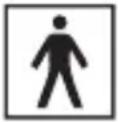 | Degree of protection against electric shock: type BF applied part. |
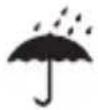 | Keep dry. |
 | Date of manufacture. |
 | Manufacturer. |
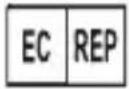 | EU Authorized Representative. |
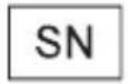 | Product serial number. |
| IP30 | The device is protected against the ingress of objects larger than 2.5 mm diameter, such as fingers, to protect against electric shock. |
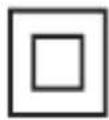 | Class II. The adapter is protected against electric shock by means of double insulation. |
15. Labeling
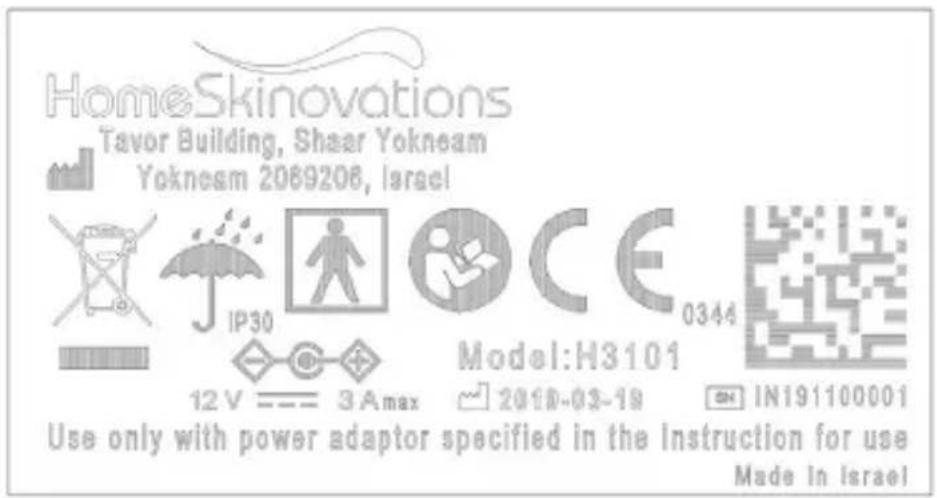
text_image
HomeSkinovations Tavor Building, Shaar Yokneam Yokneam 2069206, Israel IP30 12 V —— 3 A max CE 0344 Model:H3101 2010-03-19 IN191100001 Use only with power adaptor specified in the Instruction for use Made In IsraelEMC requirements
IEC 60601-1-2 Edition 4.0 (2014)
Environment of intended uses:
Home Healthcare Facility Environment
Summary of Test Results
| Test | Standard | Class/ Severity level | Test result |
| Emission (IEC 60601-1-2 section 7) | |||
| Radiated emissionFreq. range: 30 - 1000 MHz | CISPR 11 Group | 1 Class B Complies | |
| Immunity (IEC 60601-1-2 section 8) | |||
| Immunity from Electrostatic discharge (ESD) | IEC 61000-4-2 | 8 kV contact discharges & 15 kV air discharges | Complies |
| Immunity from radiated electromagnetic fields | IEC 61000-4-3 | 3.0; 10.0 V/m; 80 MHz ÷ 2.7 GHz,80% AM, 1 kHz | Complies |
| Immunity from Proximity field from wireless communications equipment | IEC 61000-4-3 | List of frequencies, from 9 V/m up to 28 V/m, PM (18 Hz or 217 Hz), FM 1 kHz | Complies |
| Immunity from power frequency magnetic field | IEC 61000-4-8 | 30 A/m @ 50 Hz Complies | |
Simplified Declaration of Conformity: In accordance with article 10(9) of the EU declaration of conformity, the radio equipment type Bluetooth LE is in compliance with Directive 2014/53/EU.
For the complete document go to: https://silkn.co.uk/media/downloads/EU-Declaration-of-Conformity.pdf?_ga=2.228140826.664266296.1655719376-935110399.1646405517
17. Legal notice
Copyright 2022 © Home Skinovations Ltd. All rights reserved.
Home Skinovations Ltd reserves the right to make changes to its products or specifications to improve performance, reliability, or manufacturability. Information furnished by Home Skinovations Ltd is believed to be accurate and reliable at the time of publication. However, Home Skinovations Ltd assumes no responsibility for its use. No license is granted by its implication or otherwise under any patent or patent rights of Home Skinovations Ltd. No part of this document may be reproduced or transmitted in any form or by any means, electronic or mechanical, for any purpose, without the express written permission of Home Skinovations Ltd. Data is subject to change without notification. Home Skinovations Ltd has patents and pending patent applications, trademarks, copyrights, or other intellectual property rights covering subject matter in this document. The furnishing of this document does not give you any license to these patents, trademarks, copyrights, or other intellectual property rights except as expressly provided in any written agreement from Home Skinovations Ltd. Specifications are subject to change without notice. Silk'n and the Silk'n logo are registered trademarks of Home Skinovations Ltd, Tavor Building, Shaar Yokneam P.O. Box 533, Yokneam 2069206, ISRAEL, www.silkn.com, info@silkn.com.
Table des matières
text_image
Warning symbol image with exclamation mark inside triangletext_image
Diagram showing a device with labeled components and directional arrows indicating movement or transformation.FR
text_image
QR code image containing encoded data, no visible human-readable textBluetooth
text_image
Warning symbol image with exclamation mark inside triangletext_image
Diagram showing a device with labeled components and directional arrows indicating movement or transformation.text_image
QR code image containing encoded data, no visible human-readable textBluetooth
text_image
Warning symbol image with exclamation mark inside triangletext_image
Diagram showing a device with labeled components and directional arrows indicating movement or transformation.text_image
QR code image containing encoded data, no visible human-readable textBluetooth
text_image
Warning symbol image with exclamation mark inside triangletext_image
Diagram showing a device with labeled components and directional arrows indicating movement or flow.text_image
QR code image containing encoded data, no visible human-readable textBluetooth
text_image
Warning symbol image with exclamation mark inside triangletext_image
Diagram showing a device with labeled components and directional arrows indicating movement or transformation.text_image
QR code image containing encoded data, no visible human-readable textBluetooth
text_image
Warning symbol image with exclamation mark inside triangletext_image
Diagram showing a device with labeled components and directional arrows indicating movement or flow.text_image
QR code image containing encoded data, no visible human-readable textBluetooth
text_image
Warning symbol image with exclamation mark inside triangletext_image
Diagram showing a device with labeled components and directional arrows indicating movement or transformation.text_image
QR code image containing encoded data, no visible human-readable textBluetooth
text_image
Warning symbol image with exclamation mark inside triangletext_image
Diagram showing a device with labeled components and directional arrows indicating movement or transformation.text_image
QR code image containing encoded data, no visible human-readable textBluetooth
Home Skinovations Ltd, Tavor Building, Shaar Yokneam
P.O.Box 533, Yokneam 2069206, Israel
www.silkn.com info@silkn.com
EU Authorised Representative:
MedNet EC-REP GmbH
Borkstrasse 10, 48163 Muenster
Germany
Swiss Authorised Representative:
MedNet SWISS GmbH
Bäderstrasse 18, 5400 Baden
Switzerland
UK Authorised Representative:
MediMap Ltd
2 The Drift, Thurston, Suffolk IP31 3RT
United Kingdom

Distributor:
Invention Works B.V.