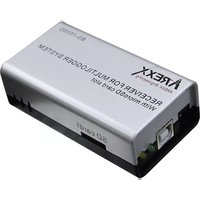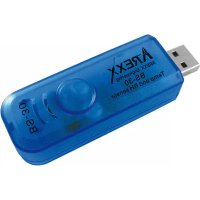
BS30 - Measuring equipment AREXX - Free user manual and instructions
Find the device manual for free BS30 AREXX in PDF.



| Product type | USB temperature and humidity data logger |
| Brand | AREXX |
| Model | BS30 |
| Dimensions (L x W x H) | 70 x 25 x 22 mm |
| Weight | 25 g |
| Power supply | 5 - 7.5 V DC / 100 mA via USB; integrated 3.7 V lithium-polymer battery |
| Integrated sensors | Temperature and relative humidity |
| Temperature measurement range | -40 °C to +100 °C |
| Temperature accuracy | ±1 °C from +10 °C to +40 °C; ±1.5 °C from -10 °C to +50 °C; ±2.5 °C from -40 °C to +100 °C |
| Humidity measurement range | 0 % to 100 % RH |
| Humidity accuracy | ±0.5 % from 20 % to 80 % RH; ±7 % outside |
| Recording media | Micro SD card (SD, SDHC) ≥ 1 GB |
| Interface | USB 2.0, Multilogger protocol |
| Typical battery life | Up to 107 days (measurement interval 60 min) |
| Real-time clock | Yes, synchronized via Multilogger software |
| LED indicators | Blue (measurement/recording); Red (battery charging) |
| Compatible software | Multilogger (Templogger) for Windows XP and later (32/64-bit) |
| Configuration | Via BS-30 tool integrated in the software (measurement interval, sensor ID) |
| Maintenance and cleaning | Keep dry; clean with a soft, dry cloth; avoid moisture and liquids |
| Safety | Avoid static electricity; check adapter polarity; do not open the housing |
| Repairability | Firmware re-programmable via Reset/PGM buttons; no user-serviceable parts |
| General information | Indoor use only; compatible with AREXX Multilogger system |
Frequently Asked Questions - BS30 AREXX
User questions about BS30 AREXX
0 question about this device. Answer the ones you know or ask your own.
Ask a new question about this device
Download the instructions for your Measuring equipment in PDF format for free! Find your manual BS30 - AREXX and take your electronic device back in hand. On this page are published all the documents necessary for the use of your device. BS30 by AREXX.
USER MANUAL BS30 AREXX
© 2015 AREXX - HOLLAND - CHINA
HAVINGA SOFTWARE - HOLLAND
\*D INFORMATION BS-30
-
Manual
-
Trouble shooting
Technical details
\*NL BS-30 INFORMATIE
©2015 AREXX Engineering
Nervistraat 16
8013 RS Zwolle
The Netherlands
Tel.: +31 (0) 38 454 2028
Fax.: +31 (0) 38 452 4482
E-Mail: Info@arexx.nl
| Impressum©2015 AREXX EngineeringNervistraat 168013 RS ZwolleThe NetherlandsTel.: +31 (0) 38 454 2028Fax.: +31 (0) 38 452 4482E-Mail: Info@arexx.nl | This manual is protected by laws of Copyright. Any full or partial reproduction of the contents are forbidden without prior written authorization by the European importer.Product specifications and delivery contents are subject to changes. The manual is subject to changes without prior notice.You can find free updates of this manual onhttp://www.arexx.com/ |
| “BS-30 and Multilogger” are registered trademarks of AREXX Engineering.All other trademarks are the property of their owners. We are not responsible for the contents of external web pages that are mentioned in this manual! | |
| Information about limited warranty and responsibilityThe warranty granted by AREXX Engineering is limited to the replacement or repair of the BS-30 and its accessories within the legal warranty period if the default has arisen from production errors such as mechanical damage or missing or wrong assembly of electronic components except for all components that are connected via plugs/sockets.The warranty does not apply directly or indirectly to damages due to the use of the BS-30.This excludes claims that fall under the legal prescription of product responsibility.The warranty does not apply in case of irreversible changes (such as soldering of other components, drilling of holes, etc.) of the BS-30 or its accessories or if the BS-30 is damaged due to the disrespect of this manual.The warranty is not applicable in case of disrespect of this manual! In addition, AREXX Engineering is not responsible for damages of all kinds resulting from the disrespect of this manual! Please adhere above all to the „Safety recommendations” in the BS-30 manual.Please note the relevant license agreements on the CD-ROM!IMPORTANTPrior to using this BS-30 USB sensor for the first time, please read this manual thoroughly up to the end. it explains the correct use and inform you about potential dangers. Moreover it contains important information that might not be obvious for all users.Important safety recommendationThis module is equipped with highly sensitive components. Electronic components are very sensitive to static electricity discharge. Only touch the module by the edges and avoid direct contact with the components on the circuit board. | |
| SymbolsThis manual provides the following symbols: | |
 | The "Attention!" Symbol is used to mark important details. Neglecting these precautions may damage or destroy the module and/or additional components and additionally you may risk your own health or the health of other persons! |
 | The "Information" Symbol is used to mark useful tips and tricks or background information. In this case the information is to be considered as "useful, but not necessary". |
| Safety recommendations- Check the polarity of the power supply.- Keep all products dry, when the product gets wet remove the power directly.- Remove the power when you are not using the product for a longer period.- Before taking the module into operation, always check it and its cables for damage.- If you have reason to believe that the device can no longer be operated safely, disconnect it immediately and make sure it is not unintentionally operated.- Consult an expert if you are unsure about the function, safety or connection to the module.- Do not operate the module in unfavourable conditions.- This module is equipped with highly sensitive components. Electronic components are very sensitive to static electricity discharge. Only touch the module by the edges and avoid direct contact with the components on the circuit board. | |
| Normal useThis product was developed as an receiver for the AREXX Multilogger system. It will only work together with other AREXX Multilogger sensors and products. With the BS-30 you can LOG and store the temperature and humidity data on an SD card.It may be used indoors only. The product must not get damped or wet. Also be careful with condense when you take it from a cold to an warm room, give it time to adapt to the new conditions before you use it.Any use other than that described above can lead to damage to the product and may involve additional risks such as short circuits, fire, electrical shock etc.Please read all the safety instructions of this manual. | |
BS-30 MANUAL
The BS-30 is a USB Multilogger sensor for temperatur and humidity with an micro SD cardslot. The BS-30 registers the temperatur and humidity data and stores it on the internal micro SD memorycard.
You can only read the data on the SD card with an SD cardreader

Software
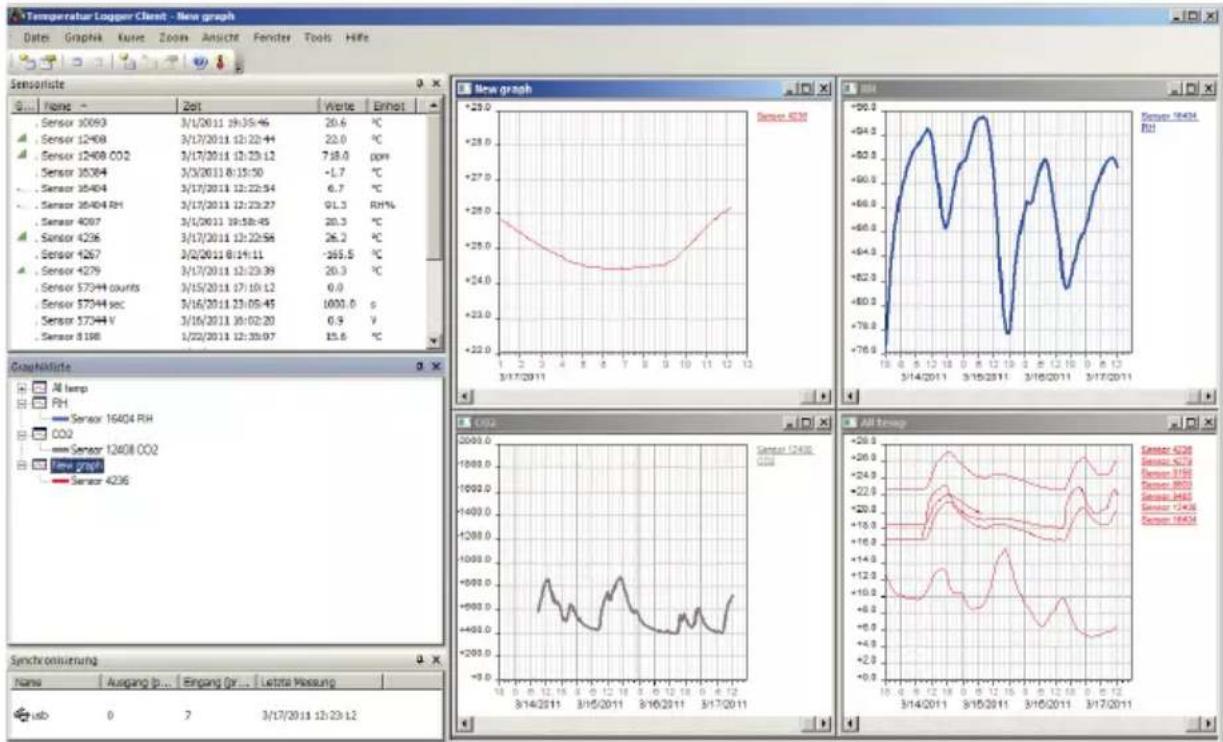
The Multilogger software (Templogger software) has been designed for Windows 7 (and also for subsequent Windows versions) and is available for 32 bits and 64 bits systems. The software has been equipped with 4 languages. You can download the most recent software versions from:
http://www.arexx.com

BS-30 operation
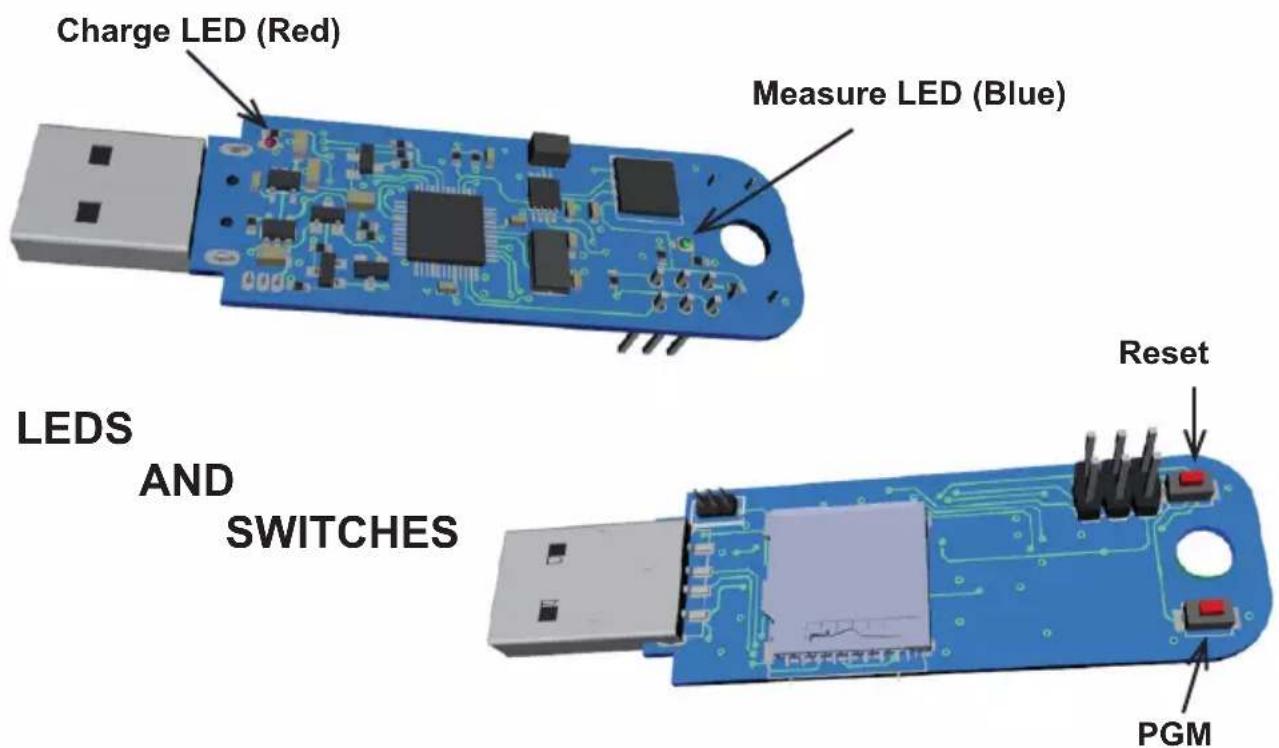
We assume that you already installed the Multilogger software on your PC. Connect the BS-30 to an USN port of your PC. When you connect the BS30 for the first time the BS-30 USB driver (RF_USB) will be installed first. Normally also the charching of the internal accu will directly start (red LED). The charging LED (Red) will blink 2 times shortly when the accu is almost empty.
After a correct installation of the driver you will see in the “Synchronisation” screen of the Multilogger software ‘USB@x’ and the BS-30 firmware version.

The BS30 will store directly the measured data in the Multilogger software. You can monitor the latest measurement in the sensor list screen of the software and the activity in the synchronisation screen.
As long the BS-30 has (battery)power and the SD card is installed, the module will store the data on the SD card. The Blue LED will blink each time with a data storage action.
During charging when the BS-30 is connected with a PC or with an 5V USB power source the temperature in the BS30 housing will raise a few degrees and the measurement will not be accurate anymore.

Powersupply
The BS-30 can work stand-alone because the internal lithium accu. The data is is stored on the SD card (when you installed one).
Charching the internal accu takes about 3 hours.
You can charge the internal lithium accu with an 5 Volt USB powersouce or directly with your PC.
The BS-30 can operate without the USB power as stand alone device with the lithium accu.

In case the accu will charge the temperature raises a few degrees and the measurements will not be accurent during the charging time of the accu.

LED INDICATOR
The BS-30 has 2 LED indicarors:
The red LED near the USB connector will light during the charching of the accu. The blue LED at the end blinks once when it measures data. The blue LED blinks 3 times short when it is connected to the PC and there is no SD card installed.
Internal Realtime clock
The BS-30 module uses an internal clock (RTC) to supply measurement data with a time-stamp. The clock will be synchronized by the Multilogger software as soon as a data link has been established. If the clock restarts – for instance to be caused by an empty accu cell – the missing time-stamp prevents the system to record new data. The error will cause that the blue LED will not blink anymore.
This error can be solved by connecting the module to the PC in order
to synchronize the module with the Multilogger software.
The software will synchronize the clocks, which allows the Multilogger process to restart further logging.

Data on the SD card
When the SD-card is ejected, the sensor stops, and disconnects the USB connection, if present.
The SD-card can be read with a standard SD-card reader.
The log files will reside on the directory /log, and are named mxxxxyyyymm.txt;
with
- xxxx the sensor number in hexadecimal format;
- yyyy the year number;
• mm the month number.
The format is comma separated text; and can be imported by the temperature-logger software and in Ecel or Word for further processing.
When the temperature logger software is running and the sensor is connected to the PC, the software will start download the data of the sensor. It will download the current month and the previous month – so data between 1 and 2 months length. You can also read the data from the SD card directly with a card reader, in this case there is no 2 months limit.
Logging will continue when the sensor is connected to the PC.

In case the accu will charge the temperature raises a few degrees and the measurements will not be accurent during the charging time of the accu.

The latest temperature logger software is able to connect to more than one USB base-station simultaneously. Normally just one station will suffice, but this USB-sensor can be plugged in into the same PC already using a normal USB base-station.
CONFIGURATION
The software package for the logger application also includes the USB-driver, the messenger and a great number of extra tools. The website also provides users with detailed information to the Multilogger series of products.
The sensor can be configured with the BS30 Configuration Tool, available from temperature logger software v2.1.21.
In this tool two figures can be given:
- The sensor id can be given in the range 0x9000-0xa000 (36864-40960);
- The measurement interval can be given (between 30 seconds and 1 hour). This makes it possible to make a tradeoff between sampling frequency and availability of the battery
power: each measurement will consume some power so more measurements will shorten the total period of measurement possible with one battery charge.
The following times can be considered as an indication for the accu life time:
| Measurement interval (minutes) | Measurement period (accu days) |
| 1 | 10 |
| 5 | 40 |
| 10 61 | |
| 30 93 | |
| 60 107 |
BS30 Configuration Tool
The program allows you to read from and write to the device; and also save the configuration to a file.
The tool creates an xml file that is stored on the SD card.

This configuration file (located at /config/config.xml of the SD card) has the following elements:
| Element Description | |
| config root element | |
| interval measurement interval specified in seconds (min 30 secs, max 3600 secs) | |
| device The device number in decimal. The firmware will adjust the number such that it is within the range 0x9000 and 0xa000 |
The configuration file for device 0x9000, measuring every minute would look like this:
<?xml version="1.0" encoding="UTF-8"?>
<config>
<interval>60</interval>
<device>0</device>
</config>
SD memory card
Initially the SD card must be formatted (FAT32). Often cards which already have been formatted are delivered, but if needed you can also format a card by PC-software in a card reader. The Software will create a directory 'log' automatically as a location to store the logging files. At the log-directory the system will generate a text file for each sensor and each month.
You can only read the data from the SD card with a card reader

The naming convention for the log-files is:
m
in which
id: the id-number of the sensor in hexadecimal format
(4/8 bytes).
year: the year in 4 decimals
month: the month in 2 decimals
The format is comma separated text; and can be imported by the temperature-logger software and in Ecel or Word for further processing.
The data in the LOG file
All data which refers to the file-name's criteria will be added to the relevant data-file on the SD card. A data file starts with a file header, followed by individual lines for each data-record for one measurement data set.
in which
time-stamp: yyyy-mm-dd hh:mm:ss (UTC)
value: measurement data value in floating point format.
Delivered from an SD-card these data sets can also be imported to a PC and processed with e.g. Excel-software. The SD-cards' data however also can be imported to the logger software. Import from the SD-cards to the logger software can be controlled by the import function – see menu: file --> import.
Special functions

Update firmware
The firmware of the BS30 sensor can be (re)programmed by the following steps:
- Connect the sensor to the PC via USB
- Press both switches RESET and PGM simultaneously, and release the RESET before releasing the PGM switch.
- Normally, a file explorer window will open up (called 'CRP DISABLD') with one file called firmware.bin.
- Delete this file
- Move the new firmware.bin file to the empty folder
- Start the BS-30 again by pressing the reset button
2. Troubleshooting
The USB sensor but fails to registrate.
Potential problems:
- Accu is empty or are at a low level
- PC does not register the BS30
Potential causes:
- USB is not properly connected to the PC
- USB driver is not installed corectly
- Unknown software or driver problem
Suggested solutions:
- Fully charge the accu in the USB sensor (see charge LED).
- Check the “Synchronisation” window in the temperature logger software. The field is to display the value ‘USB@x’ and the version number.
- Remove the USB sensor wait for 10 seconds and connect it again
- Deinstall the Multiloggerlogger Software and do a reinstallation with the latest versions. (see www.arexx.com) wiederholen Sie die Installation.
- Check the sensor list if the sensornumbers are available
Technical details
Type:
BS30
USB: USB 2.0, Multilogger USB-Protocol.
Power: 5 - 7.5V DC / 100mA
Accu:
Lithium-Polimer 3,7V
SD card: Mikro SD (SD, SDHC) ≥ 1 GB
Messurment memory size: 30 Byte per measurement, with 1 measurement per minute it is 20MB Per
year
Dimensions (LxWxH): 70 x 25 x 22 mm
weight (Gram): 25
Range and accuracy:
Temperature;
- >± 1^ C from +10^ C to +40^ C
- >±1,5°C from -10°C to +50°C
- >±2,5°C from -40°C to +100°C
Humidity;
*± 7° from 0-20% to 80-100%
Software: http://www.arexx.com