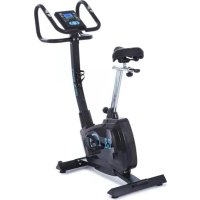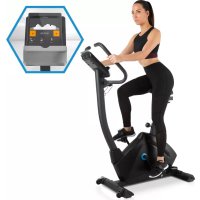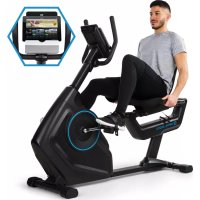
Evo Deluxe Cardiobike - Indoor bike trainer Capital Sports - Free user manual and instructions
Find the device manual for free Evo Deluxe Cardiobike Capital Sports in PDF.



| Technical Features | Magnetic resistance, 16 resistance levels, 8 kg flywheel |
|---|---|
| Dimensions | Dimensions: 110 x 50 x 130 cm |
| Maximum User Weight | 120 kg |
| Display | LCD screen, displays speed, distance, time, calories burned, and heart rate |
| Usage | Ideal for home cardio training, suitable for users of all levels |
| Maintenance | Regularly check screws and bolts, clean frame and components after each use |
| Safety | Use only on a flat surface, do not exceed maximum weight, follow usage instructions |
| General Information | 2-year warranty, assembly required, accessories included: pedals, user manual |
Frequently Asked Questions - Evo Deluxe Cardiobike Capital Sports
User questions about Evo Deluxe Cardiobike Capital Sports
0 question about this device. Answer the ones you know or ask your own.
Ask a new question about this device
Download the instructions for your Indoor bike trainer in PDF format for free! Find your manual Evo Deluxe Cardiobike - Capital Sports and take your electronic device back in hand. On this page are published all the documents necessary for the use of your device. Evo Deluxe Cardiobike by Capital Sports.
USER MANUAL Evo Deluxe Cardiobike Capital Sports
Training per KINOMAP App 25
2. Cardio-Trainingsphase
Download on the AppStore

Download on the AppStore
Member of Berlin Brands Group
Handwerkerstr. 11
15366 Dahlwitz-Hoppegarten
Deutschland
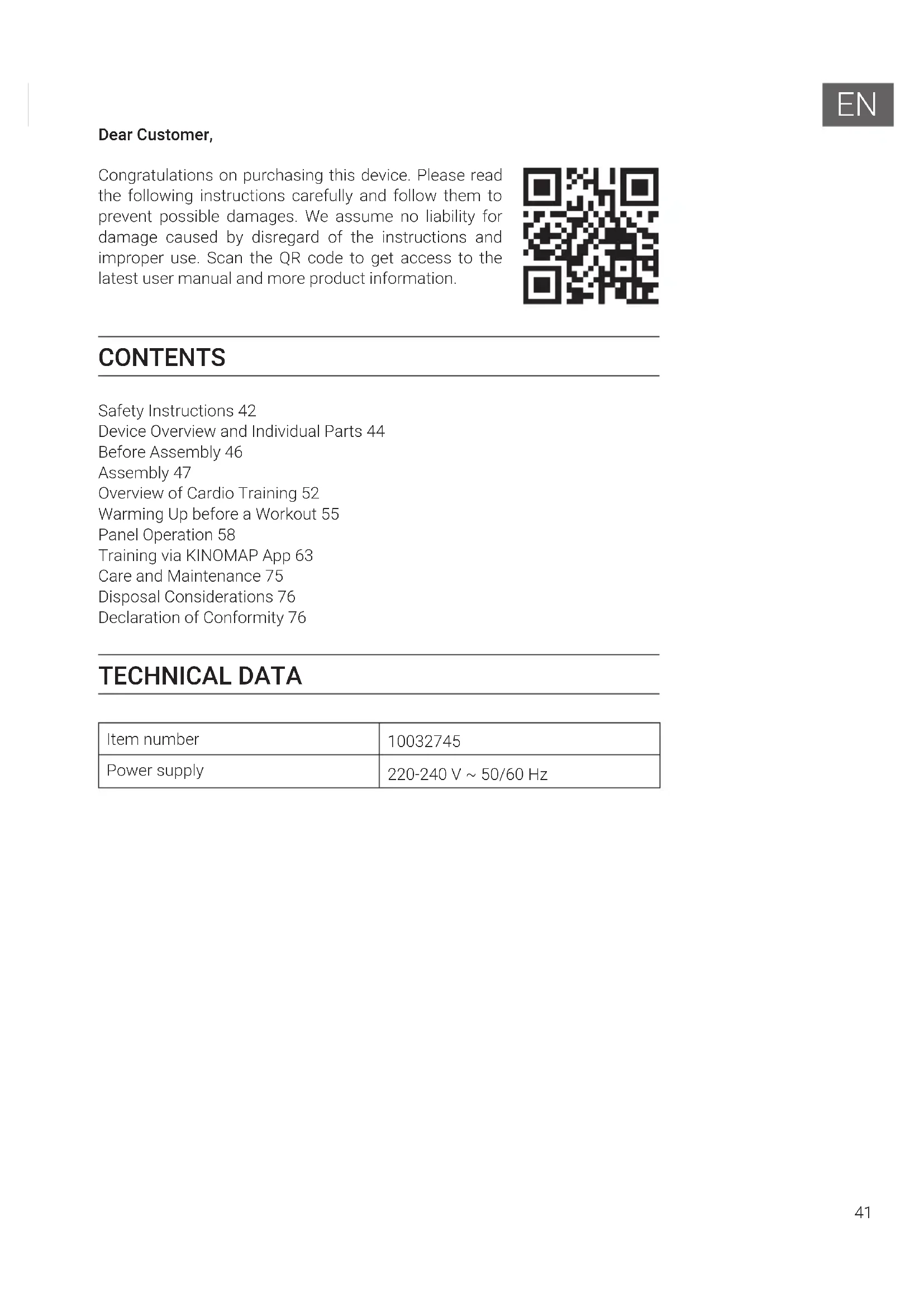
Congratulations on purchasing this device. Please read the following instructions carefully and follow them to prevent possible damages. We assume no liability for damage caused by disregard of the instructions and improper use. Scan the QR code to get access to the latest user manual and more product information.
CONTENTS
Safety Instructions 42
Device Overview and Individual Parts 44
Before Assembly 46
Assembly 47
Overview of Cardio Training 52
Warming Up before a Workout 55
Panel Operation 58
Training via KINOMAP App 63
Care and Maintenance 75
Disposal Considerations 76
Declaration of Conformity 76
TECHNICAL DATA
| Item number | 10032745 |
| Power supply | 220-240 V ~ 50/60 Hz |
SAFETY INSTRUCTIONS
Before operating this unit, please read this manual carefully to ensure optimum performance and safety. This is manual should be kept available for future reference. For product improvement, the company reserves the right to change the design and specification at any time without prior notice. Pictures are for reference use only and may differ from the actual product.
- Please keep this manual in a safe place for your reference when necessary.
- Please do not assembly or use this equipment until you read this manual thoroughly & carefully. The safety and efficiency only can be achieved when the equipment is assembled, maintained and used properly. It is your responsibility to ensure that all the users are informed of all the warnings and precautions.
- For totally safe use, a stable, leveled surface is required. Protect your floor with a mat. Do not use the equipment in a damp areas such as swimming pool sauna, etc. For safety space, the equipment must have at least 0.5 meter of free space all around it.
- Before starting any exercise program you must consult your doctor to determine if you have any physical or health conditions that could create a risk to your health and safety, or prevent you from using the equipment properly. Your doctor's advice is essential if you are taking medication that affects your heart rate, blood pressure or cholesterol level.
- Be aware of your body's signals. Incorrect or excessive exercise can damage your health. Stop exercising if you experienced any of the following symptoms: pain, tightness in your chest, irregular heartbeat, extreme shortness of breath, feeling light headed, dizzy or nauseous. If you do experience any of these conditions you must consult your doctor before continuing with your exercise program.
- Do not workout immediately after meals.
- Keep children and pets away from the equipment, the equipment must be assembled and used by adults only.
- The equipment is designed for home use only.
Note: Maximum weight of the user is 120kg
- The equipment is not suitable for therapeutic use, may only be used for exercises indicated in the training instructions
- Wearing proper clothing and athletic shoes while using the equipment, Avoid wearing loose clothing that may get caught in the equipment or that may restrict or prevent movements.
- Keep your back straight while exercising.
- Before using the equipment, check the handle bar, seat, and the nuts & bolts are securely tightened.
- For adjustable parts, bear the maximum position in your mind, do not exceed the mark "stop", otherwise will cause risk.
- Always use the equipment as indicated. If you find any defective components while assembling or checking the equipment, or if you hear any unusual noises coming from the equipment during use, stop immediately. Do not use the equipment until the problem has been solved.
- Care must be taken when lifting or moving the equipment so as not to injure your back. always use proper lifting techniques and /or seek assistance if necessary.
- All moveable accessories (e.g. pedal, handlebar, saddle...etc.) require weekly maintenance. Check them before use every time. If anything broken or loose, please fix them immediately. You may continue using them only after they return to good conditions.
- Keep power cord away from heat sources.
- Do not insert or drop any object into any opening.
- Unplug exercise bike before moving or cleaning it. To clean, wipe surfaces down with mild detergents and a slightly damp cloth only; never use solvents.
- Do not use the exercise bike in any location that is not temperature controlled, such as, but not limited to, garages, porches, pool rooms, bathrooms, car ports or outdoors.
- Use the bike only as described in this manual.
- Incorrect repair and structural modifications (e.g. removal or replacement of original parts) may endanger the safety of the user.
- The rotating disk flywheel will get hot during the operation.
- Lock the equipment when stop using.
DEVICE OVERVIEW AND INDIVIDUAL PARTS
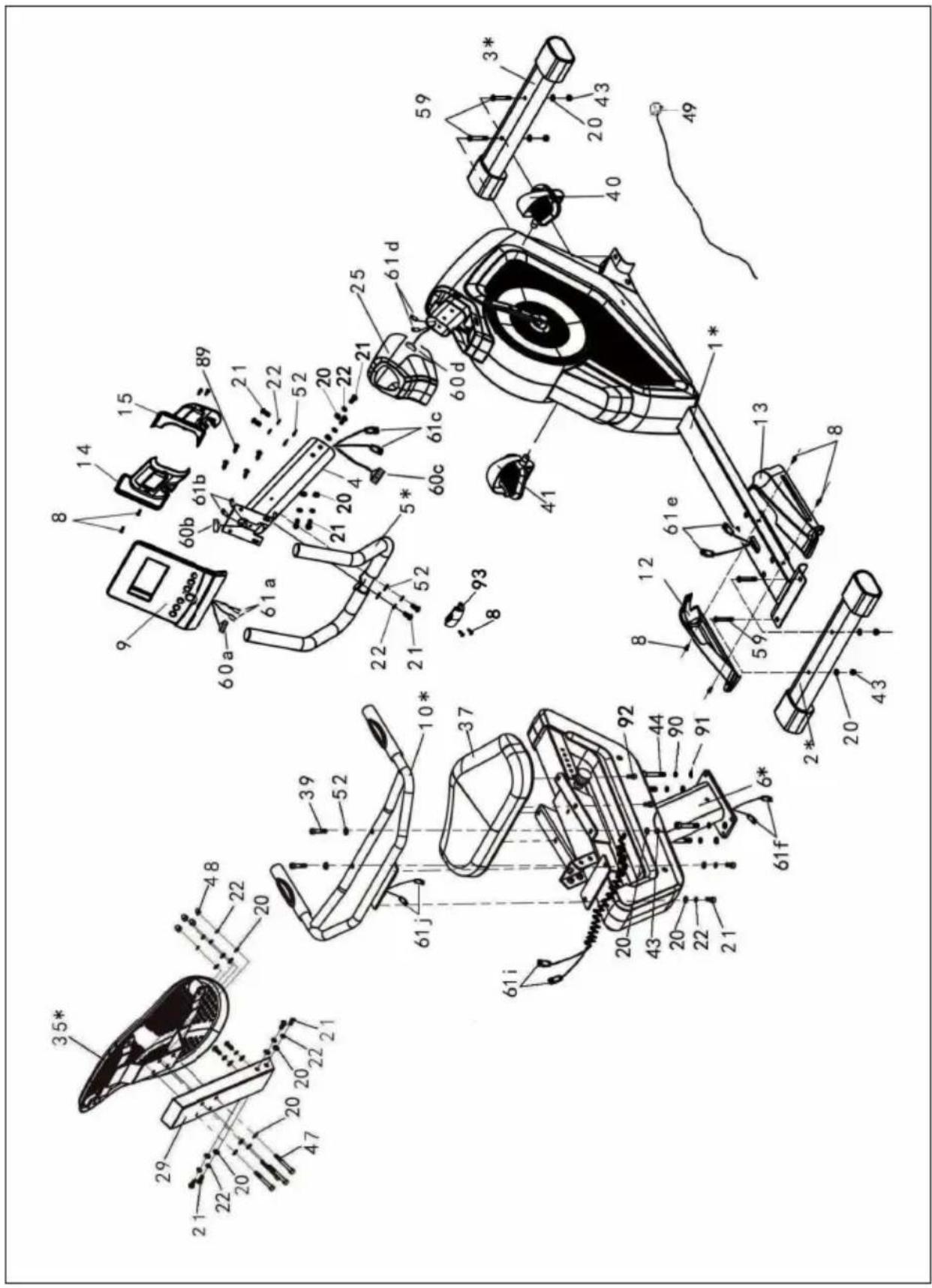
| No. | Description Qty No. Description Qty | ||||
| 1* | Main Frame Assembly Part | 1 35* Backrest Assembly Part 1 | |||
| 2* | Rear Stabilizer Assembly Part | 1 37 Saddle 1 | |||
| 3* | Front Stabilizer Assembly Part | 1 39 | Hex Recessed Flat Head Screw M8X40 | 2 | |
| 4 | Console Support 1 40 Right Pedal 1 | ||||
| 5* | Small Handlebar Assembly Part | 1 41 Left Pedal 1 | |||
| 6* | Rear Support Assembly Part | 1 43 Nylon Lock Nut | M8 6 | ||
| 8 | Cross Pan Head Tapping Screw ST4.2X16 | 8 44 Hex Screw M10X60 4 | |||
| 9 | Console | 1 | 47 | Hex Screw M8X60 | 4 |
| 10* | Handlebar Assembly Part | 1 48 Acorn Nut M8 | 4 | ||
| 12 | Left Bottom Cover | 1 | 49 | Adapter | 1 |
| 13 | Right Bottom Cover | 1 | 52 | Arc Washer Ø8 | 8 |
| 14 | Left Front Cover | 1 | 59 | Hex Screw M8X55 | 4 |
| 15 | Right Front Cover | 1 | 60a, 60b, 60c, 60d | Console Cable Group | 1 |
| 20 | Washer Ø8 | 22 | 61a, 61b, 61c, 61d, 61e, 61f, 61g, 61h, 61i, 61j | Pulse Cable Group | 2 |
| 21 | Hex Recessed Flat Head Screw M8X20 | 12 | 89 | Cross Pan Head Screw M5X10 | 4 |
| 22 | Spring Washer Ø8 | 18 | 90 | Spring Washer Ø10 | 4 |
| 25 | Front Cover | 1 | 91 | Washer Ø10 | 4 |
| 29 | Backrest Fixed Tube | 1 | 92 | Hex Screw M8X16 | 4 |
| 93 Console Small Cover 1 | |||||
| Allen Wrench | Qty. | Inner Hexagon Spanner | Qty. | Cross Head Inner Hexagon Spanner | Qty. |
| 13-15 | 1 | √ | 1 | 1 | 1 |
| S=8 | S=6 |
BEFORE ASSEMBLY
Important Notes
- Please use floor padding, such as cardboard, to avoid scratching your floor during assembly.
- The nuts and bolts have a little grease on them to protect them from corrosion. Please keep a rag handy to wipe your hands.
- Some plastic end caps and plugs have been assembled on the unit prior to shipment. They are shown on the assembly drawings for reference in the event replacement parts are needed.
- The BIKE uses several different lengths of bolts. Be carefully to use the correct length of bolt called for at each step of assembly.
Before you begin
- Locate a comfortable work site. Assemble your BIKE in an open space with adequate ventilation and lighting. Because the BIKE is portable to some extent, you need not assemble it exactly where it is to be used. For your convenience, however, you should avoid hauling the Bike across excessive distance, through narrow passageways or over staircases once its assembly is complete. If the BIKE is to be assembled in living quarters, protect the floor or carpet with a large mat before removing parts from carton.
- Review all safety guideline on page 2 of this manual.
ASSEMBLY
| 1 |
| · Fix Front and Rear Base Assembly Part (#2*, #3*) to Main Frame Assembly Part(#1*) with Bolts (#59), Washers (#20) and Nuts (#43). · Attach Right and Left Pedals (#40, #41) to Crank (#65) of Main Frame Assembly Part (#1*). Note: On each pedal marked “L” and “R” respectively. |
| Note: There are differences between two Pedals (#40, #41). Left Pedal has Backwards Tread, turn Counter-clockwise. Right Pedal has Forwards Tread, turn Clockwise. |
EN

3
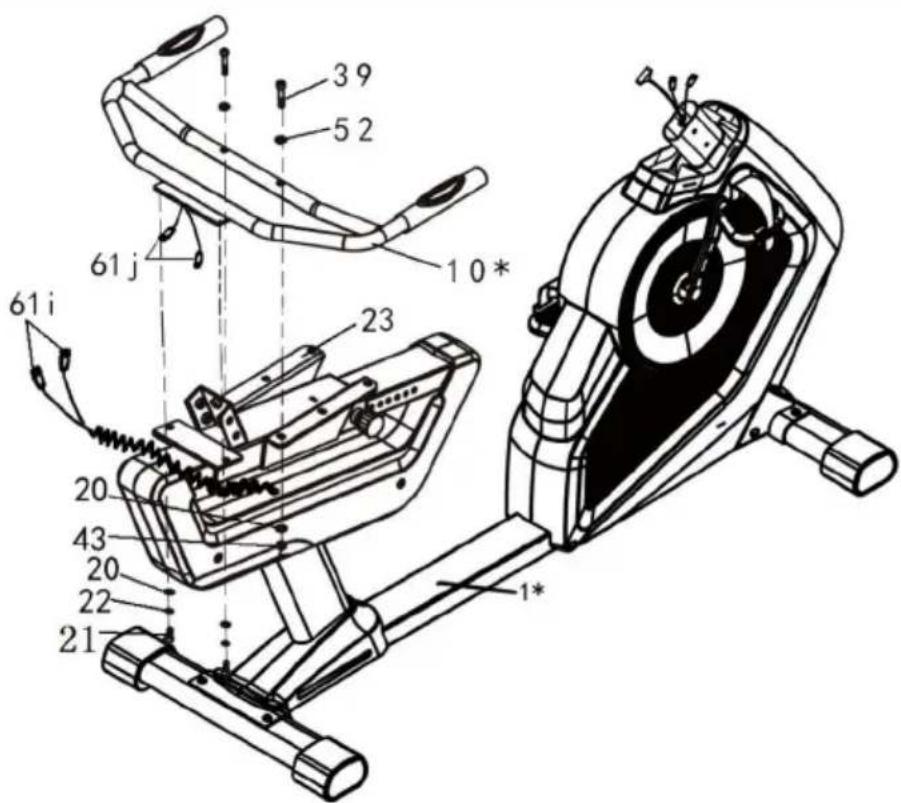
- Connect Pulse Cable Group (#61j) to Pulse Cable Group (#61j).
- Connect Handlebar Assembly Part (#10*) to Sliding Rack (#23) with Bolts (#39 & #42), Arc Washer (#52), Washers (#20), Spring Washers (#22) and Nuts (#43).
5
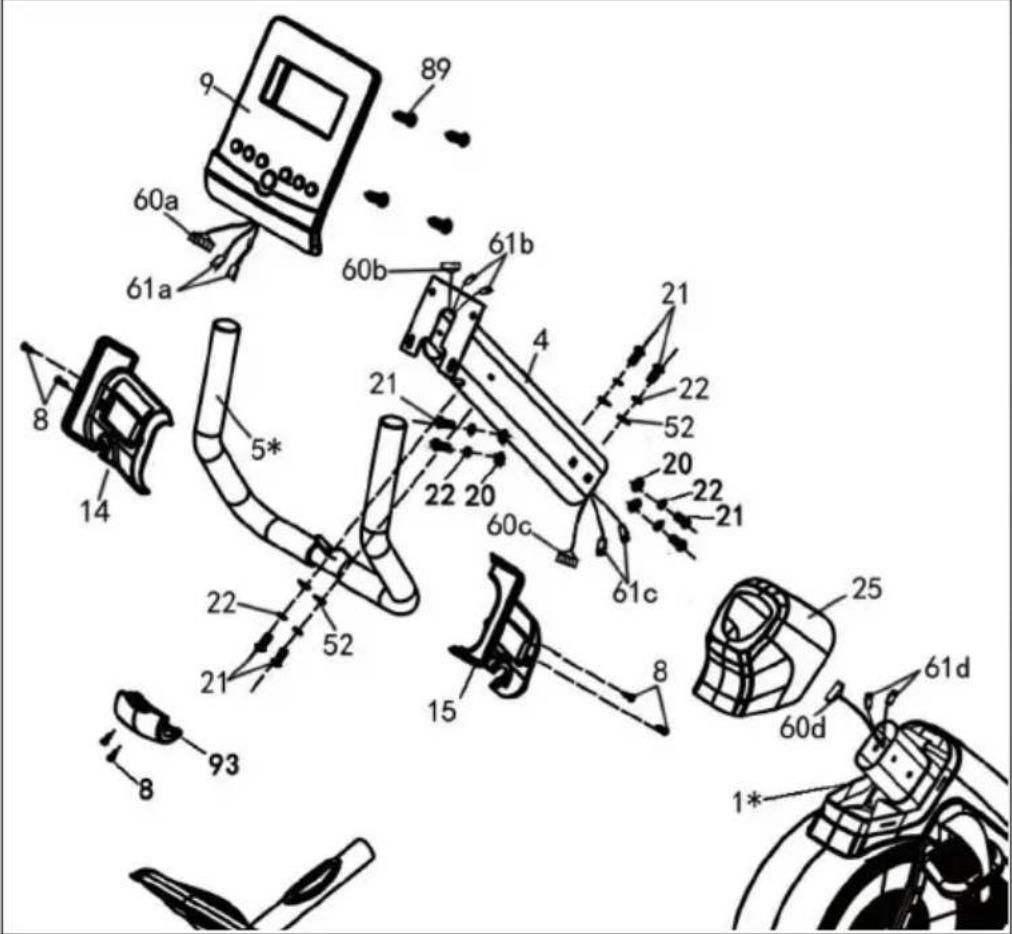
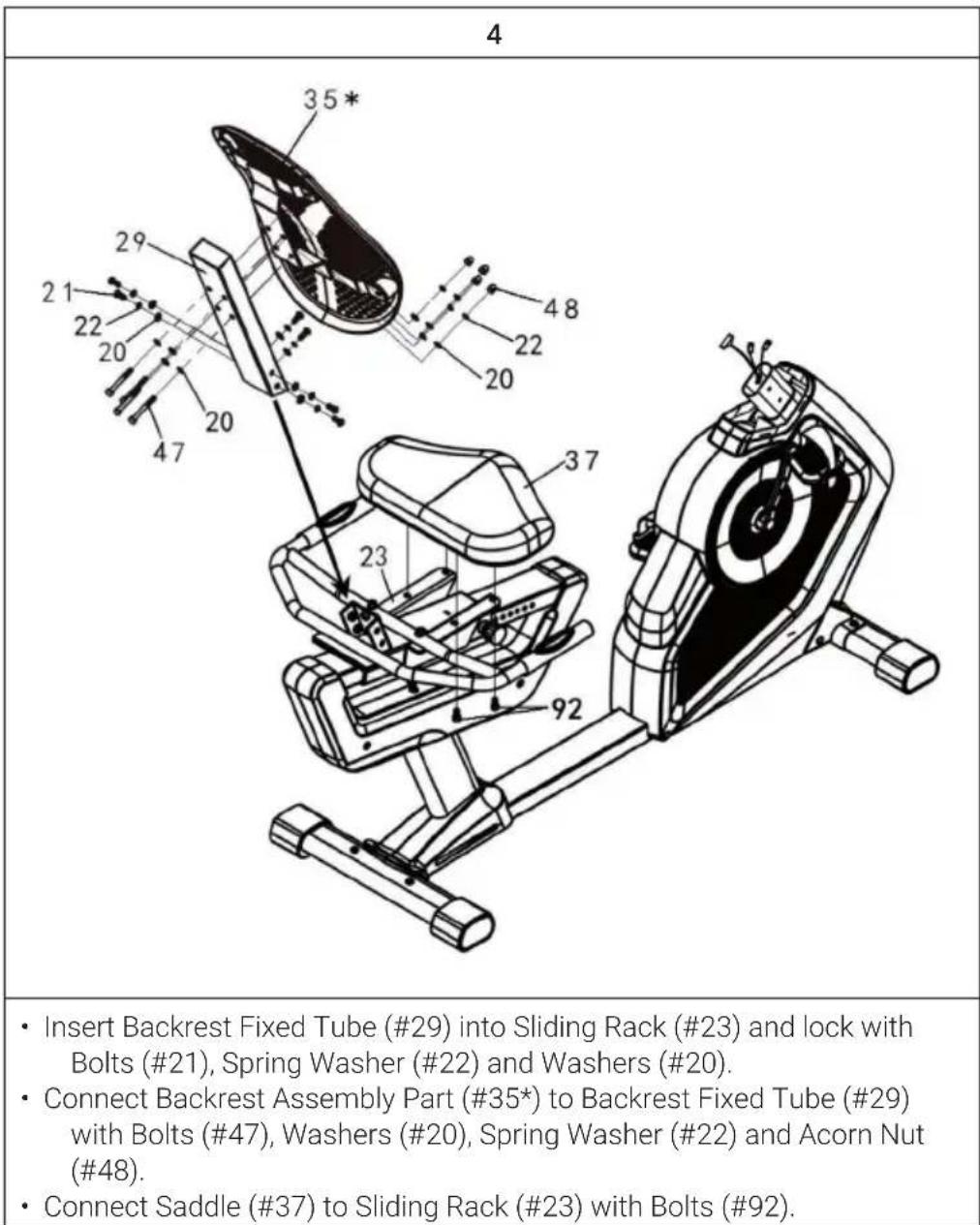
- Connect Front Cover (#25) to Console Support (#4).
- Connect Console Cable Group (#60c) to Console Cable Group (#60d).
- Connect Pulse Cable Group (#61c) to Pulse Cable Group (#61d).
- Insert Console Support (#4) into Main Frame Assembly Part (#1*) and secure it into place using 6 Bolts (#21), 6 Spring Washers (#22), 4 Flat Washers (#20) and 2 Arc Washers (#52-2pcs).
- Put Front Cover (#25) into the correct position together.
- Connect Small Handlebar Assembly Part (#5*) to Console Support (#4) with 2 Bolts (#21), 2 Spring Washers (#22) and 2 Arc Washers (#52).
- Connect Left Front Cover (#14), the right Front Cover (#15) and Small Cover(#93) to the Small Handlebar Assembly Part (#5*), then fix them on the Console Support (#4) with 6 Bolts (#8).
- Connect Console Cable Group (#60a) to Console Cable Group (#60b).
- Connect Pulse Cable Group (#61a) to Pulse Cable Group (#61b).
- Connect Console (#9) to Console Support (#4) with 4 Bolts (#89).
Regular cardio training stimulates the cardiovascular (heart and blood vessels) and respiratory system. It improves your general health and helps you to burn fat. It is the recommended workout if you want to lose weight. When exercising, glucose is burned off first, then the fat stored in the body.
Intensive cardio training (e.g. circuit training, training with high resistance and long duration training) requires a greater amount of effort and also trains the muscular system and your endurance. As a rule, the more regular you train, the more effective the training is (even with short training sessions of 20 minutes).
During the Training
The level of resistance used during the workout determines the training intensity and the associated results.
An optimal training session includes (1) a warm-up phase, (2) an intensive cardio training phase and finally (3) a cool down phase. If you want to progress or burn calories, you should go through these 3 phases as well as exercise for at least 20-30 minutes on the ergometer.
1. Warm-up Phase
Always start your training session with a low resistance level. A warm-up phase of 5-10 minutes is important because your muscles need to be warmed up. During the warm-up phase, you should give your circulatory system and muscles time to prepare for the subsequent workout. As a beginner, you can train for the first 3 minutes at the easiest level and then gradually increase the level to where you feel most comfortable.
2. Cardio Training Phase
After about 10 minutes, you can then begin the cardio training phase. When using the interval training program, the computer controls the resistance depending on the type of interval chosen and thus simulates changing intensities.
The cardio training phase is considered aerobic or anaerobic training depending on the energy expenditure. These two types of training are defined as follows:
Aerobic Training Zone
While you are in this zone, you are improving your cardiovascular system and burning fat.
Despite an increased heart rate, deeper breathing and light sweating, the body is not in a very stressed state, breathing is not significantly accelerated--you could still talk to someone without going out of breath--and you feel that you could sustain the physical exertion for a long time. It's similar to when you briskly walk uphill.
The muscles and heart work more intensely than when the body is at rest and can get most of their energy needs met via aerobic energy production, which utilizes oxygen to facilitate energy production. At the same time, the anaerobic production of energy is also active, but only to a small extent. The lactic acid produced in this process can be broken down to produce energy. Most of your training should be aerobic training.
If you continue to increase the intensity, you will eventually come to the threshold where aerobic energy production is no longer able to increase its output. At this point, there is a shift towards anaerobic energy production being used to a greater extent. You are now doing anaerobic training.
Anaerobic Training
When in this zone, you are improving your performance and speed. When you increase the intensity while in this zone, the training becomes much more strenuous because of the rising lactate level in the body; you start sweating more; your breathing gets faster; and after some time depending on your fitness level, your muscles tire and you feel totally exhausted and that you can no longer continue at this level of intensity.
3. Cool-down Phase
At the end of the cardio training phase, you begin the cool-down phase, which should last for at least 5 minutes. Here, you use low levels of resistance. The recovery or cool-down phase is also helpful with regard to preventing possible muscle soreness. It is also advisable to do active recuperation after an intensive training session, such as a hot bath, a sauna session or a massage.
Training Progress
Each month you can make the training more challenging by extending the duration of the cardio training phase, by using a higher level of resistance within that phase or by doing a more demanding interval training.
Eating and Drinking
- Drink before, during and after training.
- Drink at least 2 sips of water (10 to 20 cl) every 10-15 minutes during a training session.
- If your workout lasts for more than 1 hour, you should drink a sports drink to protect the body from dehydration while training.
- For optimal cardio training, suitable nutrition before and after any physical activity is very important.
Before training, it is best to eat carbohydrates, such as those found in rice and pasta, as they provide the body with an important source of energy.
After training, you need to refuel with proteins, such as those found in eggs, yoghurt and dried fruits. Even if you want to lose weight, it is absolutely necessary to eat after training in order for your body to recuperate.
WARMING UP BEFORE A WORKOUT
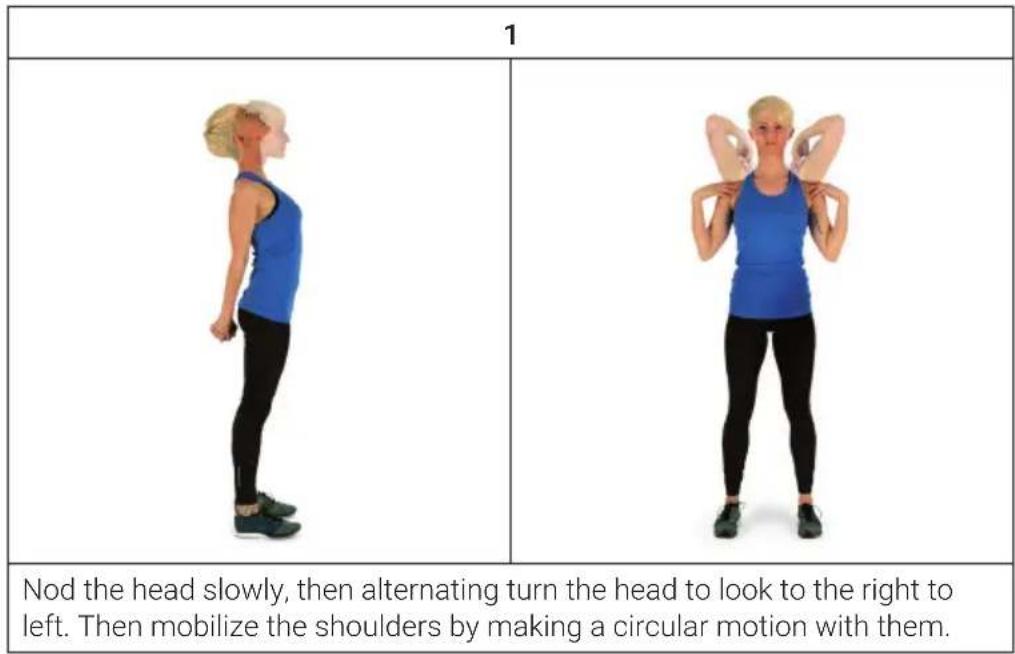
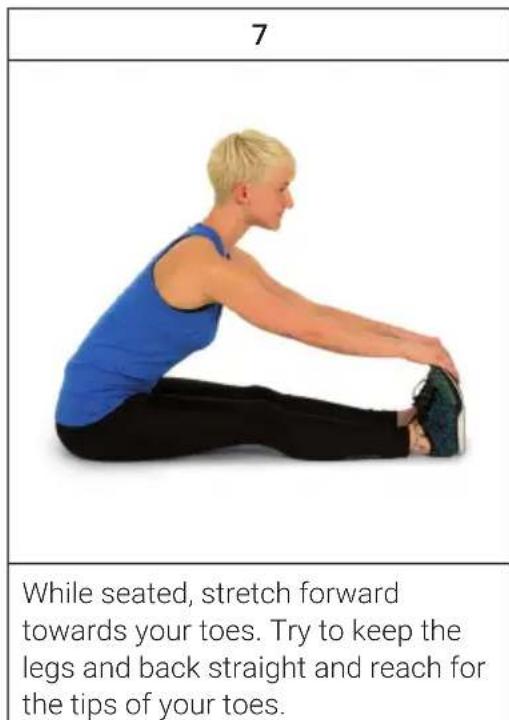
Perform the movements before each workout to mobilize your joints and activate your muscles.
Should a movement be uncomfortable or painful, skip this movement and consult your doctor or fitness instructor about suitable warm-up movements.
Each movement should be repeated (right and left) so that you can start the cardio training relaxed.
Take about 5 minutes to do the following CapitalSports training routine:
| 2 | 3 |
| Turn the hips while the arms are stretched. The feet are not firmly fixed to the ground; the ankles follow the body's rotation. | Bend at the hip with one arm stretched upward. Stay in this position for a few seconds on each side. |
| 4 | |
| Stand on one leg and hold the instep of the other leg with your hand. While in this position, mobilize your ankle so as to stretch the thigh slightly. If necessary, hold on to something to keep your balance. Then Stand on one leg and draw a circle in both directions (clockwise and counterclockwise) with the ankle. | |
| 5 | 6 |
| When squatting, place your feet about shoulder-width apart and lower your hips while keeping your arms straight. Try to also keep your back straight. | Sit with your legs bent so that the soles of your feet touch. Slightly flap the knees by moving the knees up and down while keeping the feet on the floor. Hold your ankles and keep your back straight. |
PANEL OPERATION
Power on
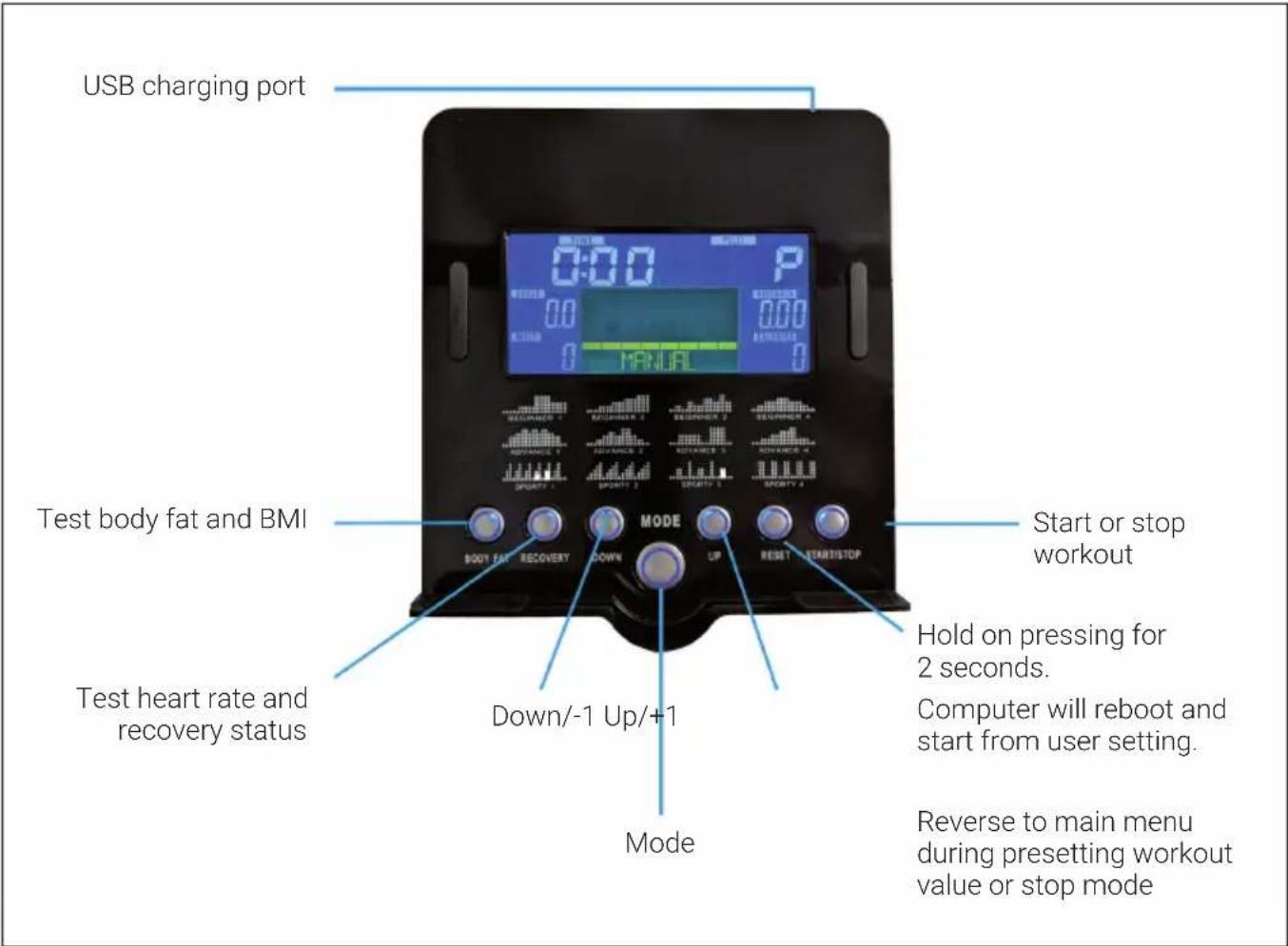
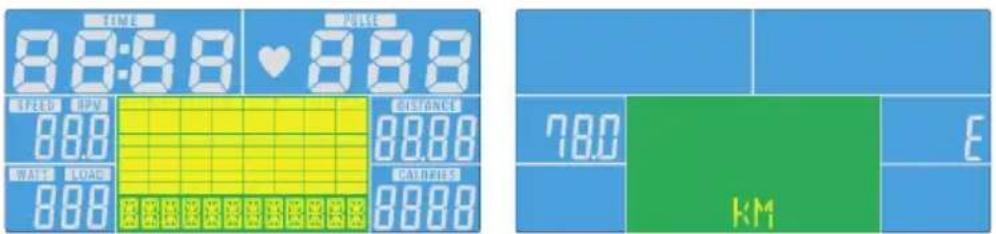
Plug in power supply, computer will power on and display all segments on LCD for 2 seconds. After 4 minutes without pedaling or pulse input, console will enter into power saving mode. Press any key may wake the console up.
Manual Mode
Press START in main menu may start workout in manual mode.
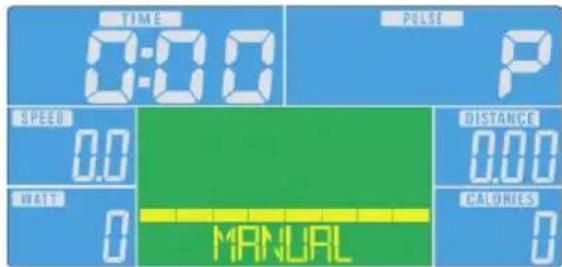
- Press UP or DOWN to select workout program, choose Manual and press Mode to enter.
- Press UP or DOWN to preset TIME, DISTANCE, CALORIES, PULSE and press MODE to confirm.
- Press START/STOP keys to start workout. Press UP or DOWN to adjust load level.
- Press START/STOP keys to pause workout. Press RESET to reverse to main menu.
Beginner Mode
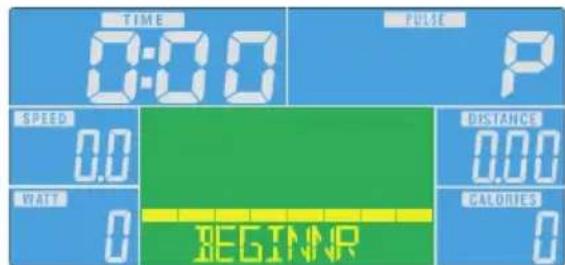
- Press UP or DOWN to select workout program, choose Beginner mode and press Mode to enter.
- Press UP or DOWN to preset TIME.
- Press START/STOP key to start workout. Press UP or DOWN to adjust load level.
- Press START/STOP key to pause workout. Press RESET to reverse to main menu.
Advance Mode
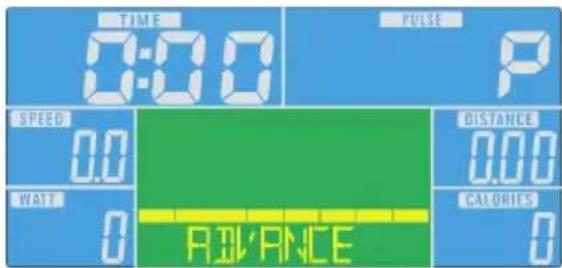
- Press UP or DOWN to select workout program, choose Advance mode and press Mode to enter.
- Press UP or DOWN to preset TIME.
- Press START/STOP key to start workout. Press UP or DOWN to adjust load level.
- Press START/STOP key to pause workout. Press RESET to reverse to main menu.
Sporty Mode
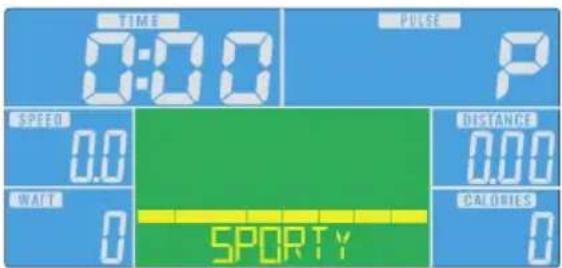
- Press UP or DOWN to select workout program, choose Sporty mode and press Mode to enter.
- Press UP or DOWN to preset TIME.
- Press START/STOP key to start workout. Press UP or DOWN to adjust load level.
- Press START/STOP key to pause workout. Press RESET to reverse to main menu.
Cardio Mode
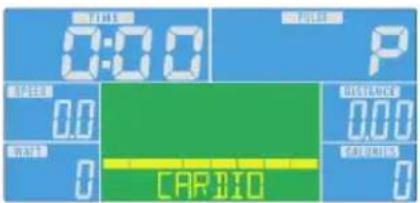

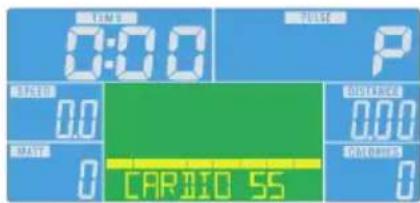
- Press UP or DOWN to select workout program, choose H.R.C. and press Mode to enter.
- Press UP or DOWN to select 55% , 75% , 90% or TAG (TARGET H.R. / Default is: 100).
- Press UP or DOWN to preset workout TIME.
- Press START/STOP key to start or stop workout. Press RESET to reverse to main menu.
Watt Mode

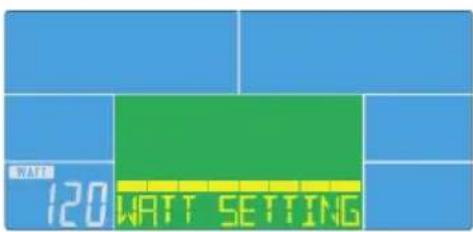
- Press UP or DOWN to select workout program, choose WATT and press Mode to enter.
- Press UP or DOWN to preset WATT target (Default is: 120).
- Press UP or DOWN to preset TIME.
- Press START/STOP key to start workout. Press UP or DOWN to adjust Watt level.
- Press START/STOP key to pause workout. Press RESET to reverse to main menu.
Display Indications and Functions
| Function Description | |
| TIME Workout time | displayed during exercise. Range 0:00 ~ 99:59 |
| SPEED Workout speed | displayed during exercise. Range 0.0 ~ 99.9 |
| DISTANCE Workout distance | distance displayed during exercise. Range 0.0 ~ 99.9 |
| CALORIES Burned calories | during workout display. Range 0 ~ 999 |
| PULSE Pulse bpm | displayed during exercise. Pulse alarm when over preset target pulse. |
| RPM Rotation per minuteRange 0 ~ 999 | |
| WATT In Watt Program | mode, computer will remain preset watt value (setting range 0~350) |
| MANUAL Manual mode | |
| PROGRAM Beginner, Advance, and Sporty PROGRAM selection. | |
| CARDIO Target HR training mode. | |
iConsole+ App
Turn on BT on tablet, search for console device and press connect (password: 0000). Turn on iconsole+ app on tablet, and start workout with tablet.
Note: Once console is connect to tablet via BT, the console will power off. Please exit console app and turn off the BT from iPad, then the console will power on again.
TRAINING VIA KINOMAP APP
With the Kinomap app you can run, drive or row more than 100,000 km around the world with the help of real-life videos that are updated daily by the users themselves. Try to follow their pace under the same conditions as seen in the video. Use the KINOMAP portal and choose your own video to train to. Improve your fitness by using your own interval in the resistance or in the power mode.
You can connect your compatible devices directly. Alternatively, you can use the camera that provides you with an optical pedal, step or stroke sensor. Join our multiplayer training sessions and try to be the first to finish.
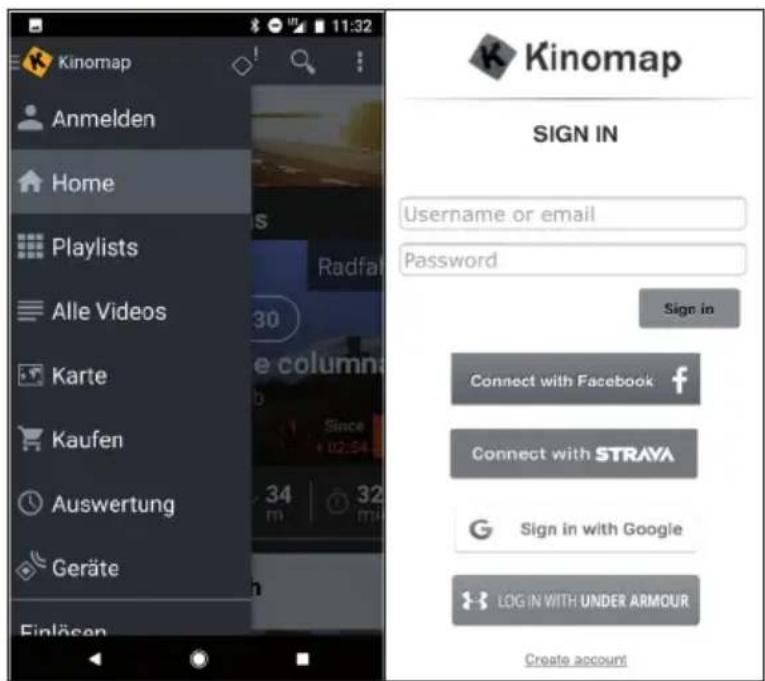
Create an Account
If you want to use Kinomap, you must first connect to your Kinomap account. If you have successfully registered, you can start training. If you do not sign out, you will still be logged in the next time you start the app. If you do not as yet have a Kinomap account, please sign in to get a free account.
Activation Code
- The standard version is free and provides you with access to a number of free videos and interval training (not currently available on all devices).
- A subscription is required later on to gain access to all eligible content, including thousands of videos, a multiplayer mode and more.
- After the first login, the app will ask you for an activation code. If you have one, enter it in to activate your subscription to the app.
- You can also go to "Add Activation Code" at a later time.
Enter Activation Code
Note: You can subscribe to the service on a monthly basis or as an annual subscription, which will provide you with access to advanced features. Go to "Subscribe Settings".
After the activation, you will see your subscription at "My subscription":
Connecting to the Training Machine
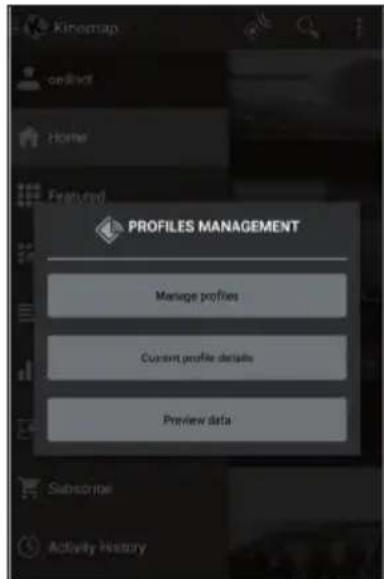
How to connect the device with the KINOMAP app:
1 Go to the "Equipment" menu.
2 Add new devices with the + button
3 Select your device type from the list (ergometer for the CapitalSports Evo Deluxe).
4 Select the brand CapitalSports.
5 Select the model Evo Deluxe.
6 If the device has been detected, touch the window to confirm.
7 Now press SAVE. Your device has now been added.
Note: Even if your fitness device does not have a BT connection, you can still train with Kinomap.
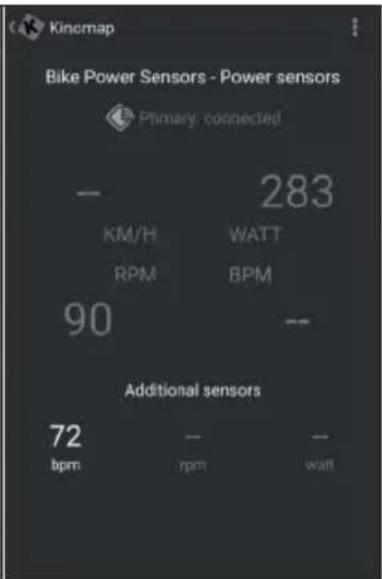
Data Preview
The "Data Preview" feature lets you instantly see the data sent by the device. This feature is especially useful if you have trouble committing when you start a new activity. In accordance with the configuration, the app will receive some values.
Training
Video Selection
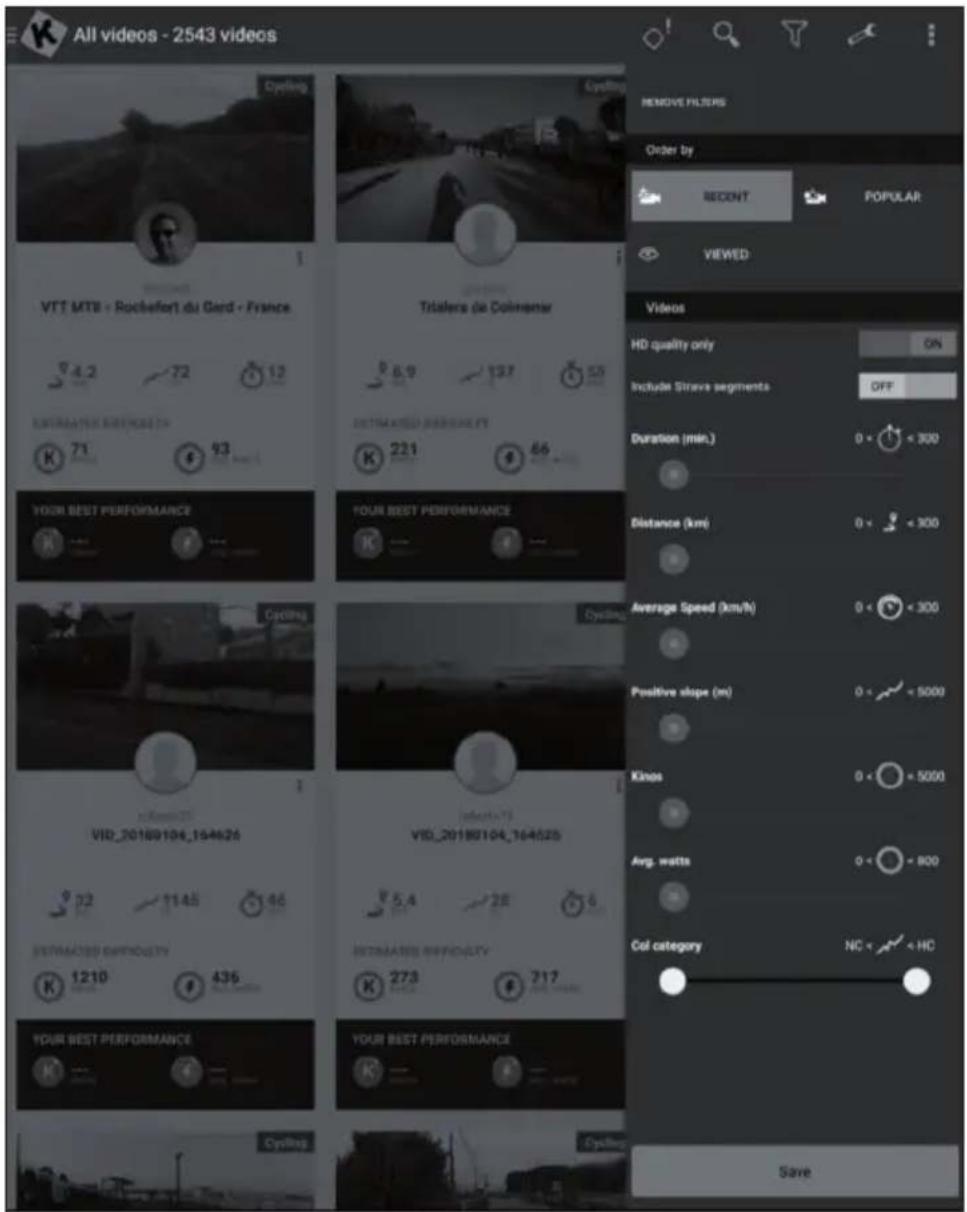
There are several lists of videos from which you can select the desired video.
- There is a filter function to ensure that you find the videos you wish to train to (featured, popular, most viewed, most recent, duration, distance, incline, among others).
- For each video, the following relevant information is available: name, contributor (who posted the video), country, duration, distance, average of positive slope and average speed.
Playlists
- There are also many playlists created by Kinomap or the users of Kinomap themselves.
Each playlist has a specific theme, such as a 30-minute training session or visiting a country. - You can track your progress on any playlist and any video.
- Currently, you cannot manage your playlists directly on the app.
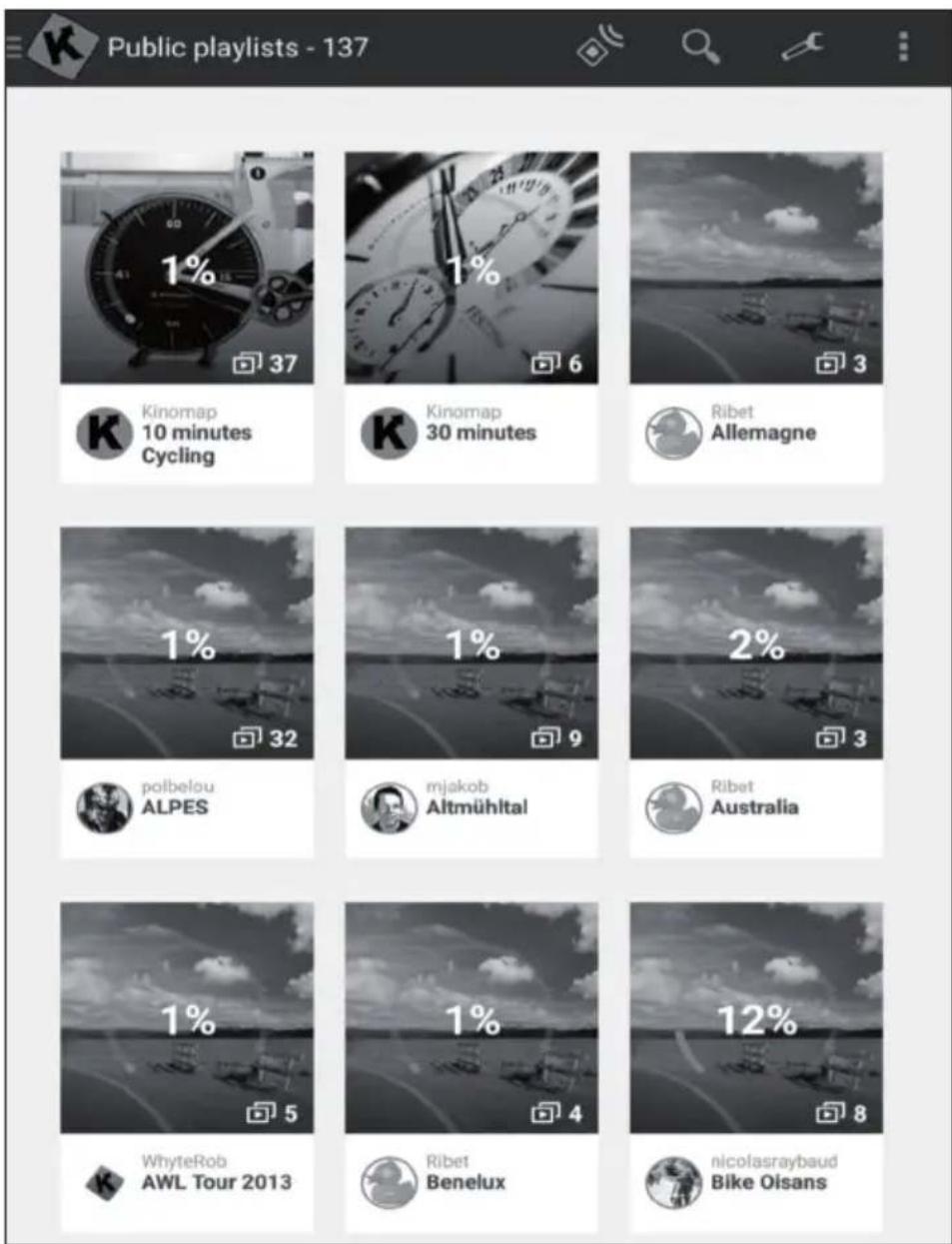
Beginning of Training
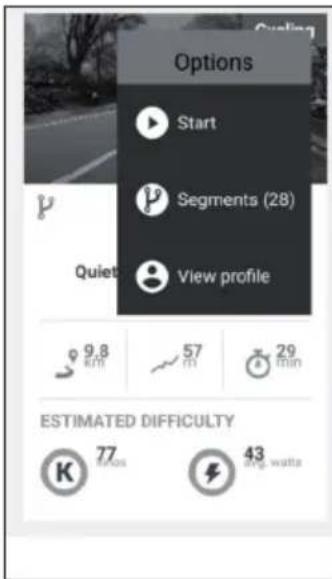
Select the video you would like to train to.
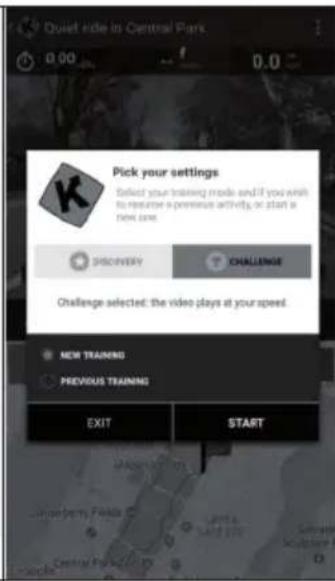
Choose the mode in which you would like to train.
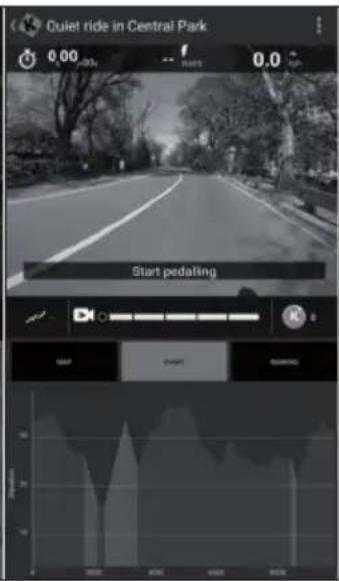
Just start pedaling to start training.
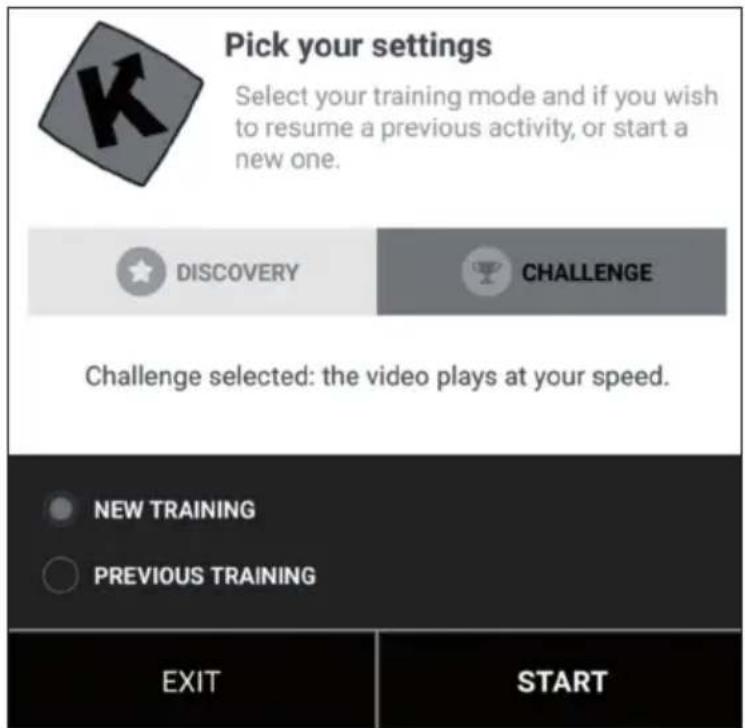
Discovery and Challenge Mode
Challenge Mode: The video will be played at your speed so that you can achieve the same overall performance as the producer of the video. If you're not as fast, the video slows down the frame rate. If you perform better, the frame rate can be increased to twice the original speed. Use this mode to participate in challenges, such as indoor challenges, and to export a map complete with coordinates of your virtual ride to third-party sites, such as Strava.
Discovery Mode: The video plays at its original speed and pauses when your speed reaches 0. Whatever your performance, the frame rate will not change. But you will still see if you perform well by looking at the energy performance data. Note that the data that can be exported to third-party sites, such as Strava, is limited to watts and additional data like cadence and heart rate; however, coordinates and a map are not included.
Training Display
At the top of the screen, the following relevant information is displayed:
The duration
The instantly produced power
The instant speed
- Your heart rate (only if you add an extra heart rate monitor belt or if your device has one already integrated)
The instant pedal frequency
The distance
- Your position on the map is synchronized with the video
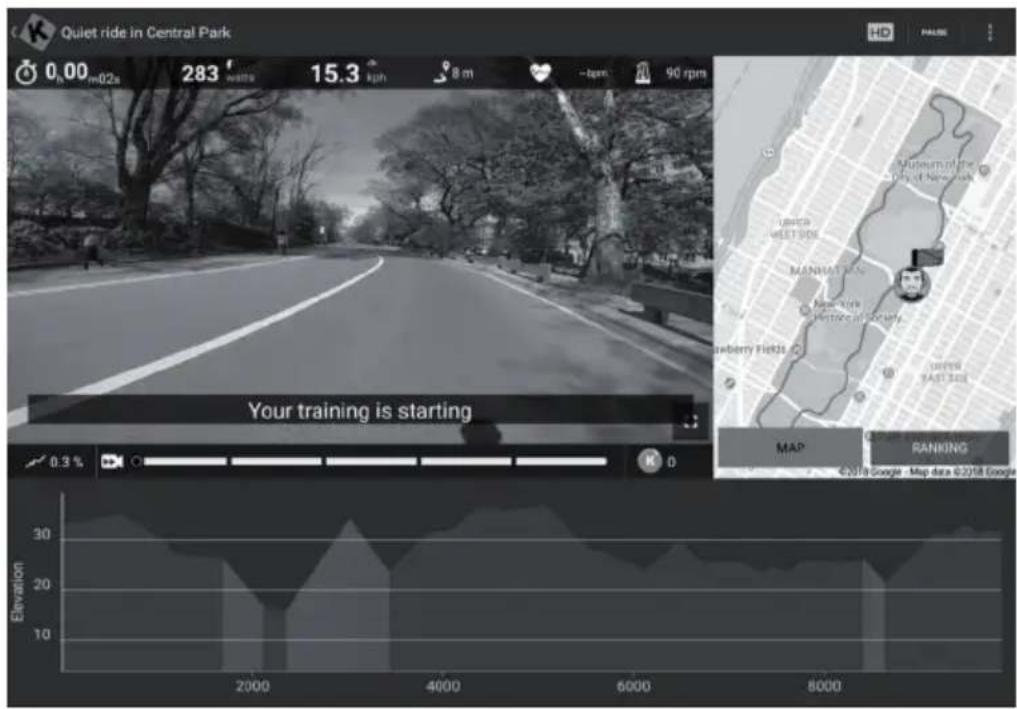
The tab "Ranking List" is only available in the multiplayer mode.
- Abscissa: height in meters
- Ordinate: distance in the KM in the challenge mode.
- Duration: in seconds in the discovery mode.
Setting the Resistance/Gears
On the screen you will find instructions on how to set the resistance according to the altitude profile when using a speed/cadence sensor or an optical sensor.
End of Training
If you want to pause or stop exercising, just stop pedaling or use the pause button in the corner. Click the "Resume Session" button to continue the training session. If you want to stop completely, simply confirm by tapping on "Save and Exit".
Profile Training
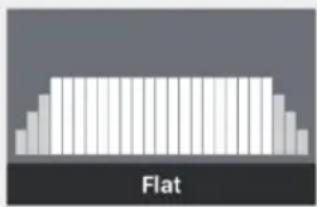
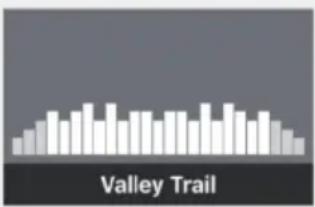
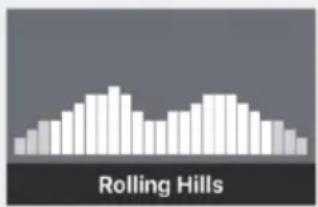
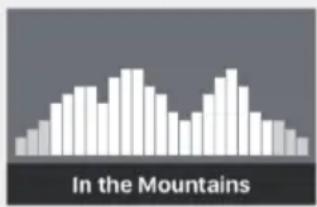

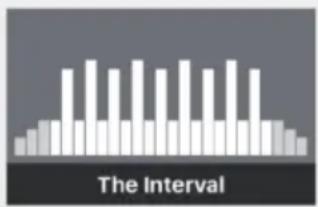
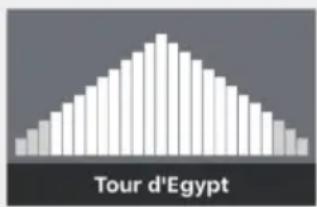
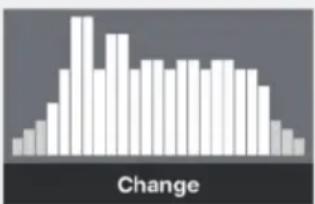
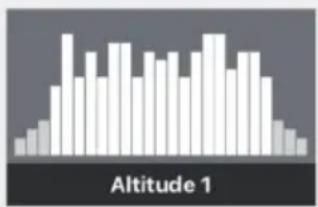
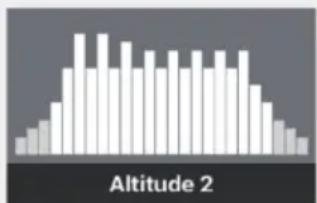
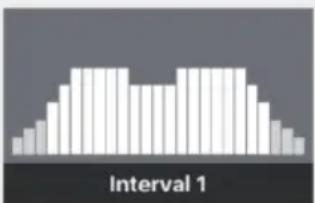
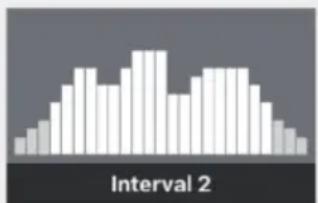
Profile training is a form of training that involves a series of low to high intensity training sessions with periods of rest or relief. Varying the intensity trains the heart muscle, provides cardiovascular training and improves a person's aerobic capacity and endurance.
Profile training is not yet available for all devices. You can easily check in the main menu: If you see the profile training menu, it means that the feature is available for your device. You can choose between two modes, depending on your device.
Resistance: You define the resistance level and we send this information to the exercise bike, regardless of the power produced.
Target Power: You define a target power, and the resistance automatically changes to generate it.
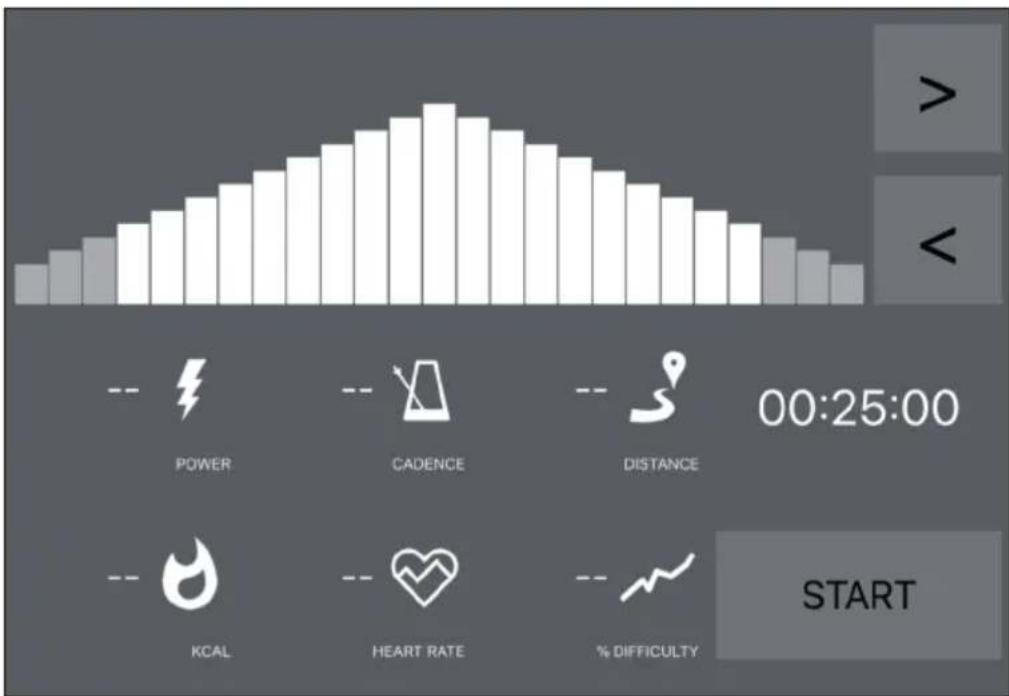
- If you see an orange line, it means that you are near your target.
- The other way around, the orange line means that you are moving away from your target. (increase or slow down the target power)
- You just have to choose the time (<>) for the countdown and then start training.
- Once the session is started, you can increase or decrease the target power or resistance according to the mode you have selected.
Evaluations
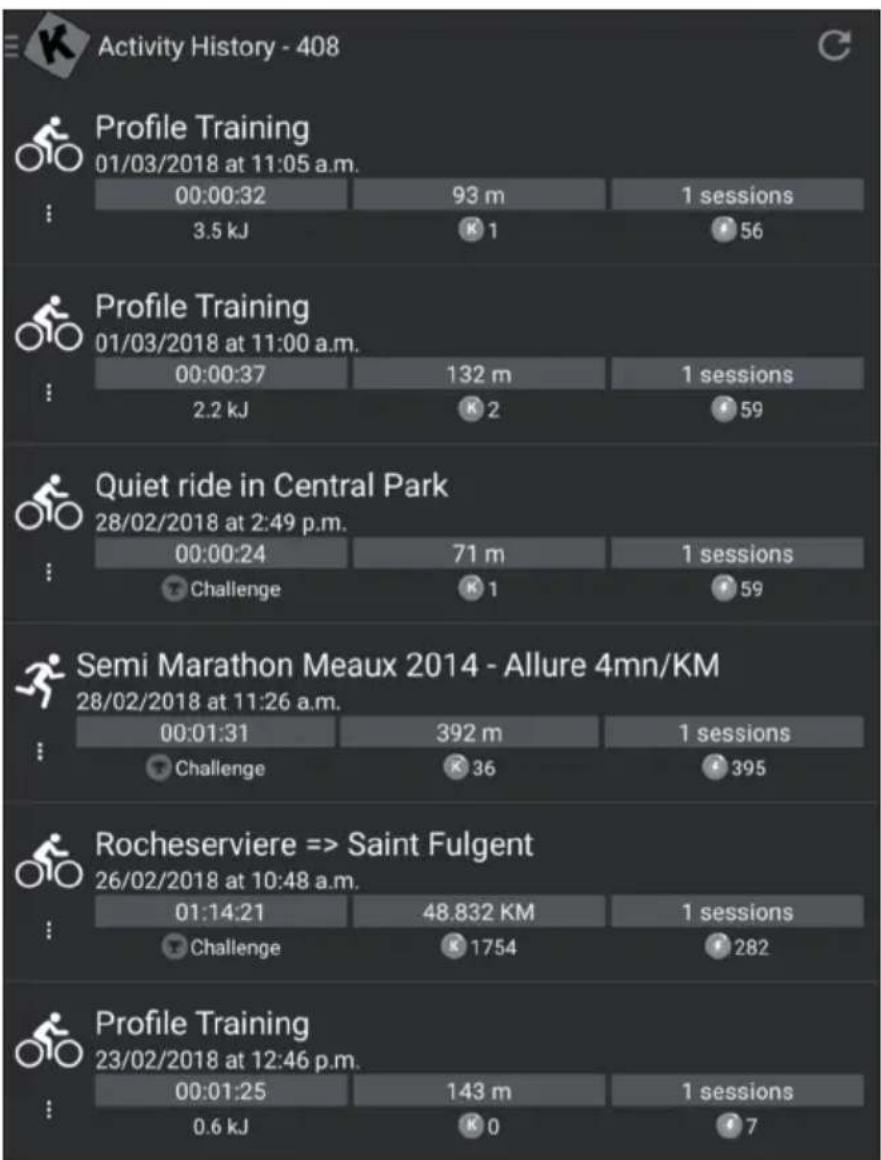
Activity History
- Open the main menu on the left side to find "Activity History".
- You can see the history of your past workouts, including the name of the video you trained with, the date of the workout, the duration and the distance.
- Click on a specific training session to see all of the information.
- You can also visit http://www.kinomap.com/myactivities.
- Your activity history contains a map, a summary and a series of detailed graphs that show your current speed, power, cadence and heart rate. Note that the activity history can be automatically exported to various platforms, such as RunKeeper, Strava or Under Armor.
Search
This button is always available in the top right corner no matter which menu you are in for you to browse the available videos.
There are several ways to find the right video:
- You can search by clicking the Search button. Once you have entered at least 3 characters, an auto-complete search will be performed.
- You can also perform a geographic search. Choose "Map" in the main menu.
- You can explore all available videos by clicking "Public Playlists" or "All Videos".
Settings
User Settings
- Go to the Settings menu and input your user details, including your size, weight, birthday and sex.
- This information affects the speed calculation
External Display
Follow the instructions to view the display on your TV using Chromecast or Apple TV.
CARE AND MAINTENANCE
Note: As with all training machines with mechanical, moving components, screws may loosen due to frequent use. We therefore recommend that you check them regularly and, if necessary, retighten them with a suitable key. Clean your training device regularly with a damp cloth to clean the surfaces from sweat and dust.
- When you don't use the exercise bike for a long time, please take out the console battery to avoid running out of battery.
- Often clean the exercise bike with clean cloth to keep the clean appearance.
- The safety level of the equipment only can be maintained if it is regularly examined for damage and or /wear and tear.(e.g. handle bar, pedals and seat ...etc.). It is vital that any faulty parts are replaced and the it is not used until completed repaired.
- Regularly check that the elements fastened with nuts and bolts are correctly tightened.
- Remember regularly to grease moving parts.
- Special attention to the component, most of them are susceptible to wear like brake system, foot pad etc.
- As sweat is very corrosive, do not allow it to come into contact with the enameled or chromed parts of the equipment, particularly the computer. Immediately wipe the equipment after using. The enameled parts can be cleaned using a damp sponge. All aggressive or corrosive products must be avoided.
- Storing the equipment in a clean and dry environment away from children.
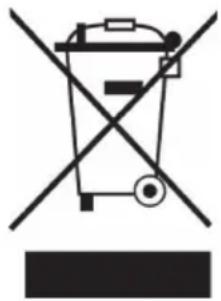
If there is a legal regulation for the disposal of electrical and electronic devices in your country, this symbol on the product or on the packaging indicates that this product must not be disposed of with household waste. Instead, it must be taken to a collection point for the recycling of electrical and electronic equipment. By disposing of it in accordance with the rules, you are protecting the environment and the health of your fellow human beings from negative consequences. For information about the recycling and disposal of this product, please contact your local authority or your household waste disposal service.
This product contains batteries. If there is a legal regulation for the disposal of batteries in your country, the batteries must not be disposed of with household waste. Find out about local regulations for disposing of batteries. By disposing of them in accordance with the rules, you are protecting the environment and the health of your fellow human beings from negative consequences.
DECLARATION OF CONFORMITY
CE UK CA
Manufacturer:
Chal-Tec GmbH, Wallstrasse 16, 10179 Berlin, Germany.
Importer for Great Britain:
Berlin Brands Group UK Ltd
PO Box 1145
Oxford, 0X1 9UW
United Kingdom
Hereby, Chal-Tec GmbH declares that the radio equipment type Evo Deluxe is in compliance with Directive 2014/53/EU. The full text of the EU declaration of conformity is available at the following internet address: use.
berlin/10032745
For Great Britain: Hereby, Chal-Tec GmbH declares that the radio equipment type Evo Deluxe is in compliance with the relevant statutory requirements. The full text of the declaration of conformity is available at the following internet address: use.berlin/10032745
Chere cliente, cher client,
Download on the AppStore

Download on the AppStore
Berlin Brands Group UK Ltd
PO Box 1145
Oxford, 0X1 9UW
United Kingdom
Chal-Tec GmbH, Wallstraße 16, 10179 Berlin, Germany.
Berlin Brands Group UK Ltd
PO Box 1145
Oxford, 0X1 9UW
United Kingdom
Berlin Brands Group UK Ltd
PO Box 1145
Oxford, 0X1 9UW
United Kingdom