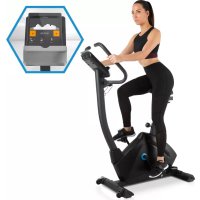
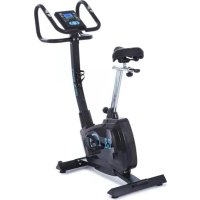
Evo Track - Indoor bike trainer Capital Sports - Free user manual and instructions
Find the device manual for free Evo Track Capital Sports in PDF.



| Product Type | Indoor Cycle Trainer (Exercise Bike) |
| Brand | Capital Sports |
| Model | Evo Track |
| Item Number | 10032642 |
| Maximum User Weight | 120 kg |
| Power Supply | 220-240 V ~ 50/60 Hz |
| Display | LCD Console with Backlight |
| Connectivity | Bluetooth for connection with KINOMAP app |
| Training Programs | Manual, Beginner, Advanced, Sporty, Cardio (with heart rate target), Watt |
| Heart Rate Measurement | Heart rate sensor integrated in handles |
| Resistance | Electronically adjustable, multiple levels |
| Flywheel | Heavy flywheel (becomes hot during use) |
| Braking Type | Magnetic (by electronic resistance) |
| Adjustments | Adjustable seat and handlebar height |
| Pedals | Standard pedals with toe cages |
| Compatible App | KINOMAP (free with subscription option) |
| Maintenance | Clean with damp cloth, check and tighten screws, lubricate moving parts |
| Safety | Key lock, auto-stop when not in use, 0.5 m safety clearance around the device |
| Batteries | Batteries for console (remove if not used for extended period) |
| Compliance | CE, UKCA |
| Usage | Indoor use only, domestic use |
Frequently Asked Questions - Evo Track Capital Sports
User questions about Evo Track Capital Sports
0 question about this device. Answer the ones you know or ask your own.
Ask a new question about this device
Download the instructions for your Indoor bike trainer in PDF format for free! Find your manual Evo Track - Capital Sports and take your electronic device back in hand. On this page are published all the documents necessary for the use of your device. Evo Track by Capital Sports.
USER MANUAL Evo Track Capital Sports
2. Cardio-Trainingsphase
Chal-Tec UK limited
Unit 6 Riverside Business Centre
Brighton Road
Shoreham-by-Sea
BN43 6RE
United Kingdom
Congratulations on the purchase of your device. Please read the following instructions carefully and follow them to prevent potential damage. We accept no liability for damage caused by disregarding the instructions and improper use. Please scan the QR code to access the latest operating instructions and further information about the product.
CONTENTS
Safety Instructions 34
Individual parts 36
Assembly 37
Overview of cardio training 41
Console and button functions 44
Training via KINOMAP App 49
Care and Maintenance 61
Disposal Considerations 62
Declaration of conformity 62
TECHNICAL INFORMATION
| Product code 10032642 | |
| Power supply 220-240 V ~ 50/60 Hz |
SAFETY INSTRUCTIONS
Read the operating instructions carefully before using the appliance and keep them for future use. Product features may differ slightly from those shown in the illustrations. Changes can be made by the manufacturer without notification.
- Keep the operating instructions in a safe place so that you can access them at any time.
- Do not assemble the appliance until you have read the operating instructions completely. The safety and efficiency of the appliance can only be guaranteed if the appliance has been correctly assembled and is properly maintained and used. It is your own responsibility to ensure that all users of the appliance are informed of warnings and precautions.
- The appliance must be placed on a stable and straight surface to be used safely. Protect the floor with a mat. Do not use the appliance in humid environments, such as pools, etc. The safety distance around the appliance must be at least 0,5 metres.
- Before using the exercise programmes, it is essential that you consult a doctor to determine whether you have any physical or health problems that could pose a risk to your health and safety by using the machine or prevent you from using the machine properly. Your doctor's advice is vital if you are taking medication that affects your pulse, blood pressure or cholesterol levels.
- Pay attention to your body's signals. Exercising incorrectly or excessively can be detrimental to your health. Stop exercising if any of the following symptoms occur: pain, tightness in the chest, irregular heartbeat, extreme shortness of breath, dizziness or nausea. If you experience any of these conditions, you must consult a doctor before continuing your training.
- Do not exercise directly after meals.
- The appliance may only be assembled by adults. Keep children and pets away from the appliance.
- The appliance may only be used in domestic areas.
Note: maximum user weight: 120 kg .
- The device is not suitable for therapeutic use. It can only be used for the exercises shown in the instructions.
- Wear adequate exercise clothing and exercise shoes when using the machine. Avoid loose clothing as it may get caught in the appliance or clothing that may restrict your movement.
- Keep your back straight during exercise.
- Before each use of the device, always check that the handles, saddle, nuts and bolts have been properly tightened.
- Observe the maximum position for adjustable parts of the appliance and never go beyond the "Stop" mark as this would pose a risk.
- Only use the appliance as shown. If you notice any defective parts during assembly or inspection, or if you hear strange noises coming from the appliance during use, stop use immediately. Do not use the machine again until the problem has been corrected.
- Take care when lifting or moving the unit so that you do not injure your back. Always use back-friendly lifting techniques and seek help from another person if necessary.
- All moving parts of the device (e.g. pedals, handles, saddle... etc.) must be serviced weekly. Check these before each use. If something is broken or loose, repair or fix the relevant part immediately. Do not continue using the appliance until you have restored it to a good initial condition.
- Keep the power cord away from heat sources.
- Do not insert any objects into the machine openings.
- Switch off and unplug the appliance before moving or cleaning the appliance. To clean, rub the surfaces with a mild detergent and a damp cloth. Do not use solvents under any circumstances.
- Do not use the appliance in places that are not temperature-controlled, such as garages, verandas, bathrooms, carports or outdoors.
- Only use the appliance as described in the operating instructions.
- Incorrect repair and structural modifications (e.g. removal or replacement of original parts) may put the user of the appliance at risk.
The flywheel becomes very hot during use. - Activate the key lock when you are not using the machine.
INDIVIDUAL PARTS
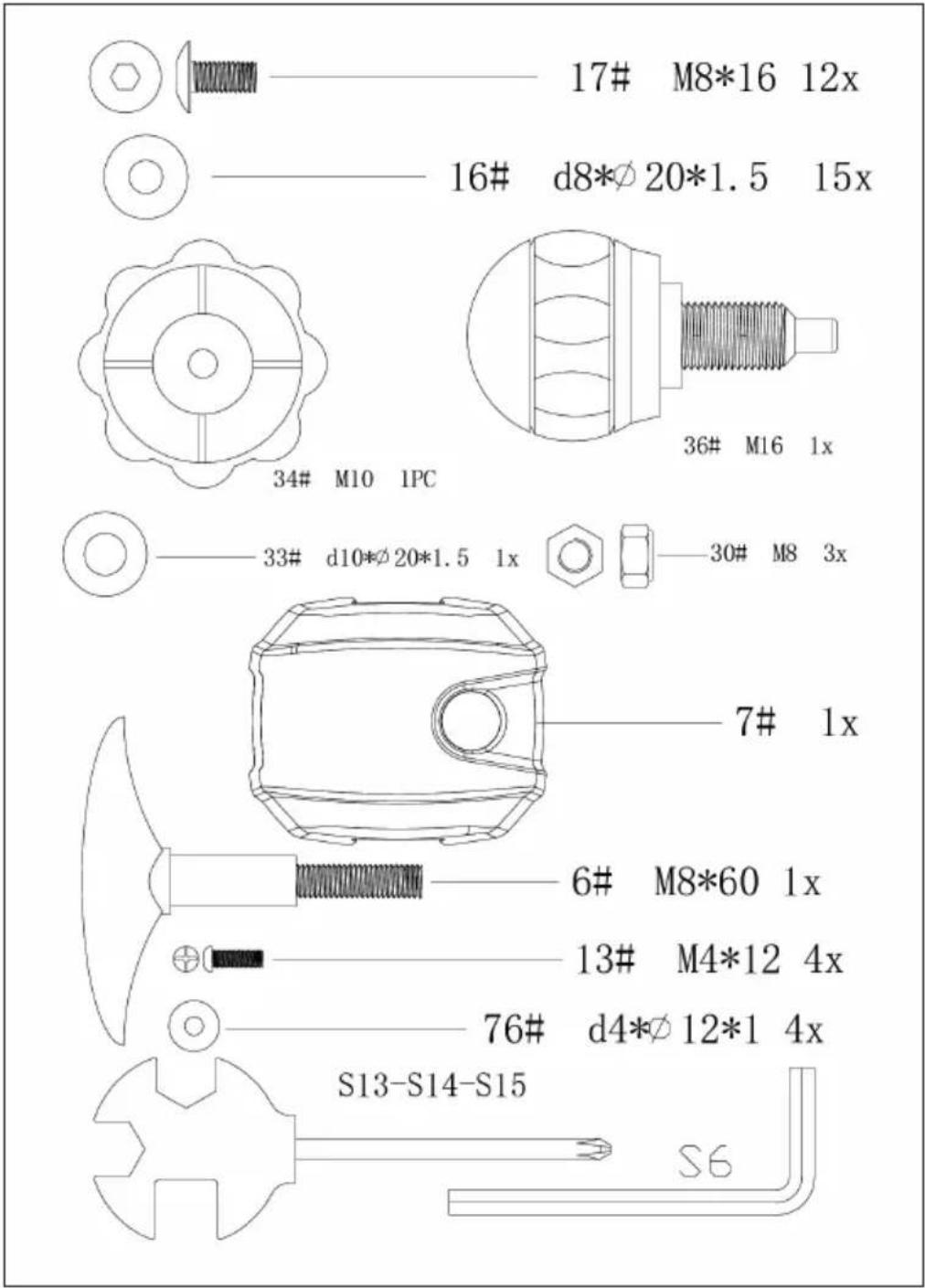
ASSEMBLY
1


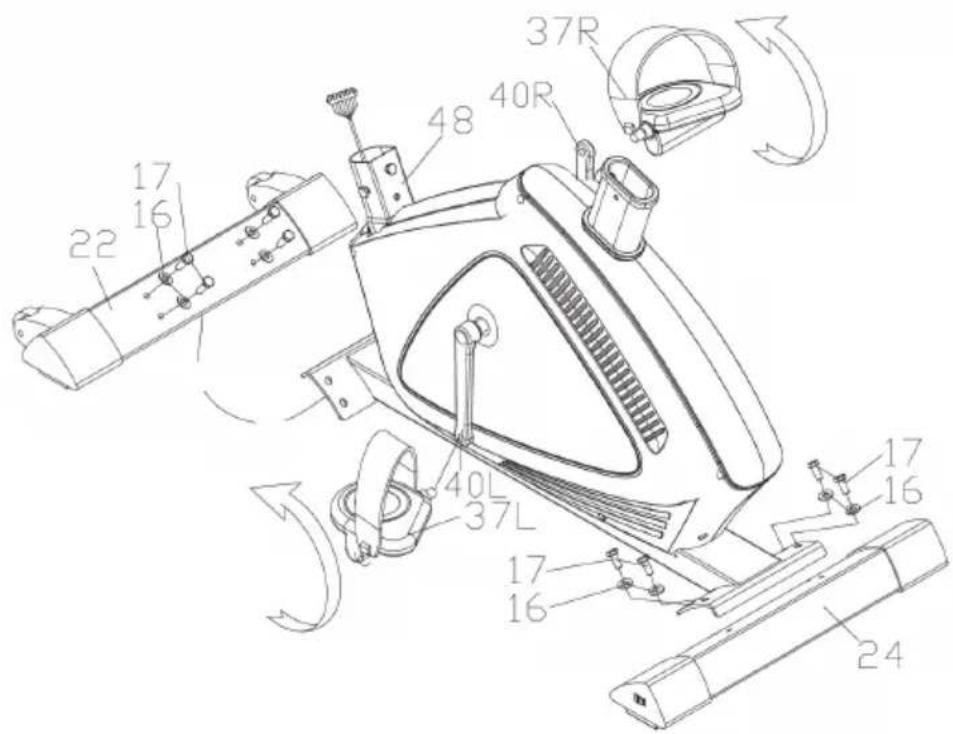
17#
M8*16
8x
16#
d8*20*1.5
8x
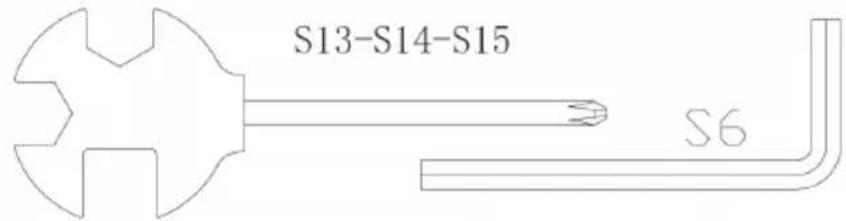
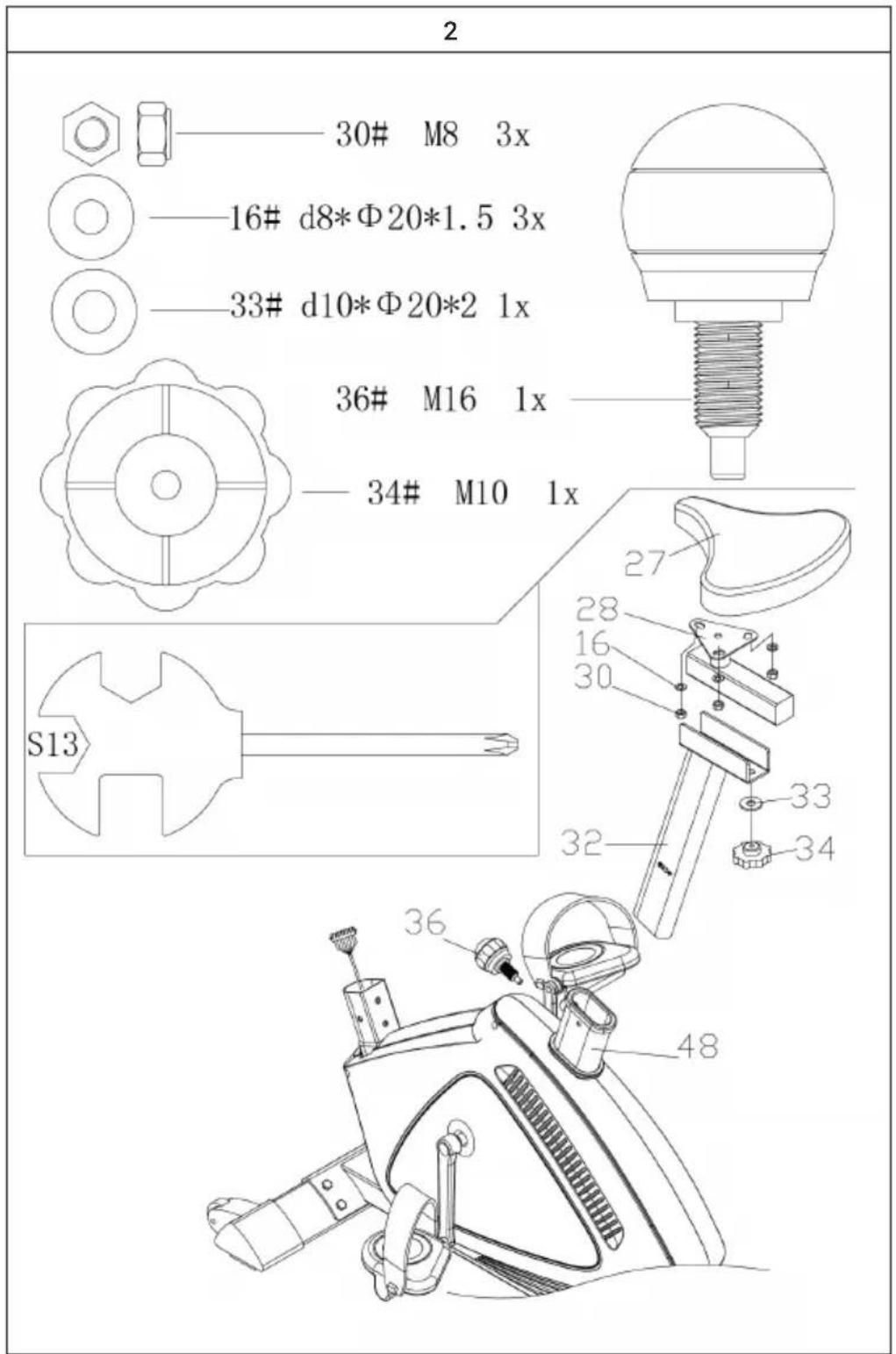

3

Regular cardio training stimulates the cardiovascular system (heart and respiration). You improve your fitness, lose weight and burn fat. So this is the recommended workout if you want to lose weight. During exercise, glucose is burnt first, then the fats stored in the body are burnt through the exercises.
Demanding cardio training (e.g. interval training, training with high resistance and over a longer period of time) requires more effort and also trains the muscles in addition to endurance. As a rule, the more regular the training, the more efficient it is (even for short 20-minute sessions).
During the training
The resistance during the cardio training phase decisively determines the training intensity and the related training results.
Optimal training includes a warm-up phase (1), a more intense cardio training phase (2) and the final recovery phase (3). If you want to make progress or burn calories, you should go through these 3 phases and train on the ergometer for at least 20 - 30 minutes.
1. Warm-up phase
Always start your workout with a low resistance. A warm-up of 5-10 minutes is important because your muscles need to be warmed up. Especially during the warm-up phase, you should give the circulation and muscle groups time to adjust to the subsequent workout. As a beginner, you can train for the first 3 minutes at the easiest level and increase gradually according to your personal well-being.
2. Cardio training phase
After about 10 minutes you can then switch to the cardio training phase. If you are using interval training programmes, the training computer controls the resistance according to the type of interval, simulating changing demands.
The cardio training phase is assigned to the aerobic or anaerobic training range depending on the energy consumption. These areas are defined as follows:
Aerobic training area
In this zone you improve your cardiovascular system and burn fat.
Despite the slight exertion with increased heart rate, deeper breathing, getting warm and light sweating, you do not feel very exerted, however, breathing is not significantly accelerated so that you could still have a conversation with someone without getting out of breath, and you feel that you could sustain this exertion for a longer time without getting exhausted. It is like walking uphill at a leisurely pace.
The muscles and heart work more intensively and can obtain the majority of their energy requirements from aerobic energy production using oxygen. Anaerobic energy production is activated to a small amount, but only to the extent that all the lactic acid produced can be broken down again at the same time. You should do the majority of your training in this aerobic training zone.
If you continue to increase the load, then at some point you will reach a limit where oxygen-based energy production is no longer able to increase energy production, so anaerobic energy production has to join in to a greater extent. You are now entering the anaerobic training zone.
Anaerobic training area
In this zone you improve your performance and speed.
Once you increase your training again in this phase, the physical activity becomes much more strenuous because of the rising lactate level, you start to sweat more, your breathing speeds up, and after more or less time, depending on the training condition, the muscles get tired, you feel exhausted overall and can no longer continue at this level.
3. Recovery phase
Finally, remain in the recovery phase for at least 5 minutes and again use low resistance levels without high effort. The recovery or recuperation phase is also helpful in preventing possible muscle soreness after training. After an intensive training session, active regeneration is also highly advisable, such as a hot bath, a visit to the sauna or a massage.
Training progress
Your training can be increased in this way on a monthly basis, especially by extending the cardio training phase or performing a higher resistance level (or more challenging interval training).
Food and drink
- Drink before, during and after exercise.
- Drink at least 2 sips of water (10 to 20 cl) every 10-15 minutes during exercise.
- If your workout lasts longer than 1 hour, you should drink a sports drink to prevent the body from becoming dehydrated during exercise.
- For optimal cardio training, it is very important to have an aligned diet both before and after physical activity.
Before training, you should preferably eat carbohydrates, which can be found in rice and pasta, for example, as they provide the body with an important amount of energy.
After training, you need to "refuel" with proteins, which you can find in eggs, yoghurt and dried fruits. Even if you want to lose weight, it is absolutely necessary to eat after training so that your body regenerates.
CONSOLE AND BUTTON FUNCTIONS
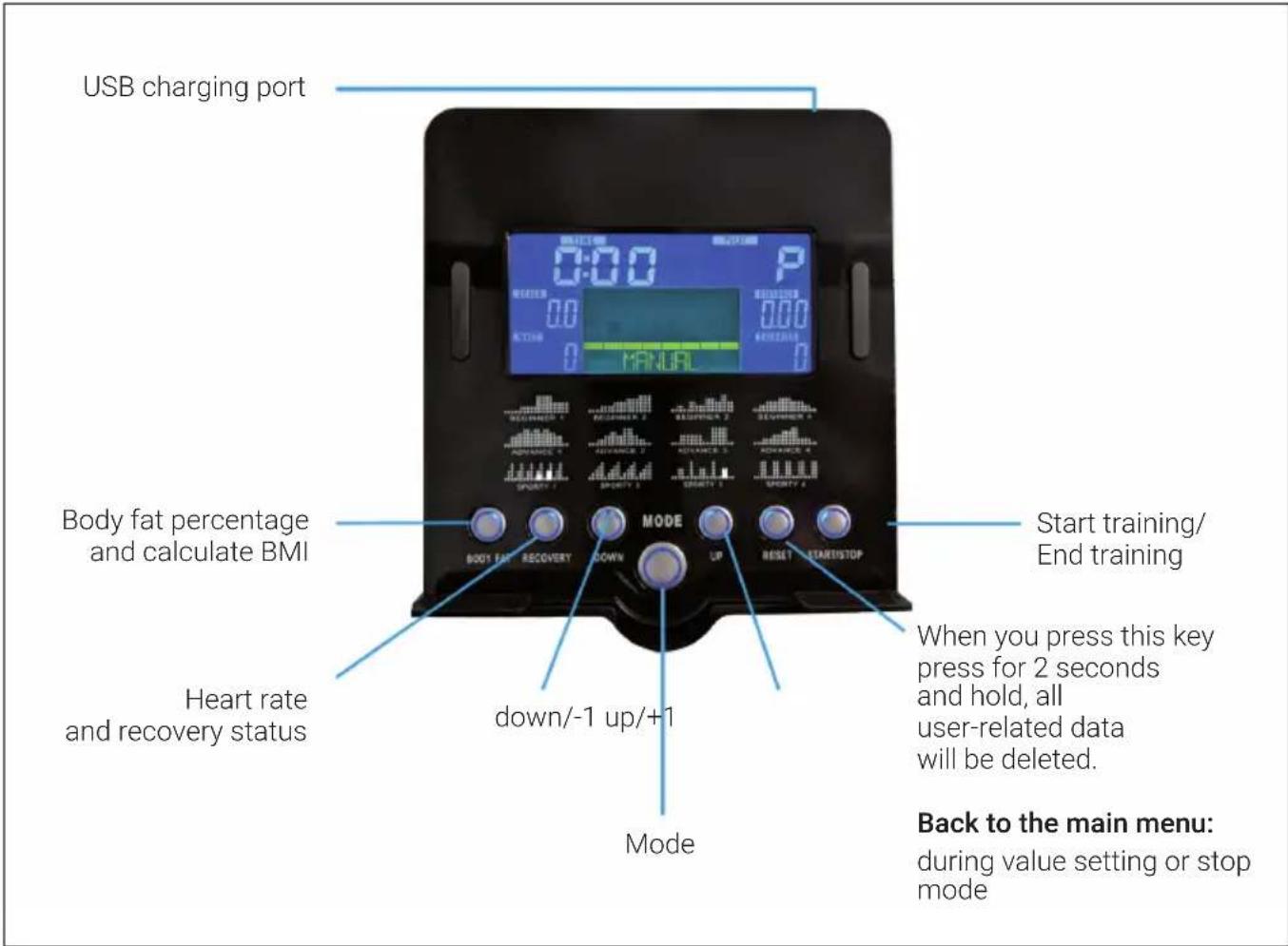
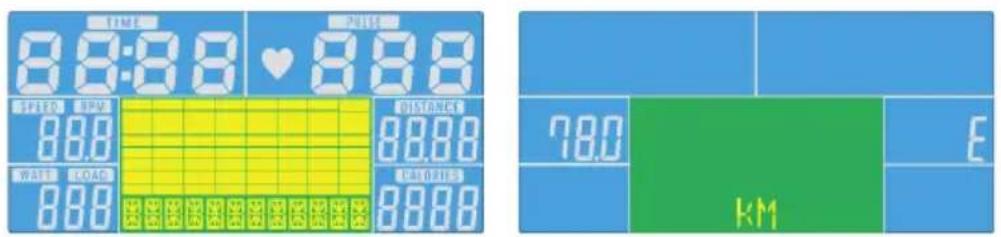
Switch on
When you plug the machine's power plug into the wall socket, the computer is switched on and all the elements light up on the LCD screen for 2 seconds. After 4 minutes, the device switches to energy-saving mode if the device is not used and no pulse is recorded. Press any button to exit the energy-saving mode.
Manual mode (Manual)
Press START in the main menu to start the training in manual mode.
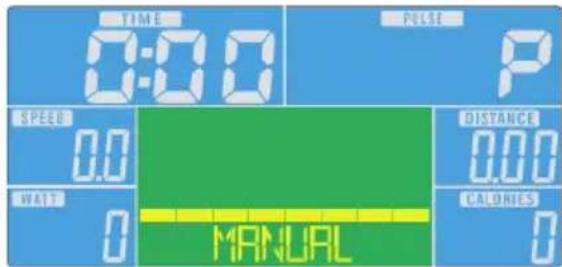
- Press UP or DOWN to select the training programme. Select MANUAL and press MODE to enter the programme.
- Press UP or DOWN to set TIME, DISTANCE, CALORIES or PULSE and press MODE to confirm.
- Press the START/STOP button to start training. Press UP or DOWN to adjust the resistance.
- Press the START/STOP button to stop training. Press RESET to return to the main menu.
Beginner Mode (Beginner)
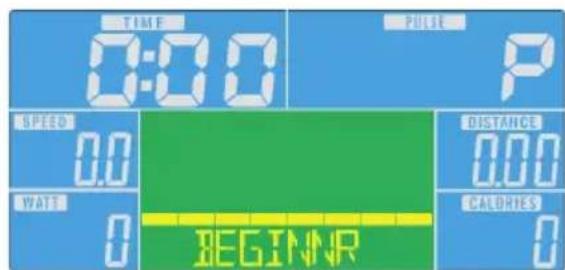
- Press UP or DOWN to select the training programme. Select the Beginner mode and press the MODE button to enter it.
- Press UP or DOWN to adjust the time.
- Press the START/STOP button to start training. Press UP or DOWN to adjust the resistance.
- Press the START/STOP button to stop training. Press RESET to return to the main menu.
Advanced mode (Advanced)
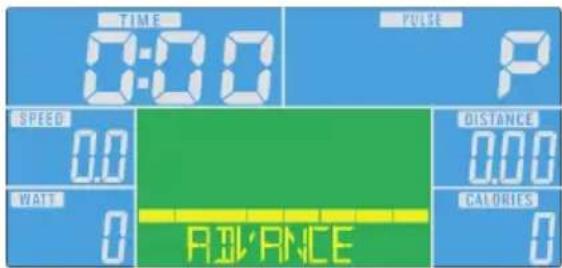
- Press UP or DOWN to select the training programme. Select Advanced mode and press MODE to enter.
- Press UP or DOWN to adjust the time.
- Press the START/STOP button to start training. Press UP or DOWN to adjust the resistance.
- Press the START/STOP button to stop training. Press RESET to return to the main menu.
Sporty mode (Sporty)

- Press UP or DOWN to select the training programme. Select Sporty mode and press MODE to enter.
- Press UP or DOWN to adjust the time.
- Press the START/STOP button to start training. Press UP or DOWN to adjust the resistance.
- Press the START/STOP button to stop training. Press RESET to return to the main menu.
Cardio Mode (Cardio)
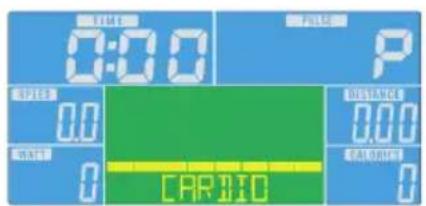
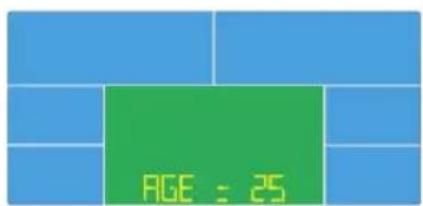
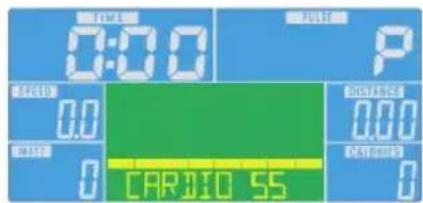
- Press UP or DOWN to select the training programme. Select Cardio mode and press MODE to enter.
- Press UP or DOWN to select 55% , 75% , 90% or TAG (TARGET H.R. = target heart rate) (The default setting is: 100).
- Press UP or DOWN to adjust the training time.
- Press the START/STOP button to start or stop training. Press RESET to return to the main menu.
Watt mode (watts)
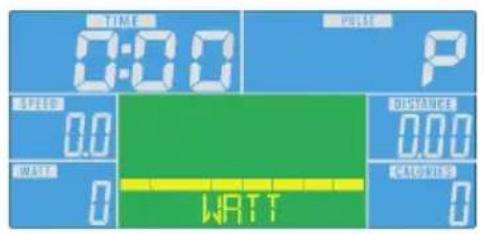
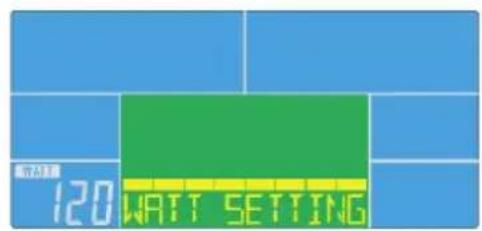
- Press UP or DOWN to select the training programme. Select WATT mode and press MODE to enter.
- Press UP or DOWN to set the WATT number (The default setting is: 120)
- Press UP or DOWN to adjust the time.
- Press the START/STOP button to start training. Press UP or DOWN to adjust the wattage.
- Press the START/STOP button to stop training. Press RESET to return to the main menu.
Display indications and functions
| Function Description | |
| TIME Time already | passed during trainingRange: 0:00 ~ 99:59 |
| SPEED Training speed | Range: 0,0 ~ 99,9 |
| DISTANCE Training distance | Range: 0:00 ~ 99:59 |
| CALORIES Calories | burned during trainingRange: 0 ~ 999 |
| PULSE Heartbeats | per minute are displayed during exercise.Alarm when the pulse is higher than the target pulse. |
| RPM Revolutions per minute | Range: 0:00 ~ 99:59 |
| WATT In Watt mode, the unit maintains a preset Watt value (adjustable range: 0 ~ 350) | |
| MANUAL Training in manual mode. | |
| PROGRAM Choice | between "Beginner", "Advanced" and "Sporty" programmes. |
| CARDIO Training mode with the target heart rate. | |
iConsole+ App
Activate BT on your tablet, search for the device in the list and press connect (password:0000).

Note: As soon as the console is connected to the tablet via BT, the tablet switches off. Close the app and switch off BT on the iPad. The console then switches on again automatically.
TRAINING VIA KINOMAP APP
With the KINOMAP app, you can walk, ride or row more than 100,000 km of motion videos around the world, updated daily by the users themselves. Try to follow their pace under the same conditions as they were recorded. Use the KINOMAP portal and choose your own Real Life Video. Increase your fitness by using your own interval in resistance or power mode.
Connect your compatible devices directly. Alternatively, you can use the
camera, which gives you an optical cadence, step or rowing stroke sensor. Join our multiplayer sessions and try to be the first to the finish.
Create account
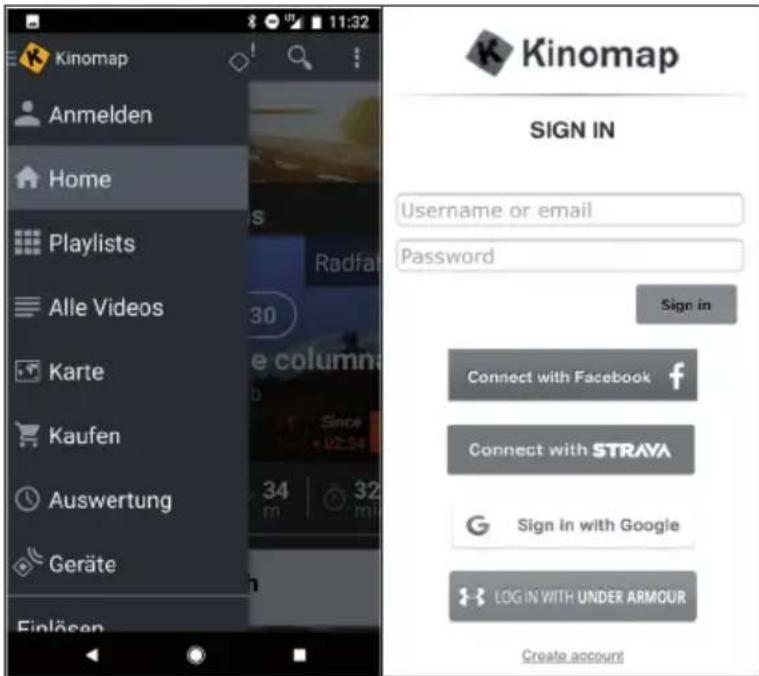
If you want to use KINOMAP, you must first connect to your KINOMAP account. Once you have successfully registered, you can start training. If you do not log out, you will remain logged in the next time you start the app. If you don't have a KINOMAP account yet, please sign up to get a free account.
Activation code
- The standard version is free and gives you access to a range of free videos as well as interval workouts (currently not available on all devices).
- A subscription will be required later to access all eligible content, including thousands of real-life videos, a multiplayer mode and much more.
- After the first login, the app may ask you for an activation code. If you have one, enter it in the relevant settings to activate your subscription to the app.
- You can access the "Add Activation Code" option at a later time.
Enter activation code
Subscription note: You can also subscribe to the service on a monthly or annual subscription basis, which gives you access to advanced features. Go to "Subscribe to settings".
After activation, you will see your subscription on "My subscription":
Connect to the training device
To connect the unit to the KINOMAP app:
1 Go to the "Equipment" menu.
2 Add new devices with the + button
3 Select your equipment type from the list (ergometer for the CapitalSports Evo Deluxe).
4 Select the CapitalSports brand.
5 Select the Evo Deluxe model.
6 When the device has been recognised, confirm by touching the field.
7 Now simply press SAVE. Your device has now been added.
Note: Even if your fitness device does not have a BT connection, you can train on Kinomap.
Preview the data
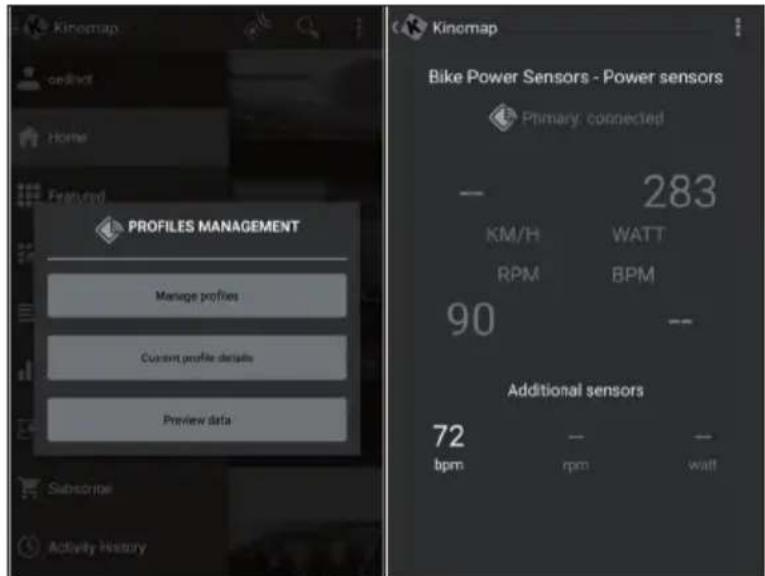
With the "Preview data" function, you can immediately see the data sent by the unit. This function is particularly useful if you have problems starting an activity. Depending on the equipment, the app must receive some values from this.
Training
Video selection
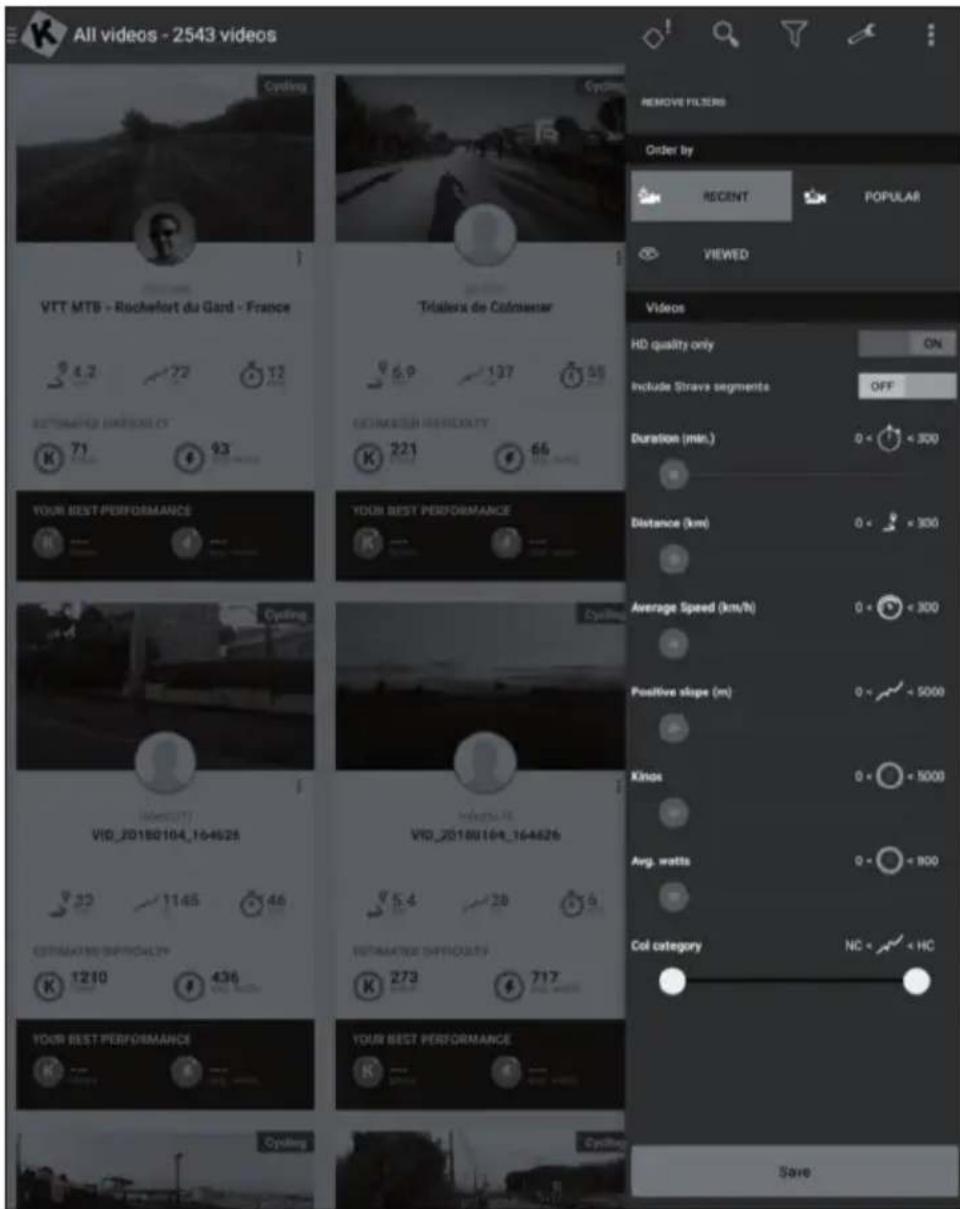
Several lists of videos are available from which you can select the video you want.
-
To train with it during the workout. There is a filter function to ensure you get access to the videos you are looking for (featured, popular, most viewed, most recent, duration, distance, incline....).
-
For each video you can see relevant information: its name, the contributor (who published the video), country, duration, distance, average positive slope, average speed.
Playlists
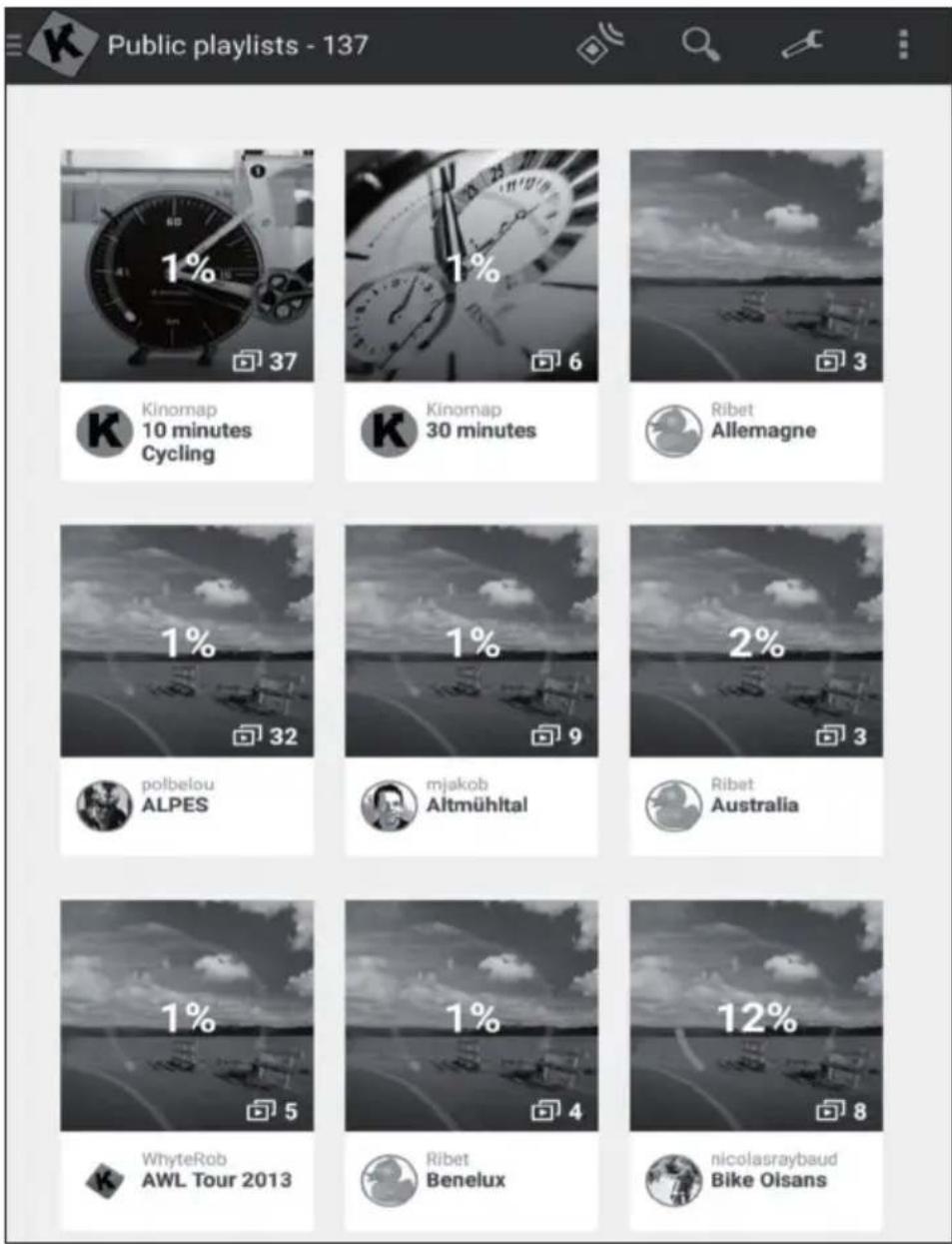
- There are also many playlists here that have been created by Kinomap on the users themselves.
Each playlist has a specific theme, for example, to exercise for 30 minutes or to visit a country. - You can track your progress on every playlist and video it creates.
- At the moment, you cannot manage your playlists directly from the app.
Start of training
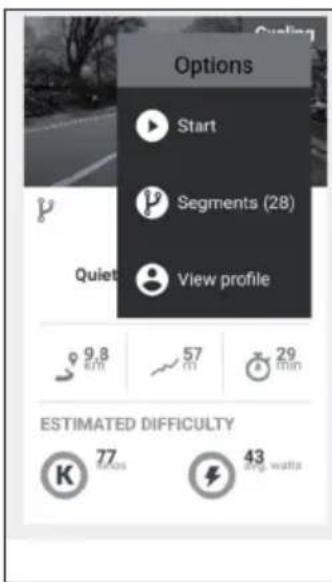
Select the video you want to train with.
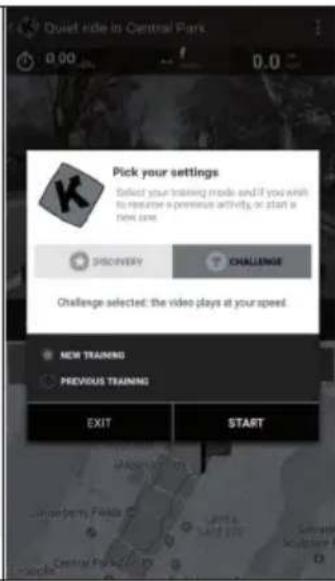
Select the mode you want to train in.
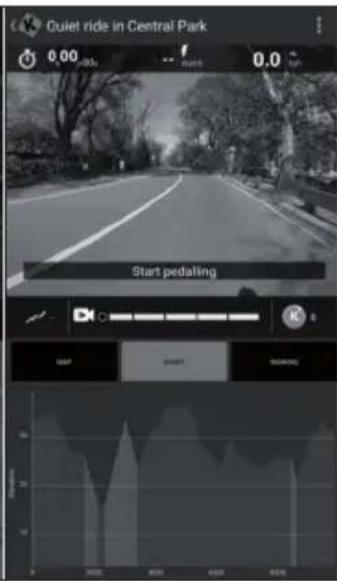
Just start pedalling to begin the workout.
Discovery and challenge mode
Challenge mode: The video plays at your speed so that you can achieve the same overall performance as the video producer. If you are not fast enough, the video slowly reduces the frame rate. With good performance, the frame rate can be increased up to twice the original speed. Use this mode to participate in challenges such as Indoor Challenges and to export to third-party websites such as Strava with full coordinates and a map of your virtual ride.
Discovery mode: The video plays at the original speed and pauses when your speed reaches 0. Whatever your performance, the frame rate is not changed. But you will still see if you are performing well by looking at the energy performance measured in cinemas. Note that the export on third-party websites like Strava is limited to watts and additional data like cadence, heart rate, but does not show coordinates or a map.
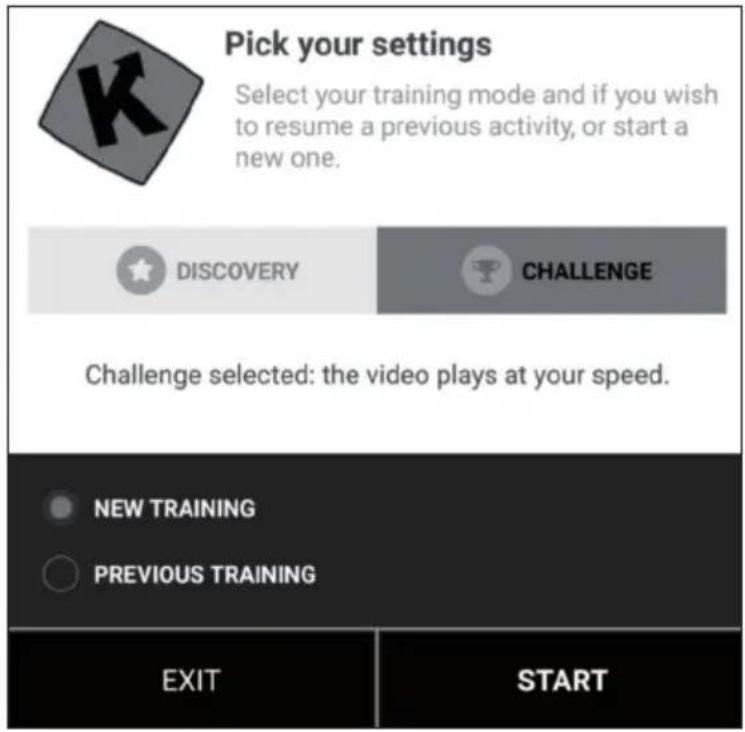
Training display
Relevant information is displayed at the top of the screen:
The duration
The electricity generated immediately
The instant speed
- Your heart rate (only if you add an additional heart sensor strap or if your equipment has one built in)
The instant cadence
The distance
- Your map position is synchronised with the video.
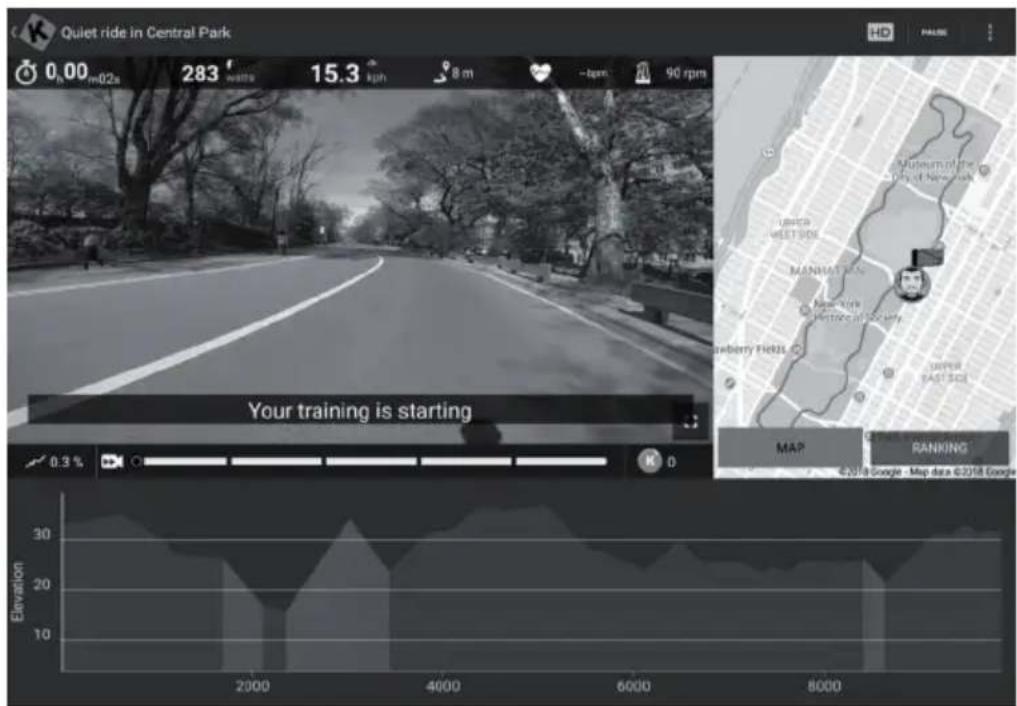
The "Ranking" tab is only available in multiplayer mode.
- Abscissa: Height in metres
- Ordinate: Distance in KM in challenge mode.
Duration: in seconds in Discovery mode.
Set resistance / gears
The screen will instruct you how to set the resistance according to the elevation profile (altitude) if you are using a speed/cadence sensor or an optical sensor.
End training
If you want to pause or stop the workout, simply stop pedalling or use the pause button in the corner of the workout. Click on the "Resume session" button to continue an unfinished training. If you want to end this activity, simply confirm by tapping "Save and exit".
Profile training
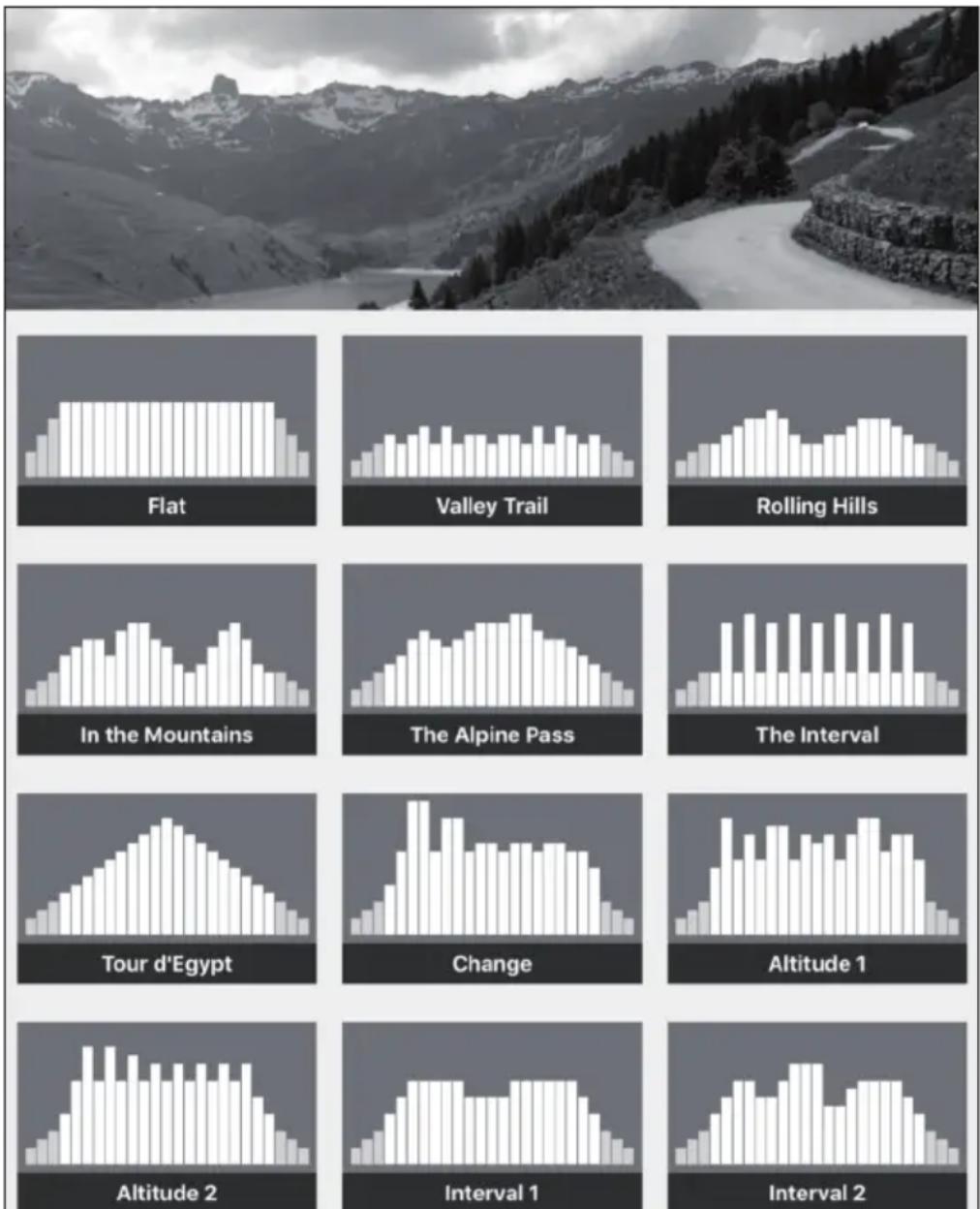
Profile training is a form of training that involves a series of low to high intensity workouts and rest or relief periods.
Varying the intensity of your effort trains the heart muscle, provides a cardiovascular workout, improves aerobic capacity and allows the person to exercise longer and/or more intensely.
Profile training is not yet available for all devices. You can easily check it in the main menu: If you see the profile training menu, it means that the function is available for your equipment. You can choose between two modes, depending on your device.
Resistance: You define a resistance level and we send the instructions to the home trainer, regardless of the power produced.
Target power: You define a target power and the resistance changes automatically so that you generate it.
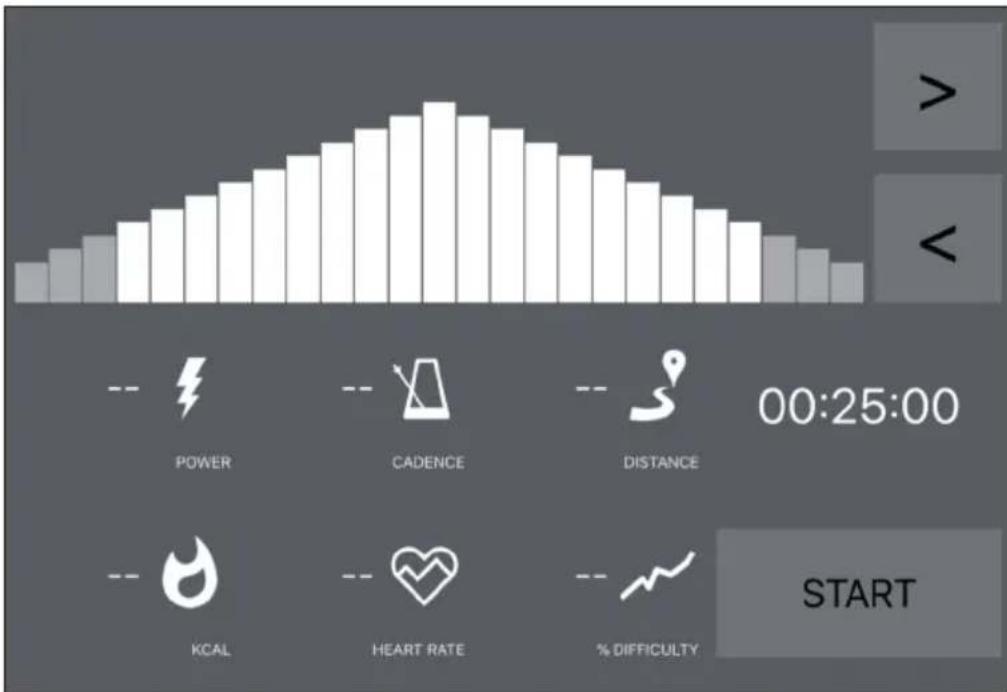
If you see an orange line, it means you are close to your destination.
- Conversely, the orange line means that you are moving away from your target. (Increase or slow down target power)
- All you have to do is select the time (<>) for the countdown and start training.
- Once the activity has started, you can increase or decrease the target power or resistance according to the mode you have chosen.
Evaluations
Training protocol
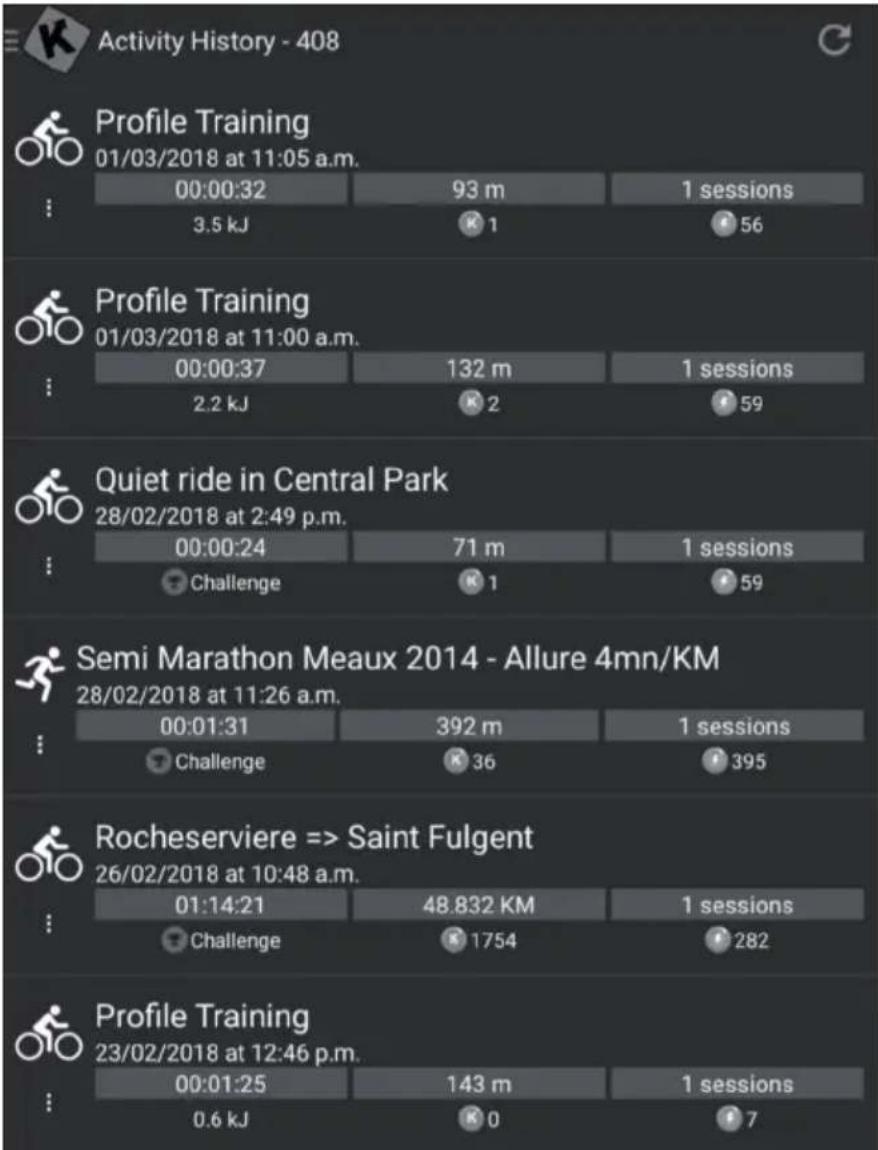
- Open the main menu on the left to click on "Training log".
- You can see the history of your past training sessions here, including the name of the video you trained, the date of the training, the duration and the distance.
- Click on a specific training to get all the information.
- You can also go to http://www.kinomap.com/myactivities.
- Your training log includes a map, a summary and a series of detailed graphs showing your previous speed, power, cadence and heart rate. Note that the training log can be automatically exported to various platforms such as RunKeeper, Strava or Under Armour.
Search
This button is always available in the top right corner to browse videos no matter what menu you are in.
There are several ways to find the right video:
- You can search by clicking on the Search button. As soon as you have entered at least 3 characters, an automatic completion search is carried out.
- You can also perform a geographical search. Select "Map" in the main menu.
- You can explore all available videos by clicking on "Public Playlists" or "All Videos".
Settings
User settings
- Go to the Settings menu and set your user data, including units, height, weight, birthday, gender and frontal area.
- This information influences the speed calculation.
External display
Follow the instructions to view via Chromecast or Apple TV on your TV.
CARE AND MAINTENANCE
Note: As with all exercise equipment with mechanical, moving components, this product may have screws that loosen due to frequent use. We therefore recommend that you check them regularly and tighten them with a suitable key if necessary. Clean your exercise equipment regularly with a damp cloth to remove sweat and dust from the surfaces.
- Remove the control panel battery if you are not going to use the unit for a long period of time.
- Clean the unit regularly with a clean cloth to maintain its clean appearance.
- Safe use of the device can only be guaranteed if the device is regularly checked for damage and wear (for example on handles, pedals, saddle, etc.). It is essential that damaged parts of the appliance are replaced and that the appliance is not used again until it has been repaired.
- Check regularly that bolts and nuts are properly fixed.
- Grease moving parts of the appliance regularly.
- Pay particular attention to components that are especially susceptible to wear and tear, such as the brake system, footrest, etc.
- As sweat is very aggressive, it must not come into contact with the enamelled or chrome-plated parts of the appliance, especially the computer. Wipe the device immediately after use. The enamelled parts can be cleaned with a damp sponge. All aggressive or corrosive products must be avoided during cleaning.
- Store the appliance in a clean and dry environment out of the reach of children.
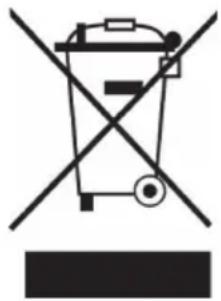
If there is a legal regulation in your country regarding the disposal of electrical and electronic equipment, this symbol on the product or on the packaging indicates that this product must not be disposed of with household waste. Instead, it must be taken to a collection point for the recycling of electrical and electronic equipment. By disposing of this product in accordance with the regulations, you protect the environment and the health of those around you from negative consequences. For information on recycling and disposal of this product, contact your local government or household waste disposal service.
This product contains batteries. If there is a legal regulation in your country regarding the disposal of batteries, the batteries must not be disposed of in household waste. Consult your local regulations for the disposal of batteries. By disposing of this product in accordance with the regulations, you are protecting the environment and the health of those around you from negative consequences.
DECLARATION OF CONFORMITY
CE UK CA
Manufacturer:
Chal-Tec GmbH, Wallstraße 16, 10179 Berlin, Germany.
Importer for Great Britain:
Chal-Tec UK limited
Unit 6 Riverside Business Centre
Brighton Road
Shoreham-by-Sea
BN43 6RE
United Kingdom
The complete manufacturer's declaration of conformity can be found at the following link:
https://use.berlin/10032642
Estimado cliente:
Chal-Tec UK limited.
Unit 6 Riverside Business Centre
Brighton Road
Shoreham-by-Sea
BN43 6RE
Reino Unido
Cher client, chere clientele,
Unit 6 Riverside Business Centre
Brighton Road
Shoreham-by-Sea
BN436RE
Royaume Uni
Download on the AppStore

Download on the AppStore
Chal-Tec GmbH, Wallstraße 16, 10179 Berlin, Germany.
Unit 6 Riverside Business Centre
Brighton Road
Shoreham-by-Sea
BN436RE
Regno Unito
- CARDIO-TRAININGSPHASE
- CONTENTS
- TECHNICAL INFORMATION
- SAFETY INSTRUCTIONS
- INDIVIDUAL PARTS
- ASSEMBLY
- DURING THE TRAINING
- WARM-UP PHASE
- CARDIO TRAINING PHASE
- AEROBIC TRAINING AREA
- ANAEROBIC TRAINING AREA
- RECOVERY PHASE
- TRAINING PROGRESS
- FOOD AND DRINK
- CONSOLE AND BUTTON FUNCTIONS
- SWITCH ON
- MANUAL MODE (MANUAL)
- BEGINNER MODE (BEGINNER)
- ADVANCED MODE (ADVANCED)
- SPORTY MODE (SPORTY)
- CARDIO MODE (CARDIO)
- WATT MODE (WATTS)
- DISPLAY INDICATIONS AND FUNCTIONS
- ICONSOLE+ APP
- TRAINING VIA KINOMAP APP
- CREATE ACCOUNT
- ACTIVATION CODE
- ENTER ACTIVATION CODE
- CONNECT TO THE TRAINING DEVICE
- PREVIEW THE DATA
- TRAINING
- VIDEO SELECTION
- PLAYLISTS
- START OF TRAINING
- DISCOVERY AND CHALLENGE MODE
- TRAINING DISPLAY
- SET RESISTANCE / GEARS
- END TRAINING
- PROFILE TRAINING
- EVALUATIONS
- TRAINING PROTOCOL
- SEARCH
- SETTINGS
- EXTERNAL DISPLAY
- CARE AND MAINTENANCE
- DECLARATION OF CONFORMITY
- MANUFACTURER
- IMPORTER FOR GREAT BRITAIN
- ESTIMADO CLIENTE
Brand : Capital Sports
Model : Evo Track
Category : Indoor bike trainer