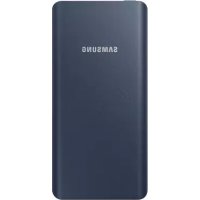
Battery Pack 5.000mAh - Power bank SAMSUNG - Free user manual and instructions
Find the device manual for free Battery Pack 5.000mAh SAMSUNG in PDF.



| Product type | Portable battery |
| Brand | Samsung |
| Model | Battery Pack 5.000mAh |
| Battery capacity | 5,000 mAh |
| Battery type | Lithium-ion |
| Ports | 1 USB port (output), 1 micro-USB port (input) |
| Power supply | Rechargeable via micro-USB, output 5V |
| Level indicator | 4 LEDs with check button |
| Dimensions (approx.) | 71 x 142 x 14 mm |
| Weight (approx.) | 138 g |
| Main features | Recharging mobile devices, automatic battery level detection, overcharge protection |
| Charging temperature range | 0°C to 35°C |
| Storage temperature range | -20°C to 50°C |
| Care and cleaning | Wipe with a dry cloth, do not use chemical products |
| Safety | Do not disassemble, avoid extreme temperatures, use approved chargers |
| Spare parts and repairability | Not user repairable, contact Samsung for service |
| General information | Brand Samsung, model Battery Pack 5.000mAh |
Frequently Asked Questions - Battery Pack 5.000mAh SAMSUNG
User questions about Battery Pack 5.000mAh SAMSUNG
0 question about this device. Answer the ones you know or ask your own.
Ask a new question about this device
Download the instructions for your Power bank in PDF format for free! Find your manual Battery Pack 5.000mAh - SAMSUNG and take your electronic device back in hand. On this page are published all the documents necessary for the use of your device. Battery Pack 5.000mAh by SAMSUNG.
USER MANUAL Battery Pack 5.000mAh SAMSUNG
Copyright © 2017 Samsung Electronics
- Please read this manual before using the device to ensure safe and proper use.
Images may differ in appearance from the actual product. Content is subject to change without prior notice. You can access the full user manual for more information. Visit www.samsung.com to view device information, the user manual, and more. - Before using the battery pack, make sure it is compatible with your device.
- Your consumer rights are governed by the law of the country in which you purchased the product. Please contact your service provider for more information.
Device layout
| a | USB charger port Indicator light | ||
| b | Charger port | d | Battery level button |
4s1b3
Charging the battery
Before using the battery pack for the first time, you must charge the battery.
Connect the battery pack to a charger.

Use only Samsung-approved chargers.


5

- You can charge the battery pack using the charger (sold separately).
Depending on the type of charger you are using, you may need to use the Micro USB connector. - The actual capacity (Wh) is measured based on the battery's output current and voltage. It may differ from the capacity (Wh) indicated on the device, depending on the output power condition, the connected device's circuit configuration, and the operation environment.
- The charger should remain close to the electric socket and easily accessible while charging.
- The socket-outlet shall be installed near the equipment and shall be easily accessible.
Checking the remaining battery power
Check the remaining battery power by pressing the Battery level button.
The indicator lights alerts you to the remaining battery power.
| Remaining battery power | Indicator light status |
| 70–100 % Four indicator lights on | |
| 40–70 % Three indicator lights on | |
| 20–40 % Two indicator lights on | |
| 5–20 % One indicator light on | |
| 0–5 % One indicator light blinking |
English
Using the battery pack
- Connect one end of the USB cable to the battery pack's USB charger port. Then, plug the other end of the USB cable into the mobile device's multipurpose jack.
- After the mobile device is fully charged, disconnect the USB cable from both devices.
7

Depending on your mobile device's multipurpose jack, you may need to use the Micro USB connector.
Safety information
Read all safety information before using the device to ensure safe and proper use. To view the full safety information, refer to the Samsung website.
Use manufacturer-approved batteries, chargers, accessories, and supplies
Do not touch the device with wet hands Do not drop or cause an impact to the charger or the device
The device can be used in locations with an ambient temperature of 0^ to 35^ . You can store the device at an ambient temperature of -20^ to 50^ . Using or storing the device outside of the recommended temperature ranges may damage the device or reduce the battery's lifespan
Prevent the multipurpose jack and the small end of the charger from contact with conductive materials, such as liquids, dust, metal powders, and pencil leads
Do not allow children or animals to chew or suck the device
Do not disassemble, modify, or repair your device
Correct disposal

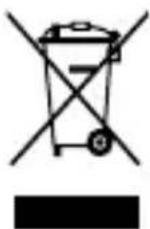
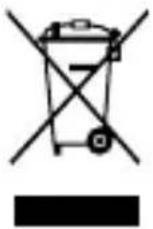
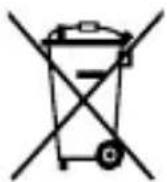
This marking on the product, accessories or literature indicates that the product and its electronic accessories (e.g. charger, headset, USB cable) should not be disposed of with other household waste.
This product is RoHS compliant.
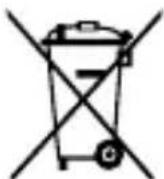
This marking on the battery, manual or packaging indicates that the batteries in this product should not be disposed of with other household waste.
9
For information on Samsung's environmental commitments and product-specific regulatory obligations, e.g. REACH, WEEE, Batteries, visit samsung.com/uk/aboutsamsung/samsungelectronics/corporatecitizenship/data-corner.html
Samsung Electronics (UK) Ltd, Euro QA Lab. Blackbushe Business Park. Saxony Way, Yateley, Hampshire, GU46 6GG, United Kingdom

CE

10
He pa3rno6yBaITe, He moNphiupaIte n He pemOHtnpaIte camn yCTpoiCTBOTO cn


PpaBnH0 n3XBbPnHe
Ta3n MapknpoBka Ha npOyKta, npHaJnxHocHTne nnIInTepaTpyaYka3Ba,Ye npOyKbT n HerOBnTe eNeKTPoHHn npHaJnxHocTH (HaipnMeP 3apAHO yCTPOINCTBO, cnUaKn, USB ka6e) He Tp6Ba da 6bDat nXbPrlnC dpyrN 6ntobn OTnAbu.
ToBa 6o3HaueHHe Bbpxy 6aTepeRnTa, pBkoBOdCTBOTO INIOnaKOBkata, noka3Ba, ye 6aTeepnTE B TO3N npOdyKT He 6uBa Da ce N3XbPnC dpYrnte 6uTOBn OTnAdbu.

3a INHOpMaIg OTHOCHO aHraXIMeHTa Ha
Samsung KbM OKoJIHaTa CpeDa n HopMaTINBHInTe
3aIbJIkeHn, CneUΦuHn 3a npOdyKTInTe, KaTO
hanpImep REACH, WEEE, 6atePn, nocetete
samsung.com/uk/aboutsamsung/samsungelectronics/ corporatecitizenship/data-corner.html
- Prije uporabe uredaja pažljivo procitajte ovaj prisčnik kako biste osigurali sigurnu i pravilnu uporabu.
- Slike se mogu razlikovati od stvarnog proizvoda. Sadržaj je podložan promjeni bez prethodne obavijesti. Za vishe informacija možete pristupiti kompletnom korisničkom prisćniku. Posjetite www.samsung.com za pregled podataka o uredaju, korisničkog prisćnika i drugog.
- Prijne nego upotrijebite baterijski komplet provjerite je li kompatibilan s yasim uredajem.
- Vaša potroščka prava regulirana su zakonom zemplje u kojoj ste kupili proizvod. Za više informacija obratite se pruzatelju usluga.
Prikaz uredaja
a a a a a a a a a a a a a a a a a a a
jglal xla! g jldg jgdg 2
aal
aill laiy 2 ai yie iiai aiai
jia jkiyaiilss jieiial 10
jia 0 jie (USB Jsc aclalil jai
aill


jlll jlll lal lal
jua jalsill jay 2 ai giy iigai jao jali
jue jie gaiiall iia jia jia jiu ball
jaoi o jia eai iie ai jiaoi o jz

中
a
JUUBUSUBK
s USB 15
Jgssall jglll caiiisii iia
Jusususususususususususususususususususususususususususususususususususususususususususususususususususus
aJgall jgs 1olal 2y 2x 3o all
.Micro USB

C
plaii jiaai jieall plaii jiaao xuail iagao
y
.
jdaiaaai jglllg ciaalall g aaii iig ciil
aaiiaaiis
a 1
jgl jalil 1g j
a a a a a a a a a a a a a a a a a a a a a a a a
a jg jg jgsy gia 0 all gia
y 0
gagaa a jaii iia jia jia jia jia jia jia
yjll jj 1


)J 1

piaiui i jy d aiai yill jaiil gie 1. Micro USB
J 1 (Wh) aaii i.
y j 1
a
yjll j 100

alai jaii jaiil jaiil alai iia
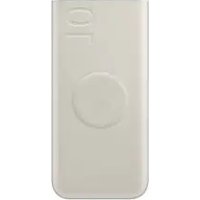
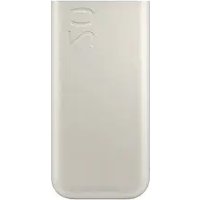
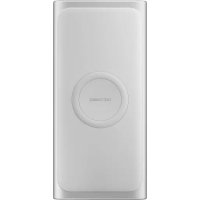
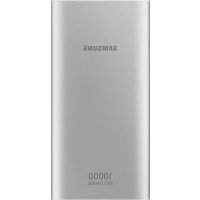
Brand : SAMSUNG
Model : Battery Pack 5.000mAh
Category : Power bank