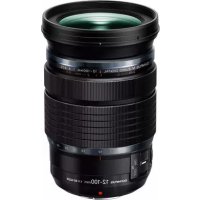
Zuiko Digital ED 12100mm f1:4.0 IS PR - Lens OLYMPUS - Free user manual and instructions
Find the device manual for free Zuiko Digital ED 12100mm f1:4.0 IS PR OLYMPUS in PDF.
Download the instructions for your Lens in PDF format for free! Find your manual Zuiko Digital ED 12100mm f1:4.0 IS PR - OLYMPUS and take your electronic device back in hand. On this page are published all the documents necessary for the use of your device. Zuiko Digital ED 12100mm f1:4.0 IS PR by OLYMPUS.

USER MANUAL Zuiko Digital ED 12100mm f1:4.0 IS PR OLYMPUS
© 2016 ED 12-100mm f4.0 IS PRO WD204002 Printed in China Model No.:IM004 date of issue 2016.8
The following importer description applies to products imported into the EU directly by OLYMPUS EUROPA SE & Co. KG only. OLYMPUS EUROPA SE & Co. KG Wendenstrasse 14-18, 20097 Hamburg, Germany
- Position in which distance indicator cannot be seen AF/MF You can switch between AF/MF by using the camera’s settings.
- Position in which distance indicator can be seen MF Autofocus is not available; focus by rotating the lens focus ring. IS switch ON: Stabilizing functions in the lens and camera operate. The IS operates according to the IS setting in the camera. OFF:Stabilizing functions in both the lens and camera are off.
- About the stabilizing functions Please use the latest firmware for the camera. Operation of this function will change in the following cameras. For more information, please visit our home page. E-M5, E-M10 series, E-P series, E-PL series, E-PM series Contact the other manufacturer to mount the lens on another manufacturer’s digital camera. L-Fn button The AF stops functioning while the button is pressed. Attaching the hood (Fig. 2)/ Storing the hood (Fig. 3) To remove the hood, rotate it while pressing the release. EN8 EN Notes on Shooting
- Edges of pictures may be cut off if more than one filter is used or if a thick filter is used.
- When using a flash, flash light may be blocked by the lens body, lens hood, etc.
- The focus distance may change when the focusing method is switched from MF to AF/MF and then back to MF. Readjust the focus distance.
- The distance indicator is intended as a guide only.
- Usage conditions may lower the number of images that can be captured. Main Specifications Mount : Micro Four Thirds mount Focal distance : 12 – 100 mm (equivalent to 24 to 200 mm on a 35 mm camera) Max. aperture : f4.0 Image angle : 84° – 12° Lens configuration : 11 groups, 17 lenses Iris control : f4.0 to f22 Shooting range :
0.15 m (5.9 in.) to ) (infinite)
Focal distance 12 mm
0.45 m (17.7 in.) to ) (infinite)
Specifications are subject to change without any notice or obligation on the part of the manufacturer. Precautions: Be Sure to Read the Following Warnings: Safety Precautions
- Do not view the sun through the lens. It may cause blindness or vision impairment.
- Do not leave the lens without the cap. If solar light is converged through the lens, a fire may result.
- Do not point the camera lens at the sun. Sunlight will converge in the lens and focus inside the camera, possibly causing a malfunction or fire. Micro Four Thirds and the Micro Four Thirds logo are trademarks or registered trademarks of
OLYMPUS CORPORATION.EN 9
For customers in Europe This symbol [crossed-out wheeled bin WEEE Annex IV] indicates separate collection of waste electrical and electronic equipment in the EU countries. Please do not throw the equipment into the domestic refuse. Please use the return and collection systems available in your country for the disposal of this product. European Technical Customer Support Please visit our homepage http://www.olympus-europa.com or call: Tel. 00800 - 67 10 83 00 (Toll-free) +49 40 - 237 73 899 (Charged)
ManualGo.com