ED 150mm F2.0 - Lens OLYMPUS - Free user manual and instructions
Find the device manual for free ED 150mm F2.0 OLYMPUS in PDF.


User questions about ED 150mm F2.0 OLYMPUS
0 question about this device. Answer the ones you know or ask your own.
Ask a new question about this device
Download the instructions for your Lens in PDF format for free! Find your manual ED 150mm F2.0 - OLYMPUS and take your electronic device back in hand. On this page are published all the documents necessary for the use of your device. ED 150mm F2.0 by OLYMPUS.
USER MANUAL ED 150mm F2.0 OLYMPUS
For customers in Europe

The “CE” mark indicates that this product complies with the European requirements for safety, health, environment and customer protection. CE-mark products are for sale in Europe.
For customers in USA
FCC Notice
This device complies with part 15 of the FCC rules. Operation is subject to the following two conditions: (1) This device may not cause harmful interference, and (2) this device must accept any interference received, including interference that may cause undesired operation.
Any unauthorized changes or modifications to this equipment would void the user's authority to operate.
For customers in CANADA
This Class B digital apparatus complies with Canadian ICES-003.
Features
- The ED150mm f2.0 is a lens with high imaging capability, designed exclusively for use with Olympus FOUR THIRDS single-lens-reflex digital cameras.
- Dustproof and drip-proof construction.
- Super-telephoto lens corresponding to a 300 mm lens for a 35 mm camera.
- F2.0 high-quality lens with 11 elements in 9 groups including one Super ED and one ED glass elements (ED: Extra-low Dispersion).
- Can be used in combination with the optional EC-14 teleconverter. Set the aperture at composite f-stop of f4 or more.
- Can be used in combination with the optional EX-25 extension tube under the following conditions:
| Focus adjustment | Working distance | Magnification( ): When converted to 35 mm film camera |
| MF | 79 cm – 126 cm(2.6 ft – 4.1 ft) | 0.17X – 0.31X(0.34X – 0.62X) |
This lens cannot be used in combination with the Olympus Macro Flash System.
Contents
- Features .... 10
• Nomenclature 11 - Lens Case (Provided) 11
- Attaching the Hood .... 12
- Storing the Hood .... 12
- Attaching and Detaching the Tripod Mount 12
- Focus Limit Switch 13
- Focus Stop Buttons 13
- Shooting Cautions 13
- Precautions: Be Sure to Read the Following 14
- Main Specifications 15
Nomenclature

text_image
Technical diagram of a camera lens with numbered parts for identification①Front cap
② Focus stop buttons (x4)
③Mounting index
④Rear cap
⑤Focus limit switch
⑥Focus ring
⑦Filter mount thread
⑧Electrical contacts
⑨Tripod mount
⑩Lens hood
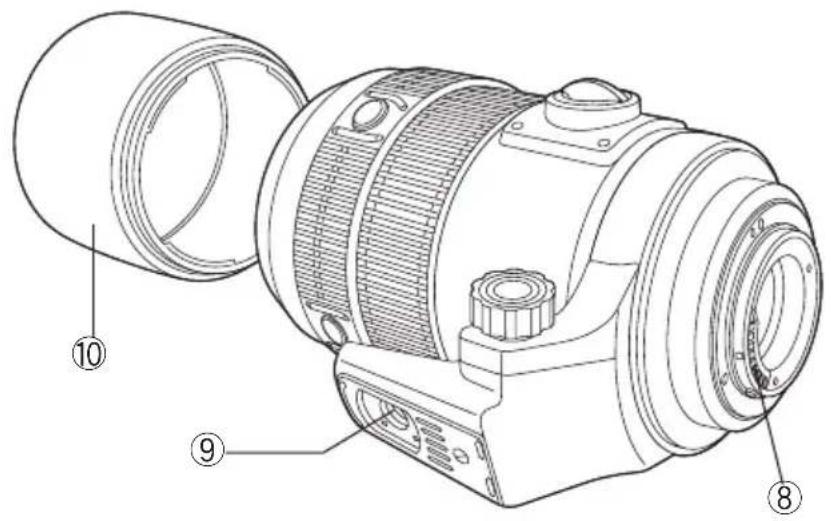
text_image
Technical diagram of a mechanical device with numbered parts labeled 8, 9, and 10Lens Case (Provided)

natural_image
Line drawing of a backpack with buckles and straps (no text or symbols)- Attaching the lens case strap.

natural_image
Diagram showing two-step cable clamp installation on a seatbelt, with no text or symbols present.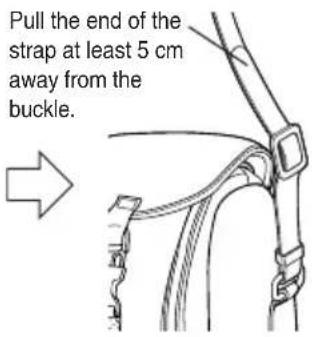
text_image
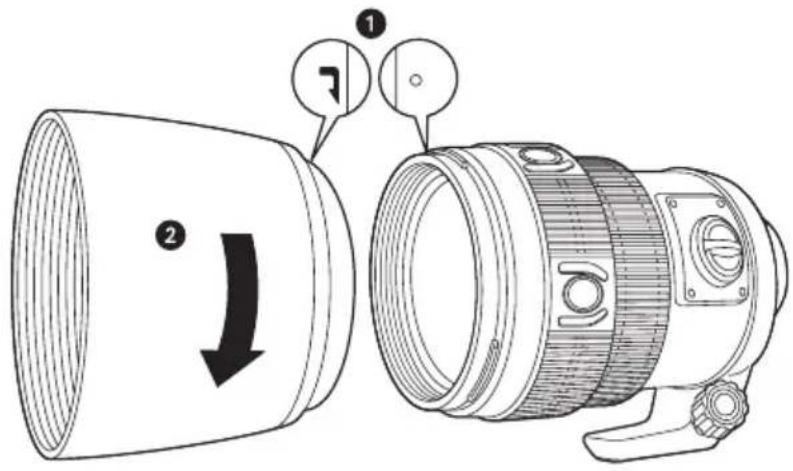
Pull the end of the strap at least 5 cm away from the buckle.Attaching the Hood
text_image
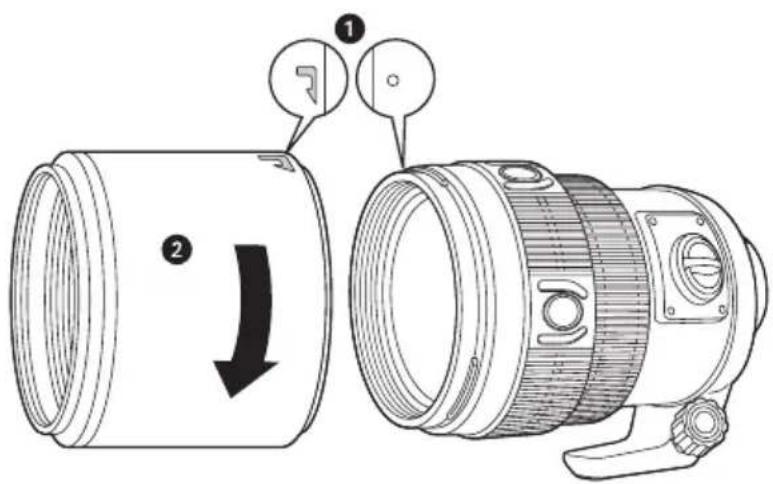
Technical diagram of a camera lens with labeled parts and directional arrow indicating rotation or adjustment.Storing the Hood
text_image
Technical diagram showing a camera lens assembly with labeled parts and directional arrow indicating rotation or movement.Attaching and Detaching the Tripod Mount

text_image
Technical diagram of a mechanical device with labeled parts and directional arrows indicating motion or assembly.Focus Limit Switch
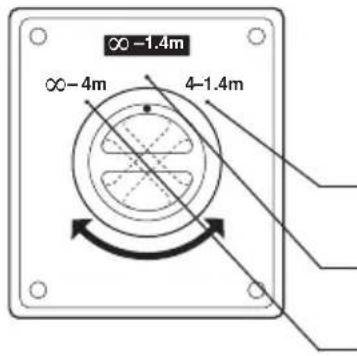
This switch limits the autofocus range to speed up focusing in each range.
Select the optimum mode according to the shooting distance.
Close-up shooting: Autofocus is performed between 4 meters (13.1ft) and 1.4 meters (4.6 ft).
Normal shooting : Autofocus is performed from (infinity) to 1.4 meters (4.6 ft).
Distant shooting : Autofocus is performed from (infinity) to 4 meters (13.1 ft).
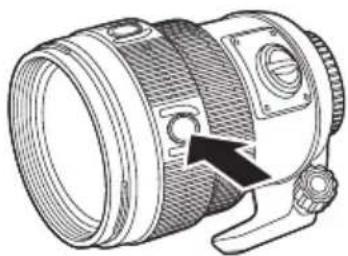
Focus Stop Buttons
natural_image
Technical line drawing of a camera lens with an arrow pointing to the aperture (no text or symbols present)- By holding down one of the focus stop buttons, you can deactivate autofocus operation and fix focus at the point where the button was pressed.
- Four buttons are provided. All have the same effect.
Shooting Cautions
- Be sure to attach the hood when shooting against the light.
- When two or more filters are used or a thick filter is used, part of the picture may be cut off or obscured.
Precautions: Be Sure to Read the Following

Warnings: Safety Precautions
natural_image
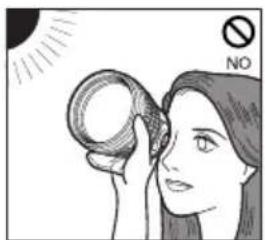
Illustration of a person applying makeup to their ear with a circular object, no text or symbols presentDo not view the sun through the lens.

text_image
NODo not leave the lens without the cap. If solar light is converged through the lens, a fire may result.

natural_image
Diagram of a device with no visible text, numbers, or symbolsDo not point the camera lens at the sun. Sunlight will converge in the lens and focus inside the camera, possibly causing a malfunction or fire.
Handling Precautions

text_image
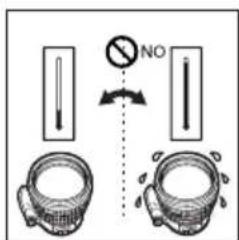
NO YES NO -40℃ (104°F) -10℃ (14°F)Working temperature range
text_image
Diagram showing a valve mechanism with a 'NO' symbol and two circular components, likely illustrating a mechanical or electrical setup.Abrupt temperature changes
natural_image
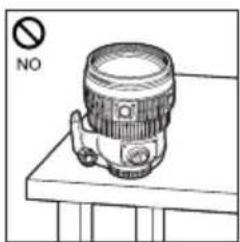
Line drawing of a camera on a table with a 'NO' symbol above (no text or symbols on the device itself)Do not put the lens with its contacts facing down.
text_image
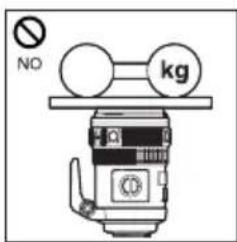
NO kgToo much pressure

text_image
NODo not touch the lens.

text_image
NOSubmergence
text_image
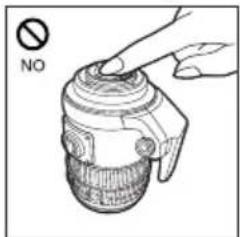
NODo not touch the contacts.
natural_image
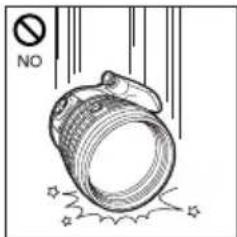
Illustration of a cylindrical object with stars and smoke, no text or symbols presentDo not drop
text_image
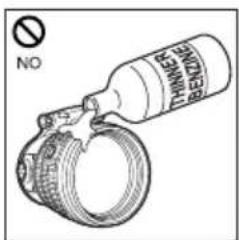
NO THINNET BLENDINEOrganic solvents

text_image
NOExcessive moisture

text_image
NOMagnetism

text_image
NODo not hold the camera by the section of the lens extruded by the focusing operation.
Storage Precautions
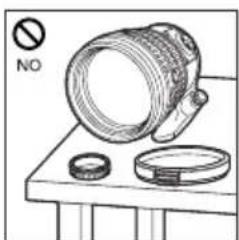
natural_image
Illustration of a camera lens on a workbench with no visible text or symbolsCap the lens when it is not used.
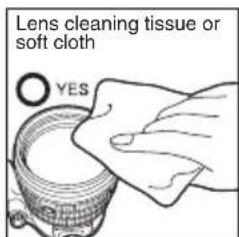
text_image
Lens cleaning tissue or soft cloth YESLens cleaning
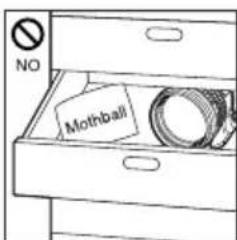
text_image
NO MothballMoth repellents

text_image
OLYMPUSIf you experience any problems, contact your nearest Olympus service center.
Main Specifications
Mount : Four Thirds mount
Focal distance : 150 mm
Max. aperture : f2.0
Image angle : 8.2°
Lens configuration : 11 elements in 9 groups
Multi-layer coating (partial single-layer coating)
Iris control : f2.0 to f22
Shooting range : 1.4 m (4.6 ft) to ∞ (infinity)
Focus adjustment : AF/MF switching
Weight : 1610 g (56.8 oz) (excluding hood and cap)
Dimensions : Max. dia. ø100 mm (3.9 in) x Overall length 150 mm (5.9 in)
Lens hood mount : Bayonet
Filter mount thread diameter : 82 mm (3.2 in)
- Design and specifications are subject to change without any notice or obligation on the part of the manufacturer.
Lens configuration diagram

natural_image
Technical diagram of a mechanical component with symmetrical cutouts and a central axis line (no text or symbols)●Technical Support (USA)
24/7 online automated help: http://www.olympusamerica.com/E1
Phone customer : Tel.1-800-260-1625 (Toll-free)
Our phone customer support is available from 8 am to
10 pm (Monday to Friday) ET
E-Mail : e-slrpro@olympusamerica.com
●European technical Customer Support
Please visit our homepage http://www.olympus-europa.com
or call NUMBER : Tel.00800-67 10 83 00 (Toll-free)
+49 1805-67 10 83 or +49 40-23 77 38 99 (Charged)