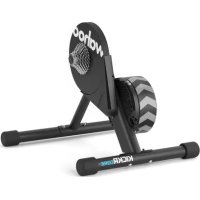
Kickr Core - Indoor bike trainer Wahoo - Free user manual and instructions
Find the device manual for free Kickr Core Wahoo in PDF.



| Product type | Indoor bike trainer (home trainer) |
| Brand | Wahoo |
| Model | Kickr Core |
| Power supply | Mains adapter included (100-240 V AC) |
| Bike compatibility | Quick release 130/135 mm, thru axle 12x142/12x148 mm |
| Cassette | Compatible 9/10/11 speed (not included, 1.8 mm spacer provided for 9/10v) |
| Connectivity | Bluetooth, ANT+, Wi-Fi (via app) |
| Training modes | Level, Resistance, ERG, Simulation |
| App | Wahoo Fitness (iOS 8+, Android 4.3+) |
| Calibration | Spindown via app every 2 weeks |
| Firmware update | Via Wahoo app |
| Dimensions (approx.) | 600 x 700 x 400 mm |
| Weight (approx.) | 21 kg |
| Noise | Low thanks to the flywheel |
| Safety | Keep hands away from moving parts; stable surface; after use, may become hot |
| Maintenance | Clean with a dry cloth; check tightening of attachments |
| Repairability | Contact Wahoo or a specialized store |
| Warranty | See Wahoo website |
| Included accessories | Front/back feet, nuts/bolts, hex key, adapters A/B/C/D, quick release |
| Model number | Kickr Core |
Frequently Asked Questions - Kickr Core Wahoo
User questions about Kickr Core Wahoo
0 question about this device. Answer the ones you know or ask your own.
Ask a new question about this device
Download the instructions for your Indoor bike trainer in PDF format for free! Find your manual Kickr Core - Wahoo and take your electronic device back in hand. On this page are published all the documents necessary for the use of your device. Kickr Core by Wahoo.
USER MANUAL Kickr Core Wahoo
See full instructions for complete setup.
Download the Wahoo app

Download on the App Store

Google Play

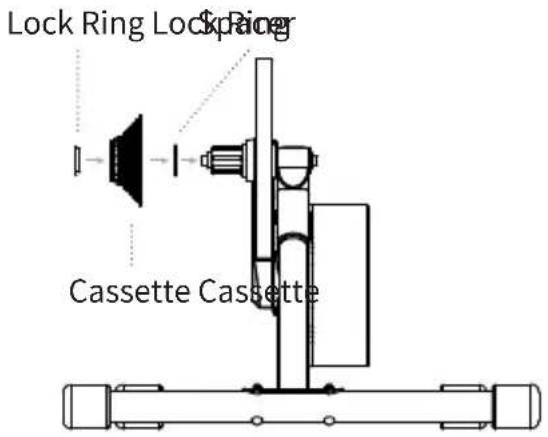
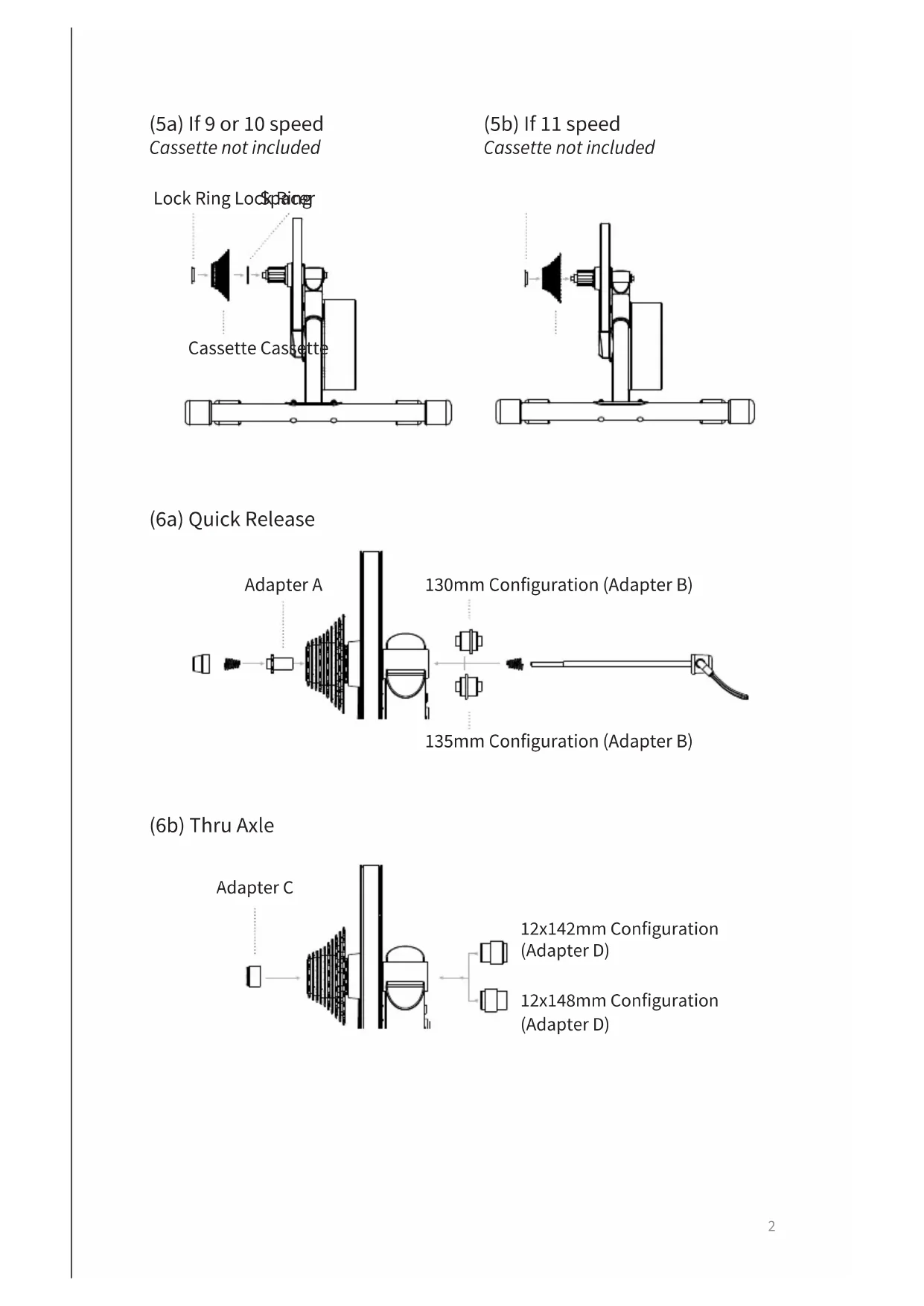
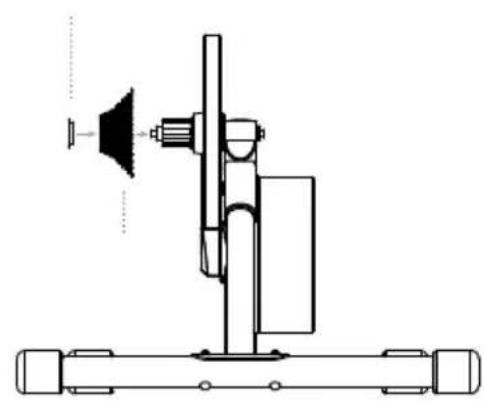
(5a) If 9 or 10 speed Cassette not included
(5b) If 11 speed Cassette not included
(6a) Quick Release
(6b) Thru Axle
Thank you for purchasing the Wahoo KICKR CORE!
FOR LATEST NEWS, SUPPORT, AND FIRMWARE UPDATES BE SURE TO SETUP YOUR PRODUCT USING THE WAHOD APP
LEARN MORE:
For instructional videos, compatible apps, FAQs, and support requests please visit: www.wahoofitness.com/support
PLEASE CONTACT US WITH
QUESTIONS OR CONCERNS AT:
Wahoo Fitness
90 W. Wieuca Rd NE
Suite 110
Atlanta, GA 30342 United States
TELEPHONE:
United States: 1-877-978-1112
Germany: +49-30-568-373827
United Kingdom: +44-800-808-5773
Phone Hours: Monday - Friday
10am-7pm Eastern Time Zone
- Before beginning or modifying any exercise program please consult your physician.
- Do not put hands or objects near moving parts of the KICKR CORE.
- The KICKR CORE may become hot to the touch when used for extended periods of time.
- Do not attempt to dismount the bicycle while the flywheel is in motion.
- Keep children and pets away from the KICKR CORE while in use.
- Only use the KICKR CORE on a stable, level surface.
Use caution when standing while riding on the KICKR CORE.
- Keep the KICKR CORE away from water.
- Only use the power adapter that comes with the KICKR CORE.
- Check to make sure the bicycle is properly secured to the KICKR CORE before every ride.
- Only use KICKR CORE when unit is fully assembled and in the proper open position.
- Only use approved Wahoo accessories and adapters while using the KICKR CORE.
UNPACKING
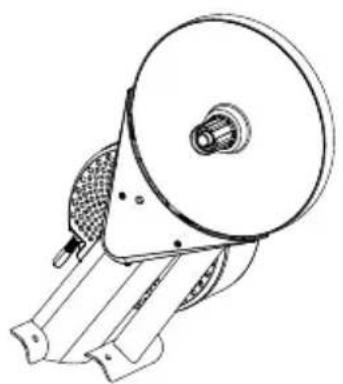
(1) KICKR CORE
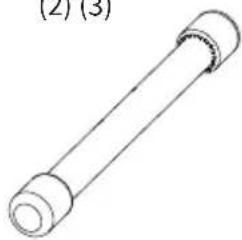
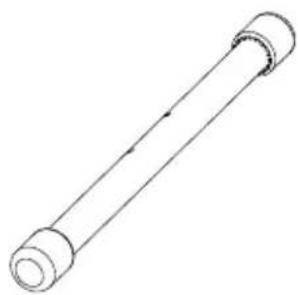
(2) Rear Leg
(3) Front Leg
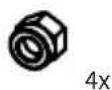
(4) Nuts (x4)
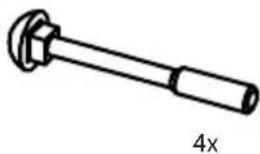
(5) Bolts (x4)
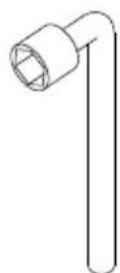
(6) Hex Tool
(7) 1.8mm Spacer
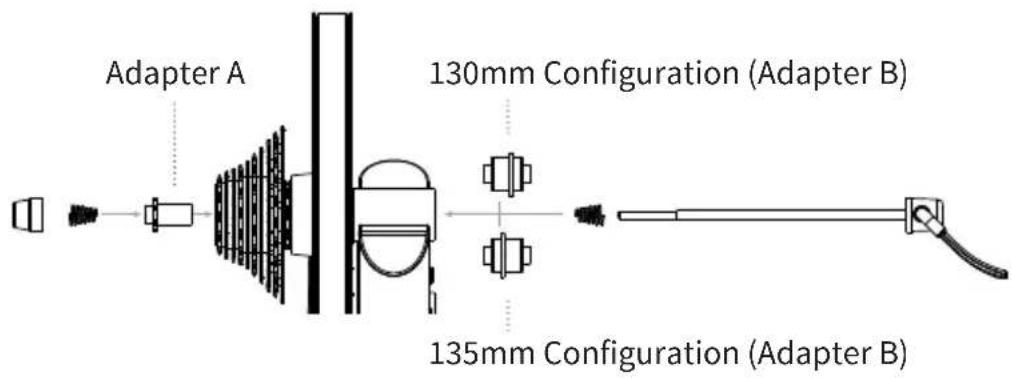
(8) Adapter A - For 130mm and 135mm Quick Release
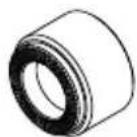
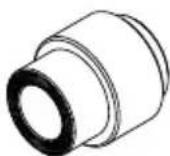
(9) Adapter B - Reversible hub spacer for 130mm and 135mm Quick Release
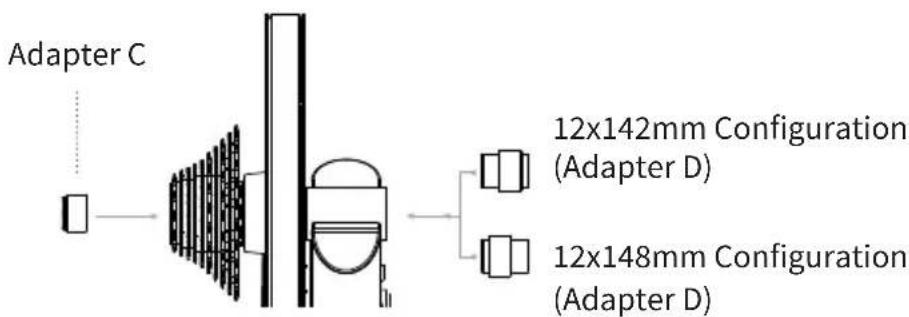
(10) Adapter C - For 12x142 and 12x148 Thru Axle
(11) Adapter D - Reversible hub spacer for 12x142 and 12x148 Thru Axle
(12) AC Power Adapter
(13) Quick Release Skewer
(1)
(2) (3)
(4)
(5)
(6)
(7)
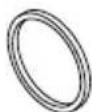
(8)
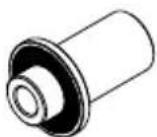
(9)
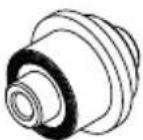
(10)
(11)
(12)
(13)
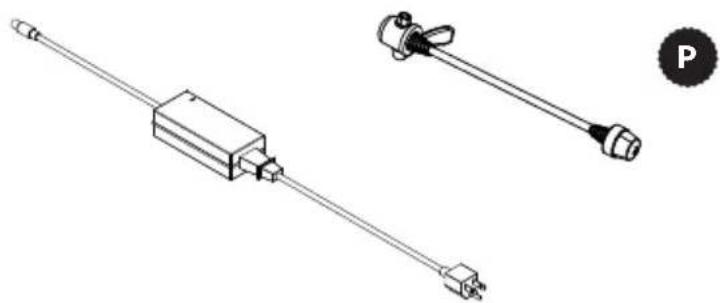
PROTIP: Save all packaging and protective material for transportation and storage
KICKR CORE SETUP
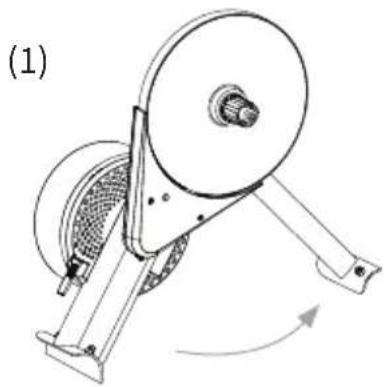
Remove the main KICKR CORE unit from the box and (1) fully extend the arm forward.
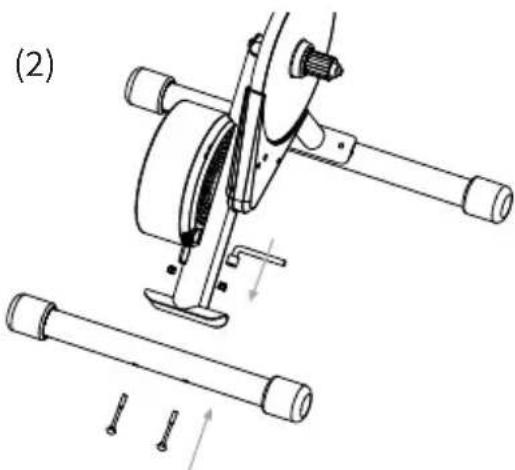
Next (2) attach the front and rear legs to the KICKR CORE using the included hex tool and hardware as illustrated.
Note: The rear leg is shorter than the front leg.
Once both legs are attached, place the KICKR CORE on a stable, level surface.
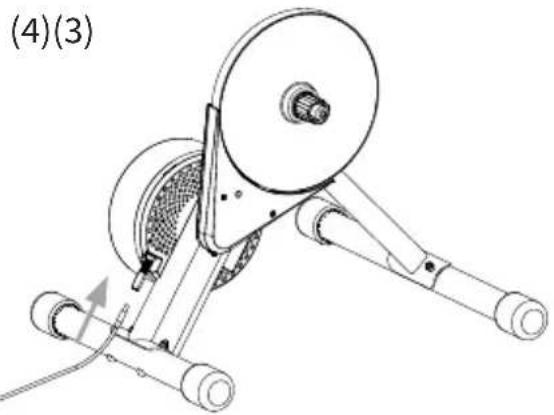
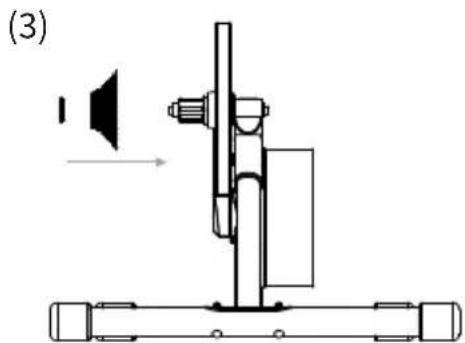
After the frame is complete, (3) add a cassette (not included).
To install a compatible 11 speed cassette, hold the cassette with cassette wrench and use a lock ring tool to secure cassette to freehub on the KICKR CORE. Tools are not included.
To install a compatible 9 or 10 speed cassette, it will be necessary to use the included 1.8mm spacer, place this onto the freehub body before installing the cassette.
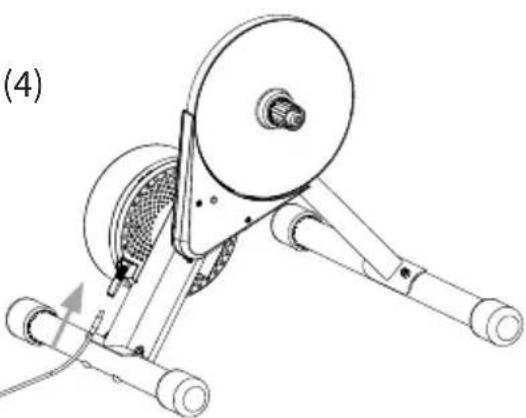
Use the included AC power adapter to (4) connect the trainer to a standard wall outlet.

Download: Download the Wahoo App for free from the Apple App Store or from the Android Google Play Store.
Checking for firmware updates and calibrating your KICKR CORE using the app is key to getting the best performance out of your trainer. Don't skip this step.
Setup: Follow the in app setup guide to complete your profile and to pair sensors.
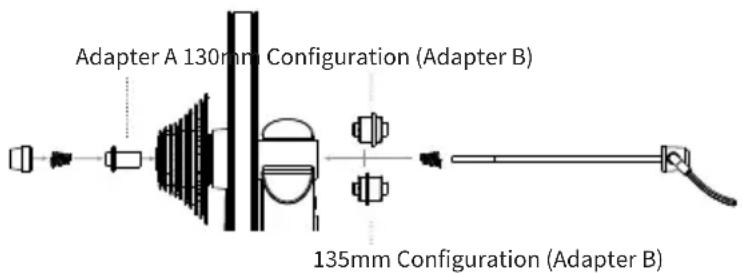
FOR 130MM OR 135MM QUICK RELEASE
Adapters Needed: A and B
Quick release skewer is included.
FOR 142MM OR 148MM THRU AXLE
Adapters Needed: C and D
To be used with the 12mm thru axle supplied with bicycle.
Note: You will have some adapters left over.
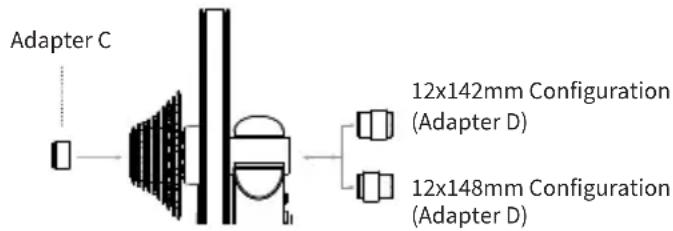
ATTACHING YOUR BICYCLE
Shift your bicycle chain into the smallest sprocket in the front and rear, then remove your rear wheel. Install your bicycle on the KICKR CORE by aligning the the chain with the smallest sprocket on the KICKR CORE and pressing down to fully seat the dropouts on the KICKR CORE's axle.
For bicycles with quick release - Secure your bicycle by tightening the quick release acorn nut and clamping the quick release lever shut. The quick release lever is "open" when it curves away from the bicycle frame (5); the lever is "closed" when it curves towards the
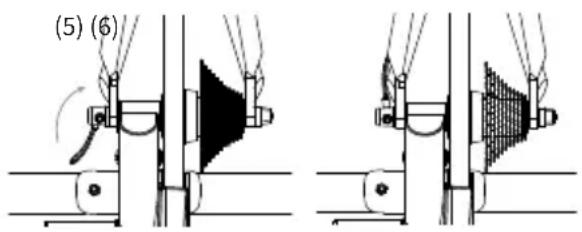
bicycle frame (6). The handle of the quick release skewer is always on the non-drive (non cassette) side of the KICKR CORE. Only use the provided quick release skewer while using the KICKR CORE.
For bicycles with thru axle -
Secure your bicycle by reinstalling your bicycle's thru axle (7) and tightening to manufacturer specifications (8).
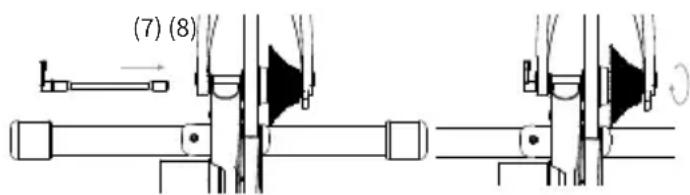
CAUTION! Failure to properly tighten the quick release skewer or thru axle may result in property damage or personal injury. If you are unsure of the proper tension, please consult your local bike shop or contact Wahoo Fitness for assistance. Do NOT ride the KICKR CORE until the quick release skewer or thru axle is tightened.

PROTIP: Lift the front wheel up while pressing down on the saddle to ensure the bicycle is fully seated on the trainer.
COMPLETE YOUR SETUP USING THE WAHOO APP
SPINDOWN: Before using the KICKR CORE for the first time you should perform a spindown to calibrate your device. Additionally, a spindown should be repeated approximately every 2 weeks through the Wahoo App to ensure the most accurate power data.
START A WORKOUT: From the workout screen select the green "Start" button to begin the workout. Swipe right to view the KICKR CORE page. This page enables you to view your workout and control the KICKR CORE.
KICKR CORE WORKOUT MODES: The Wahoo App has the following workout modes that you can use to control your KICKR CORE:
LEVEL: Just like riding on a fluid or wind trainer, the faster you go, the harder it gets. The level you select determines the progression of your power curve.
RESISTANCE: This allows you to set the resistance of the brake anywhere from 0 to 100% . Regardless of speed, the brake will remain set until you decide to change it.
ERG: Set your desired power, the KICKR CORE will increase or decrease the resistance to maintain a constant power output, regardless of speed.
SIM: Enter your weight, bike type, riding position, headwind and grade and the KICKR CORE will accurately model the power curve just as if you were riding outdoors.
COMPATIBILITY
From your phone, tablet or laptop to your bike computer, heart rate monitor or bike sensors, KICKR Smart Trainers offer the widest range of compatibility and connectivity.
- iOS must be running version 8 or newer
Android 4.3 or newer and Bluetooth enabled
Mac requires ANT+ USB Stick or Bluetooth enabled - Windows PC when paired with ANT+ USB Stick or Bluetooth enabled
For a full list of KICKR compatible apps visit: www.wahoofitness.com/fitness-apps#kickr
Atlanta, GA 30342 United States
TELEFONO:
Whenever you want to use a tablet, it is important to have the following information.
- Your device's operating system
- Your device's operating software
- Your device's operating hardware
- Your device's operating date
- Your device's operating version
- Your device's operating country
Atlanta, GA 30342 United States
TELEPHONE:
Atlanta, GA 30342 United States
TELEFONO:
Atlanta, GA 30342 United States
TELEFONNUMMERN:
USA: 1-877-978-1112
Deutschland: +49-30-568-373827
www.wahoofitness.com/support
如有问题或顾虑,请联系我们:
Wahoo Fitness
90 W. Wieuca Rd NE
Suite 110
Atlanta, GA 30342 United States
美国:1-877-978-1112
Atlanta, GA 30342 United States
電話:
美國:1-877-978-1112
載くだ:www.wahoofitness.com/support
質問及問題の連絡先:
Wahoo Fitness
90 W. Wieuca Rd NE
Suite 110
Atlanta, GA 30342 United States
電話:
米国:1-877-978-1112
AnncnTongy,HaHnAe,JzHmNnBnEaHnIe
www.wahoofitness.com/support
将之写在上面,以示其意。
Wahoo Fitness
90 W. Wieuca Rd NE
Suite 110
Atlanta, GA 30342 United States
朝:
司国:1-877-978-1112
目录:+49-30-568-373827
英国:+44-800-808-5773
前会能:日-金010
OuH7i
www.wahoofitness.com/fitness-apps#kickr
- See full instructions for complete setup.
- Thank you for purchasing the Wahoo KICKR CORE!
- UNPACKING
- KICKR CORE SETUP
- FOR 130MM OR 135MM QUICK RELEASE
- FOR 142MM OR 148MM THRU AXLE
- ATTACHING YOUR BICYCLE
- COMPLETE YOUR SETUP USING THE WAHOO APP
- COMPATIBILITY
- TELEFONO:
- TELEPHONE:
- 如有问题或顾虑,请联系我们:
- 電話:
- 質問及問題の連絡先:
Brand : Wahoo
Model : Kickr Core
Category : Indoor bike trainer