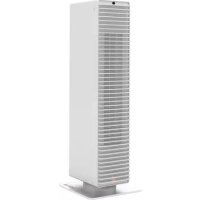
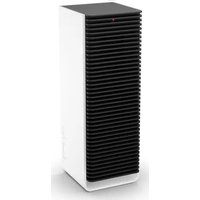
Paul Heater Wit - Heating STADLERFORM - Free user manual and instructions
Find the device manual for free Paul Heater Wit STADLERFORM in PDF.



| Brand | STADLERFORM |
| Model | Paul Heater Wit |
| Product type | Fan heater |
| Power supply | 220-240 V / 50 Hz |
| Temperature range | 0 °C (cooling) to 26 °C or "Hi" |
| Power levels | Low to high, adjustable |
| Operating modes | Manual, Auto (Adaptive Heat™), cooling, oscillation |
| Oscillation | Yes, approximately 90° angle |
| Control type | Touch panel + infrared remote control |
| Display | Digital (temperature) |
| LED indicator | Red (heating), blue (cooling) |
| Protection | Overheat protection, auto shut-off, IP21 |
| Filter | Washable air filter |
| Safety distance | ≥ 50 cm from walls/objects, ≥ 100 cm in bathroom |
| Bathroom use | Yes, with distance ≥ 100 cm from water sources |
| Remote control | Supplied, CR2032 battery included |
| Touch panel | Yes, with swipe gestures |
| Maintenance | Clean filter and exterior with dry/damp cloth |
| Warranty | 2 years (manufacturing defects) |
| Carrying handle | Integrated |
| Base | Aluminum |
Frequently Asked Questions - Paul Heater Wit STADLERFORM
User questions about Paul Heater Wit STADLERFORM
0 question about this device. Answer the ones you know or ask your own.
Ask a new question about this device
Download the instructions for your Heating in PDF format for free! Find your manual Paul Heater Wit - STADLERFORM and take your electronic device back in hand. On this page are published all the documents necessary for the use of your device. Paul Heater Wit by STADLERFORM.
USER MANUAL Paul Heater Wit STADLERFORM
Operating instructions
Mode d'emploi
Congratulations! You have just purchased the exceptional PAUL fan heater. It will bring you great pleasure and improve the ambient air for you.
As with all domestic electrical appliances, particular care is needed with this model also, in order to avoid injury, fire damage or damage to the appliance. Please study these operating instructions carefully before using the appliance for the first time and follow the safety advice on the appliance itself.
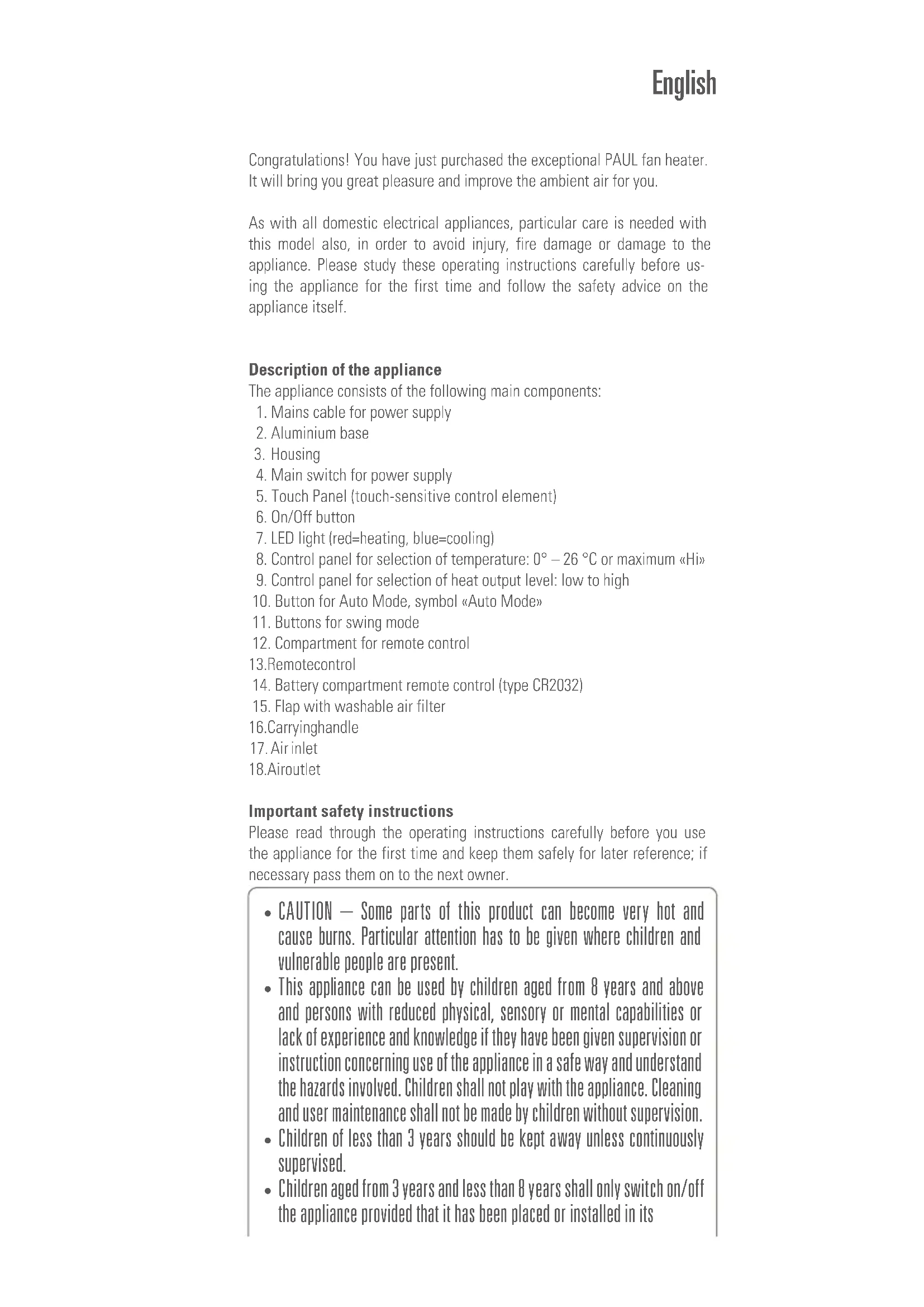
Description of the appliance
The appliance consists of the following main components:
- Mains cable for power supply
- Aluminium base
- Housing
- Main switch for power supply
- Touch Panel (touch-sensitive control element)
- On/Off button
- LED light (red=heating, blue=cooling)
- Control panel for selection of temperature: 0^ - 26^ or maximum Hi
- Control panel for selection of heat output level: low to high
- Button for Auto Mode, symbol «Auto Mode»
- Buttons for swing mode
- Compartment for remote control
- Remotecontrol
- Battery compartment remote control (type CR2032)
- Flap with washable air filter
16.Carryinghandle - Air inlet
18.Airoutlet
Important safety instructions
Please read through the operating instructions carefully before you use the appliance for the first time and keep them safely for later reference; if necessary pass them on to the next owner.
- CAUTION - Some parts of this product can become very hot and cause burns. Particular attention has to be given where children and vulnerable people are present.
- This appliance can be used by children aged from 8 years and above and persons with reduced physical, sensory or mental capabilities or lack of experience and knowledge if they have been given supervision or instruction concerning use of the appliance in a safe way and understand the hazards involved. Children shall not play with the appliance. Cleaning and user maintenance shall not be made by children without supervision.
- Children of less than 3 years should be kept away unless continuously supervised.
Children aged from 3 years and less than 8 years shall only switch on/off the appliance provided that it has been placed or installed in its
intended normal operating position and they have been given supervision or instruction concerning use of the appliance in a safe way and understand the hazards involved. Children aged from 3 years and less than 8 years shall not plug in, regulate and clean the appliance or perform user maintenance.
-
If the supply cord is damaged, it must be replaced by the manufacturer, or its service agent, or a qualified person in order to avoid a hazard.
-
Stadler Form refuses all liability for loss or damage which arises as a result of failure to follow these operating instructions.
- The appliance is only to be used in the home for the purposes described in these instructions. Unauthorized use and technical modifications to the appliance can lead to danger to life and health.
- Never submerge the unit in water (danger of short circuiting).
- Never run a defective unit (e.g. supply cord).
-
Never touch energized parts.
-
Only connect the cable to alternating current. Observe the voltage information given on the appliance. Do not use extension cords.
-
The heater must not be located directly below a socket-outlet.
- Do not open the appliance (repairs only by service agents).
- The appliance is dripping water-proof (vertical) according to the classification IP21 and may only be used in bathrooms in case you keep a safety distance of at least 100cm to the following objects: bathtub, showers, swimming pools, water faucets, wash basins, etc.
- Do not run the power cord over sharp edges and make sure that it does not get trapped. Do not pull the plug from the socket with wet hands or by holding on to the power cord.
- Do not place the appliance near a heat source. Do not subject the power cord to direct heat (such as a heated hotplate, open flames, hot iron sole plates or heaters for example). Protect power cords from oil.
- Please make sure that the used socket remains accessible.
- Do not run the heater on an uneven or soft surface.
- CAUTION: In order to avoid a hazard due to inadvertent resetting of the thermal cut-out, this appliance must not be supplied through an external switching device, such as a timer.
- WARNING: In order to avoid overheating, do not cover the air inlet or air outlet - fire hazard!
- Do not use the heater in small rooms (below 4 min size), in explosive environment, or for drying laundry.
- Do not touch the front part of the appliance, it might reach hot temperature.
- Use the heater only under supervision.
- Do not insert any object and/or finger into the openings of the heater.
- To extinguish burning appliances only use fire blankets.
Setting up / operation
Note: Make sure that there is always sufficient space between the appliance and the wall or other large objects (>50 cm). The air flow must not be blocked by objects of any kind. If Paul is set up in a bathroom, keep a safety
distance of at least 100cm to showers, bathtubs, water faucets, washbasins, etc.
- Having set up Paul in the desired position connect the cable (1) to the household supply socket.
- First, push the main switch for power supply (4) on the back of the appliance.
- Switch on the appliance by pressing the On/Off button (6). The target temperature appears on the display.
- The target temperature can be changed from 0^ (cooling mode) to 26^ or maximum Hi by making a vertical sliding movement across the right-hand control panel for selection of temperature (8) Temperature). The heating mode is active from 1^ - 26^ & Hi . The digit flashes in configuration mode. Making a sliding movement upwards or typing + in the upper field increases the target temperature. Making a sliding movement downwards or typing - in the lower field reduces the target temperature. The setting is saved if no change occurs on the control panel for selection of temperature for three seconds. The current room temperature is subsequently shown on the display.
Info: The appliance switches off the heating element when the target temperature is reached and the temperature indicator flashes on the display. The ventilator remains switched on at the lowest level in order to monitor room temperature. The appliance switches on again if the room temperature recorded drops below the set target temperature.
-
Cooling mode: the heating element switches off if the temperature is set to 0^ and the ventilator blows cool air out of the appliance. The LED light (7) changes from red to blue. There is no temperature shown on the display in cooling mode.
-
The heat output level can be changed from low to high by making a vertical sliding movement across the left-hand control panel for selection of heat output level (9) «Power Level». The display flashes during the input process. Making a sliding movement upwards or typing «+» in the upper field increases the output level. Making a sliding movement downwards or typing «-» in the lower field reduces the output level. The setting is saved if no change occurs on the control panel for selection of heat output level for three seconds. The current room temperature is subsequently shown on the display.
-
Auto mode is activated by pressing the «Auto Mode» button (10). «Auto Mode» is shown in the display. The preset target temperature of 22^ can be changed using the right-hand control panel for selection of temperature (8). The heat output level is selected automatically in auto mode - depending on the room temperature. The smaller the difference between the room temperature and the target temperature, the smaller the heat output level selected. We refer to this as «Adaptive Heat ™» technology and we have filed for an international patent. This allows Paul to make sure that the target temperature is reached, quickly and efficiently, and maintained. Paul thus prevents a sharp temperature drop and prevents the appliance from being constantly switched on and off. Auto mode is deactivated if the heat output level is changed manually (9).
Info: The appliance switches off the heating element when the target temperature is reached and the temperature indicator flashes on the display.
- The swing function can be activated by pressing one of the «Swing Mode» buttons (11) on the left-hand and right-hand side of the housing. The appliance now swings at an angle of approx. 90^ to ensure a wide distribution of heat. Press the «Swing Mode» button again if the appliance is to remain at a certain angle. If the target temperature is reached, the appliance remains at the angle it was in at the point the target temperature was reached until the room temperature drops below the target temperature and the appliance switches on again.
- Switch off the appliance by pressing the On/Off button (6). The ventilator remains switched on for three minutes at the lowest level to cool down the heating element. The appliance saves the temperature input and the heat output level even if the appliance is switched off.
- The remote control (13) is in the compartment for remote control (12) on the back of the appliance. The temperature and the heat output level can be changed by pressing the appropriate buttons. The remote control operates via infrared - to this end, point the remote control at the front of the appliance (the sensor is at the very top on the front of the appliance). The battery compartment (14) is on the back of the remote control (type CR2032). This can be opened by pushing the cover downwards.
- Protection against overheating: the appliance is equipped with overheating protection which switches off the appliance in the event of a technical fault or improper use (the ventilator continues to run for some time at the lowest level to cool down the appliance). Should this occur, rectify the fault or cease the improper use (e.g. 50~cm space around the appliance, do not cover the appliance, set the appliance up in an upright position). Once the appliance has cooled down it can be put back into service.
- The temperature indicator can be changed from Celsius to Fahrenheit and vice versa by pressing the «Auto Mode» button (10) for five seconds.
Cleaning
Prior to any maintenance, cleaning and after each use, switch off the appliance and unplug the mains cable (1) from the socket.
Attention: Never immerse the device in water (danger of short circuit).
- For external cleaning, rub with a damp cloth and then dry thoroughly.
- Make sure that the air inlet and outlet are cleaned regularly to prevent the build-up of dust. Clean the air outlet (18) with a dry brush or vacuum cleaner. The air inlet grid (17) is fitted with an air filter (15) which can be removed and cleaned with a damp cloth. Remove the filter by pulling out the flap at the bottom using the recessed grip.
Repairs
- Repairs to electrical appliances must only be carried out by a qualified electrical technician. If improper repairs are carried out, the warranty lapses and all liability is refused.
- Never operate the appliance if the adaptor or plug is damaged, after it has malfunctioned, if it has been dropped or has been damaged in any other way (cracks/breaks in the casing).
- Do not push any object into the appliance.
- If the appliance is beyond repair, make it unusable immediately by cutting through the cable and hand it in at the collection point provided for the purpose.
Disposal
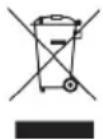
The European directive 2012 / 19 / CE on Waste Electrical and Electronic Equipment (WEEE), requires that old household electrical appliances must not be disposed in the normal unsorted municipal waste stream. Old appliances must be collected separately in order to optimize the recovery and recycling of the materials they contain and reduce the impact on human health and the environment. The crossed out "wheeled bin" symbol on the
product reminds you of your obligation, that when you dispose of the appliance it must be separately collected. Consumers should contact their local authority or retailer for information concerning the correct disposal of their old appliance.
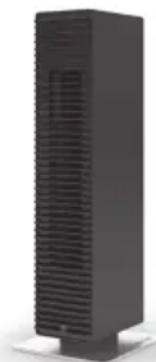
Specifications
Rated voltage 220 - 240V / 50Hz
Temperature range 0^ - 26^ / > 26^ = Hi
Power consumption 800 W (min.)
Rated power 2^000W (max.)
Dimensions 177× 536× 189mm
(width x height x depth)
Weight 5.0kg
Complies with EU
Regulations CE/WEEE/RoHS
All rights for any technical modifications are reserved
Français
Consummation energetique 800 W (min.)
Puisance nominale 2'000 W (max.)
Dimensions 177× 536× 189mm
(width x height x depth)
Poids 5.0kg
Conforme à la
réglmentation UES CE / DEE / RoHS
This warranty covers defects of construction, production and material. All abrasion parts are excluded and also inappropriate usage or maintenance.
Garantie 2 ans
Thanks to all people involved in this project: Stanley Chen for the various conference calls and extended testing cooperation, Vincent Hsu for the main engineering and experience, Shan Li for his CAD work, Mario Rothenbühler for the photos, Matti Walker for the cool design and graphic work.
Martin Stadler, CEO Stadler Form Aktiengesellschaft
Brand : STADLERFORM
Model : Paul Heater Wit
Category : Heating