3.5 Memory Board - Hard Drive INTENSO - Free user manual and instructions
Find the device manual for free 3.5 Memory Board INTENSO in PDF.



| Feature | Details |
|---|---|
| Product type | External hard drive |
| Storage capacity | 1 TB, 2 TB, 4 TB |
| Connection interface | USB 3.0 |
| Transfer speed | Up to 5 Gbit/s |
| Compatibility | Windows, macOS, Linux |
| Dimensions | Approximately 115 x 80 x 20 mm |
| Weight | Approximately 200 g |
| Power supply | Powered via USB |
| Recommended use | Data storage, backup, file transfer |
| Maintenance | Clean with a soft cloth, avoid moisture |
| Security | Use a password to protect sensitive data |
| Warranty | 2 years |
Frequently Asked Questions - 3.5 Memory Board INTENSO
User questions about 3.5 Memory Board INTENSO
0 question about this device. Answer the ones you know or ask your own.
Ask a new question about this device
Download the instructions for your Hard Drive in PDF format for free! Find your manual 3.5 Memory Board - INTENSO and take your electronic device back in hand. On this page are published all the documents necessary for the use of your device. 3.5 Memory Board by INTENSO.
USER MANUAL 3.5 Memory Board INTENSO
External USB 3.0 Festplatte 3,5^ (8,9cm)
Operating Instructions
3.5"
MEMORYBOARD
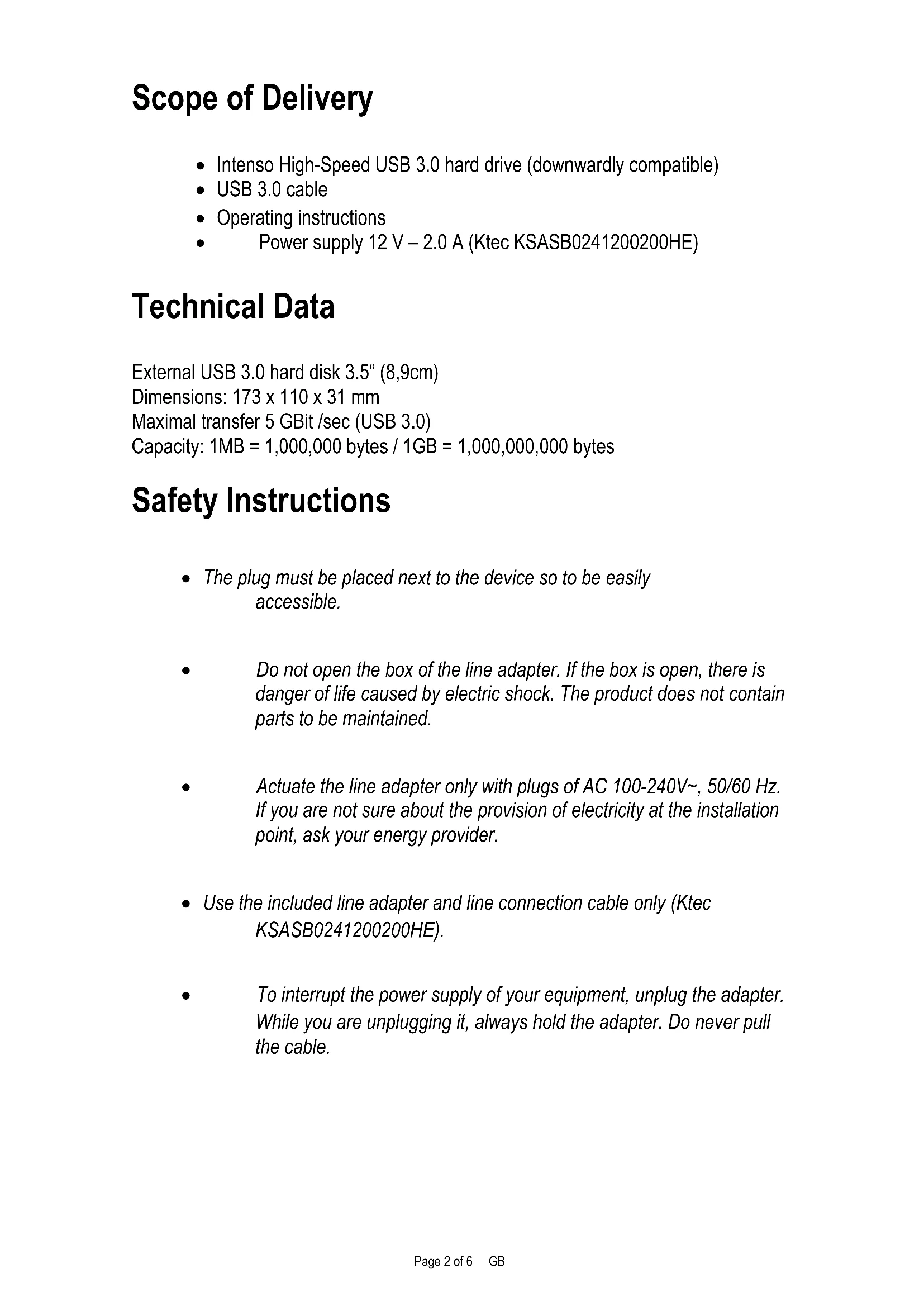
Scope of Delivery
- Intenso High-Speed USB 3.0 hard drive (downwardly compatible)
USB 3.0 cable - Operating instructions
Power supply 12V - 2.0A (Ktec KSASB0241200200HE)
Technical Data
External USB 3.0 hard disk 3.5^ (8,9cm)
Dimensions: 173 × 110 × 31 ~mm
Maximal transfer 5 GBit/sec (USB 3.0)
Capacity: 1MB = 1,000,000 bytes / 1GB = 1,000,000,000 bytes
Safety Instructions
- The plug must be placed next to the device so to be easily accessible.
- Do not open the box of the line adapter. If the box is open, there is danger of life caused by electric shock. The product does not contain parts to be maintained.
- Actuate the line adapter only with plugs of AC 100-240V~, 50/60 Hz. If you are not sure about the provision of electricity at the installation point, ask your energy provider.
- Use the included line adapter and line connection cable only (Ktec KSASB0241200200HE).
- To interrupt the power supply of your equipment, unplug the adapter. While you are unplugging it, always hold the adapter. Do never pull the cable.
Instructions for use

Operational between:
5^ C to 35^ C
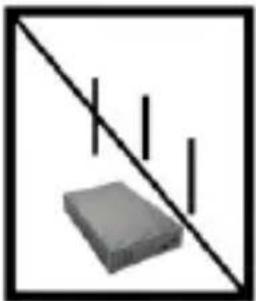
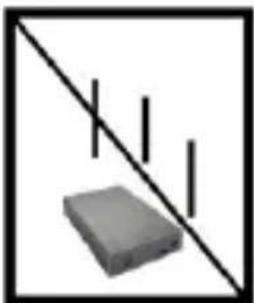
Crush, fall
Protect the device in every operation condition from crush and fall. Do not move the device during operation.

Electrostatic discharge
It is an electrostatic discharge sensitive device. Protect the device from every kind of electrostatic discharge.

Disposal of WEEE (Waste Electrical and Electronic Equipment)
Devices marked with the WEEE logo are subject to the European Community Directive 2012/19/EC.
Waste Electrical and Electronic Equipment must be separated from household rubbish and disposed at sites that collect WEEE.
By orderly disposing WEEE you will avoid damage caused to the environment.
Installation Instructions
System Requirements:
This hard drive is compatible with the operating systems MS Windows 7 / 8 / 8.1 / 10 and Mac OS 10.x.
Please note:
For the USB 3.0 operation an USB 3.0 interface card is needed. The hard disk is downwardly compatible with the previous USB standards. Your PC's hardware configuration as well as the operating system employed can influence the compatibility of the hard drive.
Hard Drive Connection:
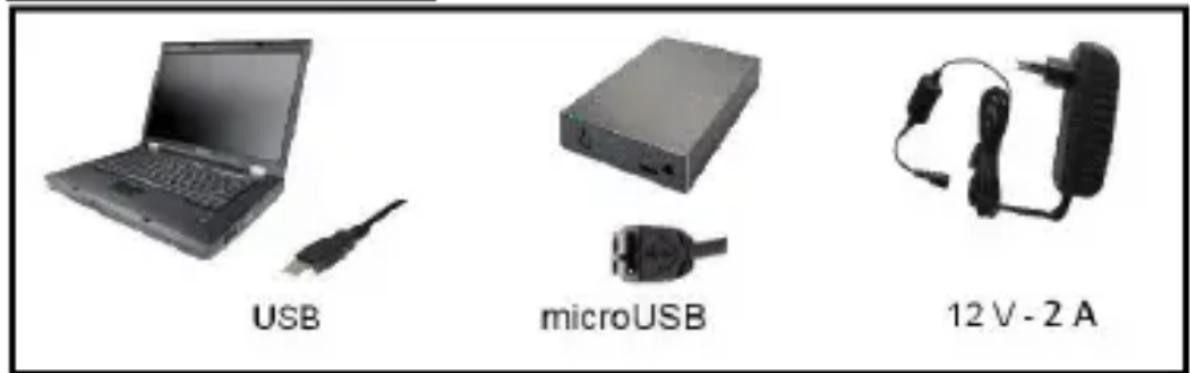
Connect the power supply provided to the external hard drive. Insert the other ending of the power supply into the plug. To switch on push the on-off switch on the frontal side of the box.
To connect the external hard drive to your computer, please use only the USB cable provided. Connect the USB 3.0 (micro USB) plug with the Intenso hard drive and the plug of the USB cable with your computer.
The computer automatically detects the "New Device" and installs the driver. Please wait until driver installation is completed. Your computer now shows an additional drive named "Intenso".
As soon as the hard drive is connected to your computer, the LED flashes. The LED flashes, when writing or reading procedure is carried out.
Trademark: Windows 7 / 8 / 8.1 / 10 are registered trademarks of the Microsoft Corporation. Macintosh and MAC are registered trademarks of Apple Computer. All trademarks and names of third parties are property of the respective user.
Limited guarantee conditions
The guarantee only covers the use of this Intenso product. The guarantee does not cover normal wear resulting from faulty, improper use, negligence, accidents, incompatibility or poor functionality of certain computer hardware or computer software.
Claim under guarantee does not exist in the case of noncompliance with the Intenso user manual as well as in case of improper assembly, use or defects of other devices.
Claim under guarantee does not exist in the case that the device is exposed to shock, electrostatic discharge, heat or humidity beyond the product specifications.
Intenso is not liable for data loss or any other occurring indirect damages or secondary damages, for the violation of the guarantee conditions or any other damages, no matter what the reason is.
Important information:
Please note that any claim under guarantee expires, if the capacity label (= guarantee sealing) on the rear side is damaged and if the housing of the hard disk is opened.
This product is not intended for commercial use, for medical or special applications, where a failure of the product can cause injuries, fatalities or substantial property damage.
Intenso Warranty conditions
Dear Intenso customer,
Thank you for opting for a high-quality Intenso product. All Intenso products are subject to constant quality inspections and the legal warranty period applies, of course, from the date of purchase. Please be sure therefore to save the sales receipt as proof of purchase.
Warranty conditions
The warranty only covers material and production defects. Intenso GmbH is not liable for the loss of data in units sent to us. The free of charge warranty service covers the repair or replacement of defective parts. Please understand that we cannot render any warranty services, e.g. in case of:
- Misuse or improper handling, installation or use
- Damages, scratches or wear
- Modifications, manipulation or repairs by third parties
- Damages through force majeure or transport
Your Intenso GmbH
CLAIM PROCEDURE
In case of a claim, please proceed as follows:
- Only returns accompanied with all accessories and sales receipt are accepted.
- In addition, a RMA number is absolutely required for return shipments. You can request this RMA number via e-mail or through the service hotline.
- Please package the product including all accessories and the sales receipt safe for transport. Please stamp the package.
- Please affix the RMA number clearly visible on the outside of the package.
Please send to the following service address:
INTENSO GMBH Service Hotline: +49 (0) 900 -1504030
Service Center (your RMA-No.) (0.39 €/min. from the landline in Germany.
USB 3.0 Disque Dur Externe 3,5^ (8,9cm)
Dimensions: 173 × 110 × 31 ~mm
Transfert Maximal 5 Gbits/sec (USB 3.0)
Capacité: 1MB = 1,000,000 bytes / 1GB = 1,000,000,000 bytes
Avis de sécurité
Service Center (Votre referrerce RMA)
Capacidade: 1MB = 1,000,000 bytes / 1GB = 1,000,000,000 bytes
Avisos de segurarca
USB 3.0 BheuHnJxKcTKnDnck 3,5" (8,9cm)
Pa3mepbl: 173 x 110 x 31 MM
Ckopooctb nepepaHmakc.5Γbnt/c (USB 3.0)
EMKOCb:1MB=1000006aainTOB/1GB=100000006aainTOB
Yka3aHnI NO TexHnke 6e3OnacHocTn:
- Po3emka donxHa haxodumc86n3u npubopa u donxHa 6bimb ne2ko docmynHou.
He omkpbIbambkopnyc cemeozo adanmepa. Omkpbliu Kopnyc coemabneem onachocmb dna KU3Hu, c83aHnyo c nopaxeHuem 3neKmpuueckum mokom. Oh He codepXum demaneu, mpe6youux yxoda.
IcnoIb3oBamb cemeBou adanmep moIbKO c 3a3eMneHHbIMU po3emkamu c 100-240B\~, 50/60 Tn, nepemehHOzO moka. Ecnu Bbl He ybepeHbI, kakou mok nodaemcra Ha Mecme uCnoIb3oAHua, Heobxodumo 3anpocumb unHopmauio 6mom y nocmaauka 3hepuu. - IcnoIb306amb monbko npuOKeHHbI KabeIb dIa cemeBIO adanmepa u nooknIOueHua Kcemu (Ktec KSASB0241200200HE).
- Ymobblnpekpaumnb noday numaHna K Bawaemy npubopy, bimraHume 6nok numaHua u3 pozemku. Ppu ebimraueaHuu depxumecb 3a cam 6nok numaHua. Huko2da He ebimraueaume 6nok numaHua 3a npoeod.
Yka3aHnI NOJIb3OBaTeJIa

Pa6o7a TempepaTpa MeKdy:
5°C no 35°C
Udap, naDeHne
3aunuainTe npnbop B IIObOM pa6oem COCTOHNOT ydaH a naeHn. He nepeDburaiTe npnbop B pa6oem COCTOHN.

3neKtpocTaTnueckn pa3pnd
CepBnchbIeHTp (Baaw Ng RMA)
MNH. B HemeKoN CTaUNoHApHOcTeN.