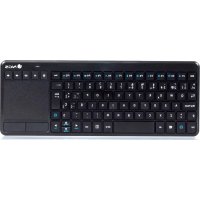
TV Warrior - Keyboard NGS - Free user manual and instructions
Find the device manual for free TV Warrior NGS in PDF.



| Product Type | Wireless keyboard with touchpad |
| Brand | NGS |
| Model | TV Warrior |
| Compatibility | PC, Smart TV, PS3, PS4, Xbox One |
| Power source | 2 AAA batteries (not included) |
| Connectivity | USB 2.4 GHz receiver |
| Range | Up to 10 meters |
| Number of keys | 84 keys (estimated) |
| Touchpad | Yes, with multi-finger gestures (click, scroll, zoom) |
| Multimedia shortcuts | Fn keys: volume, playback, navigation, PC lock |
| Dimensions | 152 x 60 x 20 mm (approx.) |
| Weight | 140 g (approx.) |
| Maintenance | Clean with a soft, dry cloth |
| Safety | Keep away from liquids and moisture |
| Package contents | Keyboard, USB receiver, user manual |
Frequently Asked Questions - TV Warrior NGS
User questions about TV Warrior NGS
0 question about this device. Answer the ones you know or ask your own.
Ask a new question about this device
Download the instructions for your Keyboard in PDF format for free! Find your manual TV Warrior - NGS and take your electronic device back in hand. On this page are published all the documents necessary for the use of your device. TV Warrior by NGS.
USER MANUAL TV Warrior NGS
smart tv keyboard with touchpad
TV WARRIOR
USER'S MANUAL
MANUEL DE L'UTILISATEUR / MANUAL DE USUARIO / INSTRUZIONI D'USO / MANUAL DO UTILIZADOR
USER'S MANUAL
SYSTEM REQUIREMENTS
- USB Port
- Windows XP/VISTA; Win 7/8/8.1/10 Android OS
Mac OS
Smart TV (with keyboard/mouse support) / PS3/PS4/Xbox One
INSTALLATION
- Open the battery cover underneath the keyboard.
- Insert the batteries according to the markings in the battery compartment.
- Set the on-off switch to ON to activate the keyboard.
- Connect the USB receiver to an available USB port on your PC.
- The computer will detect and install the drivers automatically. A message window will appear once installation is complete.
Note
- When you insert the dongle into the PC/TV, the device will automatically connect with PC/TV.
- When you power on the keyboard, the LED indicator flashes once in red.
- The LED indicator flashes in red every 5s when the battery is low power. Please replace with new batteries.
ENGLISH

PRODUCT FUNCTION
Fn Shortcuts Description (under Windows 10 OS) Media Keys
| Fn Keys Function | |
| Fn+F1 Open intervet browser | |
| Fn+F2 Open taskview | |
| Fn+F3 Open settings | |
| Fn+F4 Open search | |
| Fn+F5 Open action center | |
| Fn+F6 Lock your PC | |
| Fn+F7 Open the share charm | |
| Fn+F8 Music player | |
| Fn+F9 Play/Pause | |
| Fn+F10 top | |
| Fn+F11 Previous track | |
| Fn+F12 Next track | |
| Hot Keys Function | |
| Mute | |
| Volume down | |
| Volume up | |
| Back | |
| Forward | |
USER'S MANUAL
Gesture Functionality Support
| Finger Gesture Finger Action Mouse Function | |
| Single-finger slide Mouse cursor manipulation | |
| Single tap Click at cursor location | |
| Two-finger slide vertically Vertical scroll (mouse wheel) | |
| Pinch on the touchpad with two fingers for zooming. Pinch open to zoom in or pinch close to zoom out. |
ENGLISH

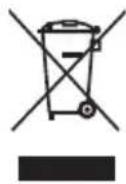
If at any time in the future you should need to dispose of this product please note that:
Waste electrical products should not be disposed of with household waste. Please recycle where facilities exist.
Check with your Local Authority or retailer for recycling advice.
(Waste Electrical and Electronic Equipment Directive)
MANUEL DE L'UTILISATEUR
FONCTIONS DU PRODUIT
Description des raccourcis Fn (sous Windows 10) Touches media
technical support: www.ngs.eu/support