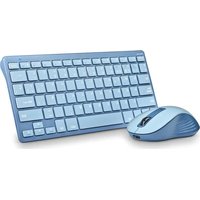
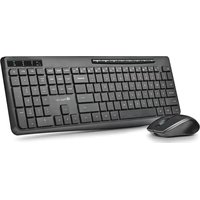
NGS Vetusta Kit - Keyboard

Vetusta Kit - Keyboard NGS - Free user manual and instructions

Find the device manual for free Vetusta Kit NGS in PDF.

📄 1 pages English EN Download 💬 AI Question 10 questions ⚙️ Specs
Notice NGS Vetusta Kit - page 1
Pick your language and provide your email: we'll send you a specifically translated version.
Product Type Wireless keyboard and mouse combo
Model Vetusta Kit
Brand NGS
Keyboard Layout Full-size (104 keys) with multimedia keys
Mouse Buttons 3 buttons + scroll wheel
Connectivity 2.4 GHz wireless via USB nano receiver
Wireless Range Up to 10 meters (33 feet)
Keyboard Dimensions Approx. 440 x 140 x 25 mm
Mouse Dimensions Approx. 100 x 60 x 35 mm
Weight (keyboard) Approx. 500 g (with batteries)
Weight (mouse) Approx. 80 g (with battery)
Power Source Keyboard 2 x AAA batteries (not included)
Power Source Mouse 1 x AA battery (not included)
Battery Life Keyboard: up to 12 months; Mouse: up to 6 months (typical usage)
Multimedia Keys Dedicated keys for volume, play/pause, mute, and more
Optical Sensor (Mouse) 800/1200/1600 DPI switchable
Compatibility Windows, macOS, Linux, Chrome OS
Maintenance Clean with a soft, dry cloth; avoid liquids
Safety Do not expose to moisture or extreme temperatures
Spare Parts Available through NGS customer service (USB receiver, batteries)
Repairability Not user-serviceable; contact support for issues

Frequently Asked Questions - Vetusta Kit NGS

How do I pair the keyboard and mouse with the receiver?
Insert the USB receiver into a free USB port on your computer. Turn on the keyboard and mouse using the power switches (usually on the bottom). They will automatically connect to the receiver within seconds. If not, press the 'Connect' button on the receiver and then the devices.
What batteries does the keyboard and mouse use?
The keyboard requires 2 x AAA batteries, and the mouse requires 1 x AA battery. Batteries are not included in the package.
How long do the batteries last?
Under normal usage, keyboard batteries last up to 12 months, and mouse battery up to 6 months. Actual life depends on usage intensity.
Can I use this keyboard and mouse with a tablet or smartphone?
It depends on your device. The set uses a USB receiver, so your device must have a USB port (or via OTG adapter). It works with most Android tablets/phones with USB-OTG support, but not with iOS devices.
How do I clean the keyboard and mouse?
Turn off the devices and remove batteries. Use a soft, lint-free cloth slightly dampened with water (or isopropyl alcohol) to gently wipe the surfaces. Do not use abrasive cleaners or immerse in water. Allow to dry completely before use.
What should I do if the mouse cursor jumps or moves erratically?
Ensure the mouse sensor is clean and the surface is suitable (non-reflective, flat). Try replacing the battery. If issue persists, check for wireless interference from other devices or move the receiver closer to the mouse.
Can I replace the USB receiver if lost?
Yes, contact NGS customer support to order a replacement receiver. Note that the receiver is paired with the keyboard and mouse at the factory, so a new receiver may need to be paired manually.
Why are some keys not working?
First, check the battery level. If low, replace them. Next, ensure the keyboard is within range and not blocked. Try re-pairing by removing and reinserting the receiver. If problem persists, contact support.
Does the keyboard have a sleep mode?
Yes, both keyboard and mouse have an automatic sleep mode to conserve battery. They wake up instantly when you press a key or move the mouse.
What is the warranty period for this product?
The NGS Vetusta Kit comes with a standard 2-year warranty against manufacturing defects. Keep your proof of purchase. For warranty claims, contact your retailer or NGS support.

User questions about Vetusta Kit NGS

0 question about this device. Answer the ones you know or ask your own.

Ask a new question about this device

The email remains private: it is only used to notify you if someone responds to your question.

No questions yet. Be the first to ask one.

Download the instructions for your Keyboard in PDF format for free! Find your manual Vetusta Kit - NGS and take your electronic device back in hand. On this page are published all the documents necessary for the use of your device. Vetusta Kit by NGS.

USER MANUAL Vetusta Kit NGS

natural_image Black computer keyboard with standard keys and a small blue mouse on the left (no visible text or labels)

multimedia wireless desktop set

VETUSTA KIT
NGS Vetusta Kit - multimedia wireless desktop set - 1

natural_image Black computer mouse with a small USB port icon on the right side (no text or symbols visible)

USER'S MANUAL

MANUEL DE L'UTILISATEUR / MANUAL DE USUARIO / GEBRUIKERSHANDLEIDNG

INSTRUZIONI D'USO / MANUAL DO UTILIZADOR / PODRĘCZNIK UŻYTKOWNIKA

ΟΔΗΓΙΕΣ ΧΡΗΣΗΣ

Table of contents Click a title to access it
Manual assistant
Powered by Anthropic
Waiting for your message
Product information

Brand : NGS

Model : Vetusta Kit

Category : Keyboard