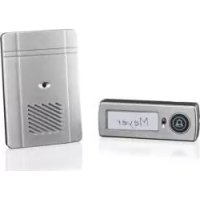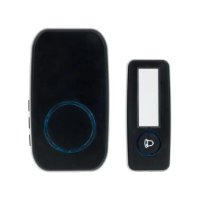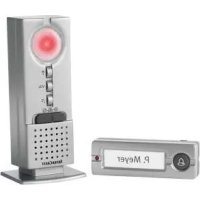
HG00783A - Doorbells SILVERCREST - Free user manual and instructions
Find the device manual for free HG00783A SILVERCREST in PDF.



| Product type | Design wireless doorbell |
| Brand | SilverCrest |
| Model | HG00783A |
| Range | 150 m (open area) |
| Transmission frequency | 434 MHz |
| Receiver power supply | 3 batteries 1.5 V - (DC), type AA/LR6 |
| Transmitter power supply | 1 battery 3 V - (DC), type CR2032 |
| Max. signal volume | Approx. 73 dB (at 1 m, max volume) |
| Transmitter protection rating | IP44 (protected against water splashes) |
| Number of chimes | 16 different melodies |
| Volume control | 4 levels: very high, high, medium, low |
| Signal type | Acoustic, optical, or combined acoustic and optical |
| Synchronization | Automatic or manual signal coding |
| Compatibility | Can be connected to an existing chime system (4-12 V DC or AC) or to a wired doorbell |
| Package contents | 1 transmitter, 1 receiver, 3 AA batteries, 1 CR2032 battery, 3 screws, 3 wall plugs, 5 door nameplates, instruction manual |
| Mounting | Wall mounting with supplied screws and wall plugs; necessary tools: screwdriver and drill |
| Cleaning and maintenance | Clean the exterior with a soft, dry cloth; do not use liquids or cleaning agents |
| Safety instructions | Suitable for children aged 8 and above under supervision; observe battery safety instructions |
| Warranty | 3 years from date of purchase, excluding batteries and normal wear |
| Troubleshooting | Remove batteries for 2 minutes then resynchronize; in case of electrostatic discharge, repeat the procedure |
| Disposal | Product and packaging recyclable; used batteries to be disposed of in recycling containers |
Frequently Asked Questions - HG00783A SILVERCREST
User questions about HG00783A SILVERCREST
0 question about this device. Answer the ones you know or ask your own.
Ask a new question about this device
Download the instructions for your Doorbells in PDF format for free! Find your manual HG00783A - SILVERCREST and take your electronic device back in hand. On this page are published all the documents necessary for the use of your device. HG00783A by SILVERCREST.
USER MANUAL HG00783A SILVERCREST
Assembly, operating and safety instructions
DK
TRÅDL∅SD∅RKLOKKE
flowchart
graph TD
    A["Circle"] --> B["Square 1"]
    B --> C["Curved Arrow"]
natural_image
Simple line drawing of a door frame with no text or symbols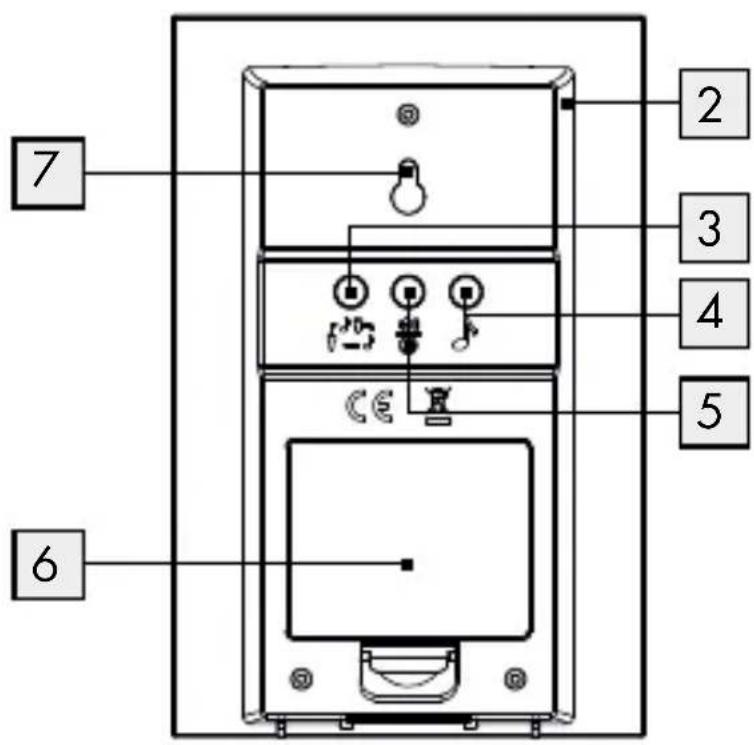
flowchart
graph TD
    A["•"] --> B["9"]
    C["•"] --> D["10"]
Introduction......Page 6
Intended use ......Page 6
Parts and features......Page 6
Included items....Page 7
Technical data Page 8
Safety Page 8
General safety information....Page 9
Safety instructions for batteries/rechargeable batteries......Page 9
Assembly Page 11
Preparing for use Page 11
Inserting / replacing the batteries ......Page 11
Synchronising transmitter/receiver......Page 12
Setting the signal type....Page 13
Setting the volume ......Page 14
Selecting the chime......Page 14
The procedure for connecting the transmitter to
existing bell system or existing doorbell button....Page 14
Connecting the transmitter to a existing bell system....Page 15
Connecting a existing doorbell button ......Page 16
Troubleshooting......Page 16
Cleaning and maintenance......Page 16
Declaration of conformity......Page 18
Warranty Page 19
Premium Wireless Doorbell
- Introduction
We congratulate you on the purchase of your new product. You have chosen a high quality product. The instructions for use are part of the product. They contain important information concerning safety, use and disposal. Before using the product, please familiarise yourself with all of the safety information and instructions for use. Only use the product as described and for the specified applications. If you pass the product on to anyone else, please ensure that you also pass on all the documentation with it.
Intendeduse
This product is intended for the wireless transmission of the doorbell signal. The product is not intended for commercial use.
Parts and features
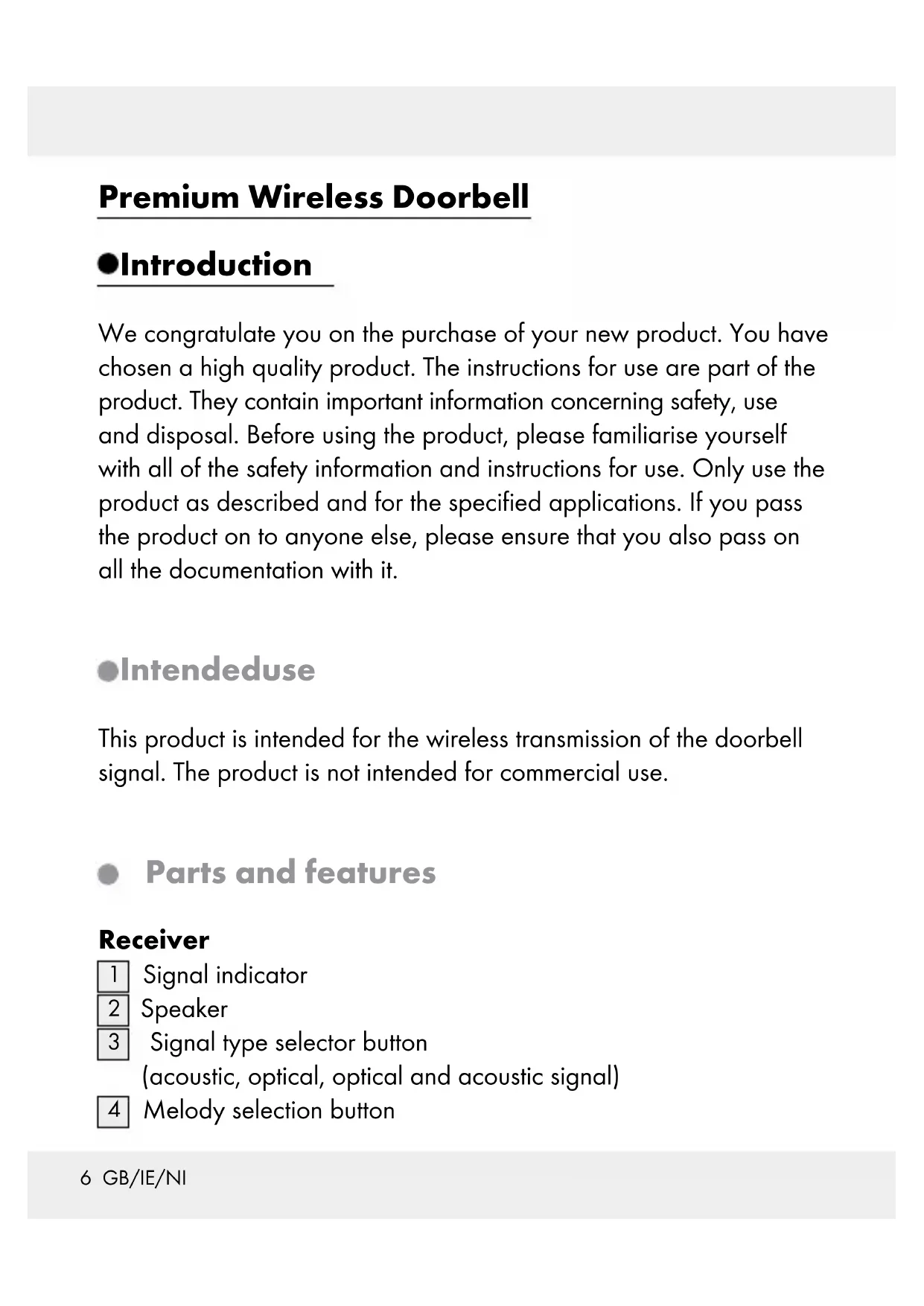
Receiver
1 Signal indicator
2 Speaker
3 Signal type selector button (acoustic, optical, optical and acoustic signal)
4 Melody selection button
5 Volume/Synchronisation button
6 Battery compartment cover
7 Hanger
8 Battery compartment
Transmitter
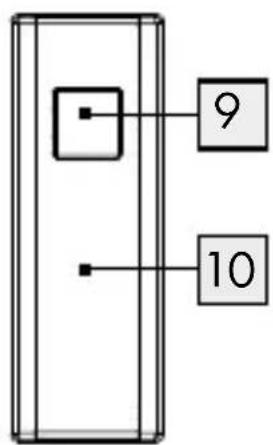
9 Chime button
10 Name plate
11 Lock
12 Holder (for wall mounting)
13 Battery compartment
14 Inner cover
Mounting
15 Rubber cover
16 Screw
17 Dowel
18 Cable exit hole
19 Cable holder
Includeditems
1 Transmitter
1 Receiver
3 Batteries 1.5 V= (direct current) , type AA (receiver)
1 Battery 3 V= (direct current) , type CR2032 (transmitter)
3 Screws (for transmitter and for mounting the receiver on a wall)
3 Dowels
5 Name plates (for the doorbell)
1 Operating instructions
- Technicaldata
Range: 150 m (unobstructed area)
Transmission frequency: 434 MHz
Battery types: Receiver: 3 x 1.5 V
--(direct current)
(type AA/LR6),
Transmitter: 1 x 3 V= (direct current)
(type CR2032)
Receiver: Audible signal volume (at maximum
volume setting): approx. 73 dB (at a
distance of 1 m from the device)
Ingress protection rating
of the transmitter: IP44 (splash water proof)

Safety

WARNING!
Read all safety information and instructions!
STORE ALL SAFETY INFORMATION AND INSTRUCTIONS IN A SAFE PLACE IN CASE YOU NEED TO REFER TO THEM AGAIN IN THE FUTURE!

General safety information
This product can be used by children aged from 8 years and above and persons with reduced physical, sensory or mental capabilities or lack of experience and knowledge if they have been given supervision or instruction concerning use of the product in a safe way and understand the hazards involved. Children shall not play with the product. Cleaning and user maintenance shall not be made by children without supervision.
- Check that all parts are in sound condition. If you use damaged parts when assembling the device, you risk injury.

Safety instructions for batteries / rechargeable batteries
■ DANGER TO LIFE! Keep batteries / rechargeable batteries out of reach of children. If accidentally swallowed seek immediate medical attention.

DANGER OF EXPLOSION! Never recharge non-rechargeable batteries. Do not short-circuit batteries/rechargeable batteries and/or open them.
Overheating, fire or bursting can be the result.
Never throw batteries / rechargeable batteries into fire or water.
Do not exert mechanical loads to batteries / rechargeable batteries.
Risk of leakage of batteries / rechargeable batteries
- Avoid extreme environmental conditions and temperatures, which could affect batteries / rechargeable batteries, e.g. radiators / direct sunlight.
Avoid contact with the skin, eyes and mucous membranes. In the event of contact with battery acid, thoroughly flush the affected area with plenty of clean water and seek immediate medical attention.
WEAR PROTECTIVE GLOVES! Leaked or damaged batteries / rechargeable batteries can cause burns on contact with the skin. Wear suitable protec-
aged batteries / rechargeable batteries can cause burns on contact with the skin. Wear suitable protec-

WEAR PROTECTIVE GLOVES! Leaked or dam-
tive gloves at all times if such an event occurs.
In the event of a leakage of batteries / rechargeable batteries, immediately remove them from the product to prevent damage.
Only use the same type of batteries / rechargeable batteries. Do not mix used and new batteries / rechargeable batteries.
■ Remove the batteries / rechargeable batteries if the product will not be used for a longer period.
Risk of damage of the product
Only use the specified type of battery / rechargeable battery!
- Insert batteries / rechargeable batteries according to polarity marks (+) and (-) on the battery / rechargeable battery and the product.
- Clean the contacts on the battery / rechargeable battery and in the battery compartment before inserting!
■ Remove exhausted batteries / rechargeable batteries from the product immediately.
Assembly
Note: You will need a screwdriver and a drill to assemble the product. Note: Only use the screws and dowels supplied for the assembly of the product.
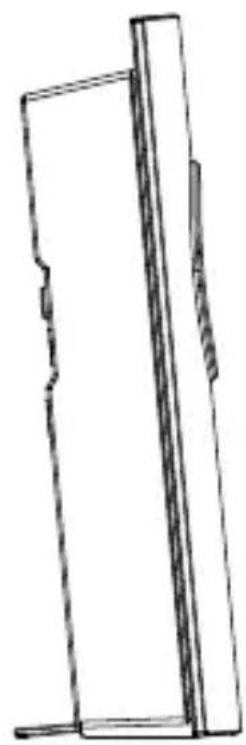
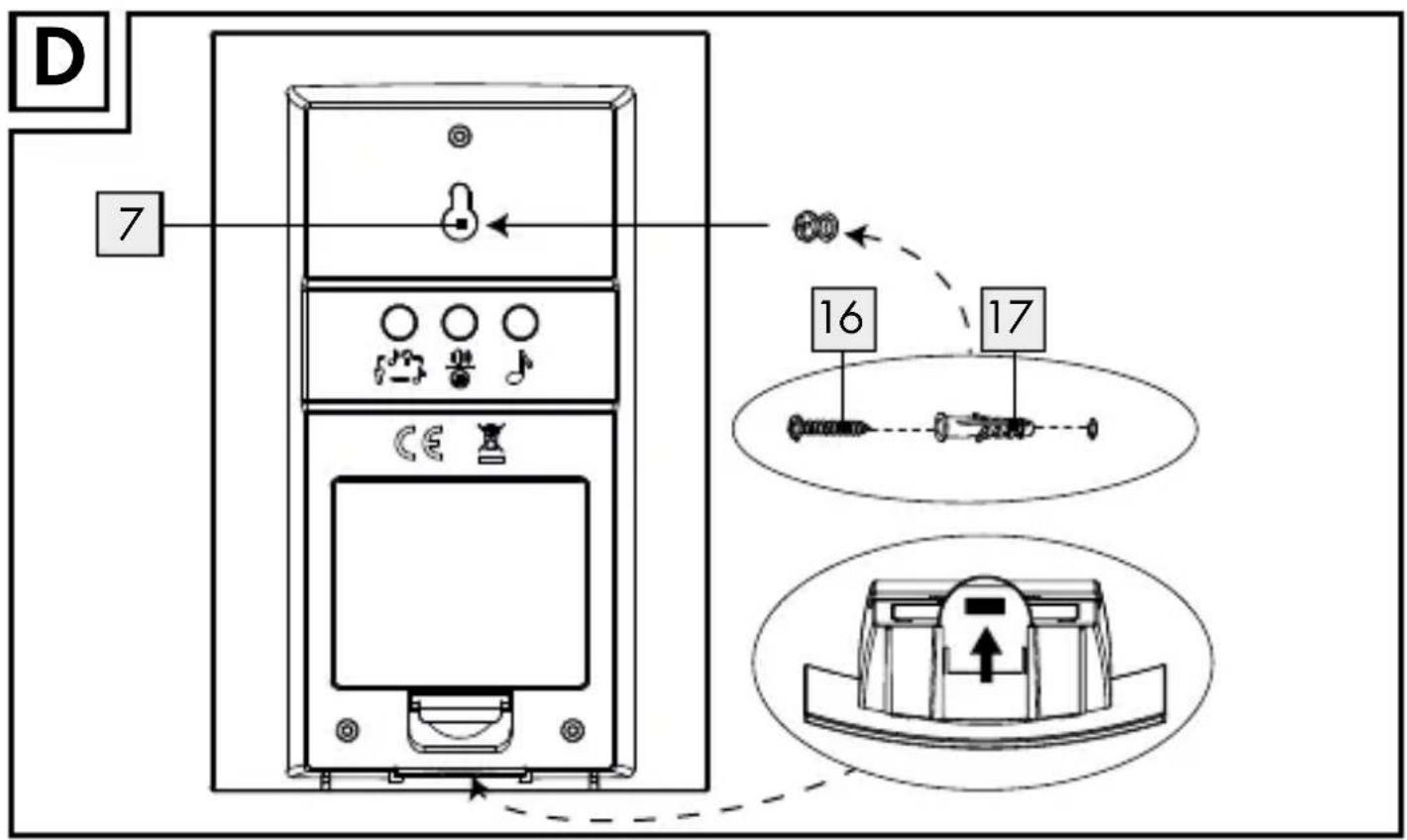
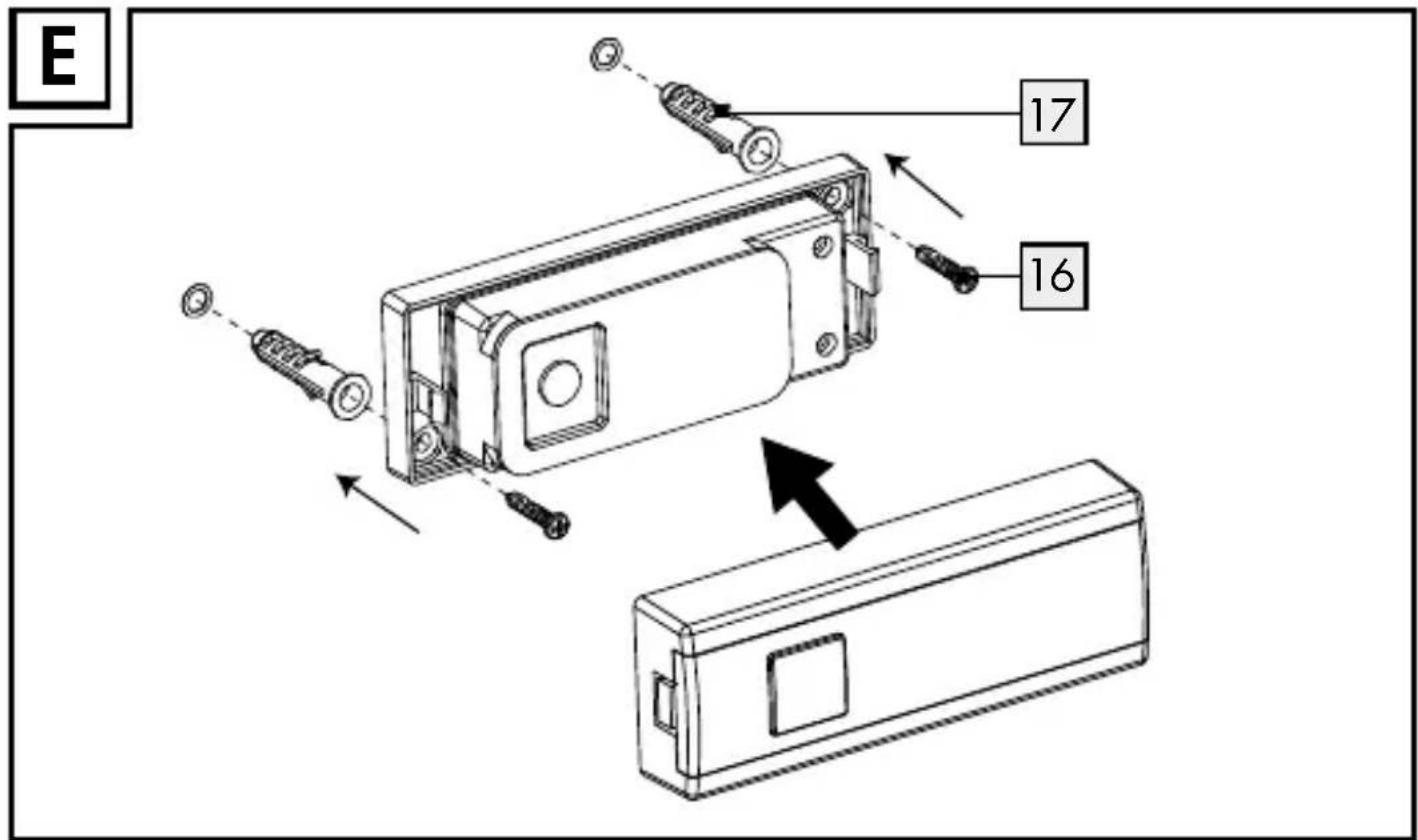
Mount the receiver (see Fig. D) Mount the transmitter (see Fig. E)
● Preparing for use
- Inserting / replacing the batteries
☐ Insert the batteries to provide power to the product before preparing it for use.
CAUTION! Use the indicated battery types only. Failure to observe this advice may result in damage to the product.
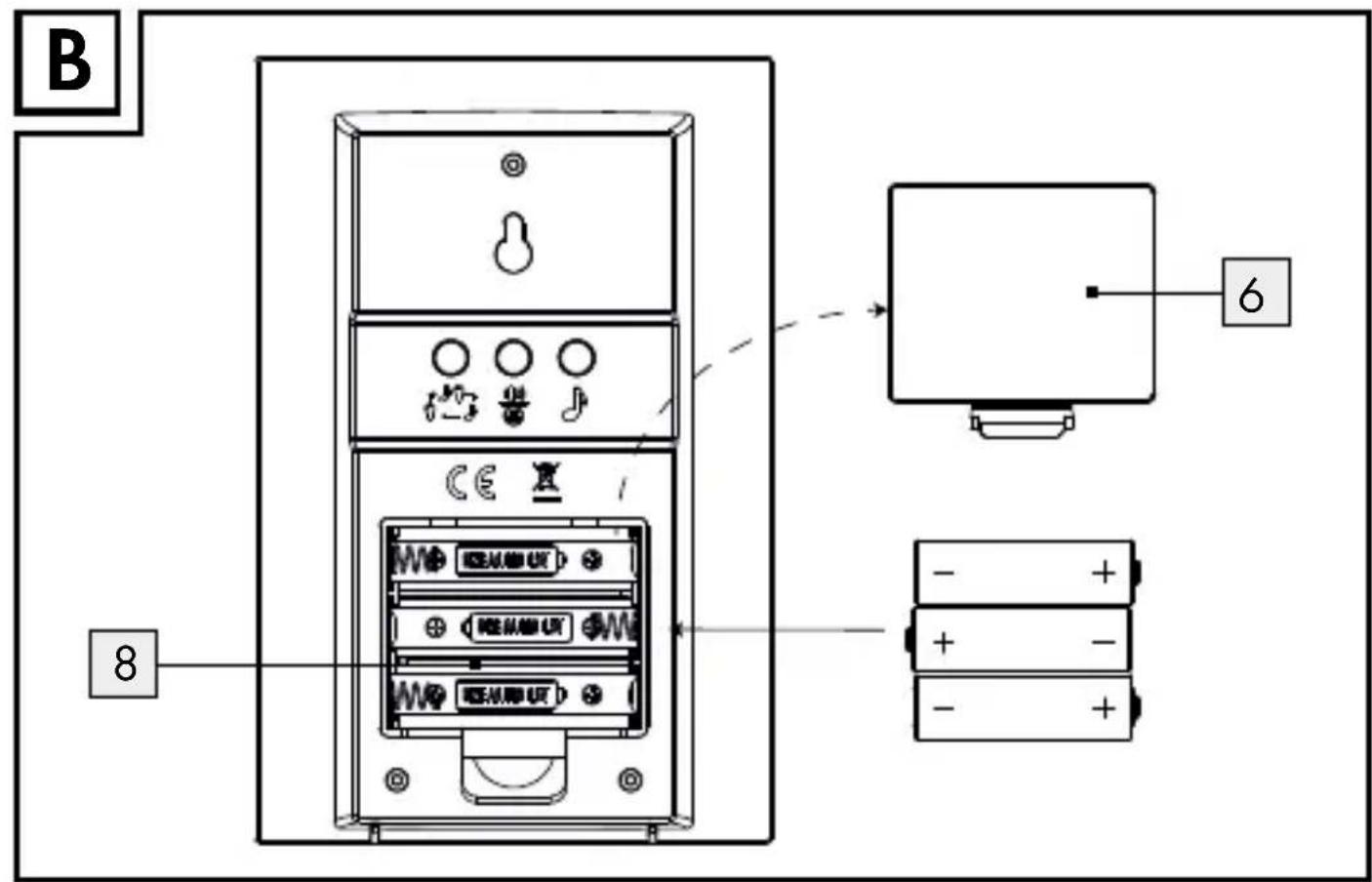
Receiver (see Fig. B):
☐ Remove the battery compartment cover 6 from the back of the receiver.
☐ Remove the used batteries, if present.
☐ Insert 3 batteries (1.5 V = (direct current) , type AA).
Note: Ensure correct polarity. This is indicated in the battery compartment 8.
☐ Close the battery compartment cover 6.
Transmitter:
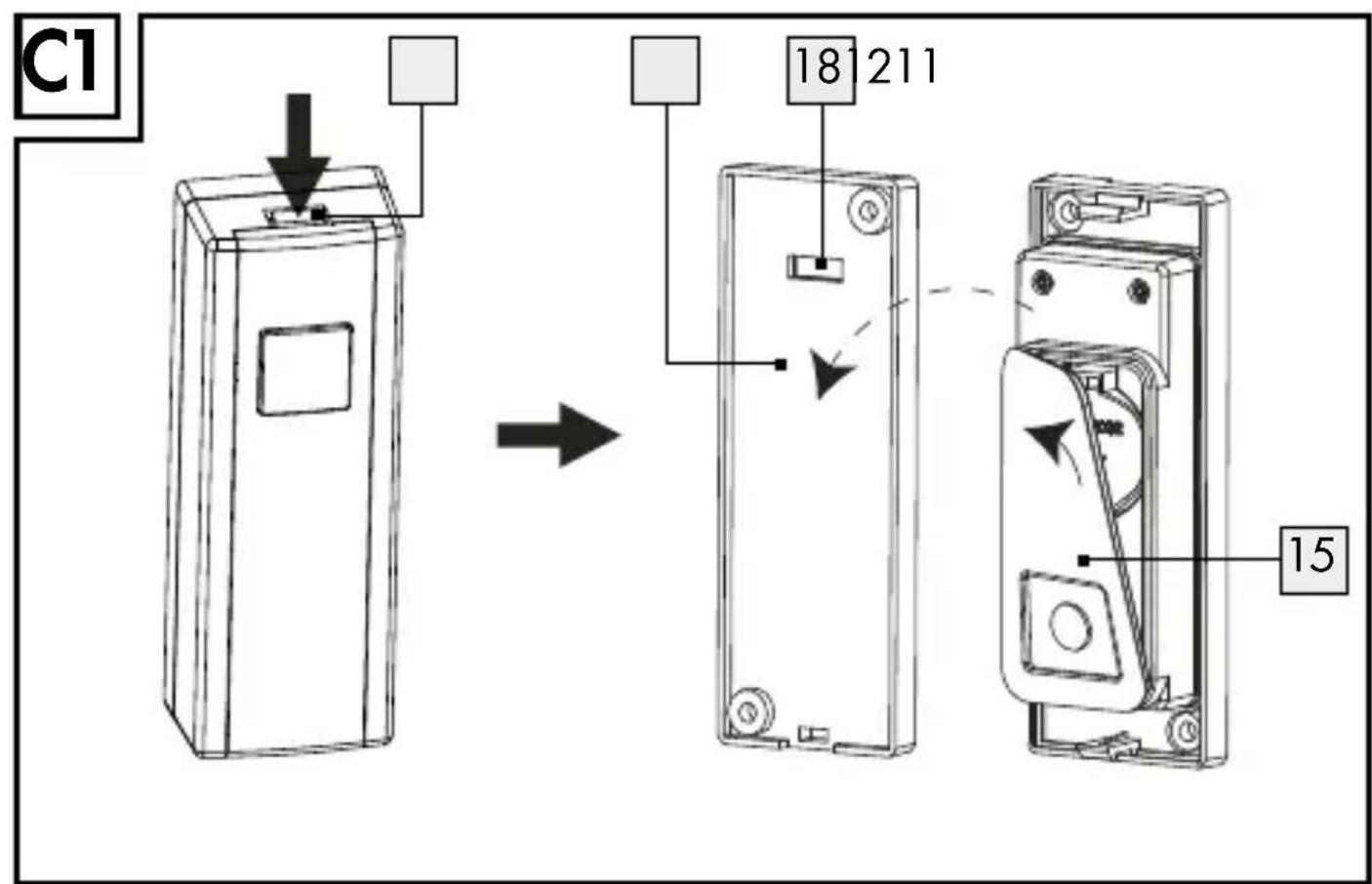
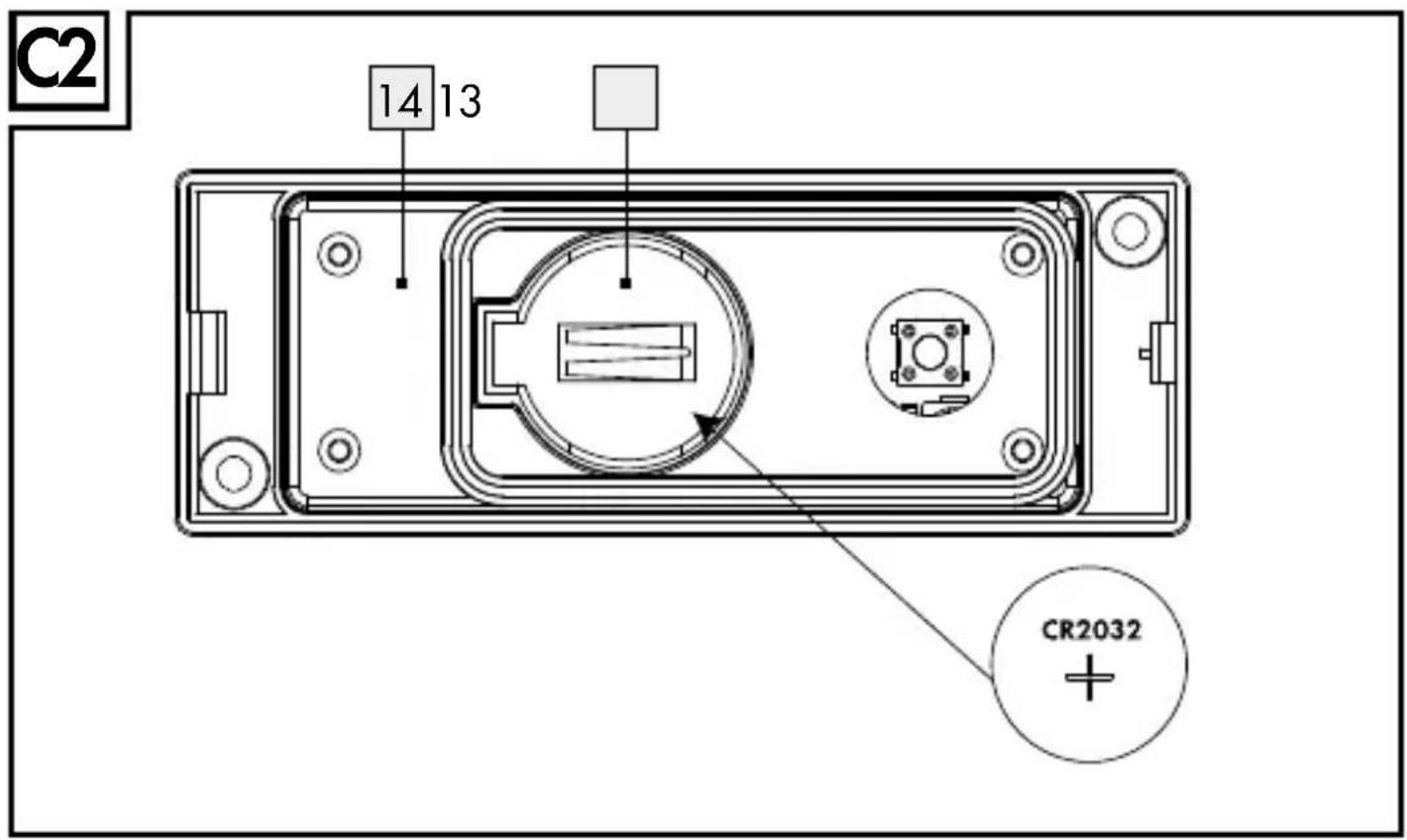
☐ Remove the holder 12 by pressing the lock 11 from the back of the transmitter and remove the rubber cover 15 (see fig. C1).
☐ Remove the used batteries, if present (see fig. C2).
☐ Insert a battery (3 V --(direct current) , type CR 2032). The side marked "+" must face upwards.
☐ Install the rubber cover 15, close the holder 12 of the transmitter back on to the back of the product.
● Synchronising transmitter / receiver
The product works on 434 MHz which is a quite common frequency. To ensure that the function gets no influenced be doorbells in the neighborhood, the transmitter and the receiver hence have to be synchronized in regard of the encryption. Every transmitter is working with a different encryption of the signal.
Synchronise the transmitter and receiver as follows:
As soon as the batteries are installed, the receiver enters synchronizing mode for approx. 2 minutes. During the synchronizing mode, the signal indicator 1 steadily lights up in blue color.
☐ You can also manually enter synchronising mode by holding the synchronising button 5 for approx. 3 seconds.
☐ The signal indicator 1 on the receiver will steadily light up for approx. 1 minute, to indicate that the receiver is in synchronizing mode.
☐ Press the chime button 9 of the transmitter, while the receiver is in synchronise mode. If the receiver receives the signal, the steady blue light of the signal indicator 1 flickers 6 times to indicate that the synchronization is successful.
- Setting the signal type
The receiver can indicate the reception of a door signal either both optically and acoustically, acoustically or optically.
☐ Using the signal type selector button 3, select whether the signal is to be indicated both optically and acoustically or acoustically or optically.
☐ Press the signal type selector button 3 once. An acoustical signal will sound up and the afterwards the signal indicator 1 will flash. The receiver will now indicate the door signal acoustically and optically. Press again the signal type selector button 3. An acoustical signal will sound. The receiver will now indicate the door signal acoustically. Press again the signal type selector button 3. The receiver will now indicate the door signal in an optical way.
- Setting the volume
☐ Press the volume button 5 until the desired volume is reached. There are a total of 4 possible volume settings: very loud, loud, medium, soft.
- Selecting the chime
Note: The product has 16 different chimes.
☐ Press the melody selection button 4. The first audible signal sounds.
☐ Press the melody selection button 4 again to move on to the next audible signal.
☐ Repeat this process until you have selected your desired audible signal. The last-selected audible signal is automatically stored.
- The procedure for connecting the transmitter to existing bell system or existing doorbell button
☐ Remove the holder 12 by pressing the lock 11 from the back of the transmitter and remove the rubber cover 15 (see fig. C1).
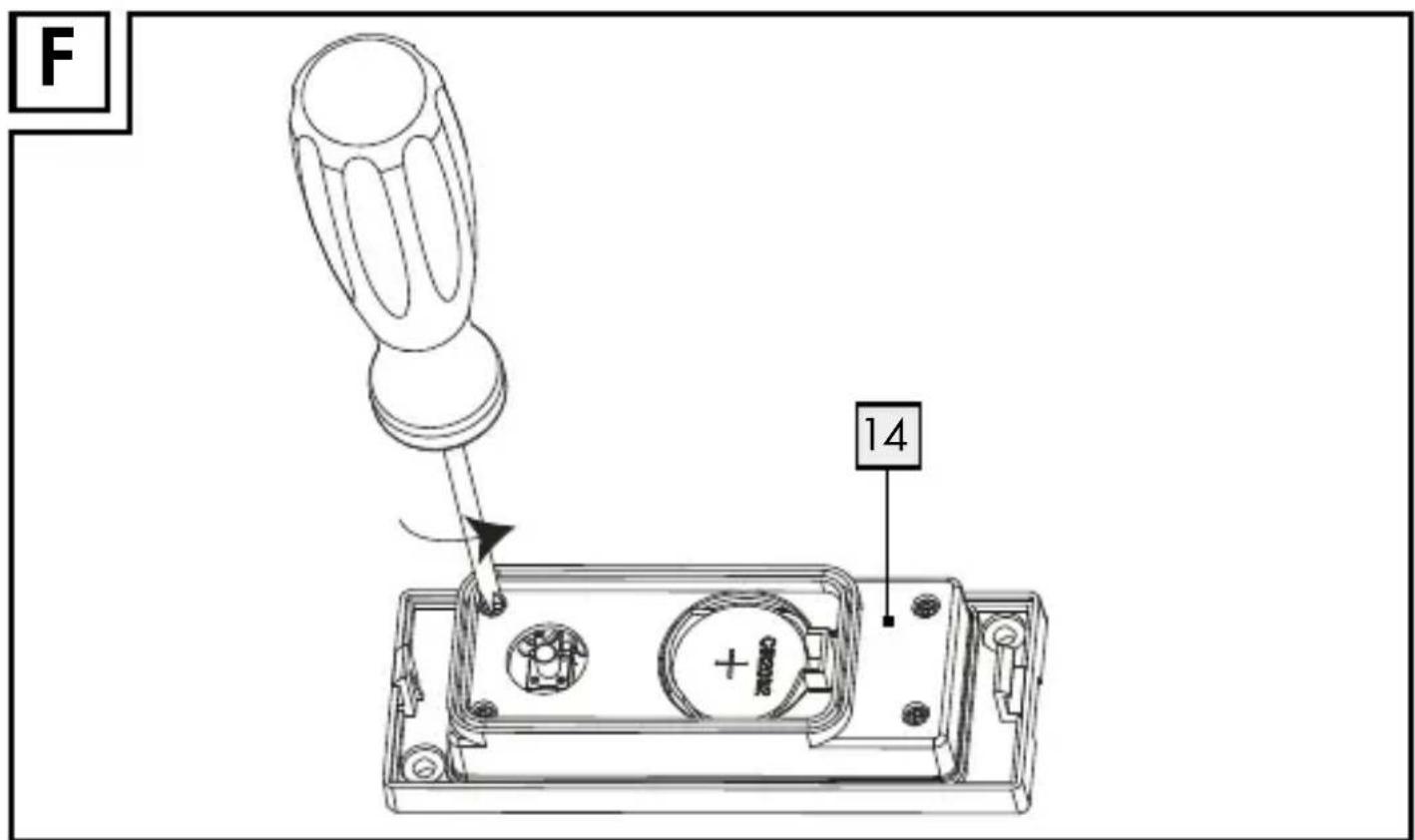
☐ Open the inner cover 14 by cross head screw driver (see fig. F).
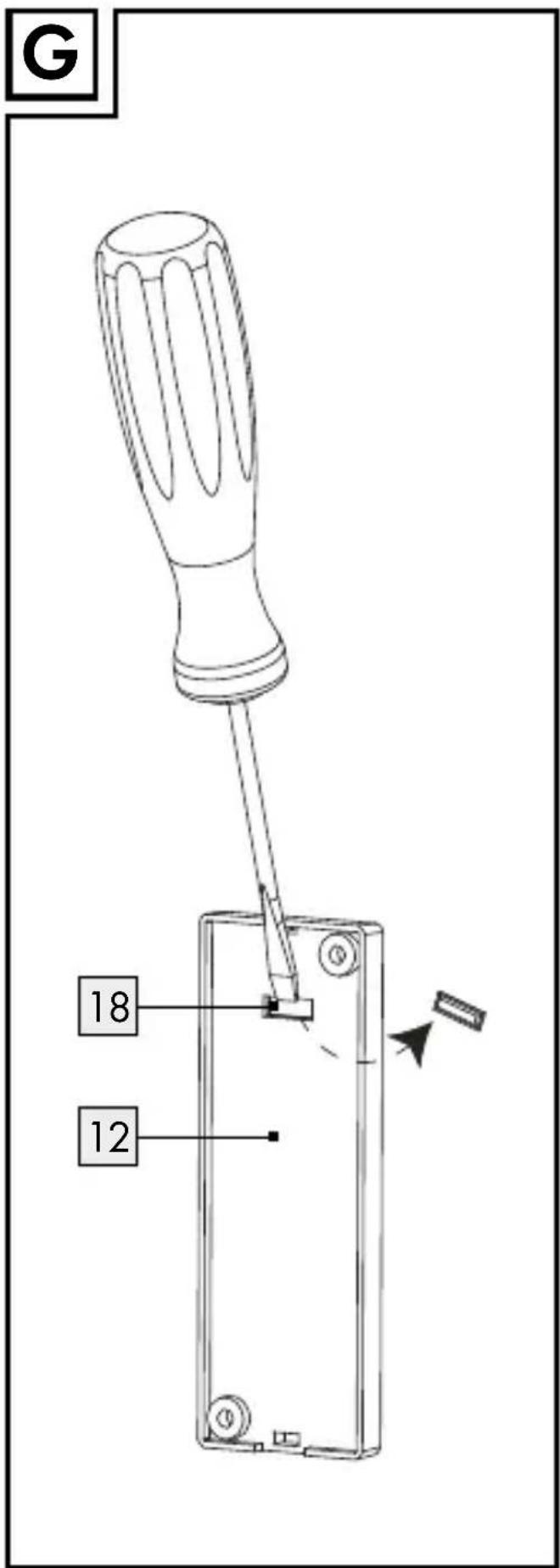
☐ Remove the plastic clip of cable exit hole 18 with a flat head screw driver (see fig. G).
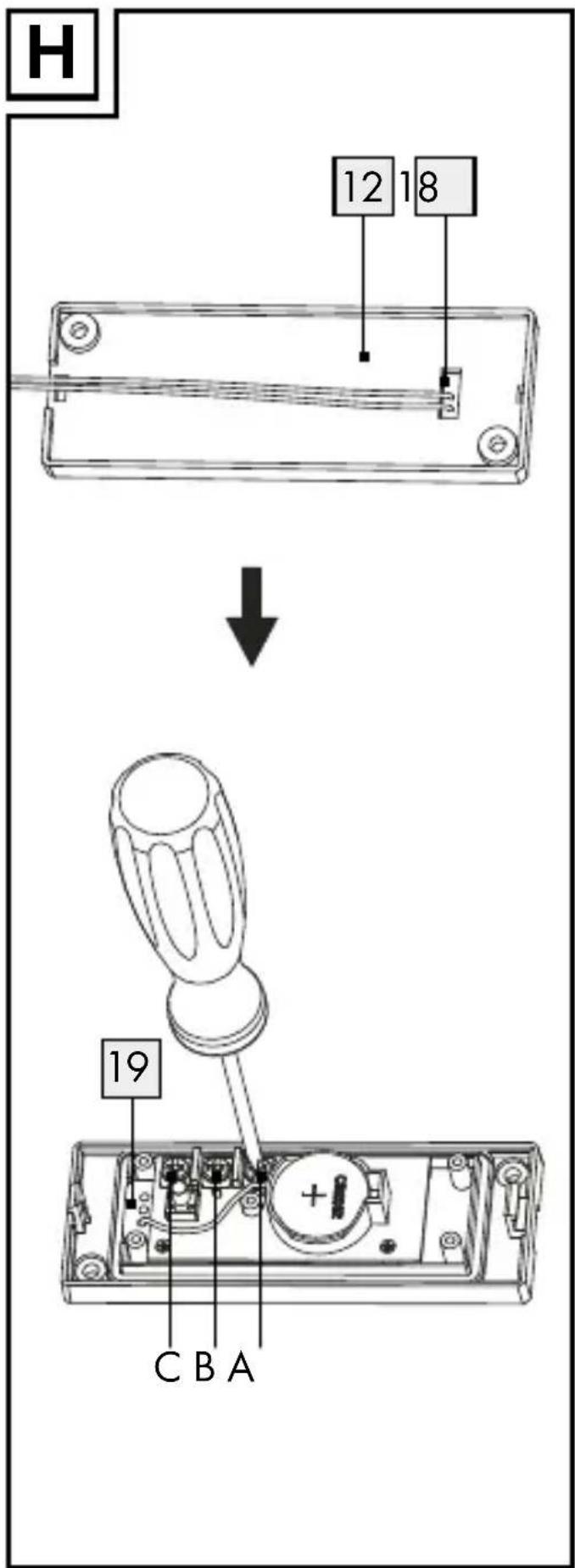
☐ Insert the cable through cable holder 19 and cable exit hole 18 (see fig. H).
☐ Connect cable to the terminals A and C (for connecting to existing doorbell) or the terminals B and C (for connecting to existing door bell button) by using screw driver (see fig. H).
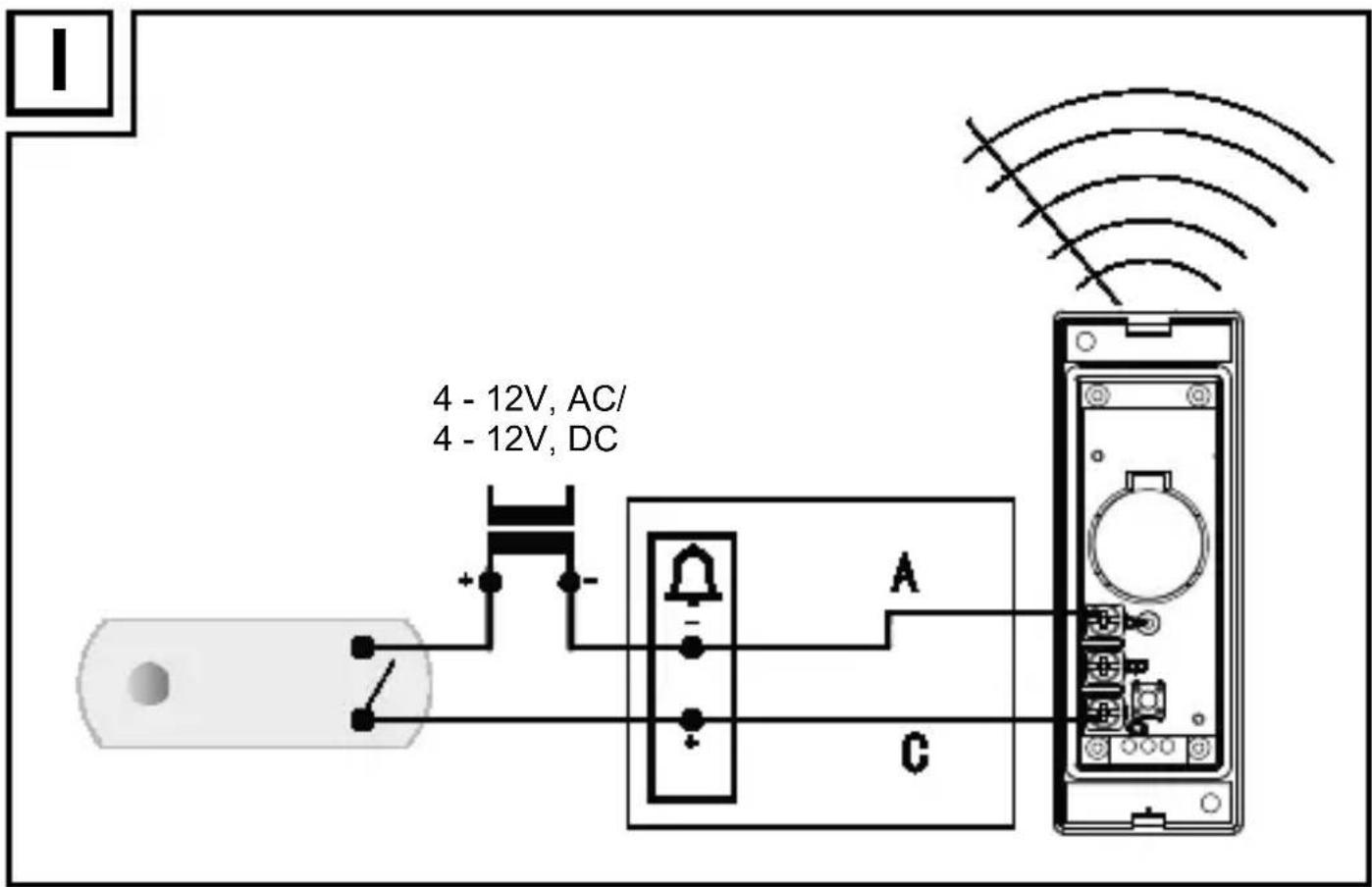
- Connecting the transmitter to a existing bell system (see Fig. I)
Extension of an already existing doorbell system:
An already existing doorbell system can be extended with this product.
The operating voltage of the doorbell system must be between 4–12 V. It makes no difference whether this comes from direct current or 50 Hz alternating current. In the event that you are dealing with an existing doorbell system using direct current, you must connect the positive terminal of the doorbell to contact C of the transmitter and the negative terminal to contact A of the transmitter.
IMPORTANT! Never reverse polarity. This can damage the product. The connection terminals A and C, found on the circuit board of the transmitter as shown in fig. I must be connected directly to the electrical connection terminals of the signal generators (e.g. bell). The button of the transmitter may also be used for this type of operation.
Note: Contact a qualified electrician in case of problems during installation.
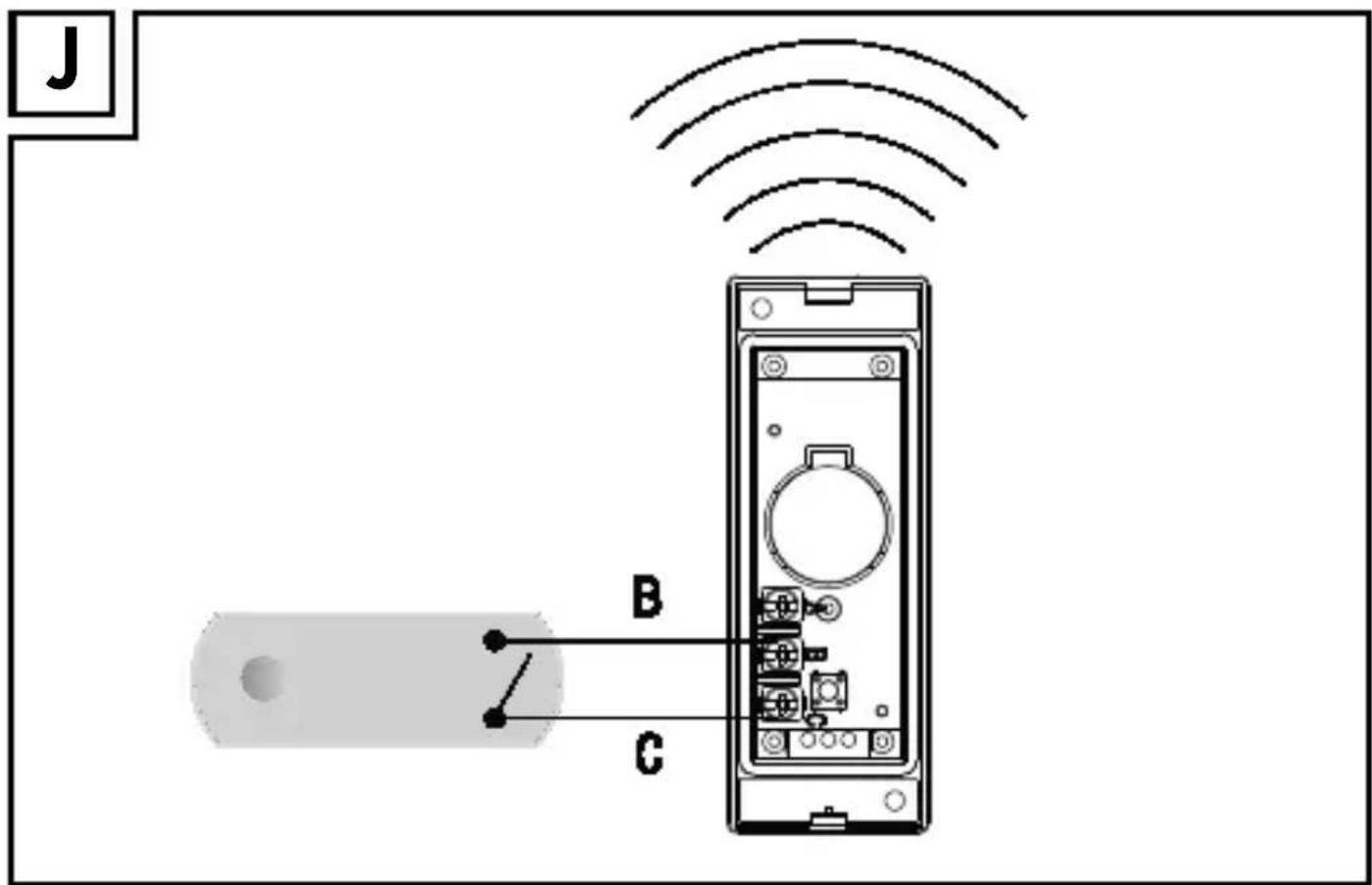
- Connecting a existing doorbell button (see Fig. J)
The separate bell button must not be connected to the existing door-bell system. The battery must remain in the transmitter. The B and C terminals are to this purpose with a two-core cable connected to the bell push. The bell push may only be connected to the transmitter.
●Troubleshooting
After the influence of extraordinary environmental conditions (e.g. a strong electromagnetical field) the function of the product may be affected. In this case, please take off the batteries of the transmitter and the receiver for approximately 2 minutes. Then proceed again as described in the section "Synchronising the transmitter / receiver".
Electrostatic discharges may lead to malfunctions. If such malfunctions do occur, remove the batteries for a short time and then replace them again. Then proceed again as described in the section "Synchronising the transmitter/receiver".
- Cleaning and maintenance
■ Under no circumstances should you use liquids or detergents, as these will damage the product.
☐ The product should only be cleaned on the outside with a soft dry cloth.
●Disposal

The packaging is made entirely of recyclable materials, which you may dispose of at local recycling facilities. The Green Dot is not valid for Germany.
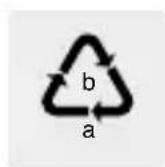
Observe the marking of the packaging materials for waste separation, which are marked with abbreviations (a) and numbers (b) with following meaning: 1–7: plastics / 20–22: paper and fibreboard / 80–98: composite materials.

The product and packaging materials are recyclable, dispose of it separately for better waste treatment. The Triman logo is valid in France only.

Contact your local refuse disposal authority for more details of how to dispose of your worn-out product.
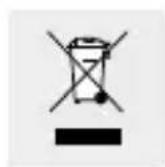
To help protect the environment, please dispose of the product properly when it has reached the end of its useful life and not in the household waste. Information on collection points and their opening hours can be obtained from your local authority.
Faulty or used batteries must be recycled in accordance with Directive 2006 / 66 / EC and its amendments. Please return the batteries and / or the product to the available collection points.
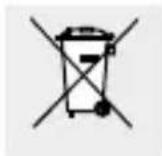
Environmental damage through incorrect disposal of the batteries!
Batteries may not be disposed of with the usual domestic waste. They may contain toxic heavy metals and are subject to hazardous waste treatment rules and regulations. The chemical symbols for heavy metals are as follows: Cd = cadmium, Hg = mercury, Pb = lead. That is why you should dispose of used batteries at a local collection point.
● Declaration of conformity
We, OWIM GmbH & Co. KG, Stiftsbergstraße 1, DE-74167 Neckar-sulm, GERMANY, hereby declare under our sole responsibility that the product: Premium Wireless Doorbell, Model No.: HG00783A/ HG00783B, Version: 03 / 2017, to which this declaration refers, complies with the standards/normative documents of 1999/5/EC.

The complete declaration of conformity can be viewed at:
www.owim.com.
- Warranty
The product has been manufactured to strict quality guidelines and meticulously examined before delivery. In the event of product defects you have legal rights against the retailer of this product. Your legal rights are not limited in any way by our warranty detailed below.
The warranty for this product is 3 years from the date of purchase. Should this product show any fault in materials or manufacture within 3 years from the date of purchase, we will repair or replace it – at our choice – free of charge to you.
The warranty period begins on the date of purchase. Please keep the original sales receipt in a safe location. This document is required as your proof of purchase. This warranty becomes void if the product has been damaged, or used or maintained improperly.
The warranty applies to defects in material or manufacture. This warranty does not cover product parts subject to normal wear, thus possibly considered consumables (e.g. batteries) or for damage to fragile parts, e.g. switches, rechargeable batteries or glass parts.
CE IP44
Indledning....Side 21
Montering....Side 26
Ibrugtagning....Side 26
aux piles rechargeables......Page 39