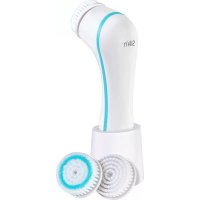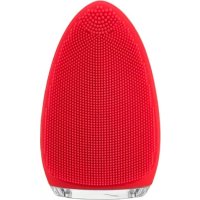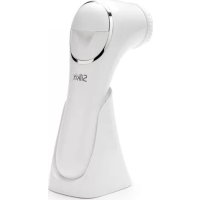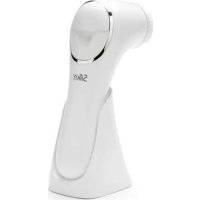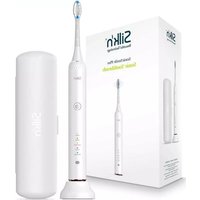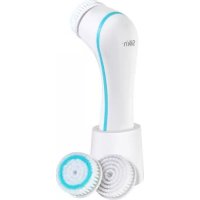
SCPB1P - Face cleansing SILKN - Free user manual and instructions
Find the device manual for free SCPB1P SILKN in PDF.



Frequently Asked Questions - SCPB1P SILKN
User questions about SCPB1P SILKN
0 question about this device. Answer the ones you know or ask your own.
Ask a new question about this device
Download the instructions for your Face cleansing in PDF format for free! Find your manual SCPB1P - SILKN and take your electronic device back in hand. On this page are published all the documents necessary for the use of your device. SCPB1P by SILKN.
USER MANUAL SCPB1P SILKN
natural_image
Line drawing of a handheld electronic device with a power button and screw plug (no text or symbols)natural_image
Line drawing of a human face with no text, numbers, or symbolsnatural_image
Line drawing of a hand holding a small mechanical component with arrows indicating motion or assembly (no text or symbols)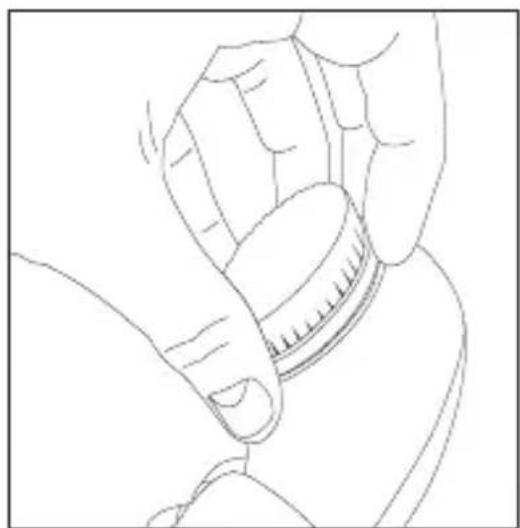
natural_image
Line drawing of a hand holding a small cylindrical object, possibly a tool or device (no text or symbols present)Copyright 2016 © InnoEssentials International.
All rights reserved. Print date: 05/2016
Legal Notice
InnoEssentials International reserves the right to make changes to its products or specifications to improve performance, reliability or manufacturability.
Information furnished by InnoEssentials International is believed to be accurate and reliable at the time of publication. However, InnoEssentials International assumes no responsibility for its use. No license is granted by its implication or otherwise under any patent or patent rights of InnoEssentials International.
No part of this document may be reproduced or transmitted in any form or by any means, electronic or mechanical, for any purpose, without the express written permission of InnoEssentials International.
Data is subject to change without notification.
InnoEssentials International has patents and pending patent applications, trademarks, copyrights or other intellectual property rights covering subject matter in this document.
The furnishing of this document does not give you any license to these patents, trademarks, copyrights or other intellectual property rights except as expressly provided in any written agreement from InnoEssentials International.
Specifications are subject to change without notice.
CAUTION!

Before using Pure™ for the first time, please read the user manual in its entirety. Pay particular attention to procedures for using and operating the device and after-use procedures. Please read all warnings and safety precautions before use and strictly follow them when using.
This appliance can be used by children aged from 8 years and above and persons with reduced physical, sensory or mental capabilities or lack of experience and knowledge if they have been given supervision or instruction concerning use of the appliance in a safe way and understand the hazards involved.
■ Children shall not play with the appliance.
■ Cleaning and user maintenance shall not be made by children without supervision.
■ Only use Pure™ with the appropriate attachments and described in this manual.
- Do not make any modifications to this product or open sealed parts of the appliance, doing so will automatically void your warranty and rights of replacement or refund.
Table of contents
1. Safety with Pure™ 21
2. What is Pure™ 23
2.1 Pure™ device description 24
2.2 Package contents....24
2.3 Pure™ intended use 24
3. Do not use Pure ^™ if .....25
4. Get started....25
4.1 Charging 25
4.2 Indicator light and function settings 26
4.3 How to use 27
4.4 Treatment regime 28
5. Maintaining your Pure™ 28
5.1 Caring for your facial brush heads....28
5.2 Brush head replacement....28
5.3 Caring for your device and face brush stand....29
6. Troubleshooting 29
-
Customer service....30
-
Warranty information....31
-
Battery removal ....31
-
Disposal information....32
-
Specifications 33
-
Signs and symbols 33
1. Safety with Pure™
- Your Pure™ has been tested for water ingress to the extent covered by IPX7. This means your device is waterproof and suitable for use under the shower and while taking a bath.
WARNING! Keep the adapter away from water. The adapter is NOT waterproof!
■ For external use only. Keep out of reach of children and use only as directed in this manual.
■ For hygienic reasons we recommend you not to share Pure™ with others.
■ Avoid contact with the eyes.
- Do not use Pure™ on the delicate skin around the eyes.
As with any product, discontinue use if you experience rash, redness or itching during or after use. Consult a physician if irritation persists.
■ Anyone suffering from acne or any other skin disorder should consult a physician before using this product. Do not use on sore or injured areas.
■ Do not use Pure™ if you have a pacemaker.
If you have any medical conditions or any kind of sensitivity whatsoever, consult your physician before using Pure™.
■ Do not leave the device on when it is not in use. Store it in a safe and dry place.
■ Never operate the Pure™ adapter if it has a damaged cord or plug, if it is not working properly or has been submerged in water.
■ Do not place or store the device and charging cord where it can fall or be pulled into a tub, sink, water or any other liquid.
CAUTION! Do not reach for the device or charger cord of the device that has fallen into water, unplug immediately before retrieving it. Failure to unplug the device may result in electric shock!
If a battery has leaked, avoid contact with the skin, eyes and mucous membranes. If necessary, rinse the affected areas with water and seek medical assistance.
■ The appliance is only to be used with the power supply unit provided with the appliance.
- Your Pure™ contains an overcharge protection. This means you can safely leave the appliance attached to the power adapter without the risk of damage.
■ The battery must be removed from the appliance before it is scrapped.
■ The appliance must be disconnected from the supply mains when removing the battery.
- Regarding the details on how to remove the battery, please refer to the section "Battery removal".
■ The battery is to be disposed of safely.
- Attention should be drawn to the environmental aspects of battery disposal. Don’t throw used batteries in a dustbin. Please contact your retailer in order to protect the environment.
■ Internal batteries cannot be replaced. To dispose of the batteries, the recycling of the entire device at your local recycling center is required and it is good for the environment.
2. What is Pure™
Pure ^™ is a small, handheld, electrically powered skin cleanser that utilizes a brush head powered by a high speed, high frequency manual oscillation.
Pure's™ microfiber brush is effective in removing the outer layer of dry and flaky skin cells. It lifts out impurities from within the pores and build-up of debris from within the folds of fine lines and wrinkles by means of vibrations to help smooth the surface of the skin.
With its 2 settings Pure™ has a high versatility - this allows you to clean your skin at your desired setting as well as massage your skin to improve blood circulation.
2.1 Pure™ device description

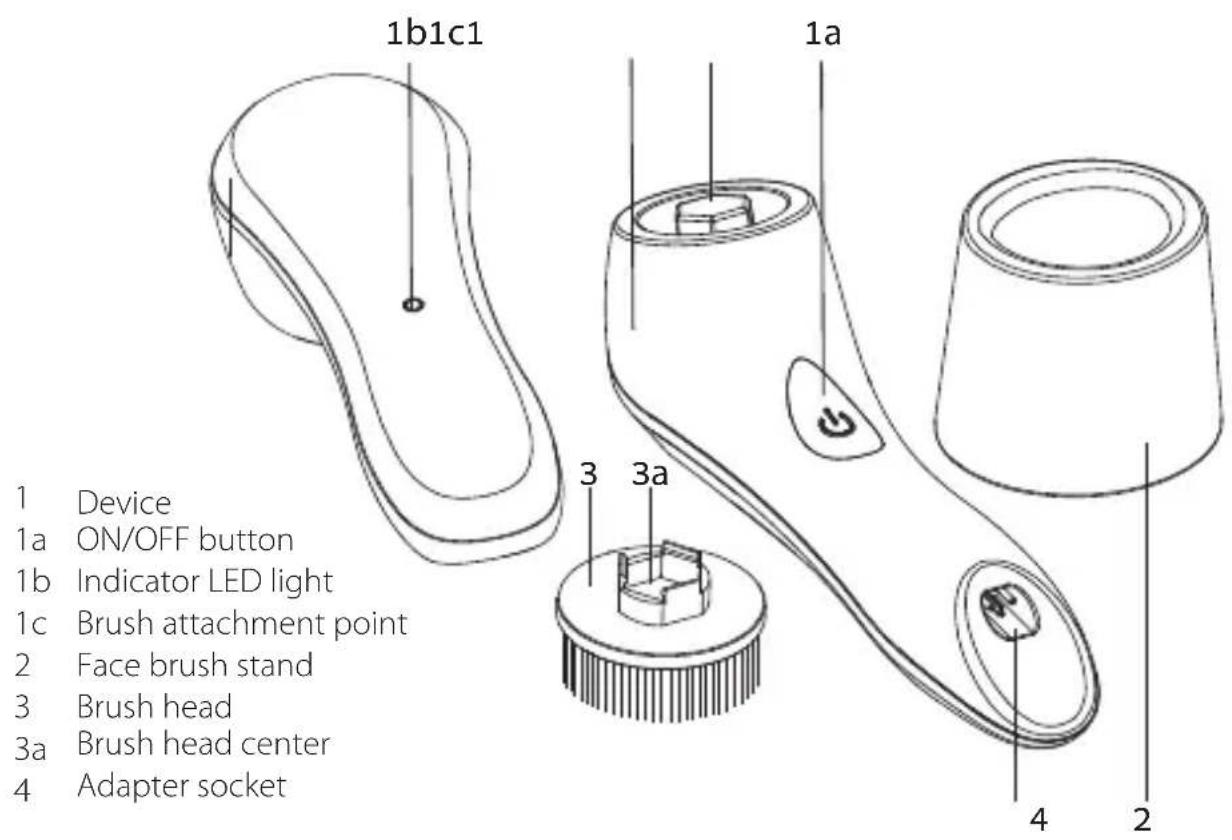
text_image
1b1c1 1a 3 3a 4 2 1 Device 1a ON/OFF button 1b Indicator LED light 1c Brush attachment point 2 Face brush stand 3 Brush head 3a Brush head center 4 Adapter socket2.2 Package contents
Device
Power adapter
■ 2 brush heads
This user manual
■ Face brush stand
2.3 Pure™ intended use
Pure ^™ is an over the counter device intended for cleaning the skin of the face. Pure ^™ removes up to 6 times more makeup than manual cleansing.
3. Do not use Pure ^TM if
■ Certain attachments or accessories are not recommended by Silk'n.
■ The housing is damaged.
■ You see or smell smoke when it is turned on.
■ It is not working properly or if it appears to be damaged.
■ The outer shell is cracked or coming apart.
■ You see orange or brown colouring around the adapter socket.
■ The brush head has been damaged or is in need of replacement.
■ The brush attachment point is damaged and the brush head does not connect to it properly.
Please contact Silk'n customer service.
4. Get started
4.1 Charging
Before first use, Pure ^™ needs to be fully charged. Some residual charge may be left in the device as a result of quality control procedures, but the device needs to be fully charged prior to first use to maintain battery life.
Before charging the device make sure it is completely dry.
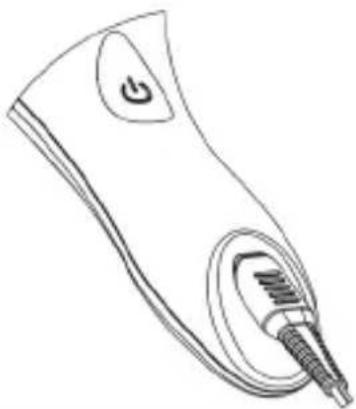
■ Insert the plug of the supplied power adapter. A red light will blink indicating that the device is charging. A full charge is indicated by a constant light.
If you are charging for the first time but the charging light is constant red – you still need to charge the device for 3 hours to get a full charge prior to first use.
Pure™ features an overcharge protection system so the device can always be kept charged. Silk'n recommends to unplug and conveniently store the charging adaptor after each full charge until charging is required.
■ You can leave Pure™ in the face brush stand as a counter top stand when not charging.
natural_image
Line drawing of a handheld electric shaver with a power button and screw plug (no text or symbols)IMPORTANT: Make sure the device is completely dry before charging. For best results charge your Pure™ for 6 hours prior to first use.
4.2 Indicator light and function settings
- Press On/Off button once: Vibrating function, low-speed; red LED light off
- Press On/Off button twice: Vibrating function, high-speed; red LED light off
- Press On/Off button three times: Pulsating function, low-speed; red LED light off
- Press On/Off button four times: Pulsating function, high-speed; red LED light off
- Press On/Off button five times: Device turns off
- Blinking red LED light for 10 seconds: Low battery
- Blinking red LED light continuously: Charging
- Constant red LED light: Full charge
PLEASE NOTE: After 1 minute the device switches off automatically.
4.3 How to use
■ Select the brush suitable for your skin type. Gently push the brush onto the brush attachment point until you hear a click.
■ Dampen your face with lukewarm water.
■ Moisten the brush with lukewarm water and apply a cleansing lotion onto the brush.
natural_image
Line drawing of a human face with facial features and dot patterns (no text or symbols)EN
PLEASE NOTE: Do not use Pure™ without any water on the brush and on your face as this can cause skin irritation.
■ Turn on the device by pressing the On/Off button and select the desired mode.
Pure™ will automatically start in the "Vibrating function, low-speed" setting.
- Press the button twice for the "Vibrating function, high-speed" setting.
- Press the button three times for the "Pulsating function, low-speed" setting.
- Press the button four times for the "Pulsating function, high-speed" setting.
PLEASE NOTE: If you change the setting during the cleansing treatment, the timer will reset to zero and will start again.
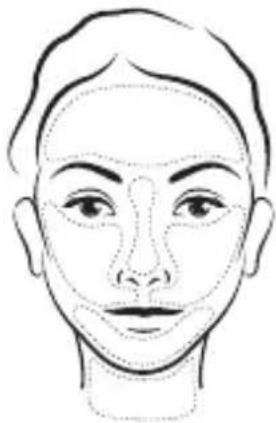
■ Press the brush gently to the area you want to treat and move it in an upward, circular motion. Try to avoid delicate skin areas e.g. around the eyes and on the lips.
■ Recommended treatment time per area is 10 seconds. We recommend cleansing in 6 sections - forehead, nose, chin, left cheek, right cheek and neck.
■ The facial brush will automatically switch off after 1 minute, indicating the end of the cleansing treatment.
■ Rinse your skin with water and pat dry with a towel.
4.4 Treatment regime
For daily use.
- Do not use Pure™ more than twice a day as this can irritate the skin and cause redness.
Pure™ is designed to cleanse your skin in just 1 minute. We recommend you not to exceed this time.
5. Maintaining your Pure™
5.1 Caring for your facial brush heads
- Clean the brush head after every use. Remove the brush head from Pure™, rinse it clean with warm water and mild soap to remove any build-up that may have accumulated, shake off excess water and towel dry – or gently rub the brush head against a towel for 5-10 seconds while Pure™ is switched on.
Do not attach wet brush heads to Pure ^™ while charging.
- Do not allow liquid cleansers or moisturizers to accumulate on the brush heads.
For the best results, we recommend you to replace the Regular and the Soft brush heads after every 3 months.
■ Do not clean the facial brushes by putting them in the dishwasher
5.2 Brush head replacement
Refill brushes can be obtained through the retailer where you bought the device or can be ordered from our website www.silkn.eu directly.
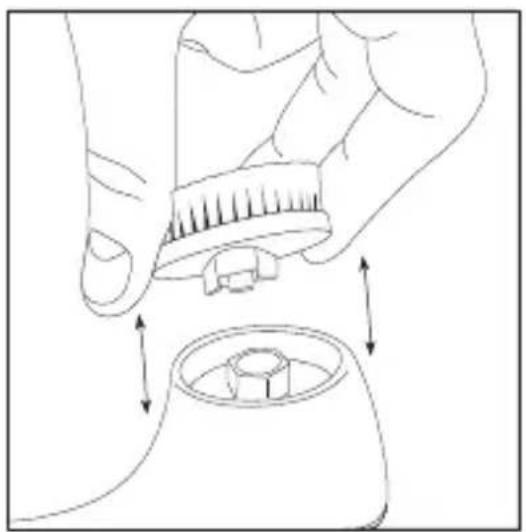
■ To attach a brush head, place the center of the brush head on the matching brush attachment point located on the device.
■ Gently press the center of the brush head and push down until it clicks into place.
■ To remove the brush head, simply grip the outer plastic base of the brush head in one hand and the device handle in the other hand and pull up evenly until it snaps loose.
natural_image
Line drawing of a hand holding a small mechanical component, with arrows indicating motion or assembly (no text or symbols)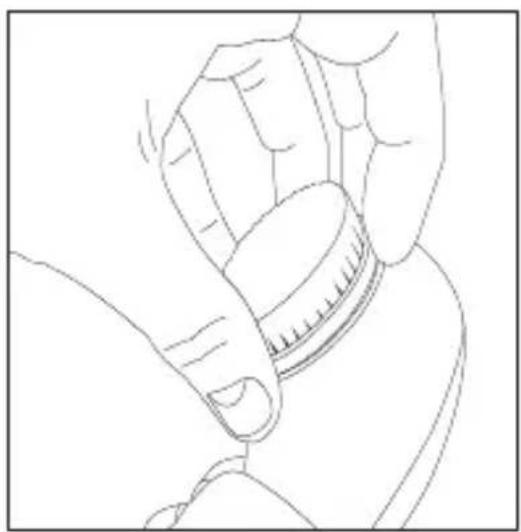
natural_image
Line drawing of a hand holding a small cylindrical object, possibly a tool or device (no text or symbols present)5.3 Caring for your device and face brush stand
■ Unplug Pure™ from the power mains before you clean it.
■ Do not use abrasive cleaners or chemicals to clean any part of Pure™.
- Clean the handle with a damp cloth – using mild detergent and towel dry immediately after cleaning.
■ Do not clean the device or any other parts in the dishwasher.
6. Troubleshooting
| Fault Possible causes and solution | |
| My PureTM does not start! | Make sure the device is properly charged. Attach the adapter to the device and the mains power and leave it to charge for at least 6 hours prior to next use. |
| My PureTM does not load! | Make sure the power adapter is connected correctly to the device and the power outlet socket. If this is already the case take the adapter plug out of the device and replace it again to completely reset the device. If this does not help, please contact customer service. |
| My PureTM shuts off all the time! | Make sure the device is properly charged. Attach the adapter to the device and the mains power and leave it to charge for at least 6 hours prior to next use. |
Do not attempt to open or repair your Pure™ device. Only authorized Silk'n personnel are trained to properly perform repairs to our devices. Opening the device will damage it and will void your warranty.
i Please contact Silk'n customer service if you have a broken or damaged device in need of repair.
7. Customer service
For more information about the products of Silk'n ^* visit your regional Silk'n ^ website: www.silkn.eu or www.silkn.com. If the device is damaged, defective, in need of repair or you need our assistance, please contact your nearest Silk'n ^ service center.
This manual is also available as a PDF download from: www.silkn.eu.
| Country Service | number Email | |
| Belgium 0900-25006 | serviceconsommateurbe@silkn.eu | |
| France 0891-655557 | serviceconsommateurfr@silkn.eu | |
| Germany 089 51 23 | 44 23 kundenservice@inno-essentials.de | |
| Italy servizioclientiit@silkn.eu | ||
| Netherlands 0900-2502217 klantenservicenl@silkn.eu | ||
| Spain 807088200 servicioalcliente@silkn.eu | ||
| UK 0906-2130009 customercareuk@silkn.eu | ||
| Other countries +31 (0)180-330 550 info@silkn.com | ||
8. Warranty information
This product is covered by a 2 year warranty according to European regulations and law. The extent of the warranty on this product is limited to technical defects caused by faulty production processes. In the event you want to claim warranty please be sure to contact our customer service for instructions. They may be able to solve your problem without needing to return the product to the store or our service center. Our customer service is always pleased to help you!
9. Battery removal
To remove the battery of Pure ^™ , the device must be broken apart. The device will no longer function after this procedure, nor can it be repaired. Any warranty will be void when the appliance housing is broken and the battery is removed. It is strongly recommended to wear safety protective goggles and gloves.
Silk'n is not liable for any physical or material damages as a result of performing this procedure.
To remove the battery place the hand unit on a hard, strong surface. Use a hammer to hit the appliance on the seam and continue to do so along the whole seam on both sides of the device.
Once the seam is sufficiently broken, use pliers or a screwdriver to take the housing apart. Unscrew the PCB (printed circuit board) and remove the battery by disconnecting the plug from the PCB.
10. Disposal information
Dispose of the packaging at a recycling point which sorts materials by type.
 | Products marked with this symbol should not be disposed of along with household refuse! You are legally bound to dispose of old appliances separately from household refuse. |
 | Batteries must not be disposed of along with household refuse. You are legally bound to dispose of all batteries at a local authority collection point or to return them to a battery retailer. Information about where old appliances can be disposed of free of charge is available from your local authorities. |
11. Specifications
| Model H4101 | |
| Power requirements Batteries 1x 3.7V; Li-ion; 500mA | |
| Power rating Adapter output 5Vdc; 500mA | |
| Appliance classification Class II | |
| Protection IPX7 | |
12. Signs and symbols
 | Products marked with this symbol fulfil the requirements of the CE directive. |
 | Class II - The adapter is protected against electric shock by means of a double insulation. |
 | Switch mode power supply unit. |
 | For indoor use only. |
 | Contains a failsafe transformer. |
 | Adapter Energy Efficiency level 6. |
| IP20 | The adaptor is protected against the ingress of objects bigger than 2.5mm diameter, such as fingers, to protect against electric shock. |
natural_image
Line drawing of a handheld electronic device with a power button and screwdriver (no text or symbols)natural_image
Line drawing of a human face with no text, numbers, or symbolsnatural_image
Line drawing of a hand holding a brush and adjusting a circular component with arrows indicating motion (no text or symbols)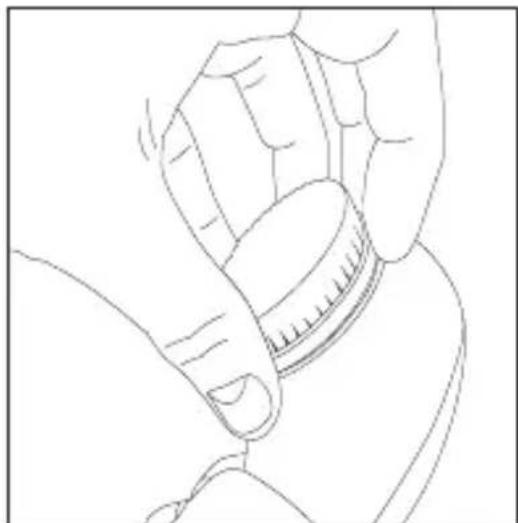
natural_image
Line drawing of a hand holding a small cylindrical object, no text or symbols presentCopyright 2016 © InnoEssentials International.
Всички права запазени. Дата на печат: 05/2016
Правна информация
natural_image
Line drawing of a handheld electronic device with a power button and screwdriver (no text or symbols)natural_image
Line drawing of a human face with no text, numbers, or symbolsnatural_image
Line drawing of a hand holding a small object with arrows indicating motion or movement (no text or symbols)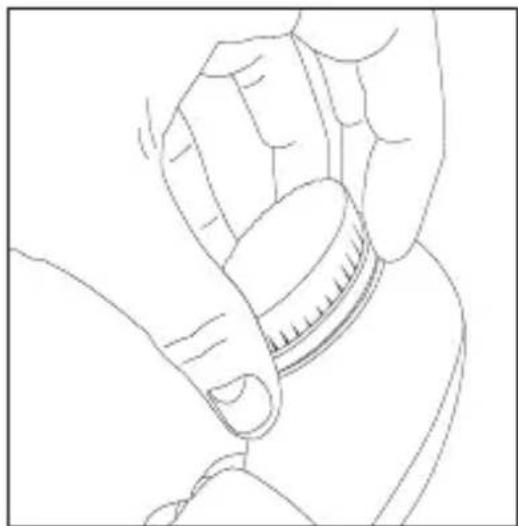
natural_image
Line drawing of a hand holding a small cylindrical object, no text or symbols presentnatural_image
Line drawing of a handheld electronic device with a stylus and screw base (no text or symbols)natural_image
Line drawing of a human face with no text, numbers, or symbolsnatural_image
Line drawing of a hand holding a small mechanical component, with arrows indicating motion or assembly (no text or symbols)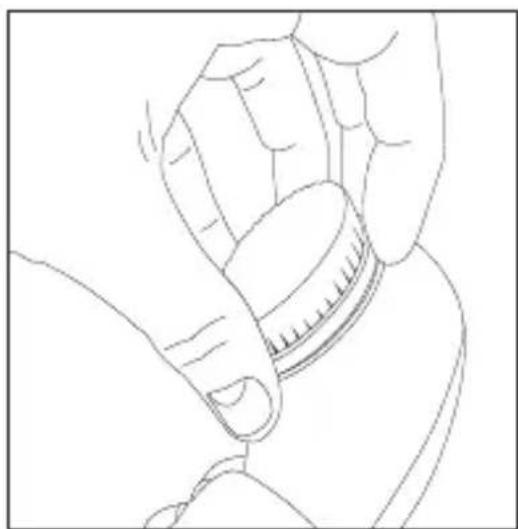
natural_image
Line drawing of a hand holding a small cylindrical object (no text or symbols)natural_image
Line drawing of a handheld electronic device with a button labeled 'G' and a screwdriver inserted (no text or symbols beyond the label)RO
natural_image
Line drawing of a human face with no text, numbers, or symbolsRO
natural_image
Line drawing of a hand holding a small mechanical component with arrows indicating motion or assembly (no text or symbols)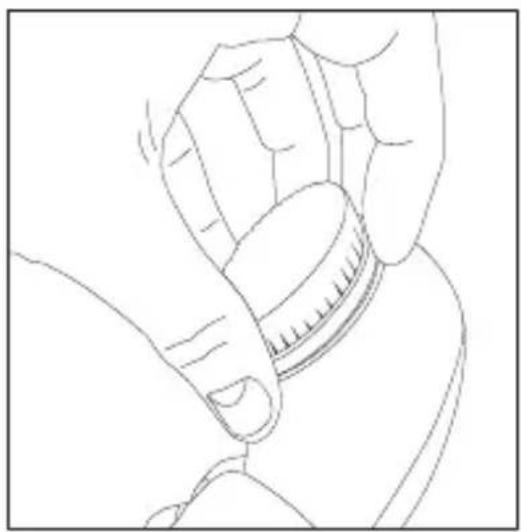
natural_image
Line drawing of a hand holding a small cylindrical object, possibly a tool or device (no text or symbols present)natural_image
Line drawing of a handheld electronic device with a power button and screwdriver (no text or symbols)natural_image
Line drawing of a human face with dotted outline lines indicating facial features (no text or symbols)natural_image
Line drawing of a hand holding a small mechanical component, with arrows indicating motion or assembly (no text or symbols)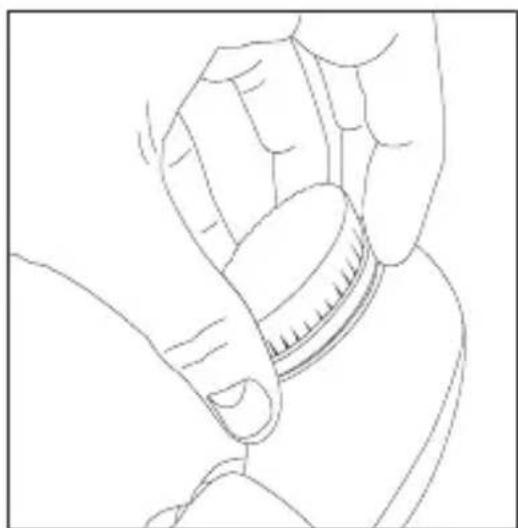
natural_image
Line drawing of a hand holding a small cylindrical object, possibly a tool or device (no text or symbols present)natural_image
Line drawing of a handheld electronic device with a power button and screwdriver (no text or symbols)SL
natural_image
Line drawing of a human face with no text, numbers, or symbolsnatural_image
Line drawing of a hand holding a small mechanical component, with arrows indicating motion or assembly (no text or symbols)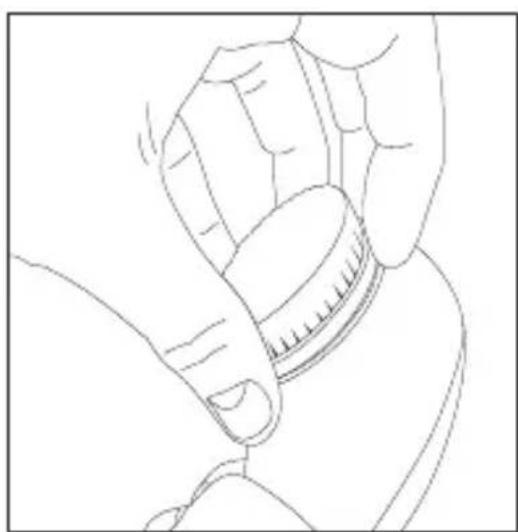
natural_image
Line drawing of a hand holding a small cylindrical object, possibly a tool or device (no text or symbols present)Copyright 2016 © InnoEssentials International.
natural_image
Line drawing of a handheld electronic device with a power button and screwdriver (no text or symbols)natural_image
Line drawing of a human face with no text, numbers, or symbolsnatural_image
Line drawing of a hand holding a small mechanical component, with arrows indicating motion or assembly (no text or symbols)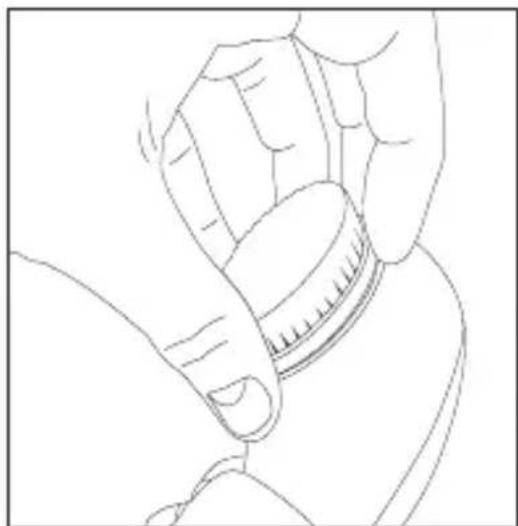
natural_image
Line drawing of a hand holding a small cylindrical object, no text or symbols present© InnoEssentials International, 2016
natural_image
Line drawing of a handheld electronic device with a power button and screwdriver (no text or symbols)natural_image
Line drawing of a human face with no text, numbers, or symbolsnatural_image
Line drawing of a hand holding a small mechanical component, with arrows indicating motion or assembly (no text or symbols)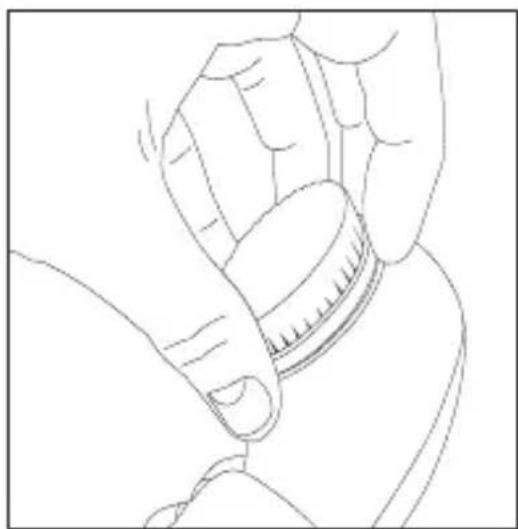
natural_image
Line drawing of a hand holding a small cylindrical object, no text or symbols presentInnoEssentials International
Donk Ib, 2991 LE Barendrecht
The Netherlands
E-mail: info@silkn.com