BC313 - Scale TANITA - Free user manual and instructions
Find the device manual for free BC313 TANITA in PDF.



Frequently Asked Questions - BC313 TANITA
User questions about BC313 TANITA
0 question about this device. Answer the ones you know or ask your own.
Ask a new question about this device
Download the instructions for your Scale in PDF format for free! Find your manual BC313 - TANITA and take your electronic device back in hand. On this page are published all the documents necessary for the use of your device. BC313 by TANITA.
USER MANUAL BC313 TANITA
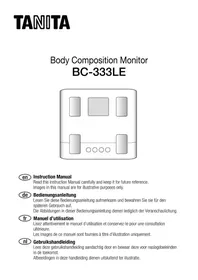
Body Composition Monitor
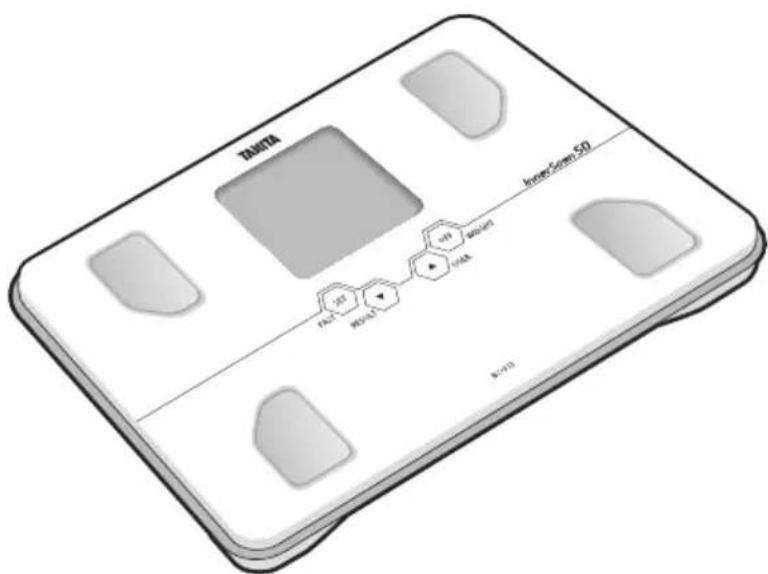
Model: BC-313
EN Instruction Manual
Read this Instruction Manual carefully and keep it for future reference.
EN Table of Contents
Introduction 1
Features and functions. 2
Preparations before use 2
Changing the weight mode 3
Automatic shut-down function. 3
Getting accurate readings 3
Setting (resetting) date and time. 4
Setting and storing personal data in memory 5
Taking weight and body fat readings. 6
Programming the guest mode 7
Taking weight measurement only. 7
Troubleshooting 8
Thank you for selecting a Tanita Body Composition Monitor. This monitor is one in a wide range of home healthcare products produced by Tanita.
This Instruction Manual will guide you through the setup procedures and outline the key features.
Please keep it handy for future reference. Additional information on healthy living can be found on our website www.tanita.com.
Tanita products incorporate the latest clinical research and technological innovations.
All data is monitored by our Tanita Medical Advisory Board to ensure accuracy.
Note: Read this Instruction Manual carefully and keep it handy for future reference.

Safety Precautions
Note that people with an electronic medical implant, such as a pacemaker, should not use a Body Composition Monitor as it passes a low-level electrical signal through the body, which may interfere with its operation.
Pregnant women should use the weight function only. All other function are not intended for pregnant women.
Do not place this monitor on slippery surfaces such as a wet floor.
Important Notes for Users
This Body fat monitor is intended for adults and children (ages 5-17) with inactive to moderately active lifestyles and adults with athletic body types.
Tanita defines "athlete" as a person involved in intense physical activity of approximately 10 hours per week and who has a resting heart rate of approximately 60 beats per minute or less. Tanita's athlete definition includes "lifetime of fitness" individuals who have been fit for years but currently exercise less than 10 hours per week. The body fat monitor function is not intended for pregnant women, professional athletes or bodybuilders.
Recorded data may be lost if the unit is used incorrectly or is exposed to electrical power surges. Tanita takes no responsibility for any kind of loss caused by the loss of recorded data.
Tanita takes no responsibility for any kind of damage or loss caused by these units, or any kind of claim made by a third person.
Note: Body fat percentage estimates will vary with the amount of water in the body, and can be affected by dehydration or overhydration due to such factors as alcohol consumption, menstruation, illness, intense exercise, etc.
FEATURES AND FUNCTIONS
Front Back
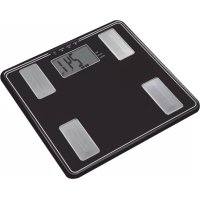
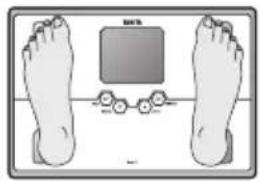
Ball-of-Foot Electrodes Weight Mode BuffDisplay Screen
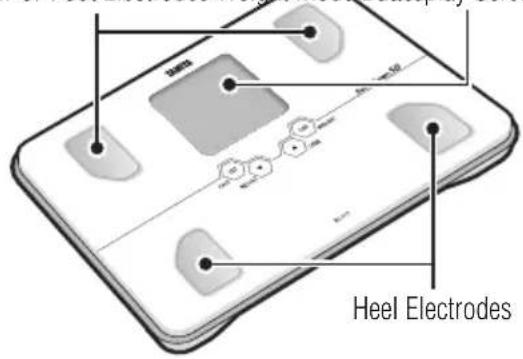
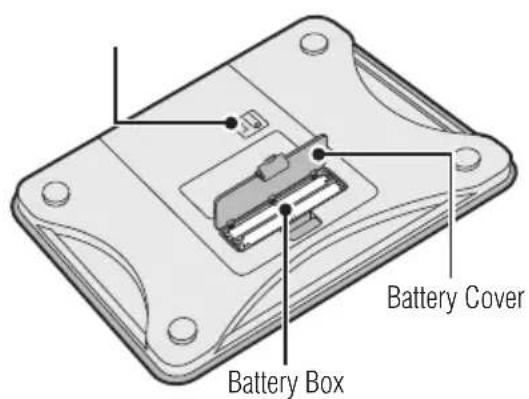
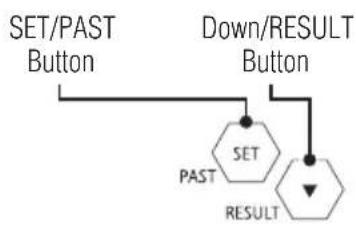
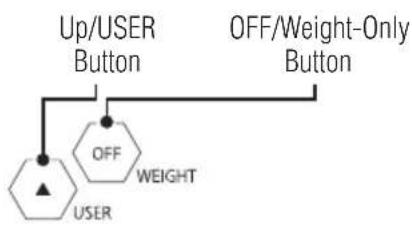
Accessories
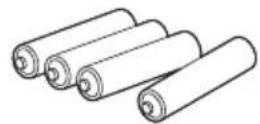
AAA-Size Batteries (4)
PREPARATIONS BEFORE USE
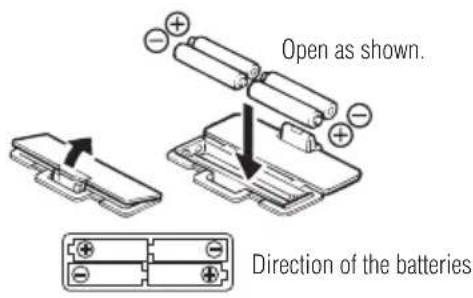
Inserting the Batteries
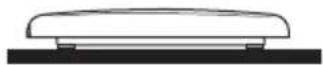
Open the battery cover on the back of the measuring platform. Insert the supplied AAA-batteries as indicated.
Note: Be sure that the polarity of the batteries is set properly. If the batteries are incorrectly positioned the fluid may leak and damage floors. If you do not intend to use this unit for a long period of time, it is advisable to remove the batteries before storage.
Please note that the included batteries from factory may have decreased energy levels over time.
Positioning the Monitor
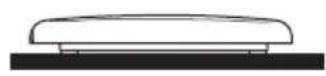
Place the measuring platform on a hard, flat surface where there is minimal vibration to ensure safe and accurate measurement.
Note: To avoid possible injury, do not step on the edge of the platform.
Handling Tips
This monitor is a precision instrument utilizing state-of-the-art technology.
To keep the unit in the best condition, follow these instructions carefully:
- Do not attempt to disassemble the measuring platform.
- Store the unit horizontally, and place it so that the buttons will not be pressed accidentally.
- Avoid excessive impact or vibration to the unit.
- Place the unit in an area free from direct sunlight, heating equipment, high humidity, or extreme temperature change.
- Never submerge in water. Use alcohol to clean the electrodes and glass cleaner (applied to a cloth first) to keep them shiny; avoid soaps.
- Do not step on the platform when wet.
- Do not drop any objects onto the platform.
- Do not jump onto or off the unit.
CHANGING THE WEIGHT MODE
Note: For use only with models containing the weight mode button
You can change the weight unit by using the button on the back of the scale.
Press the Weight-only button when the display is blank. When "0.0" appears in the screen, press the Weight Mode button on the underside of the unit to switch the unit in which weight is displayed.
Note: If weight mode is set to pounds or stone-pounds, the height programming mode will be automatically set to feet and inches.
Similarly, if kilograms is selected, height will be automatically set to "cm".
AUTOMATIC SHUT-DOWN FUNCTION
The automatic shutdown function shuts off the power automatically in the following cases:
- If you interrupt the measurement process. The power will shut down automatically within 30 seconds, depending upon the type of operation.
- During programming, if you do not touch any of the keys or buttons within 60 seconds.
After you have completed the measuring process.
GETTING ACCURATE READINGS
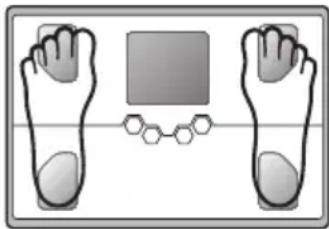
Heels centered on electrodes
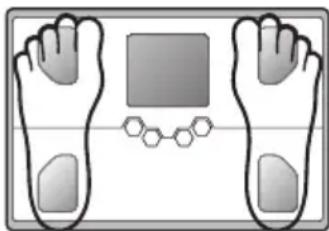
Toes may overhang measuring platform
To ensure accuracy, readings should be taken without clothing and under consistent conditions of hydration. If you do not undress, always remove your socks or stockings, and be sure the soles of your feet are clean before stepping on the measuring platform.
Be sure that your heels are correctly aligned with the electrodes on the measuring platform.
Don't worry if your feet appear too large for the unit - accurate readings can still be obtained if your toes overhang the platform.
It is best to take readings at the same time of day. Try to wait about three hours after rising, eating, or hard exercise before taking measurements.
While readings taken under other conditions may not have the same absolute values, they are accurate for determining the percentage of change as long as the readings are taken in a consistent manner. To monitor progress, compare weight and body fat percentage taken under the same conditions over a period of time.
Note: An accurate reading will not be possible if the soles of your feet are not clean, or if your knees are bent or you are in a sitting position.
SETTING (RESETTING) DATE AND TIME
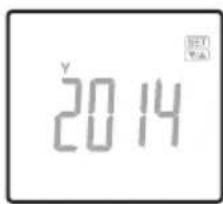
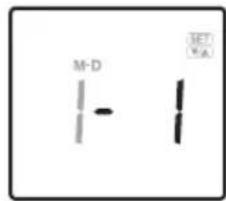
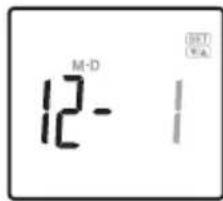
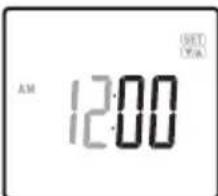
1. Set Date
Insert batteries into the scale and then press the SET button to start the Year setting. Press the Up/Down buttons to set year and then press the SET button. The unit will beep once to confirm.
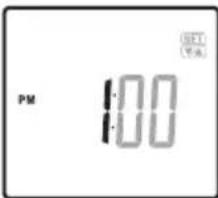
2. Set Hour
Press the Up/Down buttons to set hour and then press the SET button.
The unit will beep once to confirm.
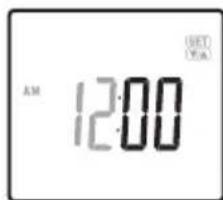
3. Set Minute
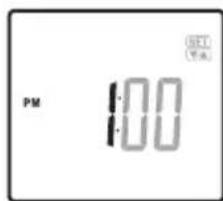
Press the Up/Down buttons to set minute and then press the SET button.
The unit will beep twice to confirm the programming.
The power will then shut down automatically.
Note:
- After you replace the batteries or if you want to reset date and time, press and hold the SET button to begin the date and time programming process. Replacing the batteries will cause the loss of date and time settings.
- 60 seconds or more of inactivity will cause automatic shut off during this process. No data will be saved as a result.
- If you make a mistake or wish to turn the unit off before you complete the programming, press the OFF button to turn the unit off. No data will be saved as a result.
SETTING AND STORING PERSONAL DATA IN MEMORY
The unit can be operated only if data has been programmed into one of the personal data memories.
1. Turn on the Power
Press the SET button to turn on the unit.
The unit will beep to confirm activation, the Personal data number will be displayed, and the display will flash.
Note: If you don't operate the unit for 60 seconds after the unit has been turned on, the unit will turn off automatically.
Note: If you make a mistake or want to turn the unit off before you have finished programming it, press the OFF button to force quit.
2. Select a Personal data Number
Press the Up/Down buttons to select a Personal data number (1, 2, 3, 4 and 5). Once you reach the Personal data number you wish to use, press the SET button. The unit will beep once to confirm.
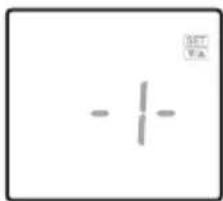
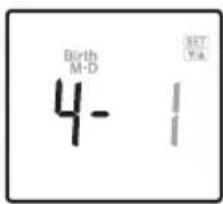
3. Set your Birthday
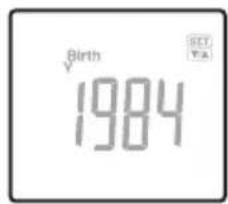
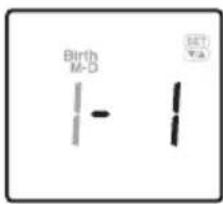
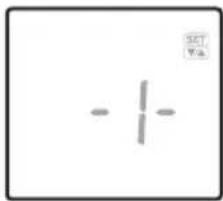
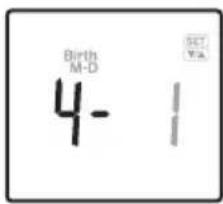
Set the date of your birthday (Year / Month / Day) using the Up/Down buttons. Press the SET button to confirm at each programming. The unit will beep once to confirm.
Note: The range of age is from 5-99.
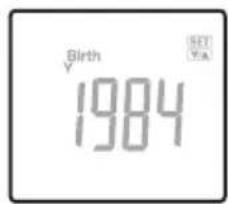

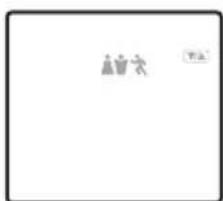
4. Select Female or Male
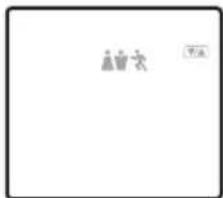
Use the Up/Down buttons to scroll through Female (♂ or Male (♂ Female/Athlete (/♂ and Male/Athlete (/♂ settings, then press the Set button. The unit will beep once to confirm.
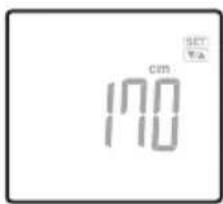
5. Specify the Height
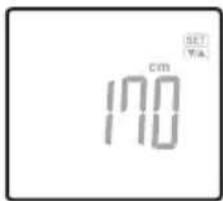
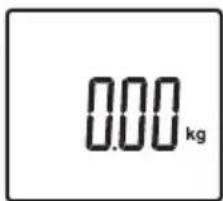
The display defaults to 170cm (5' 7.0") (range of height is from 90cm - 220cm or 3' 0.0'' - 7' 3.0'' ). Use the Up/Down buttons to specify Height and then press the SET button. The unit will beep once to confirm, and then the display shows "0.0" and is ready for measurement.
6. Measuring your weight and body fat
Step on to the scale after "0.0" is shown on display within 60 seconds.
Do not step off until "ooo" disappears.
The readings will be shown for 40 seconds.
The unit will then shut off and the readings will be stored in the memory.
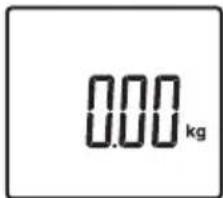
Note: If you step onto the scale before "0.0" appears the display will show "Err" and you will not obtain a reading. Furthermore, if you do not step onto the measuring scale within about 60 seconds after "0.0" appears, the power is shut-off automatically. Please try the setting and storing personal data process again.
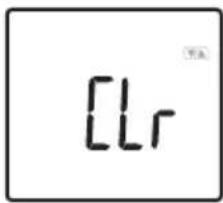
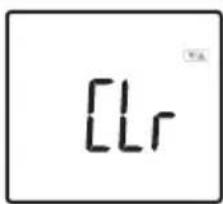
Note: If you change the birthday and/or gender, the unit will show "CLr".
If you select "YES" using the Up/Down and the SET buttons, the existing personal data will be deleted. If you select "no" using the Up/Down and the SET buttons, no new data will be saved (existing data will be unchanged) then the unit will shut off.

Warning
Do not use the body fat reading feature of this product if you have a pacemaker or other implanted electronic medical device.
TAKING WEIGHT AND BODY FAT READINGS
After programming your personal data you are ready to take a reading.
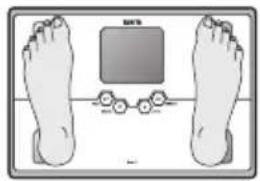
1. Step onto the scale
Step onto the scale while the scale is off, the scale turns on automatically and starts measuring.
2. Get Your Readings
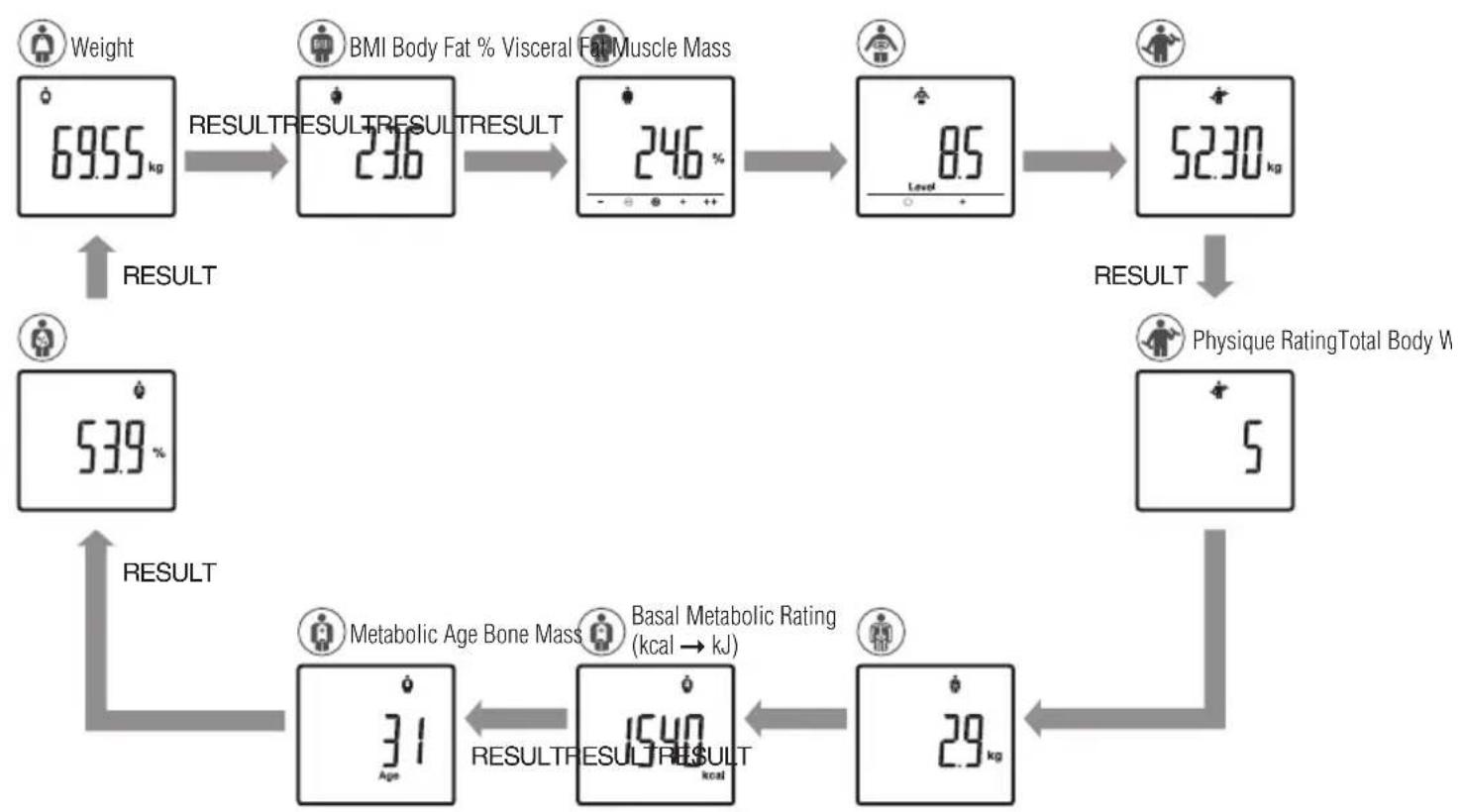
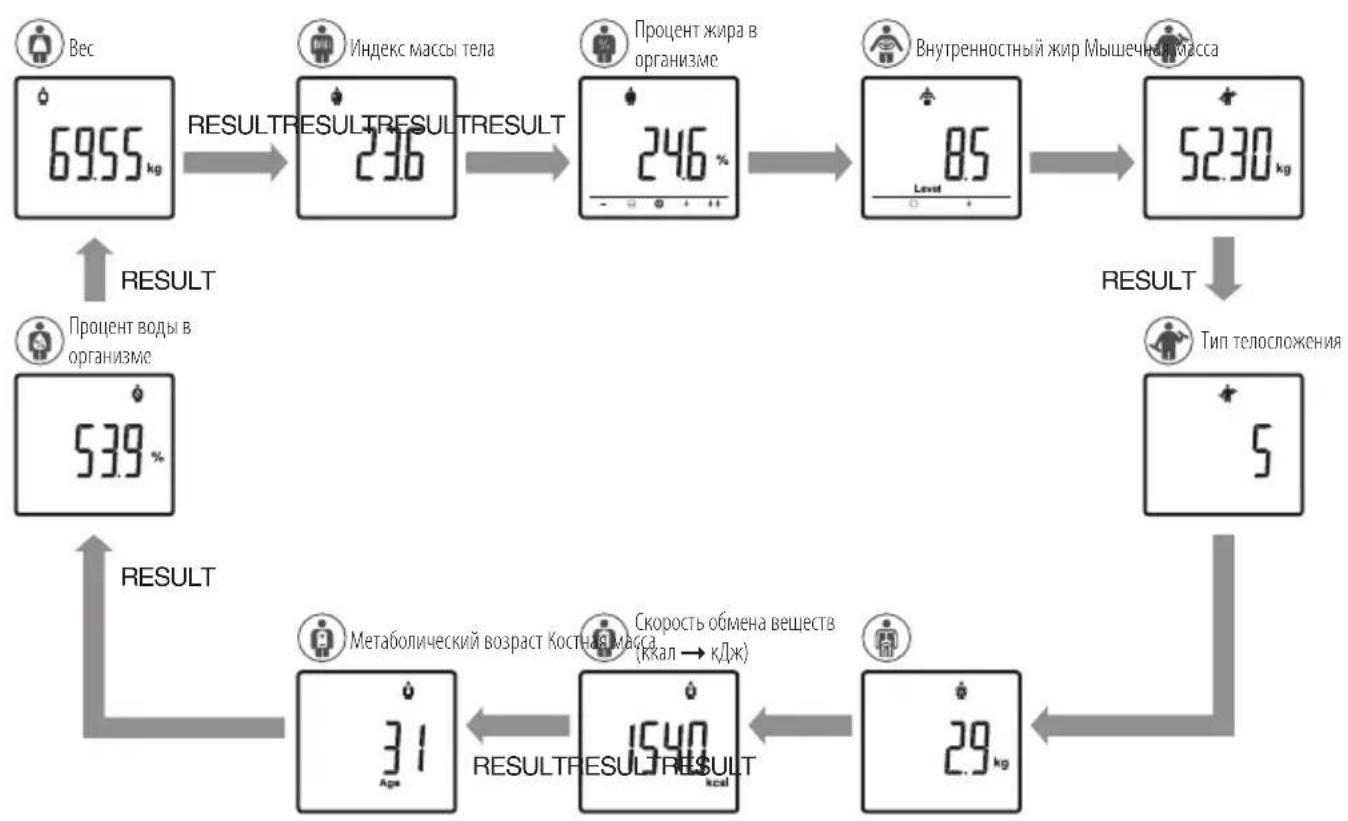
After the measurement is taken, readings will be automatically displayed in the order listed below.
After the last result reading is displayed, the weight reading will again appear, then the unit will automatically shut off.
The user may use the RESULT button to scroll through the different results.
For advanced scrolling, the user may press and hold RESULT button until the required reading is displayed. Release the button to view the result and readings will appear for 40 seconds before the unit automatically shuts off.
Note: Do not step off until 3 - 32 disappears.
If the wrong personal number appears on the display,
You can change the personal number by using the USER button.
Press the USER button until your personal number and profile appears.
After you select your correct personal number and press the SET button, the display will show your correct readings automatically.
The results will be stored in the memory under your personal number.
Note: For children (age 5-17), the unit will only display the Weight, the BMI and the Body Fat %.
3. PAST Function
To obtain previous reading, press the PAST button while the current readings are being displayed.
Press the PAST button again to go back to the current reading display.
TAKING WEIGHT AND BODY FAT READINGS
If recognition error continues to occur (when the wrong personal data number continues to be displayed), select your own personal data number before taking your measurement.
1. Select Personal data Number
Press the USER button to turn the unit on.
Press the Up/Down buttons to select personal data number.
Press the SET button.
The display will show "0.0".
Now step onto the platform.
Note: If you step onto the scale before "0.0" appears the display will show "Err" and you will not obtain readings.
2. Get Your Readings
After the measurement is taken, readings will be automatically displayed in the order listed below.
After the last result reading is displayed, the weight reading will again appear, then the unit will automatically shut off.
The user may use the RESULT button to scroll through the different results..
For advanced scrolling, the user may press and hold RESULT button.
Upon reading the desired readings, release the button to view the result, readings will appear for 40 seconds before the unit automatically shuts off.
Note: Do not step off until "ooo" disappears. Note: For children (age 5-17), the unit will only display the Weight, the BMI and the Body Fat %.
Weight BMI Body Fat
- Visceral Fat - Muscle Mass - Physique Rating
Bone Mass Basal Metabolic Rating
Metabolic Age Total Body Water %
PROGRAMMING THE GUEST MODE
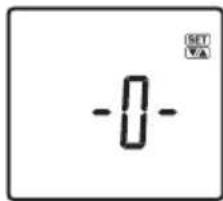
Guest mode allows you to program the unit for a one-time use without reading a personal data number. Press the USER button to activate the unit. Press the Up/Down buttons to select "-0-". Press the SET button. Then follow the steps: Set Age, Select Female or Male, and Specify the Height. Step onto the scale after "0.0" is shown on the display. Your weight will be shown first, continue standing on the scale until the body fat % reading is shown on the display. The reading will be shown for 40 seconds.
Note: Do not step off until "ooo" disappears.
Note: If you step onto the scale before "0.0" appears the display will show "Err" and you will not obtain readings.
Press the Weight-only button. Step onto the scale after "0.0" is shown on the display. The body weight value will appear. The display will light for about 20 seconds, and then the power will automatically turn off.
TROUBLESHOOTING
If the following problems occur ...then...
- A wrong weight format appears followed by kg, lb, or st-lb.
Refer to "Changing the weight mode" on p. 3.
- "Lo" appears on the display, or all the data appears and immediately disappears.
Batteries are low. When this message appears, be sure to replace the batteries immediately, since weak batteries will affect the accuracy of your measurements. Change all the batteries at the same time with new AAA-size batteries.
Note: Your settings will not be erased from the memory when you remove the batteries.
- "Err" appears while measuring.
Please stand on the platform keeping movement to a minimum. The unit cannot accurately measure your weight if it detects movement.
When the Body Fat % is more than 75% , readings cannot be obtained from the unit.
When the BMI is less than 6, readings cannot be obtained from the unit.
The Body Fat Percentage measurement does not appear.
Your personal data has not been programmed. Follow the steps on p. 5.
Make sure socks or stockings are removed, and the soles of your feet are clean and properly aligned with the guides on the measuring platform.
- "OL" appears while measuring.
Reading cannot be obtained if the weight capacity is exceeded.
- "Err AGE" is displayed.
Please set the correct date and time.
- "Err b" is displayed.
When not in use, the Body Composition Monitor will periodically calibrate in preparation for the next weighing. If the unit has been stored horizontally, with items placed on top or moved from one location to another, select your personal data number as explained on p.7 prior to taking your measurement.
Specifications
BC-313
Weight Capacity
150 kg (330 lb) (23 st 8 lb)
Weight Increments
0.05 kg (0.1 lb) (0.1 lb)
Body Fat Increments
0.1%
Personal Data
5 memories
Power Supply
4 AAA batteries (included)
Power Consumption
30 mA
Measuring Current
50 kHz, 6.25 kHz, 100 μA
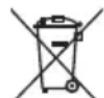
Notice:
These marks can be found out on contaminant-containing Batteries: Pb Pb = Battery contains lead,
Cd Cd = Battery contains cadmium,
Hg Hg = Battery contains mercury.

Not allowed to mix batteries with consumer wastes!
As consumer you are legally bound to return used or discharged batteries. You can deposit your old batteries at the public collecting points in your town, or wherever the corresponding batteries are sold and specifically marked collecting boxes have been set up. In case of scrapping the apparatus, the batteries should be removed from it and deposited at the collecting points as well.

This device meets the EMC Directive 2004/108/EC and the RoHS Directive 2011/65/EU.
EINLEITUNG
50 kHz, 6.25 kHz, 100 μA
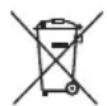
Hinweis:
4 AAA piles (incluses)
50 kHz, 6.25 kHz, 100 μA
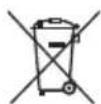
Remarque :
50 kHz, 6.25 kHz, 100 μA

Opmerking:
4 AAA pile (incluse)
Consumo
30 mA
Corrente di misura
50 kHz, 6.25 kHz, 100 μA
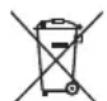
Awviso:
50 kHz, 6.25 kHz, 100 μA
Nota:
PpmeaHHe:YTo6bI N36ExaTb TpaBM, He cTaHOBnTeCb Ha Kpaai nPaTOpMb

Cobetbl no yxody 3a npn6opom
3T0I3MepntelBABnEraTcAToHbIMnpN6OpOM,NCIOB3yIOUMmCOBpeMeHHbteTexHOrOIM. 4TOb6coxpaHtBycPoIcTBBOXopoIeMcoCToHIM,TIIaTeNbHOcnEyITMeHCHtpKUAM:
He bTaIteCb pa3o6paTb 3MepuTeNbHyO nIaTfoPMy.
XpaHHTnpn60B Trop30HaTbHOM NIOJoxHeHM, INaKM O6pa3OM, YTO6bl WCKIQUHTb CnyaHoe HaKaTHe eR KOHOK.
-BepeHnTe npHbOp oT yIapOB mIITpAckN.
He CtaBte yctpoBHO HcONHeuHbCET, B6nIm3HarpBeBaTehBbIXPiOpOB, B MeCTcIOBbIeHHoBblAaXHoCTbKIMNpePenaDAMTtempepaTypb.
He nprykaite n3meptenb B Body. He moTe np6opMbIOM: nCIOB3yTe dIa 3TO TKAH, CMOeHHyB CnPTe MIn CpeCTBe DnMtb8 OKOH.
He cTaHOBnTEcB H aHaTΦOpMy BnAaKhbIMN HoRaMn.
HnueeroheponhnteHaanatopmy.
He3anpbrinBaIteHnHeCnpbrinBaIteCyctpoIcTa.
N3MEHEHNE PEXKMA B3BUNBAHNA
PpmeaHne: IJI NcNoB3OBAHnT OJbKO C MoJeIaMn, IMeUcIMN KHOKy peKmBaBBeuBaHn
Bb moKeTe 3MeHHTb eIMnHcy 3MepeHMa Beca C nOMou bKhoNk Ha 3aJHei NaHeHa BcOB, KaK noka3aHO Ha pCyHke.
HakMTe KhoNky Weight-only kOgHa Ja Cnnee Hnero He oTo6paKeHo. KOrHa Ha Kpae NoBtca 0.0 , HaxMITE KhoNky Weight Mode Ha HxKHe hactn yctpoiCTBa dIa nepeKIOueHry uTPOJCTBa, Ha KOtopom OTo6paKaetc Bec.
PpmeHne: Ee n eHnue H3MepeHn MaCbbl BbIpaHbI FHTbl Wn CToHybl, To BHeceHHbE B naMrtb npBopa npaMetpbi BaWero poCTa byyT abTomatueckn nepeBeDeHb I B Fytbl NIOMbI.
AHaIIOUHbIM Opa3OM,ecIN BblOpaHb KJIIOIpaMMbI,poCTyHITbBAETC BCAHTIMETpax.
HaKMITE KnabMn "Beepx/BHm" DnI Bb6opa MmHytbl, 3aTeM HaKMITE KOHNIky"HaCtpoiKa/YctahOBHTb ( " SE "
YCTPOICTBO N3dact DBA 3ByKObIX CnHana, NOITBepKJa3aBepWeHne YCTAHOBKn.
Iocne 3toro nmtanhe npmbopa abTOMaTHueckn OTKIOUHTCA.
Птумейанne:
Pnne 3aemeHb6aTapeek,nnnc enn Bby xOHTe 3MeHntb DaTy n Bpema, Haxmte u yepknaite KnaBly SET, Tto6bl Haatb npoccc hactpoikn daBn Bpemehn. Pn3aeme6aTapeek pnocxonmt c6pc dTaBn Bpemehn.
Yepe60 cekyHd 6e3dEcbTBA Hnpce CHe HpOcXoHT ABToMaTHueckoe OKnIOUeHne npbopa. BBeDenHbIe daHHbIe bdyT noTepeHbI.
E CINI BILIOYCTNI OUIO6KU INXOTNE OTKJIOHTb yCTPOICTBO DO 3aBepueHHN IporpaMMPOBAHn, HAXMITE KHOITy"OTKIOHTb"(OFF")YTObblIKIOHTb YCTPOICTBO.
DaHHbIe He bdyT coxpaHHebl.
BHECEHNE I COXPAHEHNE B IAMrI JnUHbIX DAHHbIX
IcnoJIb30aBaTb yCTpoiCTBO MOxHIO TOnbKO NocNE BBoJa IInuHbIX DAHHbIX BOIDHY IN3 YueeK NaMHTN.
Hakmtte KhoNky "HaCtoPouKa/YCTaHOBnTb" ("SET"), 706b1 BKNIOHTb yCTPOCTBO.
YCTPOICTBOI3dACT 3ByKOBOI CnHJI NIOJIIBePKDHeNIAKITBAUIM, HA DCIIIEE NOIABITcH OMeP IIINHbIX DAHNbIX, INKpAH NaHTMIRATb.
PpmeaHne: EcnBbHe 3anporpaMmpyeYcTPOCTBO BTEeHn60 ckyHn NocE BkIOeHnO, OHO ATOMaTHueCKN OKIIOHTCA.
PnmuueHne: Ecn BbOnyCTHe OUn6Ky mnn Noxenaete BblKIOuHTb yctpoIcTB Do 3aBepueHna Ipouecca nporpaMMPOBaHn, HAXMITE KONky "OTKIOUHTb" ("OFF"), TTOb6 BblKIOUHTb np6Op.
2. BbI6epTe Homep nUHbIX daHHbIX
Pnnoomou KnabuB"Bbepx/Bn3" Bb6epnte Hmep nuaHbix daHbix (1,2,3,4 5).Kak tonbko Bbl doctnHete Xeenaembl Homep nuHbix daHbIX, haxMnte KhoNky "HaCtpoKa/YcTaHOBnTB"(“SET").YcTpoIcTB O3daCT OINHOUYh 3ByKOBO CnHan Dnna NoTBeXeHn.
3. yctaHOBka daTbI poKdHnA
YCTAHOBITE DaTy poKdEHHa (TJU/Mecu/DHeHb),NIOJIb3y KJIaBnUIN "BBepx/BnH3".Haxmaite KhoNKy"HAcptoiKa/YCTAHOBITb"("SE")IIN NOITBEpKdEHHa KaKdo 3taI nporpaMMIpObaHHa.YcTPOCTBO6yET N3daBaTb OINHOHbte 3ByKoBbte CnHaIb b KaueCTBe NOITBEpKdEHHa.
PpmeaHHe: Bo3paTHOI dmaia3OH -oT 5 da99JeT.
4. YctaHOBka MyXCKORO INN XeHCKORO nona
McnoB3yIe KhoNk "BBepx/Bn3", yTo6b Bb6paTb peKmbl KeHcknn ( NMyckCkO (KeHckn/Atneueckn ( / ) n MyckCkO/Atneueckn ( / ), 3aTe m HaxMMte KhoNKy "Hactpoika/YctahOBuTB" ("Set"). Pnp6op n3dact OINHOHb 3ByKOoB CMHaI DnA NOITBepKJDeHH opeaum.
5. YctahOBka poCTa
No ymouhaHIO B np6ope yctahOBnepoCT 5yTOB 7,0IOHMoB (170 cm) (Dnana3OH poCTO -OT 3yTOB DO 7yTOB 3IOHMoBnn90-220cm).Ncnonb3yIte KnaBNIu "BBePx/BH3" IINBBEHNA daHHbIX o POCTe, 3aTEM HaxMMTE "HaCtpoKa/YCTAHOBNTB ("SET").YCTPOCTBO N3dA cT OINHOHbI 3ByKOBOn CTHAN B KaEcTBe NOITBepKDeHMA, NOCE 3TOHO HA 3KpaHE NOABnEETCHNDAKCAUHA "0.0", 06O3NaHauOua, Yo np6Op rTOB K N3MpeHIO.
6.ИЗмepeHne BecaиЖирOBbIX OTIOJKeHn
BCTaHbTe Ha BeCbI NocNE TOrO, KaK "0,0" NoABITc H aDcPiEe 6yET octaBaTbC TaM b TeueHHe 60 ckyH.
He ctaHOBntecb do Tex nop, noka He nCue3HET HnDnKaunrA 0000
Pe3yNbTaTb6bydyTOO6paXaTbCBA TeYHeH40cKyHn
3aTeM npH6Op OTKIOUHTcA,a NOKa3aHnB 6dyT COxPAHeHb Bero NaMATN.
PnmeaHne: Ecn BbBCTaHete Ha Becbl Do noNBAeHn Hmkaun "0.0", np6op Bbydct coocheHne "Owmbka" ("Err"), n pe3ynbTaH h3MepeHn nonyeHb He 6dyT Kpome TOrO, ecn Bbl He BcTaHete Ha Becbl B TeueHne 60 cekyHn nocne noBaeHn Hmkaun "0.0," To nIaHne yCtpoiCTBa ABToMaTHueckn OTKnIOHTCA. B3nx Cnyax npndetca ChOBa npoTn npoeDpy HactpoKu n COxpaHHe NmHBx daHHbx.
PpmeaHHe: Ecl Bbl 6yTe MeHaTb DaTy poKJeHHn m/nn nI, yCTPOCTBO nOKaKeT INHmkaCIOo
Ecn npn nmoon KnaBnB "Bbepx/Bn3" Bbl bboepnte "DA"(YES), coxaHeHHbe paHce HnHbte daHhble 6ydyT ydaJIeHbI.
EcnBb6epnTe“HET"(NO”)HOBBIE daHHBe He coXpaHrTa (B nAMTIOCTaHyTCr CTapblIuHbIe daHHBe),noCte 3TOI np6op OTKJUHTCA.
IpeynpeKdeneHne
He nCIOB3yIe np6op kak NImepntelb Xnpa,ecn Bbl Iob3yeTeCb KapDIOCTMMyIHTOpOM HIN dpYIM MMIIaHTIpOBAHHbIM 3JIeKTPOHbIM MeMNCHKM yCTPOHCTBM.
B3BEUBAHNE N 3MEPEHNE YPOBHA XNPOBbIX OTIOXEHNI
Pcne BBeDHeHnIuHbIX daHbIX Bbi roToBbK 3aMePam.
1. BctaHbTe Ha Becbl
BCTaHbTe Ha BcBi BBkIIOeHHOM COtOAHm, OHVI BKIOUaTcA bATOMaTnueeCKM nHaHyT mMepeHne.
2. 03HaKOMJIeHHe cpe3yIbTaTaMn
Iocne n3MepeHnpe3yNtBtBtABTOMaTnueckn OTo6pa3rTaB NopdKe, yKa3aHHOM BHN3y:
Iocne otobpaKeHnnoocJeHrno nok3aHaHpe3yIbIata,3haueHHe Beca noBHTc epe pa3,a 3aTeM npH6p abOMatHueeCKN OKKIOUHTC.
Ponb30BaTeB MoKTe BocnObl30BaTcKa HONKOI RESULT DnI PpOKpyuHaHpa3NHybIxpe3yblTaTOB.
Ду yckopehnho npolnctbIbAHm HaxMMte u depKbaiTe KnaBniY RESULT.
IINPnOcMoTpaBbipahHOrpe3yNtataOTnYCTnE KHOKNK,NOKAaHn6dyT OTo6paKaTaBCB TeeyHe 40 ckyH, nocJe yero yctpoiCTBO ABTomuHeckn OKNIQUHTCA.
PpmeHHe: He cTaHOBntecb do Tex nop, noka He nCue3HET HndkaunrA.
Ecn HeBepnbl NnHbHb HmOp E npOBnEeTcHa DnCnIee
BbMoXeTe N3MeHHTb NmHbHb HOMep pN pONoOu KNHOKN «YCTaHOBAK
HaKMMTE u dyepxmbai Te KnaBnSy «UCTAHOBka» do tex nop, noka ha 3kpaHe He noBbTa BAsm mHhble daHHbe HOMep.
Tocne Toro, KaB BbBbepTe npabnHbHn Hmepn HaxMeTKeNaBmuy SET,Ha DCnIeae ABtOMaueckn NOBAtc BaHn BepHbIe Noka3aTeim.
OHHyDt coXpaHeHb I NamrTn NOBaaHIMIINuHbIMHOmePOM.
PpmeaHne: Ira deten (ot 5 do 17 nert np6op oTo6paXaet TOnbKO noIyehnBie 3naeHnBeca, Hndekc MaCbI Tena u npoueHTHOe coepKaHne Knpa.
3.ФункцЯ PAST
TObbI npocMOTpeB npdeBnyuime pezynbTaBtB, Haxmte Ha KhoNky PAST, Korga TeKyuane pezynbTaBtHa DcInnee.
NIOBTOPO HAKMITE KONIKY PAST DnI B03BpATA KOTOBpaKeHmTekuunixnKa3aHm.
Hakmite Khonky USER, yto6bI BKIOUHTb np16Op.
HaxmMaTe KhoIeBBePx/Bn3 DJIa Bb6opa Homepe NepcoHaJIbHbIX DAHHBX.
HajzMMTe KhoNkiy SET.
TANITA Health Equipment H.K. Ltd.
Unit 301-303 3/F Wing On Plaza, 62 Mody Road, Tsimshatsui East,
Kowloon, Hong Kong
Tel: +852-2834-3917
Fax:+852-2838-8667
www.tanita.asia
TANITA Corporation of America Inc.
2625 South Clearbrook Drive
Arlington Heights, IL 60005 USA.
Tel: +1-847-640-9241
Fax: +1-847-640-9261
www.tanita.com
TANITA (Shanghai) Trading Co. Ltd.
Room 8005, 887 Huai Hai Zhong Lu, Shanghai
The People's Republic of China
Tel: +86-21-6474-6803
Fax:+86-21-6474-7901
www.tanita.com.cn
Representative
TANITA Europe B.V.
Hoogoorddreef 56-E
1101 BE Amsterdam
The Netherlands
Tel: +31-20-560-2970
Fax: +31-20-560-2988
www.tanita.eu
TANITA India Private Limited
A-502, Mittal Commercia,
Off. M. V. Road (Andheri Kurla Road),
Marol, Andheri - East,
Mumbai, India 400 059
Tel: +91-22-3192-6107
Fax:+91-22-2859-9143
www.tanita.co.in