BC-333LE - Scale TANITA - Free user manual and instructions
Find the device manual for free BC-333LE TANITA in PDF.


| Product Type | Body Composition Monitor |
| Brand | Tanita |
| Model | BC-333LE |
| Weight Capacity | 150 kg (330 lb / 23 st 8 lb) |
| Weight Increments | 0–100 kg: 0.05 kg, 100–150 kg: 0.1 kg; 0–200 lb: 0.1 lb, 200–330 lb: 0.2 lb; 0–15 st 0 lb: 0.1 lb, 15 st 0 lb–23 st 8 lb: 0.2 lb |
| Measurements | Weight, Body Fat %, Muscle Mass, Bone Mass, Body Water %, Visceral Fat Level, Metabolic Age, BMR, Physique Rating, BMI |
| Age Range | 5–99 years (Muscle Mass, Body Fat %, BMI, Bone Mass); 18–99 years (Physique Rating, Visceral Fat, Metabolic Age, BMR, Body Water %) |
| Personal Data Memories | 5 memories |
| Auto-Recognition | Yes, automatically recalls registered users |
| Guest Mode | Yes, for one-time measurements without saving |
| Weight-Only Mode | Yes |
| Bluetooth | Bluetooth Low Energy (2402–2480 MHz, max 2 dBm) |
| Smartphone App | MY TANITA Healthcare app (iOS/Android) |
| Power Supply | 4 × AA alkaline batteries (included) |
| Measuring Current | 50 kHz, 5 kHz, 100 μA |
| Time Accuracy | Within ±1 minute per month (18–28 °C) |
| Unit Weight Units | kg, lb, st-lb |
| Gravity Setting | Selectable location code for accurate weight |
| Display | Digital LCD with face icons for measurement continuity |
| Safety Precautions | Not for use with pacemakers or other implants; avoid use during pregnancy for body composition |
| Cleaning | Wipe with a soft cloth dampened with water or mild detergent; do not use solvents |
| Storage Conditions | Avoid direct sunlight, high humidity, vibrations; store horizontally without heavy items on top |
| Dimensions (approx.) | Not specified in manual; typical for this class: ~300 x 300 x 30 mm |
| Weight of Scale (approx.) | Not specified; typical with batteries: ~1.5 kg |
Frequently Asked Questions - BC-333LE TANITA
User questions about BC-333LE TANITA
0 question about this device. Answer the ones you know or ask your own.
Ask a new question about this device
Download the instructions for your Scale in PDF format for free! Find your manual BC-333LE - TANITA and take your electronic device back in hand. On this page are published all the documents necessary for the use of your device. BC-333LE by TANITA.
USER MANUAL BC-333LE TANITA
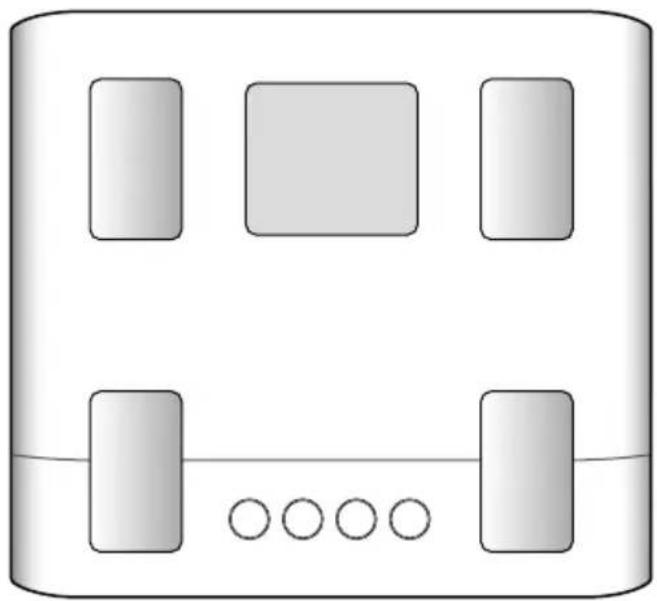
Body Composition Monitor BC-333LE
natural_image
Simple diagram of a device with four rectangular blocks and five circles, no text or symbols present.
Instruction Manual
Read this Instruction Manual carefully and keep it for future reference. Images in this manual are for illustrative purposes only.
Bedienungsanleitung
Features and Functions ....3
For Your Safety 4
Getting Accurate Readings ......6
Preparations before Use 7
Initial Setup (Type 1) Setup via Smartphone 8
Initial Setup (Type 2) From Body Composition Monitor .....9
Taking Measurements ....10
Taking Measurements with Auto-Recognition .....11
Measuring with an ID Number (Call Measurement) .....12
Taking Measurements Without Registering (Guest User Measurements / Weight Only Measurements) .....13
Reviewing Measurement Results 14
Changing Personal Data 15
Erasing Personal Data 16
Troubleshooting 17
Specifications 18
Thank you for purchasing this TANITA Body Composition Monitor.
This monitor is one of a wide range of home health care products produced by TANITA.
This Instruction Manual will guide you through the setup procedures and outline the key features of this monitor. Additional information on healthy living can be found on our website www.tanita.eu
TANITA products incorporate the latest clinical research and technological innovations.
All data is monitored by the TANITA Medical Advisory Board to ensure accuracy.

Safety Precautions
Do not use the Body Composition Monitor if you have an electronic medical implant such as a pacemaker, as it passes a low-level electrical signal through the body which may interfere with the operation of the implant.
Pregnant women should only use the weight function. Other functions are not intended for use when pregnant.
Important Notes for Users
This Body Composition Monitor is intended for adults and children (age 5-17) who have inactive to moderately active lifestyles, and adults with athletic lifestyles.
Thanks to major investment in the latest BIA Technology and sports science research,
TANITA has upgraded the Athlete Mode function to make measurements more accurate and suitable for a wider range of users.
Who should use Athlete Mode?
Adults aged 18 years and over who either:
- Train or exercise for 12 hours or more a week and have been doing so for at least six months.
- Are body builders.
- Are professional athletes who want to monitor their progress at home.
• Have a lifetime history of fitness and who used to do more than 12 hours a week but do less now.
Recorded data may be lost if the unit is used incorrectly or is exposed to electrical power surges.
TANITA cannot accept any responsibility for losses incurred due to the loss of recorded data.
TANITA cannot accept any responsibility for damages or losses incurred through the use of this product or any third-party claims.
Note: Body fat percentage estimates will vary with the amount of water in the body, and can be affected by dehydration or over hydration due to such factors as alcohol consumption, menstruation, illness, intense exercise, etc.
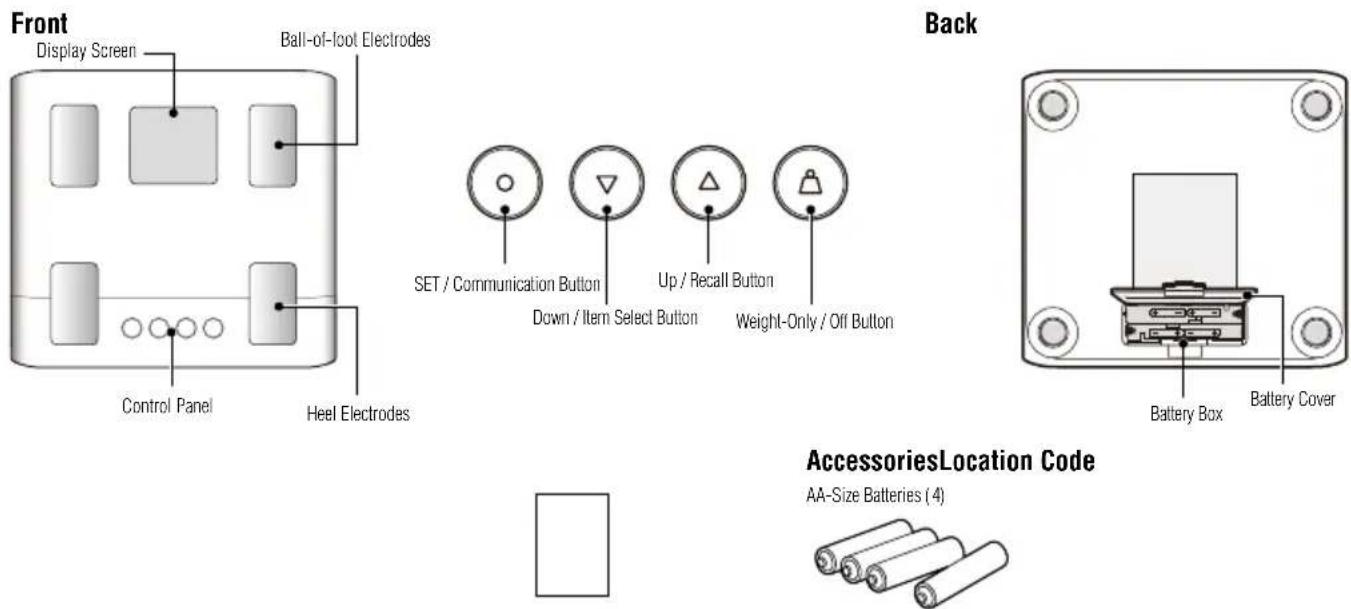
Features and Functions
For Your Safety
This section explains precautionary measures to be taken to avoid injury to the users of this device and others, and to prevent damage to property. Please familiarize yourself with this information to ensure safe operation of this equipment.
 | Failure to follow instructions highlighted with this mark could result in death or severe injury. |
 | Failure to follow instructions highlighted with this mark could result in injury or damage to property. |
 | This mark indicates actions that are prohibited. |
 | This mark indicates instructions that must always be followed. |
Warning
 Prohibited Prohibited | This monitor must not be used by people with pacemakers or other medical implants.This monitor passes a weak electrical current through the body which could interfere with and cause the malfunction of electrical medical implants, resulting in serious harm to the user. |
| Do not use if an error is confirmed with this unit before and during use.If you use it while there is an abnormality, there is a risk that you will be injured or that you will not be able to measure accurately. | |
| Interpretation of measurements (e.g. evaluation of measurements and formulation of exercise programmes based on the measurements) must be performed by a professional.Implementing weight loss measures and exercise programmes based on self-analysis could be harmful to your health. Always follow the advice of a qualified professional. | |
| Do not heat this unit or batteries.There is a risk of injury or fire due to the deformation of this unit or the ignition of the battery. | |
| Do not step on the edge of the platform.Do not jump onto, or on the monitor.Doing so may cause you to fall or slip, resulting in serious injury. | |
| Do not place this monitor on a slippery surface such as a wet floor.Doing so may cause you to fall or slip, resulting in serious injury. It may also cause water to get inside the monitor resulting in damage to internal components. |
Caution
 Prohibited Prohibited | Do not stand on the display screen or control panel. |
| Do not insert your fingers into gaps or holes.Doing so may result in injury. | |
| Do not use rechargeable batteries.Do not use old batteries together with new batteries, or a mix of different types of batteries at the same time.Doing so may cause battery fluid to leak or the batteries to become excessively hot and rupture, resulting in damage to the monitor or injury. | |
| Never allow an infant or small child to carry the monitor.The child may drop the monitor, resulting in injury.Store out of reach of small children.Small children may become caught up in the cables, resulting in injury. | |
| This monitor is intended for home use only.This monitor is not intended for professional use including hospitals, medical or fitness facilities. It is not equipped with the components required for heavy usage. Using the monitor in a professional location will invalidate the warranty. | |
| Do not use batteries other than those specified.Do not use rechargeable batteries.Rechargeable batteries with a nominal voltage of 1.2 V or less may malfunction or fail because the voltage required for the operation of this unit cannot be obtained. Be sure to use the specified batteries. | |
 Always... Always... | Place the monitor on a hard, flat surface where there is minimal vibration to ensure safe and accurate measurement. |
| Avoid excessive impact or vibration to the monitor.Doing so may damage the monitor or cause it to malfunction,or may cause setting to be erased. | |
| Do not use or store this monitor in the following locations.Locations that are exposed to direct sunlight, near to heaters, or exposed directly to air from air conditioning units, etc.Locations where there are severe temperature changes or a large amount of vibration.Locations with high levels of humidity or moistureDoing so may damage the monitor or cause it to malfunction. | |
| Do not step on the monitor when your body is wet (immediately after a shower or bath, etc.)Be sure to thoroughly dry your body and feet before using the monitor. Failure to do so may cause you to slip or fall, resulting in injury. Also, the monitor cannot take accurate measurements if your body or feet are wet. | |
| Keep away from water. | |
| Do not use boiling water, benzene, thinner or alcohol, etc. to clean the monitor.If the monitor becomes dirty, soak a soft cloth in water or neutral household detergent, wring it out thoroughly and wipe the monitor clean, then use a dry cloth to wipe the monitor dry. | |
| Do not attempt to disassemble the monitor. Do not modify this equipment in any way.Do not wash the monitor in water.Do not submerge this monitor in water.Doing so may damage the monitor or cause it to malfunction. | |
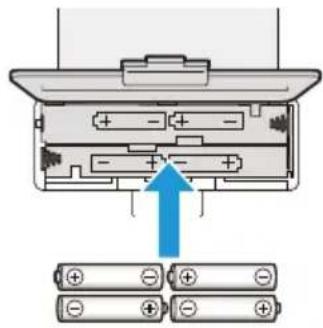
| Be sure to insert the batteries with the polarities (+,-) in the correct position.If the batteries are incorrectly inserted, battery fluid may leak and damage the floor. (If you do not intend to use this monitor for a long period of time, it is advisable to remove the batteries before storage.) | |
| Do not use the monitor near other products such as microwave ovens that emit electromagnetic waves.Doing so may cause the monitor to malfunction, preventing accurate measurements. | |
| Another person should assist persons with disabilities who may not be able to take a measurement alone. | |
| Avoid measuring after over-eating or over-drinking, or when severely dehydrated.This may cause inaccurate measurements. For greater accuracy, avoid using directly after waking up.Use at the same time of day each time, at least two hours after the last meal. | |
| Avoid taking measurements after spending time in a sauna, bath or after intense exercise.This may cause inaccurate measurements. Please take measurements after sufficient rest. | |
| Avoid taking measurements when your physical condition is poor (hangover, diarrhea, fever, etc.).Doing so may cause error in the measured value. Resume measuring once you have recovered. | |
| Perform measurement with as little clothing on as possible.Weight of clothing worn will be included in measurements. | |
| Be sure that your toes and heels are correctly aligned with the electrodes on the measurement platform.The body fat percentage displayed may be low or result in an “Err” (error) display if contact between the electrodes and the soles of the feet is poor. | |
| If you do not undress, always remove your socks or stockings,and be sure the soles of your feet are clean before stepping on the measuring platform. | |
| Use in a stable location. Errors in measurements may occur if the device is used in an unstable location. | |
| An accurate reading will not be possible if your knees are bent or you are in a sitting position. | |
| Do not move during measurement.This causes inaccurate measurements. | |
| Ensure arms are not touching sides and inner thighs are not touching each other during measurement.If necessary, place a dry towel between arm and side and/or between thighs. |
Getting Accurate Readings
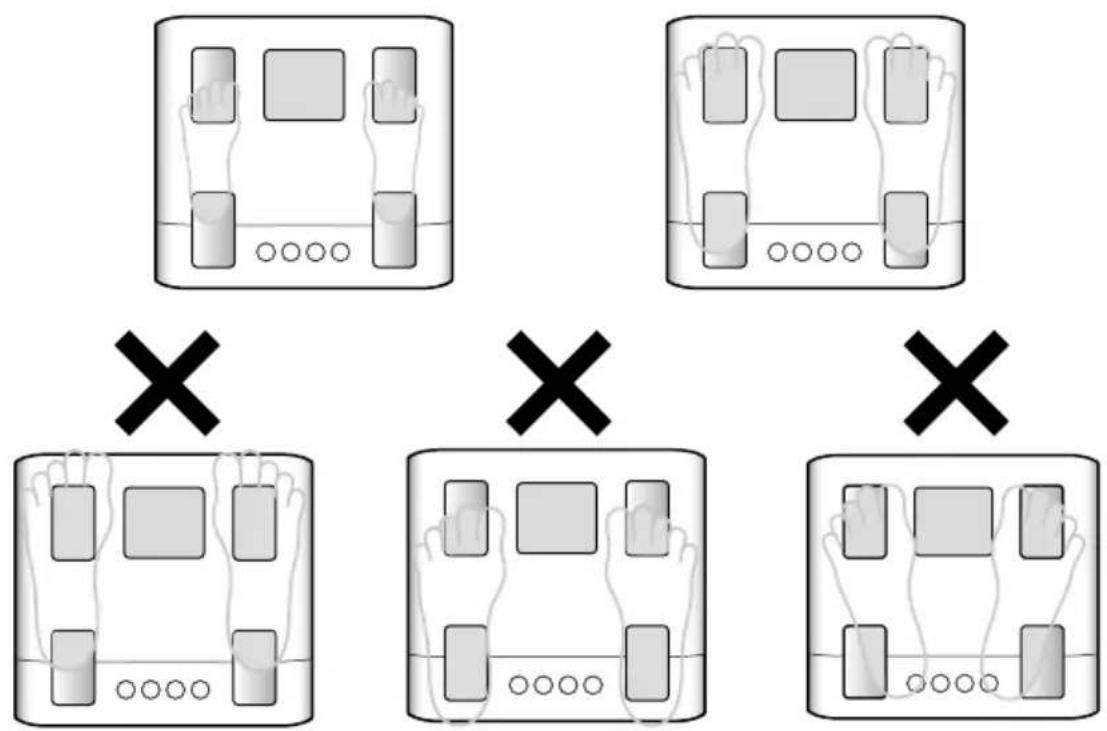
To ensure accuracy, readings should be taken without clothing and under consistent conditions of hydration. Always remove your socks or stockings, and be sure the soles of your feet are clean before stepping on the measuring platform. Be sure that the arch of each foot is aligned with the center of the measuring platform. Don't worry if your feet appear too large for the unit, accurate readings can still be obtained if your toes overhang the platform. It is best to take readings at the same time of day. Try to wait about two hours after getting up, eating, or strenuous exercise before taking measurements. While readings taken under other conditions may not have the same absolute values, they are accurate for determining the percentage change as long as the readings are taken in a consistent manner. To monitor your progress, compare your weight and body fat percentage readings taken under the same conditions over a period of time.
Note:
- An accurate reading will not be possible if the soles of your feet are not clean, if your knees are bent or if you are sitting down.
- When performing measurements without clothes on, make sure your arms do not make contact with your body and that your stance is wide enough that your legs don't touch. Failure to do so may prevent correct measurements.
Note:
If any of the following apply, we recommend that you watch the transition as a reference value.
• People who have metal in their bodies.
- Those taking medications that induce changes in body moisture (e.g. diuretics, etc.).
- Those who are pregnant, on dialysis, or have symptoms of swelling.
Preparations Before Use
Inserting the Batteries
Note:
- Be sure that the batteries are inserted in the correct orientation. If the batteries are inserted incorrectly, fluid may leak from the batteries and damage the floor.
- If you do not intend to use this unit for a long period of time, remove the batteries before storage.
- The included batteries from factory may have decreased energy levels over time.
Changing the Weighing Unit
- When the power is off, press and hold the △ button for more than three seconds.
- Use the △▼ button to switch the weighing unit.
- Press the button.
Note:
If weighing unit is set to pounds or stone-pounds, the height programming mode is automatically set to feet and inches. Similarly, if kilograms is selected, height is automatically set to centimeters.
Set Your Location Code
Different locations across the world have different gravitational pulls. These differences affect the accuracy of the weight measurement. You can obtain the most accurate weight readings by selecting the correct gravity setting on the monitor according to your geographical location.
- When the power is off, press and hold the ⬆ button.
- Refer to the map enclosed, and press the 🔊 buttons to select your location code.
- Press the ⏻ button to enter and save the setting.
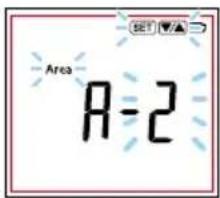
Note:
- When the power is turned on for the first time, the regional setting screen will be displayed even if you press 🔒 🔒.
- If the area of use changes due to moving, etc., check that the power is off, then press and hold for at least 3 seconds. Reset your region in steps 2 to 3.
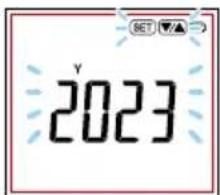
Setting the Date and Time
- Press and hold the button for more than three seconds.
- Select the year using the △ and ▼ buttons.
- Press to confirm.
Set the day and hour in the same way.
The power automatically turns off after displaying the set region, year, month, day and time.
Initial Setup (Type 1) Setup via Smartphone
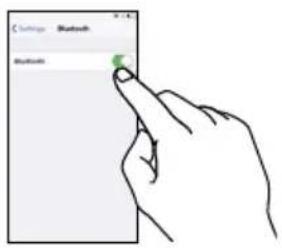
- Download the MY TANITA Healthcare app in the Google Play store or the Apple App store. Also turn on Bluetooth® in the settings of your phone.
Note:
• See the TANITA website for details on supported models.
- If you do not wish to use the dedicated app, configure the settings manually on the body composition monitor. (P.7)
- You need to register your smartphone again if you replace your smartphone.
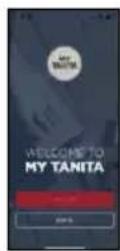
- Launch the app, register with your email address and create a personal profile.
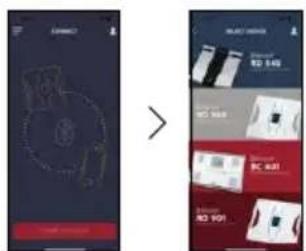
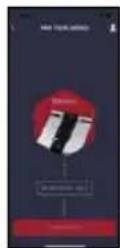
- Set up to pair your TANITA device. Select which device you want to pair with.
- Pair/synchronise
Note:
The approximate communication distance is 5 m in an unobstructed location.
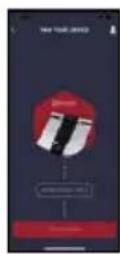
- Follow the instructions on the app, and press and hold the Ⓞ (communication) button on the Body Composition Monitor for 3 seconds.
Note:
- When registering your body composition, place the Body Composition Monitor on a hard, flat floor and step on it with bare feet.
- Follow the instructions on the app and measure your body composition. When measurement is complete, the connection to the smartphone is disconnected.
The screen displays and instructions may differ depending on the app specifications.
Initial Setup (Type 2) From Body Composition Monitor
The Body Composition Monitor can only be operated if data has been programmed into one of the personal data memories. Only weight measurements can be taken if you use the Body Composition Monitor without registering personal data.
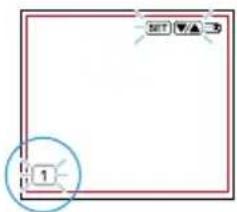
1. Select your ID Number
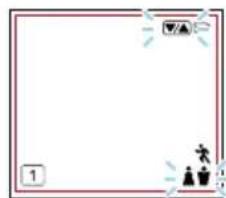
Press the ◇ button to turn on the monitor. Press the △▼ buttons to select a your ID number (1-5). Press the ◇ button to confirm.
Note:
- The monitor turns off automatically if it is not operated for 60 seconds.
- If you make a mistake or want to turn the monitor off before you have finished programming it, press the 🔒 button to force quit. Partially registered data is saved on the monitor.
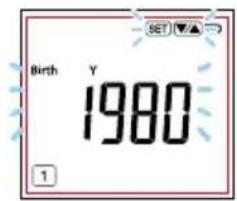
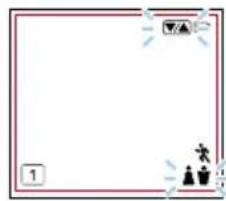
2. Set Your Birthday
Set the date of your birthday (Year / Month / Day) using the △▼ buttons. Press the ◎ button to enter each item.
Note:
Year settings can be configured from 1900 onwards.
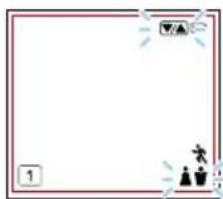
3. Select Female or Male
Use the ⏻ button to scroll through Male [💡], female [💡], male athlete [💡] and female athlete [💡] settings, then press the ⏻ button.
Who should use Athlete Mode?
Adults aged 18 years and over who either:
- Train or exercise for 12 hours or more a week and have been doing so for at least six months.
- Are body builders.
- Are professional athletes who want to monitor their progress at home.
- Have a lifetime history of fitness and who used to do more than 12 hours a week but do less now.
natural_image
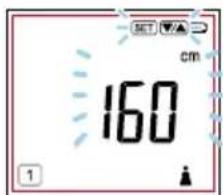
Blank white square frame with decorative border and small icons (no text or symbols)4. Set Your Height
The default height is 170cm (5' 7.0") (height range is 90cm - 220cm or 3'0.0" - 7'3.0"). Use the △▼ buttons to set your height and then press the ◎ button. The display shows "□□□" (or 0.0lb, 0.0stlb) and the monitor is ready for measurement.
5. Measuring Your Body Composition
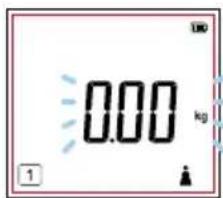
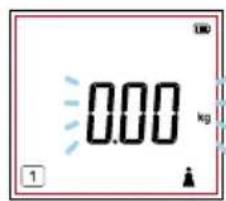
Check "☐☐☐." (0.0lb, 0.0stlb) is shown on the display, then step on the monitor. Registered personal data and the measurement results are displayed in order, then the power switches off automatically.
Taking Measurements
You can start taking measurements when you have finished entering your personal data.
1. Step onto the Monitor
Step onto the monitor when the power is off. The monitor starts measuring automatically.
2. View Your Results
After taking measurements, your results are automatically displayed in the order listed on the pg.14. After the last result data is displayed, the weight is displayed again and then the monitor automatically turns off.
Note:
- Do not step off until “☐☐☐☐” disappears.
If the wrong ID number is displayed
Press the ⚠ button to select your ID number while readings or personal data is being displayed.
Then press the ◦ button to display your own personal data and measurement results.
Situations where mis-recognition may occur
- When measuring people who have similar weights and body shapes
- When measurements have not been taken for a few days and there is a reasonable change in body weight
- When measuring directly after having the monitor stood upright, carrying the monitor or storing it with items placed on top. If the monitor continues to mis-recognize, specify your ID number manually before measurement. (pg.12)
If you do not have your smartphone when taking measurements.
Simply step onto the monitor. The auto-recognition feature will automatically recall your personal data. Your monitor will store up to 10 sets of measurements.
Saved data is sent to the smartphone together with new measurements the next time the smartphone is connected to the monitor when taking measurements.
Note: Up to 10 measurements can be stored in the device per ID number.
Each new data entered after this amount causes the oldest data to be deleted.
will notify you if pairing is complete and there is unsent data.
Taking Measurements with Auto-Recognition
What is the Auto-Recognition Function?
This function automatically recalls registered users and displays their results after they step onto the measuring platform. This feature reduces hassle by eliminating the need to specify the user every use.
Note:
The auto-recognition function may automatically transition you to ID selection mode in situations such as those listed below:
- When measuring similar body sizes or weights
- When a change of weight has occurred after several days without a measurement. If such situations continue, specify your ID number before measuring (pg. 12).
Use this device only with your bare feet and on a hard, flat, stable floor.
Step barefoot onto the measuring platform.
Note:
- Please refrain from moving during measurement.
- In order to measure with the auto-recognition function, first enter your personal data.(pg. 8)
• Measurements cannot be taken with auto-recognition unless this information is registered.
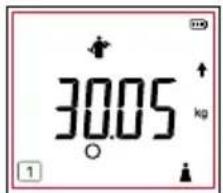
Weight is displayed.

Measure your body composition and verify it against your registered details.

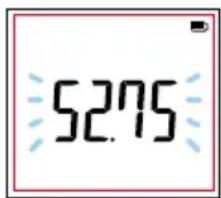
Step down from the monitor when you hear a series of short beeps.

Auto-recognition data is displayed. Please make sure that the displayed data matches your registered content.
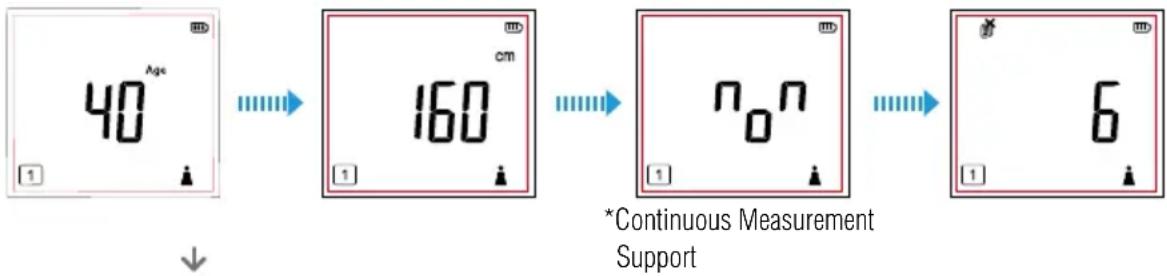
The device automatically turns off after measurement results have been displayed. (Reviewing Measurement Results, pg. 14)
Note:
- If the auto-recognition function discovers multiple possible candidates for the current user, the device automatically switches to the ID selection mode after body composition measurement is complete (pg. 12).
Select your ID number using the △ buttons, then press to confirm.
*If the device repeatedly switches to ID selection mode, enter your ID before conducting a measurement (pg. 12).
- If you forget to turn off the power, the device automatically turns off (display turns off) in the following cases:
If no operations are performed on measuring platform for more than 60 seconds If no weight is detected on the measuring platform at any time during measurement If a single measurement result is displayed for more than 40 seconds
*What is Continuous Measurement Support?
This function encourages the user to continue daily measurement by changing the on-screen facial expression according to the continuation status.
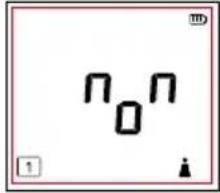
Displayed when measured daily
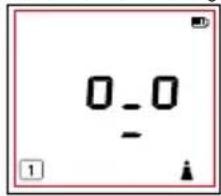
Indicated if no measurements have been taken for 1-6 days
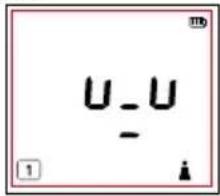
Display if no measurement has been taken for more than 7 days
Measuring with an ID Number (Call Measurement)
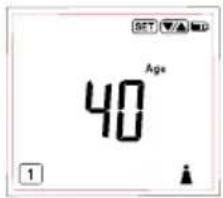
Enter your ID number and take measurements without using auto-recognition. Use this method if using auto-recognition repeatedly causes the device to switch to ID select mode, etc. Place the body composition monitor on a hard, flat, stable floor.
-
When the power is off, press the ⬆ button to start measuring. Select your ID number using the ⬆ ▼ buttons and then press the ⬆ button.
-
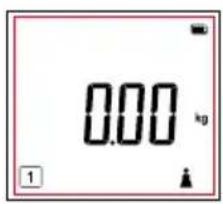
Step onto the monitor when "000." (0.0lb, 0.0stlb) appears in the display. The monitor turns off automatically after displaying the measurement results.
Note:
- If you step onto the monitor before "000" (0.0lb, 0.0stlb) is displayed, "Err ,-0L " is displayed and the power turns off during measurement.
Taking Measurements Without Registering (Guest User Measurements / Weight Only Measurements)
Guest User Measurements
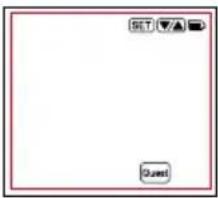
Guest mode allows you to program the monitor for one-time use without using the ID number.
Press the 🔒 button to select "GUEST", then press the 🔒 button.
Next, follow the steps below:
Set the age, gender (male/ female/ male athlete/ female athlete) and height.
Step onto the monitor after "☐☐☐." (0.0lb, 0.0stlb) is displayed.
The readings are displayed for 40 seconds.
Note:
The age range is from 5 to 99.
Who should use Athlete Mode?
Adults aged 18 years and over who either:
- Train or exercise for 12 hours or more a week and have been doing so for at least six months.
- Are body builders.
- Are professional athletes who want to monitor their progress at home.
• Have a lifetime history of fitness and who used to do more than 12 hours a week but do less now. - Do not step off until "0000" disappears.
Weight Only Measurements
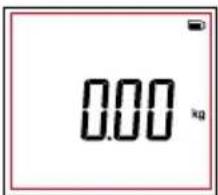
Press the ⚙ button. After 2 or 3 seconds, “000.”(0.0lb, 0.0stlb) is displayed.
When "000." (0.0lb, 0.0stlb) is displayed, step onto the monitor.
The body weight measurement is displayed, and the monitor power turns off automatically after approximately 20 seconds.
Note:
- If you forget to turn off the power, the device automatically turns off (display turns off) in the following cases: If no operations are performed on the measuring platform for more than 60 seconds If no weight is detected on the measuring platform at any time during measurement If a single measurement result is displayed for more than 40 seconds
Reviewing Measurement Results
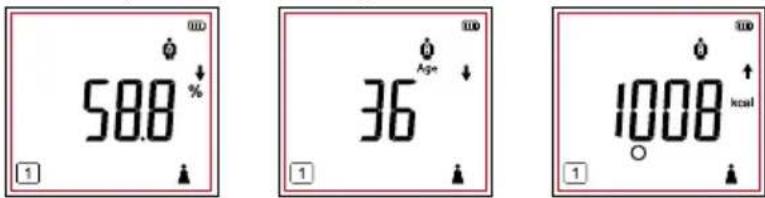
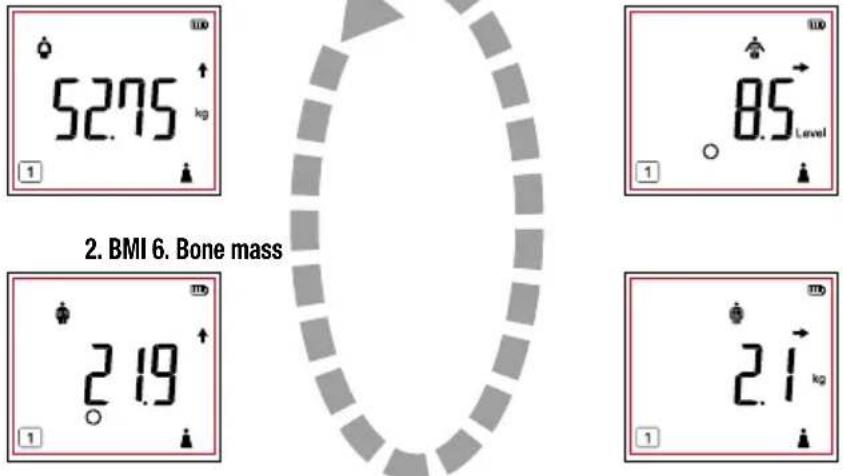
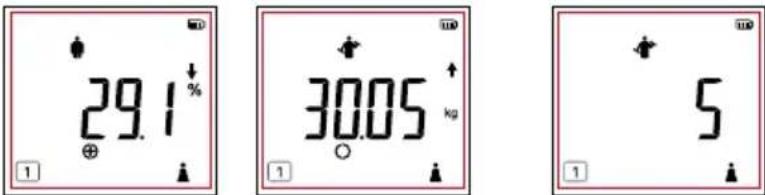
Measurement results are displayed after your personal information. Each item is displayed before switching to the next item.
Finally, your weight is displayed and then the power turns off after about 40 seconds.
- The displayed item can be switched by pressing ☑ while measurement results are being displayed.
-
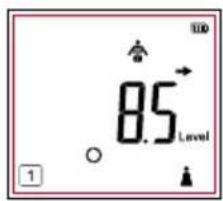
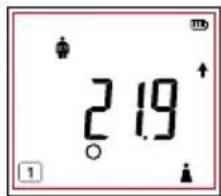
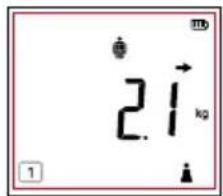
The ↑↓ → icons on the measurement result screen indicate either a positive or negative change since the last measurement was taken.
-
Total body water % 9. Metabolic age 8. BMR
-
Body weight 7. Visceral fat level
-
Body fat % 4. Muscle mass 5. Physique Rating
| - | ⊖ | ○ | ⊕ | + | ++ | |
| BMI OverLow ObeseNormal range | ||||||
| Body Fat Percentage Assessment | Low | Standard - | Over | ObeseStar | ||
| Muscle Mass Assessment | Low | Average | High | |||
| Visceral Fat Level Assessment | Average | High | ||||
| BMR Assessment | Low | Average | High |
ndard +
For people aged 5 to 17, the following facial display will appear after displaying their body fat percentage.
For people aged 5 to 17, the following facial display will appear after displaying their muscle mass.
| Body Fat Percentage Assessment | ||
| In the case of Low assessment | In the case of Standard - / Standard + / Over assessment | In the case of Obese assessment |
| Muscle Mass Assessment | ||
| Low Average High |
Changing Personal Data
- When the power is off, press
- Select your ID number (1-5) using the 🔒 buttons.
- Press to confirm.
Follow the steps as listed on pg.9 to change your personal data.
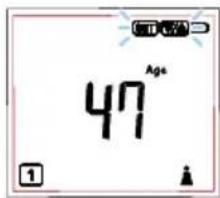
Adjusting Date of Birth / Gender
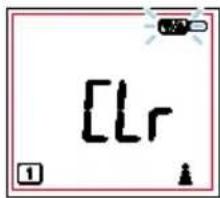
[LR] is displayed.
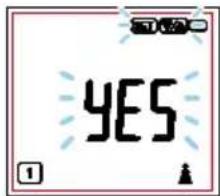
- Select YES using the 🔒 buttons.
- Press ⊙ to confirm.
- After "000." (0.0lb, 0.0stlb) is displayed, carefully step barefoot onto the measuring platform. (Measurement procedures, pg. 9)
The power automatically turns off after the adjusted personal data and measurement results have been displayed.
Using the clear function to change personal data via a connected smartphone erases any data saved before the change, as well as any data stored in the device.
Note:
- You must connect your smartphone to use an app.
Set up the body composition monitor according to the "Setup via Smartphone" (pg. 8) instructions. - If no is selected, data cannot be overwritten.
- Press ⬆ to cancel a selection or turn off the power.
- If you forget to turn off the power, the device automatically turns off (display turns off) in the following cases: If no operations are performed on the measuring platform for more than 60 seconds If no weight is detected on the measuring platform at any time during measurement If a single measurement result is displayed for more than 40 seconds
Erasing Personal Data
- When the power is off, press
- Select your ID number to be deleted using the ● buttons.
- Press and hold for more than 3 seconds. is displayed.
- Select YES using the 🔒 buttons.
- Press to confirm.
The personal data to be deleted is displayed then deleted.
Deleting personal data connected to a smart phone also causes measurement data to be deleted from the device.
Note:
- Press to cancel a selection or turn off the power.
- If you forget to turn off the power, the device automatically turns off (display turns off) in the following cases: If no operations are performed on the measuring platform for more than 60 seconds If no weight is detected on the measuring platform at any time during measurement If a single measurement result is displayed for more than 40 seconds
Troubleshooting
If you are having problems with your device, check the following information before requesting repairs.
| Problem Check | Reference Page | |
| Nothing is displayed no matter which button is pressed. | Are batteries inserted correctly?Are the batteries worn out?Is there plastic or dirt covering the battery terminals? | 7 |
| “Lo” is displayed. | Check the orientation of the batteries, and insert them correctly.Batteries have become worn. Replace as soon as possible. | |
| Text disappears immediately after being displayed. | Batteries have become worn. Replace as soon as possible.“Lo” may not be displayed if the remaining battery power is too low. | |
| The regional settings screen is displayed when a button is pressed. | The region, time and date need to be set in order to measure body composition.Set the region, time and date. | 7 |
| The date and time setting screen is displayed when a button is pressed. | Date and time need to be set in order to measure body composition.Set the date and time. | 7 |
| “Err” is displayed during measurement. | Did you move during measurement? | 11 |
| Nothing is displayed when I step on the measuring platform. | Are you moving during the measurement? What is the position and posture of the standstill?Are the soles of your feet dirty?Are you measuring with socks, etc. on? | 6,11 |
| Power turns off during measurement (display disappears). | Did you step off the measuring platform during measurement? | |
| “OL” is displayed during measurement. | The 150kg measurement range was exceeded. (Measurement is not possible in this case). | 18 |
| “-OL” is displayed during measurement. | Did you step on the measuring platform before “000,” was displayed?Be sure to wait until “000,” is displayed before stepping on the measuring platform. | 12-13 |
| “Err” is displayed as the body composition after measurement. | Are the personal data settings wrong? | 8,9 |
| Did you select a different person’s ID number? | 12 | |
| One or more of the measurement items exceeds the measurement range. (Measurement is not possible in this case). | - | |
| The displayed weight measurement is clearly wrong. | Be sure to place the device on a hard, flat and stable floor for measurement. | 11 |
| Only the weight is displayed. | Have you set up your personal data? | 9 |
| Only the weight is displayed for children 0 to 4 years of age. | 18 | |
| Numerical values are flashing all the time. | Are you still on this device? Please step off. | 11 |
| “Errb” is displayed. | When not in use, the Body Composition Monitor will periodically calibrate in preparation for the next weighing. If the unit has been stored horizontally, with items placed on top or moved from one location to another, select your personal data number as explained on p.12 prior to taking your measurement. | 12 |
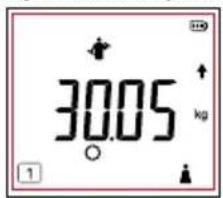
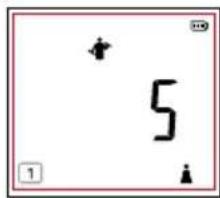
| Body fat percentage is displayed as 5% after measurement. | Body fat percentages lower than 5% cannot be measured (displayed as 5%). | - |
| When measuring with the automatic recognition function, a different person’s ID number is displayed. | Incorrect recognition may occur if multiple people with similar weights and electrical resistivity are registered. | 11,12 |
| Only weight, BMI, body fat percentage, Muscle Mass and Bone Mass are displayed. | Items other than weight, BMI, body fat percentage, Muscle Mass and Bone Mass cannot be displayed for persons aged 5 to 17. | 18 |
| Cannot measure body composition even when individual data is set. | Individual data settings are incomplete.You need to measure body composition once after entering individual data. | 9 |
| “Crl” is displayed. | This confirmation is displayed when changing or deleting individual data.It is not an Err. | 16 |
| “ErCP” and “ErCd” are displayed.“ErCP” is displayed over and over. | Are the device and smartphone within communication range?The communication range for the device is 5m with no obstructions. | 8 |
| 8□is | ||
| “ErCU” is displayed. | Delete the device registration from the “Settings” > “Bluetooth” settings on the smartphone, then try pairing the device with the smartphone again. | 8 |
| “ErC9” is displayed.The device and smartphone cannot connect. | Remove and replace the batteries. | 7 |
| The contents of the regional and date/time settings have been changed. | When used in conjunction with a smartphone, the smartphone’s regional and date/time settings are overwritten on this device. | 7 |
| The “Measure body composition” button in the app does not work. | Is “Bluetooth” turned on in the smartphone settings? | 8 |
| The “Enter data” button in the app does not work. | The connection between the app and device is only enabled when the device power is off.Check that the device power is off, then try again. | - |
| Body weight is not stable.Body weight is less than usual. | If used on a soft surface such as a carpet, the underside of the measuring platform may touch the floor, preventing accurate readings.Perform measurements on a hard, flat and stable floor. | 11 |
| The device switches on even though the power has not been switched on. | Is a device that has a communication function, microwave oven or other device that emits radio waves such as a wireless telephone being used near the device? | 5 |
"Bluetooth" turne

Specifications
BC-333LE
Weight Capacity
150kg (330lb/23st8lb)
Weight Increments
0—100kg/0.05kg 100—150kg/0.1kg
(0—200lb/0.1lb 200—330lb/0.2lb)
(0—15st0lb/0.1lb 15st0lb—23st8lb/0.2lb)
Applicable Age Range
Muscle Mass
5-99 years old
Body Fat (%)
5-99 years old
Physique Rating
18-99 years old
Visceral Fat Rating
18-99 years old
Metabolic Age
18-99 years old
Basal Metabolic Rate
18-99 years old
Bone Mass
5-99 years old
Body Water %
18-99 years old
Body Mass Index
5-99 years old
Personal Data
5 memories
Time accuracy
Within ±1 minute per month (+18 — +28°C)
Power Supply
4×AA Alkaline batteries (included)
Power Consumption
60mA Maximum
Measuring Current
50kHz, 5kHz, 100μA
Communication Method
Bluetooth Low Energy technology
Frequency Band
2402-2480 MHz
Maximum RF Output Power (adaptive frequency)
2 dBm (2402-2480 MHz)
- The product design and specifications may be changed at any time without prior notice.
• Apple and the Apple logo are trademarks of Apple Inc. App Store is a service mark of Apple Inc.
• Google Play is a trademark of Google LLC.
• The Bluetooth word mark and logos are registered trademarks owned by Bluetooth SIG, Inc. and any use of such marks by TANITA Corporation is under license.
Disposal
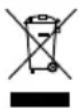
This product is an electronic device.
Please dispose of this product appropriately, not as general household waste. Be sure to follow the regulations in your area when disposing of this product.

Not allowed to mix batteries with consumer wastes!
As consumer you are legally bound to return used or discharged batteries. You can deposit your old batteries at the public collecting points in your town, or wherever the corresponding batteries are sold and specifically marked collecting boxes have been set up. In case of scrapping the apparatus, the batteries should be removed from it and deposited at the collecting points as well.
Hereby, TANITA declares that the radio equipment type BC-333LE is in compliance with Directives: 2014/53/EU and 2011/65/EU.
The full text of the EU declaration of conformity is available at the following internet address:
https://tanita.eu/declaration-of-conformity

Einleitung
natural_image
Blank white image with a red border, no visible text, symbols, or identifiable objects.Hinweis:
- BMI 6. Knochenmasse
https://tanita.eu/declaration-of-conformity
Introduction
natural_image
Blank white square frame with decorative border and small icons (no text or symbols)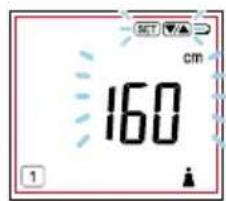
Prendre des mesures
Remarque:
- Masse musculaire
natural_image
Blank whiteboard with decorative border and small icons (no text or symbols)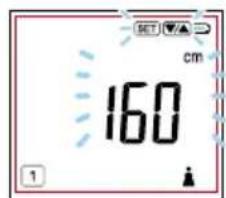
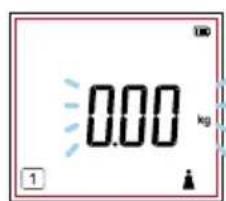
Metingen doen
natural_image
Empty white square with a small icon in the bottom-right corner (no text or symbols)Opmerking:
- BMI 6. Beendermassa
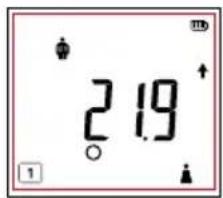
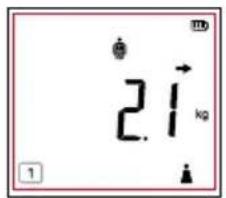
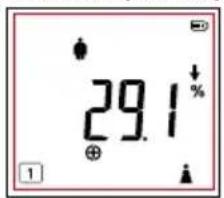
- Lichaamsvetpercentage 4. Spiermassa 5. Fysieke conditie
Amsterdam, the Netherlands
TEL: +31-(0)20-560-2970
FAX: +31-(0)20-560-2988
www.tanita.eu
TANITA Corporation of America, Inc.
2625 South Clearbrook Drive,
Arlington Heights, Illinois 60005 U.S.A.
TEL: +1-847-640-9241
FAX: +1-847-640-9261
www.tanita.com
TANITA Health Equipment H.K. Ltd.
Unit 301-303, Wing On Plaza, 3/F., 62 Mody Road,
Tsimshatsui East, Kowloon, Hong Kong
TEL: +852-2834-3917
FAX: +852-2838-8667
www.tanita.asia
TANITA (Shanghai) Trading Co., Ltd.
Room 8005, 877 Huai Hai Zhong Lu, Shanghai,
The People's Republic of China
TEL: +86-21-6474-6803
FAX: +86-21-6474-7901
www.tanita.com.cn

- Body Composition Monitor BC-333LE
- Instruction Manual
- Bedienungsanleitung
- Safety Precautions
- Important Notes for Users
- Features and Functions
- For Your Safety
- Warning
- Caution
- Getting Accurate Readings
- Note:
- Preparations Before Use
- Inserting the Batteries
- Changing the Weighing Unit
- Set Your Location Code
- Setting the Date and Time
- Initial Setup (Type 1) Setup via Smartphone
- Initial Setup (Type 2) From Body Composition Monitor
- Select your ID Number
- Set Your Birthday
- Select Female or Male
- Set Your Height
- Measuring Your Body Composition
- Taking Measurements
- Step onto the Monitor
- View Your Results
- If the wrong ID number is displayed
- If you do not have your smartphone when taking measurements.
- Taking Measurements with Auto-Recognition
- What is the Auto-Recognition Function?
- Measuring with an ID Number (Call Measurement)
- Taking Measurements Without Registering (Guest User Measurements / Weight Only Measurements)
- Guest User Measurements
- Weight Only Measurements
- Reviewing Measurement Results
- Changing Personal Data
- Adjusting Date of Birth / Gender
- Erasing Personal Data
- Troubleshooting
- Specifications
- Weight Capacity
- Weight Increments
- Applicable Age Range
- Personal Data
- Time accuracy
- Power Supply
- Power Consumption
- Measuring Current
- Communication Method
- Frequency Band
- Maximum RF Output Power (adaptive frequency)
- Disposal
- Not allowed to mix batteries with consumer wastes!
- Einleitung
- Hinweis:
- Introduction
- Prendre des mesures
- Remarque:
- Metingen doen
- Opmerking:
- TANITA Corporation of America, Inc.
- TANITA Health Equipment H.K. Ltd.
- TANITA (Shanghai) Trading Co., Ltd.
Brand : TANITA
Model : BC-333LE
Category : Scale