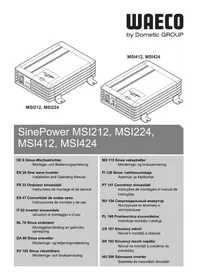
SinePower MSI224 - Camping WAECO - Free user manual and instructions
Find the device manual for free SinePower MSI224 WAECO in PDF.


| Brand | WAECO |
| Model | SinePower MSI224 |
| Product Type | Sinewave inverter |
| Nominal Input Voltage | 24 V DC |
| Input Voltage Range | 22 - 30 V DC |
| Output Voltage | 230 V AC, sinewave |
| Output Frequency | 50 Hz |
| Continuous Power | 150 W |
| Peak Power | 300 W |
| No Load Consumption | < 0,5 A |
| USB Port | 5 V, 2000 mA |
| Protections | Short circuit, overload, overtemperature, undervoltage, overvoltage |
| Cooling | Fan |
| Ambient Temperature | 0 °C to 40 °C |
| Dimensions | 124 x 199 x 49 mm |
| Weight | 0,8 kg |
| Mounting | 4 brackets included (horizontal or vertical mounting) |
| Connection | 24 V cigarette lighter plug (male) |
| Minimum Clearance | 25 cm around the device |
| Max Battery Cable Length | 2 m |
| Battery Undervoltage Alarm | < 22 V |
| Certification | CE |
| Intended Use | Vehicles, camping |
Frequently Asked Questions - SinePower MSI224 WAECO
User questions about SinePower MSI224 WAECO
0 question about this device. Answer the ones you know or ask your own.
Ask a new question about this device
Download the instructions for your Camping in PDF format for free! Find your manual SinePower MSI224 - WAECO and take your electronic device back in hand. On this page are published all the documents necessary for the use of your device. SinePower MSI224 by WAECO.
USER MANUAL SinePower MSI224 WAECO
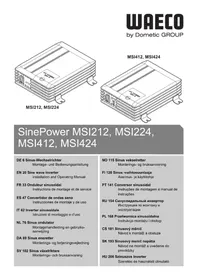
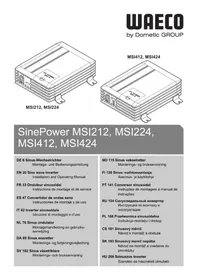
SinePower MSI212, MSI224, MSI412, MSI424
Installation and Operating Manual
Please read this instruction manual carefully before installation and first use, and store it in a safe place. If you pass on the product to another person, hand over this instruction manual along with it.
Contents
1 Explanation of symbols 20
2 Safety instructions 21
3 Scope of delivery 23
4 Intended use 23
5 Technical description 24
6 Fastening the inverter 25
7 Connecting the inverter 26
8 Using the inverter. 28
9 Cleaning and caring for the inverter. 28
10 Rectifying faults 29
11 Guarantee 30
12 Disposal 30
13 Technical data 31
1 Explanation of symbols

WARNING!
Safety instruction: Failure to observe this instruction can cause fatal or serious injury.

CAUTION!
Safety instruction: Failure to observe this instruction can lead to injury.

NOTICE!
Failure to observe this instruction can cause material damage and impair the function of the product.

NOTE
Supplementary information for operating the product.
Action: This symbol indicates that action is required on your part. The required action is described step-by-step.
This symbol describes the result of an action.
Fig. 1 5, page 3: This refers to an element in an illustration. In this case, item 5 in figure 1 on page 3.
2 Safety instructions
The manufacturer accepts no liability for damage in the following cases:
- Faulty assembly or connection
- Damage to the product resulting from mechanical influences and excess voltage
- Alterations to the product without express permission from the manufacturer
- Use for purposes other than those described in the operating manual
2.1 General safety

WARNING!
- Electronic devices are not toys!
Keep electrical appliances out of reach from children or infirm persons. Do not let them use the appliances without supervision.
- Persons (including children) whose physical, sensory or mental capabilities or lack of experience and knowledge prevents them from using the appliance safely should not use this appliance without initial supervision or instruction by a responsible person.
Use the device only as intended. -
Do not operate the device in a damp or wet environment.
-
Maintenance and repair work may only be carried out by qualified personnel who are familiar with the risks involved and the relevant regulations.
2.2 Safety when installing the device

WARNING!
- Take the precautions necessary to ensure that children cannot interfere with operation.
Dangerous situations may occur which cannot be recognised by children!

CAUTION!
- Ensure the device is standing firmly.
The device must be set up and fastened in such a way that it cannot tip over or fall down.

NOTICE!
- Do not expose the device to a heat source (such as direct sunlight or heating). Avoid additional heating of the device in this way.
Electrical cables

CAUTION!
- Lay the cables so that they cannot be tripped over or damaged.

NOTICE!
- If cables have to be fed through metal walls or other walls with sharp edges, use ducts or wire bushings to prevent damage.
- Do not lay cables which are loose or bent next to electrically conductive material (metal).
- Do not pull on the cables.
- Do not lay the 230V mains cable and the 12/24V DC cable in the same duct.
- Fasten the cables securely.
2.3 Operating the appliance safely

WARNING!
- Operate the device only if you are certain that the housing and the cables are undamaged.
- Even after the fuse triggers, parts of the inverter remain live.
- Always disconnect the power supply when working on the device.

NOTICE!
- Make sure the air inlets and outlets of the device are not covered.
- Ensure good ventilation.
- Do not connect the 230V output of the inverter (fig. 5 1, page 5) to a different 230V source.
3 Scope of delivery
Sine wave inverter
4 holders
- Instruction Manual
4 Intended use
The SinePower inverters are used to convert a direct current of 12V or 24V into a 230V AC supply of 50Hz .
12V:
SinePower MSI212, item no. 9102600124
SinePower MSI412, item no. 9102600126
24V:
SinePower MSI224, item no. 9102600125
SinePower MSl424, item no. 9102600127
Rechargeable devices with USB interface can be charged via the USB port (5 V, 2000 mA).
This device is exclusively intended for vehicle use.
5 Technical description
The inverters can be used anywhere where there is a 12V = = = or 24V = = voltage source. The inverters are connected to:
- Vehicle socket: MSI212 (12 V==), MSI224 (24 V==)
- Vehicle battery: MSI412 (12 V=), MSI424 (24 V=)
Devices MSI412 and MSI424 can be switched on and off optionally using an external switch.
The devices are additionally cooled with a load and temperature-dependent fan (fig. 2, page 4).
The maximum constant output for the devices is as follows:
For inverters MSI212 and MSI224 150 W
- For inverters MSI412 and MSI424 350 W
Never connect devices that have a higher power requirement.

NOTE
Note when connecting devices with an electrical drive (such as power drills and refrigerators), that they often need more power than is stated on the type plate.
If the system has a short circuit, the device switches off.
If the voltage is too high, the device switches off and must be restarted manually.
If the input voltage is too high or too low or the system overheats, the device switches off and then on again after a short while.
The inverter has the following connections, displays and control elements:
| Pos. in fig. 1, page 3 | Element | |||||
| 1 | S | W | i | t | c | h |
| 0: device is switched off | ||||||
| I: device is switched on | ||||||
| 2 Green Status LED: lights up when inverter is in operation | ||||||
| 3 Red Status LED: indicates malfunction | ||||||
| 4 USB port | ||||||
| 5 MSI412, MSI424 only: Connection for external switch | ||||||
| 6 Cover for 230 V~ safety socket | ||||||
| 7 | H | O | I | d | e | r |
| Pos. in fig. 2, page 4 | Element | |||||
| 1 Connection cable for direct current | ||||||
| 2 | Fan | |||||
6 Fastening the inverter
You can fasten the inverter using the four holders supplied.
When selecting the installation location, observe the following instructions:
The inverter can be mounted horizontally or vertically.
The inverter must be installed in a place that is protected from moisture.
- The inverter may not be installed in the presence of flammable materials.
- The inverter may not be installed in a dusty environment.
- The place of installation must be well-ventilated. A ventilation system must be present for installations in small, closed spaces. The minimum clearance around the inverter must be at least 25 cm .
- The air intake on the underside or the air outlet on the back side of the inverter must remain clear.
- For ambient temperatures higher than 40°C (such as in engine or heating compartments, or direct sunlight), the heat from the inverter under load can lead to the automatic shut-off of the inverter.
- The installation surface must be level and sufficiently strong.

NOTICE!
Before drilling any holes, ensure that no electrical cables or other parts of the vehicle can be damaged by drilling, sawing and filing.
Fasten the inverter as follows (fig. 3, page 4):
Clip two holders on the lower left bar and two on the right.
You can move the holders as required.
Fasten the inverter by screwing one screw through each hole in the holders.
7 Connecting the inverter

NOTICE!
The cable between the battery and the inverter may not exceed a maximum length of 2m .
7.1 Connecting the MSI212 and MSI224
The connection is made via a plug that is connected to a 12 V vehicle socket (for MSI212) and a 24 V vehicle socket (for MSI224).
The middle pin of the plug must be connected to the positive wire (fig. 6 1, page 5) and the two side brackets of the plug must be connected to the negative wire (fig. 6 2, page 5).

NOTICE!
- Make sure that the plug is firmly connected in the vehicle socket. If the connection is loose, the plug may heat up.
- The rating of the vehicle socket, the supply cable, and the fuse must be at least 15 amps. Do not put in a fuse with a higher rating.
7.2 Connecting the MSI412 and MSI424
Make sure that a professional fuse is installed between the positive pole (+) and the inverter. Mind the following values:
MSI412:50A
MSI424: 25 A

NOTICE!
- If no sufficient, professional fuse is installed, the inverter could be damaged and the guarantee is invalidated.
- Do not reverse the polarity. Reversing the polarity of the connections will cause a great spark and the internal fuses will melt. These fuses should only be replaced by a qualified electrician.
To set up the inverter, connect the red cable to the positive pole (+) of the vehicle battery and the black cable to the negative pole (-) of the vehicle battery.
Make sure the vehicle battery terminals are clean when connecting them.
Connecting the external switch contact to the inverter
Connect the external switch to the remote port according to the wiring diagram (fig. 4, page 5).
Put the switch (fig. 1, page 3) in position "l".
The green status LED lights up (fig. 1 2, page 3) when the switch is closed.
8 Using the inverter

NOTE
- When operating the inverter at a high load for lengthy periods, it is advisable to start the engine in order to recharge the vehicle battery.
- You can operate the inverter with the engine running or switched off. However, do not start the engine while the inverter is switched on, since the power supply to the cigarette lighter is disconnected during ignition.
Lift up the cover (fig. 5 2, page 5).
Connect your power consuming device, to the socket (fig. 1 3, page 3) of the inverter.
Switch the inverter on by pressing the switch (fig. 1 1, page 3) on the device (position "I") ...
or (MSI412, MSI424 only) switch on the inverter using the external switch (optional).
The green Status LED lights up (fig. 1 2, page 3). The power consuming device is supplied with voltage.
Charging the device via the USB port

NOTE
Also observe the operating manual of the device you want to charge via the USB port.
Connect the device to the USB port (fig. 1 4, page 3) of the inverter.
9 Cleaning and caring for the inverter

NOTICE!
Do not use any sharp or hard objects for cleaning since they may damage the device.
Occasionally clean the device with a damp cloth.
10 Rectifying faults

NOTE
If you have detailed questions on the specifications of the inverter please contact the manufacturer.
| Fault Cause Remedy | ||
| No output voltage, no LED lights up | No contact to the battery Check contact and cable. | |
| Defective fuse (in the inverter or the vehicle) | Have an electrician change the fuse. | |
| No output voltage, green and red LED light, warning sound, power consuming device is switched off | The battery voltage is less than 11 V (MSI212/MSI412) or 22 V (MSI224/MSI424) | Charge the battery (start the engine). |
| Poor contact to the battery Clean the contacts. | ||
| Input voltage too high. Check the input voltage. reduce the input voltage. | ||
| No output voltage, green and red LED light, warning sound, power consuming device is switched on | Overheating Switch off power consuming devices.Let the inverter cool down and ensure better ventilation.Make certain that the ventilation slots are not covered.Lower the ambient temperature. | |
| Inadequate cable connection (cross section too small or poor contact) | Use a cable with a larger cross section and check contacts. | |
| The device switches on and off repeatedly (up to five times, then the inverter is switched off) | Excessive load Switch off the device.Reduce the load.Switch on the device. | |
| No output voltage, green and red LED light | Excessive load Switch off the device. | Reduce the load. |
| Switch on the device. | ||
| Short circuit or electrical wiring error | Switch off the device. | |
| Remove short circuit. | ||
| Check electrical wiring. | ||
| Switch on the device. | ||
| The inverter switches off when the consumer is switched on, red Status LED lights | Starting current too high Compare the device power with the maximum power of the inverter. | |
11 Guarantee
The statutory warranty period applies. If the product is defective, please contact the manufacturer's branch in your country (see the back of the instruction manual for the addresses) or your retailer.
For repair and guarantee processing, please include the following documents when you send in the device:
A copy of the receipt with purchasing date
- A reason for the claim or description of the fault
12 Disposal
Place the packaging material in the appropriate recycling waste bins wherever possible.
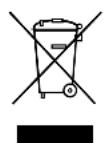
If you wish to finally dispose of the product, ask your local recycling centre or specialist dealer for details about how to do this in accordance with the applicable disposal regulations.
13 Technical data
| MSI212 MSI224 | ||
| Item number 9102600124 9102600125 | ||
| Rated input voltage | 12 V= | 24 V= |
| Constant output power 150 W 150 W | ||
| Peak output power 300 W 300 W | ||
| Output voltage 230 V~ pure sine wave | ||
| Output frequency 50 Hz | ||
| Connection data USB charging socket | 5 V=, 2000 mA | |
| Idle current consumption | < 0.6 A | < 0.5 A |
| Input voltage range | 11 – 15 V= | 22 – 30 V= |
| Low voltage alarm/shutdown | 11 V= | 22 V= |
| Ambient temperature | 0 °C – 40 °C | |
| Heat dissipation | Fan | |
| Dimensions | 124 x 199 x 49 mm | |
| Weight | 0.8 kg | |
| Testing/certification | CE | |
| MSI412 MSI424 | ||
| Item number 9102600126 9102600127 | ||
| Rated input voltage | 12 V--- | 24 V--- |
| Constant output power 350 W 350 W | ||
| Peak output power 700 W 700 W | ||
| Output voltage 230 V~ pure sine wave | ||
| Output frequency 50 Hz | ||
| Connection data USB charging socket | 5 V---, 2000 mA | |
| Idle current consumption < 0.6 A < 0.5 A | ||
| Input voltage range | 11 – 15 V--- | 22 – 30 V--- |
| Low voltage alarm/shutdown | 11 V--- | 22 V--- |
| Ambient temperature | 0 °C – 40 °C | |
| Heat dissipation | Fan | |
| Dimensions | 124 x 199 x 49 mm | |
| Weight | 0.8 kg | |
| Testing/certification | CE | |
5 Description technique
SinePower MSl424, apt. No 9102600127
OT USB-nopTa moXHo 3apJxTa b pa6ToaUoUne OT aKKyMnyTOpOB npIbOpbl c USB-pa3bEmOM (5 B, 2000 mA).
ДанныnpиборпpeДнaЗнayeн ДЯИСПОЛБ3OBaHЯ NCKIQUHTeJIbHOВ aBTOMO6nJx.
5 Texhnueckoe onncahne
HHeptOpbI Moryt pa6oTaB B IIObOM MeCTe, rJe IMeETcN ICTOuHnK HapraXeHn 12 B- nnn 24 B-.. HHeptOpbl npncoeHHaTcK cJeNyUoUm NCTOuHnKaM:
- ABTomo6nJIbHaJa po3eTka: MSI212 (12 B---), MSI224 (24 B---)
- ABTomo6nIbHa8 6aTape: MSI412 (12 B==), MSI424 (24 B==)
Pn BbIbope MeCTa MoNTaxa co6IIOdaIte cIeDyUOuIe yKa3aHnIa:
- INHBeptOp MOxET 6bITb yCTaHOBJIeH KAK ROpN3OHTaJIbHO, TAK N BepTNKaJIbHO.
- INBepTopdoJxeh6bItb yCTaHOBJIeH B 3aUuIeHHOM OT nonaHaHnBlaIIMecTe.
3anpeaetcyaYCTaHOBKa INBepTopa B6n3N JeKo BocnnaMeHЯUxCMAtepnaIOB. - INHBeptop 3anpeaetcra yctaHaBnBaTb B 3anbIeHHo aTMocpepe.
B MeCTe MOHTaJa DoJxHa NMeTbCx XopoWsA BeHTnIaCn. PpN MoHTaXe B He6oJIbXuX 3aKpbItbIX NOMEUeHNx DoJxHa NMeTbCn PpNTOCHOBtJHNa BeHTnIaCn. CBo6oHoe pacCToRHe BOKpyr INHBeptopa DOJxHO CoCTaBnTb He MeHee 25 cm.
OTBepCTnBAxOda BO3dyxa Ha HnKHei CTOpOHe i OTBepCTne BbIXoDa BO3dyxa Ha 3aIHei CTOpOHe INBepTopa DOJXHbIOCTaBaTbcra CBO6oHNbIMN. - Пи okpykaioошeIemnepaType cBbIwe 40°C (Hanpimep, B MaunHHbIX OTdeJeHnIX N KOTeJIbHbIX, Рп NOJaAHN INPRAmBX COJHeuHbIX JyEi) CamoharpeB INBepToPA Iprn Harpy3Ke MoKet INPBeCTN K aBTOMaTNUeCKOMY OTKJIIOUeHNo.
- Поверхноctь монтаха должна быть ровен и дoctаточно почон.

BHIMAHHE!
Ipejde, Yem npocBepnItb kaKne-Jn6o OTBepCTnra, y6eHntecb V TOM, YTO 3JeKtpnueckne Ka6eNn nn dpyrne DeTaNN aBTOMO-6nJa He 6ydt NOBpeJxHebl Prn CBePJIeHNn, PIIeHNn n O6pa-6OTke HAnNJbHnKOM.
3aKpeIte INBepToP cIeDyUoIIM o6pa30M (pnc. 3, cTp. 4):
3aKpeHnTe nO dBa dePkaTeJHa neBOH npaBOH HxHHeN nepembIyKe. Bbl moXeTe no3dHee cBnraTb dePkaTeJnIO6bIM HyxHbIM 6pa3OM.
3aKpeNITE INBepTOp, BBNHTINB IO ODNOMY BNHTy Yepe3 OTBepCTnB DepXkATEJx.
Dometic Australia Pty. Ltd.
1 John Duncan Court
Varsity Lakes QLD 4227
+61755076000
+61755076001
Mail: sales@dometic-waeco.com.au
AUSTRIA
Dometic Austria GmbH
Domatic Plc. Sales Office
Kérékgyarto u.5.
H-1147 Budapest
+3614684400
+3614684401
Domatic Italy S.r.l.
Via Virgilio, 3
I-47100 Forli
+390543754901
+390543756631
Mail: info@dometic.it
NORWAY
Dometic Norway AS
Skolmar 24
N-3232 Sandefjord
+4733428450
+4733428459
Mail: firmpost@waeco.no
POLAND
Dometic Poland Sp. z o.o.
Ul. Puławska 435A
02-801 Warszawa
Poland
+48224143200
+48224143201
Mail: info@dometic.pl
RUSSIA
Dometic RUS LLC
Komsomolskaya square 6-1
107140 Moscow
Russia
+74957807939
+74959165653
Mail: info@dometic.ru
SLOVAKIA
Domatic Slovakia Sales Office Bratislava
Nádražná 34/A
SK-900 28 Ivanka pri Dunaji
+421245529680
Mail: bratislava@dometic.com
SPAIN
Dometic Spain S.L.
Avda. Sierra del Guadarrama, 16
E-28691 Villanueva de la Canada
Madrid
+34 902 111 042
+34900100245
Mail: info@dometic.es
SWEDEN
Dometic Scandinavia AB
Gustaf Melins gata 7
Dometic Switzerland AG
Riedackerstrasse 7a
CH-8153 Rümlang (Zürich)
+41448187171
+41448187191
Mail: info@dometic-waeco.ch
TAIWAN
WAECO Impex Ltd.
Taipei Office
2 FL-3 · No. 56 Tunhua South Rd, Sec 2
Taipei 106, Taiwan
+886227014090
+886227060119
Mail: marketing@dometic-waeco.com.tw
UNITED KINGDOM
Dometic UK Ltd.
Dometic House The Brewery
Blandford St. Mary
Dorset DT11 9LS
+448446260133
+448446260143
Mail: sales@dometic.co.uk
UNITED ARAB STATES
Dometic Middle East FZCO
P.O.Box 17860
S-D 6, Jebel Ali Freezone
Dubai, United Arab Emirates
+97148833858
+97148833868
Mail: info@dometic.ae
UNITED STATES OF AMERICA
Dometic Marine Division
2000 N. Andrews Ave. Extension
Pompano Beach, FL 33069 USA
+19549732477
+19549794414
Mail: marinesales@dometicusa.com
- SINEPOWER MSI212, MSI224, MSI412, MSI424
- CONTENTS
- 1 EXPLANATION OF SYMBOLS
- WARNING
- CAUTION
- NOTICE
- NOTE
- 2 SAFETY INSTRUCTIONS
- 2.1 GENERAL SAFETY
- 2.2 SAFETY WHEN INSTALLING THE DEVICE
- ELECTRICAL CABLES
- 2.3 OPERATING THE APPLIANCE SAFELY
- 3 SCOPE OF DELIVERY
- 4 INTENDED USE
- 5 TECHNICAL DESCRIPTION
- 6 FASTENING THE INVERTER
- 7 CONNECTING THE INVERTER
- 7.1 CONNECTING THE MSI212 AND MSI224
- 7.2 CONNECTING THE MSI412 AND MSI424
- CONNECTING THE EXTERNAL SWITCH CONTACT TO THE INVERTER
- 8 USING THE INVERTER
- CHARGING THE DEVICE VIA THE USB PORT
- 9 CLEANING AND CARING FOR THE INVERTER
- 10 RECTIFYING FAULTS
- 11 GUARANTEE
- 12 DISPOSAL
- 13 TECHNICAL DATA
- 5 DESCRIPTION TECHNIQUE
- 5 TEXHNUECKOE ONNCAHNE
- BHIMAHHE
- DOMETIC AUSTRALIA PTY. LTD
- AUSTRIA
- DOMETIC AUSTRIA GMBH
- DOMATIC PLC. SALES OFFICE
- DOMATIC ITALY S.R.L
- NORWAY
- DOMETIC NORWAY AS
- POLAND
- DOMETIC POLAND SP. Z O.O
- RUSSIA
- DOMETIC RUS LLC
- SLOVAKIA
- DOMATIC SLOVAKIA SALES OFFICE BRATISLAVA
- SPAIN
- DOMETIC SPAIN S.L
- SWEDEN
- DOMETIC SCANDINAVIA AB
- DOMETIC SWITZERLAND AG
- TAIWAN
- WAECO IMPEX LTD
- UNITED KINGDOM
- DOMETIC UK LTD
- UNITED ARAB STATES
- DOMETIC MIDDLE EAST FZCO
- UNITED STATES OF AMERICA
- DOMETIC MARINE DIVISION
Brand : WAECO
Model : SinePower MSI224
Category : Camping