ManualGo.com
Interstellar - Basket ELICA - Free user manual and instructions
Find the device manual for free Interstellar ELICA in PDF.

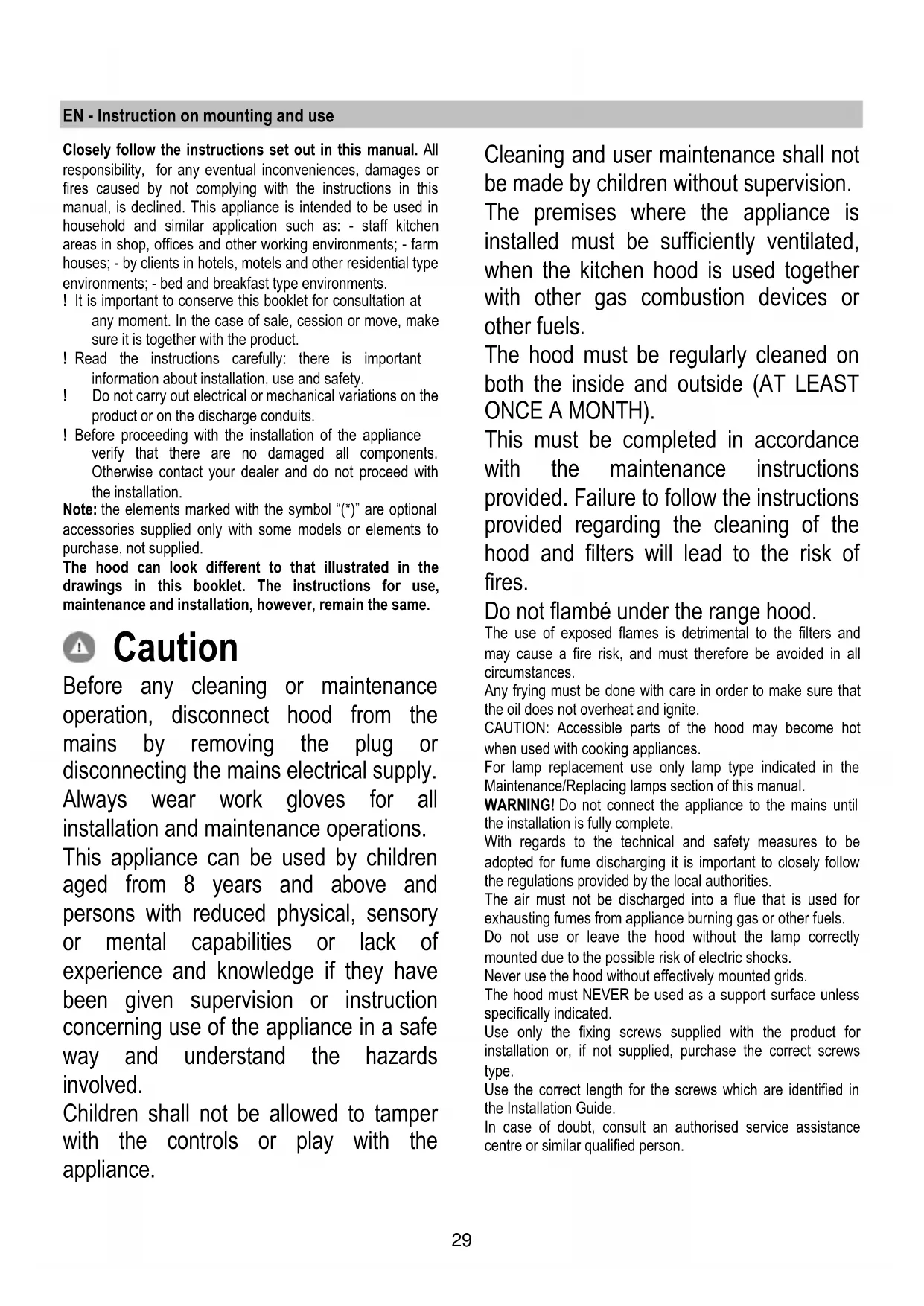


Download the instructions for your Basket in PDF format for free! Find your manual Interstellar - ELICA and take your electronic device back in hand. On this page are published all the documents necessary for the use of your device. Interstellar by ELICA.
USER MANUAL Interstellar ELICA
- EMC: EN 55014-1; CISPR 14-1; EN 55014-2; CISPR 14-2; EN/IEC 61000-3-2; EN/IEC 61000-3-3. Suggestions for a correct use in order to reduce the environmental impact: Switch ON the hood at minimum speed when you start cooking and kept it running for few minutes after cooking is finished. Increase the speed only in case of large amount of smoke and vapour and use boost speed(s) only in extreme situations. Replace the charcoal filter(s) when necessary to maintain a good odour reduction efficiency. Clean the grease filter(s) when necessary to maintain a good grease filter efficiency. Use the maximum diameter of the ducting system indicated in this manual to optimize efficiency and minimize noise. Use The hood has been made for use in the internal recirculating filtering version. Cooking fumes and steam are aspirated inside the hood, filtered and cleaned, passing through the fat filter/s and the carbon filter/s that MUST be supplied with the hood. Important It is possible to buy an extraction operation Kit. In this case the charcoal filter must not be installed. Furthermore, the use of the extraction kit may require a different installation of the hood from what shown in this manual; therefore, before starting the installation of the hood, buy the extraction kit and consult the instructions enclosed with the kit. Installation Specialised personnel must carry out both the electrical and the mechanical installation. The minimum distance between the supporting surface for the cooking equipment on the hob and the lowest part of the range hood must be not less than 50cm from electric cookers and 65cm from gas or mixed cookers. If the instructions for installation for the gas hob specify a greater distance, this must be adhered to. Electrical connection The mains tension must correspond to the tension shown on the characteristic label situated inside the hood. The product is meant for connecting directly to the mains supply, therefore apply a regulation bipolar switch that ensures complete disconnection from the mains in the conditions of category III over- tension, conforming to the installation rules. Warning! Detail B (fixing bracket to the ceiling) is equipped with a conductor (yellow-green) that must be connected to the earth of the domestic electrical plant. Fig. 16-17 ATTENTION! Be particularly careful about positioning the excess cable. Failure to observe this indication could cause grave damage to the apparatus and/or an electric shock to the user or the installer. Warining! Changing the interconnection cable must be carried out by the authorised technical assistance service. Mounting Before beginning installation:
- Check that the product purchased is of a suitable size for the chosen installation area.
- Remove the charcoal (*) filter/s if supplied (see also relative paragraph). This/these is/are to be mounted only if you want lo use the hood in the filtering version.
- Check (for transport reasons) that there is no other supplied material inside the hood (e.g. packets with screws (*), guarantees (*), etc.), eventually removing them and keeping them. This type of cooker hood must be fixed to the ceiling. Very heavy product; hood handling and installation must be carried out by at least two persons. Expansion wall plugs are provided to secure the hood to most types of walls/ceilings. However, a qualified technician must verify suitability of the materials in accordance with the type of wall/ceiling. The wall/ceiling must be strong enough to take the weight of the hood. Do not tile, grout or silicone this appliance to the wall. Surface mounting only.31 Operation The hood has an on-board controller which can also be used with the specific remote control (only supplied on some models) Control panel on hood
T1. Suction speed (power) control key. Press repeatedly until the desired speed is selected, choosing between: Speed OFF – LED L1: off Speed 1 (low suction) – LED L1: green light LED L2 turns green and flashes if the delayed hood deactivation is enabled (only with remote control). Speed 2 (medium suction) – LED L1: yellow light LED L2 turns yellow and flashes if the delayed hood deactivation is enabled (only with remote control). Speed 3 (high suction) – LED L1: blue light LED L2 turns blue and flashes if the delayed hood deactivation is enabled (only with remote control). Speed 4 (intensive suction) – LED L1: Blue button Note 1: Speed 4 has a limited duration of 5 min., and then the hood passes automatically to speed 2. T2 Lighting control key (hob light - ambient light) Press briefly for lighting the cooking hob Press and hold longer to turn on and off and adjust the intensity of ambient light Note: ambient light is only available in some models. Grease filter saturation warning - LED L1: red light The warning is visible for about one minute after switching the hood off. When this warning appears the grease filter requires maintenance. Charcoal filter saturation warning - LED L1: red light The warning is available for about one minute after switching the hood off. When this warning appears the charcoal filter requires maintenance. Deactivation/activation of charcoal filter saturation warning: This warning is normally activated, to deactivate it: with hood off, press keys T1 and T2 simultaneously until you hear a beep. Release both keys and press the same keys again, T1 and T2, shortly. LED L1 lights up steady with a red light (warning on) and then starts to flash (warning off). Repeat the operation if you want to reactivate the warning. LED L1 switches from flashing red (warning off) to a steady light (warning on). Filter saturation warning reset With the hood off, press keys T1 and T2 simultaneously for at least 5 seconds. LED L1 will stop signalling saturation. Repeat the operation in case of simultaneous warnings of both filters. Remote control affiliation The affiliation of the remote control is displayed with both LEDs on, which show several colours in sequence.32 Automatic operation (sensor), connection with SNAP
Warning! It is recommended to perform the ‘Adjusting the parameters for automatic operation’ (see relevant paragraph) before using the automatic mode and connect the hood to the SNAP
Automatic operation (sensor) The hood will switch on at an adequate speed depending on the cooking fumes detected by the hood sensor. To activate this function: Press keys T1 and T2 simultaneously. LED L1 will light up showing several colours, whereas LED L2 will turn white. Automatic operation of the hood with SNAP
is an auxiliary suction unit capable of operating together with the hood. For further information, refer to the manual supplied with SNAP
To activate this function: Press keys T1 and T2 simultaneously. LED L1 will light up showing several colours, whereas LED L2 will turn orange.
Adjusting the parameters for automatic operation. Note: All the calibration, selection, adjustment, and logical connection operations described below are possible with hood OFF and involve:
- Hood calibration (automatic or manual).
- Hob selection (gas - induction or electrical)
- Logical connection between hood and SNAP
(if in possession of SNAP
Sensor calibration Note: Calibration lasts about 5 minutes. LEDs L1 and L2 turn white and flash. Calibration is required to allow the hood sensor to run properly. Calibration can be: Automatic: every time the hood is reconnected to the mains (e.g. upon first installation or after a blackout). Manual: To be carried out if unsatisfactory automatic operation is detected and under normal kitchen conditions. Press and hold key T1.. Hob selection (gas - induction or electrical) Simultaneously press keys T1 and T2 until you hear a beep. Release the keys and press solely T2 (within about 5 seconds) to access the hob selection mode.. Press T2 again to choose the required hob according to the layout below: Orange LED 2 Gas hob Blue LED 2: Induction hob White LED 2: electrical hob The selected key remains on to indicate the selection. After 10 seconds, the key flashes temporarily to indicate that the selection made has been recorded. Logical connection between hood and SNAP
(if in the possession of SNAP
The connection between hood and SNAP
is automatic. No setting is required.33 Remote control Warning! Some functions of this remote control may only be activated with certain hood models.
Remote control affiliation: Keep T2 +T5 pressed within the first minute the hood is powered. Once pairing is complete it is displayed on the hood. Description of the remote control functions T1. OFF key T2. Key ON/OFF and ambient light intensity adjustment T3. Suction speed (power) control key: T4. Hob light ON/OFF key T5. Delayed hood ON/OFF key T6. Sensor ON/OFF key. T7. Filter saturation warning reset key. L3. Remote control operation LED Note: touch the keys lightly to select the available functions. T1. OFF key Press to switch the hood off T2. Key ON/OFF and ambient light intensity adjustment Press briefly to turn on or off the ambient light Press and hold to adjust its intensity. Note: ambient light is only available in some models. T3. Suction speed (power) control key Touch the key starting from any position, turning it clockwise or anticlockwise to increase or decrease suction speed. The key is divided into several sectors. You can select the desired speed directly in the corresponding sector as follows: T3a: Speed 1 (low suction) T3b: Speed 2 (medium suction) T3c: Speed 3 (high suction) T3d: Speed 4 (intensive suction) T4. Hob light ON/OFF key Press to switch the hob light on or off. T5. Delayed hood ON/OFF key. Press to program the delayed switch-off of the hood based on the suction speed (power) active at that moment: Speed 1 (low suction): 20 minutes Speed 2 (medium suction): 15 minutes Speed 3 (high suction): 10 minutes T6. Sensor ON/OFF key Keep it pressed to activate/deactivate the mode with sensor which manages fume extraction in automatic mode. Note: The sensor is only available in some models. T7. Filter saturation warning reset key.34 Maintenance of the remote control Cleaning the remote control: Clean the remote control with a damp cloth and a neutral solution of detergent without abrasive substances. Changing the battery:
- Open the battery casing.
- Replace the flat batteries with 3 new 1.5 V type AAA batteries. Respect the polarity indicated in the battery casing when inserting the new battery!
- Close the battery casing up again.
Disposal of the batteries Ultimate disposal of the batteries should be handled according to all national laws and regulations. Do not place used batteries in your regular waste. Ultimate disposal of the batteries must be done safely. Contact your local waste management officials for other information regarding the environmentally sound collection, recycling, and disposal of the batteries.