
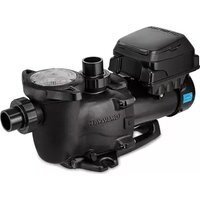
TriStar VST - Pump HAYWARD - Free user manual and instructions
Find the device manual for free TriStar VST HAYWARD in PDF.



| Brand | Hayward |
| Model | TriStar VST |
| Category | Variable speed pool pump |
| Motor type | Permanent magnet AC electronically commutated motor |
| Control | Microprocessor with variable frequency drive and LCD display |
| Supply voltage | 230 V ~ 50/60 Hz (protection by RCD 30 mA) |
| Residual current protection | 30 mA residual current device mandatory |
| Protection rating | IP55 |
| Preset speeds (factory) | V1 = 1500 rpm, V2 = 2400 rpm, V3 = 3000 rpm (adjustable 600 to 3000 rpm) |
| Priming | Automatic, adjustable duration (0 to 300 s), adjustable speed (up to 3000 rpm) |
| Skimmer function | Automatic, adjustable (duration 0 to 30 min, cycle 1/2/3 h, speed 600 to 3000 rpm) |
| Timer mode | Programmable up to 6 sequences (t0 to t5), schedule and speed adjustable |
| Display | Speed (rpm), instantaneous power (W), energy consumption (kWh), operating time (h), module temperature |
| Noise level | Less than 70 dB(A) |
| Safety distance | Minimum 3.5 m from the pool (standard NF C 15-100) |
| Installation | On concrete base or wood floor, screwed with Ø 8 mm lag screws |
| Power cable | 3G1 mm², type H07RN-F, max outer sheath 7.8 mm |
| Thermal protection | Integrated in motor, automatic reset |
| Maintenance | Regular cleaning of pre-filter basket, check seal |
| Winterizing | Drain pump, disconnect, store in dry place |
| Spare parts | Use only genuine Hayward parts |
| Warranty | 2 years against manufacturing defects (excluding wear parts) |
Frequently Asked Questions - TriStar VST HAYWARD
User questions about TriStar VST HAYWARD
0 question about this device. Answer the ones you know or ask your own.
Ask a new question about this device
Download the instructions for your Pump in PDF format for free! Find your manual TriStar VST - HAYWARD and take your electronic device back in hand. On this page are published all the documents necessary for the use of your device. TriStar VST by HAYWARD.
USER MANUAL TriStar VST HAYWARD
natural_image
Abstract geometric logo with stylized letter H inside a circular frame (no text or symbols)HAYWARD®
natural_image
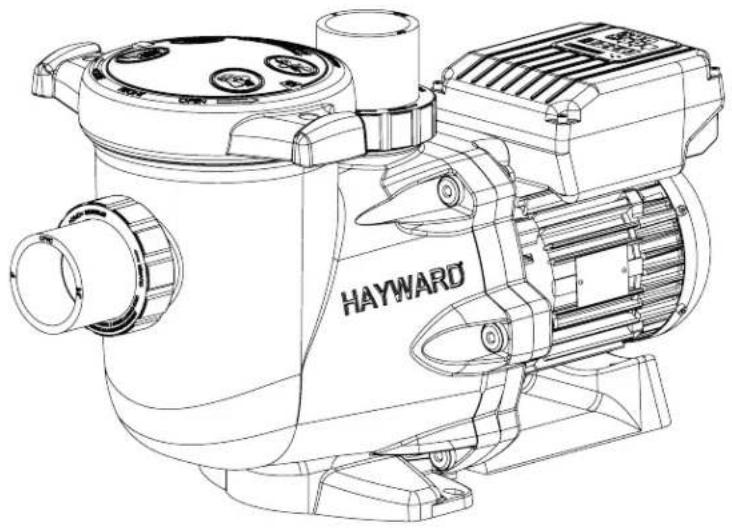
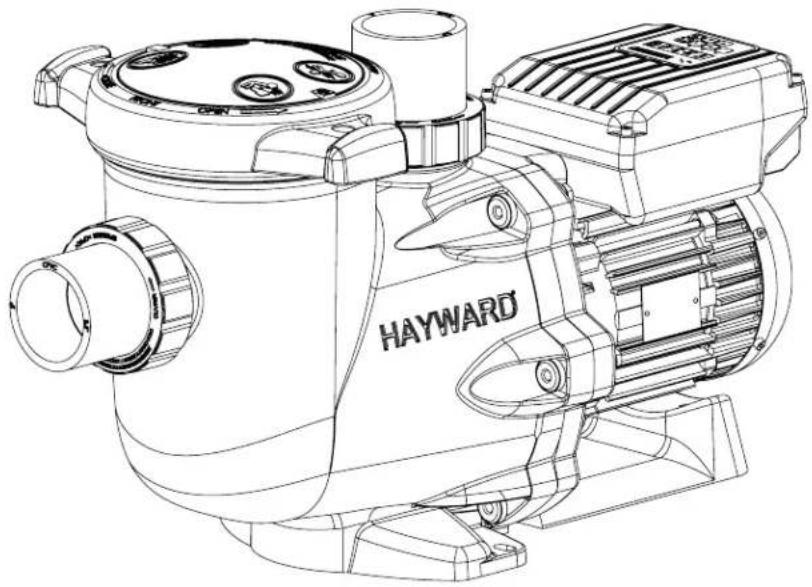
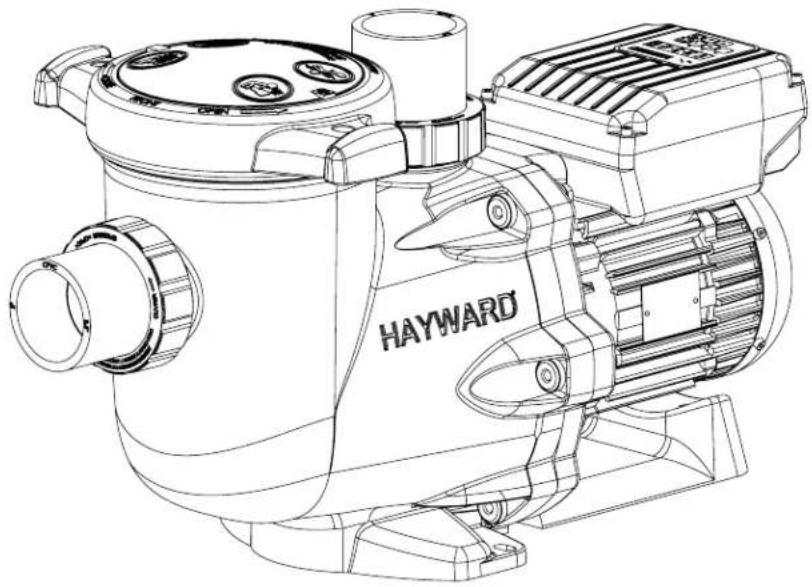
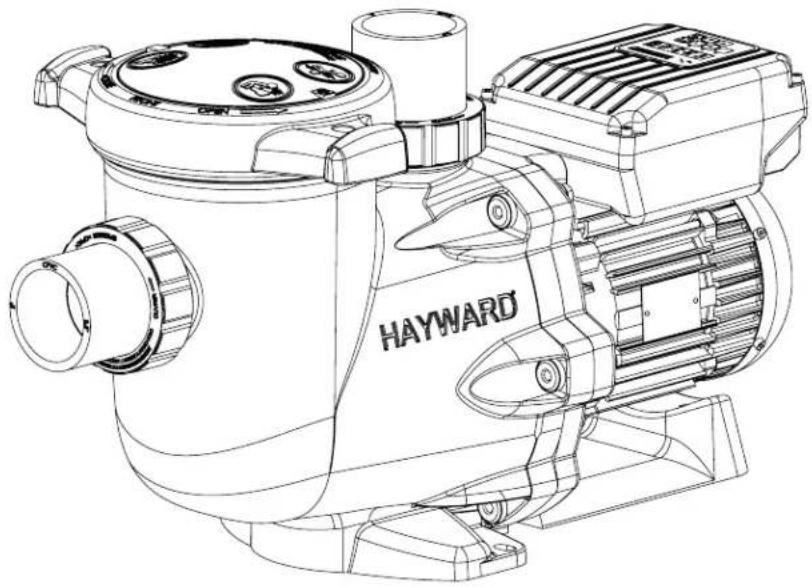
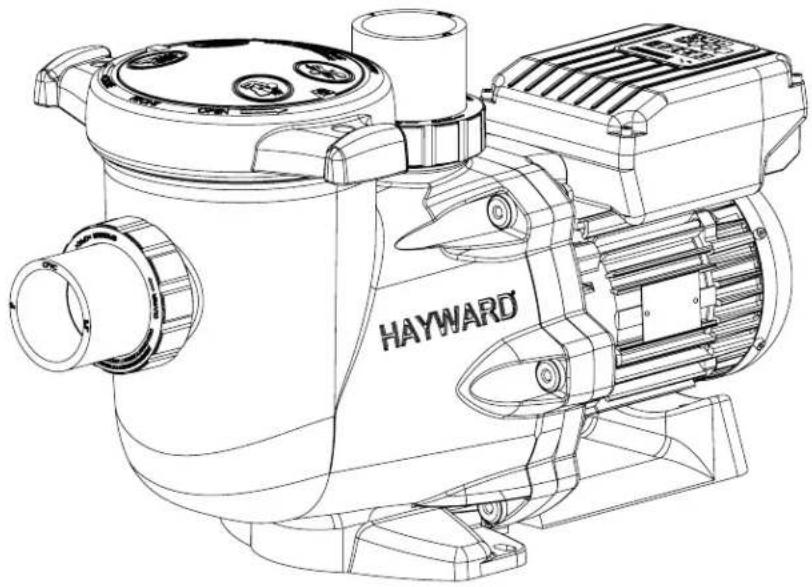
Technical line drawing of a Hayward motor assembly (no text or symbols on the diagram itself)
GUIDE DE L'UTILISATEUR
USER'S GUIDE
MANUAL DEL USUARIO
MANUAL DO UTILIZADOR
ANWENDER - HANDBUCH
GEBRUIKERSHANDBOEK
MANUALE PER L'USO
ANVÄNDARHANDLEDNING
BRUGERVEJELDNING
BRUKERVEILEDNING
KÄYTTÖOHJE
natural_image
Abstract geometric logo with stylized letter H inside a circular frame (no text or symbols)HAYWARD®
natural_image
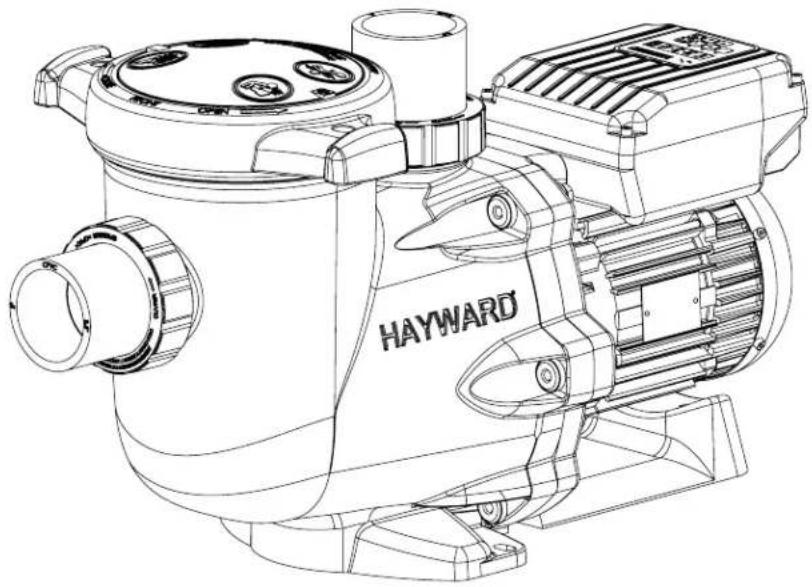
Technical line drawing of a Hayward industrial pump or motor assembly (no text or symbols on the diagram itself)
POMPE CENTRIFUGE À VITESSE VARIABLE
GUIDE DE L'UTILISATEUR
CONSERVEZ CE MANUEL POUR UNE CONSULTATION ULTÉRIEURE

line
| temps | vitesse | | ------ | ------- | | 0 | 0 | | 1 | 0 | | 2 | 0 | | 3 | 0 | | 4 | 0 | | 5 | 0 | | 6 | 0 | | 7 | 0 | | 8 | 0 | | 9 | 0 | | 10 | 0 | | 11 | 0 | | 12 | 0 | | 13 | 0 | | 14 | 0 | | 15 | 0 | | 16 | 0 | | 17 | 0 | | 18 | 0 | | 19 | 0 | | 20 | 0 | | 21 | 0 | | 22 | 0 | | 23 | 0 | | 24 | 0 | | 25 | 0 | | 26 | 0 | | 27 | 0 | | 28 | 0 | | 29 | 0 | | 30 | 0 | | 31 | 0 | | 32 | 0 | | 33 | 0 | | 34 | 0 | | 35 | 0 | | 36 | 0 | | 37 | 0 | | 38 | 0 | | 39 | 0 | | 40 | 0 | | 41 | 0 | | 42 | 0 | | 43 | 0 | | 44 | 0 | | 45 | 0 | | 46 | 0 | | 47 | 0 | | 48 | 0 | | 49 | 0 | | 50 | 0 | | 51 | 0 | | 52 | 0 | | 53 | 0 | | 54 | 0 | | 55 | 0 | | 56 | 0 | | 57 | 0 | | 58 | 0 | | 59 | 0 | | 60 | 0 | | 61 | 0 | | 62 | 0 | | 63 | 0 | | 64 | 0 | | 65 | 0 | | 66 | 0 | | 67 | 0 | | 68 | 0 | | 69 | 0 | | 70 | 0 | | 71 | 0 | | 72 | 0 | | 73 | 0 | | 74 | 0 | | 75 | 0 | | 76 | 0 | | 77 | 0 | | 78 | 0 | | 79 | 0 | | 80 | 0 | | 81 | 0 | | 82 | 0 | | 83 | 0 | | 84 | 0 | | 85 | 0 | | 86 | 0 | | 87 | 0 | | 88 | 0 | | 89 | 0 | | 90 | 0 | | 91 | 0 | | 92 | 0 | | 93 | 0 | | 94 | 0 | | 95 | 0 | | 96 | 0 | | 97 | 0 | | 98 | 0 | | 99 | 0 | |1 | d) |2.4 Bascule entre mode Manuel / mode Timer
line
| Time Point | Value | | :--- | :--- | | t0 | 1 | | t1 | 2 | | t2 | 1 | | t3 | 0 | | t4 | 1 | | t5 | 1 | The label '(t2)' appears in the bottom right corner. The 'vitesse' is on the y-axis.natural_image
Abstract geometric logo with stylized letter H inside a circular frame (no text or symbols)HAYWARD®
natural_image
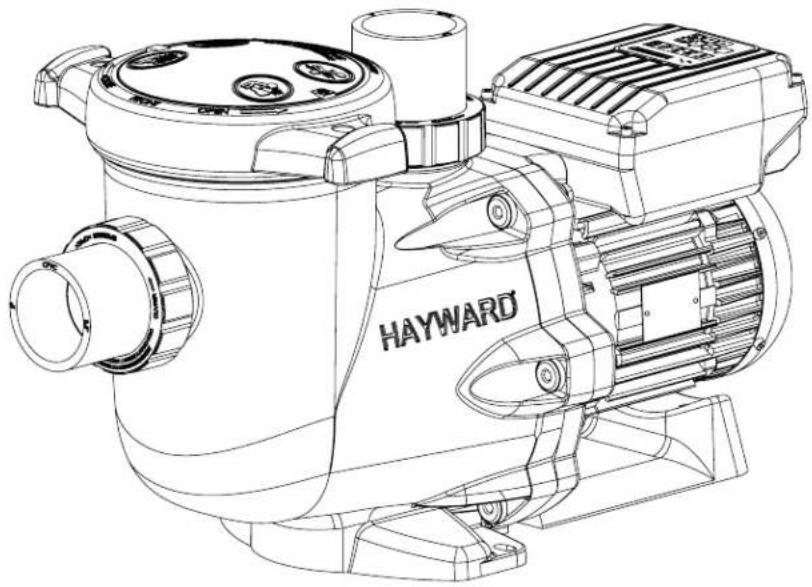
Technical line drawing of a Hayward industrial pump or motor assembly (no text or symbols on the diagram itself)
VARIABLE SPEED CENTRIFUGAL PUMP
USER GUIDE
KEEP THIS MANUAL FOR FUTURE REFERENCE
- WARNING - Read the instructions in this manual and on the appliance carefully. Failure to comply with the instructions may cause serious injury or death. This document must be given to all pool users who must keep it in a safe place.
- WARNING – This appliance is not intended to be used by people (particularly children) with reduced physical, sensory or mental capabilities or by those lacking in experience or knowledge, unless they have been instructed in the use of the appliance or are under the supervision of a person responsible for their safety.
- WARNING – Do not allow children to play with the appliance.
- WARNING – Keep all foreign bodies, fingers and any other parts of the body away from openings and moving parts.
- WARNING – Only use genuine Hayward spare parts.
- WARNING – The installation of any electric swimming pool pump must be carried out in accordance with industry practices and with the standards currently applicable.
F NF C 15-100 GB BS7671:1992
- WARNING – If the power cable is damaged, it must be replaced by the manufacturer, the manufacturer's after-sales service or persons with a similar qualification to avoid any danger.
- WARNING – Ensure the pump is connected to a 230V socket with short circuit protection. The pump must also be powered via an isolation transformer or a residual current device (RCD) for which the residual rated operating current does not exceed 30mA.
- WARNING – Completely disconnect the pump from the mains power supply before opening the cover and cleaning the strainer.
- WARNING – To disconnect the pump from the mains power supply, an external switch with contact separation on all the poles ensuring complete disconnection in the event of category III overvoltage must be integrated into the fixed unit in accordance with the rules applicable to wiring.
- WARNING – The pool pump must never be started if the power cord or the housing of the motor control unit are damaged, as there is a risk of electric shock. A damaged power cord or motor control unit must be replaced immediately by an approved technician or qualified person to prevent any risk.
- WARNING – This motor is NOT fitted with an SVRS (Safety Vacuum Release System). The SVRS helps to prevent drowning if people find themselves trapped against the outlet pipe under the surface of the water. In some swimming pool configurations, if the body of a person blocks the outlet pipe, the person risks being trapped by the suction. Depending on the configuration of your pool, local regulations may require the installation of an SVRS.
GENERAL POINTS
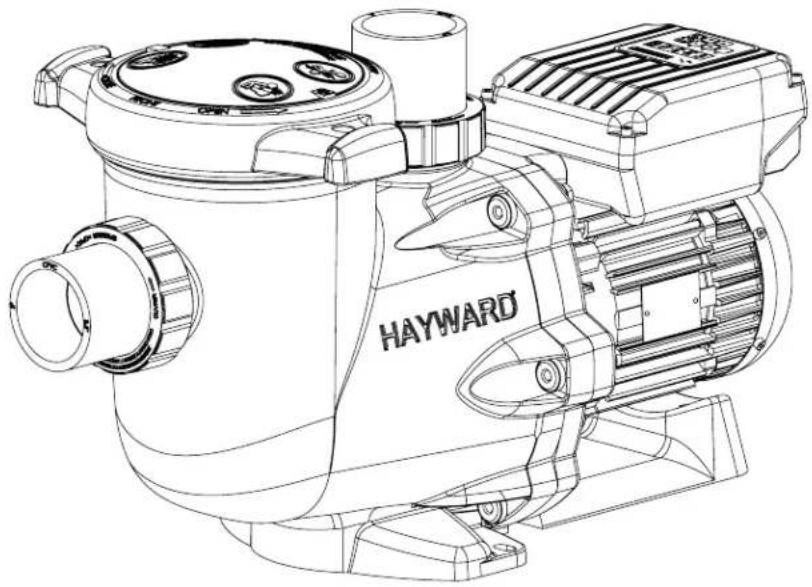
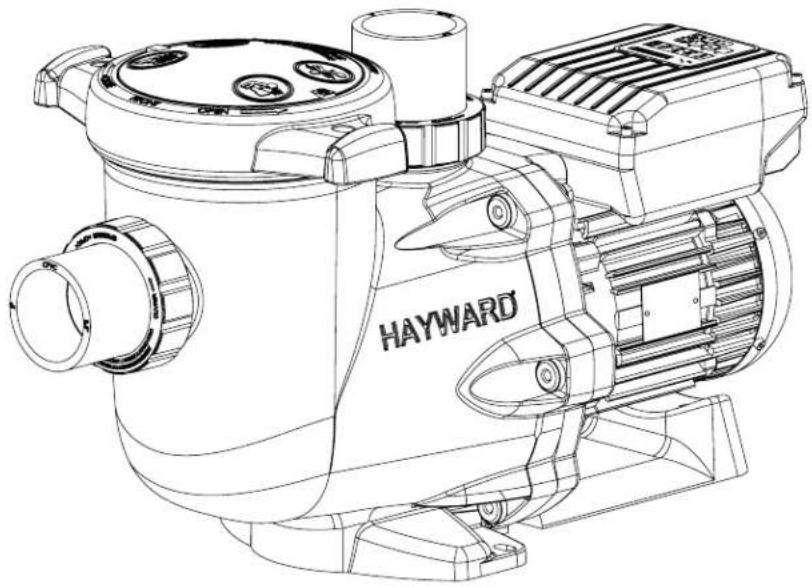
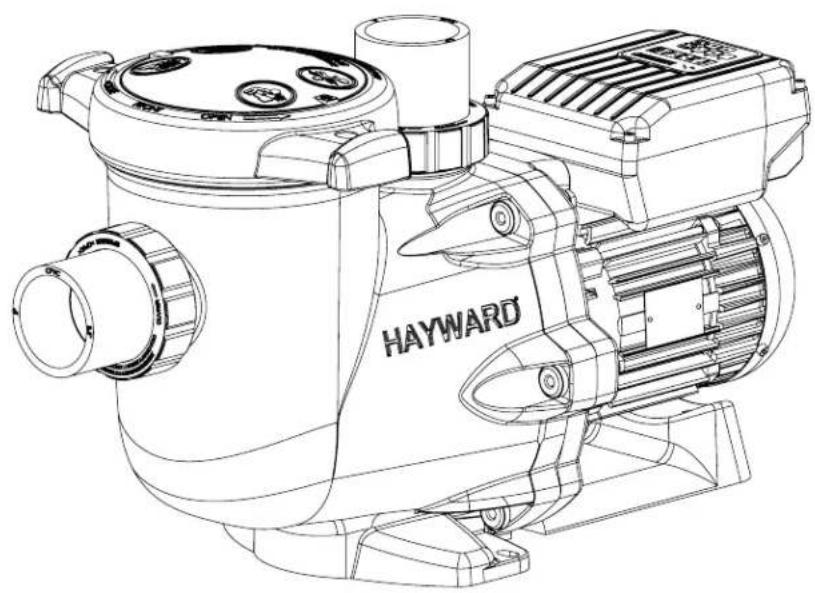
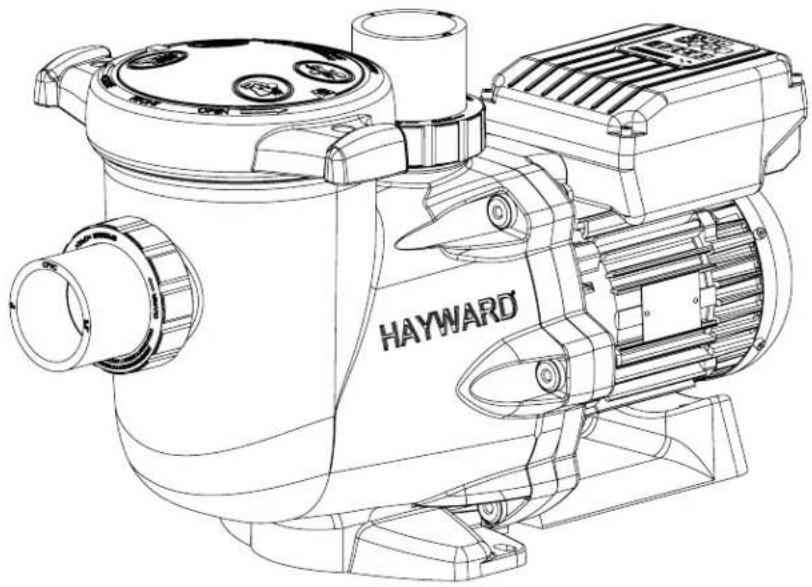
Congratulations, you have just acquired a Hayward variable speed pump®.
Hayward variable speed pumps® have a state-of-the-art permanent-magnet motor with AC electronic switching. This motor is controlled by a microprocessor combined with a frequency variator providing the following characteristics:
- Rotation speed is displayed on the control display
• 3 factory preset rotation speeds (buttons V1, V2, V3), as well as custom speeds set by the user - Regular priming each time you switch on, with adjustable speed and duration
- Skimmer function, which skims the water's surface
• Programmable Timer function - Current power usage displayed
• Partial and total power consumption displayed - Running time of the pump displayed
- Low noise level
• Construction standard TEFC IP55
Install the pump at a suitable distance from the pool to reduce the distance between the suction point and the pump as much as possible to avoid pointless excessive pressure drops on the hydraulic circuit.
However, it is essential to comply with the safety distance required by the current installation standard (3.5 m minimum). Install and use the product at an altitude less than 2000 m
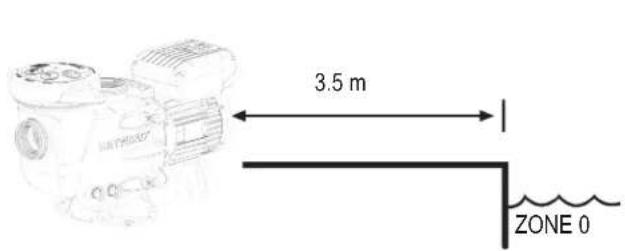
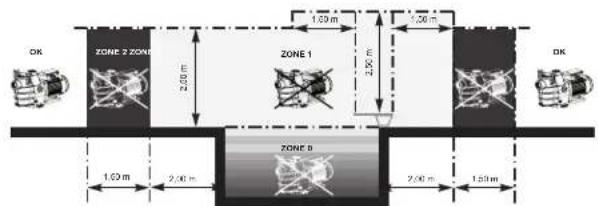
Install the pump in a dry, well-ventilated place. The motor requires the air to circulate freely around it to allow natural ventilation. Clear a space of at least 0.5m around the pump. Check regularly that no objects, leaves or other debris are blocking the motor cooling system.
The pump must be installed to ensure that the external disconnection switch incorporated into the fixed unit is visible and easily accessible. The switch must be located near to the pump.
The pump must be permanently installed on a concrete base using 8mm lag screws suitable for concrete, screwed into drilled implantation holes. Lock washers must be used to prevent the installation lag screws working loose over time. If the pump has to be mounted on a wooden board, ∅ 8 mm hexagonal wood screws must be used combined with lock washers to prevent the screws working loose over time.
Install the pump under shelter to avoid the control unit being subject to heavy splashing.
The acoustic pressure of Hayward pumps is less than 70 dB (A).
Necessary measures:
- Connect the pump to the earth: Never operate the pump unless it is connected to the earth.
- Connect the pump with a H07RN-F 3G1mm² type cable (D max 7,8mm)
- Include a 30 mA differential protection to protect people against electric shocks which may be caused by a breach of the equipment's electrical insulation.
- Include short-circuit protection (the rating is determined according to the value given on the nameplate on the motor).
- Include a means of disconnection from the power supply having an opening distance on the contacts of all the poles ensuring the power supply is completely cut off under the conditions of a category III overvoltage.
WARNING: Wait 5 minutes after having totally disconnected the pump from the power supply before carrying out any operation on the motor or the connection box: Danger of electric shock which may cause death.
The electric motors fitted to our pumps have thermal protection. This protection reacts in the event of overload or abnormal temperature rise in the motor winding. This protection automatically resets when the winding temperature drops. Whatever the type of motor used, if the regulations require it, a magnetic thermal protection must be installed in addition to the measures described above, which must be calibrated according to the information on the motor's nameplate. The table on page 145 gives the various characteristics of the motors fitted to our pumps.
USE ONLY HAYWARD GENUINE REPLACEMENT PARTS
Electrical connection: Ensure that the supply voltage required by the motor corresponds to that of the distribution network and that the section and length of the power cable are adapted to the power and current of the pump.
All the electrical connections on the pump and any change of power cable must be done by a qualified professional to avoid any danger.
When carrying out the electrical connections, comply with the identification under the connection terminals.
Check that the electrical connections are correctly tightened and watertight before switching on the power.
Ensure the cable runs correctly through the opening and ferrite provided for this purpose. The cable gland ensures watertightness around the cable, and the ferrite acts as a filter against electromagnetic disturbance.
Any pre-wiring on our pumps must be removed when the pump is permanently connected to the power supply. This preparation is only used for testing at the factory during the manufacturing phases.
INSTALLATION
Install the pool pump so as to reduce pressure drops to a minimum whilst complying with the distances specified in the installation standard, namely 3.5m minimum between the pump and the pool. The suction pipe must be installed with a slight uphill incline towards the pump axis. Ensure that the connections are correctly tightened and watertight. However, avoid excessively tightening the pipes. For plastic materials, use Teflon only to ensure watertightness. The diameter of the suction pipe shall depend on that of the discharge pipe. Avoid damp or non-ventilated locations. The motor requires the cooling air to circulate freely. Install the pump under shelter to avoid the control unit being subject to heavy splashing.
INSTRUCTIONS FOR START-UP AND PRIMING: Fill the body of the strainer with water up to the level of the suction pipe. Never run the pump without water, as the water is necessary for cooling and lubrication of the mechanical shutter. Open all the suction and discharge pipe valves, and the filter air purge valve if there is one. (Any air in the suction pipes must be eliminated). Start up the generator and wait a reasonable time for priming. Five minutes is not excessive for priming (this time depends on the suction head and the length of the suction pipe). If the pump does not start or does not prime, please refer to the troubleshooting guide.
USING THE CONTROL PANEL
1. INTRODUCTION
Hayward®'s variable speed pump is operated through a control panel that visually displays the operating settings and allows you to adjust them as well as program the Timer mode.
| 1 Power on LED |
| 2 LCD display screen |
| 3 Choosing the speed |
| 4 Switching between Manual/Timer modes |
| 5 Up/down buttons |
| 6 Start/Stop button |
| 7 Display settings button |
| 8 Selected speed LEDs |
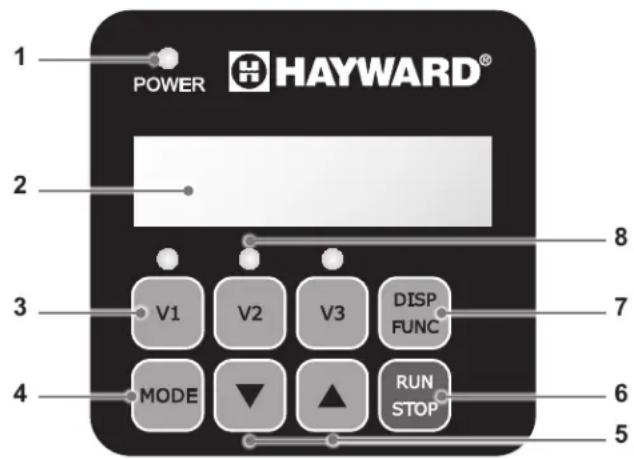
The pump is delivered with DEFAULT SETTINGS(factory settings):
| Priming time (seconds) | Priming speed (rpm) | V1 (rpm) | V2 (rpm) | V3 (rpm) | Skimmer time (minutes) | Skimmer cycle (hours) | Skimmer speed (rpm) |
| 240 3000 | 1500 2400 3000 | 0 15 1hr 2800 |
rpm: Rotations per minute
USE ONLY HAYWARD GENUINE REPLACEMENT PARTS
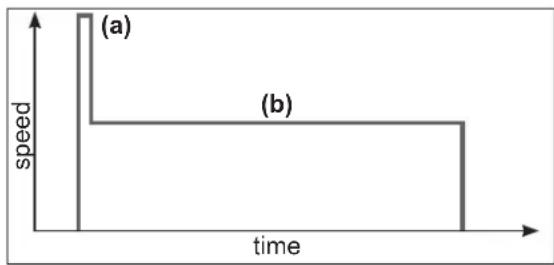
In manual mode, the user can switch the pump on or off manually, according to when the pool is being used.
- When you switch the pump on, it launches a priming phase (a). You can adjust this phase (speed and duration, section 4.2). Priming may be interrupted during start up (section 3.2) or deactivated in the settings.
- The pump speed then stabilizes to a constant rate (b) (stabilization to V2 by default). The user can choose and adjust the speed (section 3.3).
• After switching off and then restarting, the pump will stabilize at the last recorded rate.
line
| time | speed | | ---- | ----- | | 0 | (a) | | 1 | (b) |2.2 Skimmer
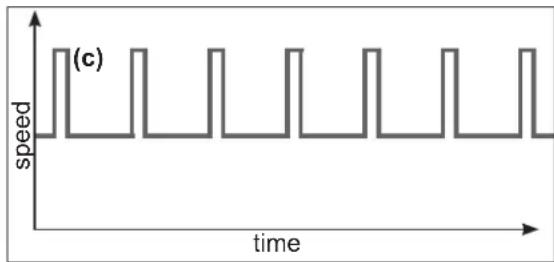
The Skimmer function allows the pump to skim just the water's surface, which is especially useful for preventing dirt from accumulating and stagnating at the surface of the pool.
- The function is automatic: the pump will run at a higher speed (c) for a while and according to a set cycle - both of which you can adjust.
- After running at a higher speed, the pump will adjust to its normal rate - this is the case in both the Manual and Timer modes.
- You can deactivate the Skimmer function (see settings in section 4.3).
line
| time | speed | | ---- | ----- | | 0 | 1 | | 1 | 1 | | 2 | 0 | | 3 | 1 | | 4 | 0 | | 5 | 1 | | 6 | 0 | | 7 | 1 | | 8 | 0 | | 9 | 1 | | 10 | 0 | | 11 | 1 | | 12 | 0 | | 13 | 1 | | 14 | 0 | | 15 | 1 | | 16 | 0 | | 17 | 1 | | 18 | 0 | | 19 | 1 | | 20 | 0 | | 21 | 1 | | 22 | 0 | | 23 | 1 | | 24 | 0 | | 25 | 1 | | 26 | 0 | | 27 | 1 | | 28 | 0 | | 29 | 1 | | 30 | 0 | | 31 | 1 | | 32 | 0 | | 33 | 1 | | 34 | 0 | | 35 | 1 | | 36 | 0 | | 37 | 1 | | 38 | 0 | | 39 | 1 | | 40 | 0 | | 41 | 1 | | 42 | 0 | | 43 | 1 | | 44 | 0 | | 45 | 1 | | 46 | 0 | | 47 | 1 | | 48 | 0 | | 49 | 1 | | 50 | 0 | | 51 | 1 | | 52 | 0 | | 53 | 1 | | 54 | 0 | | 55 | 1 | | 56 | 0 | | 57 | 1 | | 58 | 0 | | 59 | 1 | | 60 | 0 | | 61 | 1 | | 62 | 0 | | 63 | 1 | | 64 | 0 | | 65 | 1 | | 66 | 0 | | 67 | 1 | | 68 | 0 | | 69 | 1 | | 70 | 0 | | 71 | 1 | | 72 | 0 | | 73 | 1 | | 74 | 0 | | 75 | 1 | | 76 | 0 | | 77 | 1 | | 78 | 0 | | 79 | 1 | | 80 | 0 | | 81 | 1 | | 82 | 0 | | 83 | 1 | | 84 | 0 | | 85 | 1 | | 86 | 0 | | 87 | 1 | | 88 | 0 | | 89 | 1 | | 90 | 0 | | 91 | 1 | | 92 | 0 | | 93 | 1 | | 94 | 0 | | 95 | 1 | | 96 | 0 | | 97 | 1 | | 98 | 0 | | 99 | 1 | | | |2.3 Timer mode
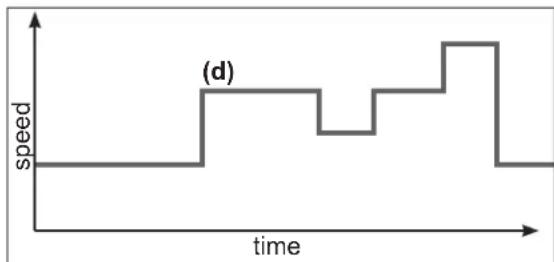
When using the Timer mode, the pump is run automatically 24/7. The user can program (d) the different speed presets. They are selected depending on the installation (heating mode, energy-saving mode etc.) and according to the times the pool is used.
- If the Skimmer function is activated, its sequence will superimpose on the timer one.
- You can stop the pump (pause it) in the Timer mode. When you start it up again, it will run at the speed of the current 'Timer' mode.
- For information on how to program the Timer mode, see section 4.5.
line
| time | speed | | ---- | ----- | | 0 | 0 | | 1 | 0 | | 2 | 1 | | 3 | 1 | | 4 | 0 | | 5 | 1 | | 6 | 2 | | 7 | 2 | | 8 | 1 | | 9 | 0 | | 10 | 0 |2.4 Switching between Manual and Timer modes
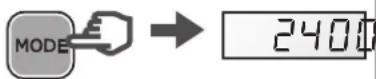
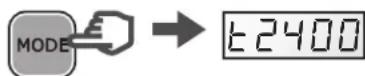
You can switch between modes by pressing the button
MORE shown below:
Manual mode Timer mode
Displayed speed without prefix
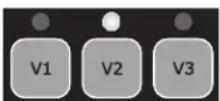
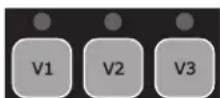
The illuminated LED indicates the selected speed (V2 by default)
Displayed speed with prefix 't'
The LEDs are switched off
USE ONLY HAYWARD GENUINE REPLACEMENT PARTS
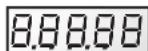
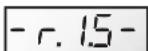
'Power' lights up and an LCD test runs on screen, then the software version is displayed on screen



3.2 Priming phase
After switching on the pump, the priming phase starts automatically (this is the same after restarting the pump).
Priming phase begins automatically:
- The speed will climb to 3000 rpm and will last 240 seconds (default settings)
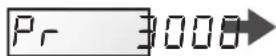

End of priming phase:
- The pump will stabilize at V2 by default or at the last recorded speed.
• The corresponding LED lights up (Manual mode)

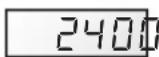
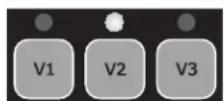
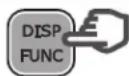
To display the remaining time of the priming phase:
- Press DISP/FUNC
• The remaining time is displayed in seconds

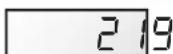
To stop the priming phase before it finishes:
- Press RUN/STOP
- The speed will stabilize by default at V2 or at the last recorded speed



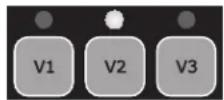
3.3 In Manual mode: selecting, setting and saving a custom speed
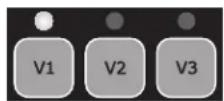
To select a speed:
- Press one of the speed preset buttons
• The default value will be displayed (in rpm)
• The corresponding LED will light up
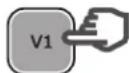

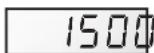
To set a new speed:
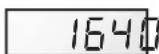
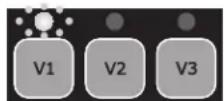
- Press the up / down buttons
• The LED will blink: setting speed
- Choose the speed you want (between 600 and 3000 rpm)


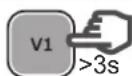
To save the new speed:
- Press and hold the speed preset button for 3 s
- The LED will show a constant light once the speed has been saved

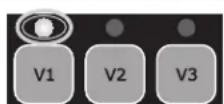
Note: The water flow generated by the pump speed must be adapted to the volume capacity of the installed parts (filter, pipes...). If you are unsure call a professional.
3.4 Stopping / restarting the pump
To stop the pump:
- Press RUN/STOP
- The pump will stop and the speed preset LED will remain illuminated
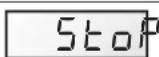
- In Manual mode the screen will display 'StoP' In Timer mode the screen will flash 'StoP'

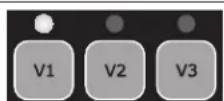
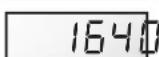
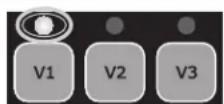
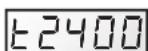
To restart the pump:
- Press RUN/STOP
- The pump will begin its priming phase (section 3.2)
• Speed stabilization:
in Manual mode this will be the last recorded speed in Timer mode this will be the operating speed of the Timer preset



USE ONLY HAYWARD GENUINE REPLACEMENT PARTS
4. SETTINGS
Note: To adjust the settings the pump must be powered on and in Manual mode (section 2.4), switched off or running (post priming phase).
If no button is pressed for 2 minutes, the display will go back to normal (showing the speed or StoP) and the settings will not be saved.
4.1 Setting the clock
| • Press and hold DISP/FUNC for 3 secondsAll three LEDs will blink• The screen will display "ConF" and then "hr" | 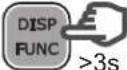 | 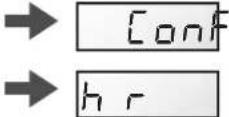 |  |
| • Press DISP/FUNC to show the time on the internal clock (hh-mm) |  | 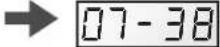 | |
| • Press the up / down buttons to adjust the hours / minutes |  | 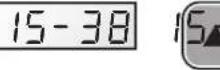 | 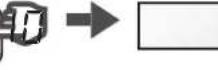 |
| • Press RUN/STOP to exit and saveThe display will show the current speed or StoP |  | 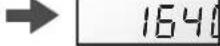 | Stop |
| Note: Adjusting the time on the internal clock is important in Timer mode.It will remain saved if the pump is switched off. | |||
Note: Adjusting the time on the internal clock is important in Timer mode. It will remain saved if the pump is switched off.
4.2 Setting the priming phase
| • Press and hold DISP/FUNC for 3 secondsAll 3 LEDs will blink and the screen will display "ConF" | 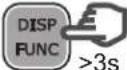 |  | 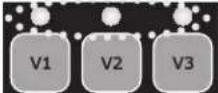 |
| • Press DISP/FUNC repeatedly until 'Pr 240' is displayed on screen - the default priming time (seconds) |  | 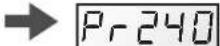 | |
| • Press the up / down buttons to set the desired value (0 to 300 seconds) |  | 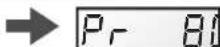 | |
| • Press DISP/FUNC: the screen will display "o3000" as default priming speed (rpm) |  | 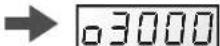 | |
| • Press the up / down buttons to display the desired value (max. 3000 rpm) |  |  | |
| • Press RUN/STOP to exit and saveThe display will show the current speed or StoP |  | 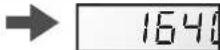 | Stop |
| Note: If the priming time is set to zero the screen will display "ProFF": priming has been deactivated |  | 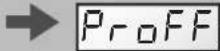 | Pr 0 |
USE ONLY HAYWARD GENUINE REPLACEMENT PARTS
4.3 Setting the Skimmer function
See section 2.2 for an introduction to this function
| • Press and hold DISP/FUNC for three secondsAll three LEDs will blink and the screen will display"ConF" |  | → |  | 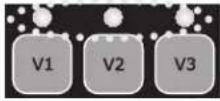 |
| • Press DISP/FUNC repeatedly until 'SFO.15' isdisplayed on screen: this is the default Skimmertime (in minutes) |  | → | 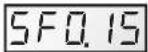 | |
| • Press the up / down buttons to set the desiredvalue (0 to 30 minutes) |  | → | 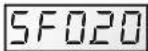 | |
| • Press DISP/FUNC: the screen will display "St 1hr"- this is the default Skimmer cycle period |  | → | 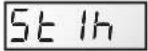 | |
| • Press the up / down buttons to set the Skimmercycle period to 1hr, 2hrs or 3hrs |  | → | 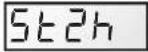 | |
| • Press DISP/FUNC: the screen will display "S2800"- this is the default speed of the Skimmer function(rpm) |  | → | 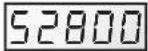 | |
| • Press the up/down buttons to display the desiredspeed (600 to 3000 rpm) |  | → | 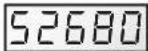 | |
| • Press RUN/STOP to exit and saveThe display will show the current speed or StoP |  | → | 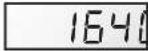 | 5Stop |
| Note: To deactivate the Skimmer and set the time tozero - display reads "SFoFF" |  | → | 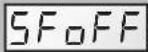 | 5F000 |
4.4 Restoring the settings
To restore the default settings and erase the Timer mode settings, do the following:
| • Press and hold DISP/FUNC for three secondsAll three LEDs will blink and the screen will display"ConF" | 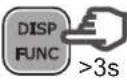 | → |  | 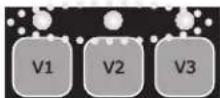 |
| • Press DISP/FUNC repeatedly until the screendisplays the message 'Init' |  | → | 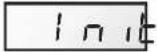 | |
| • Press and hold the 'up' button for 3 seconds. Thescreen will read "donE" once the reset is complete• The pump will restart automatically |  | → | 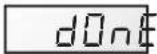 | → |
Reminder: default settings and their value ranges
| Priming Speed | preset buttons Skimmer function | Timer function | ||||||||||
| Pr | o | V1 | V2 | V3 | 5F | 5t | 5_ _ | t0 | t1_ t5 | |||
| Units | s | rpm | rpm | rpm | rpm | min. | h | rpm | hh-mm | rpm | hh-mm | rpm |
| Default | 240 | 3000 | 1500 | 2400 | 3000 | 15 | 1 | 2800 | 06-00 | 2400 | oFF | 0 |
| Mini | 0 (oFF) | 600 | 600 | 600 | 600 | 0 (oFF) | 1 ... | 600 | 00-00 | — | 00-00 | 0/ 600 |
| Maxi | 300 | 3000 | 3000 | 3000 | 3000 | 30 | ... 3 | 3000 | 24-00 | — | 24-00 | 3000 |
USE ONLY HAYWARD GENUINE REPLACEMENT PARTS
4.5 Setting the Timer mode
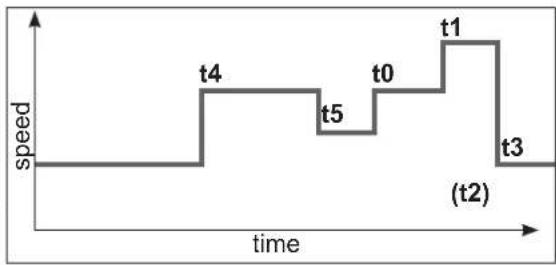
The control panel allows you to program multiple sequences (see section 2.3) or Timers t0 to t5, which do not need to follow a chronological order.
Unused Timer settings will be deactivated.
Timer 't0' can be set to 00:00, 06:00 (by default), 12:00 or 18:00. It cannot be deactivated.
You cannot adjust the speed of t0, it is set at 2400 rpm
- Identify the speed profile you would like to program.
The image opposite is shown as an example. - Check whether the internal clock has been set correctly.
line
| Time Point | Speed | | :--- | :--- | | t0 | 1.0 | | t1 | 1.0 | | t2 | 0.5 | | t3 | 0.5 | | t4 | 1.0 | | t5 | 1.0 | The label '(t2)' appears in the bottom right corner, likely indicating a specific event or phase.| • Press and hold DISP/FUNC for 3 secondsAll 3 LEDs will blink and the screen will display"ConF" |  |  | 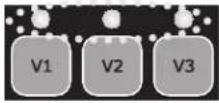 |
| • Press DISP/FUNC twice and the screen willdisplay "t0" | 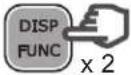 |  | |
| • Press DISP/FUNC: the screen will display "06-00"-this is the default value of t0 |  | 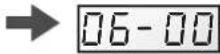 | |
| • Press the up / down buttons to set the value youwould like for t0 (00-00, 06-00, 12-00 or 18-00) |  | 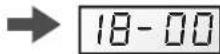 | |
| • Press DISP/FUNC: the screen will display "t1oFF" |  |  | |
| • To activate this Timer setting (as an example),press the 'up' button. The screen will display "t1on" |  |  | |
| • Press DISP/FUNC: the screen will display "00-00" |  | 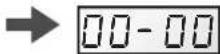 | |
| • Press the up / down buttons to set the desiredtimetable (hh-mm) |  | 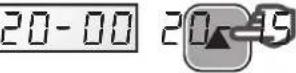 | → |
| • Press DISP/FUNC: the screen will display "0" |  |  | |
| • Press the up / down buttons to display the desiredspeed (600 to 3000 rpm or 0) |  | 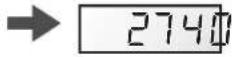 | |
| • To go to the next Timer setting, press DISP/FUNC:the screen will display "t2off". In this example theTimer setting stays deactivated |  | 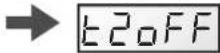 | |
| • Press DISP/FUNC to go to the next Timer settingand repeat the steps (activation, timetable, Timersetting and speed) |  | 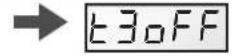 | etc ... |
| • Press RUN/STOP to exit and saveThe display will show the current speed or StoP |  |  |
USE ONLY HAYWARD GENUINE REPLACEMENT PARTS
5. DISPLAYING CURRENT SETTINGS
Note: The pump must be switched on, either running (post priming phase) or stopped.
To display the current settings, press DISP/FUNC.
If no button is pressed for 15 seconds thereafter, the display will go back to normal (showing the current speed or Stop).
| • Press DISP/FUNC: the screen will display "hr"Press again: the screen will display the internal clock time |  |  | 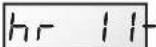 | 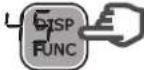 |  |  |
| • Press DISP/FUNC: the screen will display "t0"Press again: the screen will display the 0t timetable (the t0 speed is fixed at 2400 rpm) | 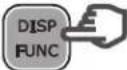 |  | 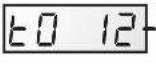 |  |  |  |
| • Press DISP/FUNC: the screen will display "t1"Press again: the screen will display its timetable (hh-mm) |  |  | 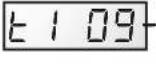 |  |  |  |
| • Press DISP/FUNC: the screen will display the speed of the Timer setting (in rpm) |  |  | 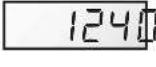 |  |  | |
| • Press DISP/FUNC: the screen will display the next Timer setting, the timetable and the speed - you can do this up to Timer setting 't5'Note: Deactivated Timer settings are not displayed |  |  | 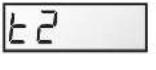 |  |  | |
| • Press DISP/FUNC: the screen will display "P- - - - "Power consumption (in Watts, a value of +/- 10%)Note: P = 0 W when the pump is off. |  |  | 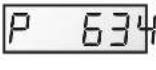 |  |  | |
| • Press DISP/FUNC: the screen will display "h - - - - "The pump's operating hours counterNote: The counter runs up to 9999 hours |  |  | 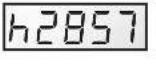 |  | ||
| • Press DISP/FUNC: the screen will display "----"Total energy consumption (in kWh)Note: The counter runs up to 99999 kWh |  |  | 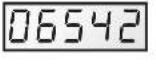 | | ||
| • Press DISP/FUNC: the screen will display "----"Partial energy consumption (in kWh) since the last reset |  |  | 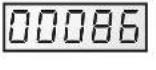 | | ||
| • To reset the partial energy consumption counter:Press and hold either of the up / down buttons for 3 seconds.The message "CLEAR" will be displayed, indicating that the counter has been reset to zero. |  |  |  | 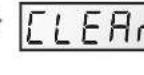 | ||
| • Press DISP/FUNC: The screen will display "SF On" or "SFOFF" to indicate that the Skimmer is on or off |  |  | 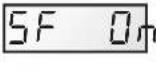 | 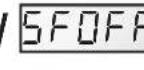 | ||
| • Press DISP/FUNC: Screen displays "t - - "This is the temperature of the power module (in °C) |  |  | 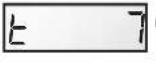 |  | ||
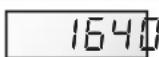
| • Press DISP/FUNC to exit back to the normal screen (showing current speed or Stop) |  |  |  | 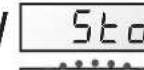 |  | 1640 |
USE ONLY HAYWARD GENUINE REPLACEMENT PARTS
MAINTENANCE
- Completely disconnect the pump from the mains power supply before opening the cover and cleaning the strainer. Clean the strainer basket regularly. Do not bang on the basket to clean it. Check the seal on the cover of the strainer and replace it if necessary.
- The motor shaft is mounted on self-lubricating bearings which do not require any subsequent lubrication.
- Keep the motor clean and dry and ensure the ventilation openings are not blocked.
- The mechanical shutter occasionally starts to leak and must then be changed.
- Apart from cleaning the pool, all repairs, servicing and maintenance must be carried out by a Hayward-approved agent or a qualified person.
WINTERING
- Empty the pump by removing all the drain plugs and store them in the strainer basket.
- Disconnect the pump, remove the pipe connectors and store the entire unit in a dry, well-ventilated place or at least take the following precaution: disconnect the pump, remove the 4 bolts attaching the pump housing to the motor bracket and store the unit in a dry, well-ventilated place. Then cover the pump housing and strainer to protect them.
N.B.: Before recommissioning the pump, clean all the internal parts to remove dust, lime scale etc.
TROUBLESHOOTING
A) The motor does not start
- Check the electrical connections, switches or relays, and the circuit breaker or fuses.
- Ensure that the motor turns freely by hand.
-
Check that rotation speeds V1, V2 and V3 are not programmed at 0rpm. If they are, restore the factory settings (see section 4.4).
-
If the screen displays any of the error messages below, please contact your vendor:
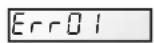
Constant low line voltage
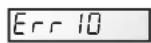
Internal problem with electrical supply
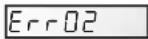
Constant high line voltage

Starting problems
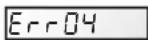
Power module overheating

Internal short-circuiting problem
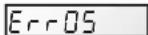
Motor overheating
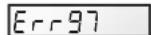
Multiple problems
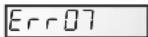
Overload

Communication problem
B) The motor stops, check
- The cables, connections, relays etc.
- Voltage drop on motor (frequently caused by cables that are too small).
- That there is no seizing or overheating (by reading the absorbed current).
N.B.: The motor on your pump is fitted with a thermal protection which, in the case of overload, will automatically cut the circuit and avoid the motor being damaged. This triggering is caused by abnormal usage conditions which need to be checked and corrected. The motor will restart without any intervention as soon as normal operating conditions are restored.
C) "OLOAD" appears on the display (overload or over-heating problem)
- Check that the motor shaft turns freely
- Check that no debris is preventing the turbine from rotating freely
- Check that the motor is correctly ventilated
- After correcting the problem, press the On/Off button
D) The pump does not prime
- Ensure the strainer housing is filled with water, that the cover seal is clean and correctly positioned and that no air can enter. If necessary, tighten the cover lock screws.
- Ensure that all the suction and discharge valves are open and not blocked and that the suction outlets in the pool are fully submerged.
USE ONLY HAYWARD GENUINE REPLACEMENT PARTS
TROUBLESHOOTING (CONTINUED)
- Check that the pump draws by freeing the suction as close as possible to the pump:
a) if the pump does not draw despite being sufficiently full of priming water
- Tighten the bolts and pipe accessories on the suction side.
- Check the voltage to ensure that the pump is rotating at the correct speed.
- Open the pump and check that nothing is blocking it inside,
- Set a priming speed that is fast enough
- Clean the filter and try again
- Replace the mechanical shutter.
b) Try priming in re-circulation mode. If the pump is drawing normally, check the suction pipe and strainer which may be blocked or be allowing air to enter.
- That no air is entering the suction side and causing dull crackling in the pump.
- That there is no cavitation caused by insufficient diameter or a restriction in the suction tube. An over-sized discharge pipe can also cause cavitation. Use pipes of the correct size or purge the pipes if necessary.
- That no vibration is occurring due to incorrect fitting.
- That there are no foreign bodies in the pump housing.
- That the motor bearings have not seized due to excessive clearance, rust or prolonged overheating.
REGISTRATION
TO REGISTER YOUR PRODUCT AND BENEFIT FROM AN ADDITIONAL WARRANTY, GO TO: http://www.hayward.fr/en/services/register-your-product
For your information
Record the following information future reference, if necessary:
1) Date of purchase
2) Name
3) Address
4) Post Code
5) Email
6) Part number ____ Serial number ____
7) Dealer
8) Address
9) Post code ____ Country ____
Note
USE ONLY HAYWARD GENUINE REPLACEMENT PARTS

natural_image
Abstract geometric logo with stylized letter H inside a circular frame (no text or symbols)HAYWARD®
natural_image
Technical line drawing of a Hayward industrial pump or motor assembly (no text or symbols on the diagram itself)
BOMBA CENTRÍFUGA DE VELOCIDAD VARIABLE
MANUAL DEL USUARIO
CONSERVE ESTE MANUAL PARA CONSULTARLO POSTERIORMENTE

line
| tiempo | velocidad | | ------ | --------- | | 0 | 0 | | 1 | 0 | | 2 | 0 | | 3 | 0 | | 4 | 0 | | 5 | 0 | | 6 | 0 | | 7 | 0 | | 8 | 0 | | 9 | 0 | | 10 | 0 | | 11 | 0 | | 12 | 0 | | 13 | 0 | | 14 | 0 | | 15 | 0 | | 16 | 0 | | 17 | 0 | | 18 | 0 | | 19 | 0 | | 20 | 0 | | 21 | 0 | | 22 | 0 | | 23 | 0 | | 24 | 0 | | 25 | 0 | | 26 | 0 | | 27 | 0 | | 28 | 0 | | 29 | 0 | | 30 | 0 | | 31 | 0 | | 32 | 0 | | 33 | 0 | | 34 | 0 | | 35 | 0 | | 36 | 0 | | 37 | 0 | | 38 | 0 | | 39 | 0 | | 40 | 0 | | 41 | 0 | | 42 | 0 | | 43 | 0 | | 44 | 0 | | 45 | 0 | | 46 | 0 | | 47 | 0 | | 48 | 0 | | 49 | 0 | | 50 | 0 | | 51 | 0 | | 52 | 0 | | 53 | 0 | | 54 | 0 | | 55 | 0 | | 56 | 0 | | 57 | 0 | | 58 | 0 | | 59 | 0 | | 60 | 0 | | 61 | 0 | | 62 | 0 | | 63 | 0 | | 64 | 0 | | 65 | 0 | | 66 | 0 | | 67 | 0 | | 68 | 0 | | 69 | 0 | | 70 | 0 | | 71 | 0 | | 72 | 0 | | 73 | 0 | | 74 | 0 | | 75 | 0 | | 76 | 0 | | 77 | 0 | | 78 | 0 | | 79 | 0 | | 80 | 0 | | 81 | 0 | | 82 | 0 | | 83 | 0 | | 84 | 0 | | 85 | 0 | | 86 | 0 | | 87 | 0 | | 88 | 0 | | 89 | 0 | | 90 | 0 | | 91 | 0 | | 92 | 0 | | 93 | 0 | | 94 | 0 | | 95 | 0 | | 96 | 0 | | 97 | 0 | | 98 | 0 | | 99 | 0 | |1 | |natural_image
Abstract geometric logo with stylized letter H inside a circular frame (no text or symbols)HAYWARD®
natural_image
Technical line drawing of a Hayward industrial pump or motor assembly (no text or symbols on the diagram itself)
BOMBA CENTRÍFUGA DE VELOCIDADE VARIÁVEL
MANUAL DO UTILIZADOR
CONSERVE ESTE MANUAL PARA REFERÊNCIA FUTURA

natural_image
Abstract geometric logo with stylized letter H inside a circular frame (no text or symbols)HAYWARD®
natural_image
Technical line drawing of a Hayward motor pump assembly (no text or symbols on the diagram itself)
ZENTRIFUGALPUMPE MIT VARIABLER GESCHWINDIGKEIT
ANWENDER - HANDBUCH
line
| Zeit | Geschwindigkeit | | ---- | -------------- | | 0 | 1 | | 1 | 1 | | 2 | 1 | | 3 | 1 | | 4 | 1 | | 5 | 1 | | 6 | 1 | | 7 | 1 | | 8 | 1 | | 9 | 1 | | 10 | 1 | | 11 | 1 | | 12 | 1 | | 13 | 1 | | 14 | 1 | | 15 | 1 | | 16 | 1 | | 17 | 1 | | 18 | 1 | | 19 | 1 | | 20 | 1 | | 21 | 1 | | 22 | 1 | | 23 | 1 | | 24 | 1 | | 25 | 1 | | 26 | 1 | | 27 | 1 | | 28 | 1 | | 29 | 1 | | 30 | 1 | | 31 | 1 | | 32 | 1 | | 33 | 1 | | 34 | 1 | | 35 | 1 | | 36 | 1 | | 37 | 1 | | 38 | 1 | | 39 | 1 | | 40 | 1 | | 41 | 1 | | 42 | 1 | | 43 | 1 | | 44 | 1 | | 45 | 1 | | 46 | 1 | | 47 | 1 | | 48 | 1 | | 49 | 1 | | 50 | 1 | | 51 | 1 | | 52 | 1 | | 53 | 1 | | 54 | 1 | | 55 | 1 | | 56 | 1 | | 57 | 1 | | 58 | 1 | | 59 | 1 | | 60 | 1 | | 61 | 1 | | 62 | 1 | | 63 | 1 | | 64 | 1 | | 65 | 1 | | 66 | 1 | | 67 | 1 | | 68 | 1 | | 69 | 1 | | 70 | 1 | | 71 | 1 | | 72 | 1 | | 73 | 1 | | 74 | 1 | | 75 | 1 | | 76 | 1 | | 77 | 1 | | 78 | 1 | | 79 | 1 | | 80 | 1 | | 81 | 1 | | 82 | 1 | | 83 | 1 | | 84 | 1 | | 85 | 1 | | 86 | 1 | | 87 | 1 | | 88 | 1 | | 89 | 1 | | 90 | 1 | | 91 | 1 | | 92 | 1 | | 93 | 1 | | 94 | 1 | | 95 | 1 | | 96 | 1 | | 97 | 1 | | 98 | 1 | | 99 | 1 | | Note: The data is in a format format (e.g., 'c' for the first cycle) but not explicitly provided in the code. The actual values may vary due to the absence of labels or data types. I have been calculated based on the given code. There is only one data series in this case. I have been generated using the same parameters and the output of the code. I have been plotted as a line graph.2.3 Timer-Modus
natural_image
Abstract geometric logo with stylized letter H inside a circular frame (no text or symbols)HAYWARD®
natural_image
Technical line drawing of a Hayward industrial pump or motor assembly (no text or symbols on the diagram itself)
CENTRIFUGAALPOMP MET VARIABELE SNELHEID
GEBRUIKERSHANDBOEK
DIT HANDBOEK BEWAREN VOOR TOEKOMSTIG GEBRUIK

ENKEL ORIGINELE RESERVEONDERDELEN VAN HAYWARD GEBRUIKEN.
4. INSTELLINGEN
natural_image
Abstract geometric logo with stylized letter H inside a circular frame (no text or symbols)HAYWARD®
natural_image
Technical line drawing of a Hayward industrial pump or motor assembly (no text or symbols on the diagram itself)
POMPA CENTRIFUGA A VELOCITÀ VARIABILE
MANUALE PER L'USO
natural_image
Abstract geometric logo with stylized letter H inside a circular frame (no text or symbols)HAYWARD®
natural_image
Technical line drawing of a Hayward industrial pump or motor assembly (no text or symbols on the diagram itself)
CENTRIFUGALPUMP MED VARIABELT VARVTAL
ANVÄNDARHANDLEDNING
SPARA DENNA HANDLEDNING FÖR SENARE REFERENS

line
| tid | hastighet | | --- | --------- | | 0 | 1.0 | | 1 | 1.0 | | 2 | 1.0 | | 3 | 1.0 | | 4 | 0.0 |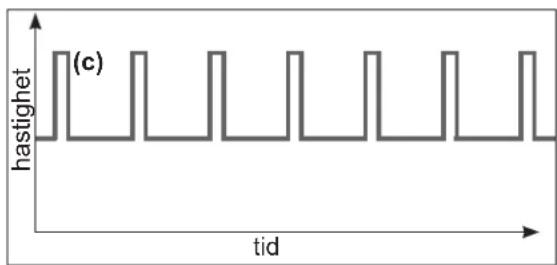
line
| tid | hastighet | | --- | --------- | | 0 | 1 | | 1 | 1 | | 2 | 1 | | 3 | 1 | | 4 | 1 | | 5 | 1 | | 6 | 1 | | 7 | 1 | | 8 | 1 | | 9 | 1 | | 10 | 1 | | 11 | 1 | | 12 | 1 | | 13 | 1 | | 14 | 1 | | 15 | 1 | | 16 | 1 | | 17 | 1 | | 18 | 1 | | 19 | 1 | | 20 | 1 | | 21 | 1 | | 22 | 1 | | 23 | 1 | | 24 | 1 | | 25 | 1 | | 26 | 1 | | 27 | 1 | | 28 | 1 | | 29 | 1 | | 30 | 1 | | 31 | 1 | | 32 | 1 | | 33 | 1 | | 34 | 1 | | 35 | 1 | | 36 | 1 | | 37 | 1 | | 38 | 1 | | 39 | 1 | | 40 | 1 | | 41 | 1 | | 42 | 1 | | 43 | 1 | | 44 | 1 | | 45 | 1 | | 46 | 1 | | 47 | 1 | | 48 | 1 | | 49 | 1 | | 50 | 1 | | 51 | 1 | | 52 | 1 | | 53 | 1 | | 54 | 1 | | 55 | 1 | | 56 | 1 | | 57 | 1 | | 58 | 1 | | 59 | 1 | | 60 | 1 | | 61 | 1 | | 62 | 1 | | 63 | 1 | | 64 | 1 | | 65 | 1 | | 66 | 1 | | 67 | 1 | | 68 | 1 | | 69 | 1 | | 70 | 1 | | 71 | 1 | | 72 | 1 | | 73 | 1 | | 74 | 1 | | 75 | 1 | | 76 | 1 | | 77 | 1 | | 78 | 1 | | 79 | 1 | | 80 | 1 | | Note: The actual values for 'castighet' are not provided in the code. The code is a schematic representation of the data being plotted. The numbers 'c' appear to be the indices of the data series.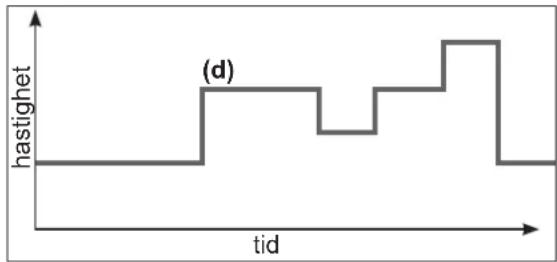
line
| tid | hastighet | | --- | --------- | | 0 | 0 | | 1 | 0 | | 2 | 0 | | 3 | 0 | | 4 | 0 | | 5 | 0 | | 6 | 0 | | 7 | 0 | | 8 | 0 | | 9 | 0 | | 10 | 0 | | 11 | 0 | | 12 | 0 | | 13 | 0 | | 14 | 0 | | 15 | 0 | | 16 | 0 | | 17 | 0 | | 18 | 0 | | 19 | 0 | | 20 | 0 | | 21 | 0 | | 22 | 0 | | 23 | 0 | | 24 | 0 | | 25 | 0 | | 26 | 0 | | 27 | 0 | | 28 | 0 | | 29 | 0 | | 30 | 0 | | 31 | 0 | | 32 | 0 | | 33 | 0 | | 34 | 0 | | 35 | 0 | | 36 | 0 | | 37 | 0 | | 38 | 0 | | 39 | 0 | | 40 | 0 | | 41 | 0 | | 42 | 0 | | 43 | 0 | | 44 | 0 | | 45 | 0 | | 46 | 0 | | 47 | 0 | | 48 | 0 | | 49 | 0 | | 50 | 0 | | 51 | 0 | | 52 | 0 | | 53 | 0 | | 54 | 0 | | 55 | 0 | | 56 | 0 | | 57 | 0 | | 58 | 0 | | 59 | 0 | | 60 | 0 | | 61 | 0 | | 62 | 0 | | 63 | 0 | | 64 | 0 | | 65 | 0 | | 66 | 0 | | 67 | 0 | | 68 | 0 | | 69 | 0 | | 70 | 0 | | 71 | 0 | | 72 | 0 | | 73 | 0 | | 74 | 0 | | 75 | 0 | | 76 | 0 | | 77 | 0 | | 78 | 0 | | 79 | 0 | | 80 | -1 | | | |http://www.hayward.fr/en/services/register-your-product
För dina noteringar
natural_image
Abstract geometric logo with stylized letter H inside a circular frame (no text or symbols)HAYWARD®
natural_image
Technical line drawing of a Hayward industrial pump or motor assembly (no text or symbols on the diagram itself)
CENTRIFUGEPUMPE MED VARIABEL HASTIGHED
BRUGERVEJLEDNING
OPBEVAR DENNE MANUAL TIL SENERE BRUG
line
| tid | hastighed | | --- | --------- | | 0 | 1 | | 1 | 1 | | 2 | 1 | | 3 | 1 | | 4 | 1 |2.2 Skimmer
natural_image
Abstract geometric logo with stylized letter H inside a circular frame (no text or symbols)HAYWARD®
natural_image
Technical line drawing of a Hayward industrial pump or motor assembly (no text or symbols on the diagram itself)
SENTRIFUGALPUMPE MED VARIABEL HASTIGHET
BRUKERVEILEDNING
TA VARE PÅ DENNE VEILEDNINGEN FOR SENERE BRUK
line
| tid | hastighet | | --- | --------- | | 0 | 1 | | 1 | 1 | | 2 | 1 | | 3 | 1 | | 4 | 1 |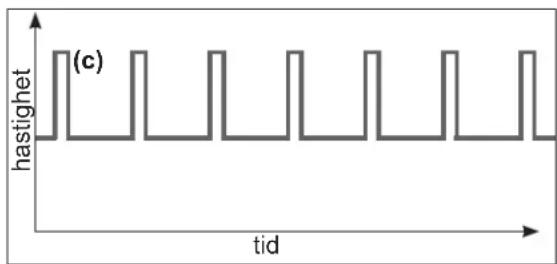
line
| tid | hastighet | | --- | --------- | | 0 | 1 | | 1 | 1 | | 2 | 1 | | 3 | 1 | | 4 | 1 | | 5 | 1 | | 6 | 1 | | 7 | 1 | | 8 | 1 | | 9 | 1 | | 10 | 1 | | 11 | 1 | | 12 | 1 | | 13 | 1 | | 14 | 1 | | 15 | 1 | | 16 | 1 | | 17 | 1 | | 18 | 1 | | 19 | 1 | | 20 | 1 | | 21 | 1 | | 22 | 1 | | 23 | 1 | | 24 | 1 | | 25 | 1 | | 26 | 1 | | 27 | 1 | | 28 | 1 | | 29 | 1 | | 30 | 1 | | 31 | 1 | | 32 | 1 | | 33 | 1 | | 34 | 1 | | 35 | 1 | | 36 | 1 | | 37 | 1 | | 38 | 1 | | 39 | 1 | | 40 | 1 | | 41 | 1 | | 42 | 1 | | 43 | 1 | | 44 | 1 | | 45 | 1 | | 46 | 1 | | 47 | 1 | | 48 | 1 | | 49 | 1 | | 50 | 1 | | 51 | 1 | | 52 | 1 | | 53 | 1 | | 54 | 1 | | 55 | 1 | | 56 | 1 | | 57 | 1 | | 58 | 1 | | 59 | 1 | | 60 | 1 | | | |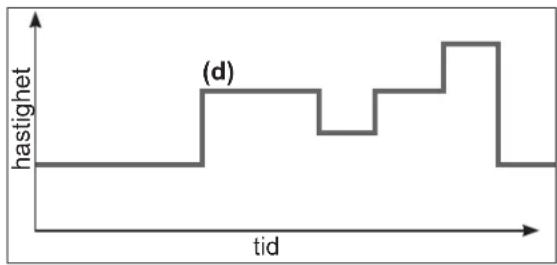
line
| tid | hastighet | | --- | --------- | | 0 | 0 | | 1 | 0 | | 2 | 0 | | 3 | 0 | | 4 | 0 | | 5 | 0 | | 6 | 0 | | 7 | 0 | | 8 | 0 | | 9 | 0 | | 10 | 0 | | 11 | 0 | | 12 | 0 | | 13 | 0 | | 14 | 0 | | 15 | 0 | | 16 | 0 | | 17 | 0 | | 18 | 0 | | 19 | 0 | | 20 | 0 | | 21 | 0 | | 22 | 0 | | 23 | 0 | | 24 | 0 | | 25 | 0 | | 26 | 0 | | 27 | 0 | | 28 | 0 | | 29 | 0 | | 30 | 0 | | 31 | 0 | | 32 | 0 | | 33 | 0 | | 34 | 0 | | 35 | 0 | | 36 | 0 | | 37 | 0 | | 38 | 0 | | 39 | 0 | | 40 | 0 | | 41 | 0 | | 42 | 0 | | 43 | 0 | | 44 | 0 | | 45 | 0 | | 46 | 0 | | 47 | 0 | | 48 | 0 | | 49 | 0 | | 50 | 0 | | 51 | 0 | | 52 | 0 | | 53 | 0 | | 54 | 0 | | 55 | 0 | | 56 | 0 | | 57 | 0 | | 58 | 0 | | 59 | 0 | | 60 | 0 | | 61 | 0 | | 62 | 0 | | 63 | 0 | | 64 | 0 | | 65 | 0 | | 66 | 0 | | 67 | 0 | | 68 | 0 | | 69 | 0 | | 70 | 0 | | 71 | 0 | | 72 | 0 | | 73 | 0 | | 74 | 0 | | 75 | 0 | | 76 | 0 | | 77 | 0 | | 78 | 0 | | 79 | 0 | | 80 | -1 | | | |2.4 Skifte mellom Manuell modus / Timer-modus
http://www.hayward.fr/en/services/register-your-product
Til informasjon
natural_image
Abstract geometric logo with stylized letter H inside a circular frame (no text or symbols)HAYWARD®
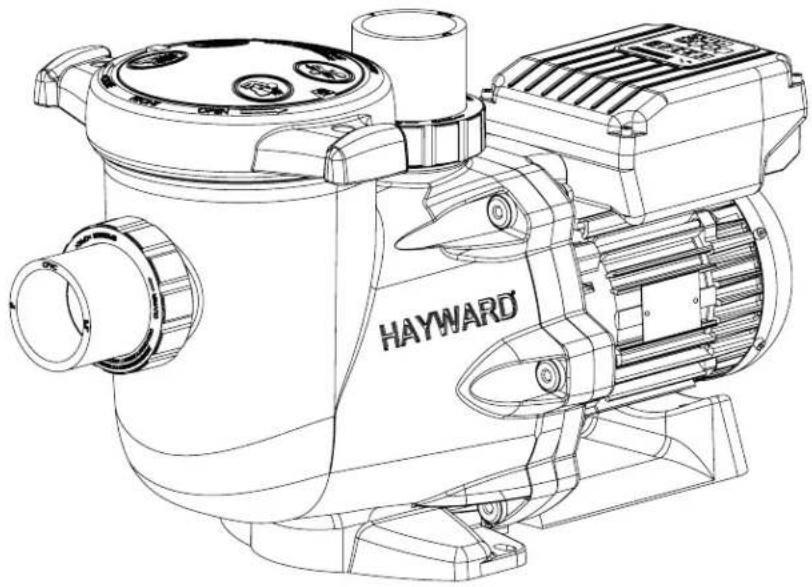
natural_image
Technical line drawing of a Hayward industrial pump or motor assembly (no text or symbols on the diagram itself)
KESKIPAKOPUMPPU SÄÄDETTÄVÄLLÄ NOPEUDELLA
KÄYTTÖOHJE
SÄILYTÄ TÄMÄ KÄYTTÖOHJE MYÖHEMPÄÄ TARVETTA VARTEN

MAHDOLLISET VIAT JA RATKAISUT
http://www.hayward.fr/en/services/register-your-product
Omia tietoja varten
natural_image
Abstract geometric logo with stylized letter H inside a circular frame (no text or symbols)HAYWARD®
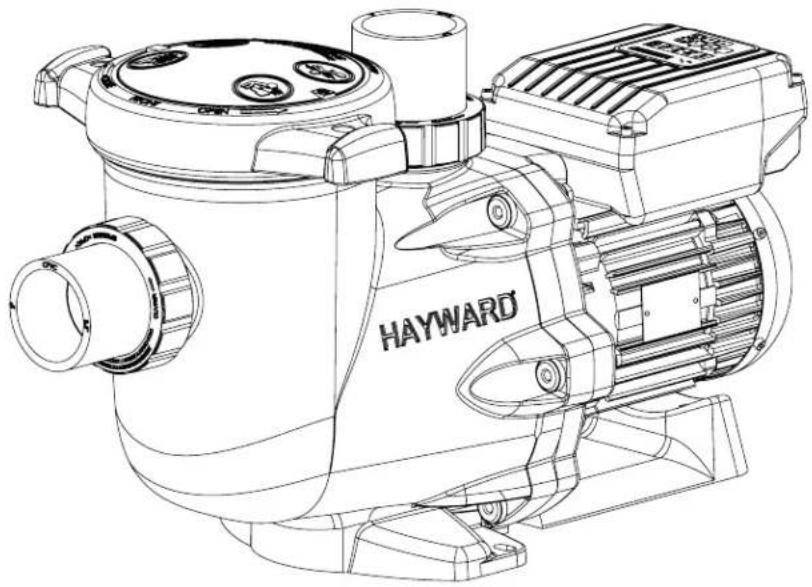
natural_image
Technical line drawing of a Hayward industrial pump or motor assembly (no text or symbols on the diagram itself)
line
| Time | Speed | | :--- | :--- | | 0 | 1 | | 1 | 1 | | 2 | 1 | | 3 | 1 | | 4 | 0 | (a) (time) | 1 | (b) (time) | 1 |2.2 Скиммер
line
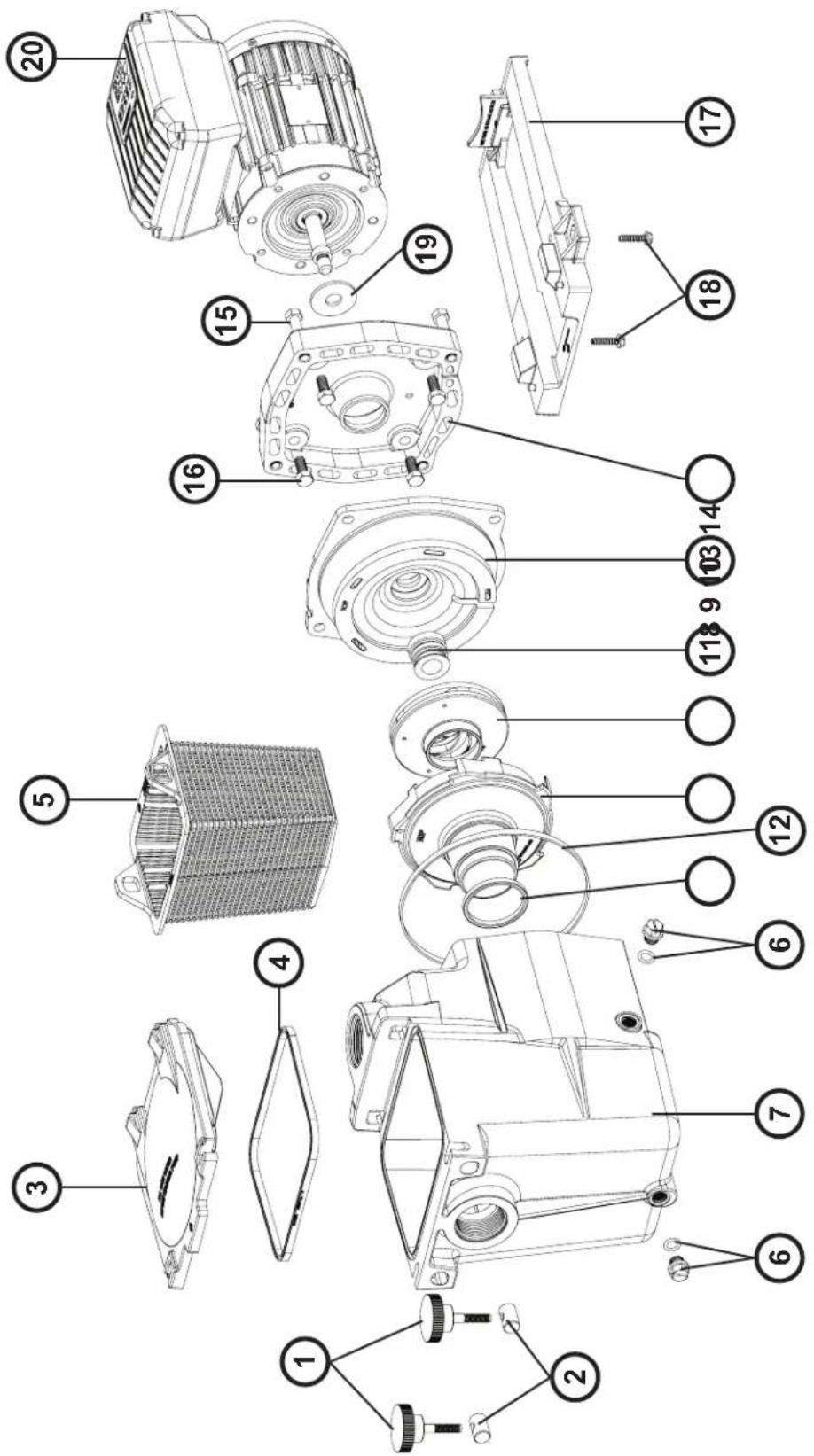
| Time Point | Speed | | :--- | :--- | | t0 | 1.5 | | t1 | 2.0 | | t2 | 0.5 | | t3 | 0.5 | | t4 | 1.5 | | t5 | 1.5 | The label '(t2)' appears in the bottom right corner, likely indicating a specific event or phase.| N° SP3216VST N° SP3216VST | |||
| 1 SPX3200DLS 12 SPX3215C | |||
| 2 SPX3200S 13 SPX3200SA | |||
| 3 SPX3200M 14 SPX3200T | |||
| 4 SPX3200A 15 SPX3200E | |||
| 5 SPX4000FG 16 SPX3200Z3 | |||
| 6 SPX3200Z211 17 SPX3200Z5 | |||
| 7 | SPX4000Z1 | 18 | SPX1100SFVST |
| 8 | SPX3200Z8 | 19 | SPX3200GA |
| 9 | SPX3200B3 | 20 | SPX3200GC |
| 10 | SPX3200Z1 | 21 | SP3200UNKIT63 |
| 11 SPX3021R | |||
Ordre de serrage des boulons - Bolt tightening order - Orden de apriete de los pernos - Ordem de aperto dos parafusos - Anzugsreihenfolge der Bolzen - Volgorde waarin de bouten vastgedraaid moeten worden - Ordine di stringimento bulloni - Ordning för att dra åt bultarna - Spændngsrækkefølge for bolte - Rekkefølge for tiltrekking av boltene - Pulttien kirstysjärjestys - Порядок затяжки болтов
185 INCH LBS
20.9 N m
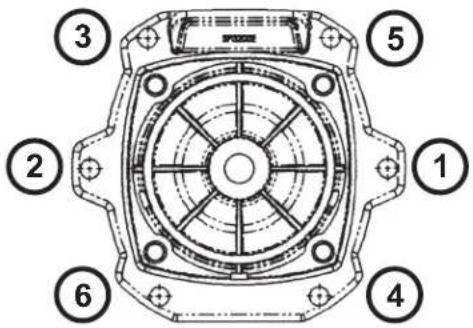
| N° SP2616VST | |
| 1 + 2 SPX1600PN | |
| 3 SPX1600D | |
| 4 SPX1600S | |
| 5 SPX1600M | |
| 6 SPX1700FG | |
| 7 SPX1620AE | |
| 8 SPX1600R | |
| 9 SPX2600BE | |
| 10 SPX2615CE | |
| 11 SPX1600Z2 | |
| 12 SPX1600T | |
| 13 + 14 SPX2600EKIT | |
| 15 | SPX1600Z4 |
| 16 | SPX0125Z4E |
| 17 SPX2600G1 | |
| 18 | SPX1600Z5 |
| 19 SPX0125F | |
| 20 | SPX1100VST |

| N° SP3016VST | |
| 1 SPX3000D | |
| 2 SPX3000M | |
| 3 SPX3000S | |
| 4 SPX1600PN | |
| 5 SPX1700FG | |
| 6 SPX3000T | |
| 7 SPX1600R | |
| 8 SPX3021B | |
| 9 SPX3021R | |
| 10 SPX3016CE | |
| 11 SPX1600Z2 | |
| 12 SPX3020E | |
| 13 SPX3000FE | |
| 14 SPX0125Z4E | |
| 15 SPX1600Z4 | |
| 16 | SPX0125F |
| 17 SPX3000GA | |
| 18 SPX1600Z5 | |
| 19 SPX1100VST | |
GARANTIE LIMITÉE
All HAYWARD products are covered for manufacturing defects or material defects for a warranty period of 2 years as of date of purchases. Any warranty claim should be accompanied by evidence of purchase, indicating date of purchase. We would therefore advise you to keep your invoice.
The HAYWARD warranty is limited to repair or replacement, as chosen by HAYWARD, of the faulty products, provided that they have been subjected to normal use, in compliance with the guidelines given in their user guides, provided that the products have not been altered in any way, and provided that they have been used exclusively with HAYWARD parts and components. The warranty does not cover damage due to frost and to chemicals. Any other costs (transport, labour, etc.) are excluded from the warranty.
HAYWARD may not be held liable for any direct or indirect damage resulting from incorrect installation, incorrect connection, or incorrect operation of a product.
In order to claim on a warranty and in order to request repair or replacement of an article, please ask your dealer.
No equipment returned to our factory will be accepted without our prior written approval.
Wearing parts are not covered by the warranty.
GARANTÍA LIMITADA
BESCHRÄNKTE GARANTIE
- HAYWARD®
- POMPE CENTRIFUGE À VITESSE VARIABLE
- Bascule entre mode Manuel / mode Timer
- VARIABLE SPEED CENTRIFUGAL PUMP
- GENERAL POINTS
- Necessary measures:
- USE ONLY HAYWARD GENUINE REPLACEMENT PARTS
- INSTALLATION
- USING THE CONTROL PANEL
- INTRODUCTION
- Skimmer
- Timer mode
- Switching between Manual and Timer modes
- Manual mode Timer mode
- Priming phase
- In Manual mode: selecting, setting and saving a custom speed
- Stopping / restarting the pump
- SETTINGS
- Setting the clock
- Setting the priming phase
- Setting the Skimmer function
- Restoring the settings
- Setting the Timer mode
- DISPLAYING CURRENT SETTINGS
- MAINTENANCE
- WINTERING
- TROUBLESHOOTING
- A) The motor does not start
- B) The motor stops, check
- C) "OLOAD" appears on the display (overload or over-heating problem)
- D) The pump does not prime
- TROUBLESHOOTING (CONTINUED)
- REGISTRATION
- TO REGISTER YOUR PRODUCT AND BENEFIT FROM AN ADDITIONAL WARRANTY, GO TO: http://www.hayward.fr/en/services/register-your-product
- For your information
- Note
- BOMBA CENTRÍFUGA DE VELOCIDAD VARIABLE
- BOMBA CENTRÍFUGA DE VELOCIDADE VARIÁVEL
- ZENTRIFUGALPUMPE MIT VARIABLER GESCHWINDIGKEIT
- Timer-Modus
- CENTRIFUGAALPOMP MET VARIABELE SNELHEID
- INSTELLINGEN
- POMPA CENTRIFUGA A VELOCITÀ VARIABILE
- CENTRIFUGALPUMP MED VARIABELT VARVTAL
- http://www.hayward.fr/en/services/register-your-product
- För dina noteringar
- CENTRIFUGEPUMPE MED VARIABEL HASTIGHED
- SENTRIFUGALPUMPE MED VARIABEL HASTIGHET
- Skifte mellom Manuell modus / Timer-modus
- Til informasjon
- KESKIPAKOPUMPPU SÄÄDETTÄVÄLLÄ NOPEUDELLA
- MAHDOLLISET VIAT JA RATKAISUT
- Omia tietoja varten
- Скиммер
- INCH LBS
- GARANTIE LIMITÉE
- GARANTÍA LIMITADA
- BESCHRÄNKTE GARANTIE
Brand : HAYWARD
Model : TriStar VST
Category : Pump